













It's 4:55 PM. Your startup's biggest prospect moved tomorrow's demo to 5:30 — in thirty-five minutes. Three engineers are in the huddle room with the prototype, two more are remote, and the "video setup" in that room is whatever the last person left plugged in. This is the moment when you find out whether your office has meeting infrastructure or just meeting furniture — and it's the moment the startup huddle room camera decision was really made for.
Fast-moving teams — startups, agencies, real estate brokerages — have a distinct video problem: their spaces, headcount, and meeting formats change monthly, so anything permanently installed is obsolete by the time it's configured. This guide is a startup huddle room camera strategy for offices in motion: huddle rooms, meeting rooms, war rooms, satellite offices, and the real estate twist.
The Startup Huddle Room Camera: Highest Traffic, Lowest Tolerance
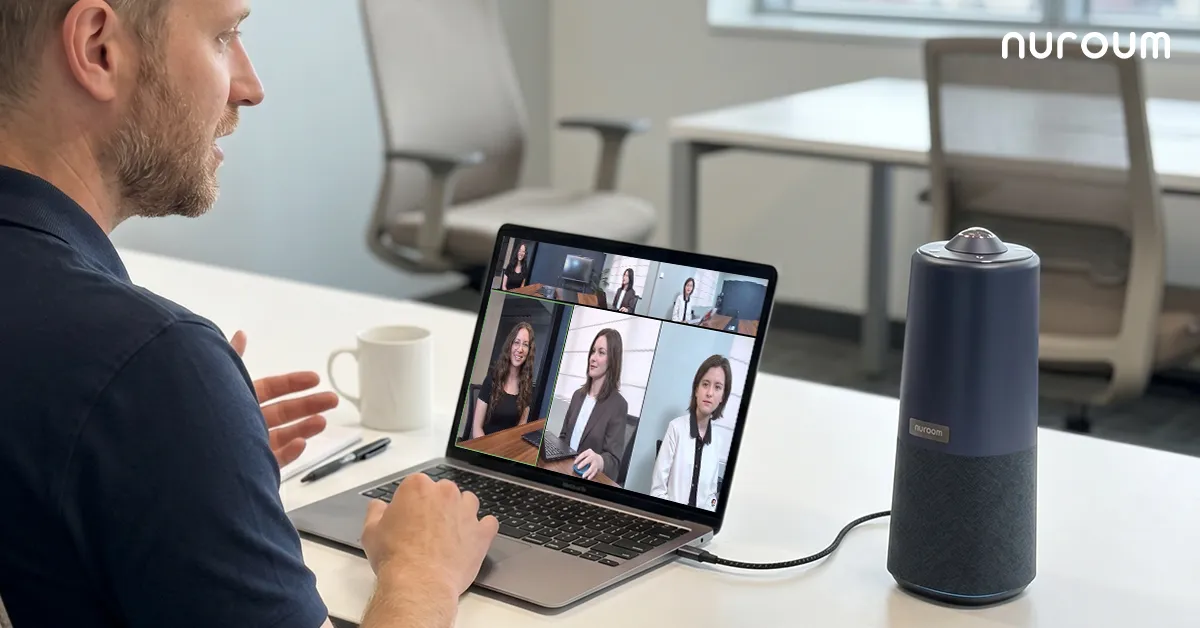
A startup huddle room camera faces the harshest usage profile in the building: booked in 15-minute slots, used by everyone, zero patience for setup. The operating principle is brutal and simple — the room must work for the person who reads nothing. Not the founder who chose the gear; the new hire on day three.
Walk through the ideal flow as a tutorial, with the mistake at each step:
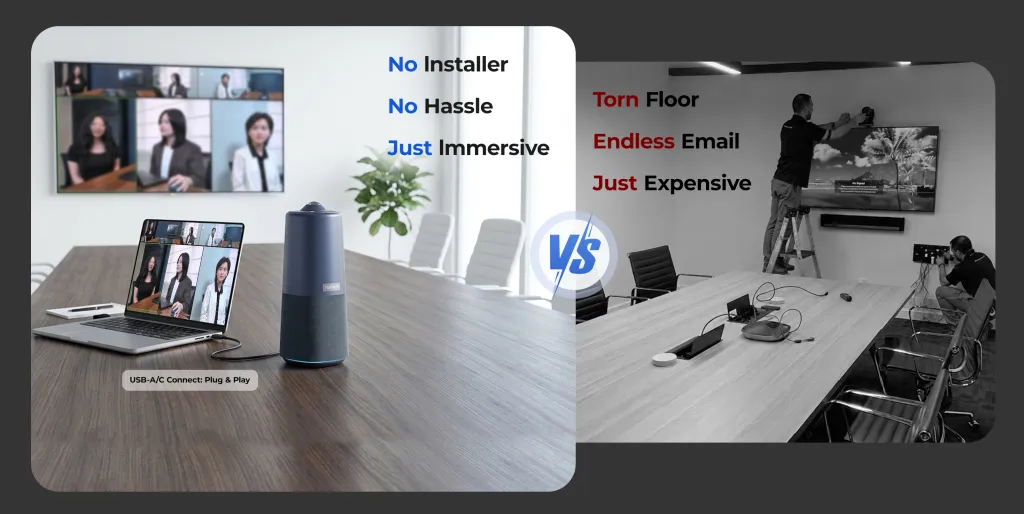
- Walk in and plug in. One USB cable from the device to any laptop. The common mistake: multi-device setups — separate webcam, speakerphone, hub — where one component is always missing, unplugged, or updated into incompatibility.
- Join on any platform. The device appears as a standard camera, mic, and speaker in Zoom, Teams, and Google Meet alike. The common mistake: hardware locked to one platform in a world where clients, investors, and candidates each prefer a different one.
- Everyone is in frame without adjusting anything. In a huddle room people sit wherever they sit — on the table's edge, in the corner. A 360-degree camera sees the room as it is. The common mistake: a front-mounted wide webcam that requires everyone to shuffle to one side of the table like a school photo.
- Audio just works. Noise-cancelling array microphones pull voices out of a small, echo-prone room. The common mistake: relying on a laptop mic, which guarantees the remote engineer hears keyboard clatter and hallway noise better than the discussion.
For a tech startup meeting room camera, add one more requirement: portability. The same unit should move to the bigger room when the standup becomes an all-hands.
The War Room: Always-On Video for Crunch Time
War room video conferencing is a different animal: during a launch, an incident, or a deal sprint, a distributed team keeps a persistent video bridge open for hours or days. The requirements shift in non-obvious ways:
- Ambient awareness over presentation quality. The point of a war room bridge is that remote teammates can glance up and see the room's state — whiteboards, body language, whether the debate is still raging — not a slideshow of faces. A 360-degree room view serves this better than any speaker-tracking crop.
- Audio that handles overlap. War rooms are loud: side conversations, keyboards, multiple people talking over each other. The microphone needs noise cancellation good enough that the remote side hears signal, not chaos — and a speaker loud enough that the room hears remote input without huddling.
- Heat-of-the-moment reliability. Nobody files a ticket mid-incident. The setup must be a known quantity: same device, same cable, always in the room.
Satellite Offices, Open Offices, and Everything Between
Growing teams rarely expand in neat increments — they add a satellite office with three desks, a coworking membership, a corner of a partner's space. A satellite office Teams camera strategy should follow the same rule as the huddle room: no installs, no IT, no permanence. A portable all-in-one unit plus any laptop turns a borrowed office into a fully functional Teams room in one cable's time. When the satellite office doubles in size — or closes — nothing is stranded on a wall.
Open office video conferencing is the inverse problem: the space works against the call. Honest guidance here, because the wrong advice is common:
| Situation | Right answer | Wrong answer |
|---|---|---|
| One person on a call in open plan | Headset | Speakerphone at the desk |
| A group call in an open area | Move to an enclosed room or pod | A "really good" speakerphone in the open |
| No enclosed room available | Noise-cancelling mic array, modest speaker volume, off-peak scheduling | Shouting over the HVAC |
The trade-off that matters isn't between devices; it's between convenience and your coworkers' patience. Open-plan speakerphone calls are a tax on everyone within twenty feet — the best camera in the world won't fix the social cost.
Real Estate Teams: The Office Side of Video
Real estate video conferencing is less about property tours than outsiders assume. The daily video reality of a brokerage is: team standups with agents who are never in the office, client consultations (pricing conversations, offer strategy, relocation buyers screening an agent before flying in), and lender or inspector coordination calls. These are meetings — they need meeting rooms.
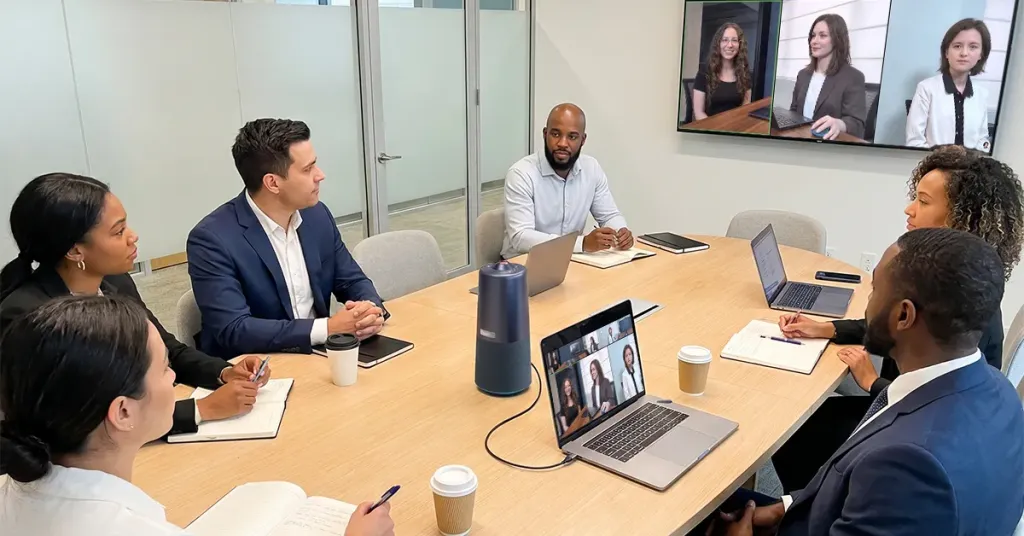
The brokerage scenario that deserves a deliberate setup: the client consultation at the office. A seller sits across the table from two agents while a third joins remotely. The real estate video conferencing bar is the same as any client business — everyone visible, everyone audible, nothing fiddly — with the extra weight that agents are selling personal professionalism. A tidy all-in-one unit on the table reads as competence; a laptop passed around reads as improvisation.
One clarification saves real money: a real estate listing camera — the photography and 3D-tour gear used to market properties — is a completely separate workflow, usually handled by a phone, a mirrorless camera, or a tour service. Don't let the listing-media budget contaminate the meeting-room budget, or vice versa; they solve different problems and neither substitutes for the other.
Assembling the Fleet: A Buy-Once Strategy for a Changing Office
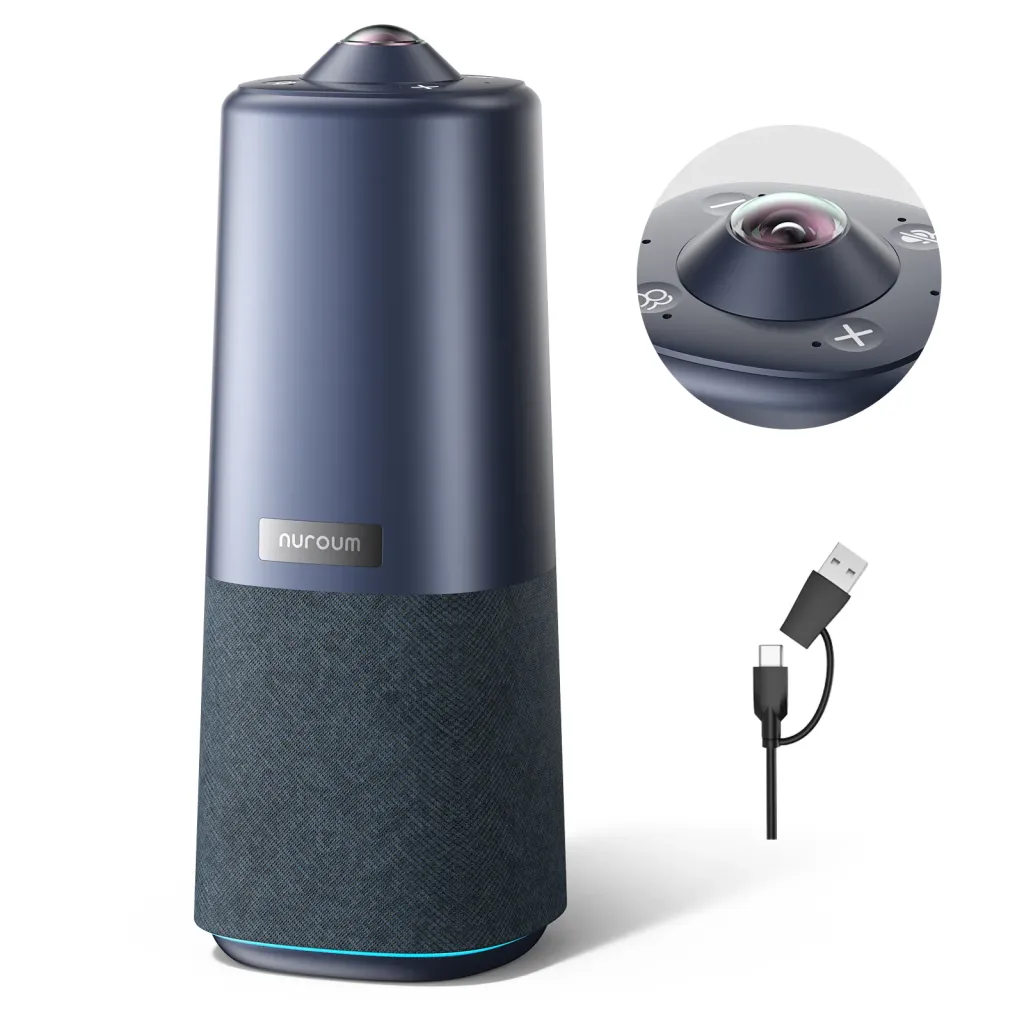
The pattern that survives growth: standardize on one portable all-in-one device type and buy a small fleet — one per huddle room and meeting room, plus a shared spare that floats to wherever a call pops up. Because the device tolerates any room shape, growth never strands hardware: new rooms inherit units, closed rooms release them. For teams building out their first real office or their fifth, the Nuroum 360 Pro fits this fleet model directly: a 360-degree camera with a Sony sensor, six-microphone noise-cancelling array, and Hi-Fi speaker in one unit, one USB cable, instant detection by Zoom, Teams, and Google Meet. Its three AI display modes switch with a button press or the included remote — Discussion mode for standups and war rooms, Global mode for all-hands and client consultations, Presentation mode for demos and walkthroughs. It covers rooms of roughly 3–18 people, so huddle rooms, meeting rooms, and satellite offices all run the same hardware — one thing to buy, one thing to learn, one thing to keep as a spare. Nuroum is used by more than 40,000 organizations, many of them teams that started with one unit and scaled the fleet as they grew.
Frequently Asked Questions
What's the best camera for a startup huddle room?
The best startup huddle room camera is the one nobody has to think about: an all-in-one unit combining camera, microphones, and speaker, with one USB cable and automatic detection by Zoom, Teams, and Google Meet. Huddle rooms live and die on friction — if starting a call takes more than a minute, people route around the room. Wide or 360-degree coverage matters more than resolution because huddle seating is informal and nobody re-aims a camera for a fifteen-minute sync. Spend on audio quality and simplicity before anything else.
How do real estate teams use video conferencing day to day?
The everyday pattern is meetings, not marketing: morning team standups with agents who are rarely in the office, client consultations for pricing and offer strategy, relocation buyers interviewing agents remotely, and coordination calls with lenders and inspectors. A portable room camera in the office's main meeting space covers nearly all of it, and agents joining from home just use their laptops. Listing media — photos, walkthrough video, 3D tours — is a separate workflow with separate gear; don't try to make one device serve both.
Can one camera serve a huddle room, a meeting room, and a war room?
Yes — that's precisely the advantage of a portable 360-degree all-in-one design. Because it sits in the middle of any table and sees the whole room, it adapts to different room shapes and group sizes without reconfiguration or re-aiming. Many startups run exactly this model: a few units assigned to the busiest rooms plus a floating spare that covers war room duty during launches and incidents. The only caution is sizing — check the device's pickup range against your largest room.
How do we handle video calls from an open office without disturbing everyone?
First choice: don't — move group calls to an enclosed room, pod, or booth, because no hardware makes an open-plan speakerphone call considerate. When a call must happen in the open, keep it to individuals on headsets for solo calls, and for small groups use a device with a noise-cancelling microphone array and modest speaker volume, scheduled away from the team's focus hours. The rule of thumb: a speakerphone in an open office is a tax on everyone nearby, and the camera's quality has nothing to do with that cost.
Related Guides
- The Complete Education Camera Guide: Classrooms, Hybrid Learning & Meeting Rooms — the pillar guide to room-based camera decisions
- Legal & Consulting Video Conferencing: Client-Ready Meeting Room Setups — when your startup's client calls start carrying real stakes
- Government & Nonprofit Meeting Rooms: Secure, Compliant Video Conferencing — budget-efficient fleet logic for lean teams



