































NUROUMNUROUM
Nuroum logo
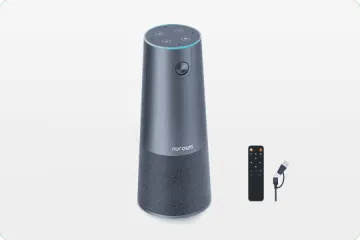
  • Conference Camera
    View products

    • https://resource.auditoryworks.co/nuroum-v1/strapi/c50_conference_camera_843aaaedb2/c50-conference-camera.png

      360° All-in-1 for All-Size Rooms

      Nuroum 360 Pro

      https://resource.auditoryworks.co/nuroum-v1/strapi/c46_conference_camera_7b681a6317/c46-conference-camera.png

      4K Lens For Small Room

      Nuroum C46

      https://resource.auditoryworks.co/nuroum-v1/strapi/c40_conference_camera_407ba9b265/c40-conference-camera.png

      2K Lens For Huddle Room

      Nuroum C40

      https://resource.auditoryworks.co/nuroum-v1/strapi/c20_conference_camera_7f008064ed/c20-conference-camera.png

      1080P Lens For Huddle Room

      Nuroum C20

      https://resource.auditoryworks.co/nuroum-v1/strapi/c10_conference_camera_4e2b3300b7/c10-conference-camera.png

      1080P Lens For Personal Space

      Nuroum C10


      • 360 Pro vs Meeting Owl 3
      • Customer Story of 360 Pro
      • Kill Features of 360 Pro
      • Customer Story of C46
  • Business Headset
    View products

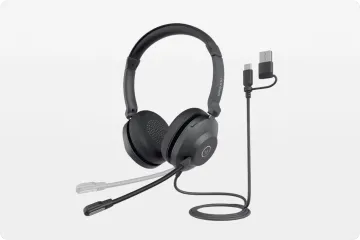
    • Open Ear Wireless Headset

      OpenEar Pro 2

      Dual-Ear Wireless Headset

      HP31D

      Single-Ear Wireless Headset

      HP31S

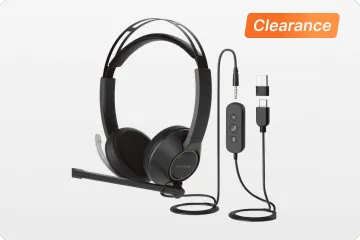
      Wired USB Headset

      HP21

      Wired USB+3.5mm Headset

      HP11DU


      • vs. Shokz & OpenRock
      • Customer Story
      • Best WFH Headsets
      • Key Features of HP31D
  • Speakerphone
    View products

    • https://resource.auditoryworks.co/nuroum-v1/strapi/a35_conference_speakerphone_471c9dff72/a35-conference-speakerphone.png

      Cascading for Large Meeting Room

      Nuroum A35

      https://resource.auditoryworks.co/nuroum-v1/strapi/a15_conference_speakerphone_068ecbf997/a15-conference-speakerphone.png

      Audio Pro for Clear Communication

      Nuroum A15


      • Daisy Chain
      • How to Choose Speaker
      • Audio-visual Solution
  • Conference Webcam
    View products

    • https://resource.auditoryworks.co/nuroum-v1/strapi/v403_conference_webcam_398e2e25fb/v403-conference-webcam.png

      AI-Powered PTZ Optics Camera

      Nuroum V403

      https://resource.auditoryworks.co/nuroum-v1/strapi/v32af_conference_webcam_4a54830808/v32af-conference-webcam.png

      4K Webcam For Streaming And Remote Work

      Nuroum V32AF

      https://resource.auditoryworks.co/nuroum-v1/strapi/v15af_conference_webcam_5f98e95463/v15af-conference-webcam.png

      Conference Room Webcam With Auto Focus

      Nuroum V15AF

      https://resource.auditoryworks.co/nuroum-v1/strapi/v11_conference_webcam_cdad15a9d7/v11-conference-webcam.png

      2K AI-Powered Business Webcam

      Nuroum V11


      • Best Webcam for Small Room
      • How to Set Up in Meetings
      • Why Nuroum Webcam?
  • Video Conference Solution
    View products

    • https://resource.auditoryworks.co/nuroum-v1/strapi/403_a15_video_conference_solution_f7498e6b88/403-a15-video-conference-solution.png

      For Medium Room

      Nuroum V403+A15*1

      https://resource.auditoryworks.co/nuroum-v1/strapi/403_a15_2_video_conference_solution_c300a783f9/403-a15-2-video-conference-solution.png

      For large Room

      Nuroum V403+A15*2

      https://resource.auditoryworks.co/nuroum-v1/strapi/403_a35_1_video_conference_solution_2731e88135/403-a35-1-video-conference-solution.png

      For Medium Room

      Nuroum V403+A35

      https://resource.auditoryworks.co/nuroum-v1/strapi/403_a35_video_conference_solution_5ade5018fc/403-a35-video-conference-solution.png

      For Large Room

      Nuroum V403+A35*2


      • BEST AV Solutions for You
      • Large Room AV Solution
      • Medium Room AV Solution
      • Small Room AV Solution
  • Solution
    View products

    • https://resource.auditoryworks.co/nuroum-v1/strapi/huddle_conference_solution_ca02342223/huddle-conference-solution.png

      up to 5 participants

      Huddle Room

      https://resource.auditoryworks.co/nuroum-v1/strapi/small_conference_solution_397cc9dfd8/small-conference-solution.png

      up to 8 participants

      Small Room

      https://resource.auditoryworks.co/nuroum-v1/strapi/medium_conference_solution_052045511d/medium-conference-solution.png

      up to 13 participants

      Medium Room

      https://resource.auditoryworks.co/nuroum-v1/strapi/nuroum_large_video_conference_solution_d411720c3a/nuroum-large-video-conference-solution.png

      up to 20 participants

      Large Room


      • vs. traditional room
      • vs. traditional huddle room
      • vs. traditional medium room
      • V403+A15*2 for large rooms
  • Industry
    View products

    • https://resource.auditoryworks.co/nuroum-v1/strapi/nuroum_call_center_scenario_f1ed35679c/nuroum-call-center-scenario.png

      Call Center

      https://resource.auditoryworks.co/nuroum-v1/strapi/noise_cancelling_headphones_for_office_warehouse_banner_7d774d50a8/noise-cancelling-headphones-for-office-warehouse-banner.png

      Warehouse

      https://resource.auditoryworks.co/nuroum-v1/strapi/noise_canceling_wireless_headset_with_microphone_online_teaching_remore_teaching_656d330d58/noise-canceling-wireless-headset-with-microphone-online-teaching-remore-teaching.webp

      Online Teaching


      • Best Business Headset
      • Best Call Center Headsets
  • Scenarios
    View products

    • https://resource.auditoryworks.co/nuroum-v1/strapi/nuroum_solution_creation_5ec893e6dd/nuroum-solution-creation.png

      Creation

      https://resource.auditoryworks.co/nuroum-v1/strapi/nuroum_solution_education_8852f76993/nuroum-solution-education.png

      Education

      https://resource.auditoryworks.co/nuroum-v1/strapi/nuroum_solution_healthcare_d5148f078b/nuroum-solution-healthcare.png

      Healthcare


      • Best headset for drivers
      • Maximize work productivity
  • Software
    • NearSync
  • Help
    • Audio Technologies
    • Customer Stories
    • FAQ
  • Blog
    • Work Productivity
    • Communication
    • Leadership
    • Non-Profit Management
    • Business Tech Trends
    • Customer Stories
    • Nuroum Updates
    • All the Topics >>
  • Connect Us
    • About Us
    • Contact Sales
    • Get a Demo
    • Brand Ambassador
    • Become a Reseller
    • Contact Us
    • Terms of use
  • Meeting
    Conference Camera
    Speakerphone
    Conference Webcam
    Video Conference Solution
    360° all-in-one conference camera

    360° All-in-1 for All-Size Rooms

    Nuroum 360 Pro

    4K lens conference room camera for small room

    4K Lens For Small Room

    Nuroum C46

    2K lens conference room camera for huddle Room

    2K Lens For Huddle Room

    Nuroum C40

    1080P lens conference room camera for huddle Room

    1080P Lens For Huddle Room

    Nuroum C20

    1080P lens conference room camera for personal space

    1080P Lens For Personal Space

    Nuroum C10

    Explore All Conference Camera Devices

    Camera Collection >>
    360 Pro vs Meeting Owl 3 Customer Story of 360 Pro Killer Features of 360 Pro Customer Story of C46
  • Headsets
    Nuroum open ear wireless headphones with microphone

    Open Ear Wireless Headset

    OpenEar Pro 2

    work from home headset with noise cancelling microphone nuroum hp31d

    Dual-Ear Wireless Headset

    HP31D

    best single ear bluetooth headset for phone calls nuroum hp31s

    Single-Ear Wireless Headset

    HP31S

    noise cancelling headset for call center nuroum headsets

    Wired USB Headset

    HP21

    noise cancelling headset for call center nuroum headset

    Wired USB+3.5mm Headset

    HP11DU

    Discover What Makes Each Headset Stand Out

    Collection - Business Wireless Headsets -->
    vs. Shokz & OpenRock Customer Story Best WFH Headset Best Office Headset Key Features of HP31D
  • Solution
    All-size Rooms
    Industry
    Scenarios
    Nuroum Conference Cameras in Huddle Room

    up to 5 participants

    Huddle Room

    Nuroum Conference Room Cameras in Small Room

    up to 8 participants

    Small Room

    Nuroum Meeting Cameras in Medium Room

    up to 13 participants

    Medium Room

    Nuroum Video Conference Cameras in Large Room

    up to 20 participants

    Large Room

    vs. traditional large room vs. traditional medium room vs. traditional small room V403+A15*2 for large rooms
  • Explore
    • Audio Technologies
    • Customer Stories
    • FAQ
  • Blog
    • Work Productivity
    • Communication
    • Leadership
    • Non-Profit Management
    • Business Tech Trends
    • Customer Stories
    • Nuroum Updates
    • All the Topics >>
  • Software

    Firmware Updater and Device Controller

    NearSync

  • Connect Us
    • About Us
    • Contact Sales
    • Get a Demo
    • Brand Ambassador
    • Become a Reseller
    • Contact Us
    • Terms of use
Contact Sales
Nuroum 360 Pro360 Pro
Overview
Setup
Spec
Ecosystem
FAQ
Reviews

€630,00

Buy Now Buy Now
Overview
Setup
Spec
Ecosystem
FAQ
Reviews
360 Pro
conference room camera for 0 zoom fatigue
all in one
pmax 2
360 pro meeting
view mode of conference camera
compatibility
360 pro conference camera noise cancelling
6 d117269e56
installation
conference room camera for meeting room
unboxing conference room camera
1/12
Product image 1
Product image 2
Product image 3
Product image 4
Product image 5
Product image 6
Product image 7
Product image 8
Product image 9
Product image 10
Product image 11
Product image 12

Product

Details

All-in-One

Room

Box

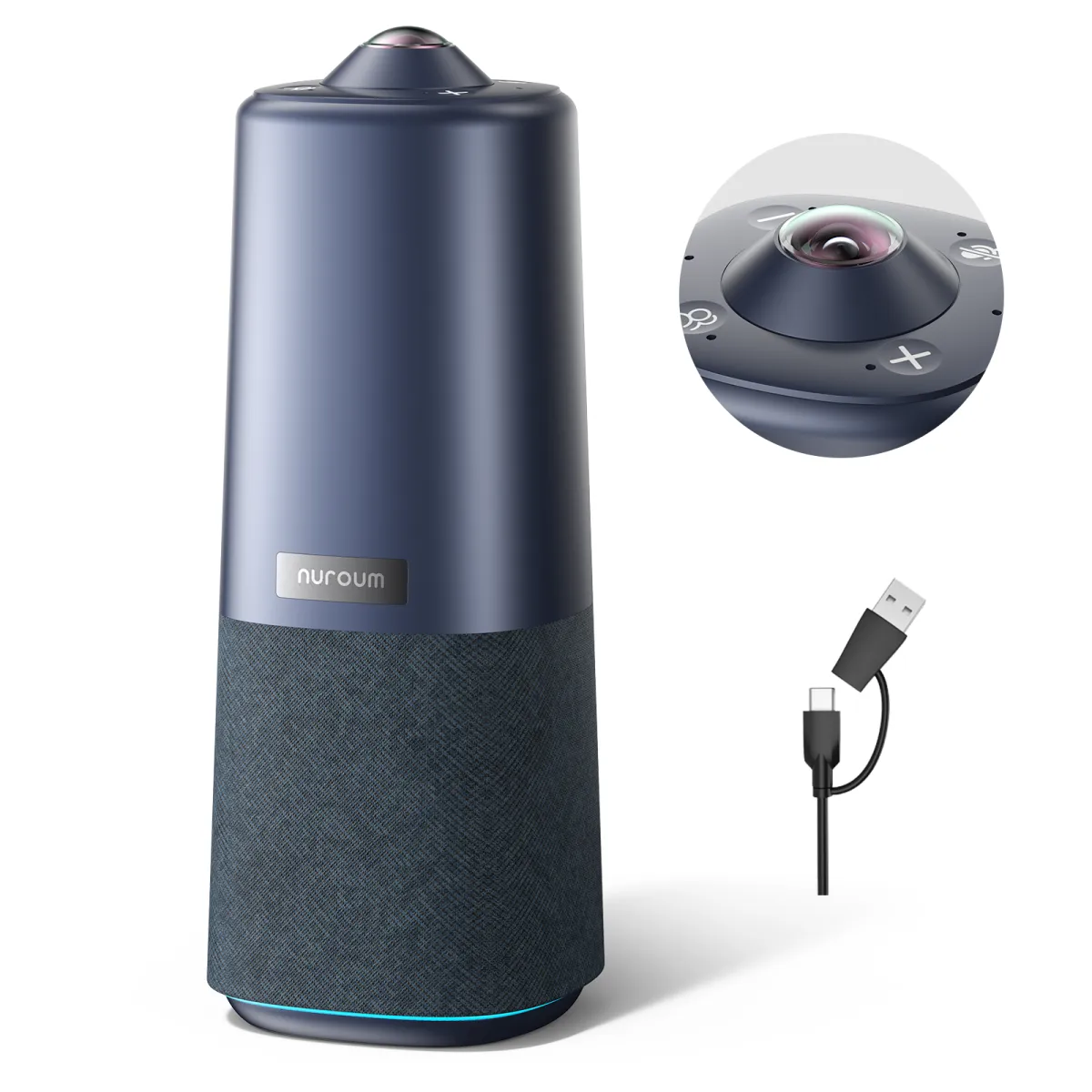
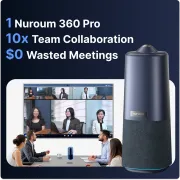
Nuroum 360 Pro (2026 Upgraded) All-in-one Video Conference Camera for Pro-Audio Group Video Chat

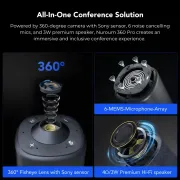
with a 360-degree 1080P fish-eye lens, 6 noise-canceling mics, 16ft audio pickup, a premium Hi-Fi speaker, and a USB plug-and-play.

4.8
77 reviews
  • BEST 360° Conference Camera for Natural Conversations: Equipped with professional HD fisheye lenses, this 360 conference cam provides a wide field of view, delivering clear images for group video calls. It records panoramic videos in 1080P@30FPS. Placing the conference room camera at the front of the table ensures that all participants are clearly visible to your conversation partners. This allows you and your remote workers to engage in conversations that feel as natural as face-to-face meetings.
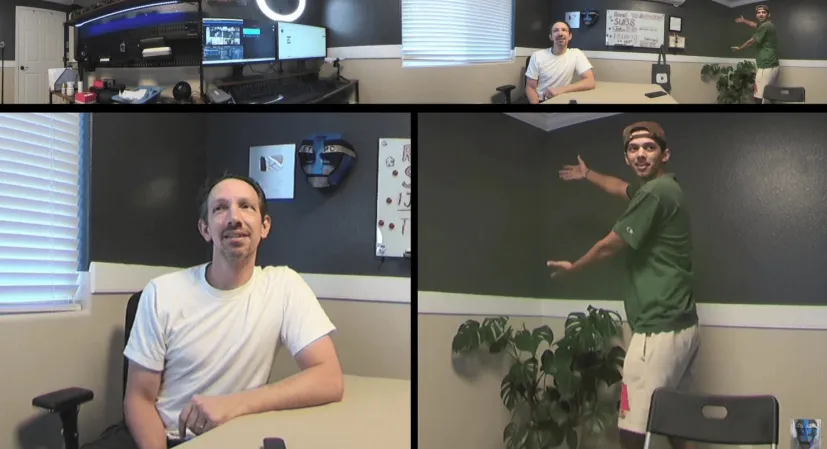
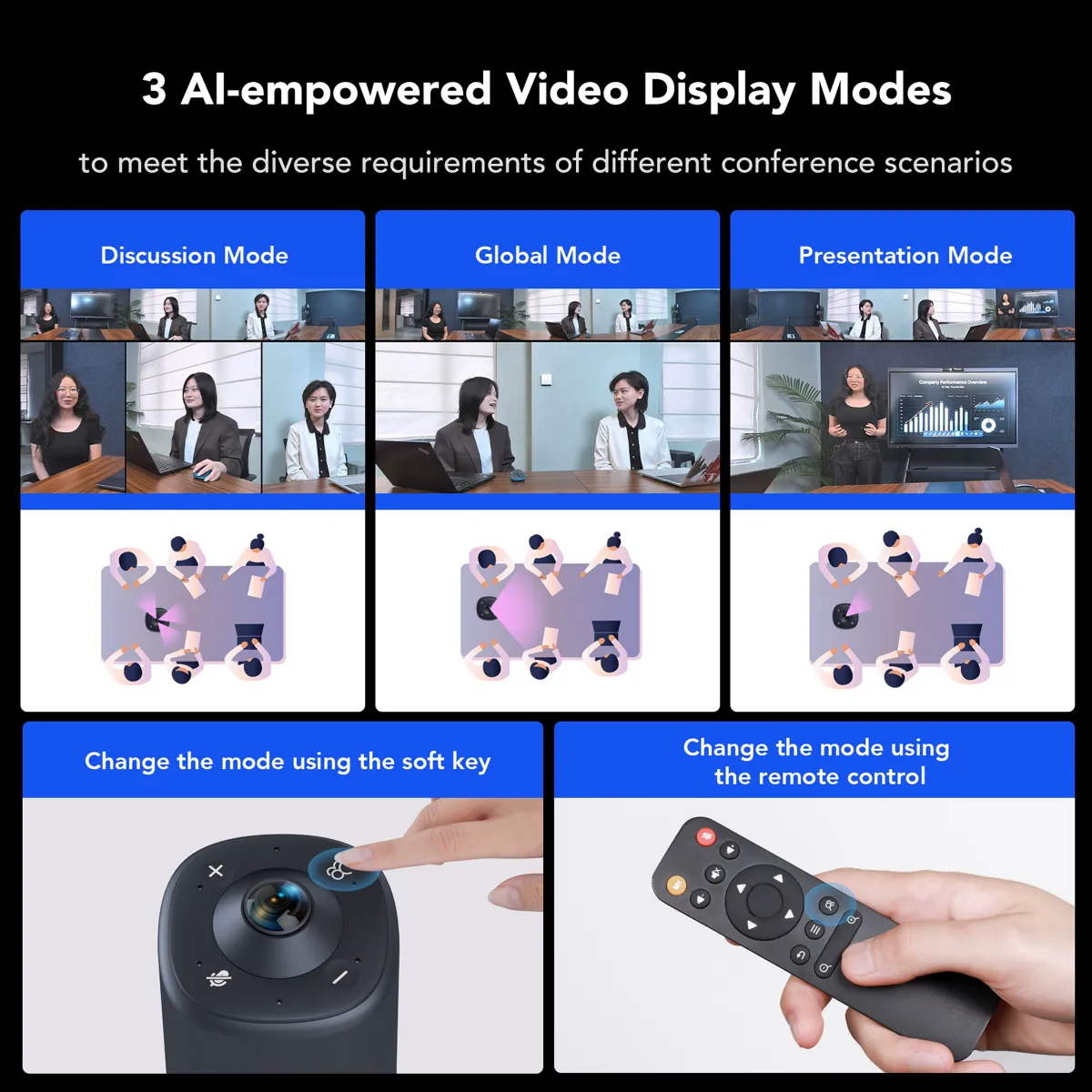
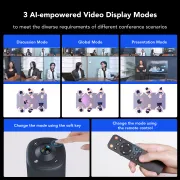
  • 3 AI-Powered Capture Modes for Video Conferencing: The compact all-in-one video conference camera offers three different modes for various video conference scenarios: The "Discussion Mode" highlights up to three different participants in close-up, making it ideal for group video calls. In "Global Mode," only the content within the 115° field of view is captured without adjusting the video, making it suitable for presentations. The "Presentation Mode" identifies the active speaker and highlights them on the screen.
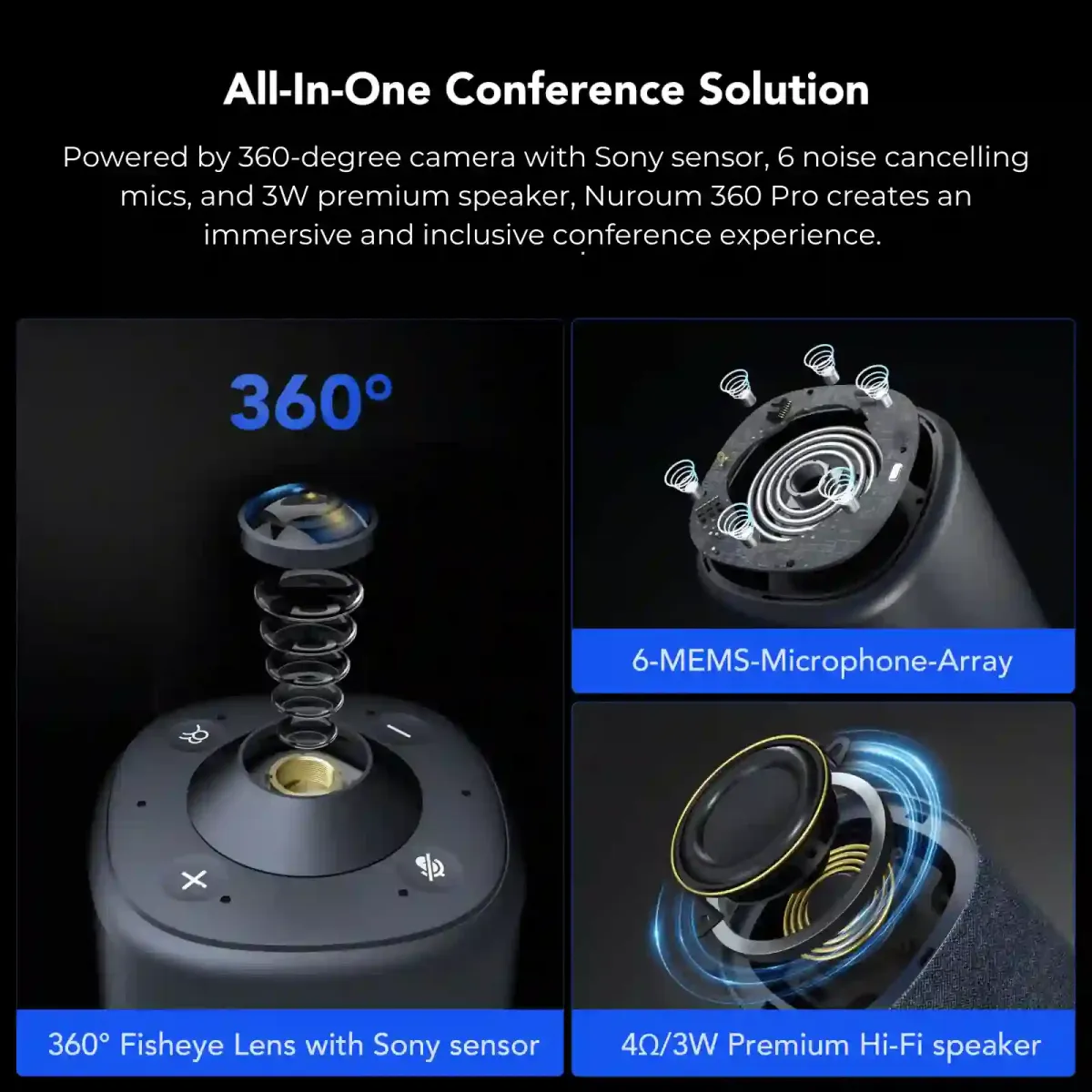
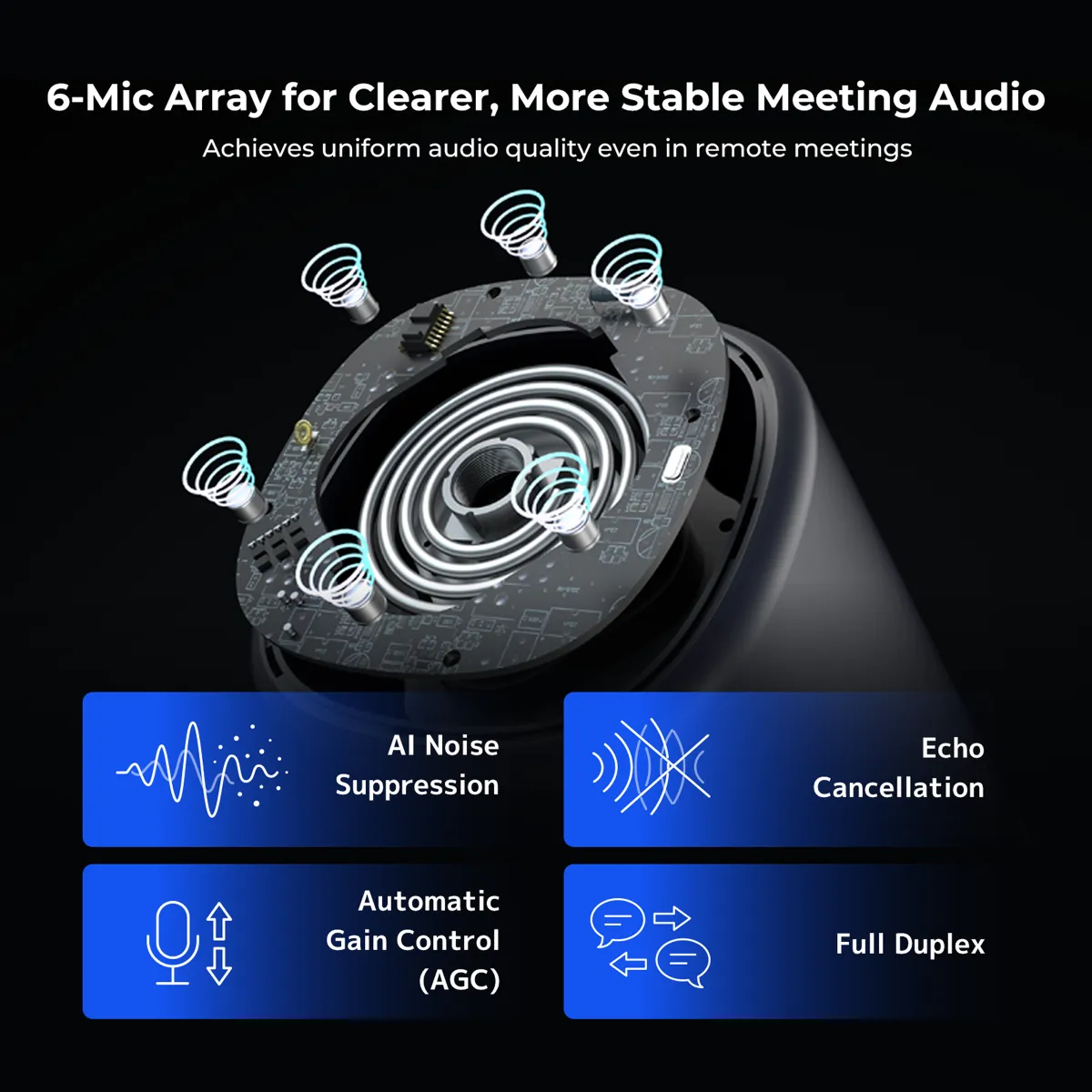
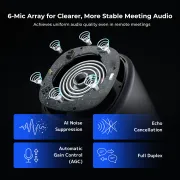
  • 6 Omnidirectional Microphones & Full-Duplex Audio System: The 360 Pro delivers crystal-clear audio with its 6 integrated microphones and Hi-Fi speaker. The microphones capture sound from all directions, even from a distance of up to 6 meters. The full-duplex audio system minimizes background noise and echoes, ensuring everyone is heard clearly during the video conference.
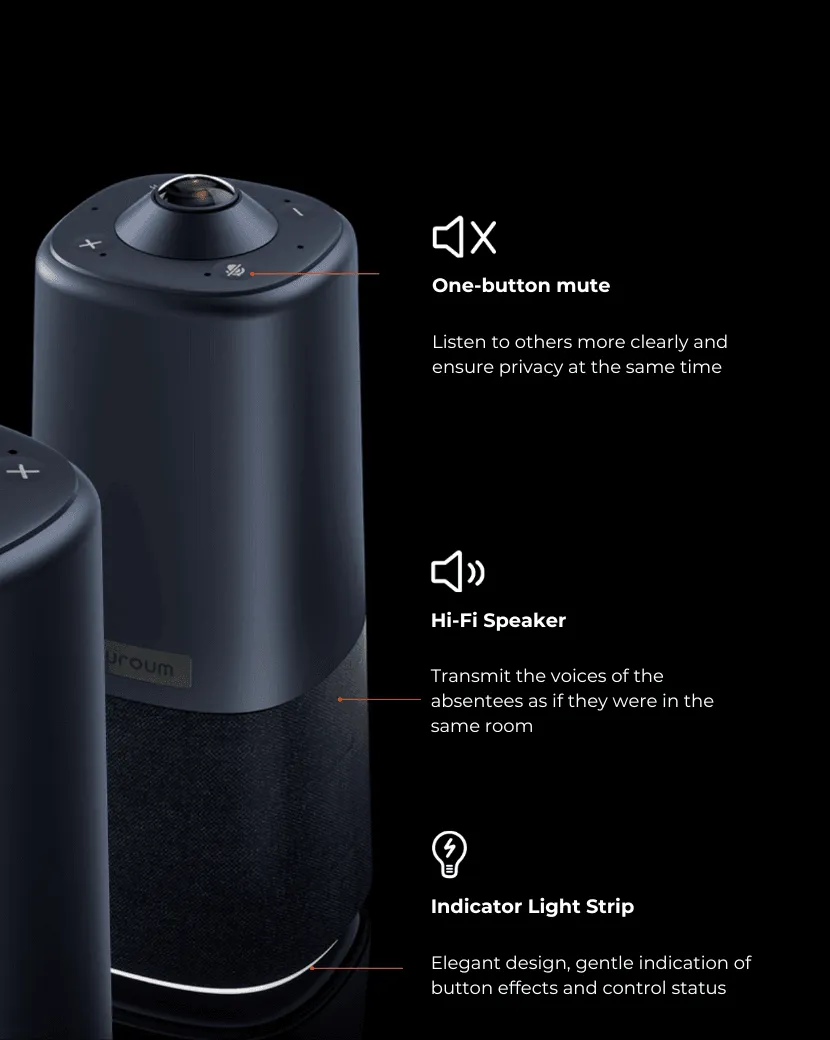
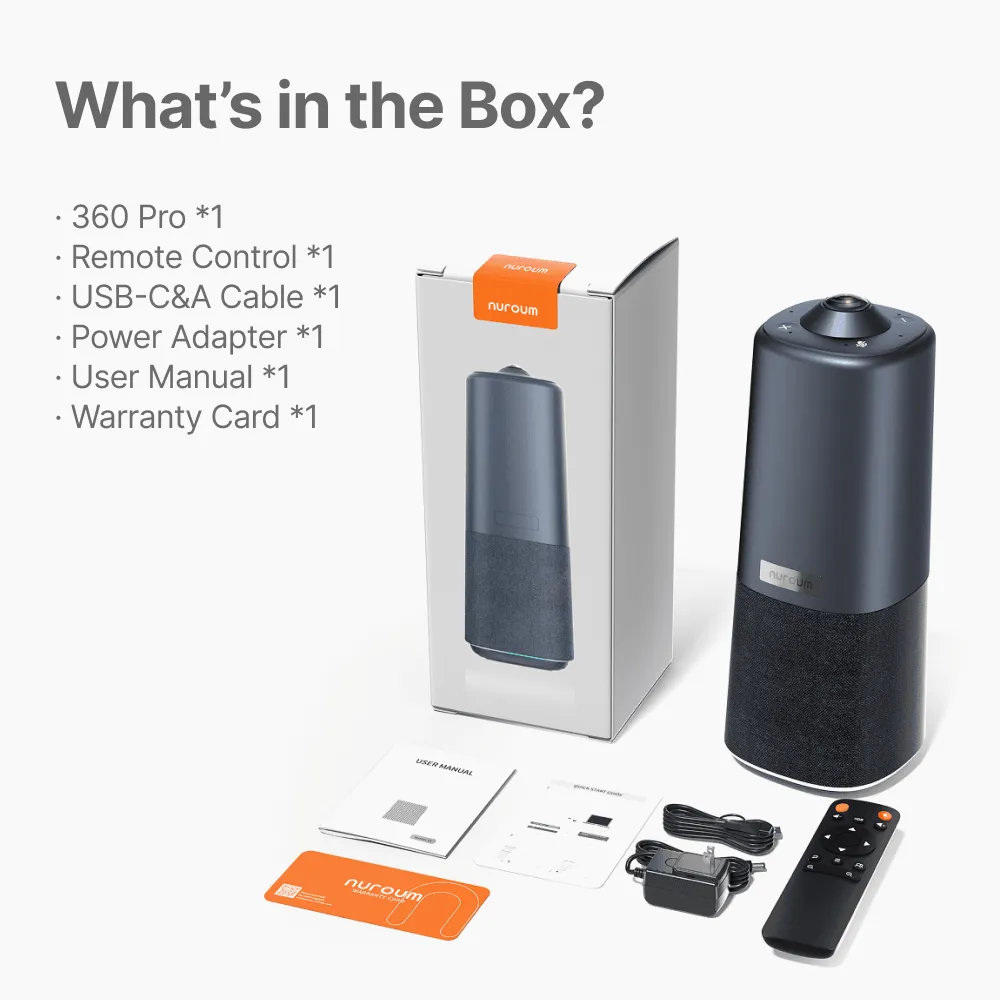
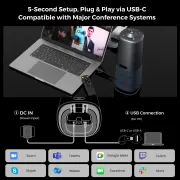
  • Easy Setup & Secure Data Privacy: Setup is extremely easy—simply plug and play using the included USB cable and power adapter. The remote control and top buttons make it easy to control the camera and adjust volume, AI features, and video settings on this video meeting camera. For privacy, you can quickly turn off the conference cam and mute the microphones at any time.
  • Versatile Compatibility & Flexible Installation: The 360 Pro zoom conference camera is compatible with PC, desktop, and laptop computers running Windows, macOS, and Linux. This video conferencing equipment integrates seamlessly with popular communication platforms like Zoom, Teams, Google Meet, GoToMeeting, and others, making it an ideal video conference camera for any meeting room. The 1/4-inch thread at the base enables flexible tripod installation, so you can position it anywhere.
  • Aperçu
€630,00€699,99
30-DAYPrice Match
Limited Time
10% OFF
Code: NMNEW10
Quantité:
1
Order Support
t 03 91d8a906 6117 4837 b03a 776b10df6972 2fd4
30-Day Price Match
t 03 670daf37 ce46 4504 8f83 92f314e6ae03 bcb7
1-Year Warranty
t 02 a1748a2f 2626 45de be44 e8c65a748831 8da5
Fast Free Shipping
t 04 d7dd9d87 ab25 46a2 aabc 691a34097606 b918
18H Specialist Support
Fast Free Shipping
    • Free delivery is available in 40+ regions, including the US, Canada, Germany, Japan, etc. Shipping & Delivery Details
    • Standard: 3-7 weekdays (free). Premium: 1-3 weekdays (Available for US/CA/DE/EU/UK)
    • Stay Updated: You’ll receive a tracking email the moment your order is on its way!
Tax-Exempt Order

We proudly support government agencies and qualified organizations.

Simply email your exemption certificate to sales@nuroum.com.

Once verified, our team will personally guide you through your tax-free purchase using your registered email.

Return & Warranty

14-Day Risk-Free Trial:

Not the perfect fit? Return any undamaged product within 14 days for a full refund—no questions asked. Once our team completes a quick quality check at the warehouse, your refund will be on its way. Check our full policy for a seamless return experience. Refund Details.


Easy Return Conditions:

  • Please keep your receipt and ensure the original packaging/accessories are intact.
  • Partial Refunds: If the product has been unboxed or used, we will happily coordinate with you to determine a fair refund percentage based on its condition.
  • Refunds are typically processed within 7 days of receiving your item.
  • Our Quality Promise: If a manufacturing defect occurs within the first 30 days, we’ll cover all return or exchange costs, including shipping.


12-Month Quality Guarantee

Your peace of mind is our priority. Every Nuroum purchase is backed by a dedicated 12-month warranty service.

Delivery & Payment
nearhub delivery payment icon 6b3b1d61 d24d 4c94 b181 2172f7b8cc31 2c88

One Device. Just Immersive.

C50Compare
Brands using Nuroum 360 Pro All-in-one Conference CameraBrands using Nuroum 360 Pro All-in-one Conference Camera

Trusted by 300,000+ Forward-Thinking Business Leaders
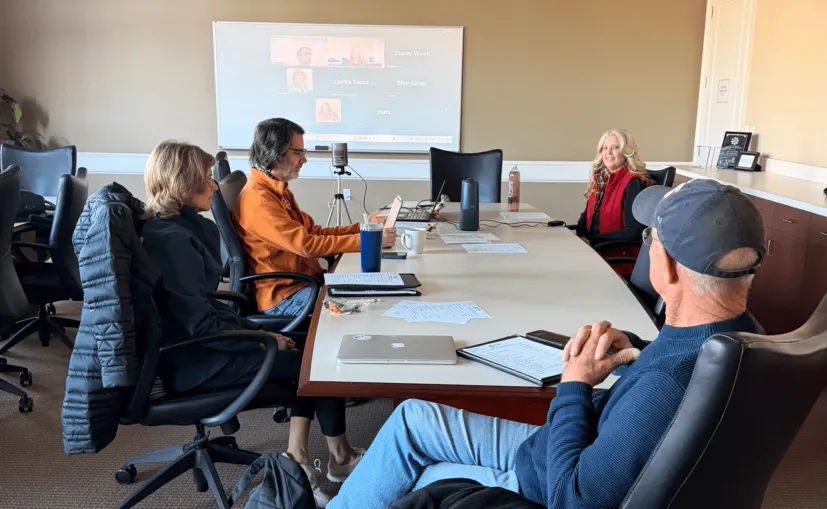
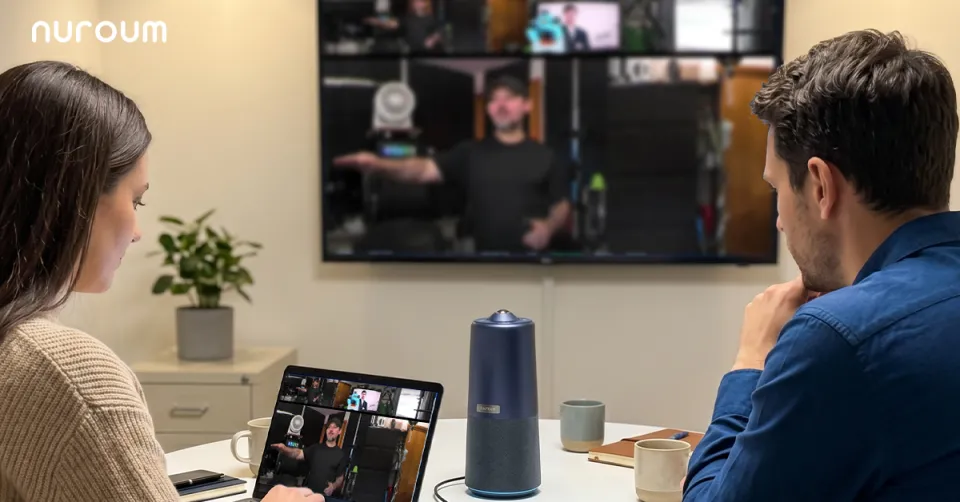
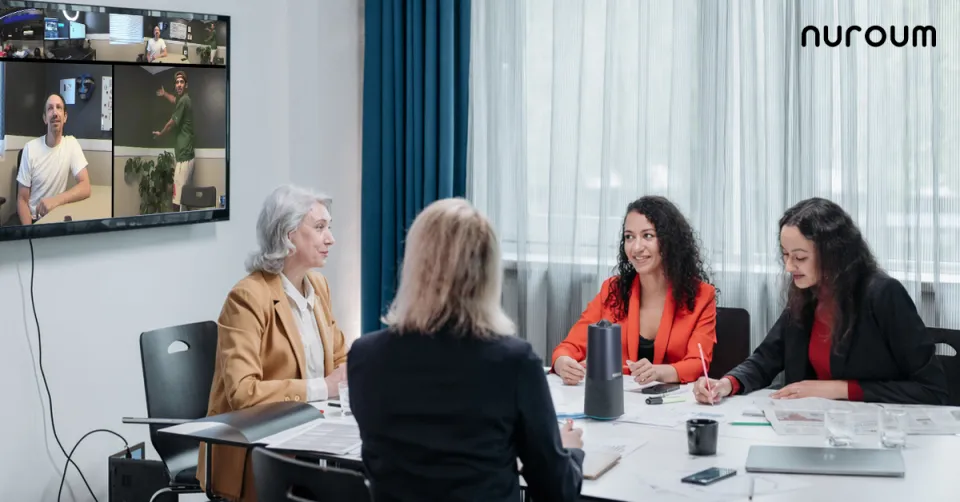
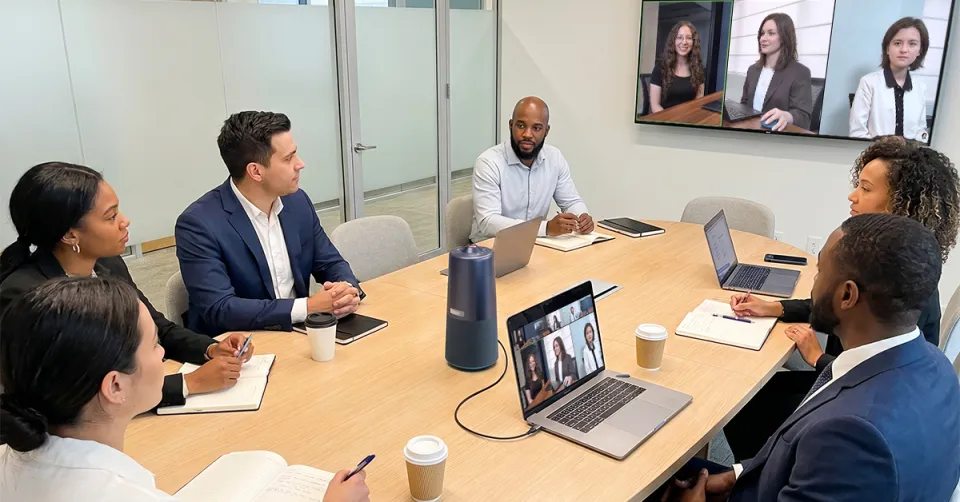
360 pro conference camera in meeting room
As CTO of a 50-person hybrid team, I was tired of troubleshooting driver issues every time someone brought a new laptop to the conference room.The NUROUM 360 Pro is plug-and-play with zero driver installation — it just works across Mac, Windows, and Chromebooks. We deployed one to every meeting space in under an hour.Our engineers now spend zero time on AV setup and 100% time on actual work.
H

Hiroshi Tanaka

professor
I'm away at conferences for nearly three months each year. Before the 360 Pro, remote lab meetings meant listening to a single voice and missing what was really happening. Now I can see the whole room, follow every discussion, and stay involved—even from a hotel room. It feels like my lab is much more productive.
D

Dr. Clayton

Professor of Instruction

360 view
Our team uses Zoom, Teams, and Google Meet depending on the client — and our old conference room camera only worked reliably with one of them. The NUROUM 360 Pro is natively compatible with every major platform we use. Switching between Zoom and Teams mid-day is now seamless. No more 'can you hear me?' at the start of every call.
A

Aisha Patel

Head of Collaboration

c50 3
With 28 stores and a lean HQ team, we couldn't afford $2,000-per-room video setups. The NUROUM 360 Pro delivers enterprise-grade performance at a fraction of the cost. Our regional managers now run weekly standups with every store simultaneously. The ROI was obvious after the first quarter — we saved enough to outfit two more locations.
C

Carlos Mendez

Regional Operations Manager
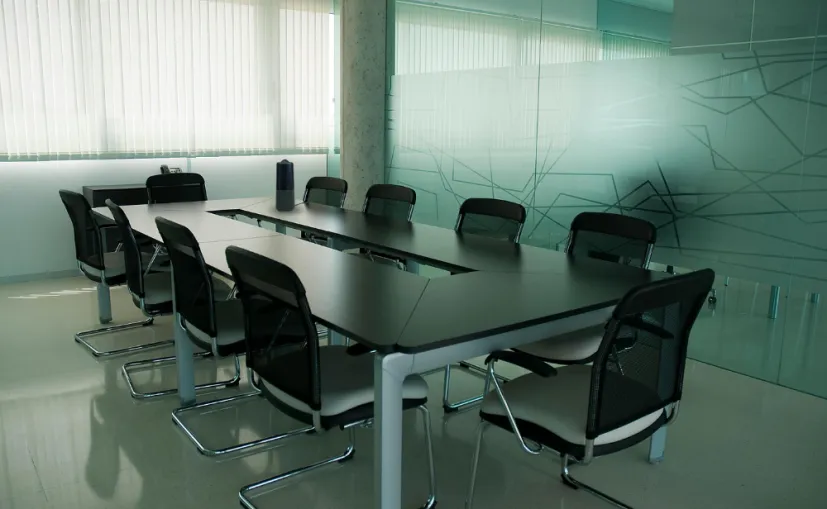
consulting
We run three types of meetings daily: client pitches, internal brainstorms, and training sessions. The NUROUM 360 Pro's three AI-powered video modes let us switch between Discussion, Global, and Presentation modes instantly — no IT help needed. One device handles everything. Our consultants save 15 minutes per meeting not fiddling with camera angles.
P

Priya Sharma

Senior Consultant

c50 2
Our board meetings require absolute discretion. With the NUROUM 360 Pro, one-touch privacy controls let our executives instantly mute mics and disable the camera when discussing sensitive matters. No more fumbling through software menus mid-meeting. Compliance is simpler, and our leadership finally trusts the hybrid setup.
M

Margaret O'Brien

IT Director

360 pro review4 2
In client consultations, body language matters as much as words. The NUROUM 360 Pro's AI speaker tracking keeps the active speaker perfectly framed, whether our partner is pacing by the whiteboard or seated at the table. Remote clients now say it feels like we're in the same room. Our billable hours on video calls have actually increased because the experience is so seamless.
J

Jean-Pierre Dubois

Managing Partner

medicare
Remote patient consultations demand that we hear every subtle symptom description clearly. The NUROUM 360 Pro's noise-cancelling mics and full-duplex audio cut through our clinic's HVAC noise without clipping voices. Our telehealth team can finally have natural conversations instead of asking patients to repeat themselves. Patient satisfaction scores on virtual visits rose 23%.
D

Dr. John S.

Telehealth Director

Education
Our hybrid classrooms seat 16 students, and remote learners used to complain they could only see the professor's back. The NUROUM 360 Pro's 360° full-room coverage captures every face around the table automatically. Online students now participate in debates they used to miss. Faculty adoption was instant because the device requires zero training.
D

Dr. Elena Vasquez

Language Teacher

Hotel
Our project reviews happen in a converted warehouse with terrible acoustics and constant background noise. The NUROUM 360 Pro's noise-cancelling mics isolate voices so clearly that our remote structural engineers can follow every question during Q&A. We no longer need a separate microphone array. One device replaced three pieces of gear.
L

Lars Andersen

Principal Architect

hospitality
We manage 12 event spaces and used to stock each with a separate camera, speaker, and mic — constantly replacing broken cables. The NUROUM 360 Pro is an all-in-one replacement that eliminates wiring entirely. Our housekeeping staff can move it between rooms in seconds. AV support calls dropped by 70% in the first month.
I

Isabella Rossi

Events Manager

testimony1
I'm a volunteer with zero AV experience, yet I set up our NUROUM 360 Pro in five minutes for Sunday's hybrid service. The intuitive plug-and-play design means our 70-year-old pastor starts the livestream himself every week. Remote parishioners tell us they finally feel present during communion. Technology should serve the mission, not complicate it.
R

Reverend Samuel Okonkwo

Volunteer Tech Coordinator
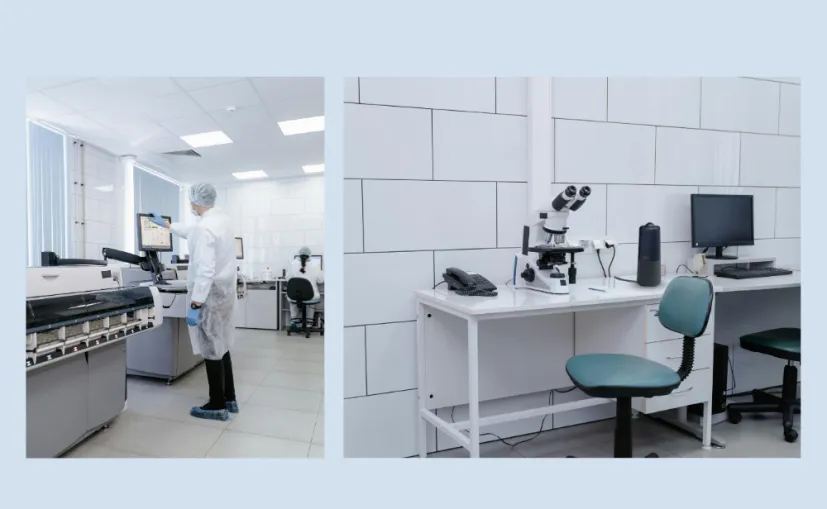
lab
Our lab has zero space for a dedicated meeting room, yet we still need to present to university partners and funding committees. The NUROUM 360 Pro's compact all-in-one design fits on a crowded benchtop, and its noise-cancelling mics cut through centrifuge and fume hood noise without a hint of echo. Our last grant presentation earned full marks for 'professional delivery'.
D

Dr. Anthony W.

Labor Asistant

See the difference 360 Conference Camera makes

Discussion

Presentation

Global

Room View

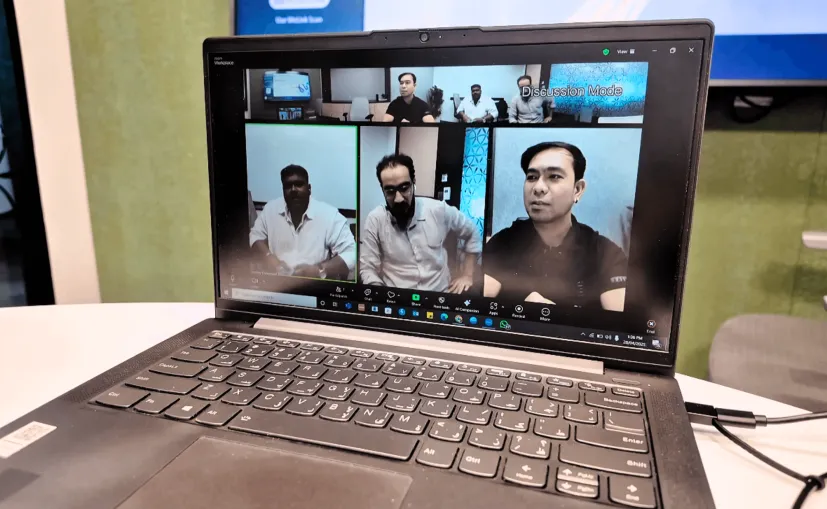
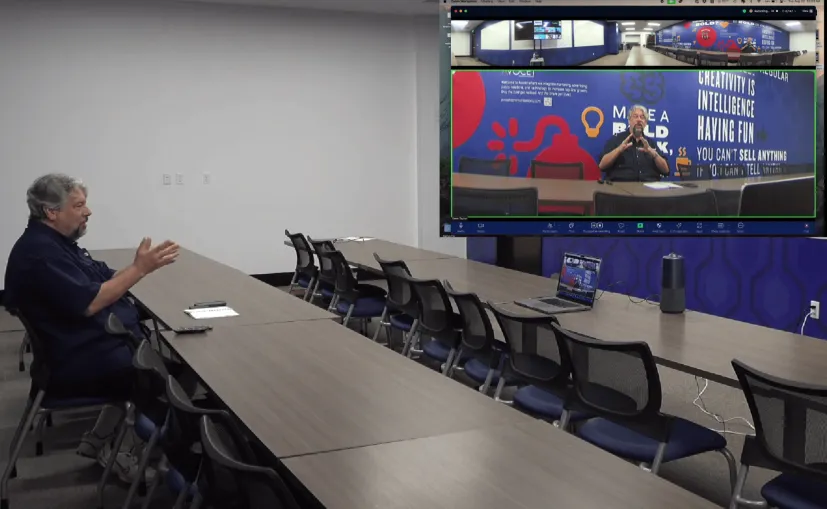
Discussion Mode: Automatically highlights up to 3 active speakers in a 360-degree view

All-in-One Design
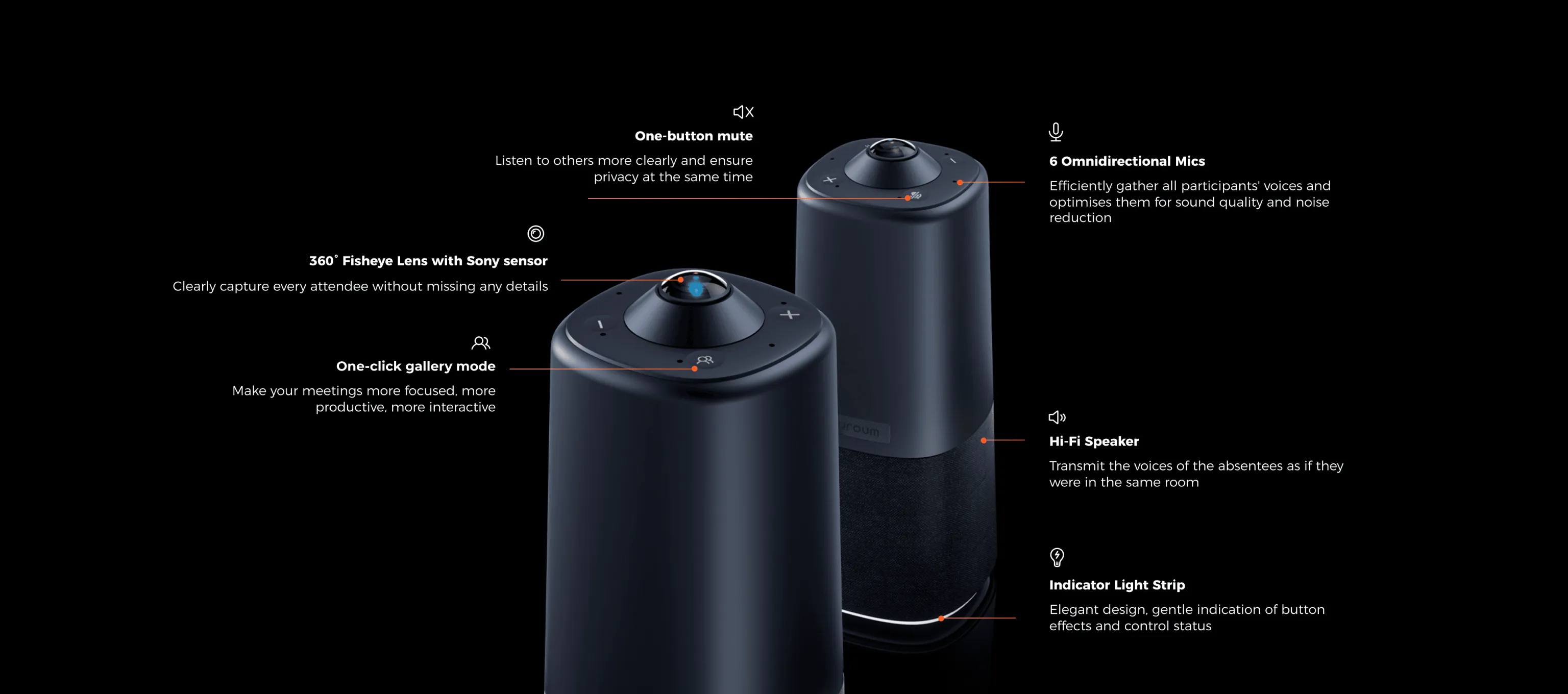
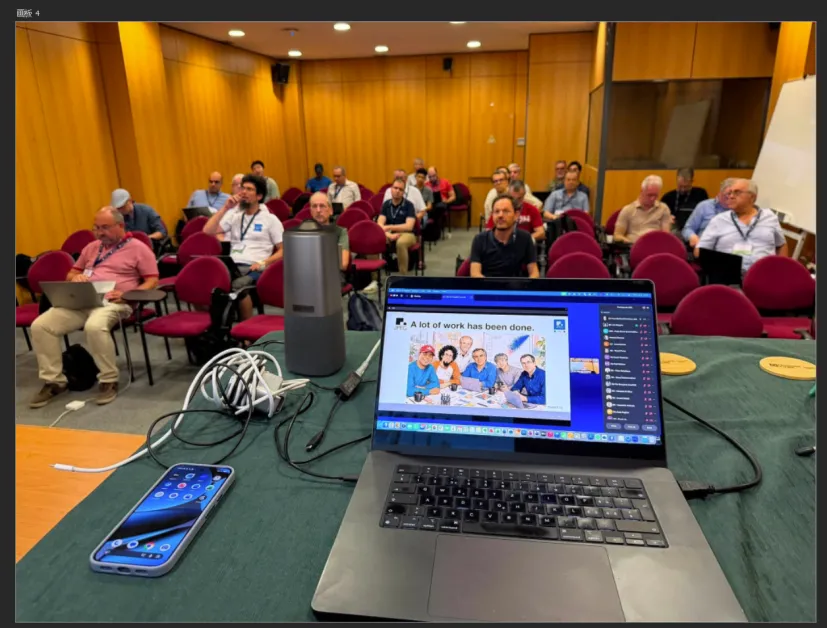
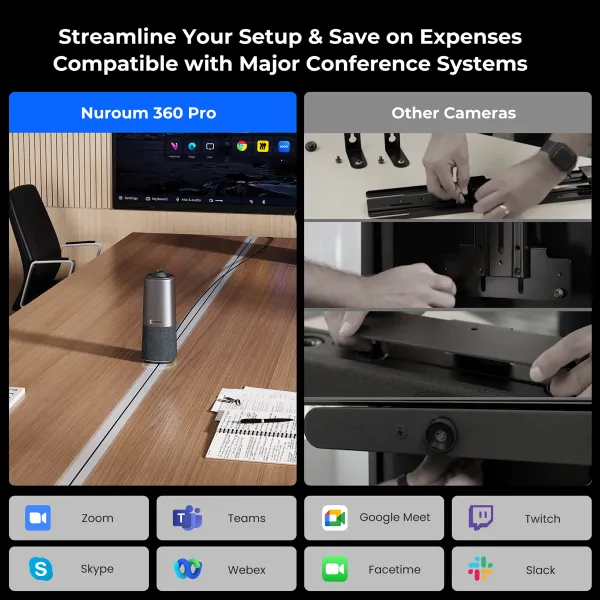
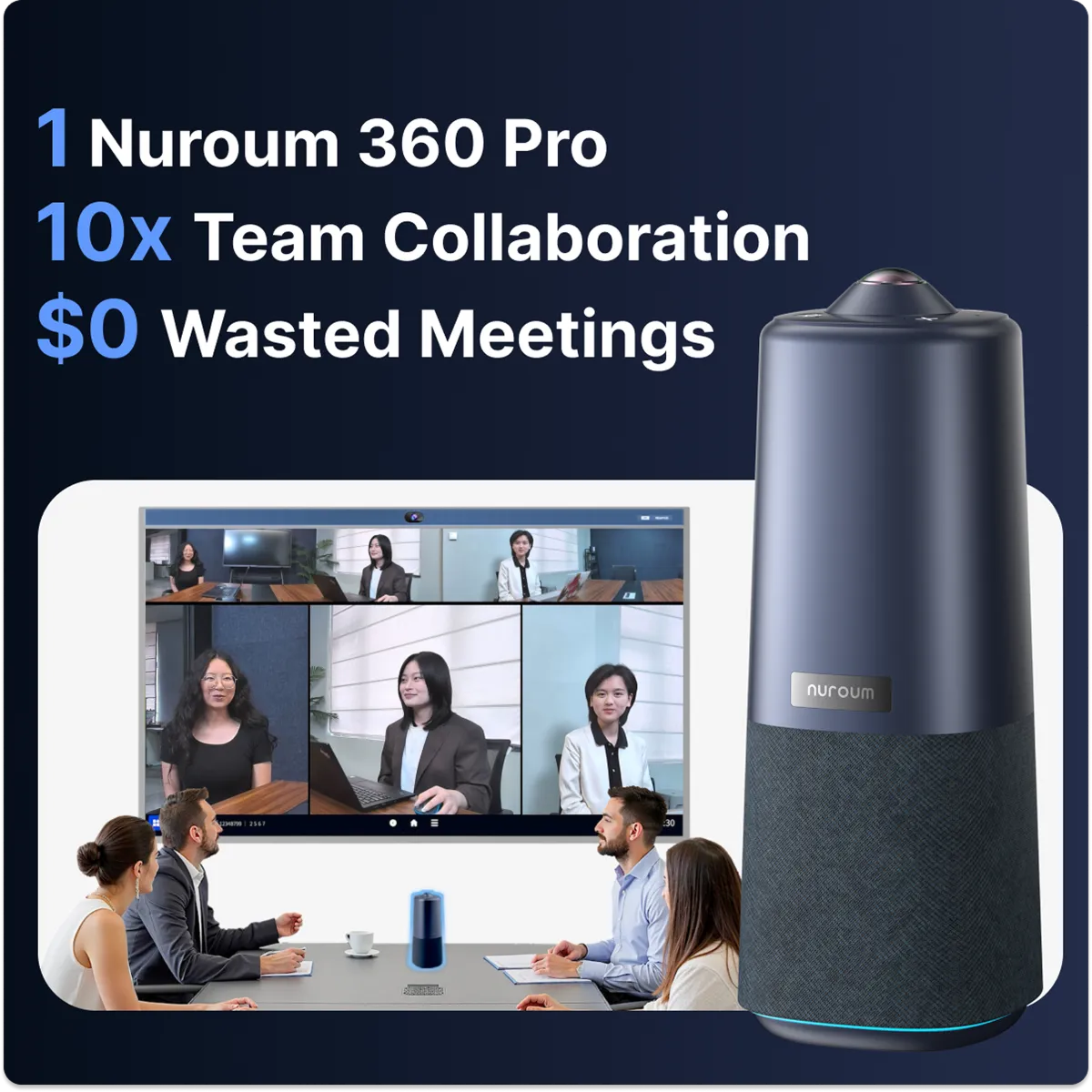
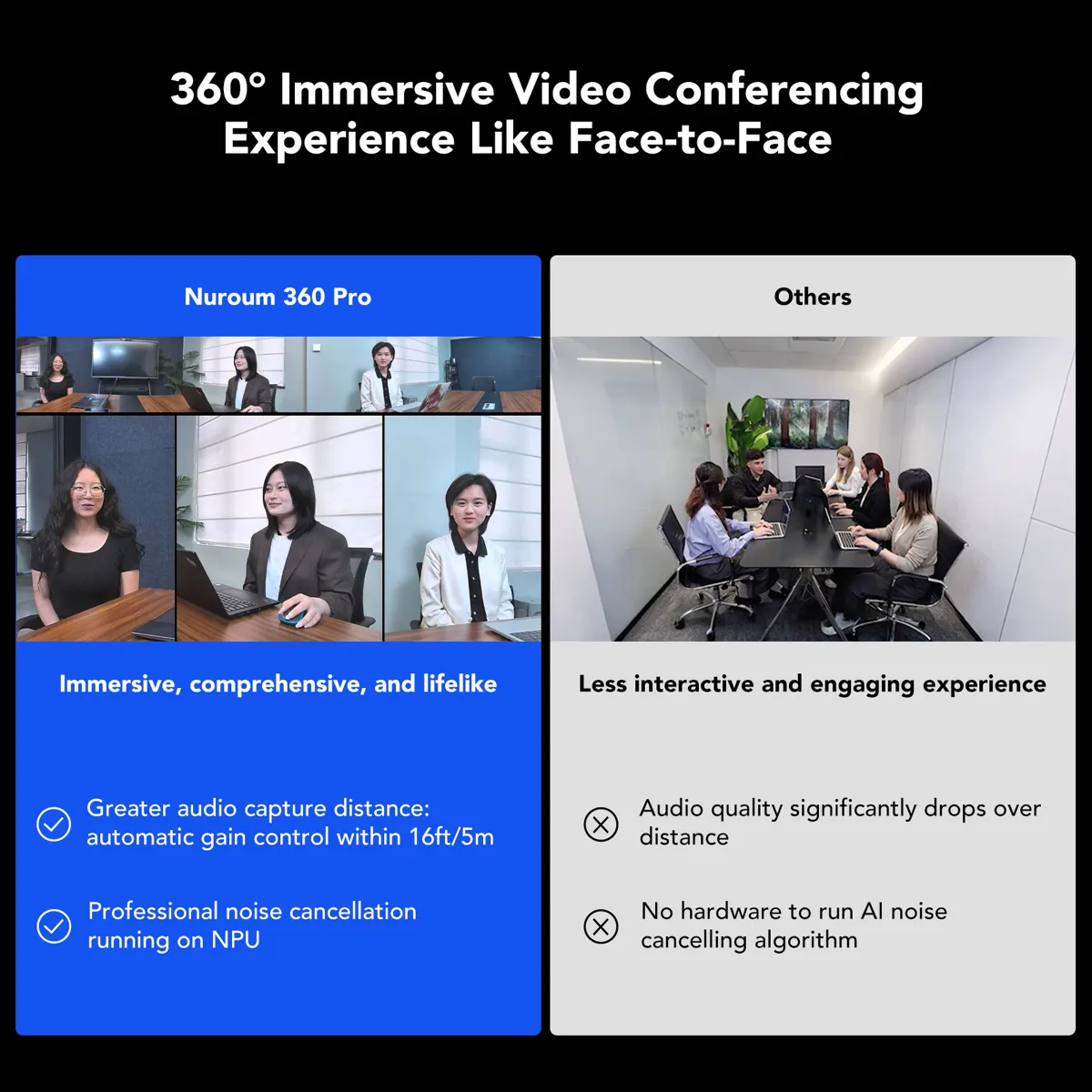
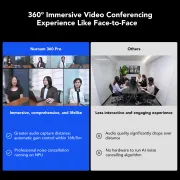
Traditional group meetings suffer from unclear audio and difficulty seeing the remote speaker. With the 360 conference room camera and advanced noise-canceling tech, Nuroum 360 Pro ensures that every participant is both seen and heard clearly, delivering an immersive audio-visual experience.
All-in-One Design

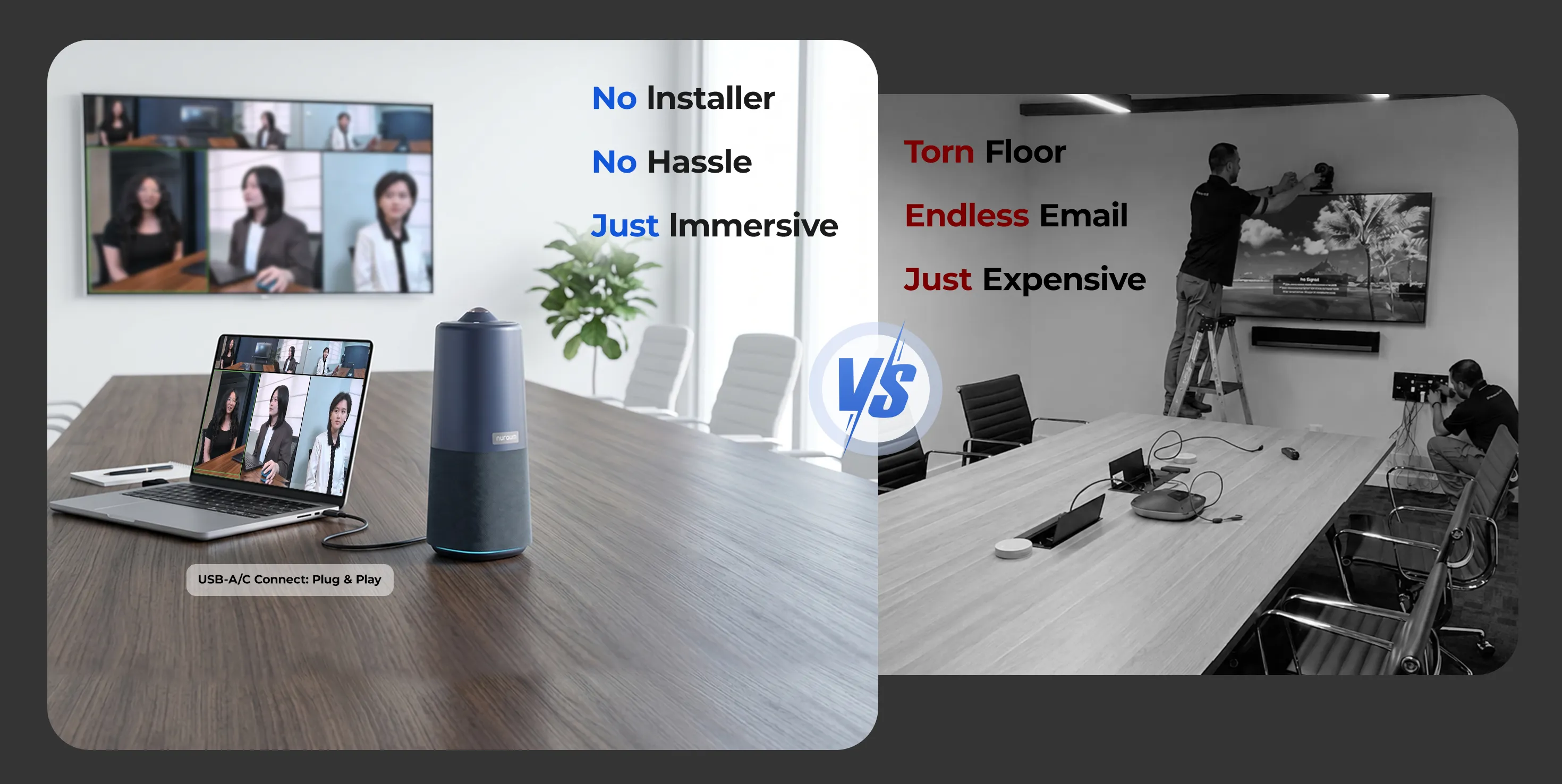
One Device. No Hassle.

Nuroum 360 Pro Conference View
  • Clear view of all participants
  • Automatically highlights active speakers
  • Organized, user-friendly video layout
  • Easier to follow and engage in discussions
Traditional Experience
  • Limited participant visibility
  • Hard to focus on active speakers
  • Disorganized video layout
  • Difficult to follow the discussion
Nuroum 360 Pro Noise Cancellation
  • Crystal clear conversations
  • Intelligent auto-adjustments
  • Consistently clear sound
  • Comfortable listening experience
Other Conference Camera
  • Picks up background noise
  • Requires manual adjustment
  • Inconsistent audio quality
  • Causes listener fatigue
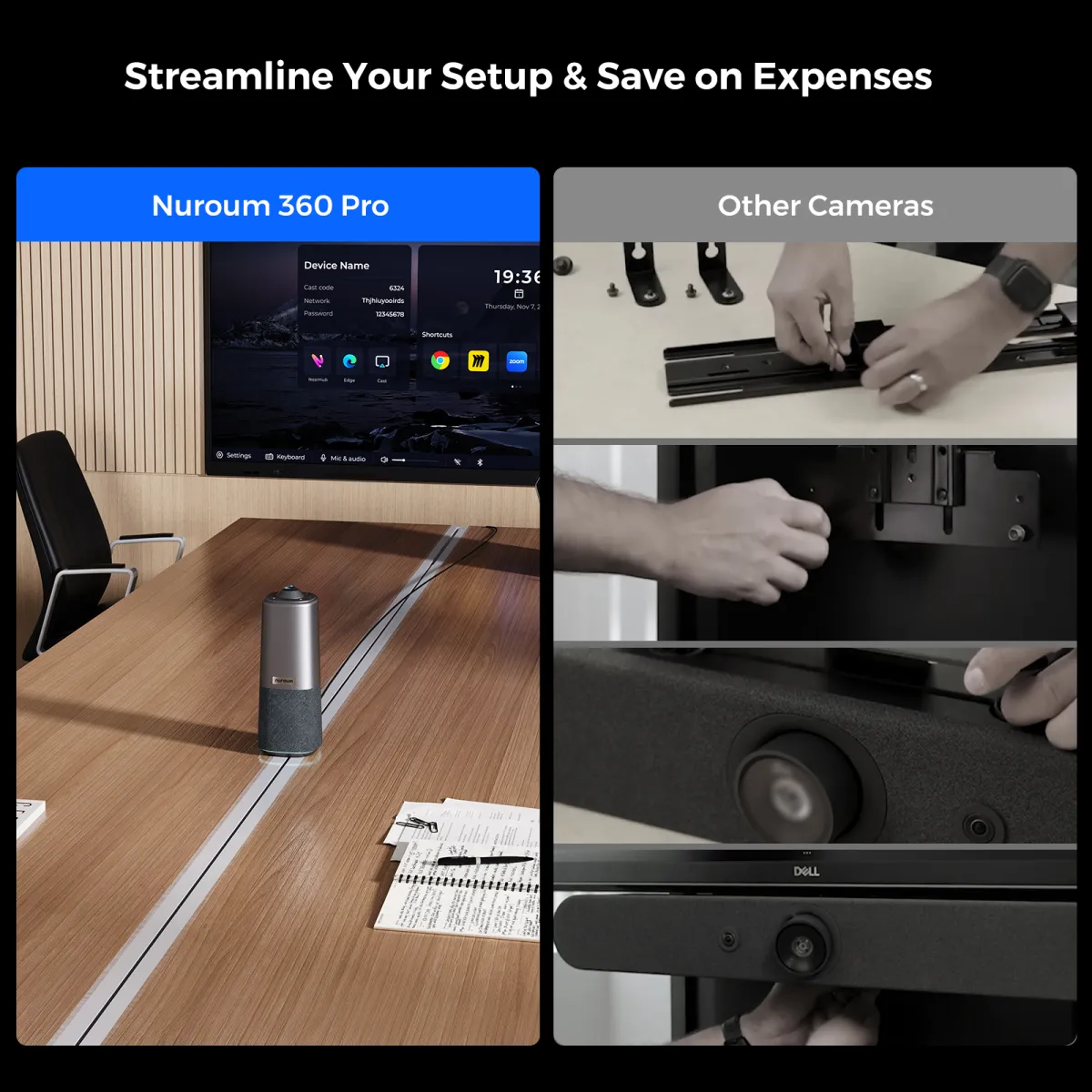
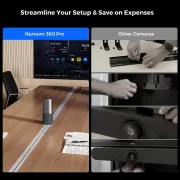
Setup 360 Pro In Seconds
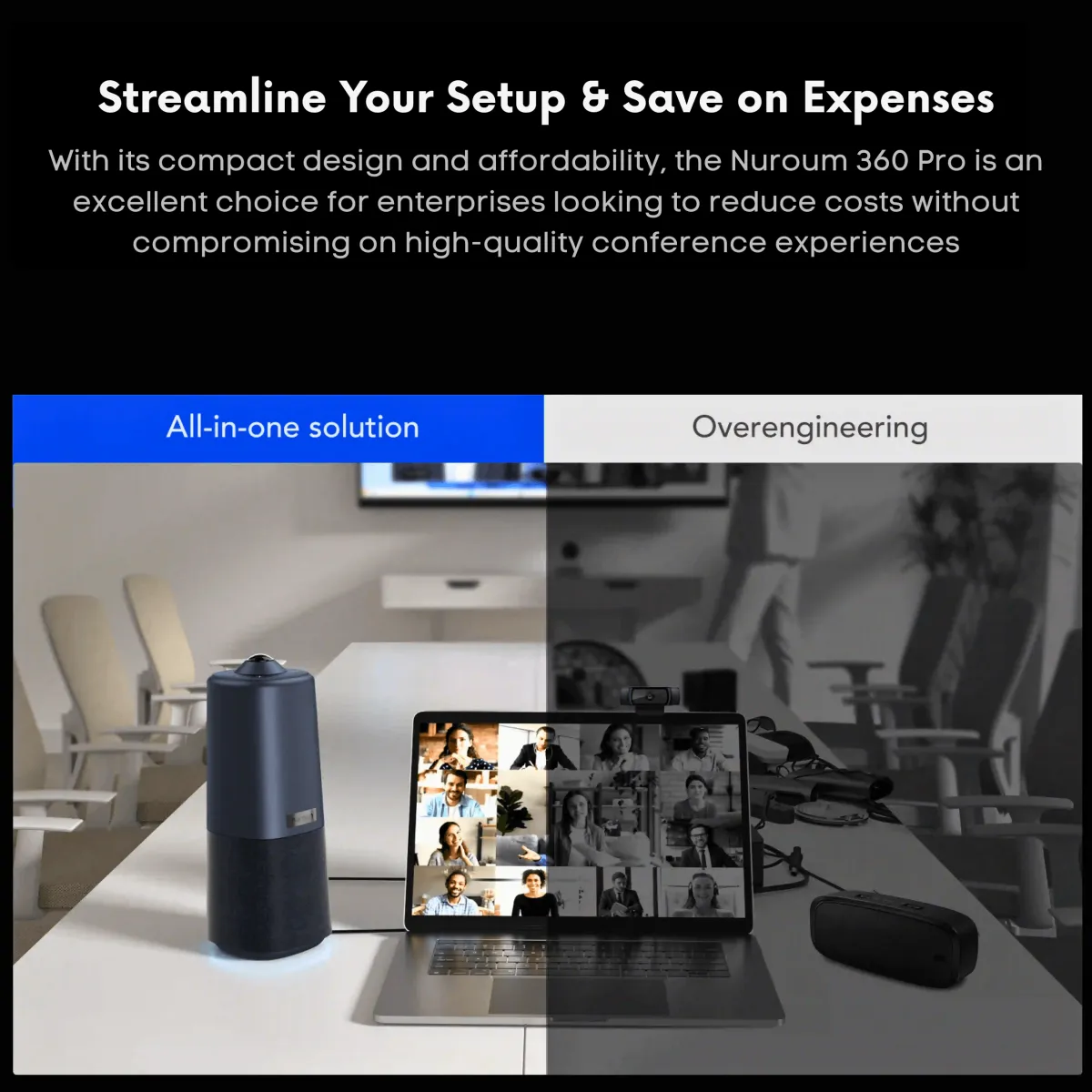
  • Easy and quick setup
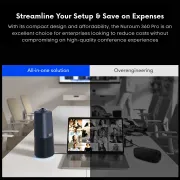
  • Real all-in-one device
  • Minimal cables and connections
  • Low maintenance needs
Traditional Conference Setup
  • Time-consuming setup process
  • Wired device with limited mobility
  • Numerous cables and connections
  • High maintenance requirements

One Device. Every Space. Zero Hassle.
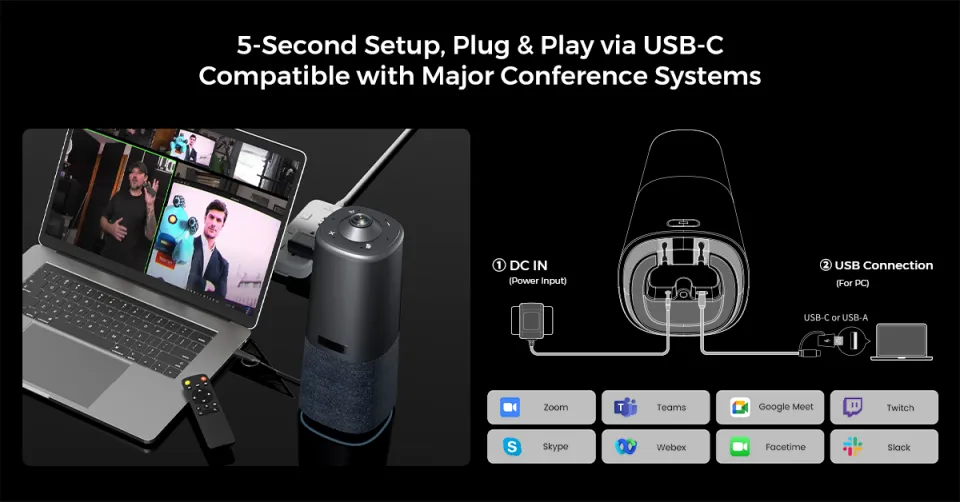
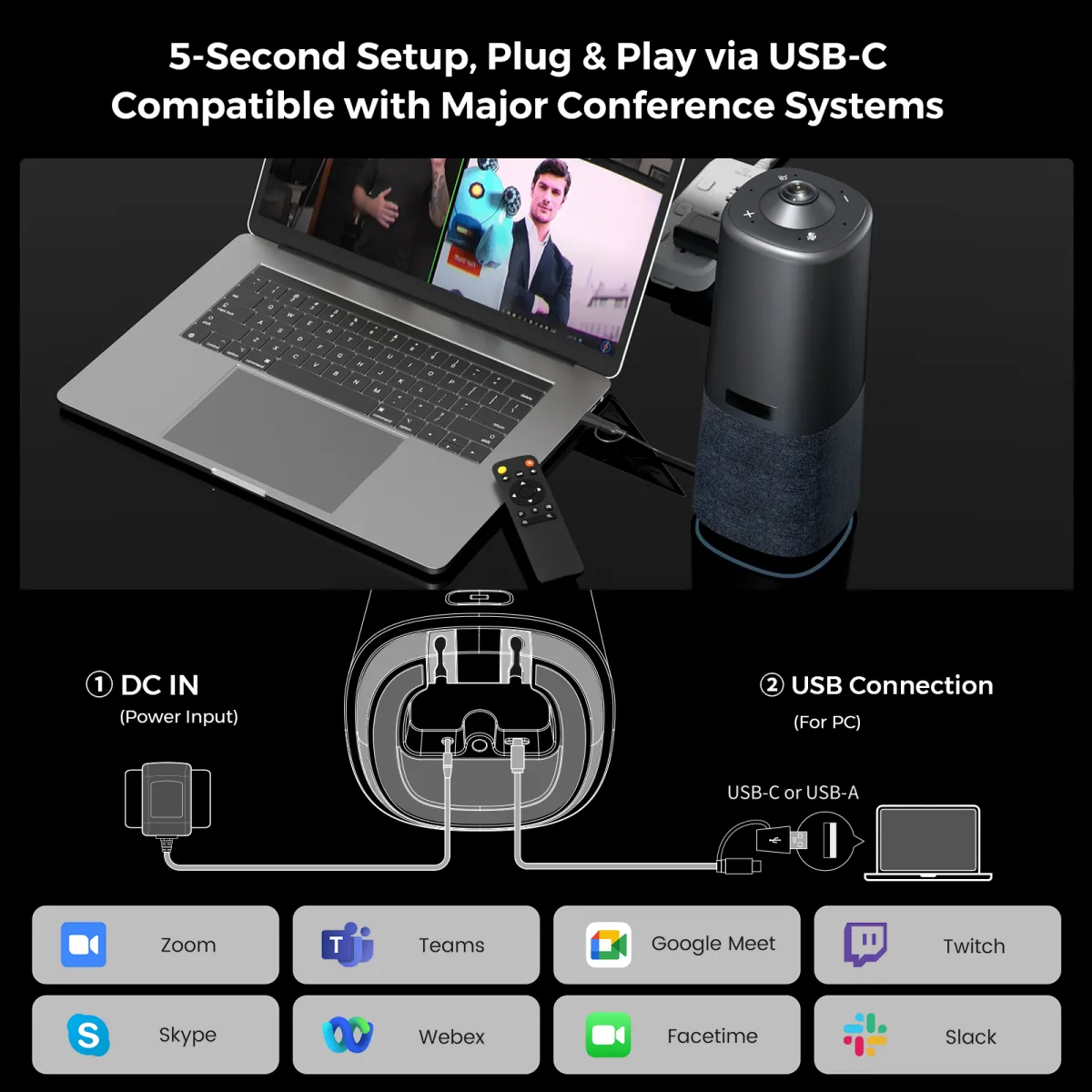
5-Second Setup, Plug & Play via USB-C. Compatible with Major Conference Systems
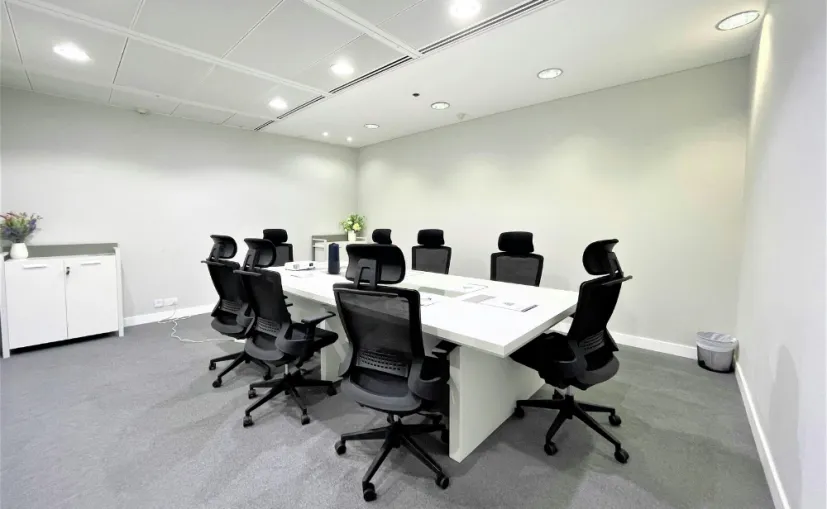
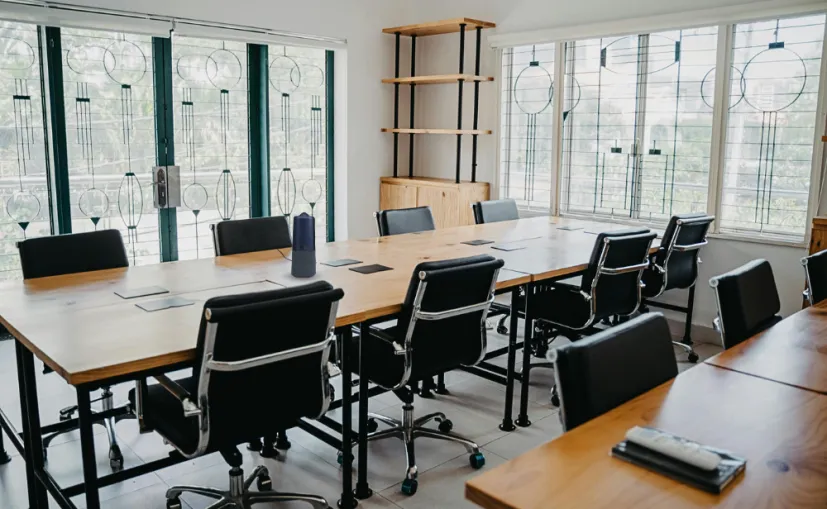
All-in-One Conference Camera for Huddle Room
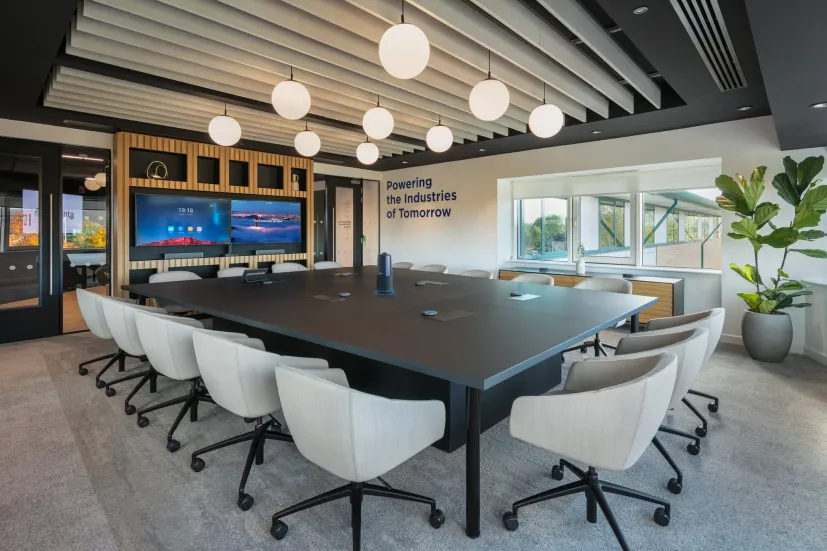
360°Panoramic Meeting for Small Room
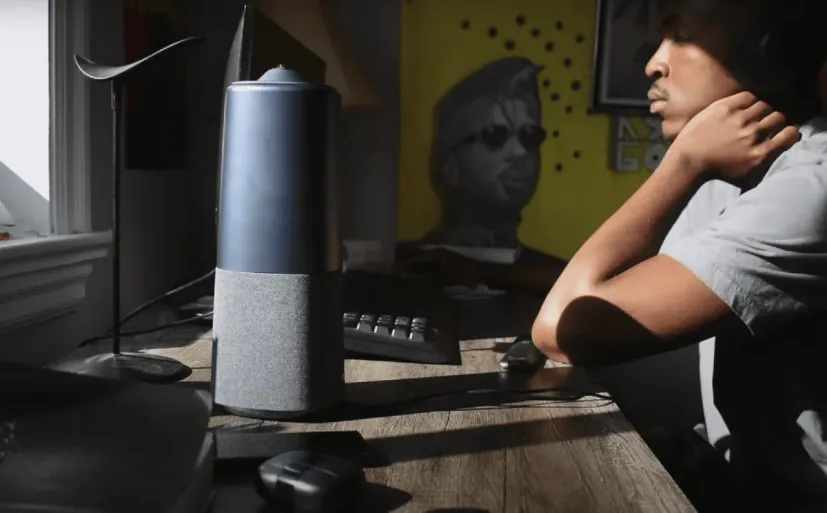
AI-framing, Seamless Meeting

Instant Setup & Seamless Compatibility

USB plug & play — no drivers, no installers. Teams, Zoom, Meet auto-detect in seconds.

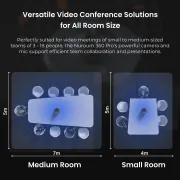
2-4 People | 60-120 sq ft

360° panoramic view captures everyone in a 100 sq ft space. One glance, no crowding.

4-6 People | 100-160 sq ft

6 omnidirectional mics cover up to 6m. AI auto-frames — no manual adjustments, ever.

6-12 People | 150-300 sq ft

6-mic array with noise cancellation covers the whole room. Remote side hears every word clearly.

Powerful Audio Technology

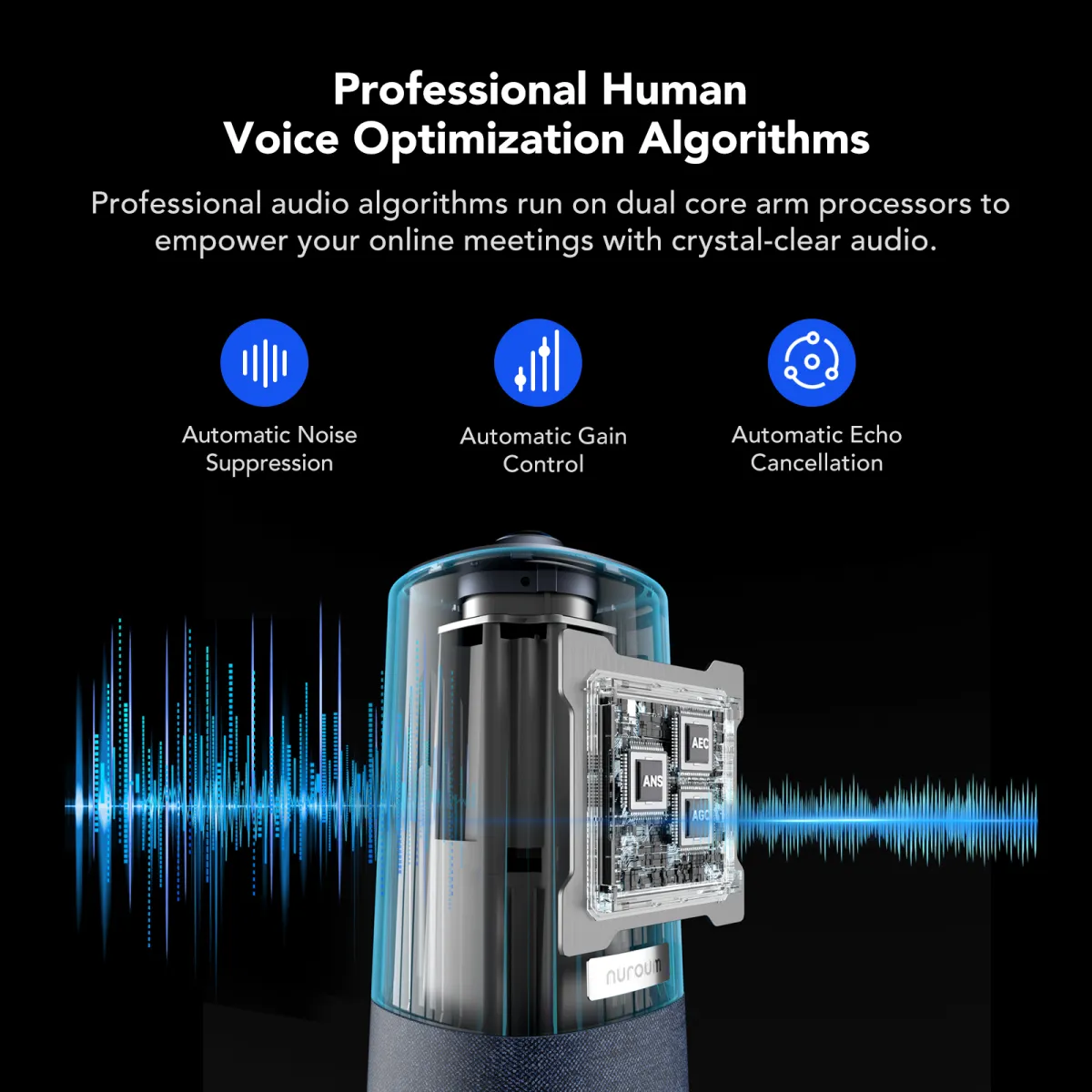
Noise Suppression

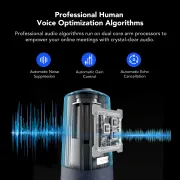
Traditional conference rooms often suffer from disruptive noises like air conditioning, footsteps, and keyboard clicks, making it difficult to focus and communicate. With ProperClean2.0 technology, the 360 conference camera insulates 99.99% of these noises, ensuring clearer communication and creating a more professional video meeting room solution.

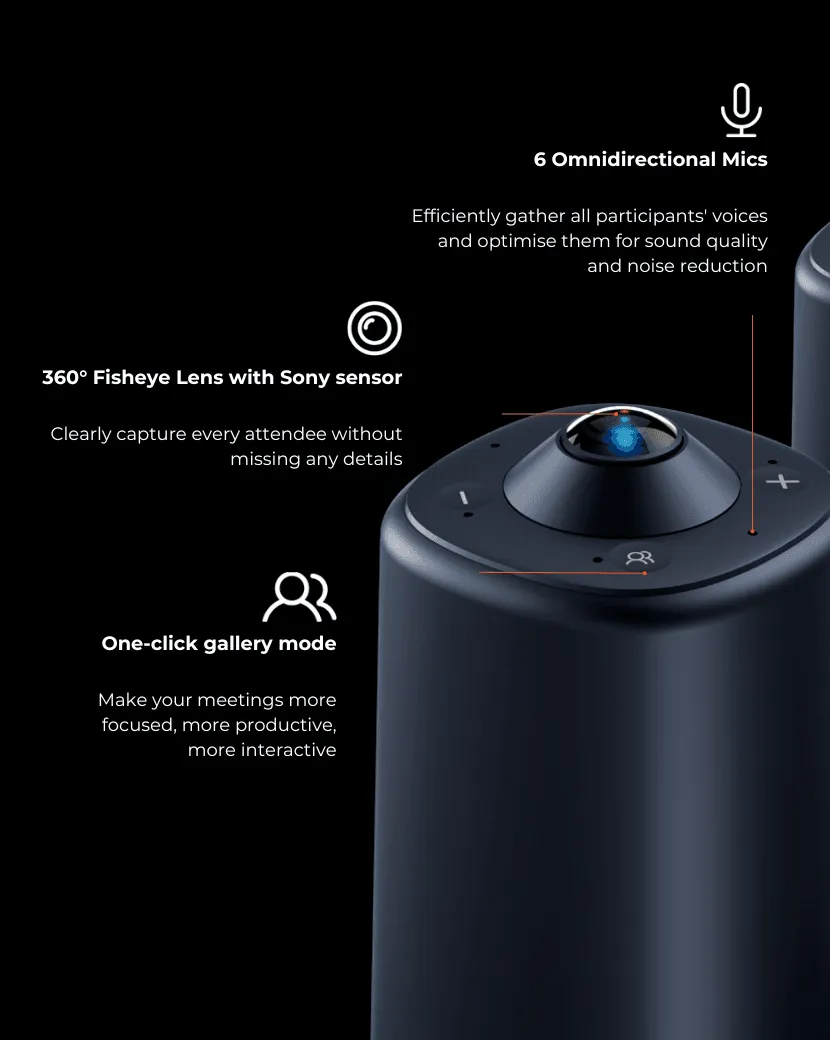
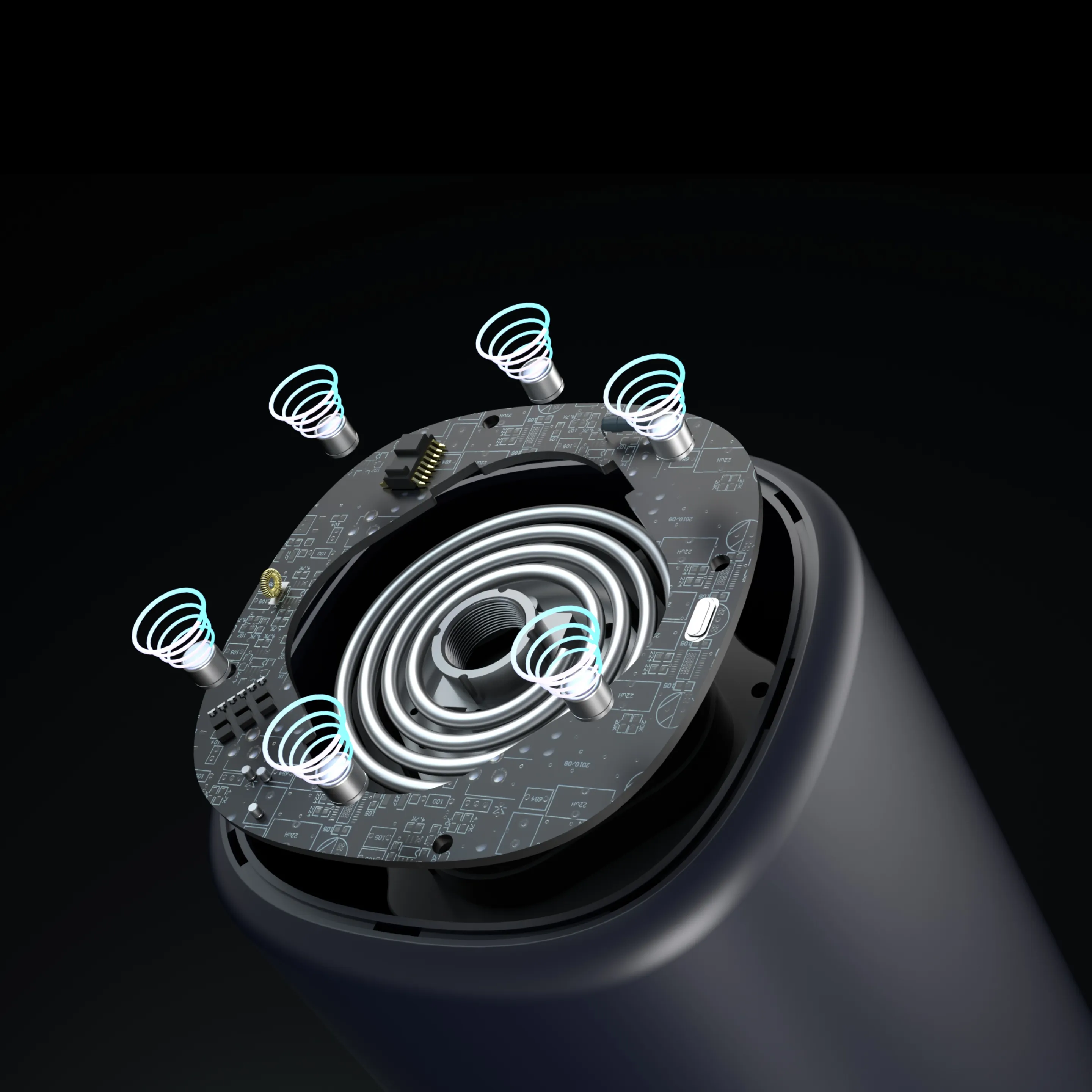
6 Omnidirectional Microphones

The Nuroum 360 Pro is equipped with 6-element omnidirectional microphone arrays designed to maximize the effectiveness of noise reduction and audio gain. It captures voices from all participants, clearly picking up sound from up to 6 meters away, making it an excellent choice for conference room cameras.
tech1

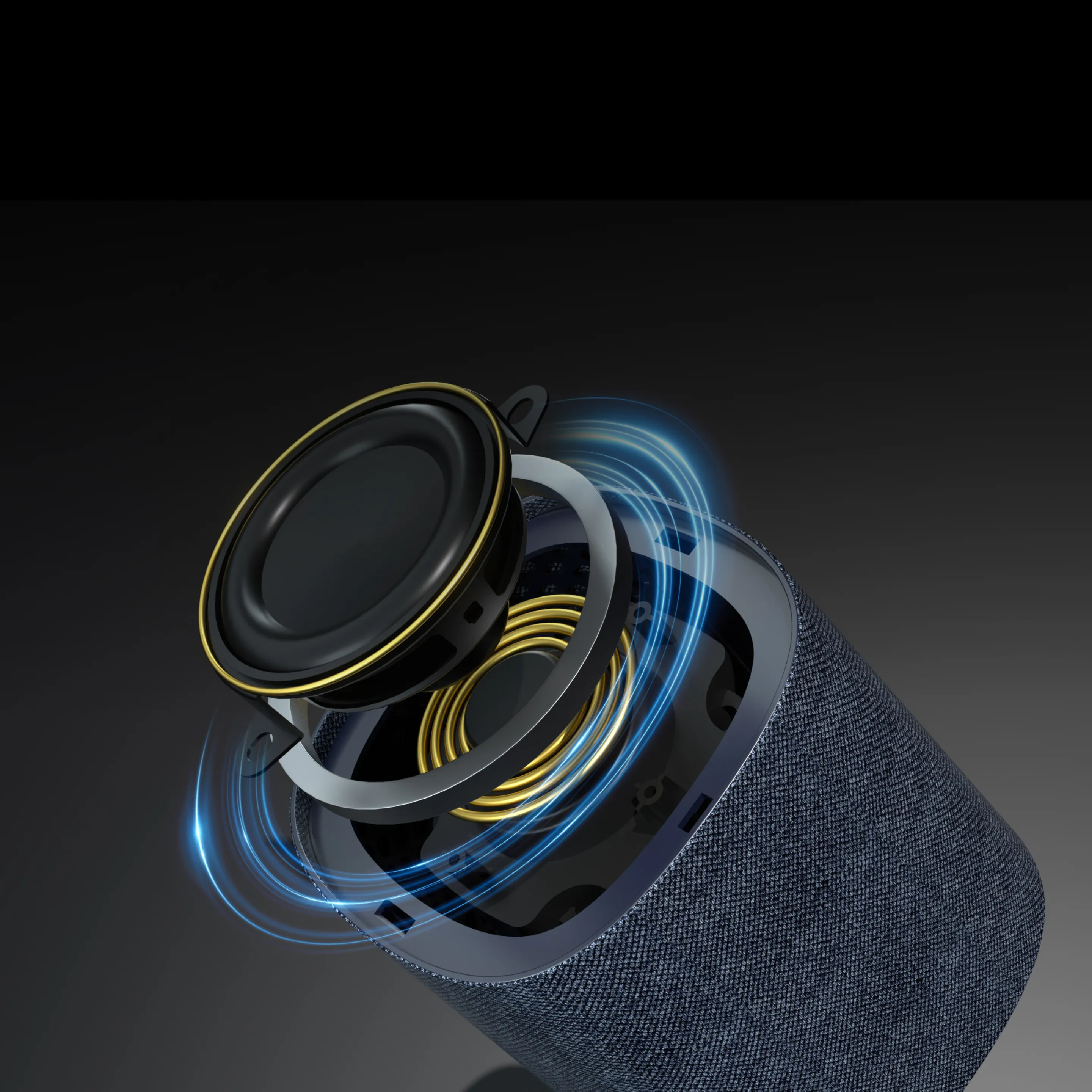
Hi-Fi Full-Duplex Speaker

The integrated Hi-Fi full-duplex speaker transmits the voices of absent participants as if they were right there in the room, providing an immersive experience for all in the video conference camera setup.
tech3

Enhanced AI Noise Cancellation, Powered by ProperClean 2.0 Technology
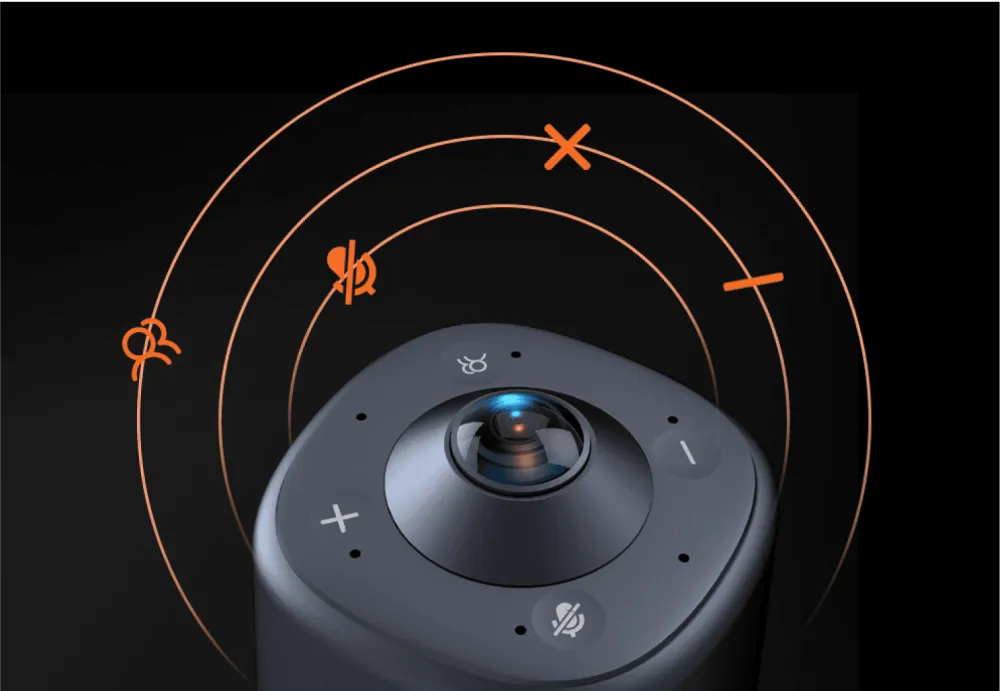
ProperClean stands as a pioneer investing in cutting-edge audio deep learning technology to address echo, reverberation, and noise issues--challenges that traditional signal processing struggles to perfect. Dedicated to bridging the gap, ProperClean brings online remote meetings as close to face-to-face interactions as possible.
360 pro button

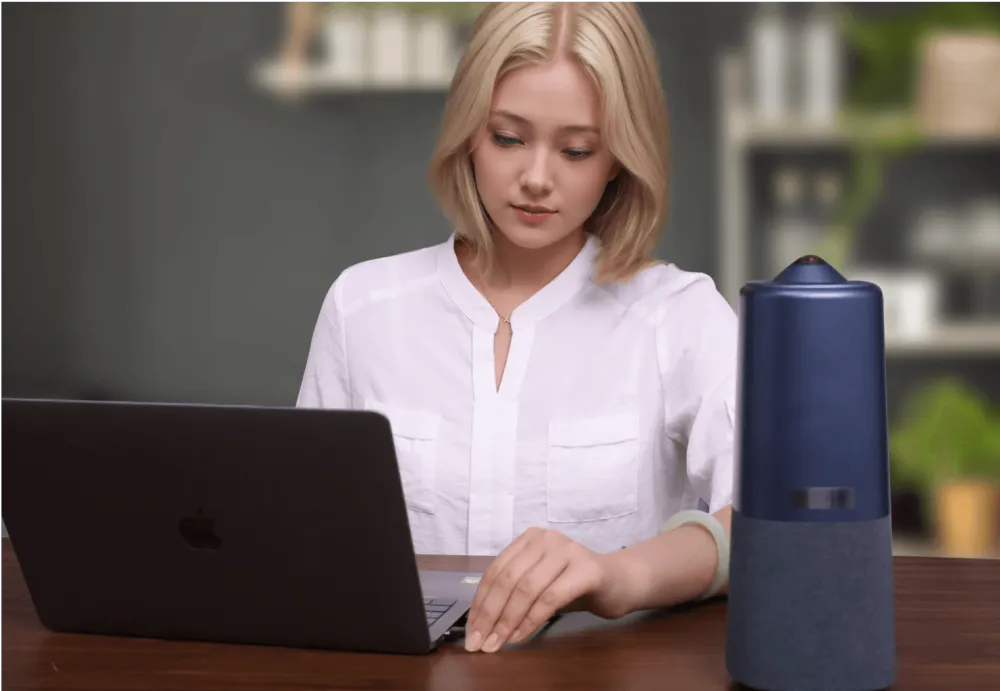
4 Touch Buttons

4 button to swiftly turn the camera on and off, adjust the volume, mute the microphones, and switch camera modes.
360 pro setup

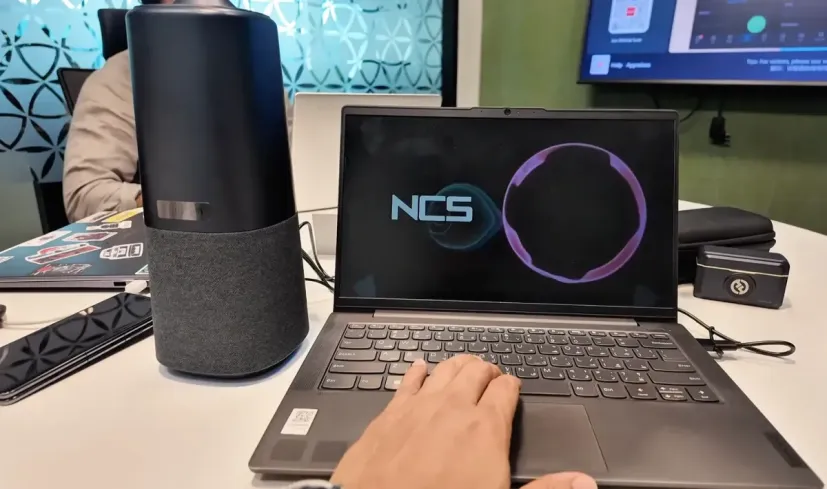
Plug and Play

Nuroum 360 Pro Smart Camera is easier than ever to set up, so anyone on your team can start meetings with confidence.
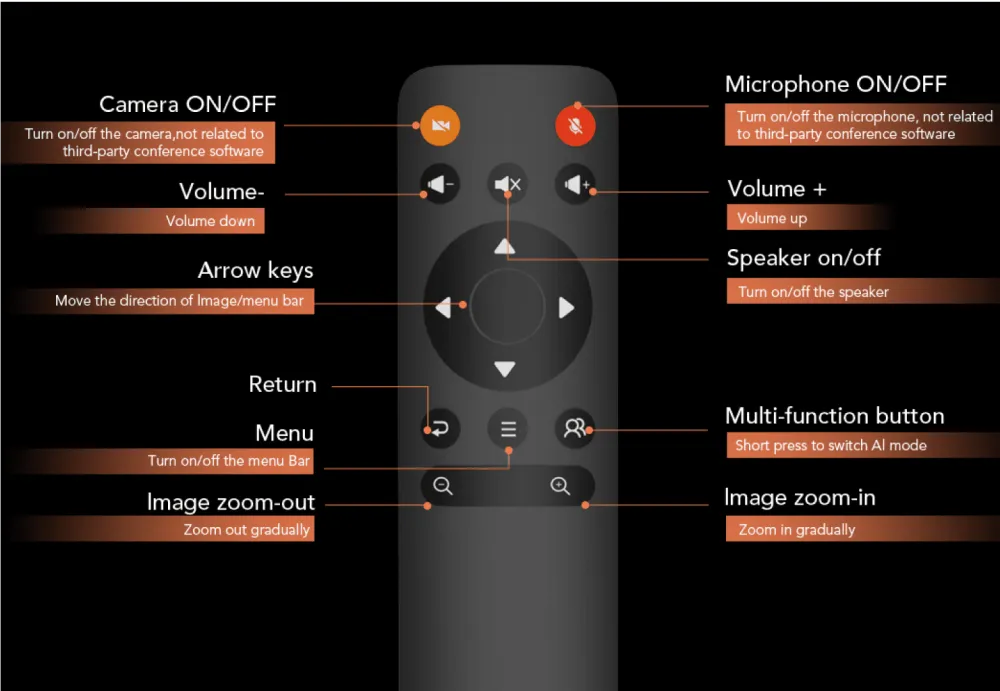
360 pro control

Powerful Remote Control

One remote to control it all. All adjustments can be set at the touch of a button on the remote control.

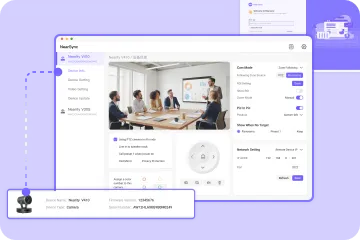
Update your Nuroum 360 Pro anytime, anywhere with NearSync!

Perpetual privileges at no extra cost. The operating camera system is constantly being upgraded, guaranteeing you the latest and most functional Nuroum 360 Pro.
Explore

Wise image adjustment

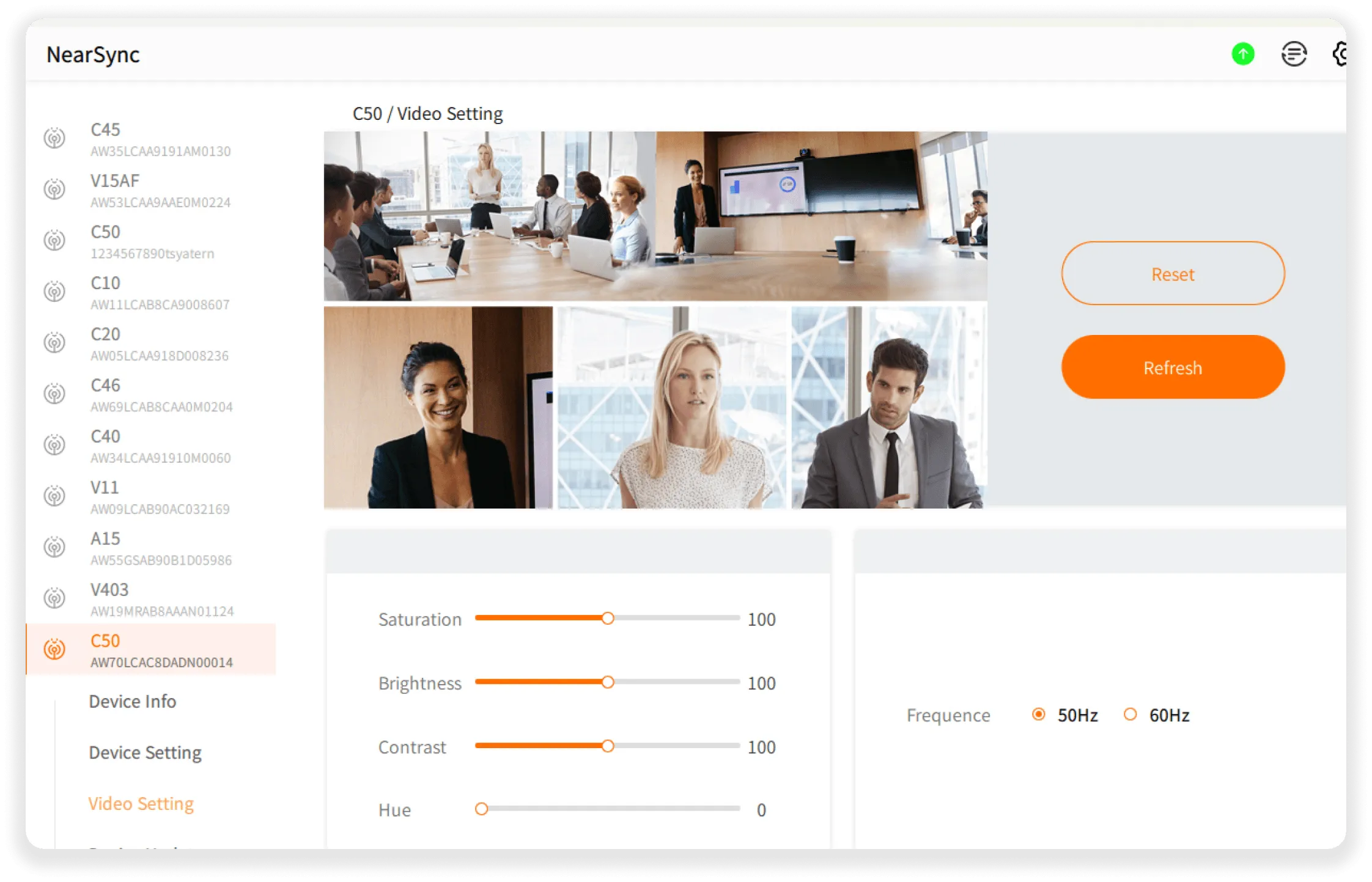
  • With NearSync software, you can adjust audio and video parameters and update the firmware yourself.
  • Device Info
  • Device Setting
  • Video Setting
  • Audio Setting
  • Device Update
adj

Compare & Choose the Right Solution

360 Probackground
conference camera c46
conference camera c40
conference camera c20
conference camera c10

Nuroum 360 Pro

Nuroum C46

Nuroum C40

Nuroum C20

Nuroum C10

4.9

€630,00€699,99

4.8

€340,00€399,99

4.9

€255,00€299,99

4.9

€153,00€169,99

5

€90,00€99,99

Acheter maintenant
En savoir plus
En savoir plus
En savoir plus
En savoir plus
TypeConference camera for all size rooms (20-50㎡)
TypeConference camera for spaces ranging from huddle to small rooms (20-30㎡)
TypeConference camera for huddle rooms (up to 25㎡)
Lens360-degree camera F2.0 aperture SONY CMOS Sensor, 12MP Fixed focus 1.41mm
Lens120-degree camera F1.8 aperture SONY CMOS Sensor, 8MP Fixed focus 3.0mm
Lens120-degree camera F2.2 aperture Fixed focus 2.03mm
Lens100-degree camera F2.4 aperture Fixed focus 2.9mm
Lens90-degree camera F2.8 aperture Fixed focus 2.7mm
Microphone6-unit omni microphone 6m effective pickup distance
Microphone4-unit omni microphone 5.5m effective pickup distance
Microphone4-unit omni microphone 4m effective pickup distance
Microphone4-unit omni microphone 3m effective pickup distance
Speaker4Ω/3W rated output 80±3dB speaker volume
Speaker4Ω/1W(USB) rated output 80±3dB speaker volume
Speaker4Ω/1W(USB) , 4Ω/3W(Adaptor) rated output 80±3dB speaker volume
Speaker4Ω/1.5W rated output 80±3dB speaker volume
VideoAuto-Framing Up to 1920*1080 max resolution Max to 480P@30fps YUV Max to 1080P@30fps MJPEG AI Mode: Discussion, Presentation, Global x3 digital zoom
VideoAuto-Framing Non-Distortion Lens Up to 2160P@30fps and 1080P@60fps Max to 480P@30fps YUV Max to 1440P@30fps MJPEG
VideoAuto-Framing Non-Distortion Lens up to 1440P@30fps and 1080P@60fps Max to 480P@30fps YUV Max to 1440P@30fps MJPEG
VideoNon-Distortion Lens Up to FHD (1080P) max resolution Max to 360P@30fps YUV Max to 1080P@30fps MJPEG

Schedule a live demo

What can I expect?
  • Customized Solutions

    We'll address your challenges and show how our product can be tailored to your needs.

  • Product Overview

    Explore our product's key features and real-world applications.

  • Live Q&A

    Engage in an interactive session with our experts to get your questions answered.

quick'sfram
goldensword
pcigases
kronick
statefire
cedem
simpara
craighospital
waterenvtech
logo left

Product Details

CameraMic&SpeakerAudio TechPhysical
F2.0
1/2.3 inches, SONY CMOS, 12MP
Fixed focus 1.41mm
235°(D)/235°(H)/235°(V)
supported
supported
supported
supported
Up to 1920*1080
16:9
max to 480P@30fps /max to 1080P@30fps
Discussion Mode,Presentation Mode,Global Mode
x3

Nuroum 360 Pro Tech Specs

PDF

All hardware and software details in one PDF

FAQs

Product RelatedOrder Related
What is the difference between 360 Pro's 3 auto-framing modes?
  • The Nuroum 360 Pro offers three distinct modes tailored for various video conference scenarios: Discussion mode, Presentation mode, and Global mode.
  • Discussion mode: Automatically frames and highlights up to at most three active speakers at once—ideal for roundtable talks or panel discussions.
  • Global mode: Uses auto framing to maintain a steady 115° wide-angle view, keeping the focus fixed—perfect for presentations that require a stable, undistracted view.
  • Presentation mode: Dynamically tracks and zooms in on the current speaker, adjusting the frame in real-time based on voice and movement—ideal for interactive sessions or team collaboration.
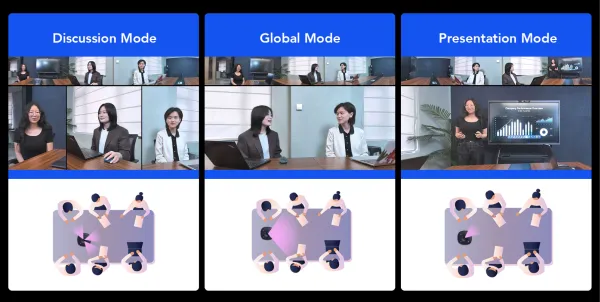
360 pro conference camera view mode
What is the resolution of Nuroum 360 Pro's output?
The Nuroum 360 Pro outputs video at a 1080 resolution with a smooth frame rate of 30fps. And it is equipped with a high-quality Sony lens featuring an CMOS sensor.
Does the 360 Pro camera warp the image or create a "fish-eye" effect that looks unprofessional to clients?
Not at all. The Nuroum 360 Pro utilizes advanced de-warping algorithms combined with intelligent AI face tracking. External clients see a natural, proportional, and professional panoramic view of your entire team, alongside dynamically framed close-ups of the active speaker.
What is the actual effective pickup range of the 360 Pro for room setups
  • Nuroum 360 Pro features an optimized voice pickup radius of up to 5 meters (16.4 feet), making it ideal for huddle-to-large meeting tables seating 3 to 18 people.
  • Tip: No matter where a team member sits within this perimeter, our automatic gain control (AGC) balances their voice so they sound clear and close to the remote audience.
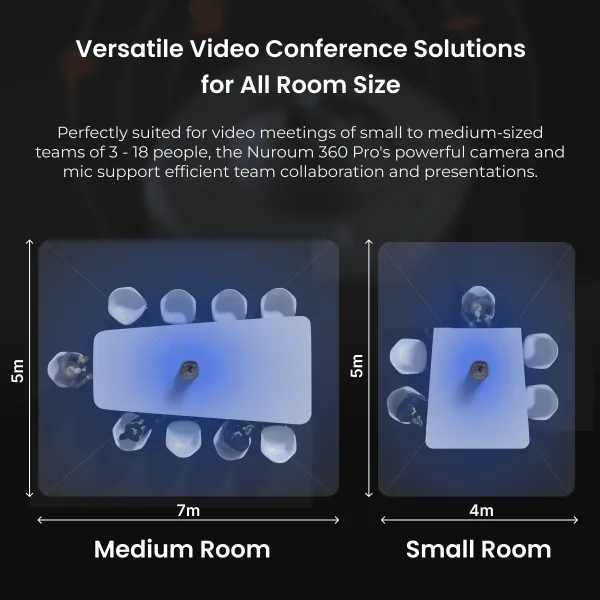
360 pro meeting
Our medium conference room has reflective glass walls and heavy HVAC noise. Will the audio echo or sound muffled?
No. Typical built-in laptop microphones or basic webcams fail in acoustically challenged rooms, but Nuroum devices are engineered precisely for this. Powered by our proprietary AI sound algorithms, the 360 Pro conference camera actively suppresses constant background distractions—such as air conditioning hums, keyboard clicks, and paper rustling. At the same time, our full-duplex audio technology ensures that local and remote participants can speak simultaneously without their voices being clipped or muted.
How can I use one-click mute?
  • -Press the physical mute button on the device itself.
  • -Use the mute button on the included remote control.
  • In both cases, the LED indicator will turn red to confirm the microphone is muted, helping you ensure privacy during meetings.
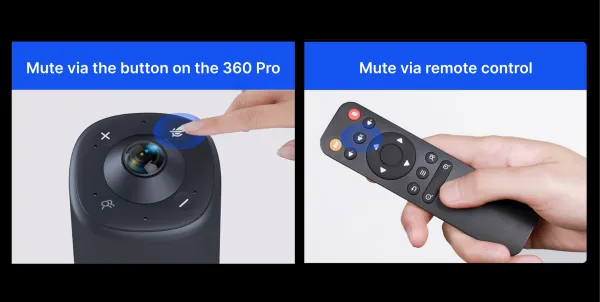
360 pro conference camera mute
How to set up Nuroum 360 Pro?
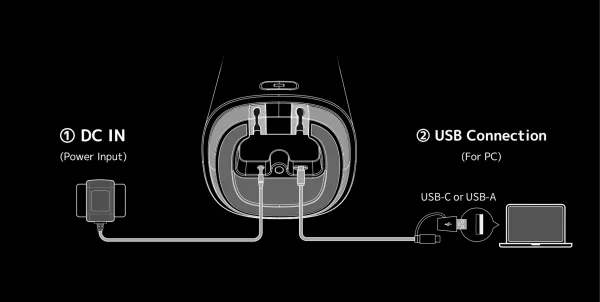
Plug the power adapter into an outlet. Then, plug the USB into your computer, open up your video conferencing software of choice, and select the Nuroum 360 Pro as your mic, camera, speaker. There are no drivers required to download, it just works.
360 pro setup
How to upgrade Nuroum 360 Pro?
You can upgrade Nuroum 360 Pro by NUROUM Device Upgrade Firmware(Nearsync).
Will the Nuroum 360 Pro work immediately with our video conferencing software like Zoom or Microsoft Teams?
Yes, instantly. All Nuroum conference devices (including the 360 Pro, C-series webcams, and A-series speakerphones) are strictly UVC/UAC compliant. This means they are standard plug-and-play USB hardware. There are zero software drivers to download, and no corporate IT permissions are breached. Simply connect the USB cable to your laptop or room console, select "Nuroum" as your audio/video source in Zoom, Teams, or Google Meet, and your meeting is ready to start.
360 pro conference camera setup
Can I adjust the camera angle or zoom during a meeting?
Yes, you can adjust the camera angle and zoom during a meeting with the Nuroum 360 Pro. This video conference camera is equipped with a remote control that allows you to easily zoom in and out, as well as reposition the camera to focus on different participants or content being shared.
Many smart conference cameras run on Android subsystems that crash or freeze mid-meeting. What makes the Nuroum 360 Pro more reliable?
  • Stability without compromise. Unlike fragile, Android-based alternatives that are highly vulnerable to background memory leaks and uncontrolled app crashes, the Nuroum 360 Pro is engineered from the ground up on a hardened embedded Linux core.
  • This dedicated architecture is purposely built for true, 24/7 enterprise operation. It does not run bloated mobile apps in the background. Rigorously validated across Windows, macOS, ChromeOS, and Linux host systems, the 360 Pro delivers the rock-solid, uninterrupted hardware stability that critical client pitches and executive board meetings demand. It simply works, every single time.
Does the device overheat or throttles down performance during long, back-to-back video calls?
No. A common complaint with premium smart cameras is that their compact form factor traps heat, causing the video feed to stutter or drop resolution during 2+ hour board meetings. The Nuroum 360 Pro is engineered with an advanced industrial-grade passive thermal management layout. It dissipates heat efficiently away from the image processor without needing a noisy internal fan. Your video quality remains a crisp, unthrottled 4K even during all-day strategy sessions or continuous corporate training.
We’ve had other conference pucks brick or change settings overnight due to automatic Wi-Fi updates. How does Nuroum handle firmware management?
Controlled updates, zero surprises. We built the Nuroum ecosystem for total IT peace of mind. While consumer-grade competitors frequently push immature, untested OTA (Over-The-Air) updates silently over Wi-Fi without adequate safeguards—often breaking room configurations right before an important workday—Nuroum takes a fundamentally secure approach. Firmware updates are never delivered automatically to your devices. Every single optimization is initiated exclusively and intentionally through our secure NearSync software. This ensures your IT department retains 100% control: each firmware version can be rigorously tested and validated on your own schedule before it ever reaches a live meeting room deployment.
Will the AI speaker tracking lag or get confused if multiple people talk at once, or if someone paces around the room?
It responds instantly and intelligently. Nuroum’s proprietary voice-localization and face-tracking algorithms analyze both spatial audio and visual cues simultaneously. The 360 Pro transitions smoothly and seamlessly to the active speaker within milliseconds. If multiple people engage in a fast-paced debate, it intelligently opens up a split-screen or wider view rather than jerkily cutting back and forth, preserving a natural flow for remote clients.
How does the 360 Pro handle meetings where people talk while walking up to a whiteboard far away from the device?
  • It maintains consistent voice clarity up to 5 meters. Some competing all-in-one pucks experience a sharp drop-off in audio volume the moment a presenter steps away from the center table, or they mistakenly categorize a whiteboard marker's squeak as background noise and mute the presenter entirely.
  • With our built-in Automatic Gain Control (AGC) and advanced AI sound suppression, the 360 Pro dynamically balances volume. It boosts the voice of the presenter standing 5 meters away while filtering out whiteboard clicks and keeping their speech perfectly intelligible to remote listeners.
Do we need to buy expensive proprietary extension mics, specialized mounting brackets, or monthly software subscriptions to get the full experience?
  • No hidden costs, no recurring fees. We believe enterprise hardware should be transparent. Unlike ecosystems that lock you into buying pricey proprietary extension pucks just to cover a standard-sized room, or charge annual subscription fees to unlock basic AI tracking features, the Nuroum 360 Pro comes fully loaded out of the box.
  • Its native 5-meter pickup and 360° field of view are designed to comprehensively cover medium meeting rooms natively. Every AI feature, tracking update, and optimization is included in the upfront hardware price. You deploy it once, and it costs your company $0 in ongoing operational maintenance.

Why Nuroum?
“360 Pro has an Ultra HD camera that captures everyone so clearly, and its noise-cancelling function gives me a very immersive conference experience!"

unnamed f73331847c
Dave Taylor

"This is the first 360 degree conference camera I've seen that will pull up multiple people and give everyone their own little window on the screen, that is definitely a cool feature."

channels4 profile 695e4f2746
Daniel Caldwell

"I guarantee that the NUROUM 360 PRO is the most seamless 1080p conference room camera with the clearest audio you've ever used!"

Jedija
Jedija Nsenga

"I suppose that 360 camera deserve 10/10 point in my real test. I prefer its presenter tracking function."

TheNetGuyReviews
The Net Guy Reviews

"The Nuroum 360 Pro Video Conference Camera is here to change the traditional meeting! I really love its all-in-one system boasts 3 intelligent AI video modes, and crystal-clear audio. Recommended!"

JDubb
JDubb
Start 2026 Right - Subscribe for Exclusive 10% Offers
FaceBook YouTube Instagram LinkedIn Twitter FaceBook_Group Pinterest
  • Connect Us
    • About Us
    • Brand Ambassador
    • Become a Reseller
    • Blog
    • Corporate Purchase
  • Compare
    • Nuroum 360 Pro vs Meeting Owl 3
    • HP20 vs Jabra Evolve2 40
    • C20 vs Logitech BCC950
    • C40 vs Logitech Connect
    • V11 vs Logitech C270
    • V21 vs Logitech C930e
    • V32AFL vs Logitech Brio
  • Solutions
    • Creation
    • Healthcare
    • Education
    • Team workspace
    • Personal Workspace
  • Policy
    • Payment policy
    • Shipping policy
    • Warranty & Refund
  • Contact us

    For Products Support

    customer.service@nuroum.com

    For Marketing Collaboration

    marketing@nuroum.com

    For Product Sales

    sales@nuroum.com

    iconiconiconiconiconicon
    NearSync-logo NearSync Remote Device Management
    nearify-logo Nearify Free Noise Cancelling App
Copyright © 2026 Nearity USA Inc.
Privacy policy Terms of service