







In the rapidly evolving landscape of 2026, business communication has moved entirely to the cloud. Whether you are a remote consultant, a bustling call center agent, or a corporate executive, the quality of your voice is your professional signature. To maintain that signature, a high-quality VoIP headset is no longer just an accessory—it is a critical business tool.
In this comprehensive guide, we will explore the technology behind these devices, why they are essential for modern productivity, and review the best VoIP headsets from Nuroum to help you make an informed decision.
What is a VoIP Headset?
To understand why choosing the right gear matters, we must first define the technology.
Definition of VoIP Technology
VoIP (Voice over Internet Protocol) is a communication technology that transmits voice data over the internet rather than through analog telephone networks. Instead of copper lines, calls travel as digital packets via cloud telephony platforms and unified communications systems.
A VoIP headset is specifically engineered to optimize this digital call environment, ensuring voice clarity, noise suppression, and platform compatibility.
How VoIP Headsets Work
Unlike consumer headphones, VoIP headsets integrate:
- Wideband audio codecs for HD voice
- Noise-canceling microphones
- USB / Bluetooth / RJ9 connectivity
- DSP (Digital Signal Processing)
These technologies convert voice into digital signals, minimize packet loss distortion, and enhance intelligibility during IP calls.
VoIP Headset vs Traditional Phone Headset
| Feature | VoIP Headset | Traditional Headset |
| Audio Bandwidth | Wideband / HD | Narrowband |
| Connectivity | USB / Bluetooth / Softphone | RJ9 Desk Phone |
| Noise Cancellation | Advanced ENC / AI | Basic |
| Mobility | Wireless options | Mostly wired |
A VoIP phone headset is therefore more suitable for modern softphones and UC platforms.
Common Business Use Cases
Virtual Meetings: Seamless integration with Zoom, Microsoft Teams, and Google Meet.
Customer Support: Crystal clear communication for call centers.
Hybrid Work: Moving between a home office and a physical office without losing audio quality.
Why You Need a Dedicated VoIP Headset
Business communication studies consistently show that audio quality directly impacts productivity and customer satisfaction.
According to a Frost & Sullivan workplace headset study, organizations using professional headsets report productivity improvements of up to 43%, along with measurable gains in collaboration and customer experience.
Audio clarity also affects operational efficiency. Research highlighted in this call center headset performance analysis shows that clearer sound reduces repetition, shortens call handling time, and improves first-call resolution rates.
Using a professional VoIP headset improves:
- First-call resolution rates
- Meeting comprehension
- Multitasking efficiency
- Employee comfort
For high-volume environments, VoIP wireless headset adoption is rising due to mobility and flexibility benefits.
Types of VoIP Headsets
Not all workspaces are created equal, which is why there are several types of VoIP headsets to choose from.
Wired vs. Wireless VoIP Headsets
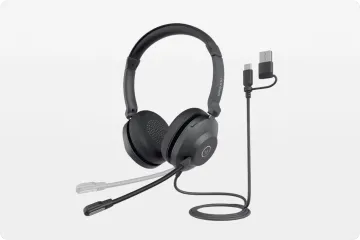
- Wired: These connect via USB-A, USB-C, or RJ9. They are "plug-and-play," require no charging, and offer the most stable connection.
- Wireless: A VoIP wireless headset offers freedom of movement, allowing you to walk up to 30-100 feet away from your desk.
Bluetooth vs. DECT Wireless Headsets
If you choose a headset VoIP wireless model, you’ll encounter two technologies:
- Bluetooth: Best for multi-device connectivity (switching between a laptop and a smartphone).
- DECT: Ideal for high-density offices, offering superior range and security with zero interference from Wi-Fi.
Mono vs. Stereo VoIP Headsets
- Mono (Single-Ear): Best for professionals who need to hear their surroundings or talk to colleagues while on a call.
- Stereo (Dual-Ear): Best for loud environments where you need to block out distractions and focus entirely on the caller.
Key Features to Look for in a VoIP Phone Headset
When shopping for VoIP headsets, look for these technical specifications to ensure a future-proof investment:
Microphone Noise Cancellation (ENC / AI)
Environmental Noise Cancellation (ENC) or AI-driven noise reduction is non-negotiable. It ensures that the person on the other end only hears your voice, not your neighbor’s lawnmower or your colleague’s keyboard.
HD Voice & Wideband Audio
Ensure the VoIP headset supports a wide frequency response (usually 150Hz to 7kHz or higher). This makes voices sound "present" and less robotic.
Connectivity Options (USB / RJ9 / Bluetooth)
A versatile VoIP phone headset should offer multiple ways to connect. USB-C is becoming the standard for laptops, while RJ9 is still common for physical desk phones.
Battery Life (Wireless Models)
For a VoIP wireless headset, look for at least 15-20 hours of talk time. Modern 2026 models often feature fast charging, giving you 2 hours of talk time from a 10-minute charge.
Comfort & Ergonomic Design
Weight distribution, breathable ear cushions, and adjustable headbands determine whether a VoIP headset will be comfortable after eight hours of use.
Busy Light & Call Controls
Professional VoIP headsets often include a "busy light" that turns red when you are on a call, signaling to others not to interrupt you. Integrated call controls (mute/volume) are also essential for efficiency.
Top Recommended Nuroum VoIP Headsets for Every Workspace
Nuroum has pioneered audio intelligence technology, making them a top choice for business professionals. Here are three standout models:
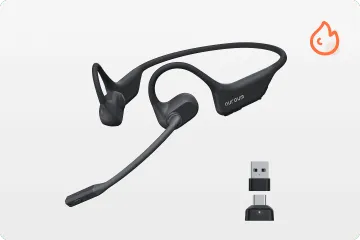
Best for Open-Office Awareness: Nuroum OpenEar Pro 2
The is a revolutionary headset VoIP wireless solution. Unlike traditional headphones, as open ear headphone with mic, it uses air-conduction technology to sit outside your ear canal.
- Why it's great: It provides total situational awareness. You can hear your meeting and your environment simultaneously.
- Keyword highlight: This is the ultimate VoIP wireless headset for managers who need comfort without the "clogged" feeling of earbuds.
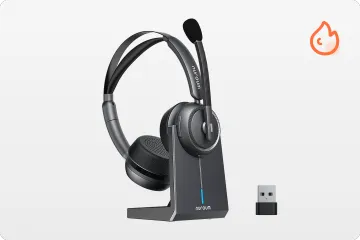
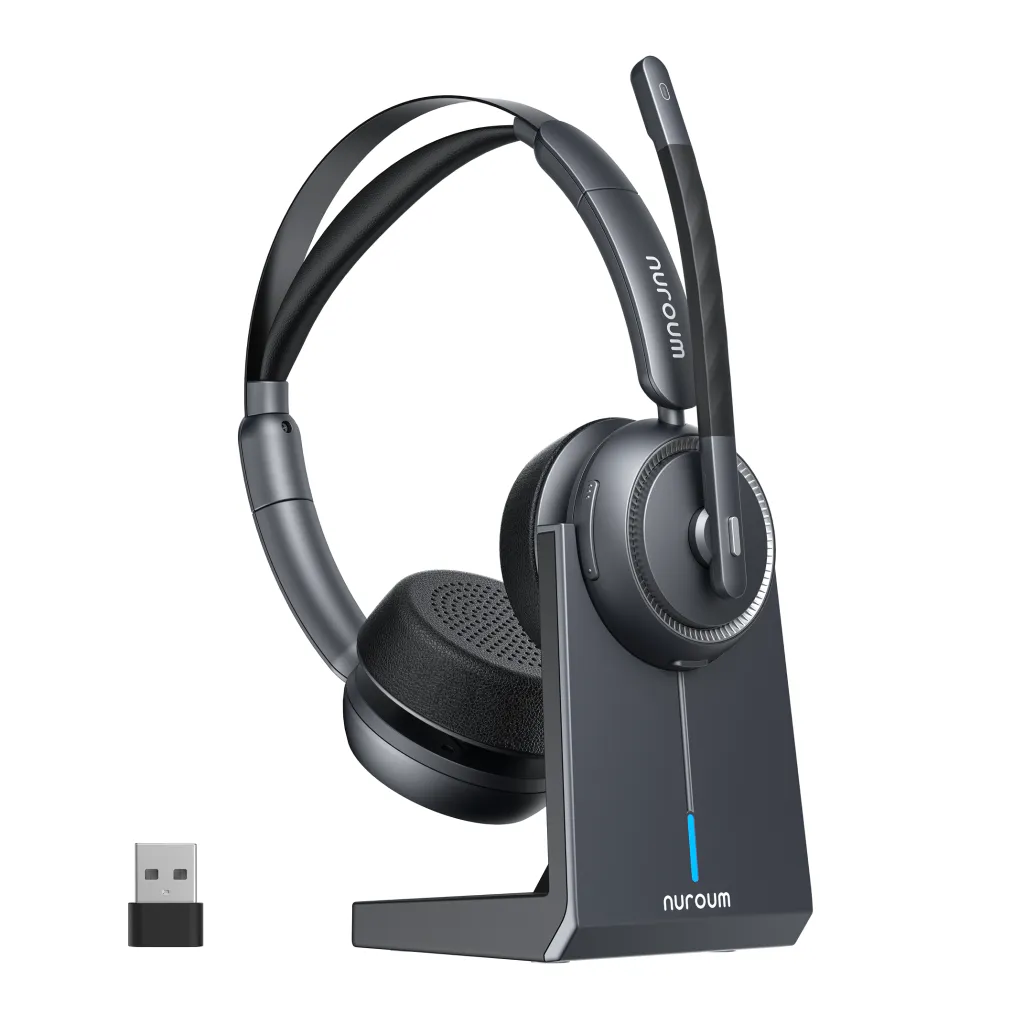
The Professional Choice for Focused Calls: Nuroum HP31D (Dual-Ear)
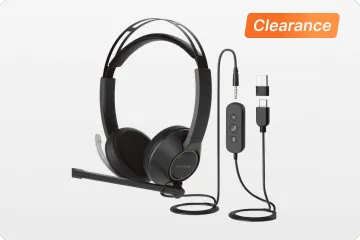
The Bluetooth noise cancelling headset with mic is a stereo VoIP headset designed for deep focus. With its dual-ear design and premium noise-canceling mic, it creates a private sanctuary in even the loudest offices.
- Why it's great: It uses advanced DSP to ensure that your voice remains consistent regardless of background chatter.
- Keyword highlight: A robust VoIP phone headset built for high-volume call environments.
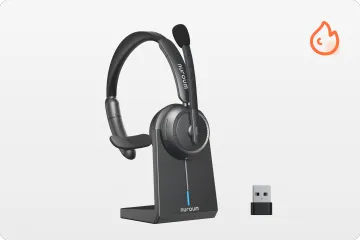
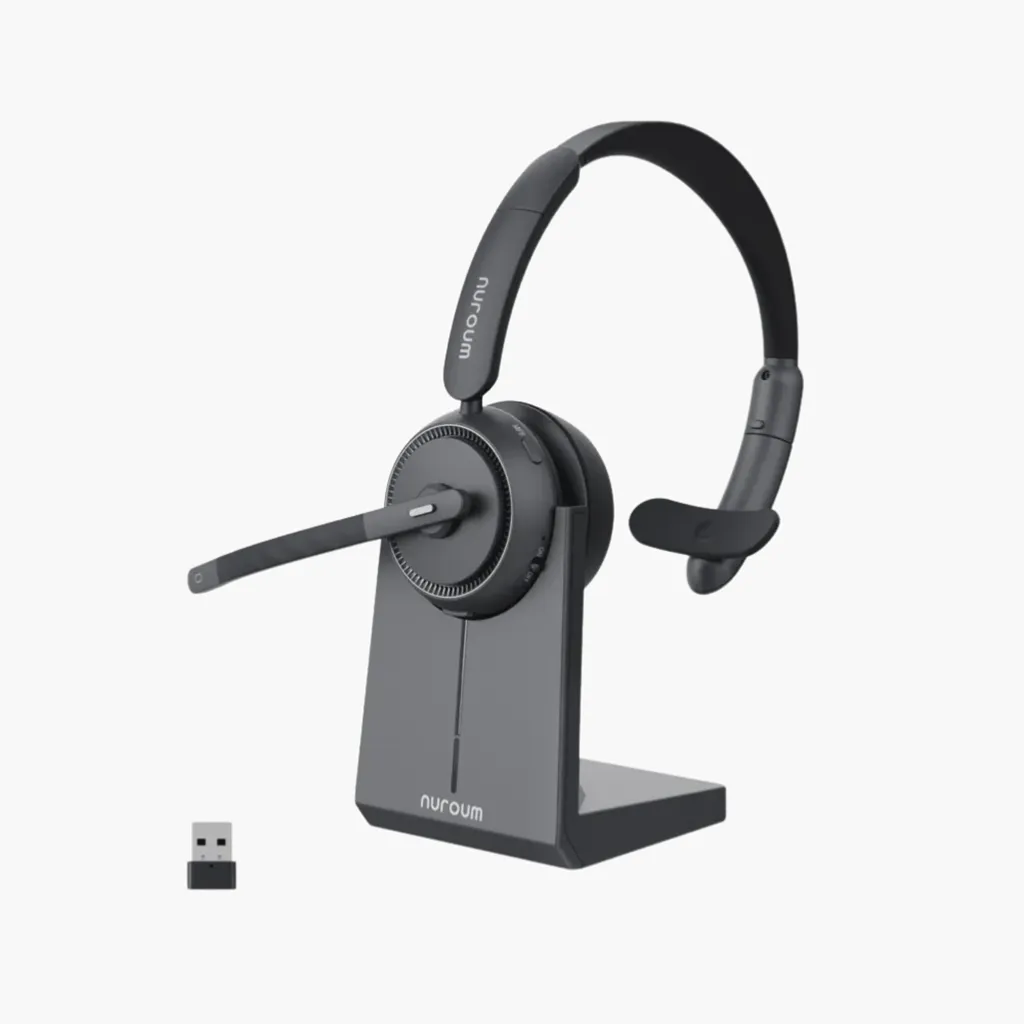
Lightweight Efficiency: Nuroum HP31S (Single-Ear)
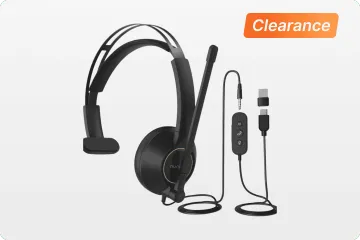
For those who prefer a minimalist approach, the single ear headphones with mic is a lightweight, monaural VoIP phone headset.
- Why it's great: It’s so light you’ll forget you’re wearing it, yet it packs the same professional mic technology as its larger siblings.
- Keyword highlight: One of the most reliable VoIP headsets for receptionists and hybrid workers.
How to Choose the Right VoIP Headset for Your Business
Assess Your Work Environment
If you work in a quiet home office, a VoIP wireless headset like the OpenEar Pro 2 is perfect. If you are in a noisy cubicle, go for a stereo VoIP headset with active noise cancellation.
Determine Wired vs. Wireless Needs
Do you pace while talking? Then a headset VoIP wireless is your best bet. Do you sit at your desk all day and hate charging batteries? Stick with a wired VoIP phone headset.
Evaluate Daily Call Volume
High-volume users should prioritize ergonomics and battery life. Look for VoIP headsets specifically rated for "all-day use."
Consider Device Ecosystem
Ensure your VoIP phone headset is compatible with your specific hardware. Nuroum devices offer excellent plug-and-play support for PC, Mac, and most IP desk phones.
Budget vs. Feature Trade-Off
While it’s tempting to save money, a cheap headset will cost more in the long run through poor call quality and ear fatigue. Aim for mid-to-high range VoIP headsets to ensure a high ROI.
Conclusion: Elevate Your Business Communication with Nuroum
The transition to digital voice communication is complete. In 2026, the only thing standing between a successful collaboration and a frustrating misunderstanding is the quality of your hardware. By choosing a professional VoIP headset, you are investing in your productivity, your comfort, and your professional reputation.
Whether you need the innovative open-ear freedom of the VoIP wireless headset lineup or the rock-solid reliability of a wired VoIP phone headset, Nuroum provides the technology to keep you heard.
FAQs
Can I use a VoIP headset with a desk phone?
Yes, via RJ9 or USB adapters depending on the phone system.
Do VoIP headsets work with UC platforms?
Most professional models support Teams, Zoom, and other softphones.
Does a VoIP headset improve my internet connection?
No, but a high-quality VoIP headset with a good DSP can make a mediocre connection sound much better by cleaning up the audio signal.
Which VoIP platforms are Nuroum headsets compatible with?
Nuroum VoIP headsets are compatible with major VoIP and UC platforms, including Microsoft Teams, Zoom, Google Meet, Cisco Webex, RingCentral, 8x8, and Dialpad.
They support USB and Bluetooth connections across Windows, macOS, mobile devices, and select desk phones, making them suitable for office, remote, and call center use.



