



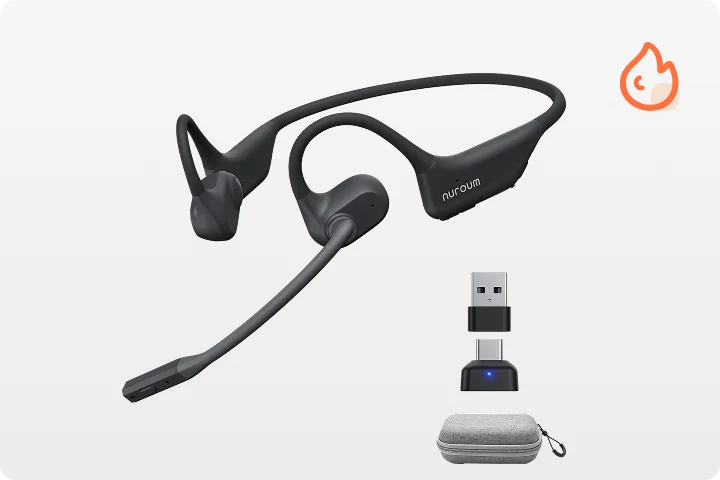
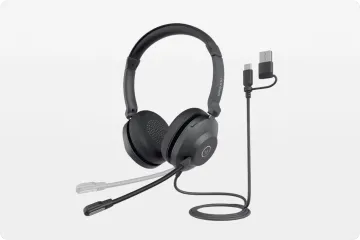
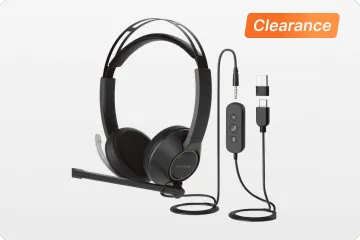
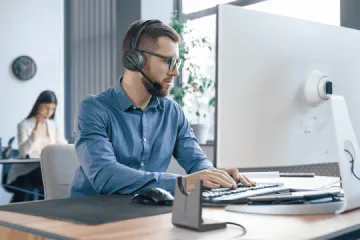




This comprehensive guide highlights the essential features of the best noise cancelling headset for call center use and reviews the top wireless call center headset options to help you find the best headset for cold calling for maximum productivity and comfort.
The Ultimate Guide to Finding the Best Headset for Cold Calling and Call Centers
Is background noise killing your closing rate? In the high-stakes world of sales, your voice is your money-maker—but it’s only as effective as the tech behind it. Why let a muffled connection or a distracting environment cost you a deal?
Whether you’re in a bustling hub or a quiet home office, finding the best headset for cold calling is more than a convenience; it’s a career-changing investment. Ready to elevate your professional presence? In this guide, we’ll help you find the best headset for call center success, exploring high-performance wireless call center headset options and the best noise cancelling headset for call center use to ensure you always sound like a closer.
Why Your Choice of Headset Matters More Than You Think
When you spend four, six, or even eight hours a day on the phone, a headset transitions from being a mere accessory to a critical piece of wearable technology. Choosing the wrong device can lead to physical discomfort, diminished audio clarity, and severe fatigue. Conversely, the right equipment can empower you to perform at your absolute best.
The Impact on Professionalism and First Impressions
In cold calling, you have mere seconds to capture a prospect's attention and establish credibility. If your audio is plagued by static, echoes, or the sound of your colleagues chatting in the background, you immediately project an image of unprofessionalism. High-quality audio ensures your voice comes through rich, clear, and commanding. It allows your prospect to focus entirely on your message rather than straining to decipher your words.
Ergonomics and Physical Health
Call center agents and sales professionals are highly susceptible to neck strain, headaches, and ear fatigue. Cradling a traditional phone between your shoulder and ear is a one-way ticket to chronic musculoskeletal issues. Even wearing a poorly fitted headset can cause painful pressure points on your ears or the crown of your head. Investing in an ergonomically designed headset distributes weight evenly and uses breathable materials, protecting your physical health over the long term.
Focus and Cognitive Load
Processing audio requires mental energy. When you or your client have to constantly ask, "Can you repeat that?" cognitive load increases dramatically. This leads to faster burnout and reduced conversational agility. By utilizing a high-quality noise cancelling headphone for work, you actively reduce this cognitive strain. You can hear the subtle nuances in a prospect's tone—hesitation, interest, or frustration—allowing you to pivot your pitch effectively.
Essential Features of the Best Headset for Call Center Agents
Navigating the market can be overwhelming given the sheer volume of options available. To separate the professional-grade tools from consumer-grade toys, you need to evaluate headsets based on a specific set of criteria tailored to high-volume communication.
Advanced Microphone Noise Cancellation
When researching the best noise cancelling headset for call center use, it is crucial to understand the difference between Active Noise Cancellation (ANC) for the speakers and Environmental Noise Cancellation (ENC) for the microphone. While ANC helps you hear better by blocking out your surroundings, ENC ensures your caller only hears your voice.
The premier headsets on the market utilize sophisticated algorithms and multi-microphone arrays to isolate human speech and electronically suppress background clatter—whether that is the hum of an HVAC system, typing on a mechanical keyboard, or the chatter of the agent sitting next to you.
The Demand for Wireless Freedom
Historically, wired headsets were the gold standard for reliability. Today, however, wireless technology has advanced to the point where latency and dropouts are virtually non-existent. A wireless call center headset provides a massive boost to productivity and comfort.
Being tethered to a desk restricts your movement and blood flow. The ability to stand up, stretch, or pace while delivering a pitch can dramatically increase your vocal energy and confidence. Furthermore, wireless setups reduce desk clutter, creating a cleaner, more organized workspace.
Battery Life That Outlasts Your Shift
If you opt for a wireless solution, battery life is paramount. A headset that dies in the middle of a crucial closing call is a disaster. Modern professional headsets should offer a minimum of 15 to 20 hours of continuous talk time on a single charge. Additionally, fast-charging capabilities—where a 15-minute charge provides several hours of use—are a lifesaver for those days when you forget to dock your headset overnight.
Seamless Software Integration
The modern call center relies on a complex stack of software, from unified communications (UC) platforms like Microsoft Teams and Zoom to sophisticated Customer Relationship Management (CRM) dialers. Your headset must integrate flawlessly with these tools, offering plug-and-play functionality and responsive inline or on-ear controls for answering, muting, and adjusting volume without having to click your mouse.
Exploring Headset Types: Finding Your Perfect Match
There is no one-size-fits-all solution when it comes to audio equipment. The right choice depends heavily on your specific work environment and personal preferences. Let's break down the two primary styles of headsets.
The Dual-Ear (Binaural) Experience for Maximum Focus
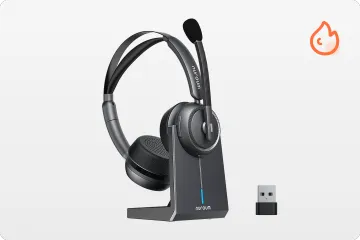
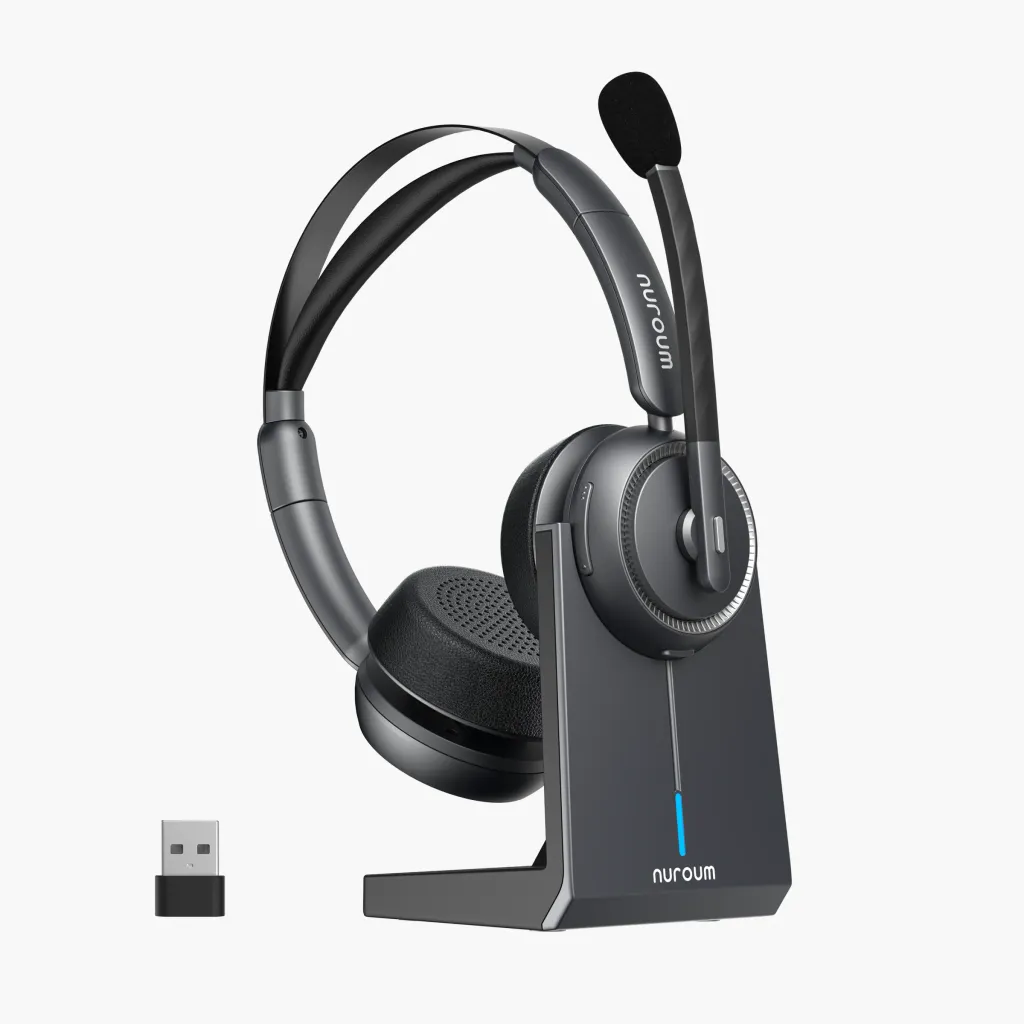
For professionals working in exceptionally loud environments, or those who find themselves easily distracted by visual or auditory stimuli, a dual-ear (binaural) headset is the ultimate productivity hack. By covering both ears, these headsets provide passive noise isolation, which, when combined with electronic ANC, creates an immersive acoustic bubble.
This style is highly recommended for complex customer support tickets or high-stakes sales calls where missing a single word could cost you the deal. A fantastic example of this tier of equipment is the HP31D. Designed for maximum immersion and crystal-clear communication, it serves as a premier bluetooth noise cancelling headset with mic, ensuring that both you and your caller experience uninterrupted, studio-quality audio.
The Single-Ear (Monaural) Approach for Environmental Awareness
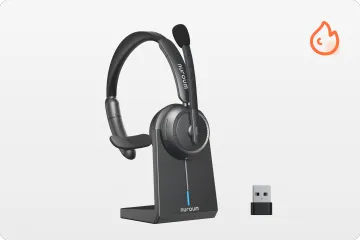
Not every professional wants to be completely cut off from their surroundings. If you are a manager who needs to field questions from your team, or if you work in a relatively quiet home office and need to keep an ear out for the doorbell or family members, a monaural setup is ideal.
A monaural headset leaves one ear open, allowing you to maintain situational awareness while still delivering excellent microphone performance for your calls. If you are searching for a lightweight, highly agile single ear bluetooth headset, you should strongly consider the HP31S. It offers the perfect balance of connectivity, comfort, and professional-grade voice capture without isolating you from your physical workspace.
What Defines the Best Headset for Cold Calling Specifically?
While general call center agents and cold callers share many of the same needs, outbound sales professionals have a few unique requirements that dictate their headset choice.
1. Uncompromising Voice Clarity: In customer support, the client wants to talk to you to get their problem solved. In cold calling, you are interrupting their day. Any friction—such as poor audio quality—gives them an immediate excuse to hang up. Your headset's microphone must be broadcast-quality.
2. Extreme Comfort for Pacing: Many top-tier salespeople pace when they pitch. It naturally increases adrenaline, breath support, and vocal projection. A heavy or poorly balanced headset will slip and slide during movement. Cold callers require lightweight, secure-fitting wireless models.
3. Instant Mute Capabilities: When cold calling, you may encounter long stretches of ringing, voicemails, or gatekeepers putting you on hold. The ability to instantly and reliably mute your microphone (preferably via a physical button or by raising the boom arm) allows you to clear your throat, take a sip of water, or ask a colleague a quick question without the prospect hearing.
Setting Up Your Call Center Workspace for Audio Success
Buying the best noise cancelling headset for call center use is only the first step. To truly maximize your audio quality and productivity, you must optimize your broader workspace.
Optimize Your Digital Environment
Ensure your computer's operating system and your communication apps (like softphones or UC clients) are fully updated. In your system's sound settings, manually select your new headset as both the default playback and default recording device. Disable any "audio enhancements" provided by Windows or macOS, as these can sometimes conflict with the high-end processing built directly into professional headsets.
Acoustic Room Treatment
Even the best ENC microphones have limits. If you work in an incredibly echoey room with hardwood floors and bare walls, your audio will suffer. Consider adding soft furnishings to your workspace. Rugs, heavy curtains, and even specialized acoustic foam panels can absorb sound waves, preventing them from bouncing back into your microphone and creating a hollow, "tinny" sound.
Posture and Microphone Placement
The position of your boom microphone drastically affects how you sound. The microphone should be positioned about two finger-widths away from the corner of your mouth. Do not place it directly in front of your lips, as this will cause "plosives" (loud, popping sounds when you say words with 'P' or 'B'). Additionally, sitting up straight with your shoulders back opens up your diaphragm, resulting in a richer, more authoritative vocal tone.
Maintaining Your Equipment for Longevity
Professional headsets are precision instruments. To ensure they last through thousands of calls and years of use, proper maintenance is required.
Daily Cleaning: Wipe down the ear cushions and the headband with a lightly damp microfiber cloth at the end of each shift. Avoid harsh chemicals or alcohol-based wipes on faux leather, as this can cause the material to crack and peel over time.
Safe Storage: Never throw your headset into a backpack or desk drawer unprotected. When not in use, place it on a dedicated headset stand or in its protective carrying case. This prevents the boom arm from snapping and keeps dust out of the speaker grilles.
Firmware Updates: Manufacturers frequently release firmware updates that improve Bluetooth connectivity, enhance noise-cancellation algorithms, and patch bugs. Download the companion app for your headset and check for updates at least once a month.
Cushion Replacement: Ear cushions naturally compress and wear out over time, which degrades both comfort and passive noise isolation. Plan to replace the ear pads every 12 to 18 months to keep your headset feeling and sounding brand new.
Conclusion
Succeeding in a call center or as a cold caller requires resilience, excellent communication skills, and the right tools for the job. You wouldn't expect a professional chef to cook with dull knives, and you shouldn't expect to deliver a flawless sales pitch with substandard audio equipment.
By investing in the best headset for cold calling, prioritizing essential features like advanced noise cancellation, all-day comfort, and wireless mobility, you empower yourself to communicate with absolute clarity and confidence. Whether you opt for a deeply immersive dual-ear model or a lightweight single-ear design, the right headset will transform your daily workflow, protect your physical health, and ultimately help you close more deals.
Ready to upgrade your communication game? Evaluate your current workspace, decide whether a single-ear or dual-ear setup best fits your workflow, and make the investment in a professional-grade headset today. Your voice—and your clients—will thank you.
Frequently Asked Questions (FAQ)
1. Is a wireless call center headset really better than a wired one?
Yes, in most modern professional environments, wireless is superior. A wireless call center headset allows for better ergonomics, giving you the freedom to stand, stretch, and move around your workspace. This reduces physical fatigue and can actually improve vocal projection and energy on calls. Modern Bluetooth and DECT technologies ensure that latency and connection drops are no longer a concern.
2. What is the difference between Active Noise Cancellation (ANC) and microphone noise cancellation?
ANC uses built-in microphones to "listen" to the ambient noise in your room and creates inverse sound waves to cancel it out, helping you hear your caller better. Microphone noise cancellation (often called Environmental Noise Cancellation or ENC) uses algorithms to isolate your voice and block out background noise so that your caller only hears you, not your noisy office.
3. How often should I replace my call center headset?
A high-quality, professional headset should last anywhere from 3 to 5 years with proper care. However, you should plan to replace the ear cushions every 12 to 18 months, as they wear down and lose their ability to block out noise. If you start experiencing frequent battery drain, static, or software compatibility issues, it may be time for a full replacement.
4. Can I just use my standard consumer headphones (like AirPods or Beats) for cold calling?
While you can, it is highly discouraged for professionals. Consumer headphones prioritize music playback and ANC for the user. Their microphones are often omnidirectional and pick up all the background noise in your room, making you sound unprofessional to clients. Furthermore, they are rarely designed for 8 hours of continuous, comfortable wear. A dedicated best headset for call center use is built specifically for clear, two-way vocal communication.
5. What is the best way to clean my headset without damaging it?
To clean your headset, use a dry or very slightly damp microfiber cloth to gently wipe down the plastics and ear cushions. Do not use alcohol, bleach, or harsh household cleaners, as these will degrade the synthetic leather and plastics. Keep the microphone boom clean by gently wiping it, but avoid getting any moisture directly into the microphone vents.
Would you like me to help you draft social media promotional posts (for LinkedIn or Twitter) to drive traffic to this new blog post?



