












The $12,000 Paperweight: How Platform Lock-In Really Works
Your company switched from Cisco to Zoom last year. Your $12,000 Cisco Webex Room Kit? It's now an expensive paperweight. This scenario is playing out in meeting rooms across the world — and it reveals the hidden cost of platform-locked hardware that no vendor will calculate for you.
It doesn't stop with Cisco. Organizations that invested in a zoom room kit are discovering that switching to Microsoft Teams means their hardware investment is stranded. Teams-first companies eyeing Google Meet find their teams room kit offers no graceful exit. The pattern repeats across every major UC platform: the hardware you bought to solve a meeting room problem has become a chain tying you to a single vendor.
The real cost of platform lock-in goes far beyond the initial purchase price. When a cisco webex room deployment is abandoned mid-lifecycle, the organization eats the full depreciation. When a RingCentral room setup is replaced after a UC strategy pivot, the salvage value is negligible. And when platforms like Lifesize, HighFive, or BlueJeans undergo acquisitions or strategic pivots, their proprietary hardware may lose support entirely — leaving organizations with dead equipment and no recourse.
This article breaks down the true cost of platform-locked room hardware, compares it against platform-agnostic alternatives, and provides a decision framework for choosing hardware that survives your next platform switch. If you are evaluating conference camera solutions or planning an upgrade from a conference room equipment upgrade guide, the analysis below will help you avoid the lock-in trap.
Why Platform-Specific Room Kits Exist — and Why They Lock You In
The Vendor's Incentive: Ecosystem Stickiness
Platform-specific room kits did not emerge by accident. Every major UC vendor — Cisco, Zoom, Microsoft, Google, RingCentral, 8x8, Vonage — has a structural incentive to make their hardware ecosystem as sticky as possible. When you buy a cisco webex room device, you are not just buying a camera and microphone — you are buying into a managed experience intentionally optimized for one platform and intentionally degraded with others.
This is not a conspiracy. It is straightforward business logic. A zoom room kit deepens your relationship with Zoom. A teams room kit deepens your relationship with Microsoft. A google meet kit deepens your relationship with Google. Each vendor wants to own the meeting room because that is where the recurring licensing revenue lives. The hardware is the hook; the subscription is the catch.
How Lock-In Is Engineered
Platform lock-in is engineered through several mechanisms:
- Proprietary protocols and codecs — Room kits are optimized for their native platform's video and audio codecs. Cross-platform support, where it exists, is often limited or requires additional licensing.
- Managed firmware — The device's software is controlled by the platform vendor. If the vendor decides to de-prioritize a feature, end support, or change pricing, you have no recourse.
- Licensing requirements — Many room kits require ongoing platform licenses to function at full capacity. Stop paying the license, and the hardware loses features or stops working entirely.
- Certification walls — Platforms maintain certification programs that restrict which hardware can be used. A GoToMeeting room setup may only support a curated list of devices, and that list changes at the vendor's discretion.
- Integration depth — Room kits often integrate with platform-specific features like calendar systems, native content sharing, and remote management dashboards. These integrations do not transfer when you switch platforms.
The Why Chain
Here is the chain of causation that every IT decision-maker should understand:
Why did platform kits emerge? Because UC vendors needed to guarantee a consistent meeting room experience, and controlling the hardware end-to-end was the most reliable way to achieve that.
Why do they create lock-in? Because once the hardware, firmware, and licensing are tied to a single platform, the switching cost becomes prohibitive. The organization is effectively trapped.
Why is hardware independence becoming critical? Because the UC landscape is shifting rapidly. Mergers, acquisitions, strategic pivots, and pricing changes happen unpredictably. Organizations that locked into a bluejeans room or lifesize camera deployment have already experienced what happens when a vendor's roadmap diverges from the customer's needs.
Why are USB-based devices the future-proof choice? Because they decouple the hardware from the platform entirely. A USB device works with whatever software you choose to run — today and tomorrow.
The Platform Lock-In Problem Across Every Major UC Ecosystem
Cisco Webex Room
The cisco webex room ecosystem is perhaps the most established player in the dedicated room hardware space. Cisco's room devices are engineered for deep Webex integration, offering native calendaring, content sharing, and remote management within the Webex ecosystem. The trade-off is equally well-known: while some interoperability with other platforms exists through gateways and third-party solutions, the experience is not native, and full functionality is reserved for Webex.
For organizations that are confident in a long-term Webex commitment, this may be acceptable. But the moment a merger, acquisition, or strategic shift pushes the organization toward Zoom or Teams, the cisco webex room investment becomes a liability. The hardware does not simply plug into a new platform — it requires replacement, costly middleware, or acceptance of a degraded experience.
Zoom Room Kit and Teams Room Kit
The zoom room kit and teams room kit represent the next generation of platform-specific hardware. Both are designed to deliver a turnkey meeting room experience within their respective ecosystems. Both also impose the same fundamental limitation: the hardware is an extension of the platform, not an independent asset.
When an organization migrates from Zoom to Teams — or vice versa — the room kits do not follow. The zoom room kit is engineered for Zoom's architecture. The teams room kit is engineered for Microsoft's. Switching means re-provisioning, re-cabling, and re-purchasing. The total cost of a platform migration is not just the new licensing; it is the hardware replacement across every meeting room in the organization.
Google Meet Kit
The google meet kit follows the same pattern within Google's ecosystem. While Google's hardware program is more open than some, the kits are still optimized for Google Meet and Google Calendar integration. Organizations that rely on Google Workspace may find the integration compelling — until they need to support a partner, client, or subsidiary that standardizes on a different platform.
RingCentral Room and 8x8 Video Conferencing
UCaaS providers like RingCentral and 8x8 have built their own ecosystems around their communication platforms. A ringcentral room deployment ties the meeting room hardware to RingCentral's service. Similarly, 8x8 video conferencing hardware is optimized for the 8x8 platform. Both providers offer capable communication tools, but the hardware invested in either ecosystem does not transfer if the organization changes UCaaS providers.
This is particularly relevant for mid-market organizations that may outgrow a UCaaS provider or renegotiate contracts. The ability to switch providers without replacing hardware is a form of strategic flexibility that platform-locked room kits explicitly eliminate.
Vonage Conference Phone
The vonage conference phone represents a slightly different flavor of lock-in: telecom-anchored hardware. Vonage, originally a consumer VoIP provider, has expanded into unified communications. Its conference phone hardware is designed to work within the Vonage ecosystem. While the audio quality may be solid, the device's utility is circumscribed by Vonage's platform boundaries.
For organizations considering Vonage as a UC provider, the conference phone is a convenience. For organizations that may migrate away from Vonage, it is another piece of stranded hardware.
Lifesize Camera, Highfive Camera, and BlueJeans Room
This category represents the most acute form of platform risk. Lifesize, Highfive, and BlueJeans are independent video conferencing brands that have each experienced significant turbulence — including acquisitions, strategic pivots, and uncertain long-term roadmaps.
A lifesize camera purchased two years ago may still function, but the organization's ability to get firmware updates, feature enhancements, or long-term support depends entirely on the vendor's continued commitment to the product line. A highfive camera faces similar uncertainty. A bluejeans room deployment is subject to the same risk.
The lesson here is not that these products are inherently bad. It is that proprietary hardware from independent vendors carries a structural risk that platform-agnostic hardware does not. When the vendor's strategy shifts, your hardware investment is exposed.
GoToMeeting Room
The gotomeeting room ecosystem follows the platform-specific model. GoToMeeting's room solutions are designed for the GoTo platform, and the hardware is optimized accordingly. Organizations that standardize on GoToMeeting benefit from the integration — but inherit the same lock-in risk as every other platform-specific deployment.
If you are exploring alternatives to Logitech or Poly conference hardware, our guides on Logitech MeetUp and Rally alternatives and Poly, Sennheiser, and Konftel alternatives provide additional brand-by-brand analysis.
Trade-off Matrix: Platform-Locked vs. Platform-Agnostic Hardware
To make the comparison concrete, the following matrix evaluates platform-locked room kits against platform-agnostic USB-based hardware across six critical dimensions.
| Dimension | Platform-Locked Room Kits (Cisco Webex Room, Zoom Room Kit, Teams Room Kit, etc.) | Platform-Agnostic USB Hardware (Nuroum 360 Pro, etc.) |
|---|---|---|
| Switching Cost | High. Switching platforms requires hardware replacement, re-cabling, re-provisioning, and retraining across every room. | Minimal. Switch platforms by changing the software on the connected computer. The hardware stays. |
| Resale Value | Low. Room kits are certified for specific platforms. Secondary market demand is limited to organizations on the same platform. | Moderate to high. USB devices are platform-neutral, so any organization regardless of UC platform is a potential buyer. |
| IT Management Overhead | High. Each platform has its own management dashboard, certification requirements, firmware update cycle, and licensing model. IT must maintain expertise across multiple systems. | Low. One device, one USB connection. Management is handled through the host computer and the chosen video platform. No separate management infrastructure required. |
| Feature Parity Across Platforms | None by design. A cisco webex room device delivers full features only on Webex. On other platforms, features are limited or unavailable. | Full parity. The same hardware works identically on Zoom, Teams, Google Meet, Webex, and GoToMeeting. No feature degradation when switching platforms. |
| Upgrade Cycle | Vendor-controlled. The platform vendor determines when hardware is end-of-life, when firmware updates cease, and when new features require new hardware. | User-controlled. You upgrade when you choose to, not when the vendor decides. The device continues to work with new platforms as they emerge. |
| Total Cost of Ownership | High initial cost (often thousands per room) plus ongoing licensing fees plus replacement costs when platforms change. | Moderate one-time purchase. No licensing fees. No replacement cost when platforms change. |
Reading the Matrix
The matrix reveals a structural asymmetry. Platform-locked hardware offers deeper integration within a single ecosystem but imposes costs every time the organization's needs diverge from the vendor's roadmap. Platform-agnostic hardware sacrifices some ecosystem-specific integration depth in exchange for freedom from that dependency.
For organizations with a single, stable UC platform commitment and no foreseeable change, the trade-off may be acceptable. For everyone else — which is most organizations — the platform-agnostic model is structurally superior. Platform stability is an illusion: mergers, pricing changes, and strategic pivots happen. Hardware that survives that transition is hardware that protects your investment.
Why Hardware Independence Is Becoming Critical
The UC Landscape Is Not Settling Down
If the last several years have taught us anything, it is that the unified communications landscape is in constant flux. Platforms merge, rebrand, acquire, and sunset products with little warning. Independent video conferencing brands — the ones behind the lifesize camera, highfive camera, and bluejeans room — have been particularly volatile. When a vendor's strategy shifts, customers who invested in proprietary hardware bear the cost.
Meanwhile, the major platform vendors — Cisco, Zoom, Microsoft, Google — are continuously adjusting their pricing, feature sets, and hardware certification programs. A cisco webex room deployment that made financial sense three years ago may be a sunk cost today. A zoom room kit that delivered great value may become redundant after a corporate merger standardizes on Teams.
The Multi-Platform Reality
Most organizations do not run a single UC platform. They run several. A company may standardize on Teams internally while partners and clients use Zoom, Webex, or Google Meet. A subsidiary acquired in a merger may arrive with a completely different UC stack. A ringcentral room in one office may need to join a meeting hosted on 8x8 video conferencing by a partner.
Platform-locked hardware struggles in this multi-platform reality. Each room kit is optimized for one ecosystem, meaning the organization must either maintain multiple hardware standards (expensive and operationally complex) or accept degraded experiences on non-native platforms. Platform-agnostic hardware solves this by design — the same device joins any meeting on any platform with identical performance.
The Cost of Being Wrong
The most compelling argument for hardware independence is the cost of being wrong. If you commit to a teams room kit and your organization later standardizes on Zoom, the cost is not just the new hardware — it is the stranded investment, installation labor, IT retraining, and meeting downtime. Multiply that across dozens of rooms, and the cost becomes staggering.
Platform-agnostic hardware eliminates this risk. You are never "wrong" about the platform because the hardware does not care about the platform. This is the essence of future-proofing: not predicting which platform will win, but choosing hardware that wins regardless.
For a broader look at how all-in-one devices compare across room sizes, see our guide to the best video conferencing solutions for large rooms.
Why USB-Based Devices Are the Future-Proof Choice
The Architecture of Independence
USB-based conferencing devices represent a fundamentally different architecture from platform-specific room kits. A room kit is a self-contained system: its own processing, firmware, network connection, and relationship with a specific platform. A USB device is a peripheral: it provides audio and video input to a host computer, which runs whatever conferencing software the user chooses.
This architectural difference is the source of platform independence. Because the USB device does not know or care which software is consuming its audio and video stream, it works with any software. Zoom, Teams, Google Meet, Webex, GoToMeeting — they all see the same standard USB camera and microphone. There is no platform lock-in because there is no platform dependency.
Plug-and-Play Simplicity
USB devices eliminate the management overhead of room kits. No separate dashboard. No vendor-controlled firmware update schedule. No licensing model to maintain. You plug the device into a computer, the operating system recognizes it as a standard audio/video device, and you launch your preferred conferencing application. Onboarding a new meeting room becomes a matter of placing a device and connecting a cable, not provisioning a complex room system.
When USB Devices Make Sense
USB-based devices are ideal for small to medium meeting rooms where a single device can cover audio and video needs, organizations running multiple UC platforms, organizations that anticipate platform changes, and budget-conscious teams that want to avoid ongoing licensing fees. Platform-specific room kits may still make sense for very large rooms requiring deep, native integration with a single platform's advanced features — but for the majority of meeting rooms, USB devices deliver equivalent performance with dramatically lower TCO and lock-in risk.
The Nuroum 360 Pro: Platform-Agnostic by Design
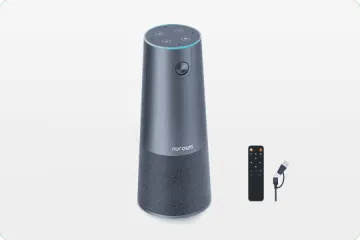
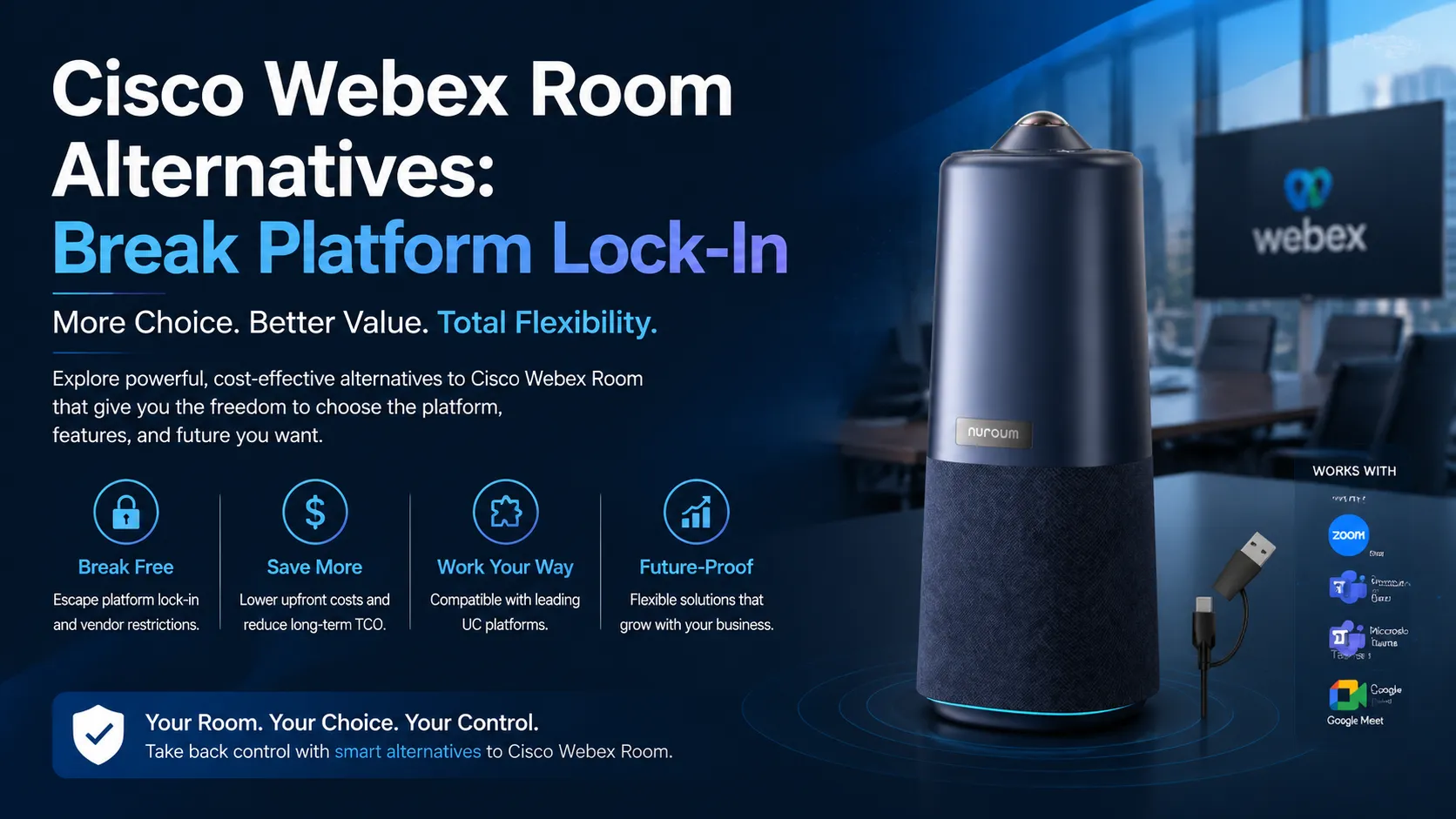
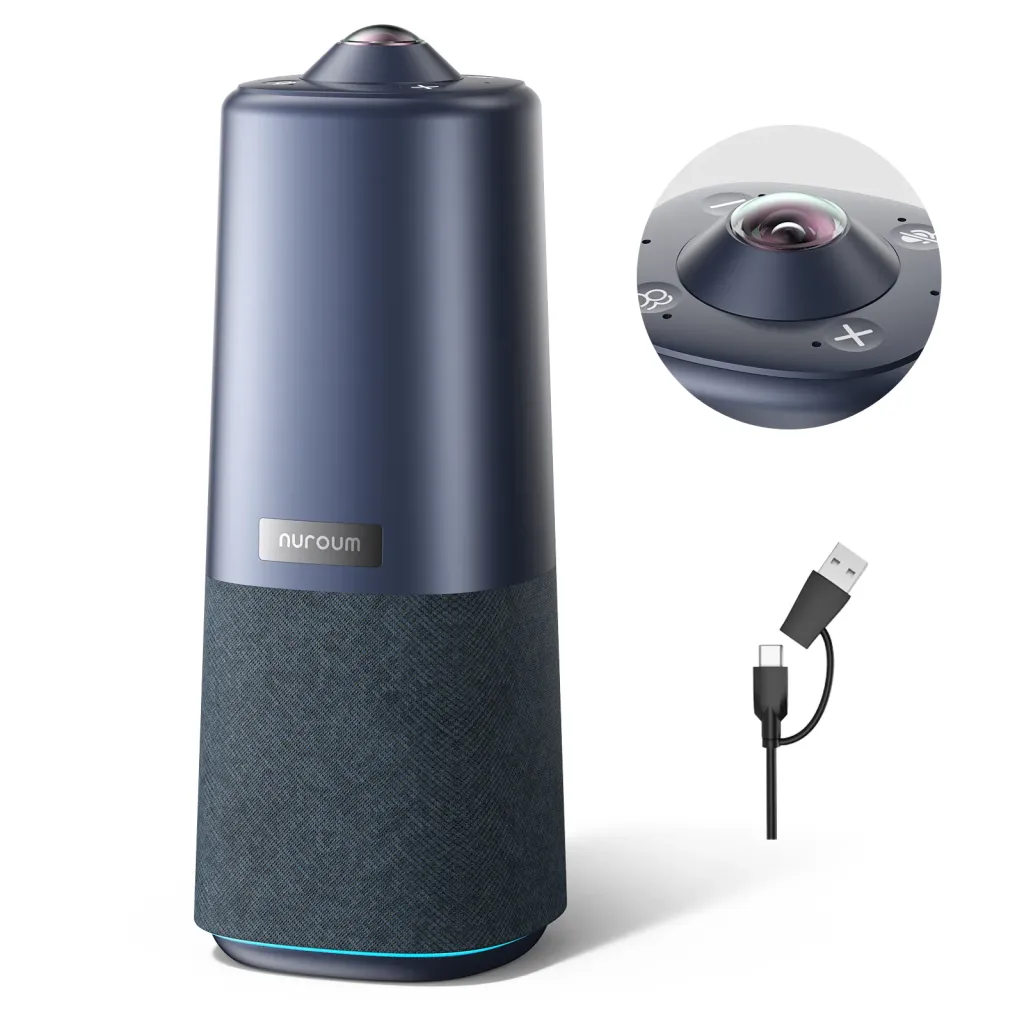
When the cost of platform lock-in is measured in thousands of dollars per room, the case for hardware independence becomes clear. The Nuroum 360 Pro is built around that principle: a single, platform-agnostic device that replaces the proprietary room kit model with a USB peripheral that works everywhere.
What It Replaces
Instead of investing in a cisco webex room device, a zoom room kit, a teams room kit, or a google meet kit — each costing thousands and each locked to a single platform — the Nuroum 360 Pro provides the core meeting room capabilities in one device:
- 360-degree 1080P fish-eye lens at 1080P@30FPS, capturing the entire room without the need for multiple cameras or motorized pan-tilt mechanisms.
- 6 omnidirectional noise-canceling microphones with 16ft/6m audio pickup, ensuring every voice in the room is captured clearly without a separate microphone array.
- Hi-Fi speaker with full-duplex audio, delivering room-filling sound with natural two-way conversation — no clipping, no echo, no need for an external speakerphone.
These are the three pillars of any room kit: camera, microphone, speaker. The Nuroum 360 Pro consolidates them into one device at $630.00 (reduced from $699.99), compared to the multi-thousand-dollar price tag of a typical platform-specific room kit — before licensing.
Three AI Modes for Every Meeting Scenario
Where platform-specific room kits optimize their AI features for their native platform, the Nuroum 360 Pro's AI is platform-neutral:
- Discussion Mode — Intelligently highlights up to 3 active participants, creating a focused multi-person view that works in any video conferencing application.
- Global Mode — Uses a 115° field of view to capture the entire room in a single frame, ideal for small group discussions and brainstorming sessions.
- Presentation Mode — Automatically tracks the active speaker, ideal for presentations and lectures where one person is addressing the room.
These modes are processed on-device. The output is a standard video stream that any platform — Zoom, Teams, Google Meet, Webex, GoToMeeting — receives and displays. There is no platform dependency because the intelligence lives in the hardware, not in a vendor's cloud.
Universal Compatibility
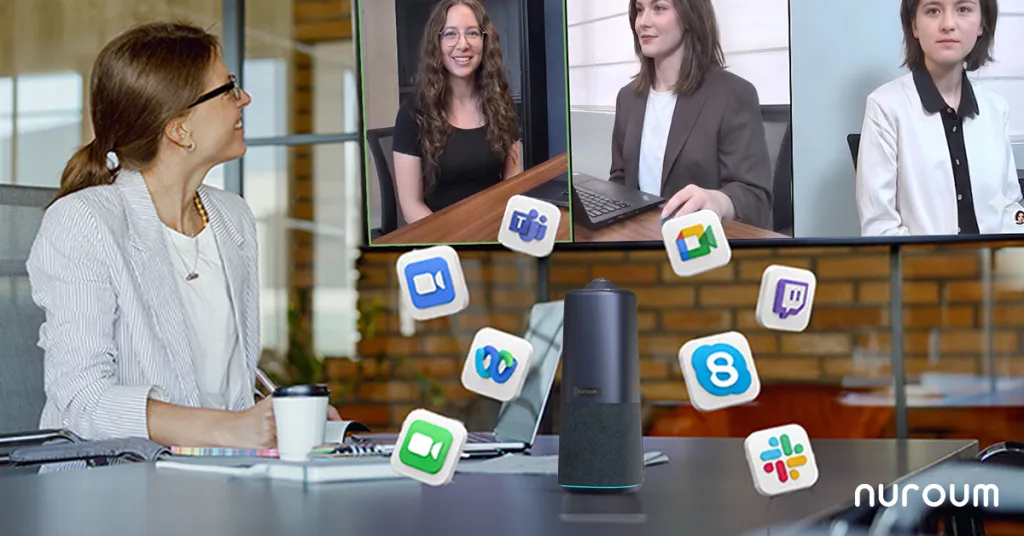
The Nuroum 360 Pro connects via USB and is recognized as a standard audio/video device by:
- Zoom
- Microsoft Teams
- Google Meet
- GoToMeeting
- Cisco Webex
It works on Windows, macOS, and Linux with no drivers to install. No certification wall, no licensing model, no vendor approval process. This is what hardware independence looks like in practice — the same device joins a Zoom meeting on Monday, a Teams meeting on Tuesday, and a Webex meeting on Wednesday, with identical performance and zero reconfiguration.
The Economics
At $630.00, the Nuroum 360 Pro is a one-time purchase with no ongoing licensing. Compare this to the TCO of a platform-specific room kit: initial hardware (often several thousand per room), ongoing licensing fees (annual, per room), replacement cost when platforms change, and IT management overhead. When you factor in platform migration risk — not a question of "if" but "when" — the economic case for platform-agnostic hardware is overwhelming.
Decision Framework: How to Choose the Right Room Hardware
Use this framework to evaluate whether platform-agnostic or platform-specific hardware is the right choice for your meeting rooms.
Step 1: Assess Your Platform Commitment
Question: Is your organization committed to a single UC platform for the next 5+ years, with no anticipated mergers, acquisitions, or strategic shifts?
- If yes (rare): Platform-specific room kits may be acceptable, though the lock-in risk remains.
- If no (common): Platform-agnostic hardware is the structurally superior choice. The Nuroum 360 Pro and similar USB devices eliminate the switching cost that makes platform-specific hardware a liability.
Step 2: Evaluate Multi-Platform Requirements
Question: Does your organization need to participate in meetings on multiple platforms (Zoom, Teams, Webex, Google Meet, GoToMeeting)?
- If yes: Platform-agnostic hardware is essential. A USB device like the Nuroum 360 Pro works identically across all platforms. Platform-locked hardware degrades on non-native platforms.
- If no (you only ever use one platform): Platform-specific hardware may suffice, but consider whether this will remain true as partners, clients, and acquired entities introduce other platforms.
Step 3: Calculate Total Cost of Ownership
Question: What is the 5-year total cost of ownership, including hardware, licensing, and potential replacement?
| Cost Component | Platform-Locked Room Kit | Platform-Agnostic USB Device |
|---|---|---|
| Initial hardware | $$$ (high) | $ (Nuroum 360 Pro: $630) |
| Ongoing licensing | $$$ (annual, per room) | $0 |
| Replacement on platform switch | $$$ (full re-purchase) | $0 (hardware stays) |
| IT management overhead | $$ (dedicated infrastructure) | $ (standard peripheral) |
If the TCO calculation favors platform-agnostic hardware — and in most cases it will — the decision is clear.
Step 4: Assess IT Management Capacity
Question: Does your IT team have the capacity to manage platform-specific room systems, including vendor-specific dashboards, certification programs, and firmware update cycles?
- If yes: You can absorb the management overhead of room kits, though it remains a cost center.
- If no: Platform-agnostic USB devices dramatically reduce management complexity. Plug-and-play means no dashboards, no certifications, no vendor-specific training.
Step 5: Evaluate Room Size and Use Case
Question: What size are your meeting rooms, and what are the primary use cases?
- Small to medium rooms (huddle spaces, 4–8 person rooms): A single USB device like the Nuroum 360 Pro — with 360-degree 1080P video, 6 microphones, and 16ft audio pickup — covers the room comprehensively.
- Large rooms or specialized deployments: May require additional hardware, but platform-agnostic USB devices can still serve as the core audio/video foundation.
Step 6: Consider Vendor Risk
Question: Are you considering hardware from an independent vendor whose long-term roadmap is uncertain (Lifesize, Highfive, BlueJeans, etc.)?
- If yes: The risk of stranded hardware is significant. Platform-agnostic hardware from a vendor with a clear, standards-based product strategy is the safer investment.
- If no: You still face platform lock-in risk from the major vendors (Cisco, Zoom, Microsoft, Google). Platform-agnostic hardware mitigates this risk structurally.
Step 7: Make the Decision
If Steps 1–6 point toward platform-agnostic hardware — and for most organizations, they will — the Nuroum 360 Pro is designed to be that hardware. It provides the camera, microphone, and speaker capabilities of a room kit in a single USB device that works with every major platform, at a price that makes the TCO argument decisively in favor of hardware independence.
Frequently Asked Questions
Can I use Cisco Webex Room devices with Zoom or Microsoft Teams?
While some Cisco Webex Room devices offer limited interoperability with other platforms through third-party gateways, the experience is often degraded, feature-limited, or requires additional licensing. Platform-agnostic USB devices like the Nuroum 360 Pro connect natively to any platform without extra software or licensing, giving you full feature parity across Zoom, Teams, Google Meet, Webex, and GoToMeeting. This is the fundamental advantage of hardware independence: no gateways, no middleware, no compromises.
What happens to my room kit hardware if I switch UC platforms?
Platform-specific room kits like a zoom room kit, teams room kit, or google meet kit are designed for one ecosystem. If you switch platforms, the hardware may lose core functionality, require costly firmware reflashing, or become entirely unusable. This is the hidden cost of platform lock-in that vendors rarely disclose upfront, and it is why many organizations are shifting toward platform-agnostic USB devices that survive platform migrations without any change in functionality.
Is a USB-based conference camera as capable as a dedicated room kit?
Modern USB-based devices like the Nuroum 360 Pro offer 1080P video, AI-powered participant tracking, six noise-canceling microphones, and full-duplex Hi-Fi audio that rival dedicated room kits. The key difference is flexibility: USB devices work with any platform out of the box, while room kits are locked to one ecosystem. For most small to medium meeting rooms, a USB device delivers equivalent performance at a fraction of the total cost of ownership — without the ongoing licensing fees.
Are Lifesize, Highfive, and BlueJeans still viable choices?
Several independent video conferencing brands have faced acquisitions, pivots, or uncertain futures, creating risk for organizations that invested in their proprietary hardware. A lifesize camera, highfive camera, or bluejeans room setup may still function today, but long-term support, firmware updates, and compatibility are not guaranteed. Platform-agnostic hardware protects your investment regardless of what happens to any single vendor.
How much can I save by choosing platform-agnostic hardware over a room kit?
Platform-specific room kits often cost several thousand dollars per room, plus ongoing licensing fees. A platform-agnostic device like the Nuroum 360 Pro at $630 provides 360-degree 1080P video, six microphones, and AI modes for a one-time purchase with no licensing. When you factor in switching costs — hardware replacement, reinstallation, IT retraining, and meeting downtime — the savings compound significantly over the hardware lifecycle, often reaching tens of thousands across a multi-room deployment.
Conclusion: Own Your Hardware, Own Your Future
The meeting room hardware market has been structured around a premise that benefits vendors far more than customers: that you should buy hardware designed for one platform, pay ongoing licensing for the privilege, and replace everything when your platform strategy changes. This premise has cost organizations billions in stranded investments — from abandoned cisco webex room deployments to orphaned lifesize camera units to bluejeans room setups that lost vendor support.
There is a better way. Platform-agnostic USB hardware — exemplified by the Nuroum 360 Pro — decouples your meeting room investment from any single platform's roadmap. It works with Zoom today, Teams tomorrow, and whatever comes next. It requires no licensing, no certification, and no vendor approval. It plugs in, works, and stays working.
The real cost of platform lock-in is not the price tag on the hardware. It is the cost of being trapped — of watching a strategic pivot turn your investment into a paperweight, knowing the only way out is to pay again. Hardware independence is the antidote. When you own hardware that works with everything, you own your future.
Whether you are upgrading from a conference room equipment upgrade guide, evaluating Logitech alternatives, or comparing Poly and Sennheiser alternatives, the principle is the same: choose hardware that serves your strategy, not hardware that dictates it. Explore our conference camera collection to find platform-agnostic solutions for every room.



