












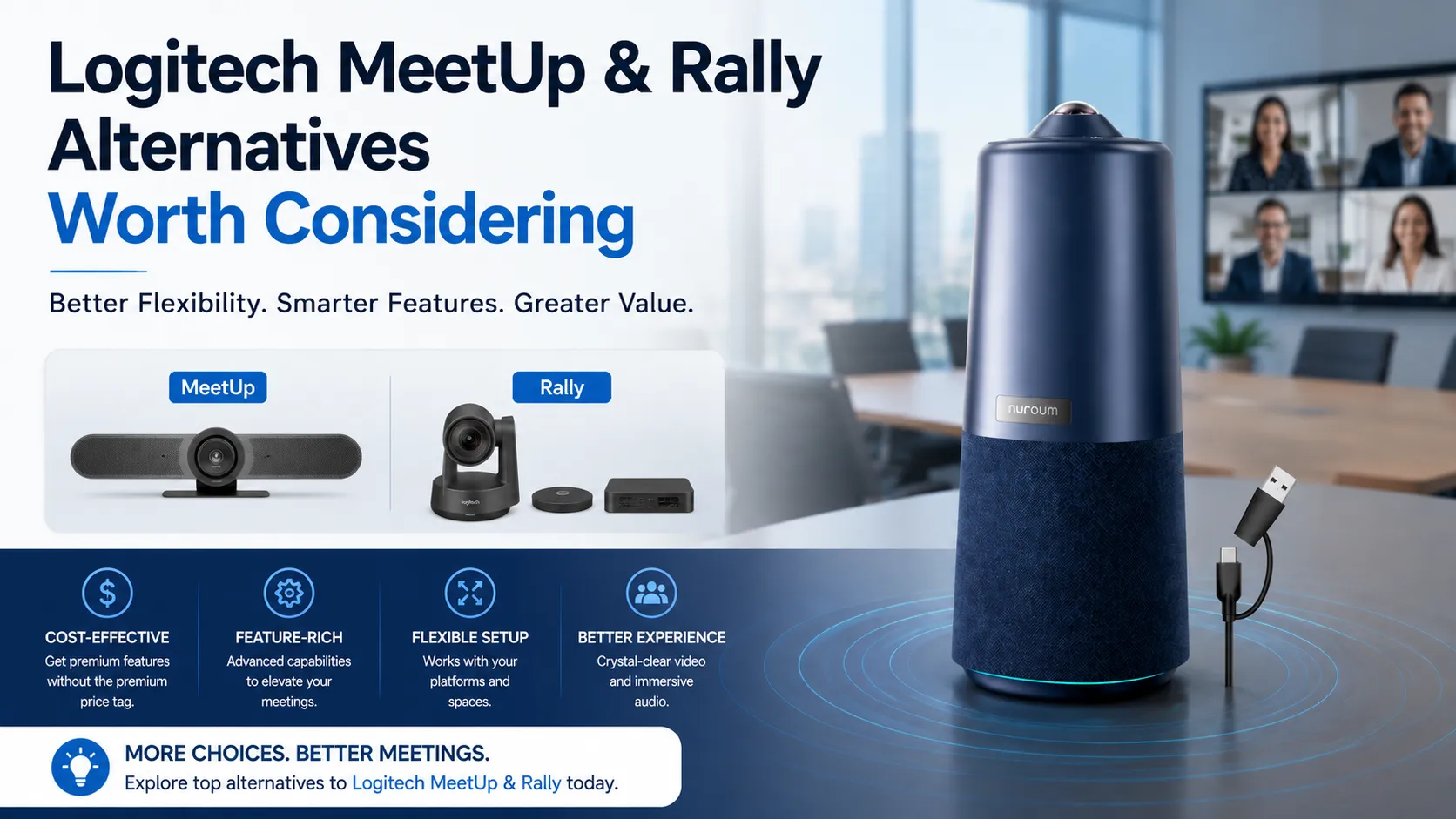
Logitech didn't become the default conference room camera brand by being the best — they became the default by being the safest choice. Their name on a purchase order signals reliability to IT managers and procurement teams who need a solution that won't get them questioned.
But "safest" and "best for your specific room" are not the same thing.
Every conference room has its own geometry. Its own acoustics. Its own meeting culture. When you buy into a Logitech conference camera ecosystem by default, you're not necessarily buying the optimal solution — you're buying the one with the most brand recognition. For some rooms, that works. For many others, it means overpaying for capabilities you don't need, or under-serving rooms that require a different approach entirely.
This guide is for the decision-maker who's done their homework on the Logitech Meetup, Logitech Rally Bar, Logitech Group, and the broader Logitech portfolio — but wants to understand what exists beyond the default choice. We'll examine where Logitech excels, where it doesn't, and what alternative approaches might serve your specific meeting rooms better.
The Logitech Conference Room Empire: What You're Really Buying
To understand whether you need a Logitech Meetup alternative, you first need to understand what you're actually paying for when you choose Logitech. It's rarely just a camera.
The Modular Philosophy
Logitech's approach to conference rooms is fundamentally modular. The Logitech Group system, for example, is designed with separate components — camera unit, speakerphone, and hub. The Logitech Rally Bar lineup extends this philosophy into purpose-built video bars for different room sizes. The Logitech Tap adds a dedicated touch controller to the mix.
This modularity has real advantages: you can position the camera, microphones, and speakers independently for optimal coverage. But it also means you're managing multiple devices, multiple cables, and — critically — multiple line items on your invoice.
The Hidden Costs of an Ecosystem
When procurement searches for "Logitech conference camera" pricing, they typically see the headline cost of a single camera unit. But the full deployment cost often includes:
- Additional microphone pods for adequate room coverage
- The Tap controller for meeting room management
- Professional installation — especially for Rally systems, which many organizations report requiring certified installers
- Mounting hardware that's often sold separately
- Logitech Sync management — the software layer for monitoring and updating devices across an organization
This ecosystem approach means the Logitech webcam (like the Brio) that works beautifully on a desk doesn't translate to a meeting room. And the conference room systems that do work well often require a constellation of supporting hardware.
The Software Management Question
Logitech Sync is a double-edged sword. For large enterprises managing hundreds of rooms, centralized device management is essential. But for organizations with 5-20 meeting rooms, Sync becomes another piece of software to maintain — and users on forums like Reddit have documented issues ranging from cameras unexpectedly going to sleep to firmware update complications that require IT intervention.
A Logitech conference cam shouldn't require the same management overhead as a server fleet. Yet when you piece together a multi-component Logitech deployment, that's often what you sign up for.
Trade-off Matrix: Logitech Ecosystem vs. All-in-One Approach
The core decision when evaluating Logitech Meetup alternatives comes down to a fundamental question: do you need a modular system, or can a unified device serve your rooms better? Here's how these approaches compare across the dimensions that matter most.
| Decision Dimension | Logitech Ecosystem Approach | All-in-One Alternative Approach |
|---|---|---|
| Total Deployment Cost | Higher — multiple components, often requiring professional installation. The headline camera price is rarely the final cost once you add Tap controllers, mic pods, and mounting hardware. | Lower — single device purchase covers camera, microphones, and speaker. No additional controllers or expansion mics required in most room sizes. |
| Setup Complexity | Moderate to high — Rally Bar and Rally Plus systems frequently need structured cabling and calibrated placement. Many organizations report requiring certified installers. | Minimal — USB plug-and-play. Single cable to the host computer. No driver installation required. Typically set up in under 10 minutes by anyone on the team. |
| Software Management | Requires Logitech Sync for firmware updates, device monitoring, and room management. Additional administrative overhead, especially for mid-sized deployments where a dedicated AV team doesn't exist. | No proprietary management software required. Firmware updates handled through standard OS mechanisms or simple manufacturer tools. Less administrative surface area. |
| Room Flexibility | Room-specific models — what works in a huddle room (MeetUp) doesn't work in a medium room (Rally Bar). Scaling up means buying a completely different system. | AI-adaptive — a 360-degree camera with intelligent framing can handle huddle rooms and medium rooms from the same device. Presenter tracking and discussion modes adapt to the meeting type, not just the room size. |
| AI & Intelligent Features | Varies significantly by model. Higher-end Rally systems include features like RightSight auto-framing, but entry-level systems offer basic functionality. Feature fragmentation across the product line. | Consistent across the device — AI-powered modes like Discussion Mode (highlighting active speakers), Global Mode (full-room view), and Presentation Mode (tracking the presenter) are built in regardless of room size or configuration. |
| Audio Coverage | Dependent on expansion — base microphone pickup in smaller systems (like MeetUp) is limited. Adequate coverage requires purchasing and positioning additional mic pods, adding cost and complexity. | Integrated and sufficient — a 6-microphone omnidirectional array covers up to 16 feet (6 meters) from a single device. Full-duplex audio enables natural conversation without echo cancellation issues. |
| Scalability for Large Deployments | Excellent — Logitech Sync provides centralized management across hundreds of rooms. Standardized hardware makes bulk purchasing and support straightforward for enterprise IT teams. | Best suited for SMB to mid-market — while many all-in-one devices work with major platforms and can be deployed at scale, they lack the enterprise-grade centralized management that large organizations with dedicated AV/IT staff may require. |
| Platform Independence | Tied to ecosystem — while Logitech devices work with major platforms (Zoom, Teams, etc.), features like Tap integration create lock-in. Switching platforms may mean reconfiguring or replacing components of the system. | Platform-agnostic — USB connectivity means the device works identically with Zoom, Microsoft Teams, Google Meet, GoToMeeting, Cisco Webex, and any other UVC-compatible software. No vendor lock-in at the hardware level. |
What This Matrix Reveals
The pattern is clear: Logitech's modular approach shines in large-scale enterprise deployments where standardization, centralized management, and dedicated AV support staff exist. Outside of that context — which describes the vast majority of organizations — the complexity and cost of the ecosystem approach becomes a burden rather than a benefit.
The all-in-one alternative excels precisely where Logitech's approach creates friction: simpler procurement, faster setup, lower total cost, and the flexibility to handle different room types and meeting styles without purchasing different hardware for each scenario.
5 Scenarios Where Logitech Isn't the Optimal Choice
Let's get specific. Here are the scenarios where choosing a Logitech Meetup, Rally, Group, or Tap-based deployment is likely not the best decision — and what you should consider instead.
Scenario 1: You're Equipping 3-15 Rooms Without a Dedicated AV Team
This is the most common deployment profile in mid-market companies. You have multiple meeting rooms of varying sizes — some huddle rooms, some boardrooms, a few medium-sized collaboration spaces. You need consistency across rooms, but you don't have an AV specialist on staff.
The Logitech challenge: different rooms need different Logitech products. A Logitech Meetup for the huddle room, a Logitech Rally Bar for the medium room, perhaps a Rally Plus for the boardroom. Each has its own setup requirements, its own cable management challenges, and its own quirks in Sync. Your IT generalist now has to become a part-time AV technician across three different Logitech product lines.
Why an alternative works better: Deploy the same device across all rooms. USB plug-and-play means identical setup procedures regardless of room size. The AI handles the room adaptation — Discussion Mode in the huddle room, Global Mode in the boardroom, Presentation Mode during all-hands. One SKU, one setup process, zero AV expertise required.
Scenario 2: Your Budget Per Room Needs to Stay Under $800
Logitech's conference room solutions, when fully configured with the necessary components for adequate audio and control, rarely land under this threshold. A Logitech Group system with expansion mics or a Logitech Rally Bar deployment with Tap controller pushes well beyond entry-level pricing.
The alternative: all-in-one conference cameras with integrated audio and AI capabilities are available at price points that leave room in the budget for mounting hardware, cables, and even a spare unit. For the cost of one fully-deployed Logitech room, many organizations can equip two rooms with a capable alternative — an especially important consideration when outfitting an entire office.
Scenario 3: Your Meeting Culture Is Varied — Not Just Presentation-Style
If your meetings follow a predictable pattern — one presenter at the front of the room, audience listening — Logitech's speaker-tracking approach works reasonably well. But many modern organizations run varied meeting formats: brainstorming sessions with people moving around a whiteboard, hybrid stand-ups where remote and in-room participants need equal presence, or collaborative workshops with active discussion among multiple participants.
The Logitech limitation: cameras designed primarily for presenter tracking don't handle multi-participant discussion well. You get tight framing on whoever's speaking, but remote participants lose the sense of the room dynamic — who's reacting, who's about to speak, what the collaborative energy feels like.
Why an alternative excels: A 360-degree camera with Discussion Mode highlights up to three active participants simultaneously. Remote attendees see who's talking, who's responding, and the room context — not just a single talking head. This isn't a feature Logitech lacks per se; it's a fundamentally different design philosophy optimized for collaboration rather than presentation.
Scenario 4: You Need a Conference Camera, Not a Webcam for a Desk
This scenario is surprisingly common: someone searches for "logitech webcam" or "logitech brio" intending to equip a small meeting room, not realizing these are desktop webcams, not conference cameras. The logitech brio is an excellent personal webcam, but it's designed for one person sitting at a desk — not a room of 4-6 people around a table.
The disconnect: webcams have limited field of view, no integrated room-grade microphone array, and audio processing optimized for near-field desktop use. In a meeting room, the person furthest from the webcam is barely visible, and their voice barely registers.
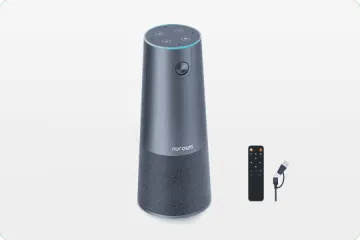
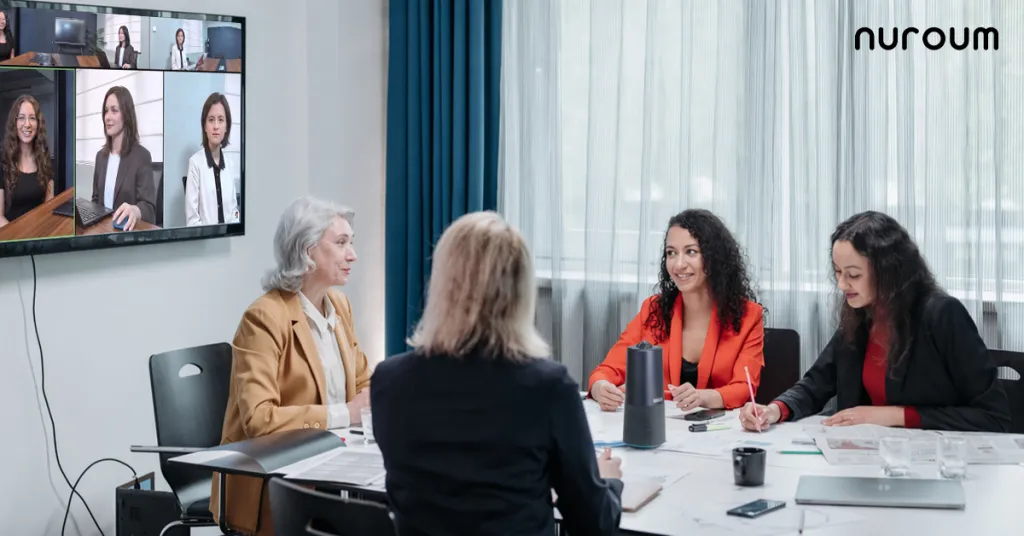
The solution: a purpose-built conference camera with wide-angle coverage, room-optimized microphone pickup, and speaker tracking. This is not a webcam category problem — it's a category mismatch problem. If you're outfitting a room where more than two people meet, skip the webcam category entirely. A dedicated conference camera like the Nuroum 360 Pro is designed from the ground up for exactly this use case.
Scenario 5: You Want Simple, Not "IT Project" Complexity
Some organizations discover — after purchase — that setting up a Logitech system is a project, not a task. Rally Bar deployments often involve running cables through walls, positioning separate speaker and microphone components, calibrating camera angles, configuring Tap controllers, and integrating everything through Sync.
For teams that need video conferencing working by tomorrow morning, not next month after the installer finishes, this is a problem. The alternative approach is to unbox a single device, connect one USB cable, and start your meeting. No configuration. No calibration. No IT ticket.
The All-in-One Alternative: A Different Approach to Room Coverage
So what does "beyond Logitech" actually look like in practice? Let's examine a concrete example of the all-in-one philosophy — a device designed to solve the specific pain points we've identified across Logitech's product lines.
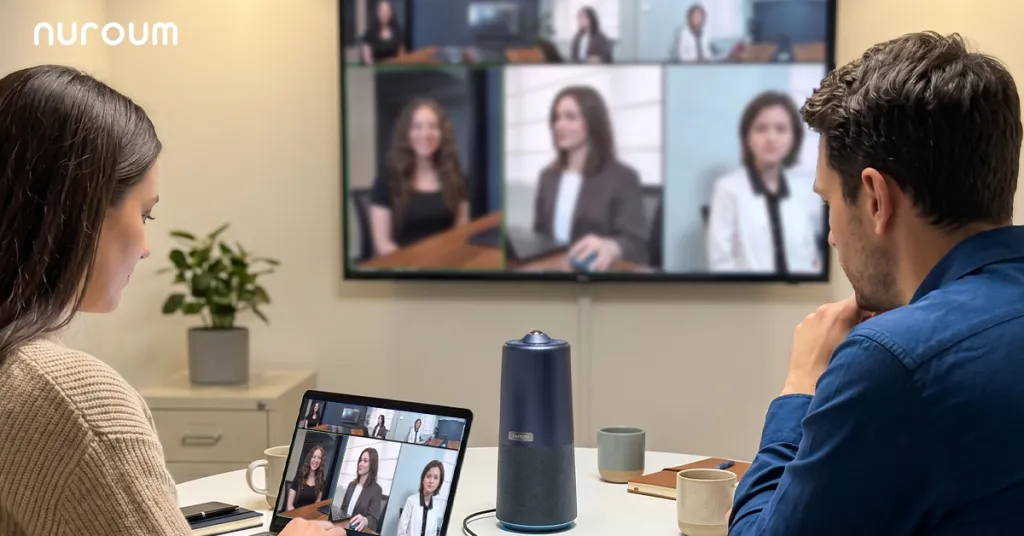
Introducing the Nuroum 360 Pro
The Nuroum 360 Pro represents a fundamentally different design philosophy from Logitech's modular approach. Where Logitech's portfolio requires different hardware for different room sizes and meeting types, the 360 Pro uses AI to adapt a single device across scenarios.
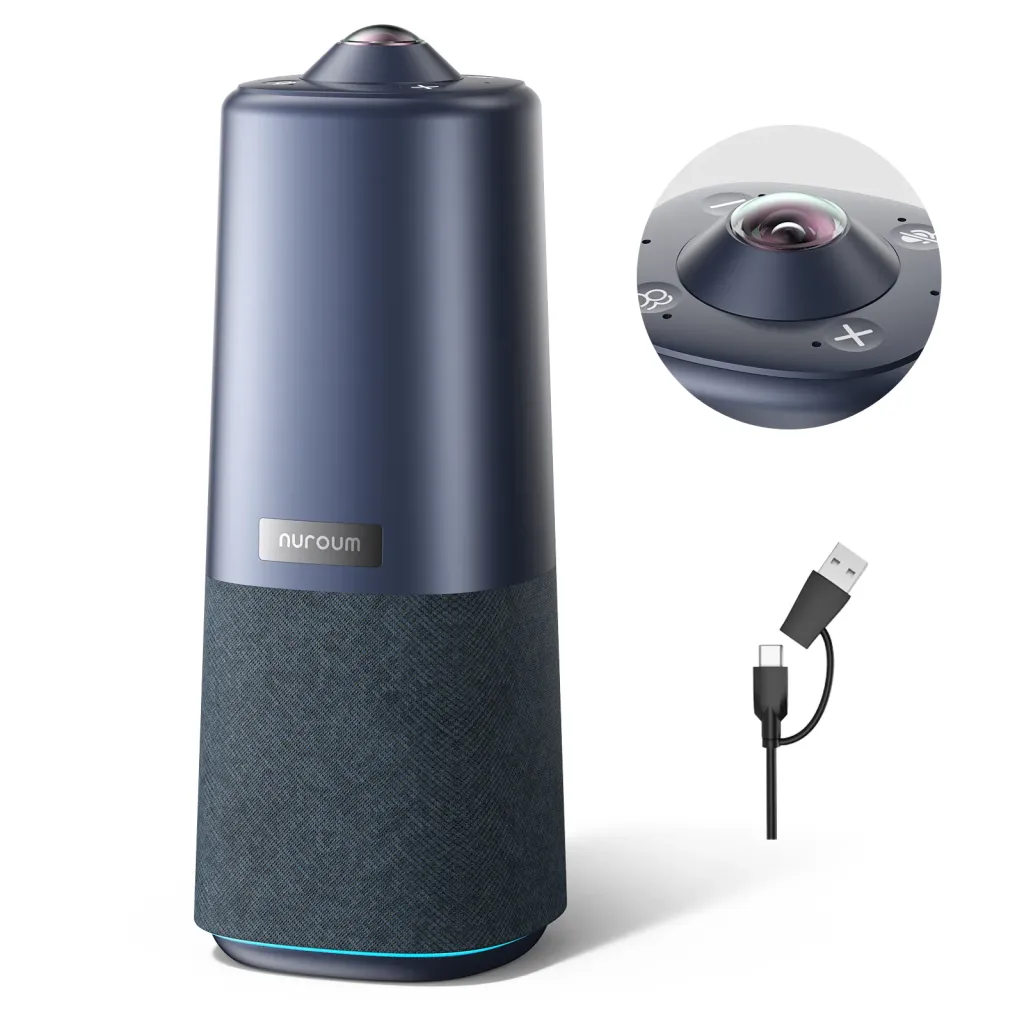
At its core, it's an all-in-one video conference camera built around a 360-degree 1080P fish-eye lens. This isn't a wide-angle webcam — it's a panoramic capture system that sees the entire room, then uses AI processing to determine what remote participants should see.
Key capabilities:
- 360-degree 1080P capture at 30FPS — the room-spanning lens means no one sits outside the frame, regardless of where they are around the table
- 6 omnidirectional noise-canceling microphones with 16-foot (6-meter) audio pickup range — sufficient for medium and large meeting rooms without needing external microphone pods
- Hi-Fi speaker with full-duplex audio — simultaneous talk and listen without the robotic cut-out effect that plagues half-duplex systems
- 3 AI-powered viewing modes that adapt to how you're meeting, not just the room size
Three AI Modes for Three Meeting Types
This is where the AI-first approach diverges most clearly from traditional conference cameras. Instead of a single tracking mode that tries (and often fails) to handle every situation, the Nuroum 360 Pro offers three distinct modes:
Discussion Mode — When your team is brainstorming or collaborating around the table, Discussion Mode identifies and highlights up to three active participants simultaneously. Remote attendees see a composite view showing who's speaking and who's reacting, preserving the conversational dynamic that's lost with single-speaker tracking. This is particularly valuable for hybrid meetings where half the team is in the room and half is remote — it gives remote participants a genuine sense of being at the table.
Global Mode — For all-hands meetings, training sessions, or anytime you need to show the full room context, Global Mode delivers a 115-degree field of view. Everyone in the room is visible. It's the digital equivalent of a wide-angle room shot, and it's ideal when the meeting format doesn't revolve around a single speaker.
Presentation Mode — When there is a clear presenter at the front of the room, Presentation Mode locks onto the active speaker and follows them. This is the mode that's most comparable to Logitech's RightSight auto-framing, but it's one of three options — not the only option.
The ability to switch between these modes means the same device can handle your Monday morning stand-up, your Wednesday brainstorming session, and your Friday all-hands — all without touching a settings menu.
Setup That Takes Minutes, Not Days
The 360 Pro connects via USB and is plug-and-play on Windows, macOS, and Linux — no drivers, no software installation, no configuration portal. It works immediately with Zoom, Microsoft Teams, Google Meet, GoToMeeting, and Cisco Webex. There's no proprietary management console to learn and no firmware update schedule to maintain.
Physical setup is equally straightforward: the device includes a standard 1/4-inch tripod mount, so it works with any tripod or mounting arm. A remote control is included for adjusting modes, volume, and camera settings during meetings without touching the host computer.
At $630 (down from its original $699.99), it comes in well under the cost of a fully configured Logitech room deployment while covering the same room scenarios that might otherwise require a Logitech MeetUp for small rooms, a Logitech Rally Bar for medium rooms, and a logitech group system for larger spaces.
For organizations upgrading from basic speakerphones, our conference room equipment upgrade guide walks through the step-by-step transition from audio-only to full video collaboration.
Devil's Advocate: When Logitech IS the Right Choice
Having spent most of this article examining where Logitech falls short, it's important to honestly acknowledge the scenarios where the Logitech ecosystem is genuinely the better option. The goal isn't to dismiss Logitech — it's to help you make the right decision for your specific context.
Scenario A: Enterprise Deployments at Scale (50+ Rooms)
If your organization is outfitting 50, 100, or 500 conference rooms across multiple office locations, Logitech's standardized approach becomes a genuine advantage. The ability to purchase identical hardware configurations, manage firmware across the fleet through Logitech Sync, and have a single vendor relationship for support and warranty is worth the premium.
In this context, the management complexity we criticized earlier becomes a feature — Sync's centralized monitoring and bulk update capabilities are designed for exactly this scale. Your dedicated AV/IT team can manage the ecosystem efficiently because they're managing it at volume.
Scenario B: You Already Have a Significant Logitech Investment
If your organization has already standardized on Logitech for 20 rooms and you're adding 5 more, the switching costs of introducing a different product line often outweigh the benefits. Consistency in user experience, spare parts, support contracts, and IT knowledge is valuable. In this case, staying with Logitech is rational — not because their solution is superior for those 5 rooms, but because the organizational cost of introducing heterogeneity exceeds the per-room savings.
Scenario C: Deep Platform Integration Requirements
Some organizations have built workflows around specific Logitech integrations — Tap controllers integrated with room booking systems, custom Sync dashboards feeding into facility management tools, or tight coupling with Teams Rooms or Zoom Rooms deployments. If your meeting room infrastructure is deeply intertwined with Logitech-specific capabilities, the switching cost is real and should be weighed carefully.
In all other scenarios — particularly for the 5-50 room deployments that represent the majority of organizations — a serious evaluation of alternatives is warranted.
Decision Framework: How to Choose Between Logitech and Alternatives
With the trade-offs laid out and the exceptions acknowledged, here's a practical decision framework for evaluating whether a logitech meetup, Rally, Group, Tap deployment — or an alternative — is right for your meeting rooms.

Step 1: Assess Your Room Landscape
Start with a candid inventory of your meeting spaces:
- How many rooms need video conferencing equipment?
- What are the actual room sizes — not what you call them, but measured dimensions and typical occupancy?
- How many rooms are identically configured versus unique in layout and purpose?
- What meeting formats actually happen in each room? (Don't assume — observe for a week.)
This audit often reveals that the room diversity you assumed doesn't match reality. Many organizations discover that 80% of their rooms fall into a similar size and use profile, which simplifies the purchasing decision considerably.
Step 2: Calculate True Total Cost (Not Headline Price)
For any solution you evaluate, calculate the all-in cost:
- Camera/speaker/microphone hardware
- Required accessories (controllers, expansion mics, mounting)
- Installation (professional vs. self-install)
- Cabling and infrastructure
- Software licenses or management platform costs
- Estimated IT support hours per year
When organizations run this calculation honestly, the delta between a modular Logitech deployment and an all-in-one alternative often exceeds 40-60% per room.
Step 3: Evaluate Your IT Capacity Honestly
This is the step most organizations skip. Ask directly:
- Do you have staff who can configure and troubleshoot AV equipment?
- Can they devote time to learning Logitech Sync if you go that route?
- What happens when a camera goes down 10 minutes before an executive meeting — do you have redundancy, or does someone need to physically troubleshoot?
If your answers trend toward "no dedicated AV person" and "IT is stretched thin," the simplicity of an all-in-one solution becomes disproportionately valuable. The best conference camera is the one that's working when the meeting starts — not the one with the most features on a spec sheet. You can explore conference camera options that match different room profiles and IT capacity levels.
Step 4: Match Solution Type to Room Profile
| Room Type | Typical Occupancy | Logitech Option | All-in-One Alternative Consideration |
|---|---|---|---|
| Huddle Room (small) | 2-4 people | MeetUp or webcam (Brio) | AI-powered 360-degree camera handles this and larger rooms — no need for a separate small-room device |
| Medium Room | 4-8 people | Rally Bar or Group | All-in-one with 6-mic array and speaker tracking covers this naturally; medium room solutions are designed for exactly this profile |
| Large Room / Boardroom | 8-15 people | Rally Plus with expansion mics | 360-degree coverage with 16ft audio pickup handles large tables without additional microphone pods |
| Multi-purpose / Flexible | Varies by meeting type | Multiple Logitech products for different configurations | Single device with multiple AI modes adapts to the meeting type, not the room size |
Step 5: Make the Call Based on Your Priority
Reduce your evaluation to a single-priority question:
- If total cost per room is the priority, an all-in-one alternative will typically win by a significant margin.
- If centralized fleet management at enterprise scale is the priority — Logitech's Sync ecosystem has a legitimate advantage.
- If rapid deployment with minimal IT involvement is the priority — the all-in-one approach eliminates setup as a bottleneck.
- If best-in-class audio for large conference rooms is the priority — evaluate both options carefully; Logitech's separate mic pods can be positioned optimally, but a well-designed integrated array may surprise you.
Step 6: Test Before You Commit
Whatever you choose, don't deploy to 20 rooms based on a spec sheet. Buy one unit of your leading candidate and use it in your most challenging conference room for two weeks. The real-world experience — how it handles your specific room acoustics, your typical meeting formats, your users' technical comfort level — will tell you more than any comparison guide can.
For a deeper look at upgrading from traditional video bars to modern AI-powered devices, see our video bar upgrade guide. And if you're comparing across the broader competitive landscape, our analysis of audio brand alternatives covers options from Poly, Sennheiser, and Konftel.
Conclusion
Logitech earned its position in the conference room market honestly. Their products are reliable, their ecosystem is comprehensive, and for large enterprises with dedicated AV teams, the Logitech approach — logitech meetup for huddle rooms, logitech rally bar for medium rooms, logitech group for larger spaces, logitech tap for control, logitech conferencecam for specialized deployments, and even logitech brio or a logitech webcam for desktop users — provides a complete but complex solution.
The question isn't whether Logitech makes good conference room equipment. It's whether the modular, multi-component ecosystem approach is the right fit for your specific organization, your specific rooms, and your specific budget.
For many organizations — particularly those with 5-50 meeting rooms, limited AV expertise, and a need for flexibility across different meeting formats — the answer is increasingly no. The all-in-one alternative approach represented by devices like the Nuroum 360 Pro delivers comparable or superior meeting experiences with dramatically less complexity, lower total cost, and faster deployment.
The default choice isn't always the wrong choice. But it's only the right choice if it's an informed one.
Frequently Asked Questions
Is Logitech MeetUp still a good conference camera in 2026?
Logitech MeetUp remains a competent huddle-room camera, particularly for organizations already invested in the Logitech ecosystem with Logitech Sync management. However, its limited microphone pickup range and reliance on additional accessories for larger spaces mean that newer all-in-one alternatives often provide better value and flexibility for small-to-medium rooms. If you're outfitting a single room or a small fleet without existing Logitech infrastructure, the simplicity and room adaptability of modern 360-degree alternatives deserve serious consideration.
What's the main difference between Logitech's modular systems and all-in-one conference cameras?
Logitech's conference room approach typically uses modular components — separate cameras, microphone pods, speakers, and controllers like Tap that work together as a system. All-in-one alternatives integrate camera, microphone array, and speaker into a single device that connects via USB. The modular approach offers scalability for large deployments, while all-in-one solutions dramatically reduce setup complexity, cabling, and total cost. The right choice depends on your organization's scale, IT resources, and room diversity.
Are there reliable alternatives to the Logitech Rally Bar for medium rooms?
Yes, several manufacturers now offer capable medium-room solutions that compete with Logitech's Rally Bar lineup. These alternatives often feature wide-angle lenses, built-in beamforming microphone arrays, and AI-powered speaker tracking — all in a single USB plug-and-play device. The key advantage is typically lower total cost and simpler setup since you avoid the multi-component ecosystem Logitech's full-room deployments require. For an example of what this looks like in practice, the Nuroum 360 Pro demonstrates how a single device can handle huddle rooms through medium boardrooms with AI-driven mode switching.
Do I need Logitech Tap for video conferencing?
Logitech Tap is a dedicated touch controller designed to work within the Logitech ecosystem, typically paired with Rally or MeetUp systems. While it provides a streamlined meeting control experience, it adds significant cost to your deployment. Many organizations find that their existing laptop, tablet, or the conferencing software's own interface is sufficient for meeting control, making Tap an optional — and expensive — addition. Before adding Tap to your purchase, consider whether your team actually needs a dedicated room controller, or if they'd be equally well-served by the meeting controls already built into Zoom, Teams, or Google Meet.
Is the Logitech Brio suitable as a conference room camera?
The Logitech Brio is fundamentally a premium webcam designed for individual desktop use, not a conference room camera. While its image quality is excellent for a webcam, it lacks the wide-angle lens, extended microphone array, and room-optimized audio processing that dedicated conference cameras provide. For meeting rooms seating more than 2-3 people, a purpose-built conference camera will deliver substantially better results. If you're currently using a Brio for room conferencing, upgrading to a dedicated device with 360-degree coverage and room-grade audio will be immediately noticeable to your remote participants.



