















There's a particular kind of silence that happens on a client call when the client asks a question — and the three people around your conference table look at each other because the microphone didn't catch it clearly, or the client couldn't see who was answering, or someone said "sorry, can you repeat that?" for the third time. In most industries, that's a minor annoyance. In a law firm or a consulting practice, it's a small withdrawal from the trust account — and your entire business runs on that account. Law firm video conferencing is, in other words, a client-relations system before it is an AV system.
Professional services firms sell judgment, presence, and confidence. When the medium of delivery — the meeting — feels unreliable, clients unconsciously extend that impression to the advice itself. That's the real stakes of law firm video conferencing and consulting firm meeting camera decisions,360-Pro.webp and it should drive how you equip every room.
Why Professional Services Rooms Are a Special Case
Three structural facts shape camera decisions in firms:
Your meetings are the product demo. Every client call is an audition for the next engagement. A corporate IT department can tolerate a clunky internal meeting; a firm cannot tolerate a clunky client-facing one. This is why the buying criteria here start with "what does the client experience?" rather than "what does the room cost?"
Everyone at the table matters. In a partner meeting, a case strategy session, or a consulting workshop, the most junior person in the room may hold the key detail. Camera setups that show only the head of the table — or worse, a laptop webcam's view of one person and a ceiling — systematically exclude voices the client needs to hear.
The operators are billable professionals, not AV staff. A partner's time is measured in six-minute increments. Any setup step longer than plugging in one cable is a design flaw, full stop. This is the non-negotiable constraint that rules out most multi-device, software-driven room configurations.
Law Firm Video Conferencing in the Client-Facing Conference Room
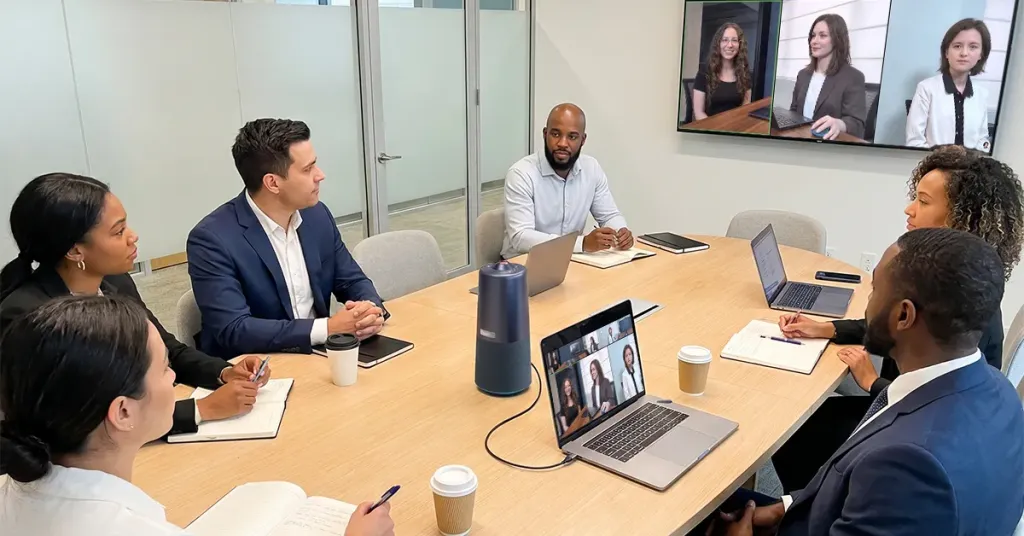
The law firm conference room camera is the highest-stakes purchase because it hosts depositions, closings, board presentations, and pitch meetings. The evaluation logic:
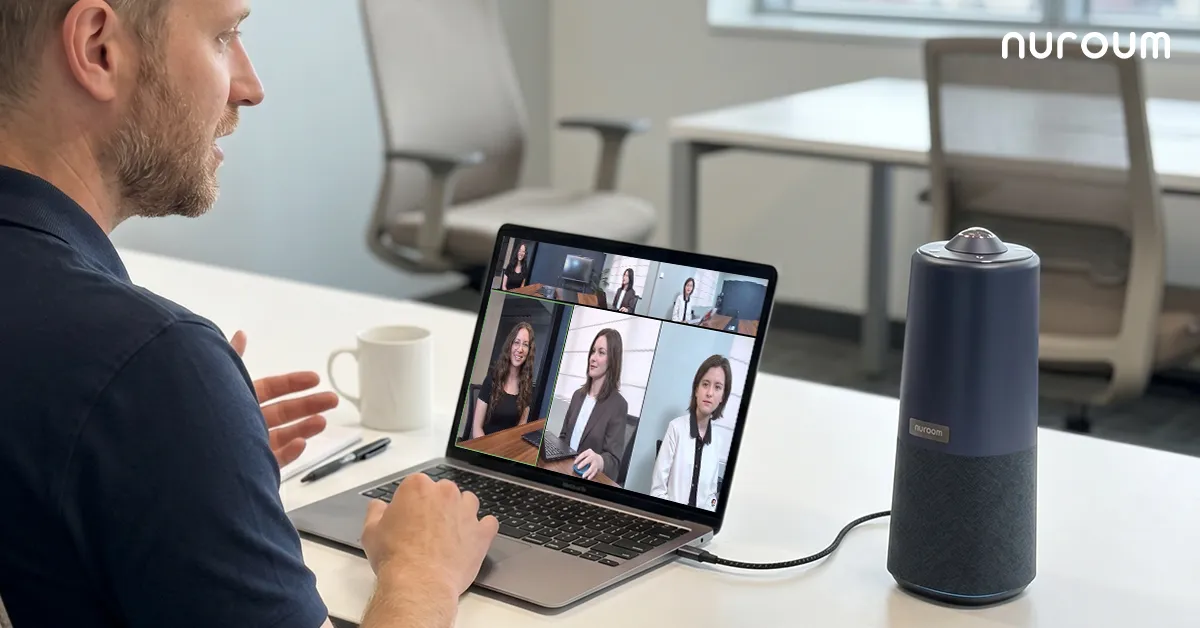
Framing must cover the whole table, equally. A client joining a negotiation remotely should see every attorney, not just whoever sits near the laptop. A 360-degree camera placed at the center of the table gives every participant equal presence — and, just as importantly, signals to the client that the firm has thought about their inclusion. A front-of-room camera inevitably creates a hierarchy: the people near the screen are in the meeting; everyone else is in the audience.
Audio must carry the whole table, cleanly. Legal and consulting conversations are precise. Missed qualifiers, half-heard objections, and "sorry, say that again" moments aren't just friction — they're risk. An array microphone with noise cancellation that picks up every seat at the table is not a luxury in these rooms; it's the baseline. Why does this matter so much? Because the client on the far end is comparing your meeting experience to the last firm they worked with. And why does that comparison matter? Because clients rarely tell you the meeting tech influenced their decision — they just don't come back.
The experience must look effortless. Fumbling with cables and settings in front of a client undermines the very competence the meeting exists to demonstrate. The room should be: walk in, plug in one cable, join. Anything else is a credibility leak.
The Huddle Room: Where the Firm Actually Runs
Ask where most meetings happen in a firm and the answer is never the boardroom — it's the small rooms. Case prep before a filing, a quick client check-in, a deposition rehearsal, a two-partner alignment call. A law firm huddle room sees ten times the meeting volume of the conference room, which makes it the highest-leverage room to equip well per dollar spent.
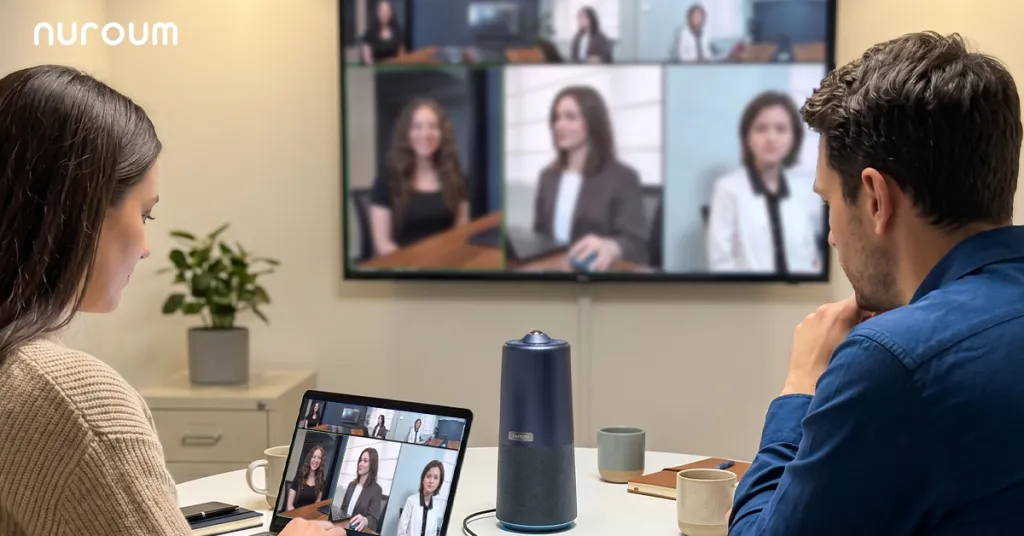
The huddle room profile is demanding in a specific way: frequency and variety. Different people, different platforms (Zoom for one client, Teams for another, Google Meet for a third), back-to-back bookings, zero setup tolerance. A consulting huddle room camera must therefore be platform-agnostic, instant-on, and impossible to misconfigure. This is exactly where all-in-one devices outperform component setups: one unit that is simultaneously the camera, the microphone array, and the speaker, connected by one USB cable, detected instantly by whatever platform the client prefers. There is nothing to select wrong in a dropdown menu, because there is only one device in each dropdown.
For consulting firms specifically, there's an additional multiplier: consultants work from client sites and satellite offices as often as from home office rooms. A portable all-in-one unit that travels in a laptop bag gives a consulting team a consistent meeting presence anywhere — a meaningful advantage when the "meeting room" is a borrowed office at the client's site.
The Trade-off Matrix: Webcam, Video Bar, or 360 All-in-One
| Dimension | Laptop webcam / small webcam | Front-of-room video bar | 360-degree all-in-one |
|---|---|---|---|
| Whole-table visibility | Poor | One direction only | Everyone, equally |
| Audio pickup across the table | Poor | Moderate | Strong, all directions |
| Setup friction | Low for one person, bad for groups | Low once installed | Lowest — one cable, any laptop |
| Client impression | Amateur | Professional | Professional and inclusive |
| Portability between rooms/offices | High | None | High |
| Cost per room at fleet scale | Low but inadequate | High | Moderate |
The non-intuitive dimension in this table is the last row: cost per room at fleet scale. Firms often default to premium bars in the two showcase rooms and neglect the huddle rooms entirely. The arithmetic favors the opposite: for the price of outfitting one boardroom with a high-end installed system, a firm can equip every huddle room and the conference room with portable all-in-one units — covering 95% of actual meeting volume instead of 5%.
When is the video bar still right? If your firm has a dedicated boardroom used almost exclusively for presentation-style meetings where everyone faces a screen, a permanently installed bar is clean and always ready. When are webcams right? For a solo attorney's desk, full stop — no group setting.
Confidentiality: What the Camera Does and Doesn't Control
Clients ask about confidentiality in video meetings, and firms should answer precisely. The camera itself is a peripheral — it captures and transmits only while your approved platform is running. Confidentiality lives in the platform's encryption and access controls, your firm's meeting policies (waiting rooms, authenticated joins, recording rules), and physical room practices. On hardware, the sensible posture is: choose simple class-compliant USB devices without companion cloud services, position the camera so whiteboards and deal documents aren't in frame, and treat in-room visibility as part of meeting hygiene — the same way you'd close a file before a visitor sits down.
Putting It Together for a Firm
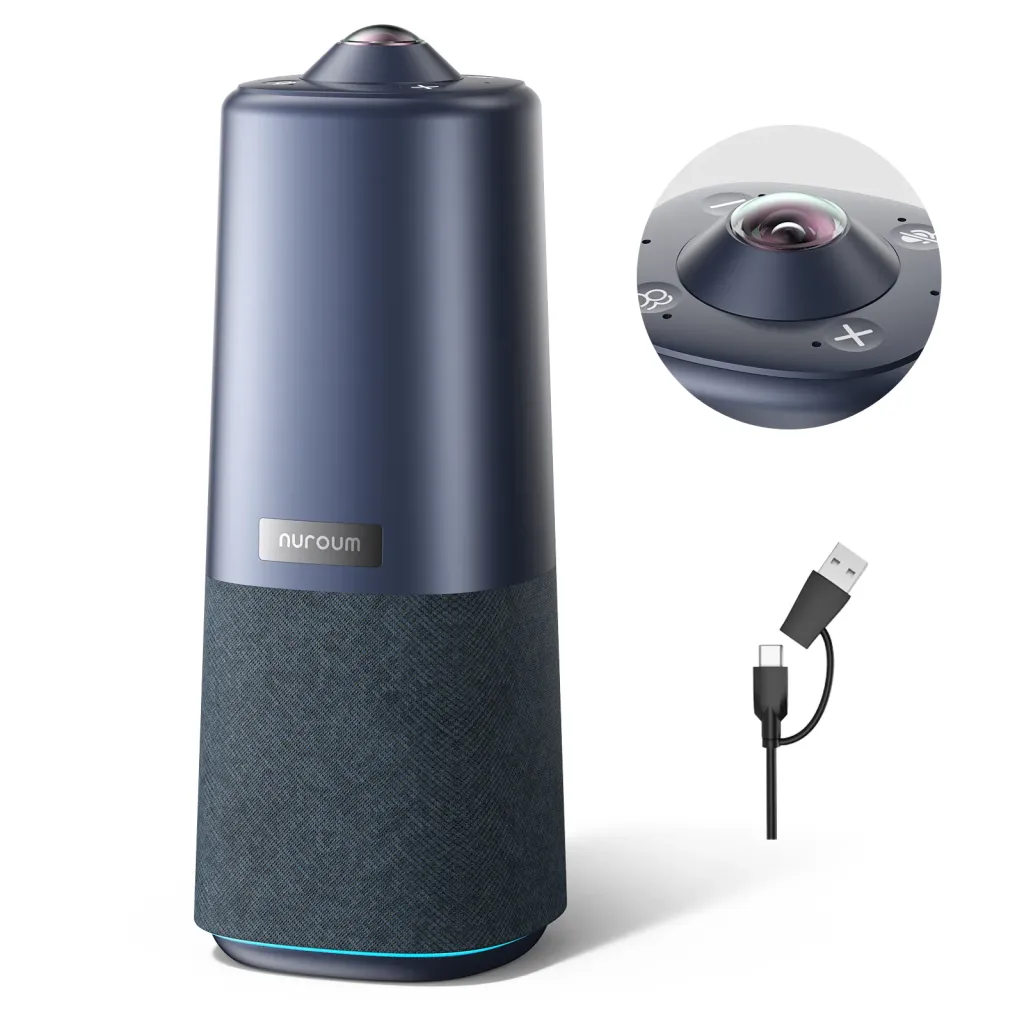
For firms equipping client-facing rooms and huddle rooms on a sane budget, the Nuroum 360 Pro fits the profile this guide describes. It's a single unit — 360-degree camera with a Sony sensor, six-microphone noise-cancelling array, and Hi-Fi speaker — that sits at the center of the table so every participant in a negotiation, deposition prep, or workshop is equally visible and audible. It connects over USB and works instantly with Zoom, Teams, and Google Meet, which matters when the platform is dictated by the client, not the firm. Three AI display modes switch with one button press or the included remote: Discussion mode for case strategy sessions, Global mode for full-table client meetings, and Presentation mode for pitches and training. It serves rooms of roughly 3–18 people — huddle rooms through boardrooms — and it's portable enough for consultants to carry between offices and client sites. Nuroum serves more than 40,000 organizations, including professional services firms with the same client-trust stakes.
One honest limitation: if your flagship boardroom seats twenty-five around a fixed table with integrated displays and a dedicated AV closet, an installed multi-component system designed by an integrator will serve that single room better. For every other room in the firm — the rooms where work actually happens — the all-in-one approach covers more meetings, more reliably, for less money.
Frequently Asked Questions
What camera setup do law firms need for client meetings?
Client-facing rooms need two things above all: every participant visible and every voice clearly audible. In practice that means a room camera with whole-table coverage — a 360-degree camera at the center of the table, or at minimum a wide-angle camera that doesn't cut off the far end — paired with an array microphone and a real speaker so the remote client hears the room, not a laptop. The client's experience is the evaluation criterion: they should never wonder who is speaking or ask anyone to repeat themselves. Test any setup from the client's side before committing, because that's the perspective that matters.
Is a huddle room worth equipping for a small law firm?
It's usually the first room worth equipping. Count your meetings: internal case prep, quick client updates, deposition rehearsals, and co-counsel calls vastly outnumber formal boardroom sessions, and most of them happen in small rooms. An all-in-one camera that starts instantly and works with any platform transforms those daily interactions for a modest cost. Firms that spend their entire budget on one showcase boardroom end up with excellent equipment at 5% utilization and improvised laptop calls everywhere else — the reverse of where the value is.
How do firms handle confidentiality in video meetings?
Treat confidentiality as a platform-and-practice question rather than a camera question. Use your firm's approved conferencing platform with its security controls configured — waiting rooms, authenticated participants, deliberate recording policies. On hardware, prefer straightforward USB peripherals without cloud dependencies or always-listening features, and manage the physical sightlines: angle cameras away from whiteboards with case notes and keep sensitive documents off the table during calls. These practices mirror what firms already do for in-person confidentiality; video just extends the same discipline to a new surface.
Should consulting firms standardize cameras across offices?
Yes, and the reason is the consultant's work pattern: people rotate between home office rooms, satellite offices, and client sites weekly. When every room has the same plug-and-play device, any consultant walks in, connects one cable, and starts in under a minute — no local IT ticket, no learning a new room's quirks. Standardization also collapses support burden: one quick-start card, one troubleshooting playbook, one spare unit that works everywhere. The firms that struggle are the ones where every office bought something different and nobody knows which cable belongs to which room.
Related Guides
- The Complete Education Camera Guide: Classrooms, Hybrid Learning & Meeting Rooms — the pillar guide to room-based camera strategy
- Healthcare Video Conferencing Guide: Telehealth, Hospital Meeting Rooms & Video Bars — another confidentiality-driven field's approach to the same rooms
- Bank & Financial Services Cameras: HQ Conference Rooms, Branches & Advisors — how financial firms handle client-facing video at branch scale



