










































A nurse wheels a cart into a patient's room for a virtual consult. The specialist is on the screen, ready — but she can't see the patient's wound clearly because the cart camera is aimed at the ceiling, can't hear the patient's daughter asking a question from the corner, and spends the first four minutes of a twelve-minute appointment saying "can you hear me now?" The consult technically happened. Clinically, it barely did. That is what a poorly chosen telehealth camera or hospital meeting room camera actually costs — not budget, but care.
Healthcare runs on moments like this, and they are decided by equipment choices made months earlier by people who were comparing spec sheets instead of scenarios. Choosing a hospital meeting room camera — or a telehealth camera for an exam room — is really choosing how well care happens at a distance. This guide walks through the four spaces where hospitals and clinics actually use cameras — telehealth exam rooms, huddle rooms, meeting rooms, and video-bar-equipped boardrooms — and how the choice changes in each one.
Why Healthcare Camera Decisions Are Different
Two constraints make healthcare unlike any office deployment. First, failed calls have clinical costs, not just productivity costs. A dropped legal call reschedules; a garbled telehealth session can mean a missed visual cue or a patient who gives up on virtual care entirely. Second, the people using the equipment are clinicians, not meeting professionals. A nurse mid-shift will not adjust framing, troubleshoot drivers, or restart a hub. The camera either works instantly and obviously, or it works against care.
There's also a quieter third factor: privacy posture. Cameras in clinical spaces must not introduce new data-handling questions. Simple USB peripherals that stream only when the approved platform is running are much easier to clear with compliance and IT security than devices with companion clouds, background services, or consumer streaming features.
Telehealth and the Clinic Exam Room Camera
A clinic exam room camera has one job: let a remote clinician see and hear a patient naturally, at conversation distance, in a room that was designed for examinations rather than video. The priorities, in order:
- Audio first. Patients speak softly, often seated off to the side, sometimes masked. A microphone tuned for a single loud voice at arm's length will lose them. Look for an array microphone with noise cancellation that picks up natural speech across a small room without also capturing hallway noise and monitor fans.
- Forgiving framing. Nobody on the care team is going to re-aim a camera between patients. A wide field of view — or a 360-degree device that sees the whole exam room — removes framing from the workflow entirely.
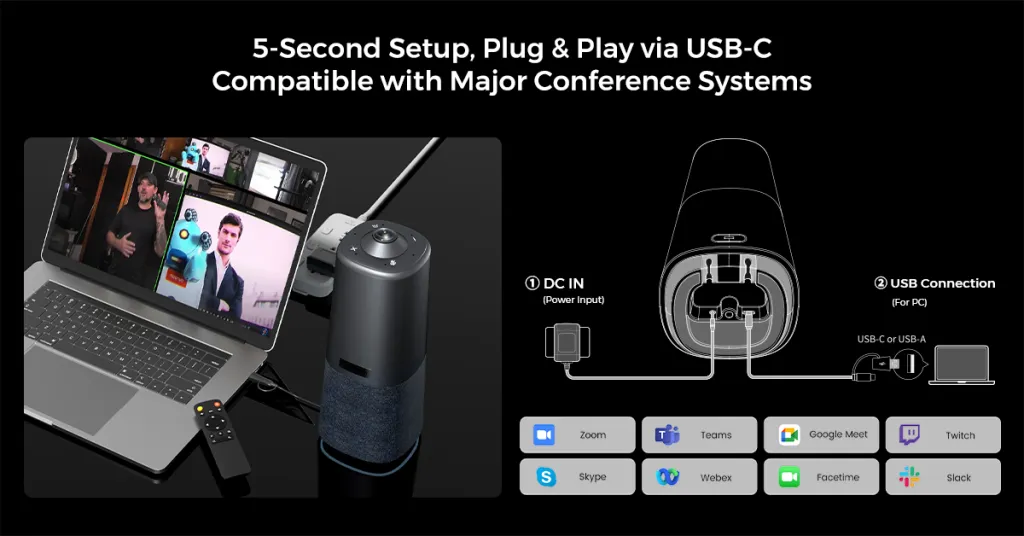
- Zero-step startup. The telehealth camera should be detected by the platform (Zoom, Teams, or your approved telehealth system) the moment it's connected. Every extra step is a step skipped during a busy clinic day.
Where the exam room doubles as a space for family conferences or multi-provider consults, the calculus shifts from "one patient on camera" to "everyone in the room on camera" — which is exactly the transition from webcam logic to room-camera logic.
Huddle Rooms: Where Care Coordination Actually Happens
The healthcare huddle room camera serves the least glamorous and most frequent meetings in a hospital: shift handoffs, unit huddles, quick case reviews between a charge nurse and a remote physician. These rooms are small, hard-walled, and booked in fifteen-minute slots. A clinic huddle room camera that takes three minutes to wake up has already failed.
The pattern that works in huddle rooms across industries applies doubly in healthcare: an all-in-one unit — camera, microphones, and speaker in a single device — with one-cable USB connection. In a small room, a 360-degree camera on the table captures the whole huddle without anyone thinking about it, and noise-cancelling microphones matter more than usual because huddle rooms sit next to hallways, med stations, and rolling carts. The goal is a room any staff member can walk into and start a call in under a minute, because at 6:45 AM before a shift change, anything more complicated simply won't be used.
The Hospital Meeting Room Camera: Case Conferences and Admin Meetings
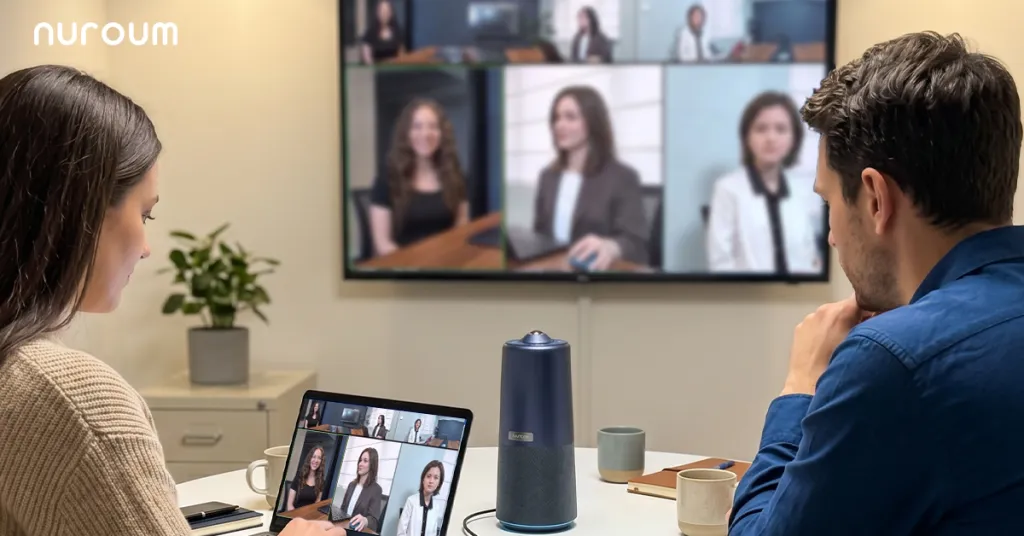
Tumor boards, case conferences, departmental meetings, and family care conferences share one structure: a group around a table, plus one or more critical remote participants. This is where the choice between a traditional front-of-room camera, a video bar, and a 360-degree camera stops being abstract.
| Room dynamic | Front-of-room camera | Video bar | 360-degree center camera |
|---|---|---|---|
| Presentation to a seated audience | Good | Good | Acceptable |
| Round-table discussion with remote participants | Poor — far side of table invisible | Weak — favors the display end | Strong — everyone equally visible |
| Mixed: some presenting, some discussing | Workable | Workable | Strong if modes can switch |
The non-intuitive dimension most procurement comparisons miss is social equity on camera. In a case conference, the remote specialist needs to read the room — who agrees, who hesitates, who has a question forming. A camera that only shows the head of the table flattens that dynamic and quietly degrades the quality of remote participation. For discussion-driven hospital meeting rooms, a 360-degree camera placed at the center of the table is structurally better suited; for presentation-driven boardrooms where everyone faces a screen, a healthcare video bar mounted at the display is the more natural fit.
Video Bars and Teams Rooms in Hospitals
A hospital Teams video bar makes sense when three conditions line up: the room is display-centric (people face the screen, not each other), the organization has standardized on Teams, and IT wants a managed, always-ready appliance rather than a BYOD plug-in setup. The trade-offs to weigh honestly:
- Video bar advantages: permanent installation, one-touch join, tidy cabling, consistent experience for recurring leadership meetings.
- Video bar limits: higher per-room cost, fixed viewing direction that penalizes round-table formats, and — the hidden one — the appliance is captive to that room. When the overflow meeting moves to a smaller space, the bar stays behind.
For the many hospital spaces that serve different meeting formats across a single day, a portable all-in-one camera covers more scenarios per dollar, and spares can be deployed wherever a call pops up. Many facilities end up hybrid: bars in the two flagship boardrooms, portable 360-degree units everywhere else.
When Our Advice Doesn't Apply
A few honest exceptions. Large auditorium-style grand rounds with a production crew need multi-camera capture rigs, not conferencing devices. Surgical or procedural streaming requires specialized optical and compliance workflows far beyond a meeting camera. And if your telehealth program is one provider at one desk doing back-to-back video visits, a good webcam is genuinely sufficient — scale up only when the room, not just the person, needs to be on camera.
A Practical Rollout Path
Hospitals that succeed with video deployments tend to follow the same sequence: pick the two or three room archetypes above that match your facility, standardize on one device per archetype, pilot in a single unit or clinic for a month, then roll out with a one-page quick-start card in each room. The pilot matters because it surfaces your specific failure modes — network QoS, platform policies, room acoustics — while the stakes are low.
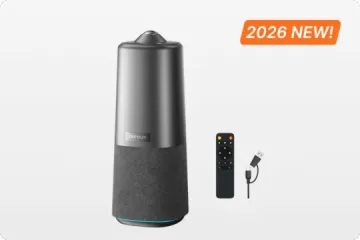
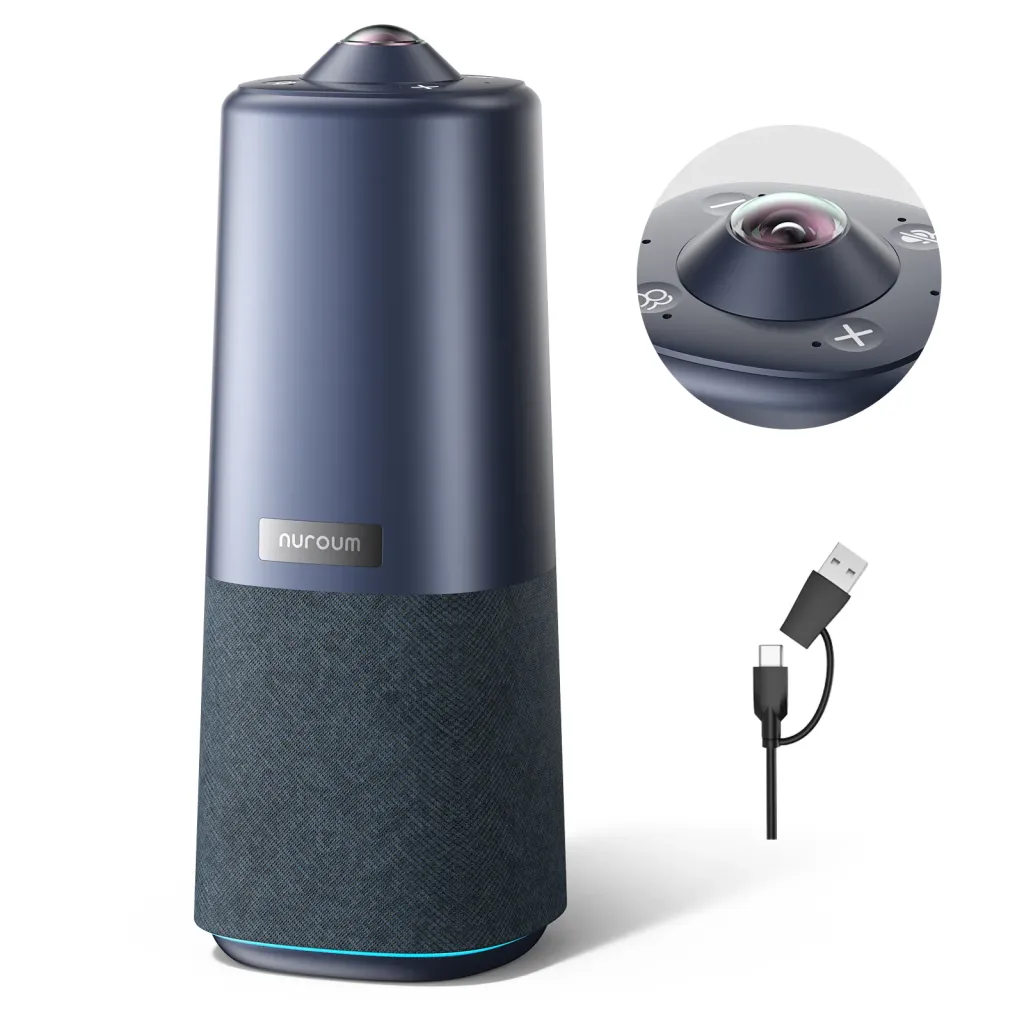
For the meeting-room and huddle-room archetypes, the Nuroum 360 Pro maps directly onto the requirements discussed above: a 360-degree camera with a Sony sensor for whole-room visibility, a six-microphone noise-cancelling array that pulls quiet speech out of noisy clinical environments, and a built-in Hi-Fi speaker — all in one unit that connects to a laptop or room PC over USB and is detected instantly by Teams, Zoom, and Google Meet. Its three AI display modes switch with a single button press or the included remote: Discussion mode for case conferences and huddles, Global mode for whole-room meetings, and Presentation mode when one clinician is teaching. It's sized for rooms of roughly 3–18 people — covering huddle rooms, standard meeting rooms, and medium conference rooms — and it's portable enough to move between a clinic and an admin wing as the day's schedule demands. Nuroum devices are already deployed across more than 40,000 organizations, including hospitals and care providers.
Frequently Asked Questions
What camera is best for telehealth exams?
For routine one-on-one telehealth, prioritize a camera with a wide field of view, decent low-light performance, and — most importantly — a microphone that captures soft speech clearly at conversation distance. Exam rooms aren't studios: patients sit where the exam table is, not where the camera wants them. A room-oriented device removes the need to re-aim between appointments. Save your budget for audio quality and reliability rather than maximum resolution, because clinicians and patients notice dropped words far more than they notice pixels.
Do hospitals need special cameras for Teams or Zoom?
Hospitals don't need proprietary or hospital-branded cameras — they need predictable ones. A class-compliant USB camera and speakerphone that the platform detects instantly, every time, is worth more than any advanced feature that requires software to unlock. Standardization matters more than model choice: when every department uses the same one or two devices, IT can write one quick-start guide, keep one spare, and troubleshoot one failure mode. Confirm with your IT security team that the device has no cloud dependencies or background services before purchase, since that simplifies approval significantly.
Is a video bar or a 360-degree camera better for a hospital meeting room?
Match the device to the room's dominant meeting format. If the room is display-centric — leadership presentations, training sessions, everyone facing a screen — a video bar at the display is the natural fit. If the room is discussion-centric — case conferences, tumor boards, family meetings around a table — a 360-degree camera at the center of the table gives remote participants equal visibility of everyone, which materially improves how included they feel and how well they can contribute. Many hospitals deploy both, matched to room type, rather than forcing one form factor everywhere.
How do clinics keep video calls compliant with patient privacy rules?
Compliance lives mostly in the platform, network, and room habits rather than the camera: use your organization's approved and configured conferencing platform, position cameras so whiteboards, charts, and screens with patient information aren't in frame, and train staff on what can be visible or overheard. On the hardware side, simpler is safer — a USB peripheral that only streams while the approved platform is actively running introduces fewer data-handling questions than devices with companion cloud services or consumer streaming features. Involve your compliance officer early in device selection; it's a much easier conversation before purchase than after.
Related Guides
- The Complete Education Camera Guide: Classrooms, Hybrid Learning & Meeting Rooms — the pillar guide to room-based camera decisions, useful for hospital training rooms
- Government & Nonprofit Meeting Rooms: Secure, Compliant Video Conferencing — procurement and security logic that parallels clinical compliance
- Legal & Consulting Video Conferencing: Client-Ready Meeting Room Setups — another field where trust and confidentiality drive camera choices