








































NearHub logo
  • Conference Camera
    View products

    • https://resource.auditoryworks.co/nuroum-v1/strapi/c50_conference_camera_843aaaedb2/c50-conference-camera.png

      360° All-in-1 for All-Size Rooms

      Nuroum 360 Pro

      https://resource.auditoryworks.co/nuroum-v1/strapi/c40s_conference_camera_b688e13f78/c40s-conference-camera.webp

      4K Lens For Medium Room

      Nuroum C40

      https://resource.auditoryworks.co/nuroum-v1/strapi/c46_conference_camera_7b681a6317/c46-conference-camera.png

      4K Lens For Small Room

      Nuroum C46

      https://resource.auditoryworks.co/nuroum-v1/strapi/c20_conference_camera_7f008064ed/c20-conference-camera.png

      1080P Lens For Huddle Room

      Nuroum C20

      https://resource.auditoryworks.co/nuroum-v1/strapi/c10_conference_camera_4e2b3300b7/c10-conference-camera.png

      1080P Lens For Personal Space

      Nuroum C10


      • 360 Pro vs Meeting Owl 3
      • Customer Story of 360 Pro
      • Killer Features of 360 Pro
      • Customer Story of C46
  • Business Headset
    View products

    • Open Ear Wireless Headset

      OpenEar Pro 2

      Dual-Ear Wireless Headset

      HP31D

      Single-Ear Wireless Headset

      HP31S


      • vs. Shokz & OpenRock
      • Customer Story
      • Best WFH Headsets
      • Key Features of HP31D
  • Speakerphone
    View products

    • https://resource.auditoryworks.co/nuroum-v1/strapi/a35_conference_speakerphone_471c9dff72/a35-conference-speakerphone.png

      Cascading for Large Meeting Room

      Nuroum A35

      https://resource.auditoryworks.co/nuroum-v1/strapi/a15_conference_speakerphone_068ecbf997/a15-conference-speakerphone.png

      Audio Pro for Clear Communication

      Nuroum A15


      • Daisy Chain
      • How to Choose Speaker
      • Audio-visual Solution
  • Conference Webcam
    View products

    • https://resource.auditoryworks.co/nuroum-v1/strapi/v403_conference_webcam_398e2e25fb/v403-conference-webcam.png

      AI-Powered PTZ Optics Camera

      Nuroum V403

      https://resource.auditoryworks.co/nuroum-v1/strapi/v32af_conference_webcam_4a54830808/v32af-conference-webcam.png

      4K Webcam For Streaming And Remote Work

      Nuroum V32AF

      https://resource.auditoryworks.co/nuroum-v1/strapi/v15af_conference_webcam_5f98e95463/v15af-conference-webcam.png

      Conference Room Webcam With Auto Focus

      Nuroum V15AF


      • Best Webcam for Small Room
      • How to Set Up in Meetings
      • Why Nuroum Webcam?
  • Video Conference Solution
    View products

    • https://resource.auditoryworks.co/nuroum-v1/strapi/403_a15_video_conference_solution_f7498e6b88/403-a15-video-conference-solution.png

      For Medium Room

      Nuroum V403+A15*1

      https://resource.auditoryworks.co/nuroum-v1/strapi/403_a15_2_video_conference_solution_c300a783f9/403-a15-2-video-conference-solution.png

      For large Room

      Nuroum V403+A15*2

      https://resource.auditoryworks.co/nuroum-v1/strapi/403_a35_1_video_conference_solution_2731e88135/403-a35-1-video-conference-solution.png

      For Medium Room

      Nuroum V403+A35

      https://resource.auditoryworks.co/nuroum-v1/strapi/403_a35_video_conference_solution_5ade5018fc/403-a35-video-conference-solution.png

      For Large Room

      Nuroum V403+A35*2


      • BEST AV Solutions for You
      • Large Room AV Solution
      • Medium Room AV Solution
      • Small Room AV Solution
  • All-size Rooms Solution
    View products

    • https://resource.auditoryworks.co/nuroum-v1/strapi/huddle_conference_solution_ca02342223/huddle-conference-solution.png

      up to 5 participants

      Huddle Room

      https://resource.auditoryworks.co/nuroum-v1/strapi/small_conference_solution_397cc9dfd8/small-conference-solution.png

      up to 8 participants

      Small Room

      https://resource.auditoryworks.co/nuroum-v1/strapi/medium_conference_solution_052045511d/medium-conference-solution.png

      up to 13 participants

      Medium Room

      https://resource.auditoryworks.co/nuroum-v1/strapi/nuroum_large_video_conference_solution_d411720c3a/nuroum-large-video-conference-solution.png

      up to 20 participants

      Large Room


      • vs. traditional room
      • vs. traditional huddle room
      • vs. traditional medium room
      • V403+A15*2 for large rooms
  • Headset Use Cases
    View products

    • https://resource.auditoryworks.co/nuroum-v1/strapi/nuroum_call_center_scenario_f1ed35679c/nuroum-call-center-scenario.png

      Call Center

      https://resource.auditoryworks.co/nuroum-v1/strapi/noise_cancelling_headphones_for_office_warehouse_banner_7d774d50a8/noise-cancelling-headphones-for-office-warehouse-banner.png

      Warehouse

      https://resource.auditoryworks.co/nuroum-v1/strapi/female_doctor_glasses_headset_desk_laptop_writing_28c4811b1a/female-doctor-glasses-headset-desk-laptop-writing.png

      Healthcare & Virtual Nursing

      https://resource.auditoryworks.co/nuroum-v1/strapi/factory_workers_fc1a1eeca1/factory-workers.png

      Manufacturing

      https://resource.auditoryworks.co/nuroum-v1/strapi/noise_canceling_wireless_headset_with_microphone_online_teaching_remore_teaching_656d330d58/noise-canceling-wireless-headset-with-microphone-online-teaching-remore-teaching.webp

      Online Teaching

      https://resource.auditoryworks.co/nuroum-v1/strapi/food_beverage_headsets_2603c8f4af/food-beverage-headsets.png

      Food Beverage

      https://resource.auditoryworks.co/nuroum-v1/strapi/retail_frontline_headsets_8217a78f70/retail-frontline-headsets.png

      Retail Frontline


      • Best Business Headset
      • Best Telehealth Headsets
      • Best Receptionists Headsets
      • Best Call Center Headsets
  • Webcam Scenarios
    View products

    • https://resource.auditoryworks.co/nuroum-v1/strapi/nuroum_solution_creation_5ec893e6dd/nuroum-solution-creation.png

      Creation

      https://resource.auditoryworks.co/nuroum-v1/strapi/nuroum_solution_education_8852f76993/nuroum-solution-education.png

      Education

      https://resource.auditoryworks.co/nuroum-v1/strapi/nuroum_solution_healthcare_d5148f078b/nuroum-solution-healthcare.png

      Healthcare


      • Best headset for drivers
      • Maximize work productivity
  • Help
    • Why Open Ear
    • Audio Technologies
    • Customer Stories
    • FAQ
    • Software NearSync
  • Blog
    • Work Productivity
    • Communication
    • Leadership
    • Non-Profit Management
    • Business Tech Trends
    • Customer Stories
    • Nuroum Updates
    • All the Topics >>
  • Connect
    • About Us
    • Contact Sales
    • Get a Demo
    • Brand Ambassador
    • Become a Reseller
    • Contact Us
    • Terms of use
Welcome to Nuroum
Join Now Log In
Just 31g. The Lightest Open-Ear HeadsetHP31D: Professional 45H Call Center Headset
logoNuroum
  • Meeting
    Conference Camera
    Speakerphone
    Conference Webcam
    Video Conference Solution
    360° all-in-one conference camera

    360° All-in-1 for All-Size Rooms

    360 Pro

    4K 120° Camera With Expandable Audio

    4K 120° Camera With Expandable Audio

    C40

    4K lens conference room camera for small room

    4K Lens For Small Room

    C46

    1080P lens conference room camera for huddle Room

    1080P Lens For Huddle Room

    C20

    1080P lens conference room camera for personal space

    1080P Lens For Personal Space

    C10

    Explore All Conference Camera Devices

    Camera Collection >>
    360 Pro vs Meeting Owl 3 Customer Story of 360 Pro Killer Features of 360 Pro Customer Story of C46
  • Headsets
    Nuroum open ear wireless headphones with microphone

    Open Ear Wireless Headset

    OpenEar Pro 2

    work from home headset with noise cancelling microphone nuroum hp31d

    Dual-Ear Wireless Headset

    HP31D

    best single ear bluetooth headset for phone calls nuroum hp31s

    Single-Ear Wireless Headset

    HP31S

    Discover What Makes Each Headset Stand Out

    Collection - Business Wireless Headsets -->
    vs. Shokz & OpenRock Customer Story Best WFH Headset Best Office Headset Key Features of HP31D
  • Solution
    All-size Rooms
    Headset Use Cases
    Webcam Scenarios
    Nuroum Conference Cameras in Huddle Room

    up to 5 participants

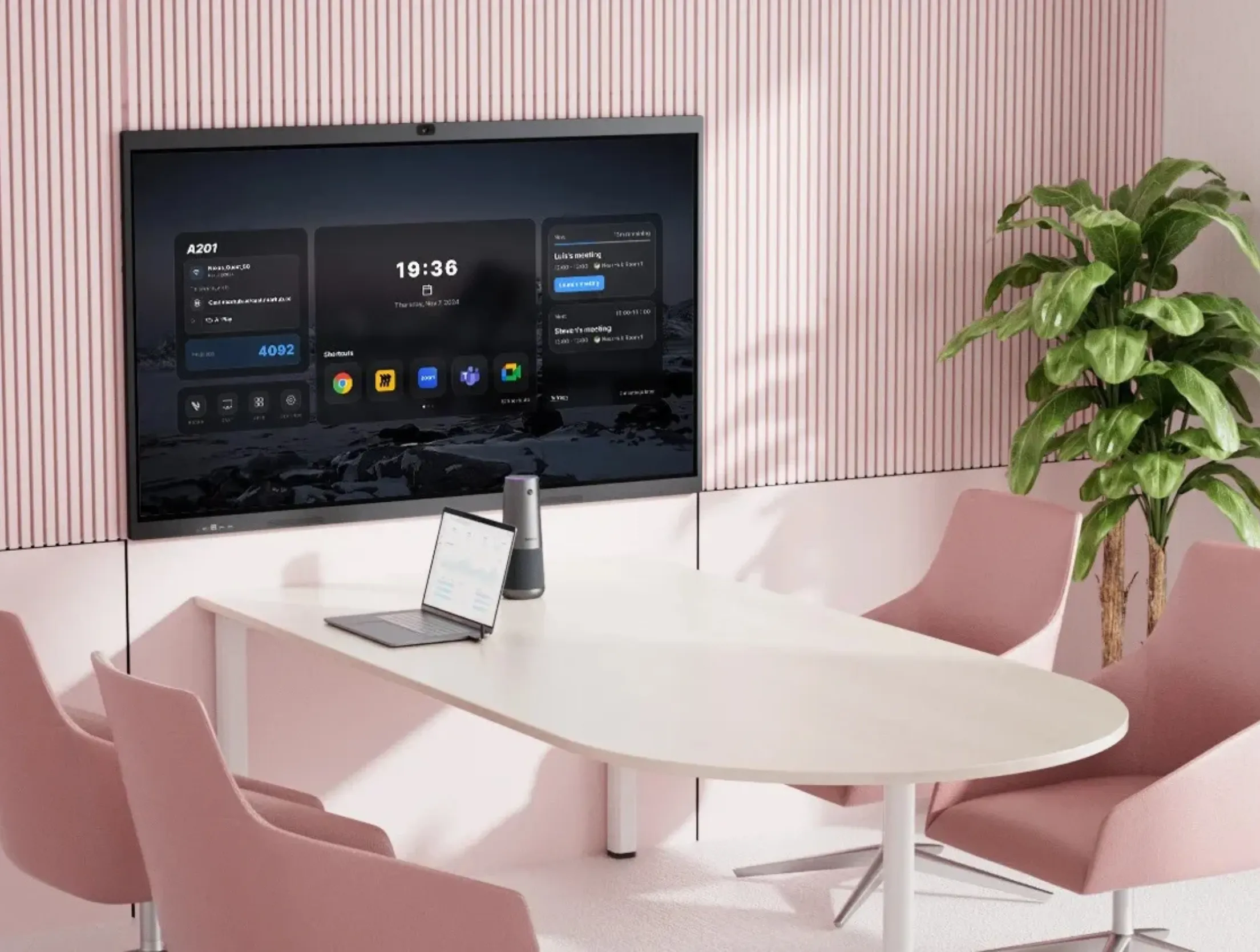
    Huddle Room

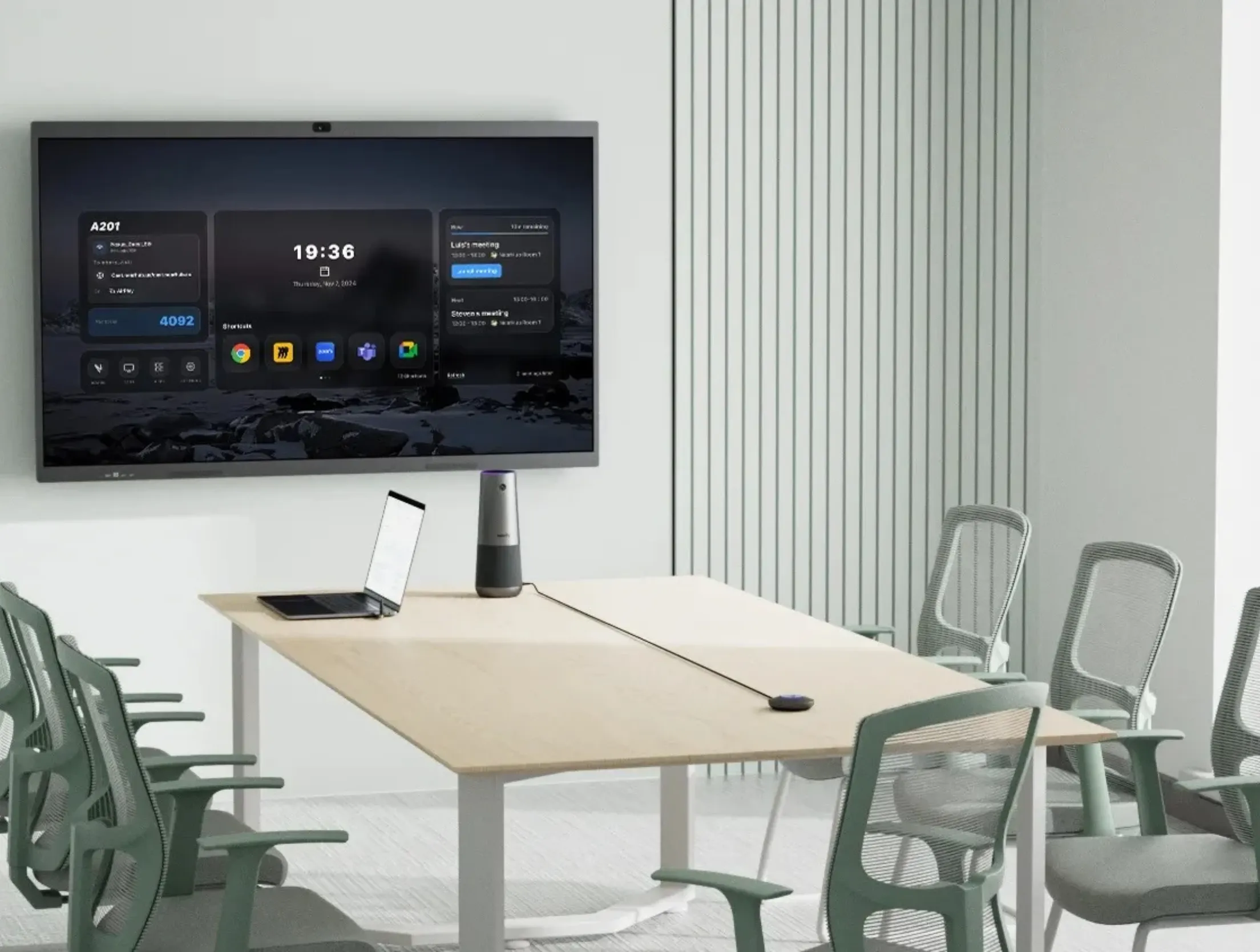
    Nuroum Conference Room Cameras in Small Room

    up to 8 participants

    Small Room

    Nuroum Meeting Cameras in Medium Room

    up to 13 participants

    Medium Room

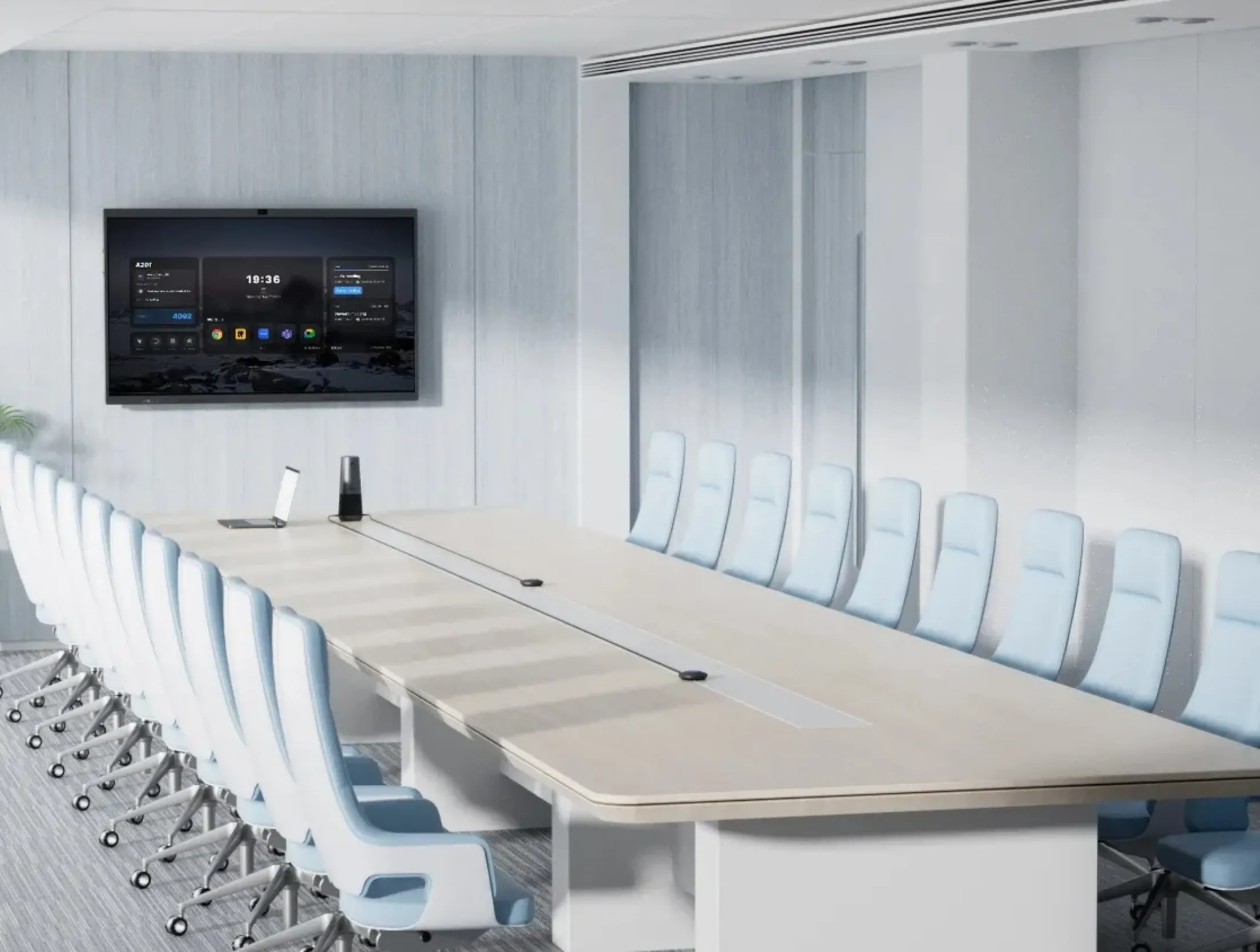
    Nuroum Video Conference Cameras in Large Room

    up to 20 participants

    Large Room

    vs. traditional large room vs. traditional medium room vs. traditional small room V403+A15*2 for large rooms
  • Explore
    • Why Open Ear
    • Audio Technologies
    • Customer Stories
    • FAQ
    • Software NearSync
  • Blog
    • Work Productivity
    • Communication
    • Leadership
    • Non-Profit Management
    • Business Tech Trends
    • Customer Stories
    • Nuroum Updates
    • All the Topics >>
  • Connect
    • About Us
    • Contact Sales
    • Get a Demo
    • Brand Ambassador
    • Become a Reseller
    • Contact Us
    • Terms of use
Contact Sales
Nuroum C40C40
Overview
Features
Specs
FAQ
Reviews
$255.00$299.99Buy Now Buy Now
Overview
Features
Specs
FAQ
Reviews
C40
2 frame
3 4k
4 camera
audio
6 plug and play
Board
8 compare
9 c40s camera port
10 Noise
expansion audio
12 review
c40
1/13
Product image 1
Product image 2
Product image 3
Product image 4
Product image 5
Product image 6
Product image 7
Product image 8
Product image 9
Product image 10
Product image 11
Product image 12
Product image 13

Product

4K Camera

Expansion Mic

Wireless

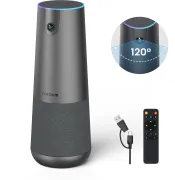
Nuroum C40 (2026 Upgraded) All-in-One 4K Wide-Angle Conference Camera for Group Conferencing

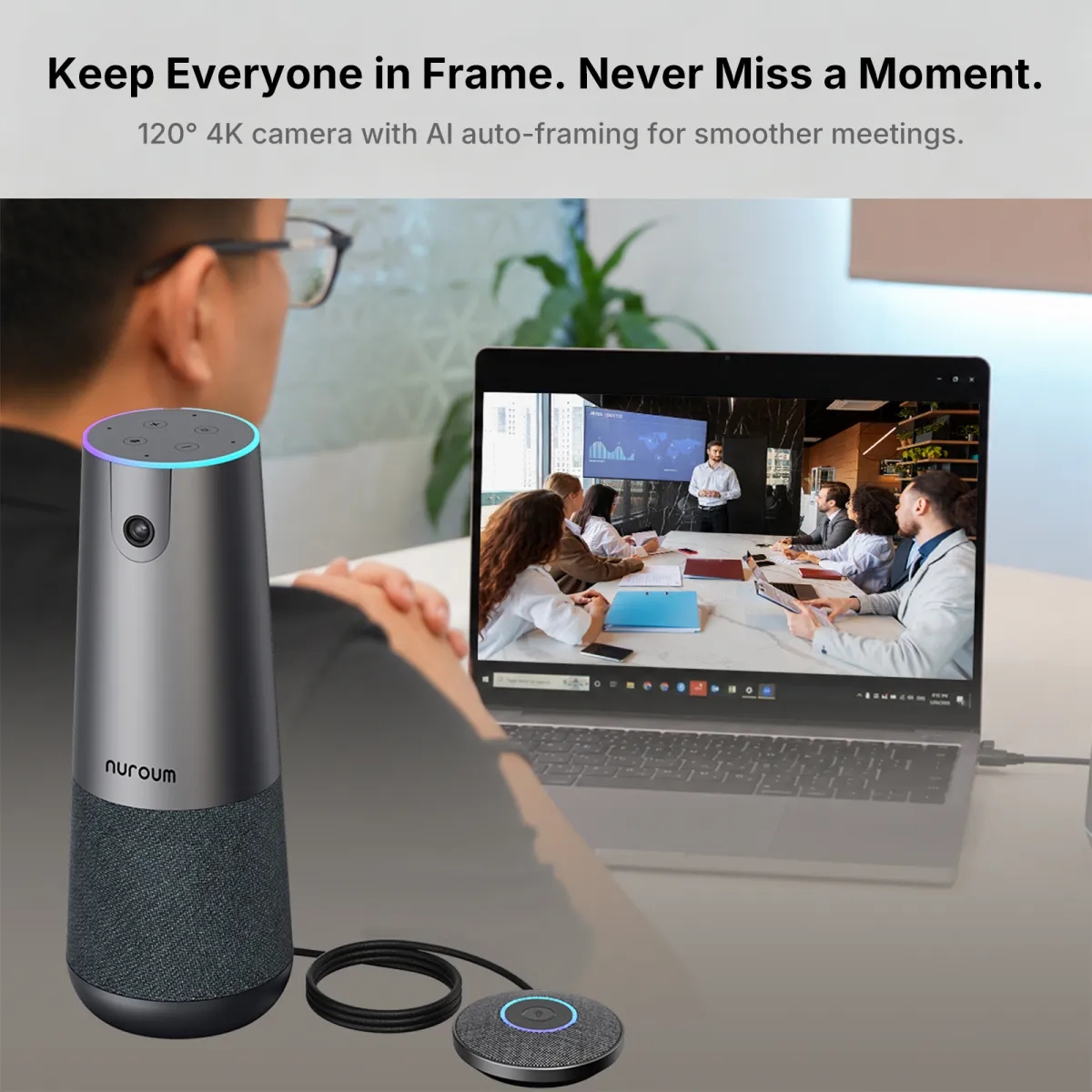
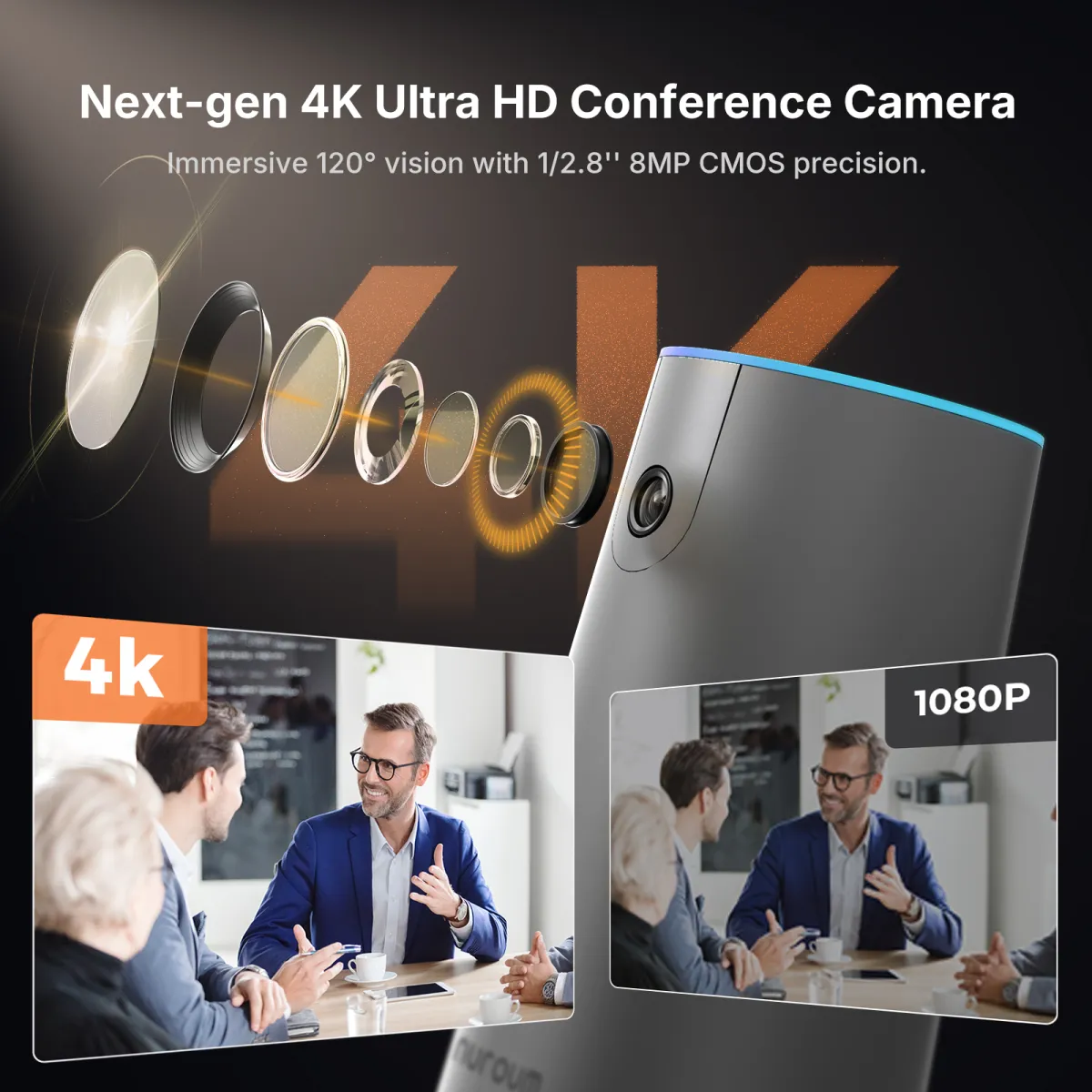
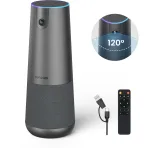
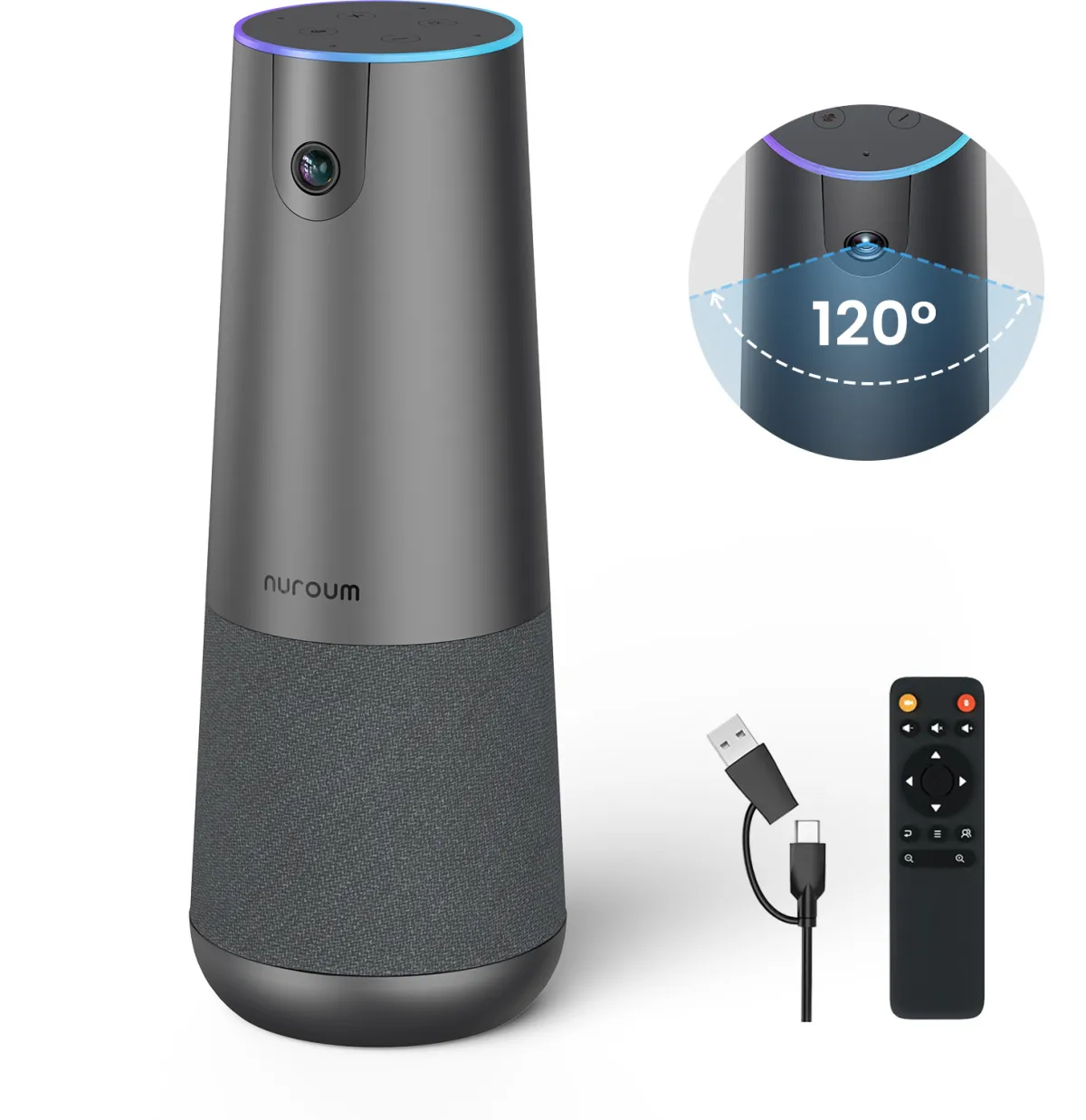
4K clarity, 120° FOV, AI auto framing, extended mic range, Hi-Fi audio, and wireless transceiver—designed to enhance meetings with plug-n-play, Zoom, Teams.

4.9
24 reviews
  • 4K Ultra HD & 120° Ultra-Wide-Angle Lens
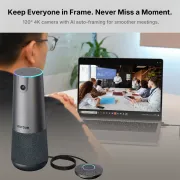
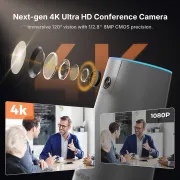
  • Equipped with a high-performance 4K sensor and a 120° ultra-wide-angle lens, the 2026 Nuroum C40 delivers sharp detail and accurate color throughout the meeting room. From four-person discussions to 15-seat conference rooms, it keeps every participant naturally framed, clear, and in focus. Optimized for hybrid meetings, it sets a new standard for professional visual collaboration.
  • Smarter Collaboration with Intelligent AI Framing
  • The 2026 Nuroum C40 automatically detects participants and adjusts the framing in real time. It naturally focuses on the active speaker while keeping everyone in view. AI evaluates the room layout and lighting conditions to maintain the best composition, enabling smooth, professional meetings without manual adjustments.
  • Professional Audio with Four Microphones, Expansion Support, and a Hi-Fi Speaker
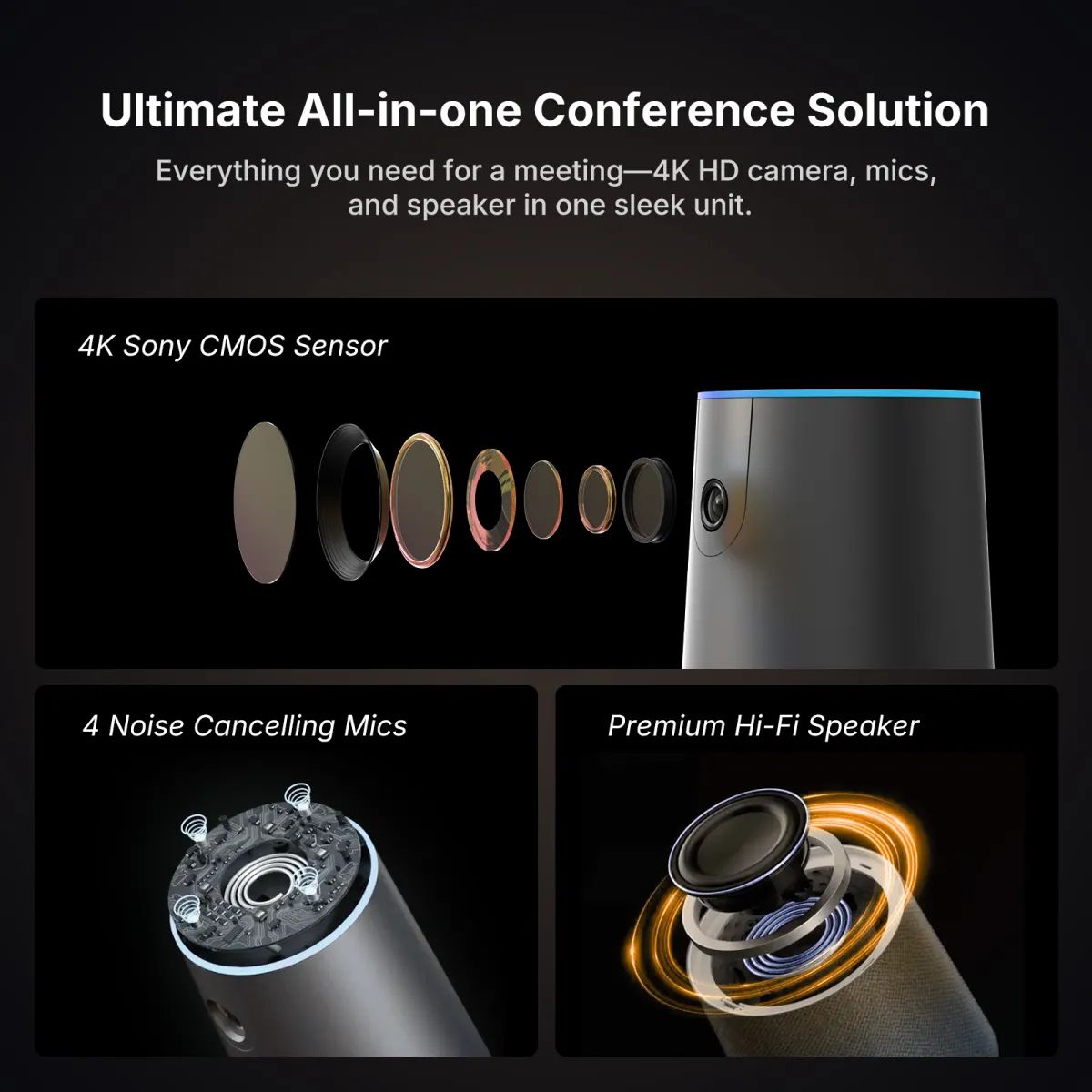
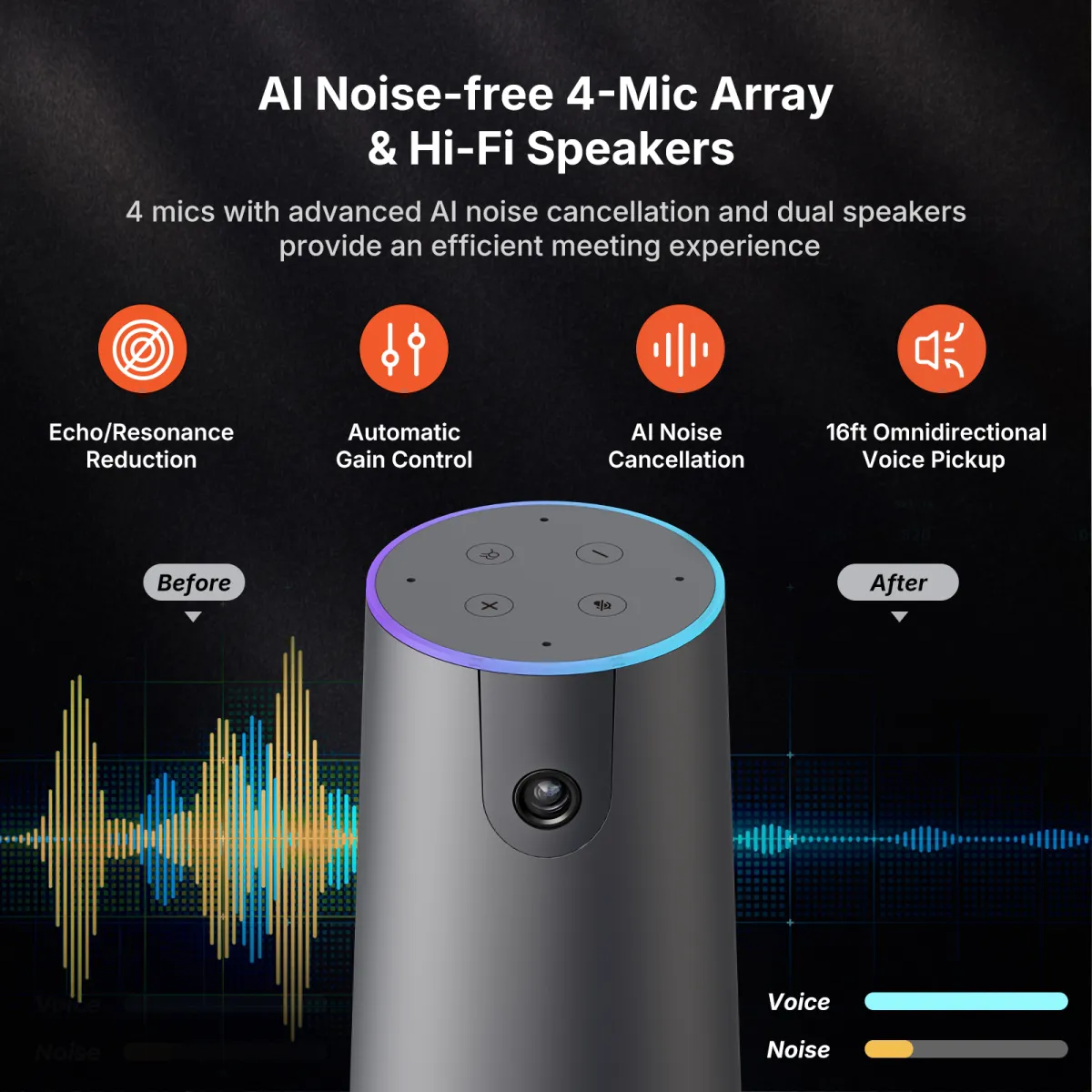
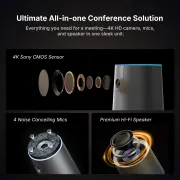
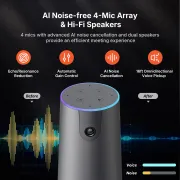
  • The 2026 Nuroum C40 includes four noise-reducing microphones and supports up to two expansion microphones. With voice pickup coverage of up to 16 m, it works in spaces ranging from small meeting rooms to large conference rooms. Its full-duplex Hi-Fi speaker delivers clear two-way audio, while AI noise reduction and echo cancellation keep conversations comfortable and free from distracting noise or distortion.
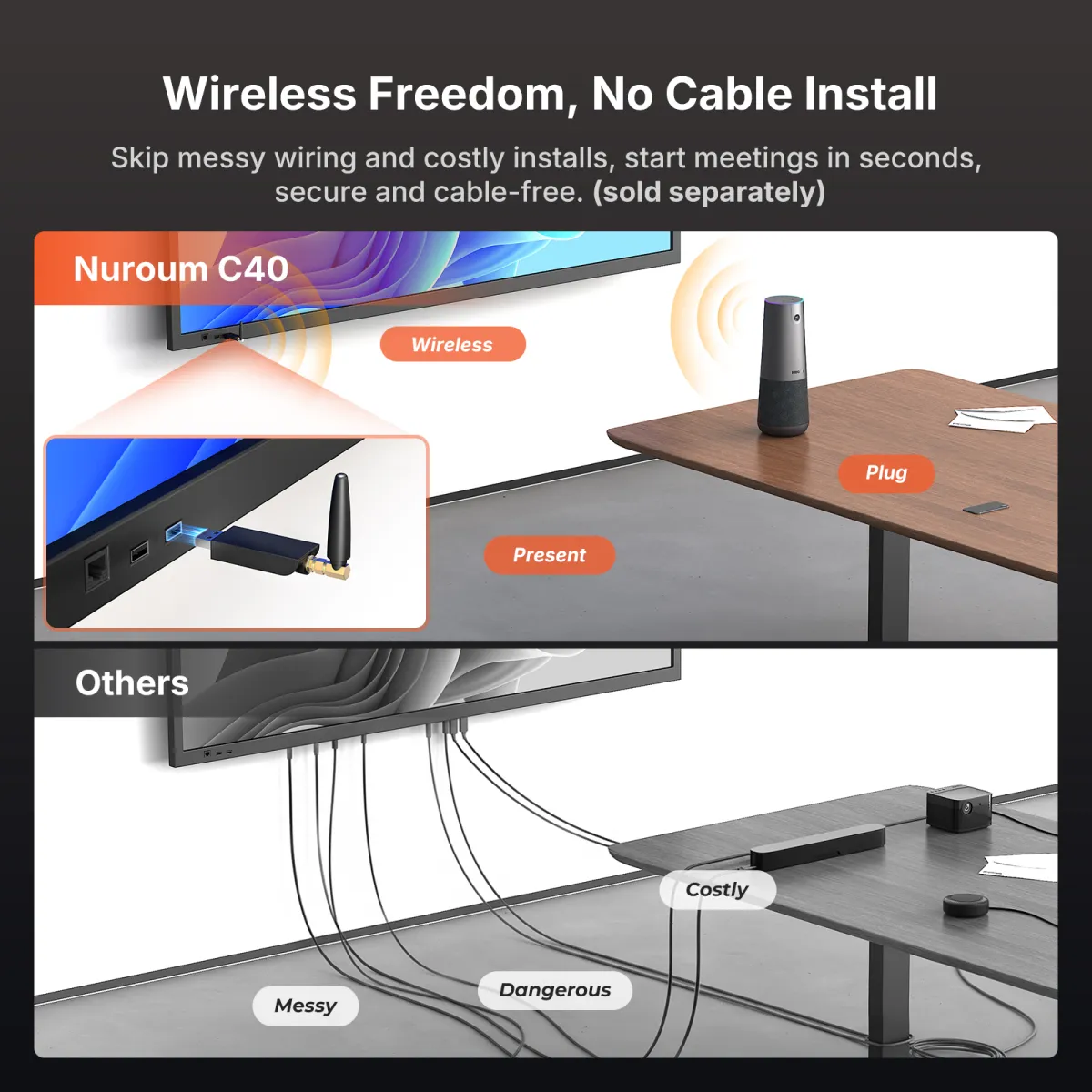
  • Wireless Ready—Just Plug In and Start
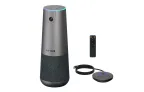
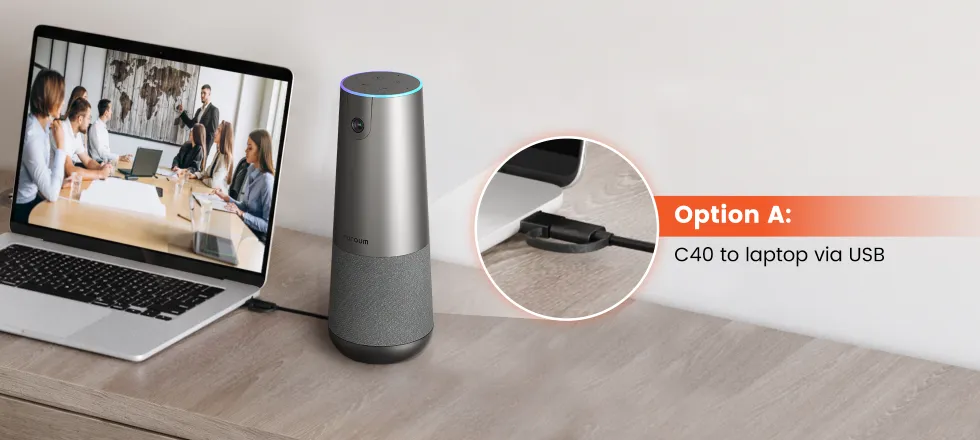
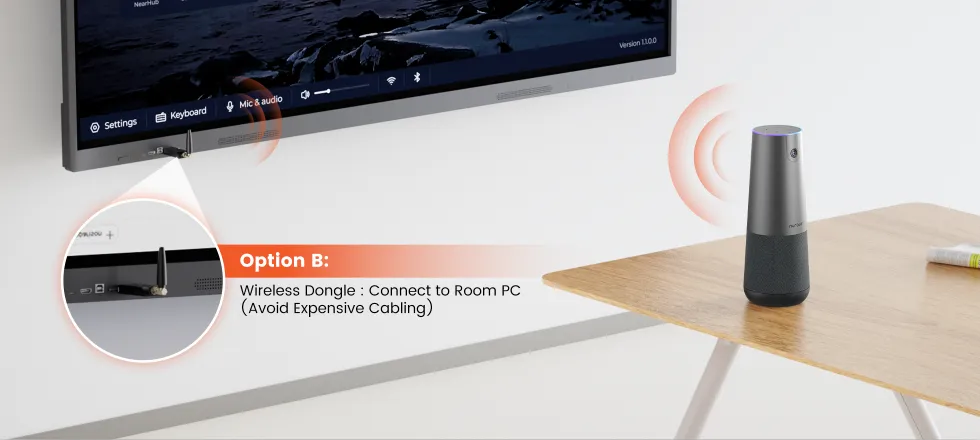
  • Connect the 2026 Nuroum C40 instantly with a wireless dongle or USB cable. No drivers or configuration are required. Adjust volume, AI framing, and other settings with the remote control or on-device buttons. Leave cable clutter behind and start meetings as soon as you plug in.
  • Built for Meeting Rooms of Every Size
  • From small huddle spaces to executive boardrooms, the 2026 Nuroum C40 adapts to a wide range of meeting environments. Add expansion microphones to extend voice pickup coverage up to 16 m and capture every voice clearly, even in larger spaces.
  • Reliable Connectivity with Every Major Meeting App
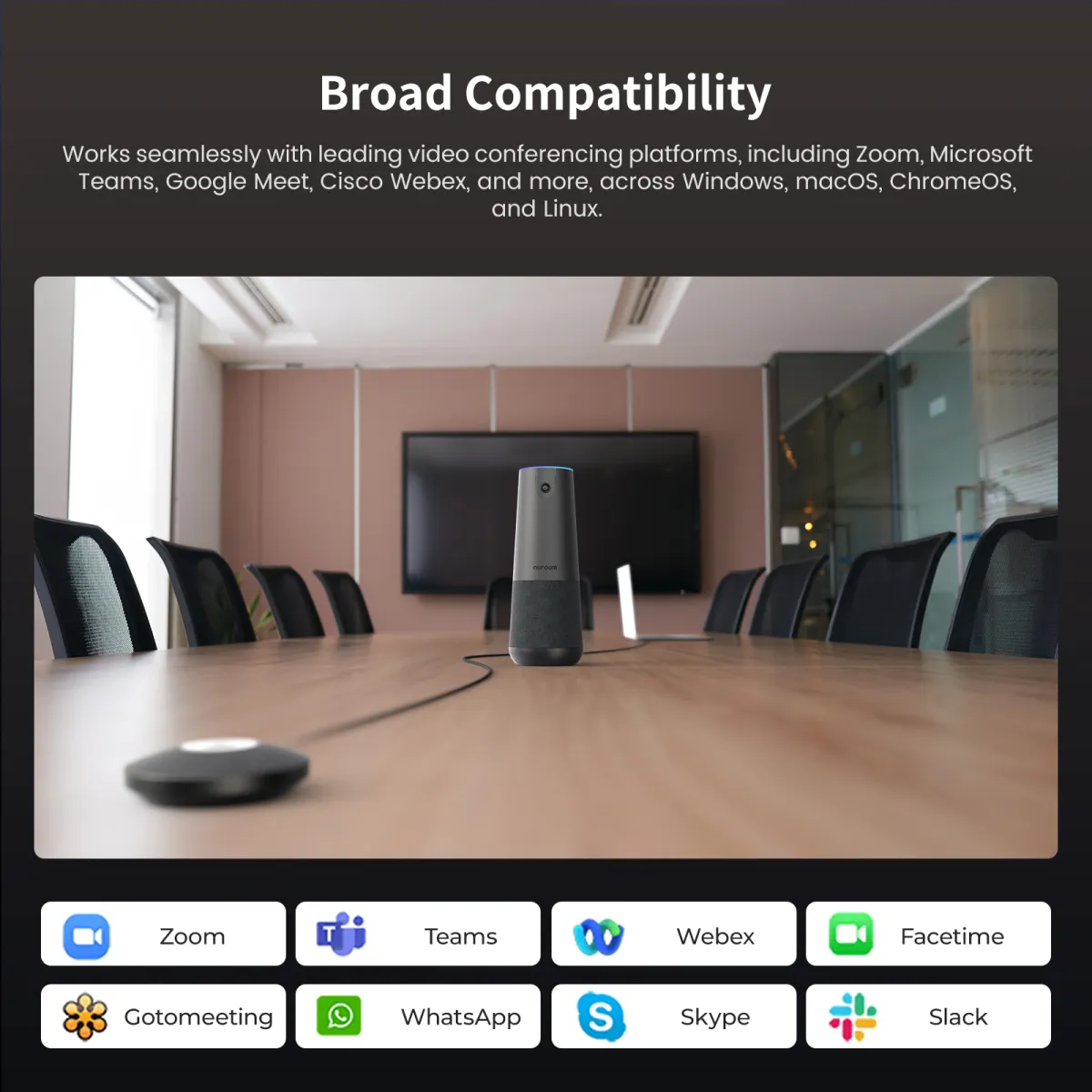
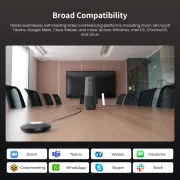
  • The 2026 Nuroum C40 works with leading video conferencing apps, including Zoom, Microsoft Teams, Google Meet, Webex, and Skype. It runs seamlessly on Windows, macOS, ChromeOS, and Linux, fitting directly into the tools you already use.
  • Overview
$255.00$299.99
30-DAYPrice Match
Talk to an Expert: +1 (360) 602-1188
Select Option:
C40

Nuroum C40

$255.00$299.99
15% OFF

Nuroum C40 × 1 | 4K, 120° Wide-Angle , AI Auto-Framing , Wireless Expansion, Plug & Play

c40s starter kit main

Nuroum C40 Starter Kit

$399.00$498.75
20% OFF

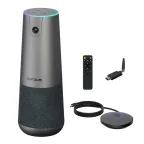
Nuroum C40 × 1 + AM01 Expansion Mic × 1 | Clear Voice Pickup Throughout the Conference Room

C40Sultimate kit

Nuroum C40 Ultimate Kit

$549.00$686.25
20% OFF

Nuroum C40 × 1 + AM01 Expansion Mic × 1 + NA20 Wireless Dongle × 1 | Seamless Wireless Conferencing Solution

Quantity:
1

Add Accessories

external mic am 01
Expansion Mic AM01 (Extra)
$150.00$199.9925% OFF
1
See Detail
3-meter pickup radius, extend audio range, connect to conference camera
wireless dongle
Wireless Dongle NA20
$150.00$199.9925% OFF
1
See Detail
Wireless USB adapter for conference cameras
$555.00
$699.97

You Save $144.97

Order Support
t 03 91d8a906 6117 4837 b03a 776b10df6972 2fd430-Day Price Match
t 03 670daf37 ce46 4504 8f83 92f314e6ae03 bcb71-Year Warranty
t 02 a1748a2f 2626 45de be44 e8c65a748831 8da5Fast Free Shipping
t 04 d7dd9d87 ab25 46a2 aabc 691a34097606 b91818-Hour Support
Fast Free Shipping
  • Free delivery is available in 40+ regions, including the US, Canada, Germany, Japan, etc. Shipping & Delivery Details
  • Standard: 3-7 weekdays (free). Premium: 1-3 weekdays (Available for US/CA/DE/EU/UK)
  • Stay Updated: You’ll receive a tracking email the moment your order is on its way!
Tax-Exempt Order

We proudly support government agencies and qualified organizations.

Simply email your exemption certificate to sales@nuroum.com.

Once verified, our team will personally guide you through your tax-free purchase using your registered email.

Return & Warranty

14-Day Risk-Free Trial:

Not the perfect fit? Return any undamaged product within 14 days for a full refund—no questions asked. Once our team completes a quick quality check at the warehouse, your refund will be on its way. Check our full policy for a seamless return experience. Refund Details.


Easy Return Conditions:

  • Please keep your receipt and ensure the original packaging/accessories are intact.
  • Partial Refunds: If the product has been unboxed or used, we will happily coordinate with you to determine a fair refund percentage based on its condition.
  • Refunds are typically processed within 7 days of receiving your item.
  • Our Quality Promise: If a manufacturing defect occurs within the first 30 days, we’ll cover all return or exchange costs, including shipping.


12-Month Quality Guarantee

Your peace of mind is our priority. Every Nuroum purchase is backed by a dedicated 12-month warranty service.

Delivery & Payment
nearhub delivery payment icon 6b3b1d61 d24d 4c94 b181 2172f7b8cc31 2c88

Theirs Misses the Edges. Ours Fits the Room.

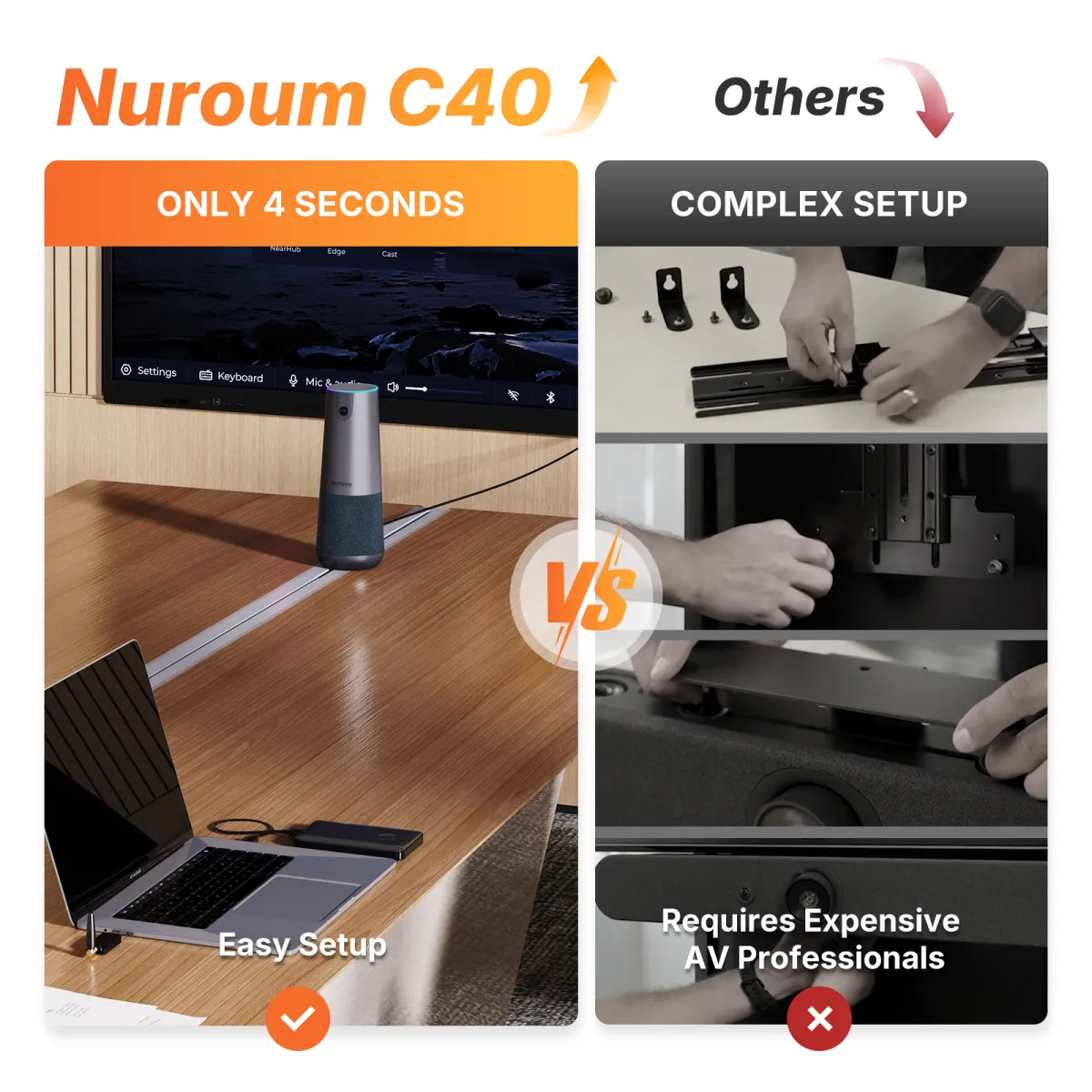
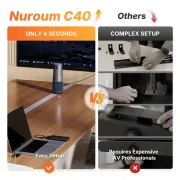
No complicated setup, no squeezed-in seating—connect C40 and start the meeting. True 4K, a 120° field of view, and expansion microphone support keep everyone seen and heard.
pc compare
Brands using Nuroum C40 All-in-one 4K Conference CameraBrands using Nuroum C40 All-in-one 2K Conference Camera

Trusted by 300,000+ Forward-Thinking Business Leaders

tesimony 01 technology
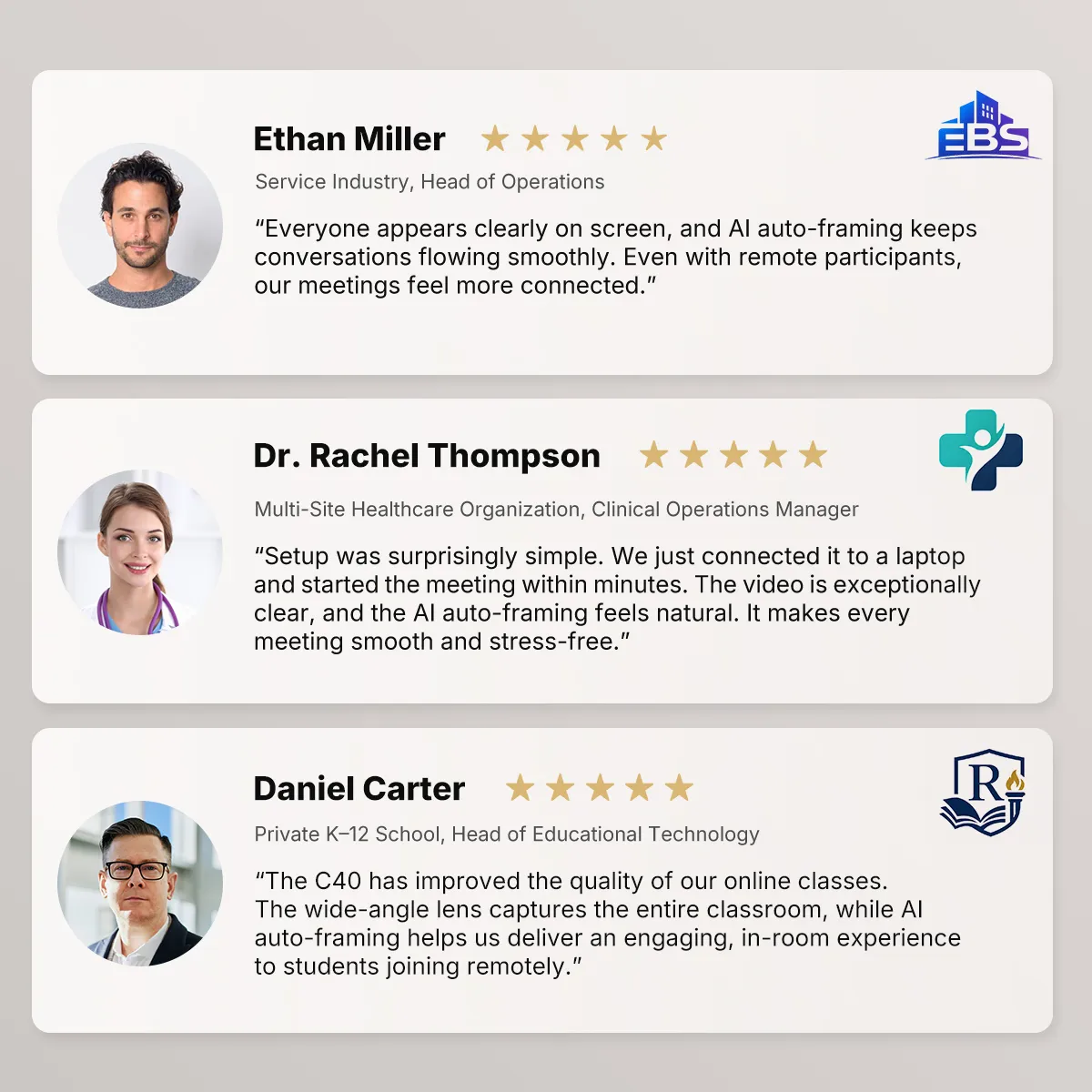
Our product reviews move fast, and the C40 keeps up. True 4K, a 120° field of view, and AI Auto-Framing keep the entire team and every product detail visible without constant camera adjustments.
E

Ethan Parker

Director of Product Engineering

c40 for finance
People at the far end of the table used to sound distant during investment committee meetings. With two AM01 expansion microphones, the C40 extends voice pickup to 16 meters, so every analyst can contribute without crowding around the camera.
R

Rachel Morgan

Investment Committee Director

c40 for Architecture
I've been using the Nuroum C40 webcam recently, and the autoframing is seriously impressive. It automatically centers the shot when I move or when someone joins the frame—no manual adjustment needed, very smooth and natural. Perfect for video calls.
D

Daniel Brooks

Senior Construction Project Manager

c40 for manufacture
I move between client offices, so I need meetings to start without technical delays. The C40 connects without drivers via USB or a wireless dongle, while its 4K 120° camera keeps the entire client team clearly in view.
S

Sophia Bennett

Senior Management Consultant

c40 for insurance
I can move between the lectern, screen, and whiteboard without stopping to adjust the camera. The 120° view and AI Auto-Framing keep the teaching space visible, while expansion microphones help students across larger classrooms hear and participate clearly.
D

Dr. Emily Carter

Professor of Engineering

c40 for fashion
During claims reviews, 4K video makes documents, photos, and physical evidence easier to present remotely. The 120° view keeps everyone at the table visible without repeatedly moving the camera.
O

Olivia Bennett

Senior Claims Adjuster

c40 for hostility
Our hybrid production reviews need both the team and the product sample in view. The 4K 120° camera captures the full table, while up to 30 dB noise reduction helps remote colleagues hear the discussion more clearly.
M

Marcus Lee

Manufacturing Operations Manager

Smart Video

See the Whole Room. Keep Everyone in Focus.

Auto Framing

Room View

AI Auto Framing detects participants and adjusts the frame in real time as people join, leave, or move—keeping the entire group naturally centered.

AI-Powered Audio

Hear Every Voice. Cover Every Corner.

Nuroum C40 AI-powered audio processing
Nuroum C40 with AM01 expansion microphones
Nuroum C40 360-degree voice pickup

Smarter Sound for Focused Meetings

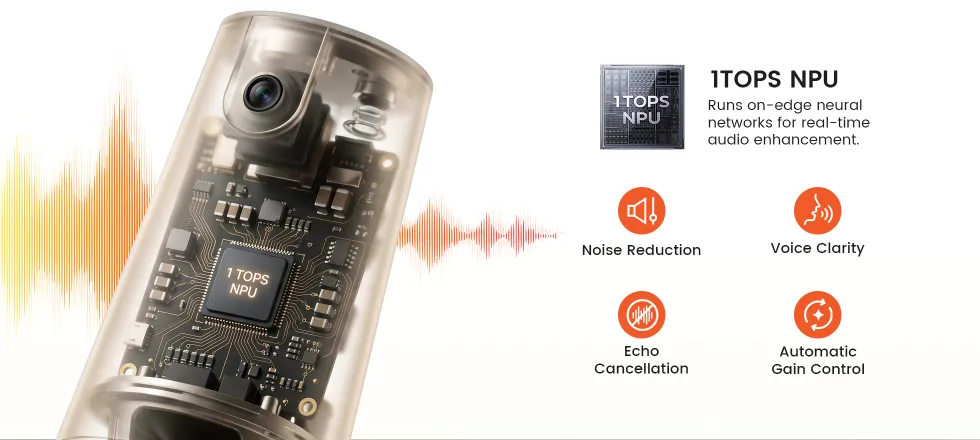
C40 uses AI noise reduction and echo cancellation to minimize distractions while keeping conversations clear, balanced, and natural.

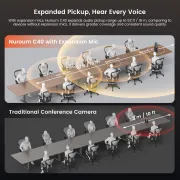
Clear Conversations Across Larger Rooms

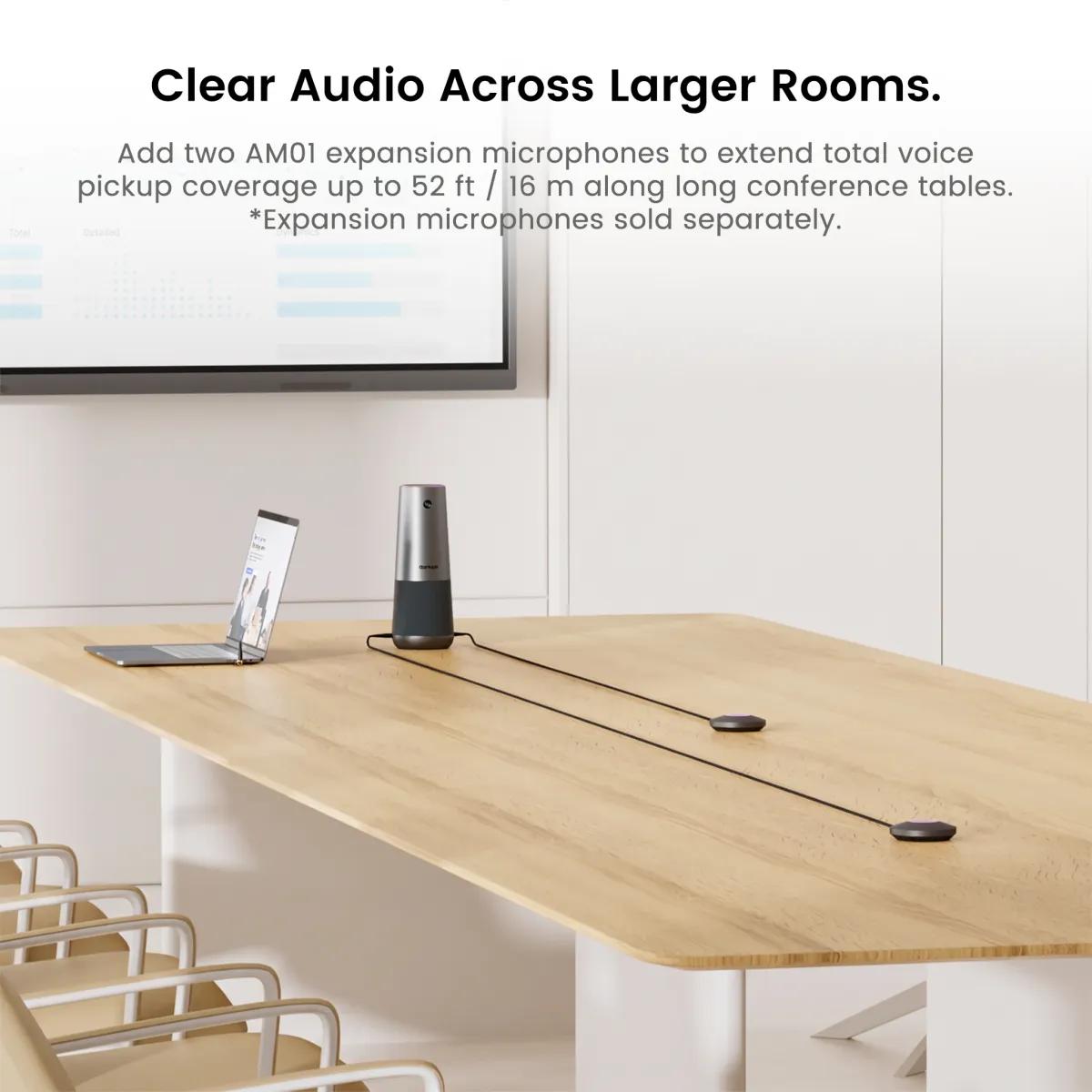
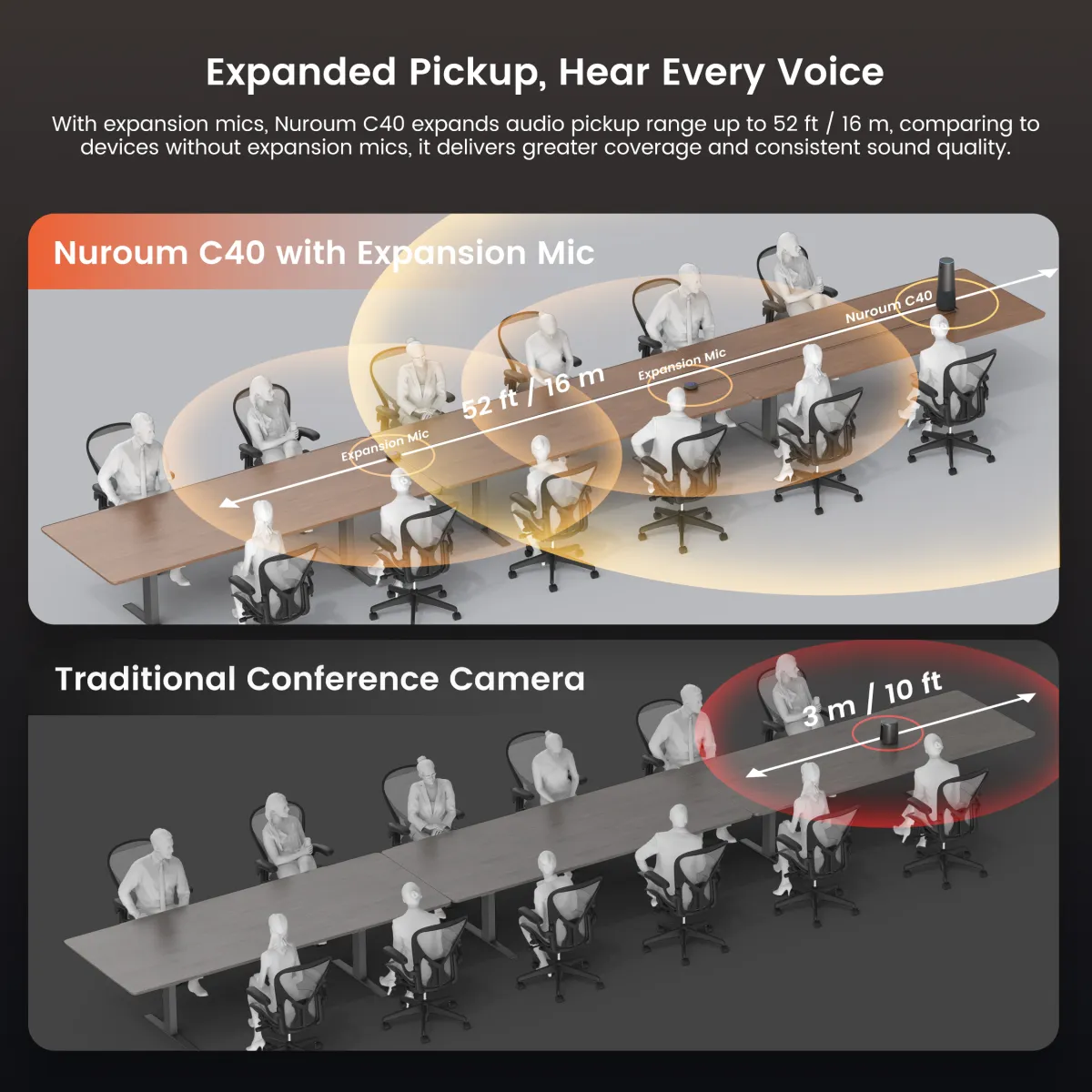
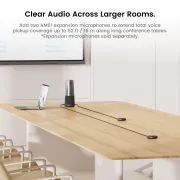
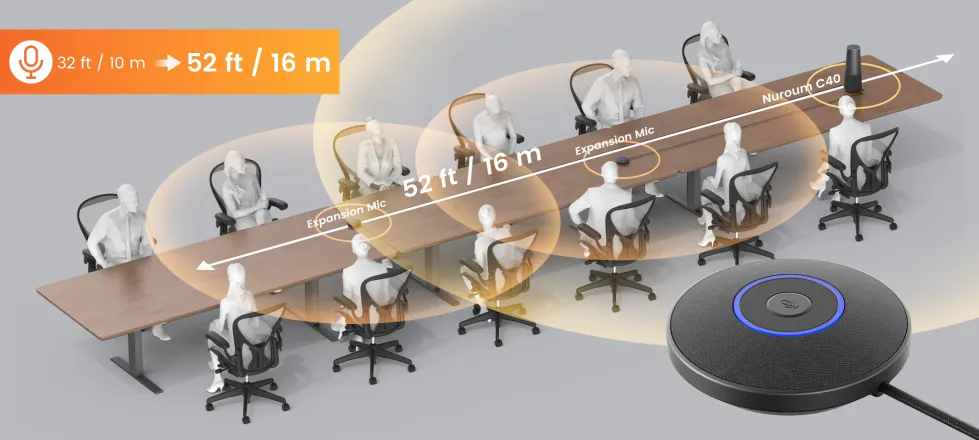
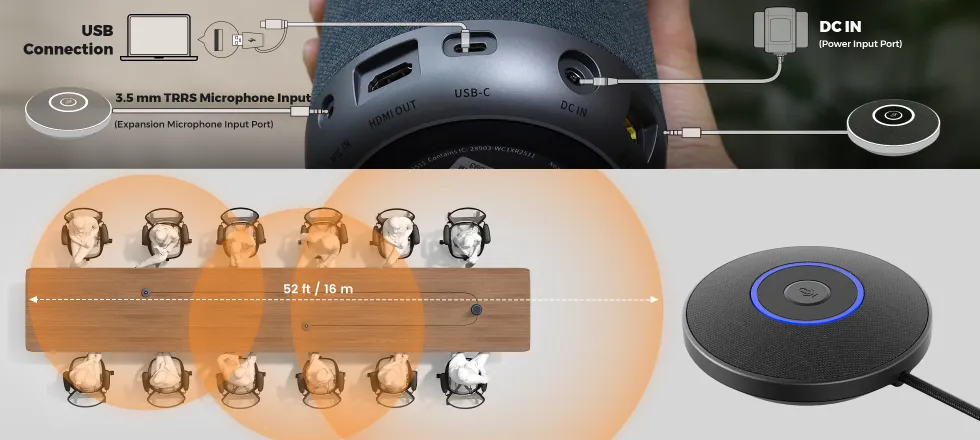
Add two optional AM01 expansion microphones to extend total pickup coverage up to 16 m / 52 ft across long tables and larger meeting rooms.

Speak Naturally from Any Seat

C40's four omnidirectional microphones provide 360° voice pickup within a 5 m / 16 ft radius, helping everyone around the table be heard clearly.

Easy Setup

Connect. Control. Start Meeting.

Nuroum C40 USB setup
Nuroum C40 wireless setup
Nuroum C40 audio setup with expansion microphones
Nuroum C40 remote control and onboard controls

Plug In and Start

Connect C40 to your computer via USB, select it as your camera, microphone, and speaker, and start meeting without installing additional drivers.

Connect Without the Cable

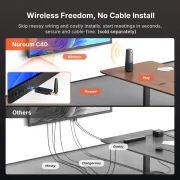
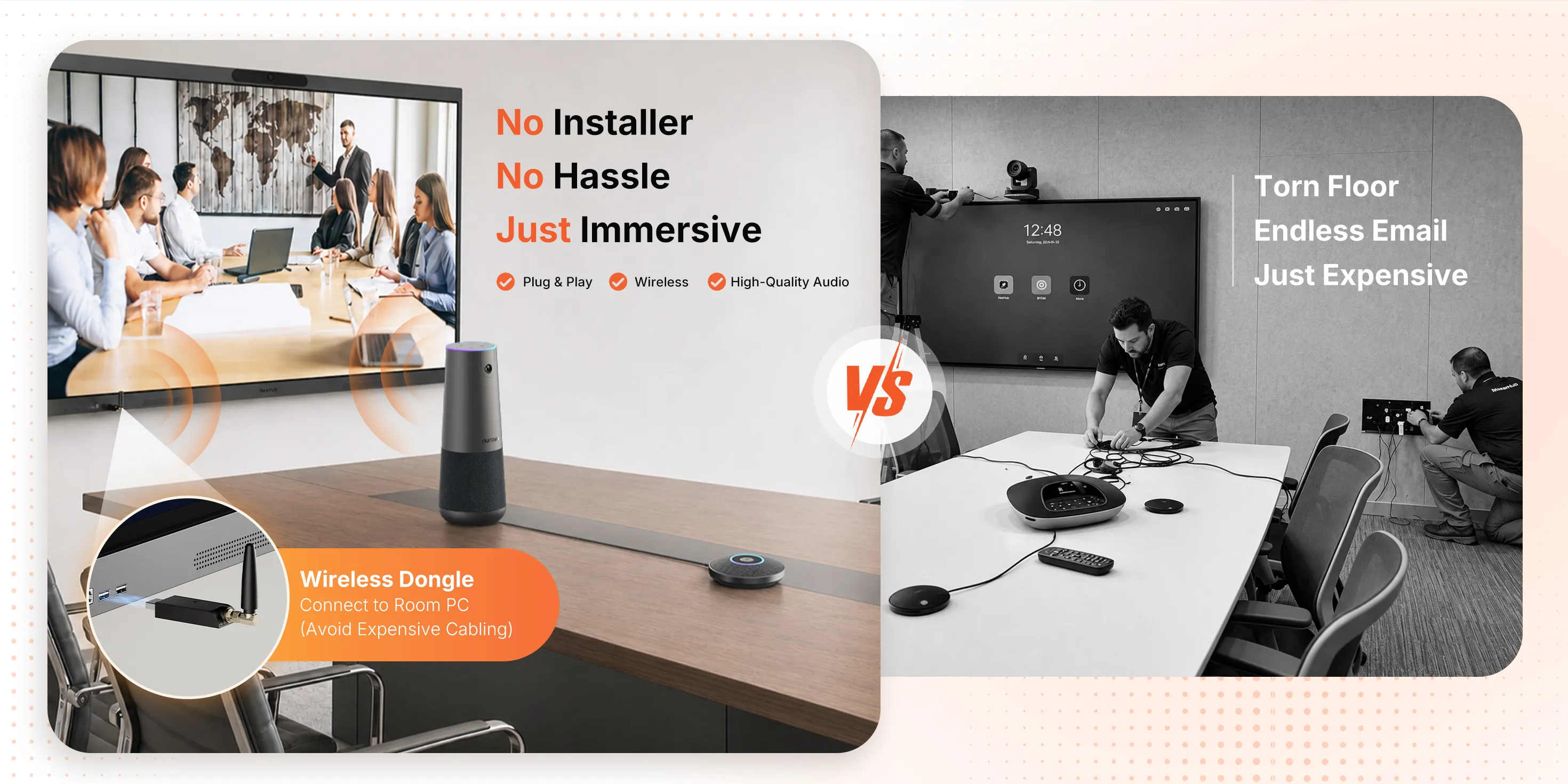
Use the compatible wireless dongle for a clean, flexible setup that lets you position C40 where it works best for the room.

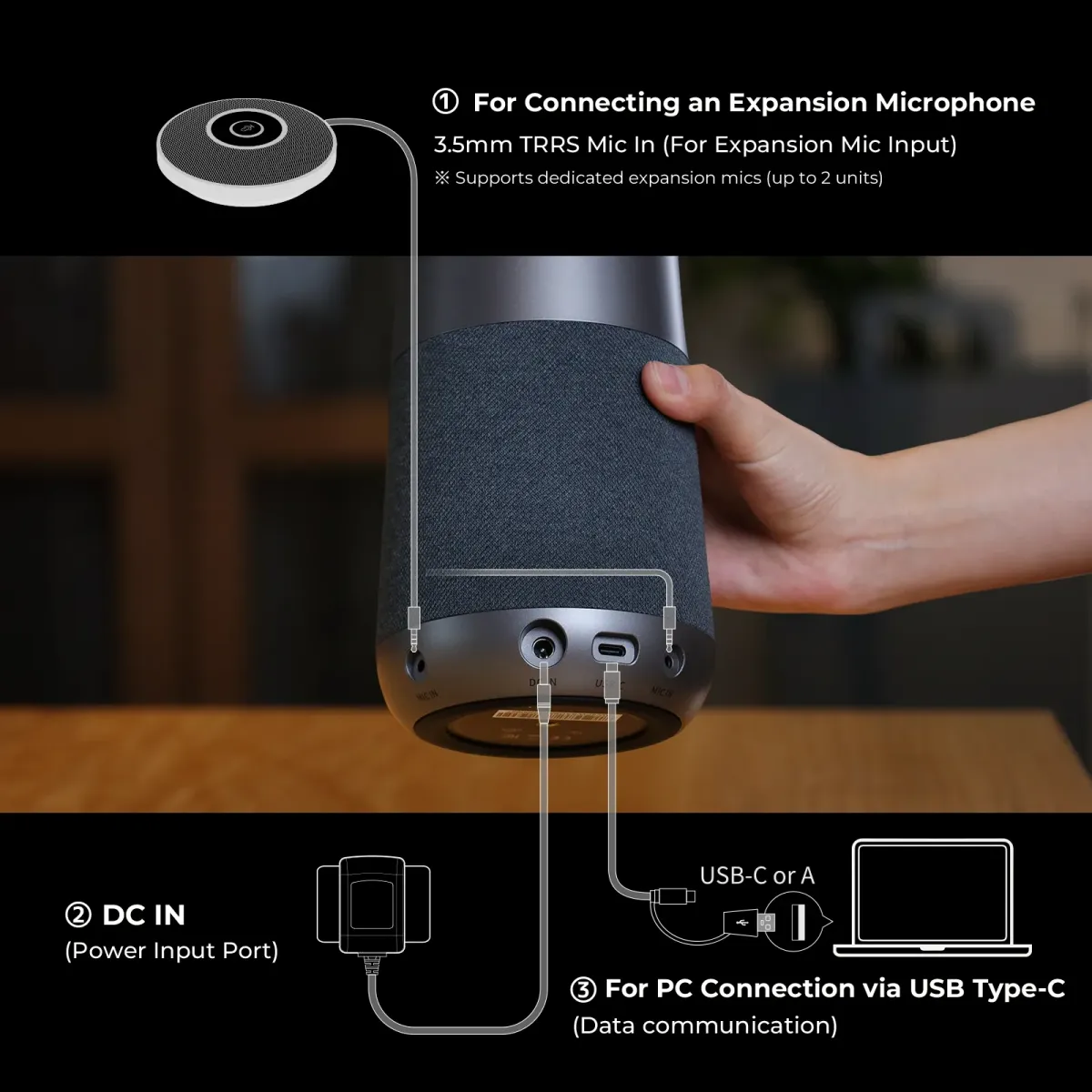
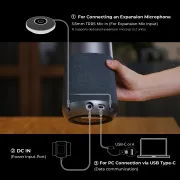
Expand Audio with Ease

Connect up to two AM01 expansion microphones to extend voice coverage up to 16 m / 52 ft for clear conversations across larger rooms.

Control at Your Fingertips

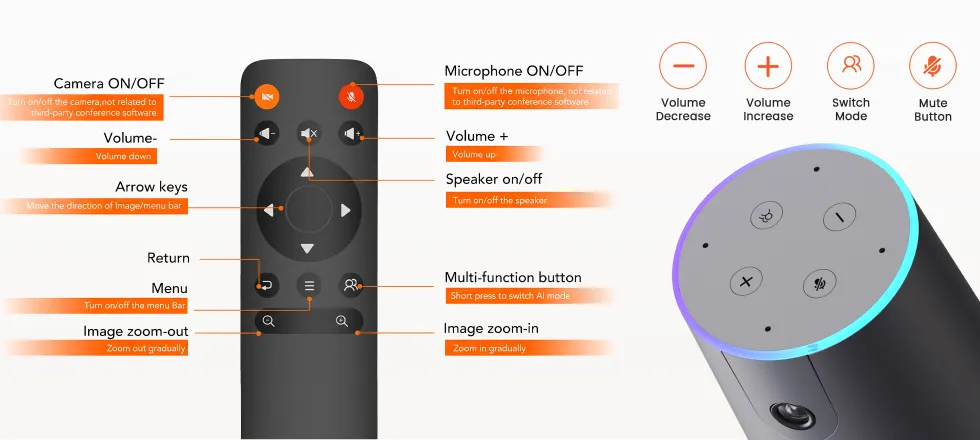
Use the included remote or C40's onboard buttons to adjust volume, mute the microphones, and switch camera modes without interrupting the meeting.

Nuroum C40 compatible with leading video conferencing platforms
Multi-Platform Compatibility

Meet on Your Platform.

Find Your Room Setup

Choose the right C40 configuration for your meeting space.
c40 small room

4–6 people | Approx. 100–160 sq. ft.

Small Room

  • Nuroum C40 ×1
  • ✓16 ft / 5 m 360° voice pickup
  • ✓120° wide-angle view with AI Auto-Framing

Buy Now
c40 medium room

6–12 people | Approx. 150–300 sq. ft.

Medium Room

  • Nuroum C40 ×1 + Expansion Mic ×1
  • ✓Clear pickup at the far end
  • ✓Cost-effective for medium rooms

Buy Now
c40 large room

12–20 people | Approx. 300–600 sq. ft.

Large Room

  • Nuroum C40 ×1 + Expansion Mic ×1
  • ✓Up to 52 ft / 16 m coverage
  • ✓Clear audio across large rooms

Buy Now

Talk to Sales

What can I expect?
  • Customized Solutions

    We'll address your challenges and show how our product can be tailored to your needs.

  • Product Overview

    Explore our product's key features and real-world applications.

  • Live Q&A

    Engage in an interactive session with our experts to get your questions answered.

quick'sfram
goldensword
pcigases
kronick
statefire
cedem
simpara
craighospital
waterenvtech
logo left

Why Nuroum?

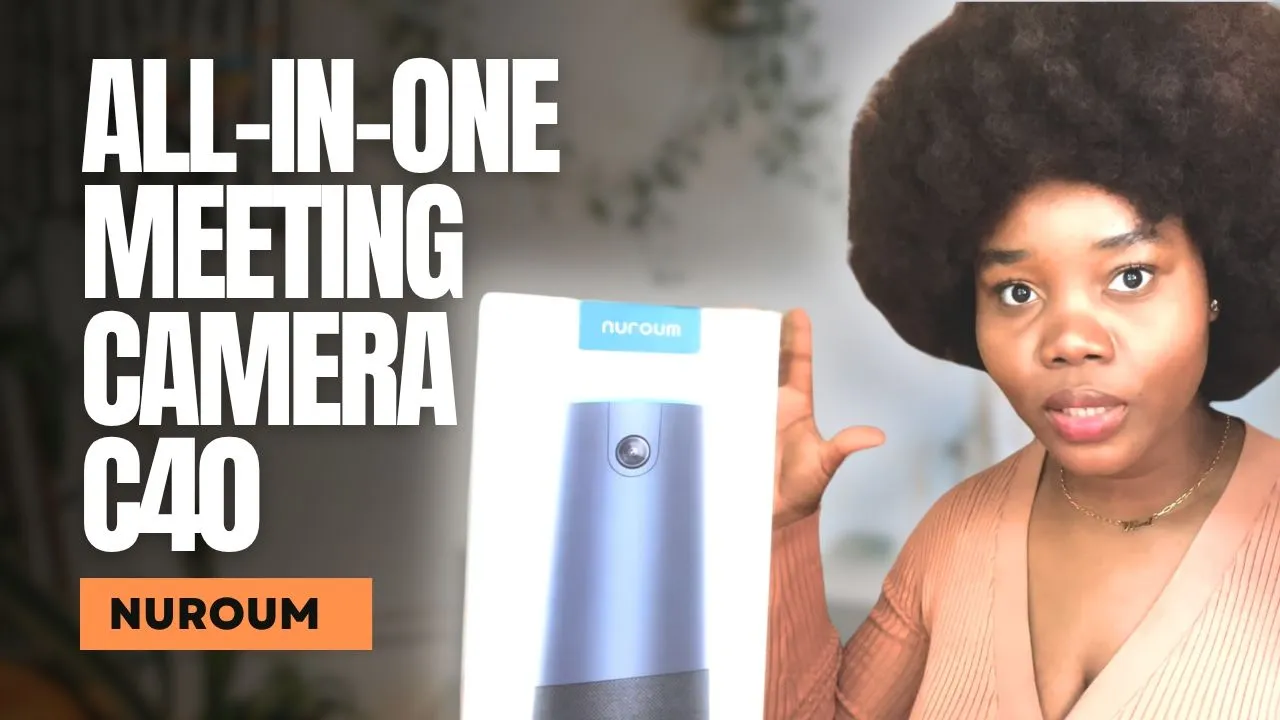
Nuroum C40 - Unboxing and testing the auto-framing camera!

image1
AdrianVideoImage

NUROUM C40 4K All in One Webcam Review

image2
FPL reviews

Nuroum C40 complete review - is it better than an Owl?

image3
eGPlearning

Amazing Nuroum C40! A Social Service Worker's Honest Review

image4
Winifred Kal

Pretty nice! Nuroum C40 - All in one 4k Webcam Impression!

johnytechreview
JohnyTechReview

Tech Specs

4K video. 120° wide-angle view. AI-powered audio. Flexible USB or wireless setup.

Optics & Sensor

Image sensor
Star-VIS Sensor (8 MP)
Aperture
F2.0
Focus
Fixed focus · 2.0 mmKeeps participants consistently clear without autofocus hunting
Field of view
120° ultra-wide-angleCaptures the meeting table and participants in a single wide view
Distortion-free lens
Supported
Aspect ratio
16 : 9
Digital zoom
5×

Output & Encoding

Maximum resolution
USB output: 4K · Optional NA20 wireless dongle output: 1080PConnect directly through USB for 4K video or use the optional NA20 dongle for wireless 1080p output
MJPEG
Up to 4K @ 30 fps / 1080P @ 60 fps
YUY2
Up to 480P @ 30 fps

Image Processing

Auto-framing
SupportedAutomatically detects participants and adjusts the frame in real time
Auto exposure
Supported
Auto white balance
Supported
Anti-flickering
Supported
3D noise suppression
Supported
HDR
Supported

Microphone Array

Microphones
4 × omnidirectional MEMS microphonesProvides 360° voice pickup around the meeting table
Sensitivity
-38 dBV/Pa, 94 dB SPL @ 1 kHz
Signal-to-noise ratio
68 dB, 94 dB SPL @ 1 kHz, A-weighted
Total harmonic distortion
0.2% @ 94 dB SPL, 1 kHz
Pickup range — standalone
16 ft (5 m) radius · 360°
Pickup range — extended
Up to 52 ft (16 m) with two AM01 microphonesTwo optional AM01 expansion microphones extend total voice coverage across long tables and larger rooms

Audio Processing

AI noise cancellation
Supported
Maximum background noise suppression
30 dB
Acoustic echo cancellation
Maximum echo coupling loss ≥ 56 dB
Reverberation suppression
RT60 < 1 s
Beamforming
Supported
Speaker tracking
Supported
Automatic gain control
Intelligent voice gain within a 5 m radius
Full-duplex communication
Supported — interrupt at any timeBoth sides can speak simultaneously for more natural conversations

Loudspeaker

Rated output power
4 Ω / 3 W
Effective frequency response
140 Hz – 20 kHzReproduces a broad vocal range for clear, natural speech
Maximum volume
80 ± 3 dB (800, 1000, 1200, 1500 Hz) @ 1 W / 1 m
Total harmonic distortion
≤ 3%

Interfaces & Control

USB connection
USB cable + Type-C-to-A cable (2 m)Plug-and-play camera, microphone, and speaker connection
Wireless connection
Optional NA20 wireless dongle · Up to 1080P outputProvides flexible camera placement with fewer cables on the meeting table
Audio expansion
3.5 mm port · Connect AM01 expansion microphone
Remote control
IR remote control supported
Operating systems
Windows / macOS / Linux / ChromeOS

Setup & Compatibility

Installation
Tabletop · Tripod
USB setup
Plug and playNo additional drivers or control software required for standard operation
Wireless setup
Supported with optional NA20 dongle

Unit

Product dimensions
(Ø) 4.33 in × (H) 11.26 inApproximately (Ø) 11.0 cm × (H) 28.6 cm
Net weight
1.31 lbApproximately 0.59 kg
Color
Gunmetal Grey
Installation
Tabletop · Tripod

Power & Package

External power supply
DC 12V-2A
Package dimensions
6.10 × 5.43 × 15.4 inApproximately 15.5 × 13.8 × 39.1 cm
Gross weight
2.40 lbApproximately 1.09 kg

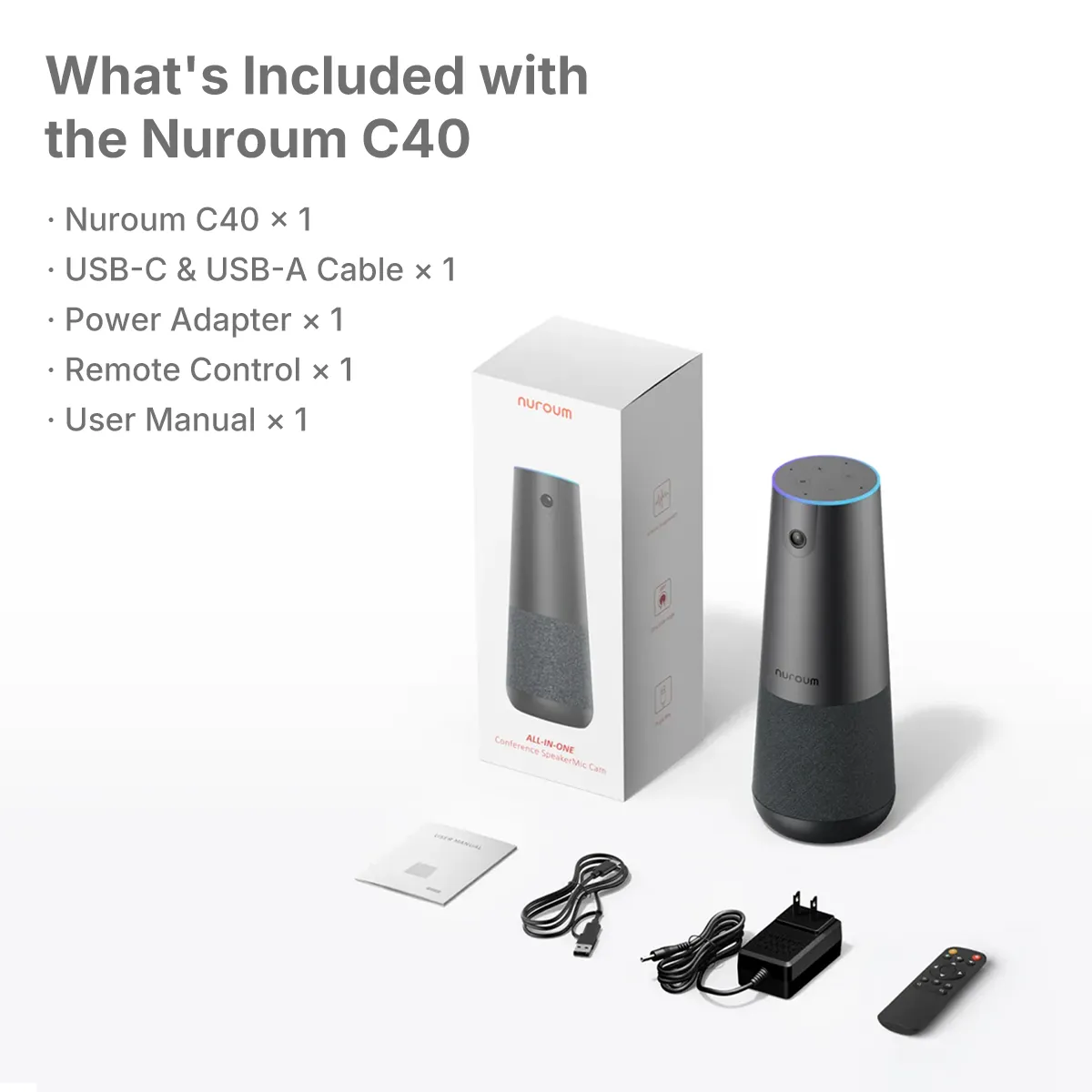
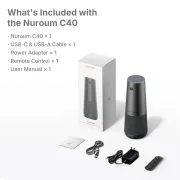
In the Box

Conference camera
Nuroum C40 ×1
Remote control
IR remote control ×1
USB accessories
USB cable + Type-C-to-A cable (2 m)
Power adapter
Adapter ×1
Documentation
User manual ×1 · Warranty card ×1

Get Your Full Tech Specs

All hardware and software details in one PDF
FAQ

Product RelatedOrder Related
How many external microphones can I connect, and what is the maximum coverage?
You can connect up to 2 AM01 expansion microphones. The Nuroum C40's built-in microphones cover a 5-meter radius, while each expansion microphone adds an additional 3-meter radius. With both expansion microphones connected, you can cover an area of approximately 16 m × 5 m, ensuring every participant is heard clearly.
Why do I need a wireless dongle (sold separately)?
  • The wireless dongle is a non-Bluetooth signal transceiver that connects seamlessly to your device within a 6.5-meter range, maximizing flexibility and available space in your meeting room. Unlike Bluetooth, it provides a secure and stable connection while reducing signal interference and potential data security risks.
  • Key benefits:
  • Fast & Simple: No complex wiring required, creating a clean and professional meeting space.
  • Safe & Secure: Fewer cables help reduce clutter and potential tripping hazards.
  • Dedicated Connection: A dedicated wireless signal helps avoid Bluetooth congestion and interference, keeping communication stable and private.
  • Convenient & Effortless: Plug-and-play setup with no drivers or complicated pairing required.
What is the output resolution of the Nuroum C40?
When connected via a USB cable or wireless dongle, the Nuroum C40 outputs 4K at 30 fps. When connected via HDMI, it supports 1080p at 60 fps.
Does the Nuroum C40 support full-duplex audio so multiple speakers can be heard clearly at the same time?
Yes. The Nuroum C40 supports full-duplex communication, allowing multiple speakers to be heard clearly and simultaneously by participants on the other end.
How can I mute the Nuroum C40 with one click?
  • You can mute the microphone in either of the following ways:
  • Press the physical Mute button on the device.
  • Press the Mute button on the included remote control.
  • In both cases, the LED indicator will turn red to confirm that the microphone is muted, helping protect your privacy during meetings.
What is the effective microphone pickup range?
The built-in microphones of the Nuroum C40 have an effective pickup range of up to a 5-meter radius (approximately 16 ft), capturing clear audio from all directions within the meeting room.
How do I set up the Nuroum C40 video conferencing system?
  • Plug the power adapter into an outlet. Then connect the Nuroum C40 to your computer using a USB cable or wireless dongle. Open your preferred video conferencing software and select Nuroum C40 as your microphone, camera, and speaker.
  • No drivers are required—simply connect the device and start your meeting.
What video conferencing software is compatible with the Nuroum C40?
The Nuroum C40 works with nearly all major web-based video conferencing platforms, including Zoom, Google Meet, Skype for Business, Microsoft Teams, Webex, and more.
Can I adjust the camera angle or zoom during a meeting?
Yes. You can adjust the camera view and zoom during a meeting using the included remote control. It allows you to easily zoom in or out and reposition the camera view to focus on different participants or shared content.
Start 2026 Right - Subscribe for Exclusive 10% Offers
FaceBook YouTube Instagram LinkedIn Twitter FaceBook_Group Pinterest
  • Connect Us
    • About Us
    • Brand Ambassador
    • Become a Reseller
    • Blog
    • Corporate Purchase
  • Compare
    • Nuroum 360 Pro vs Meeting Owl 3
    • HP20 vs Jabra Evolve2 40
    • C20 vs Logitech BCC950
    • C40 vs Logitech Connect
    • V11 vs Logitech C270
    • V21 vs Logitech C930e
    • V32AFL vs Logitech Brio
  • Solutions
    • Creation
    • Healthcare
    • Education
    • Team workspace
    • Personal Workspace
  • Policy
    • Payment policy
    • Shipping policy
    • Warranty & Refund
  • Contact us

    For Products Support

    customer.service@nuroum.com

    For Marketing Collaboration

    marketing@nuroum.com

    For Product Sales

    sales@nuroum.com

    iconiconiconiconiconicon
    NearSync-logo NearSync Remote Device Management
    nearify-logo Nearify Free Noise Cancelling App
Copyright © 2026 Nearity USA Inc.
Privacy policy Terms of service