
















NearHub logo
  • Video Conference
    View products

    • https://resource.auditoryworks.co/nuroum-v1/strapi/header_1cb42042f4/header.png

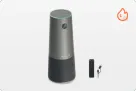
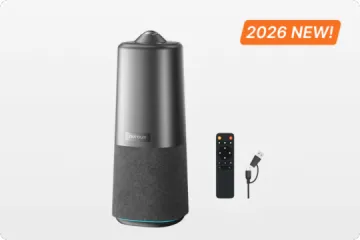
      360° All-in-1 for All-Size Rooms

      Nuroum 360 Pro

      https://resource.auditoryworks.co/nuroum-v1/strapi/header_c40_c17b54f724/header-c40.png

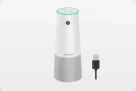
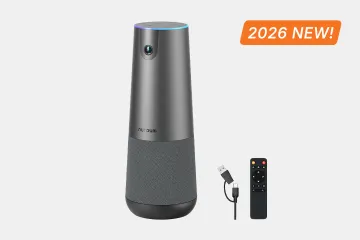
      4K Lens For Medium Room

      Nuroum C40

      https://resource.auditoryworks.co/nuroum-v1/strapi/a35_conference_speakerphone_471c9dff72/a35-conference-speakerphone.png

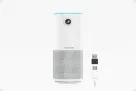
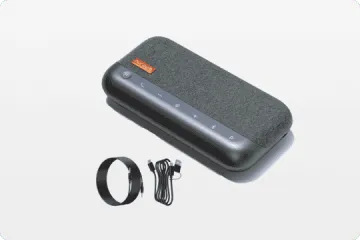
      Cascading for Large Meeting Room

      Nuroum A35

      https://resource.auditoryworks.co/nuroum-v1/strapi/A35x2_08d85feb_aea1_4fac_aad9_2a0d1ee20402_eb68cddba8.jpg

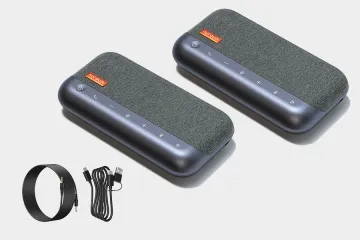
      For Large Room

      Nuroum A35*2


      • 360 Pro vs Meeting Owl 3
      • Customer Story of 360 Pro
      • Killer Features of 360 Pro
  • Conference Camera
    View products

    • https://resource.auditoryworks.co/nuroum-v1/strapi/c46_conference_camera_7b681a6317/c46-conference-camera.png

      4K Lens For Small Room

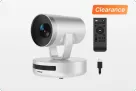
      Nuroum C46

      https://resource.auditoryworks.co/nuroum-v1/strapi/c20_conference_camera_7f008064ed/c20-conference-camera.png

      1080P Lens For Huddle Room

      Nuroum C20

      https://resource.auditoryworks.co/nuroum-v1/strapi/c10_conference_camera_4e2b3300b7/c10-conference-camera.png

      1080P Lens For Personal Space

      Nuroum C10


      • Customer Story of C46
  • Business Headset
    View products

    • Open Ear Wireless Headset

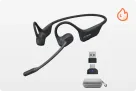
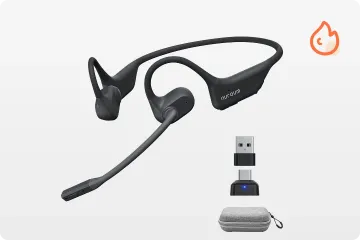
      OpenEar Pro 2

      Dual-Ear Wireless Headset

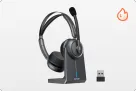
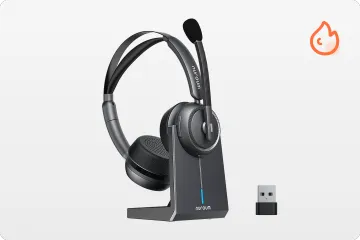
      HP31D

      Single-Ear Wireless Headset

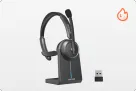
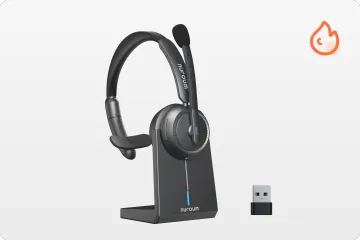
      HP31S


      • vs. Shokz & OpenRock
      • Customer Story
      • Best WFH Headsets
      • Key Features of HP31D
  • Conference Webcam
    View products

    • https://resource.auditoryworks.co/nuroum-v1/strapi/v403_conference_webcam_398e2e25fb/v403-conference-webcam.png

      AI-Powered PTZ Optics Camera

      Nuroum V403

      https://resource.auditoryworks.co/nuroum-v1/strapi/v32af_conference_webcam_4a54830808/v32af-conference-webcam.png

      4K Webcam For Streaming And Remote Work

      Nuroum V32AF

      https://resource.auditoryworks.co/nuroum-v1/strapi/v15af_conference_webcam_5f98e95463/v15af-conference-webcam.png

      Conference Room Webcam With Auto Focus

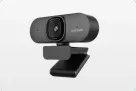
      Nuroum V15AF


      • Best Webcam for Small Room
      • How to Set Up in Meetings
      • Why Nuroum Webcam?
  • Speakerphone
    View products

    • https://resource.auditoryworks.co/nuroum-v1/strapi/a15_conference_speakerphone_068ecbf997/a15-conference-speakerphone.png

      Audio Pro for Clear Communication

      Nuroum A15


      • Daisy Chain
      • How to Choose Speaker
      • Audio-visual Solution
  • Video Conference Solution
    View products

    • https://resource.auditoryworks.co/nuroum-v1/strapi/403_a15_video_conference_solution_f7498e6b88/403-a15-video-conference-solution.png

      For Medium Room

      Nuroum V403+A15*1

      https://resource.auditoryworks.co/nuroum-v1/strapi/403_a15_2_video_conference_solution_c300a783f9/403-a15-2-video-conference-solution.png

      For large Room

      Nuroum V403+A15*2


      • BEST AV Solutions for You
      • Large Room AV Solution
      • Medium Room AV Solution
      • Small Room AV Solution
  • All-size Rooms Solution
    View products

    • https://resource.auditoryworks.co/nuroum-v1/strapi/huddle_conference_solution_ca02342223/huddle-conference-solution.png

      up to 5 participants

      Huddle Room

      https://resource.auditoryworks.co/nuroum-v1/strapi/small_conference_solution_397cc9dfd8/small-conference-solution.png

      up to 8 participants

      Small Room

      https://resource.auditoryworks.co/nuroum-v1/strapi/medium_conference_solution_052045511d/medium-conference-solution.png

      up to 13 participants

      Medium Room

      https://resource.auditoryworks.co/nuroum-v1/strapi/nuroum_large_video_conference_solution_d411720c3a/nuroum-large-video-conference-solution.png

      up to 20 participants

      Large Room


      • vs. traditional room
      • vs. traditional huddle room
      • vs. traditional medium room
      • V403+A15*2 for large rooms
  • Headset Use Cases
    View products

    • https://resource.auditoryworks.co/nuroum-v1/strapi/nuroum_call_center_scenario_f1ed35679c/nuroum-call-center-scenario.png

      Call Center

      https://resource.auditoryworks.co/nuroum-v1/strapi/noise_cancelling_headphones_for_office_warehouse_banner_7d774d50a8/noise-cancelling-headphones-for-office-warehouse-banner.png

      Warehouse

      https://resource.auditoryworks.co/nuroum-v1/strapi/female_doctor_glasses_headset_desk_laptop_writing_28c4811b1a/female-doctor-glasses-headset-desk-laptop-writing.png

      Healthcare & Virtual Nursing

      https://resource.auditoryworks.co/nuroum-v1/strapi/factory_workers_fc1a1eeca1/factory-workers.png

      Manufacturing

      https://resource.auditoryworks.co/nuroum-v1/strapi/noise_canceling_wireless_headset_with_microphone_online_teaching_remore_teaching_656d330d58/noise-canceling-wireless-headset-with-microphone-online-teaching-remore-teaching.webp

      Online Teaching

      https://resource.auditoryworks.co/nuroum-v1/strapi/food_beverage_headsets_2603c8f4af/food-beverage-headsets.png

      Food & Beverage

      https://resource.auditoryworks.co/nuroum-v1/strapi/retail_frontline_headsets_8217a78f70/retail-frontline-headsets.png

      Retail Frontline


      • Best Business Headset
      • Best Telehealth Headsets
      • Best Receptionist Headsets
      • Best Call Center Headsets
  • Webcam Scenarios
    View products

    • https://resource.auditoryworks.co/nuroum-v1/strapi/nuroum_solution_creation_5ec893e6dd/nuroum-solution-creation.png

      Creation

      https://resource.auditoryworks.co/nuroum-v1/strapi/nuroum_solution_education_8852f76993/nuroum-solution-education.png

      Education

      https://resource.auditoryworks.co/nuroum-v1/strapi/nuroum_solution_healthcare_d5148f078b/nuroum-solution-healthcare.png

      Healthcare


      • Best headset for drivers
      • Maximize work productivity
  • Help
    • Why Open Ear
    • Audio Technologies
    • Customer Stories
    • FAQ
    • Software NearSync
  • Blog
    • Work Productivity
    • Communication
    • Leadership
    • Non-Profit Management
    • Business Tech Trends
    • Customer Stories
    • Nuroum Updates
    • All the Topics >>
  • Connect
    • About Us
    • Contact Sales
    • Get a Demo
    • Brand Ambassador
    • Become a Reseller
    • Contact Us
    • Terms of use
Welcome to Nuroum
Join Now Log In
Just 31g. The Lightest Open-Ear HeadsetHP31D: Professional 45H Call Center Headset
logoNuroum
  • Meeting
    Video Conference
    Conference Camera
    Conference Webcam
    Speakerphone
    Video Conference Solution
    360° all-in-one conference camera

    360° All-in-1 for All-Size Rooms

    360 Pro

    4K 120° Camera With Expandable Audio

    4K 120° Camera With Expandable Audio

    C40

    Audio Conferencing Solution For Medium Room

    Speakerphone for Medium Room

    A35

    Audio Conferencing Solution For Large Room

    Speakerphones for Large Room

    A35*2

    Explore All Video Conference Solutions

    Camera Collection >>
    360 Pro vs Meeting Owl 3 Real Reviews of 360 Camera C40 vs Logitech Group
  • Headsets
    Nuroum open ear wireless headphones with microphone

    Open Ear Wireless Headset

    OpenEar Pro 2

    work from home headset with noise cancelling microphone nuroum hp31d

    Dual-Ear Wireless Headset

    HP31D

    best single ear bluetooth headset for phone calls nuroum hp31s

    Single-Ear Wireless Headset

    HP31S

    Discover What Makes Each Headset Stand Out

    Collection - Business Wireless Headsets -->
    vs. Shokz & OpenRock Customer Story Best WFH Headset Best Office Headset Key Features of HP31D
  • Solution
    All-size Rooms
    Headset Use Cases
    Webcam Scenarios
    Nuroum Conference Cameras in Huddle Room

    up to 5 participants

    Huddle Room

    Nuroum Conference Room Cameras in Small Room

    up to 8 participants

    Small Room

    Nuroum Meeting Cameras in Medium Room

    up to 13 participants

    Medium Room

    Nuroum Video Conference Cameras in Large Room

    up to 20 participants

    Large Room

    vs. traditional large room vs. traditional medium room vs. traditional small room V403+A15*2 for large rooms
  • Explore
    • Why Open Ear
    • Audio Technologies
    • Customer Stories
    • FAQ
    • Software NearSync
  • Blog
    • Work Productivity
    • Communication
    • Leadership
    • Non-Profit Management
    • Business Tech Trends
    • Customer Stories
    • Nuroum Updates
    • All the Topics >>
  • Connect
    • About Us
    • Contact Sales
    • Get a Demo
    • Brand Ambassador
    • Become a Reseller
    • Contact Us
    • Terms of use
Contact Sales
HP31SHP31S
Overview
  • Overview
  • Key Features
  • Audio
  • Productivity
  • Sample
  • Ecosystem
Spec
Review
FAQ
$85.50$94.99Buy Now Buy
Overview
  • Overview
  • Key Features
  • Audio
  • Productivity
  • Sample
  • Ecosystem
Spec
Review
FAQ
single ear bluetooth headset broad compatibility listing hp31s
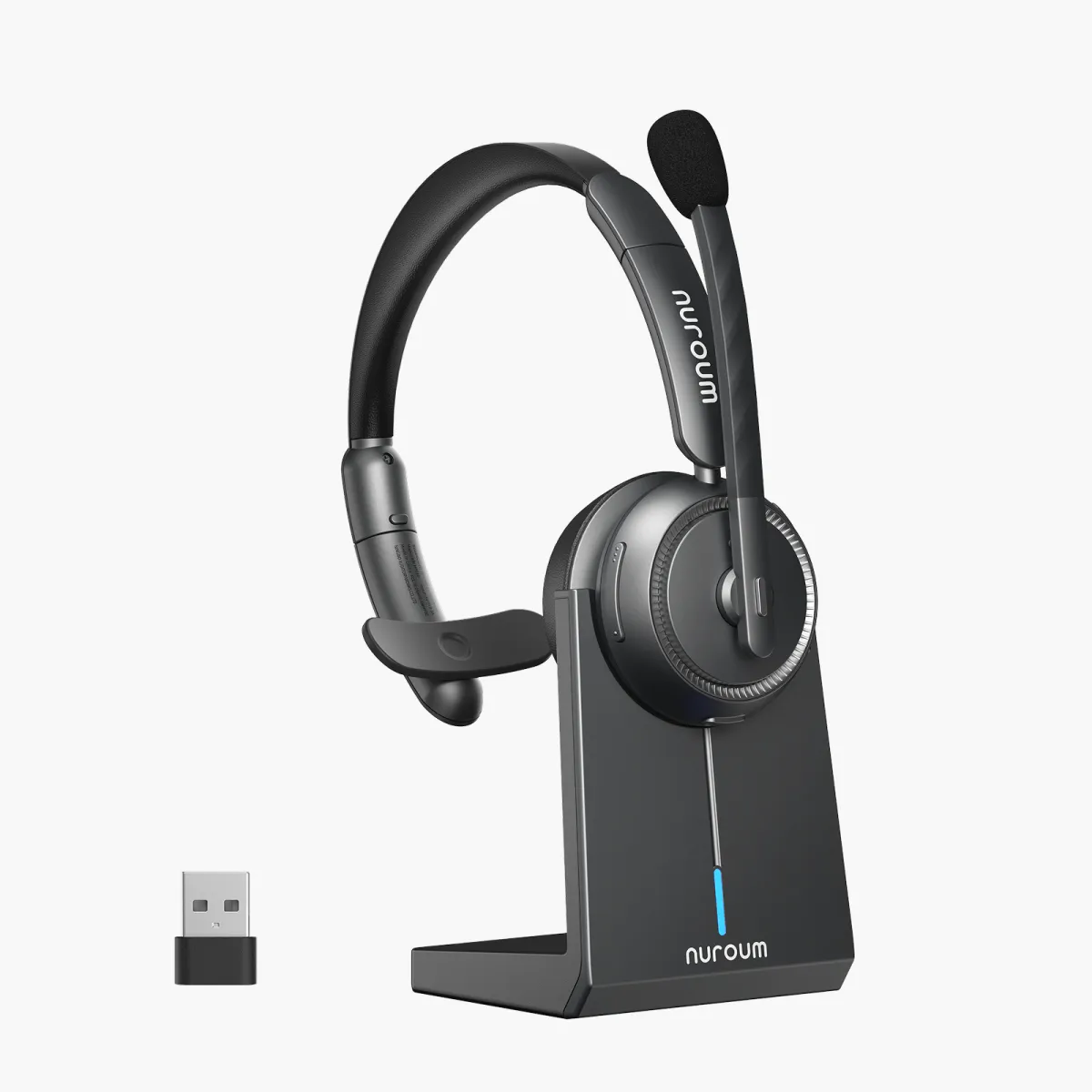
Nuroum HP31S single-ear headset with mic shown in work and home settings, highlighting HiFi4 DSP and AI background noise cancellation.
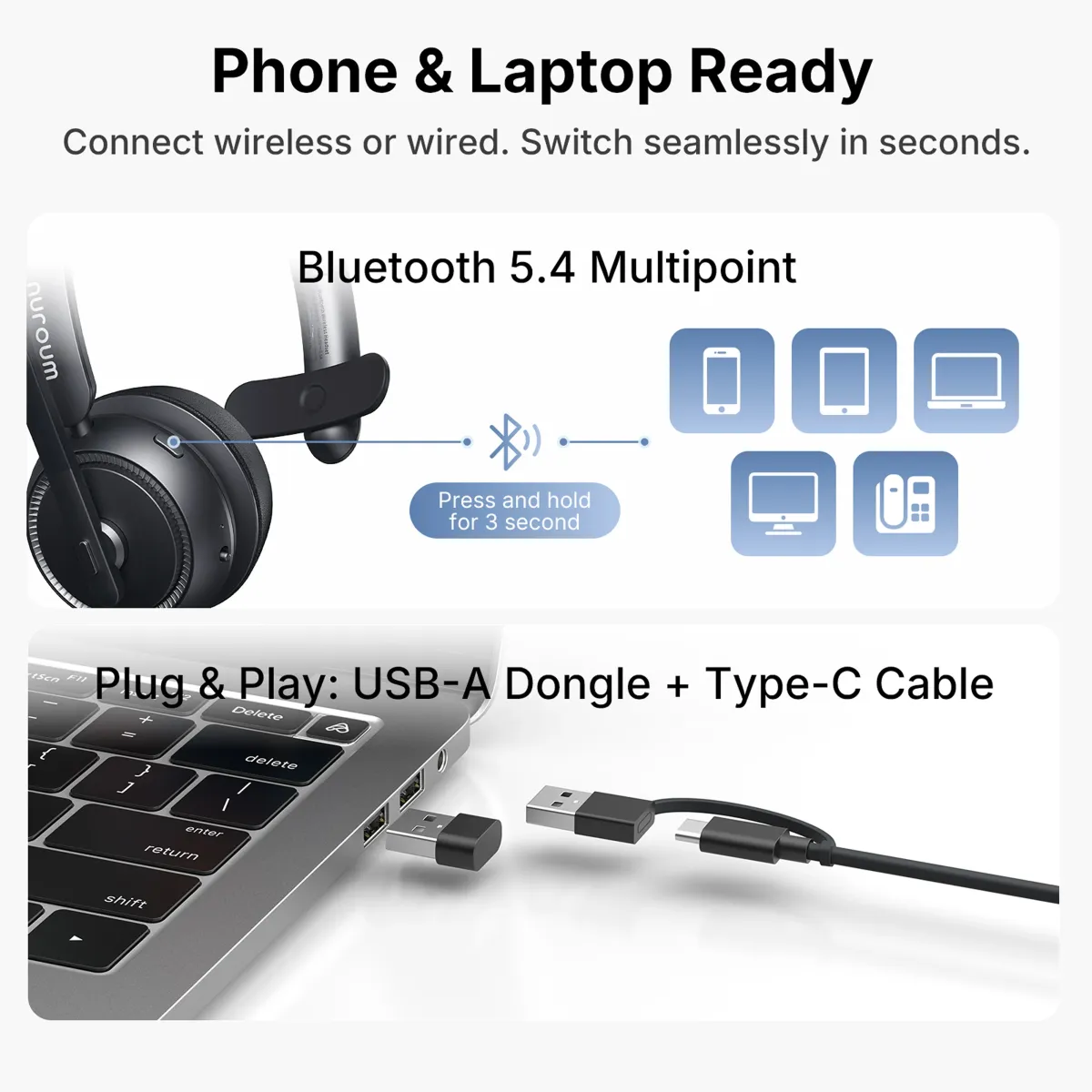
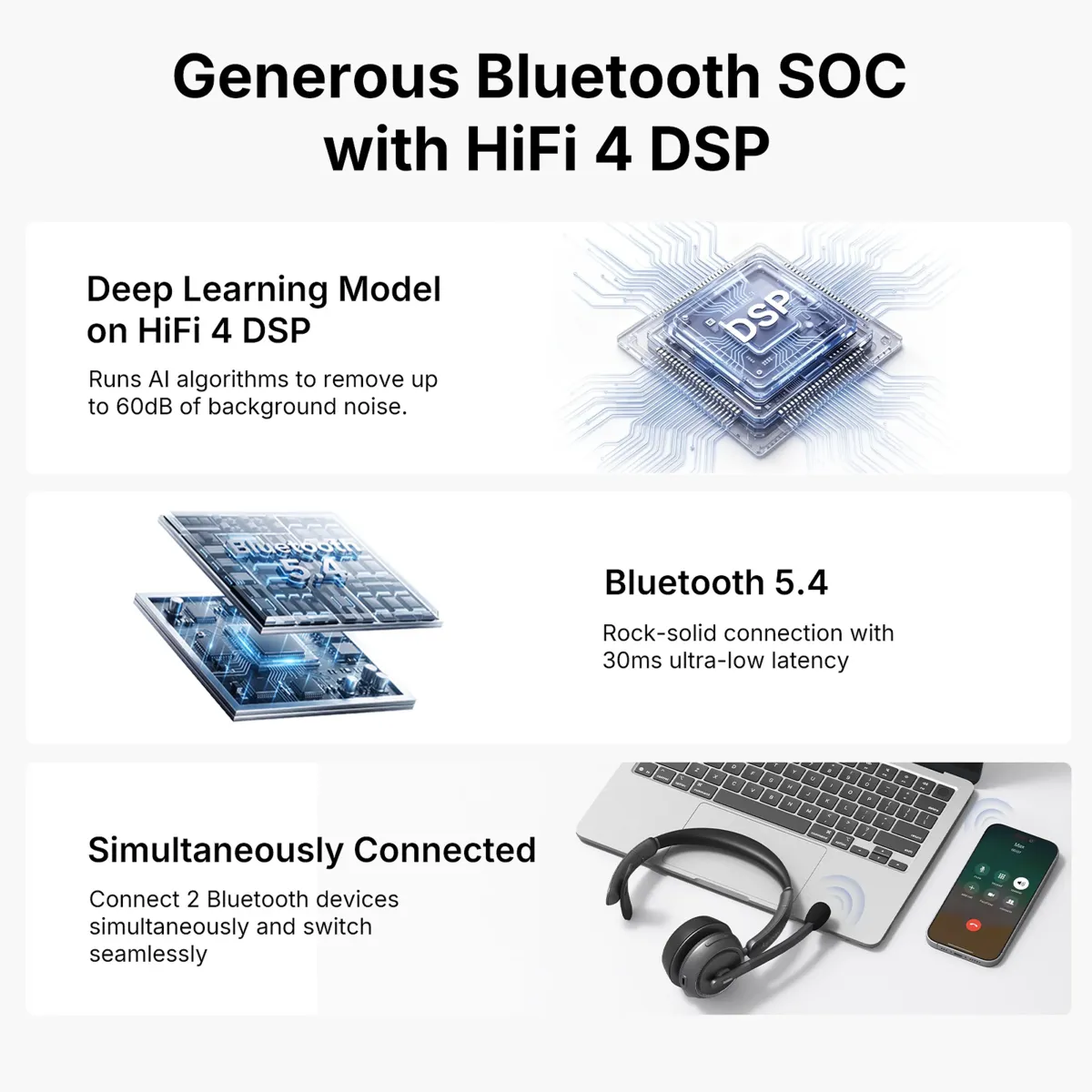
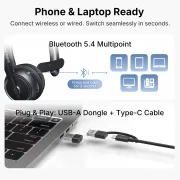
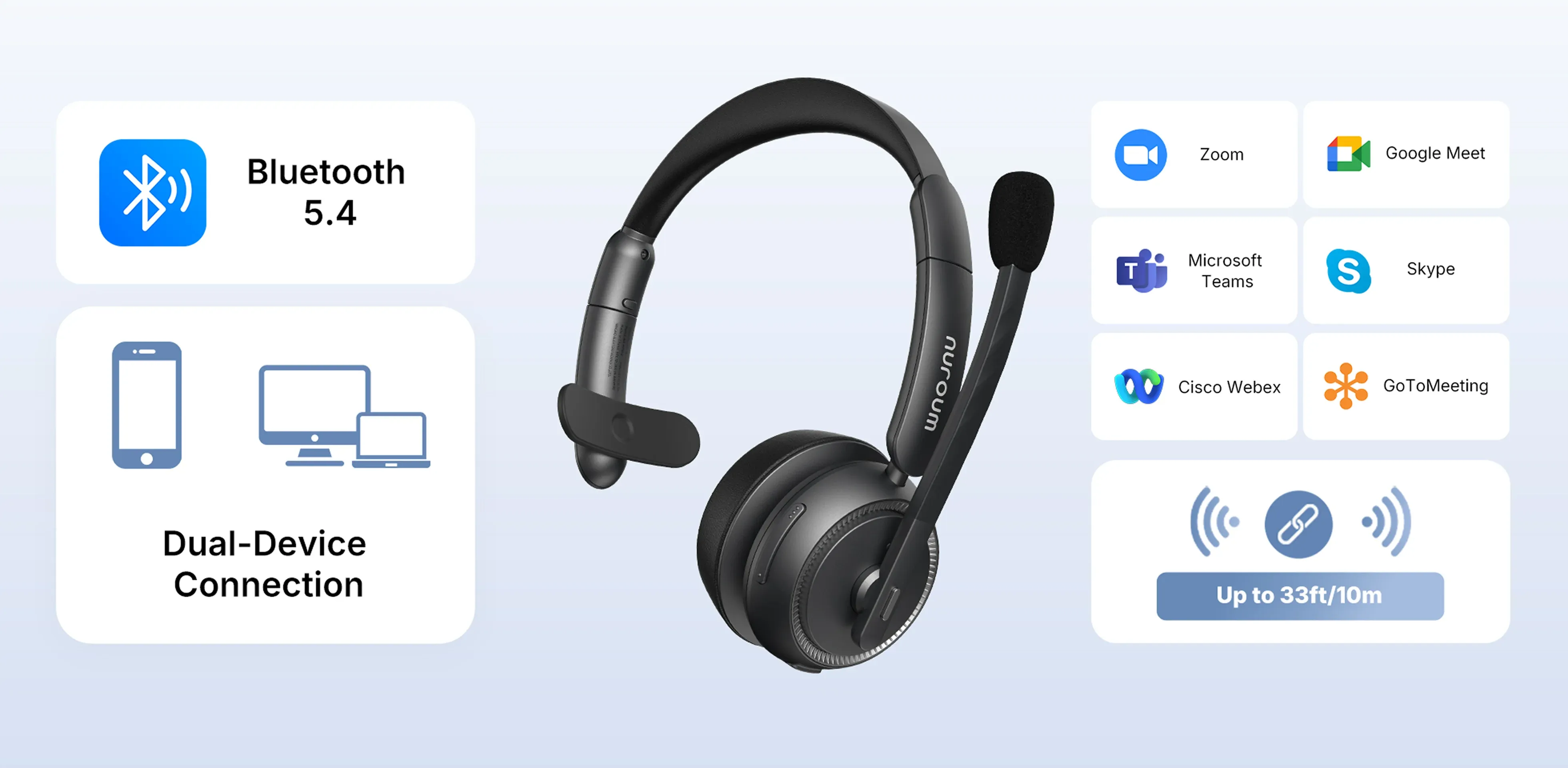
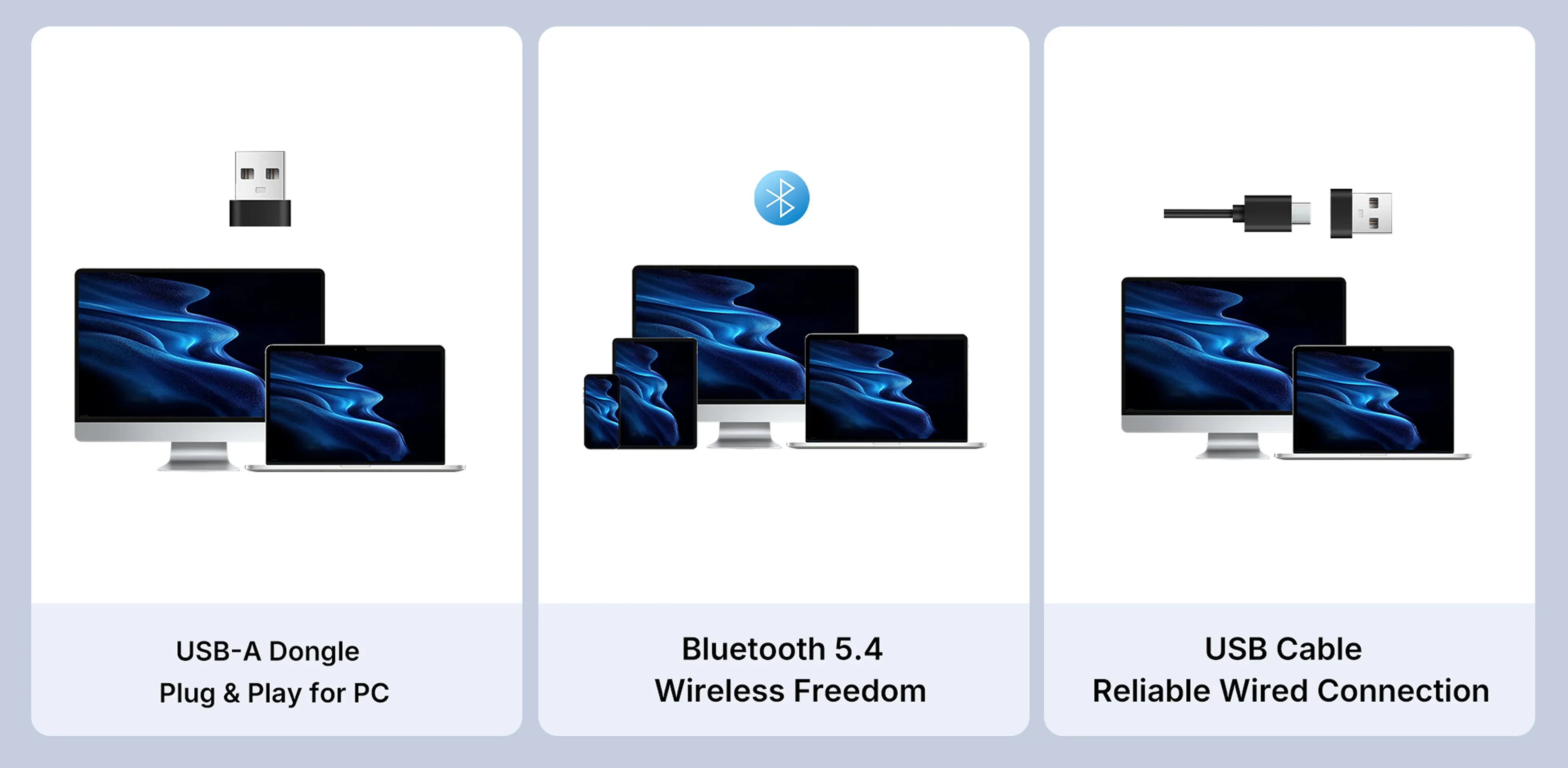
Nuroum HP31S single-ear Bluetooth headset with Bluetooth 5.4 multipoint, USB-A dongle and USB-C cable connections for phones and computers.
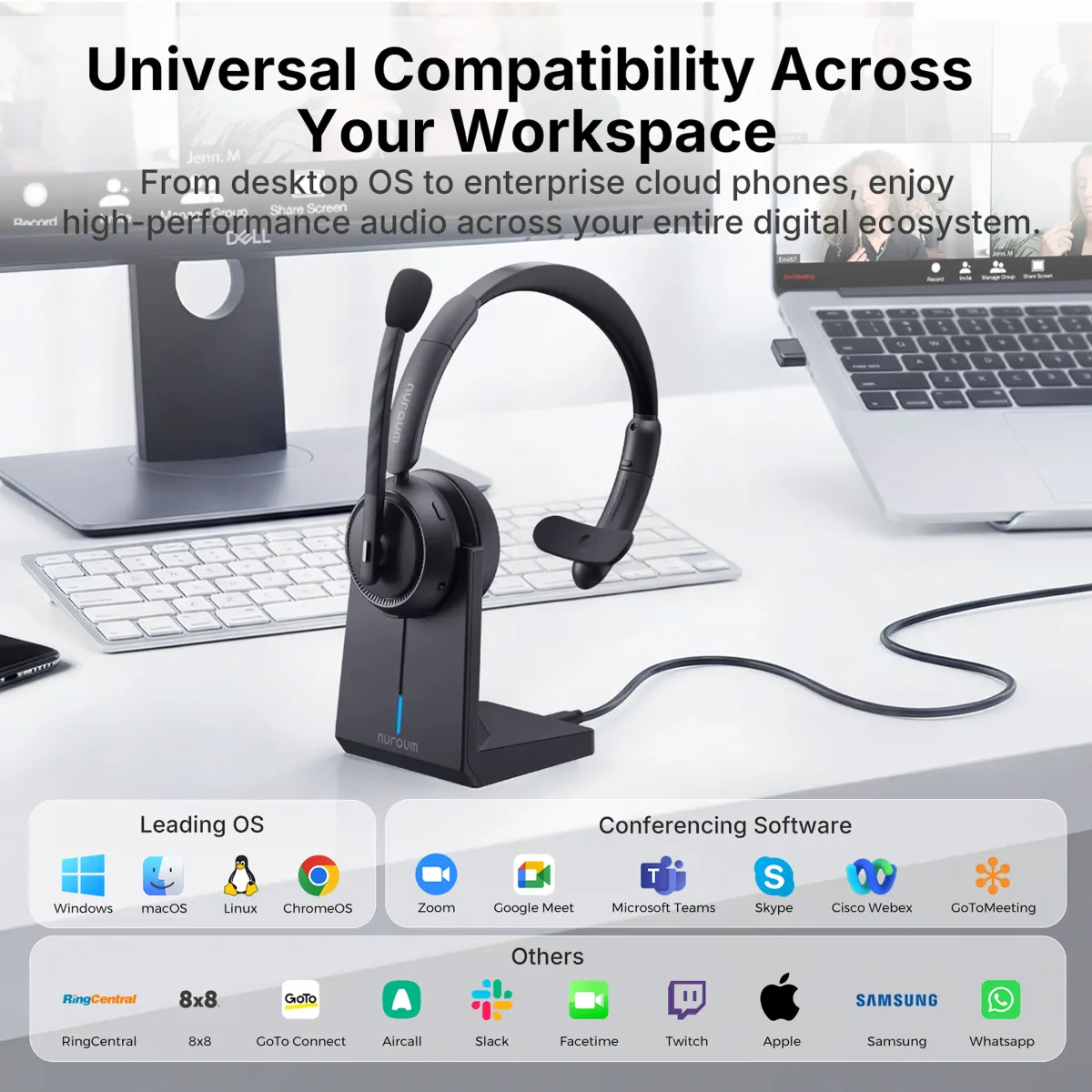
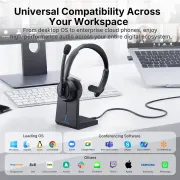
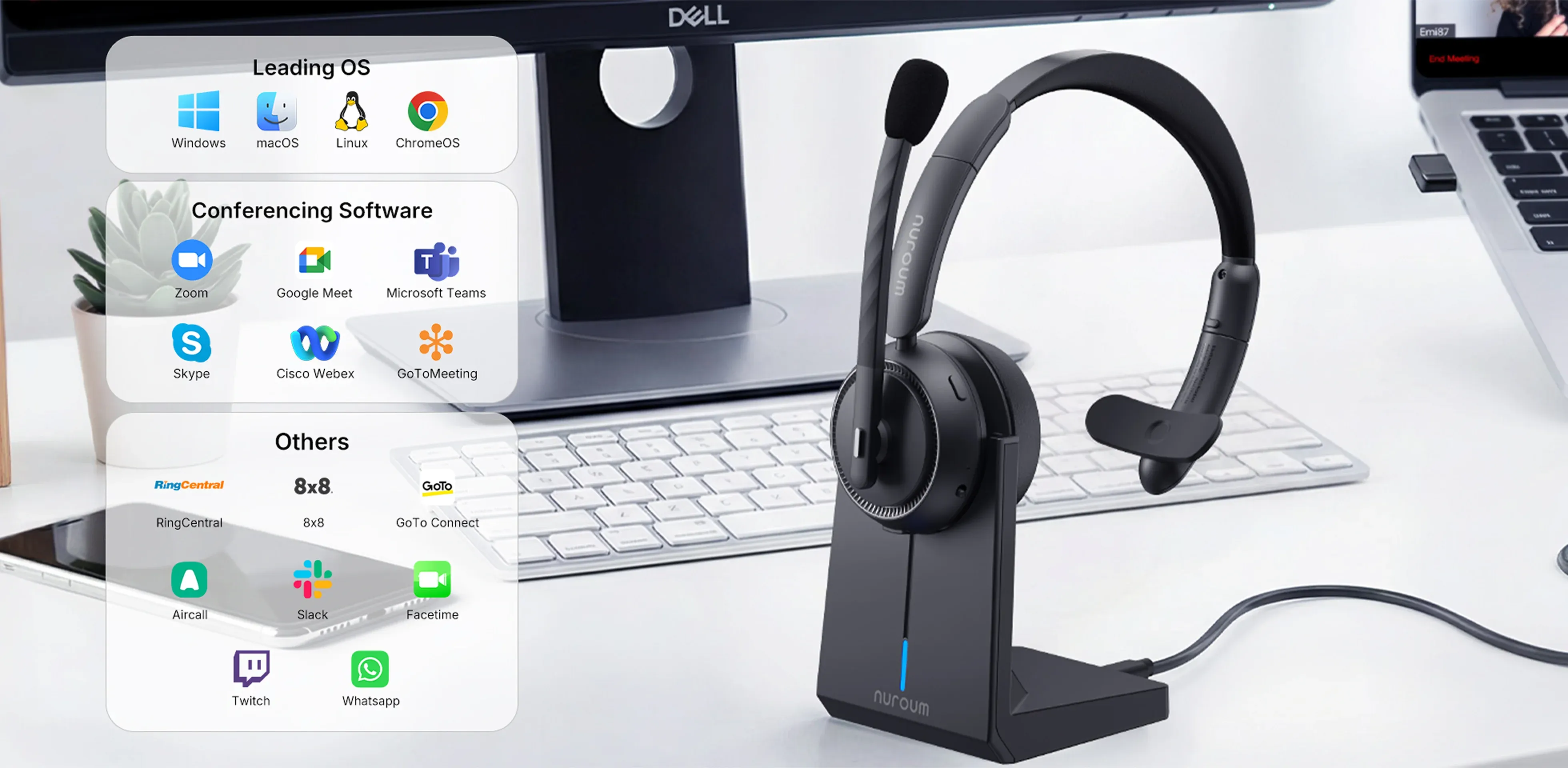
Nuroum HP31S wireless headset with USB dongle on a charging stand beside a computer, with operating system and communication platform compatibility logos.
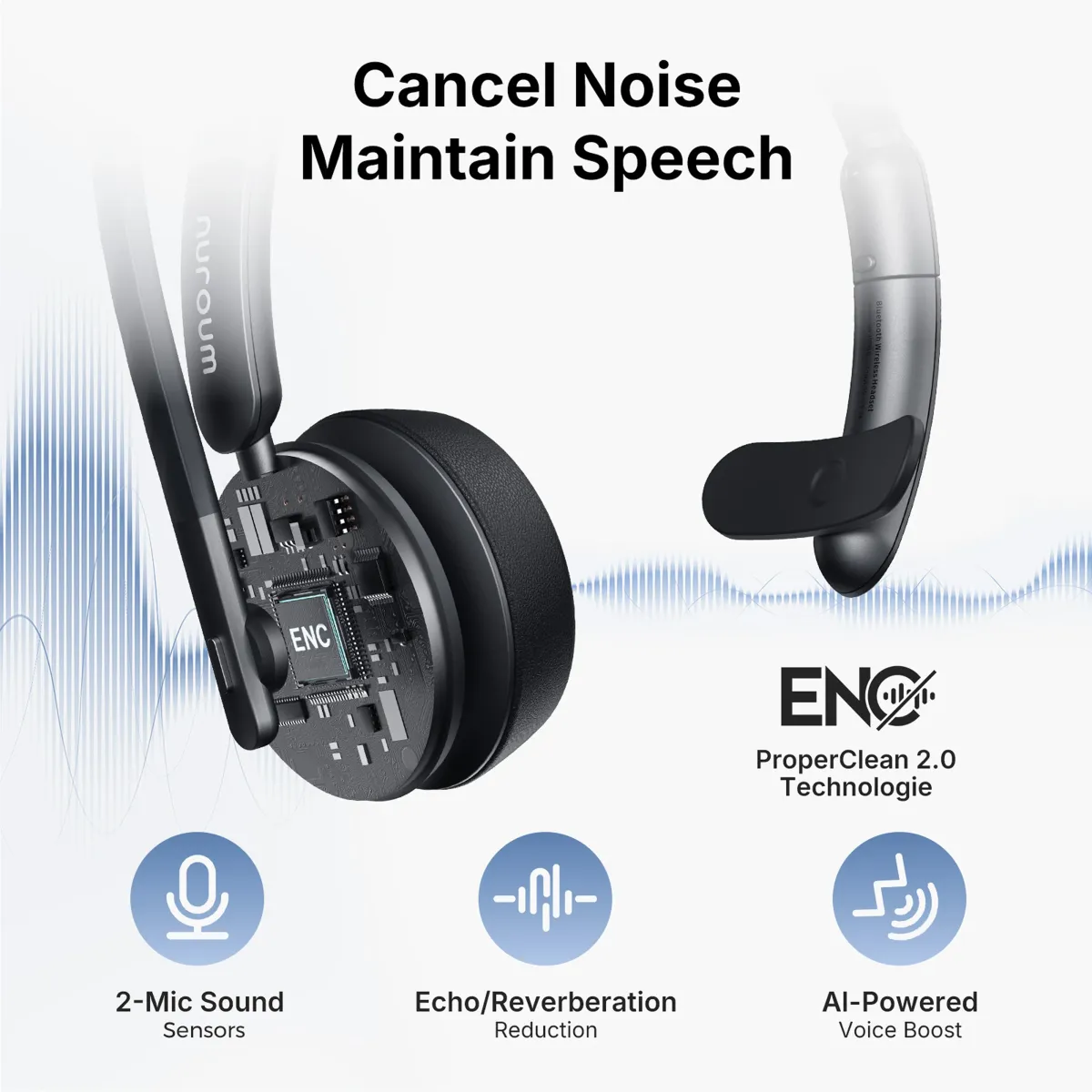
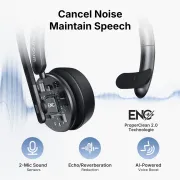
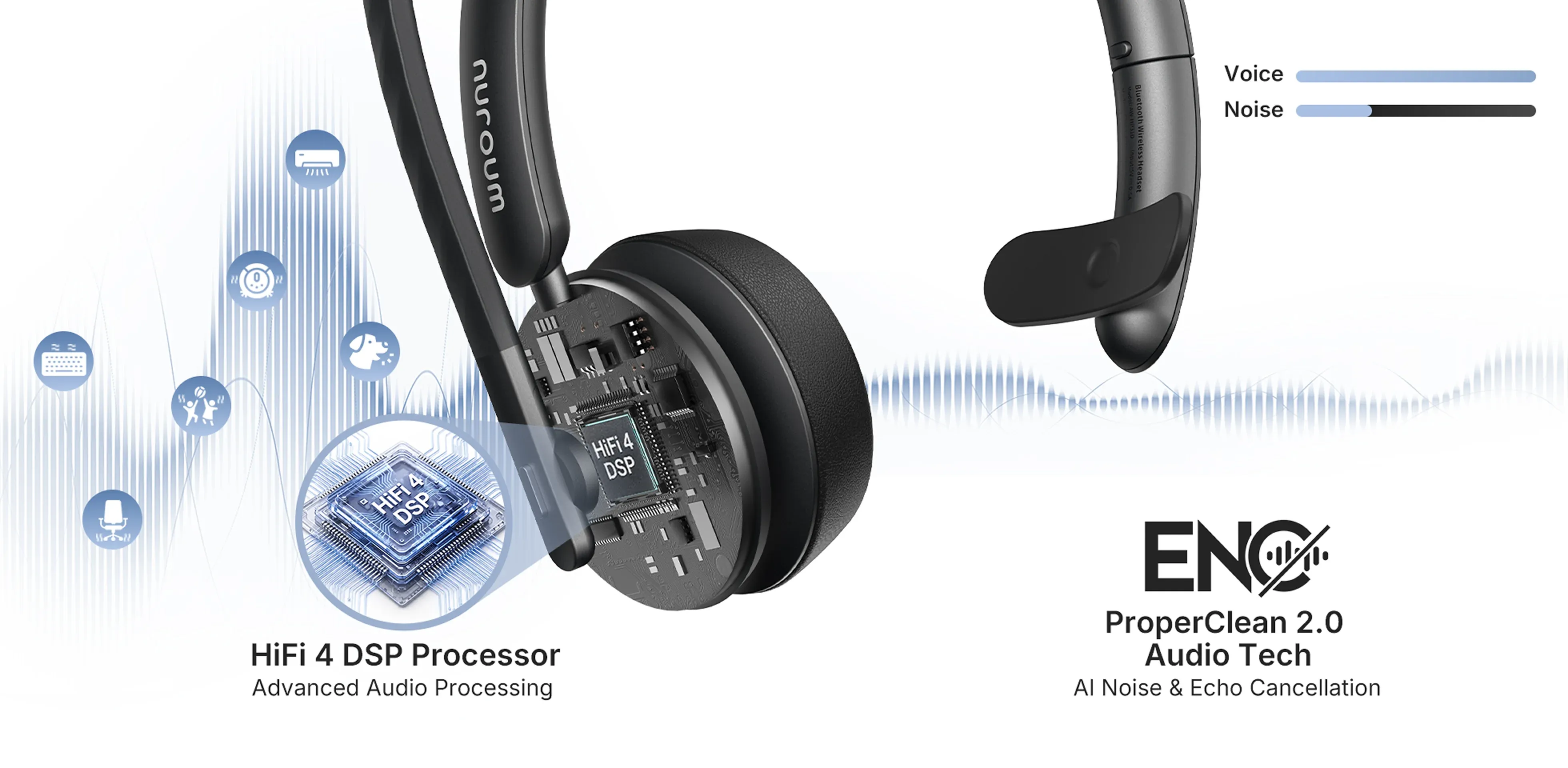
Nuroum HP31S mono Bluetooth headset cutaway showing ProperClean 2.0 AI noise cancellation, dual-mic sound sensors, echo reduction and voice enhancement.
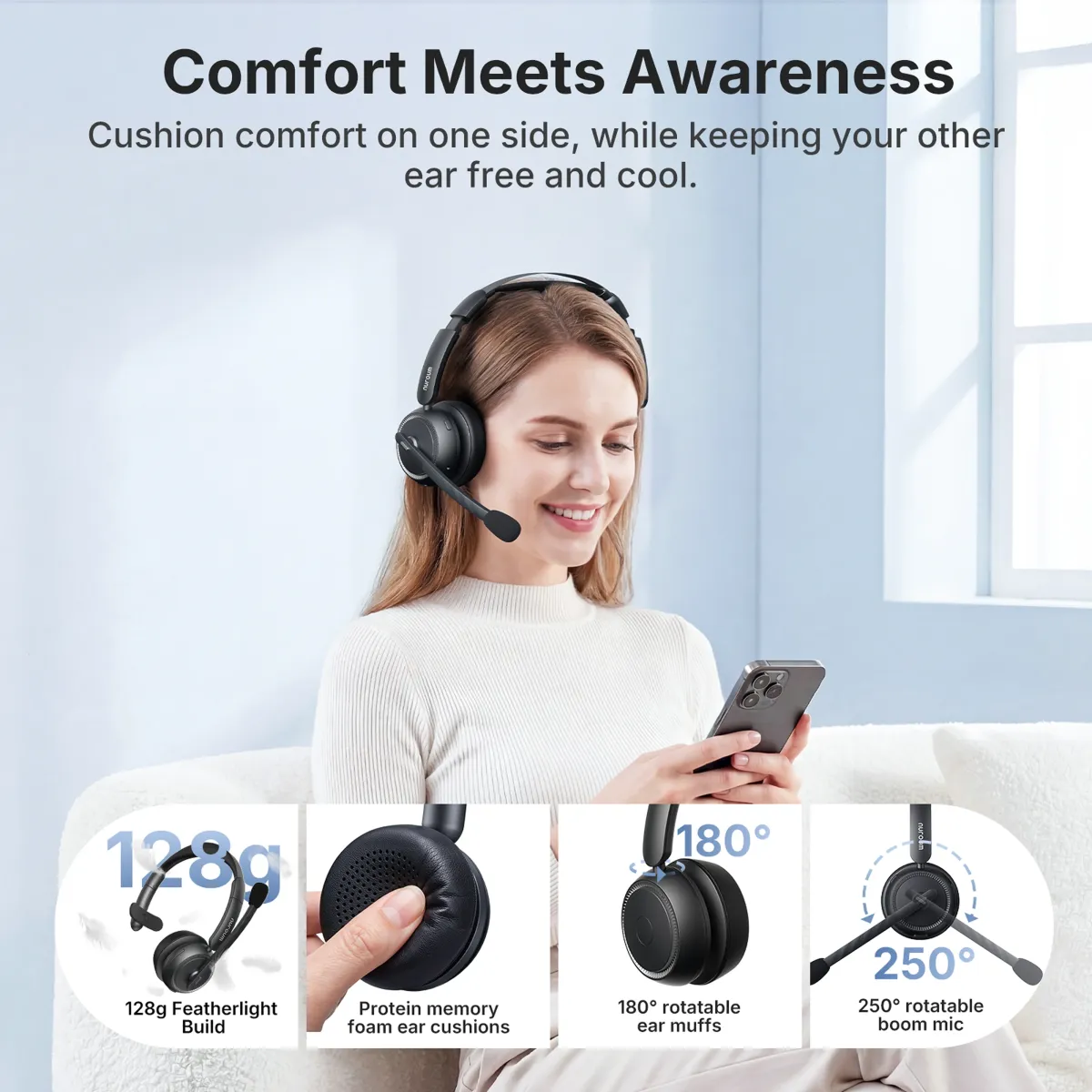
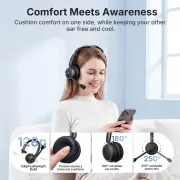
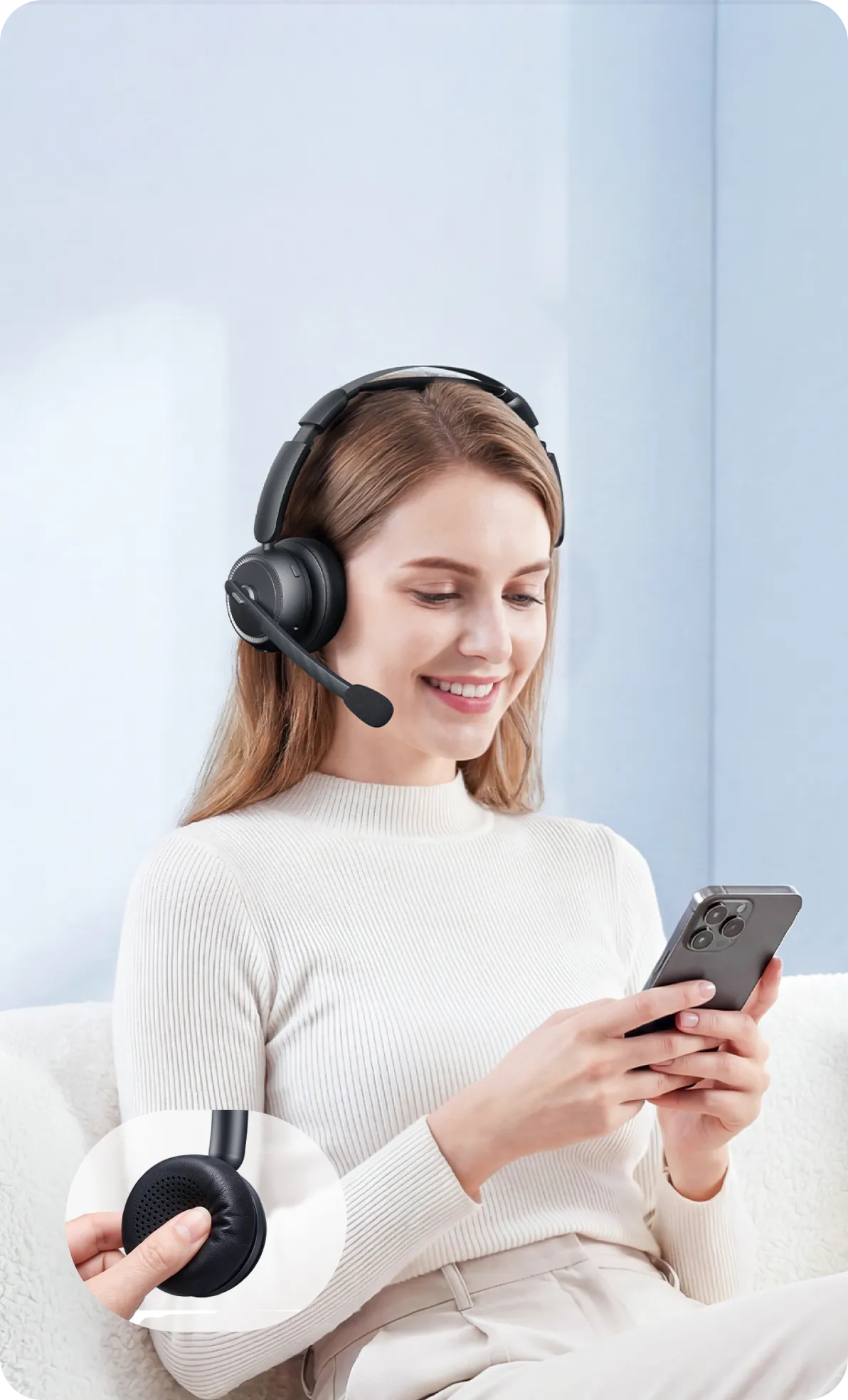
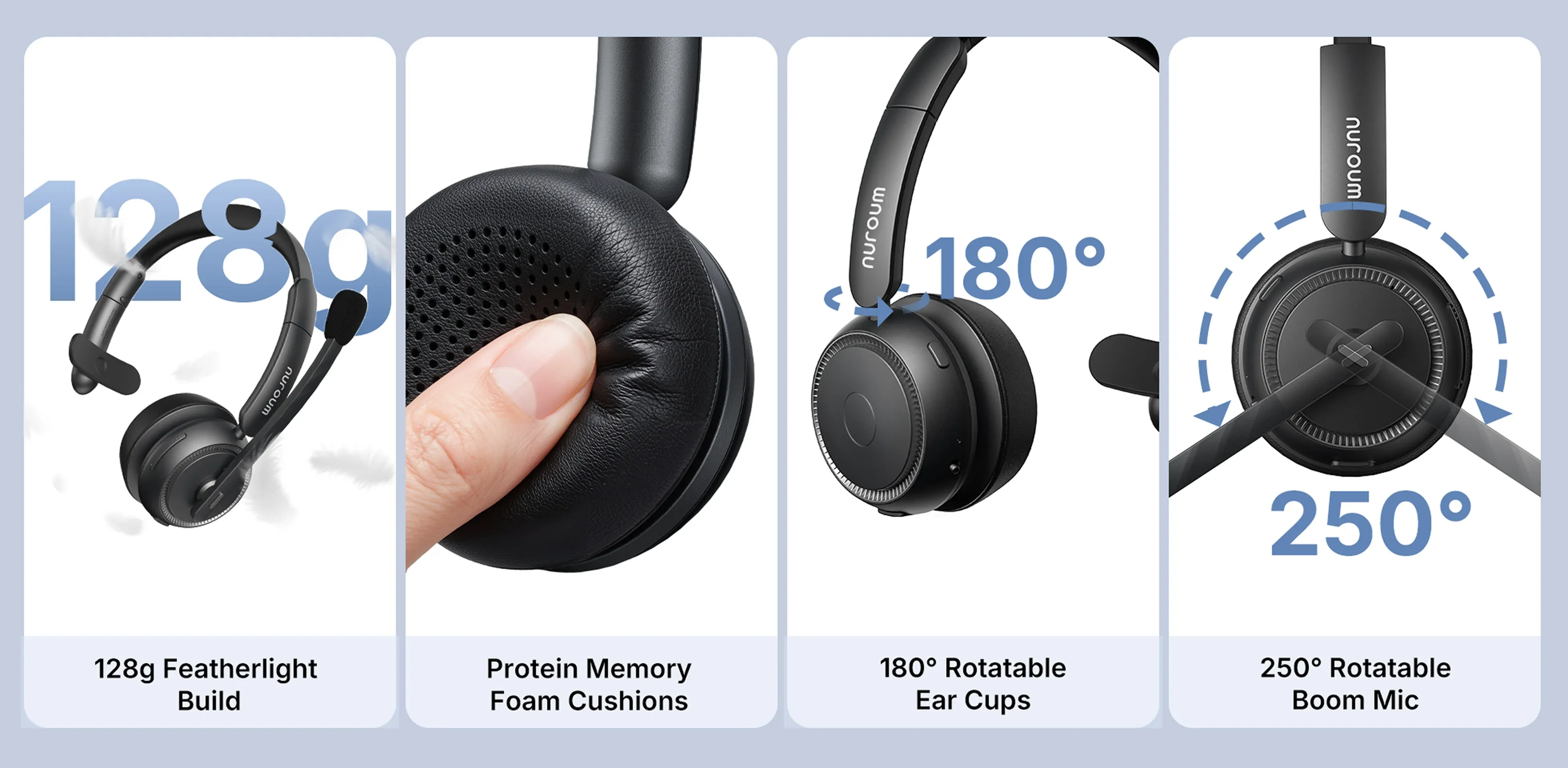
Woman wearing a Nuroum HP31S lightweight single-ear headset with mic, highlighting its 128 g build, soft cushion, swivel earcup and adjustable boom mic.
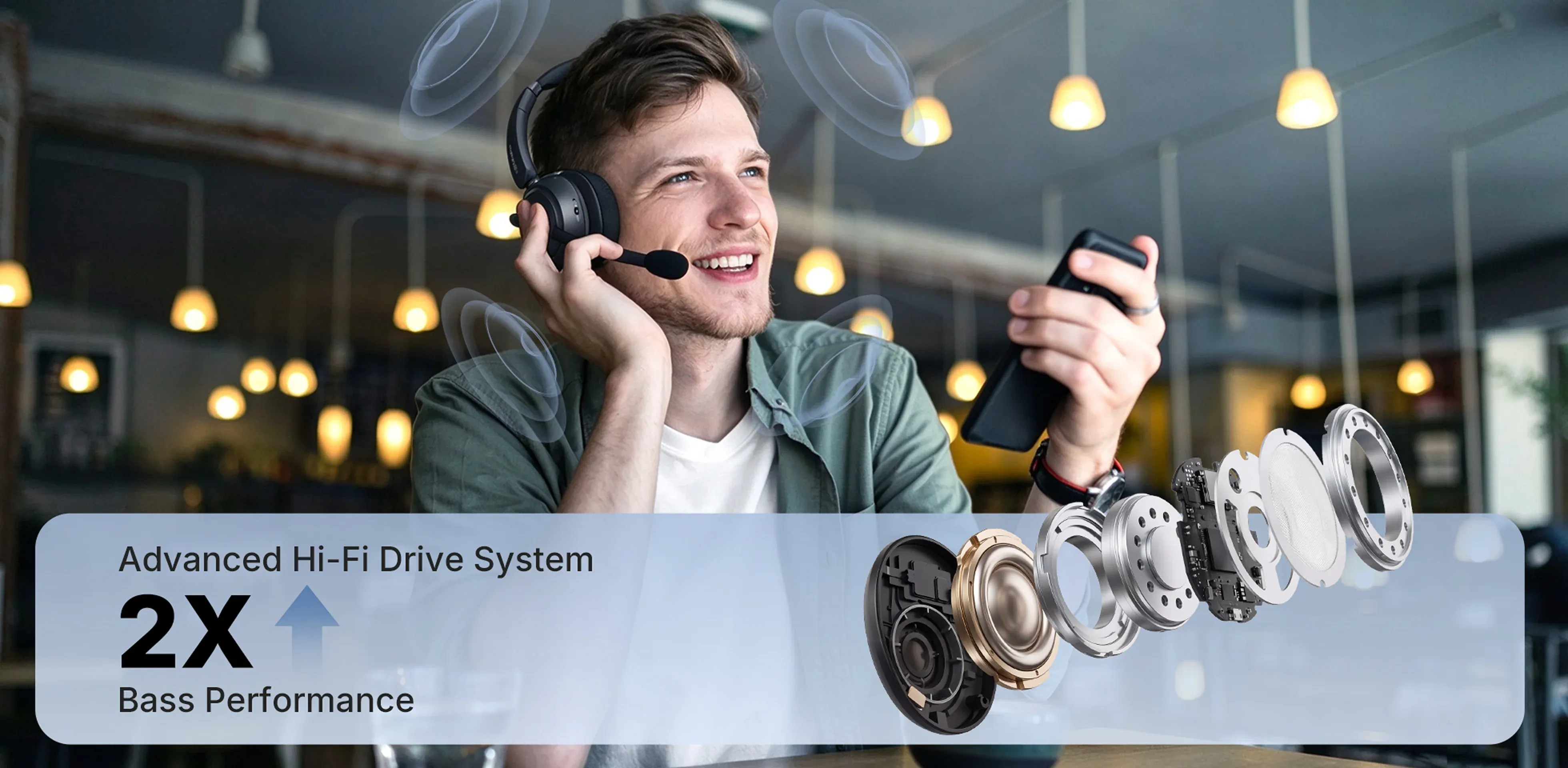
Man using a Nuroum HP31S single-ear headphone with mic, alongside an exploded Hi-Fi driver illustration highlighting enhanced bass performance.
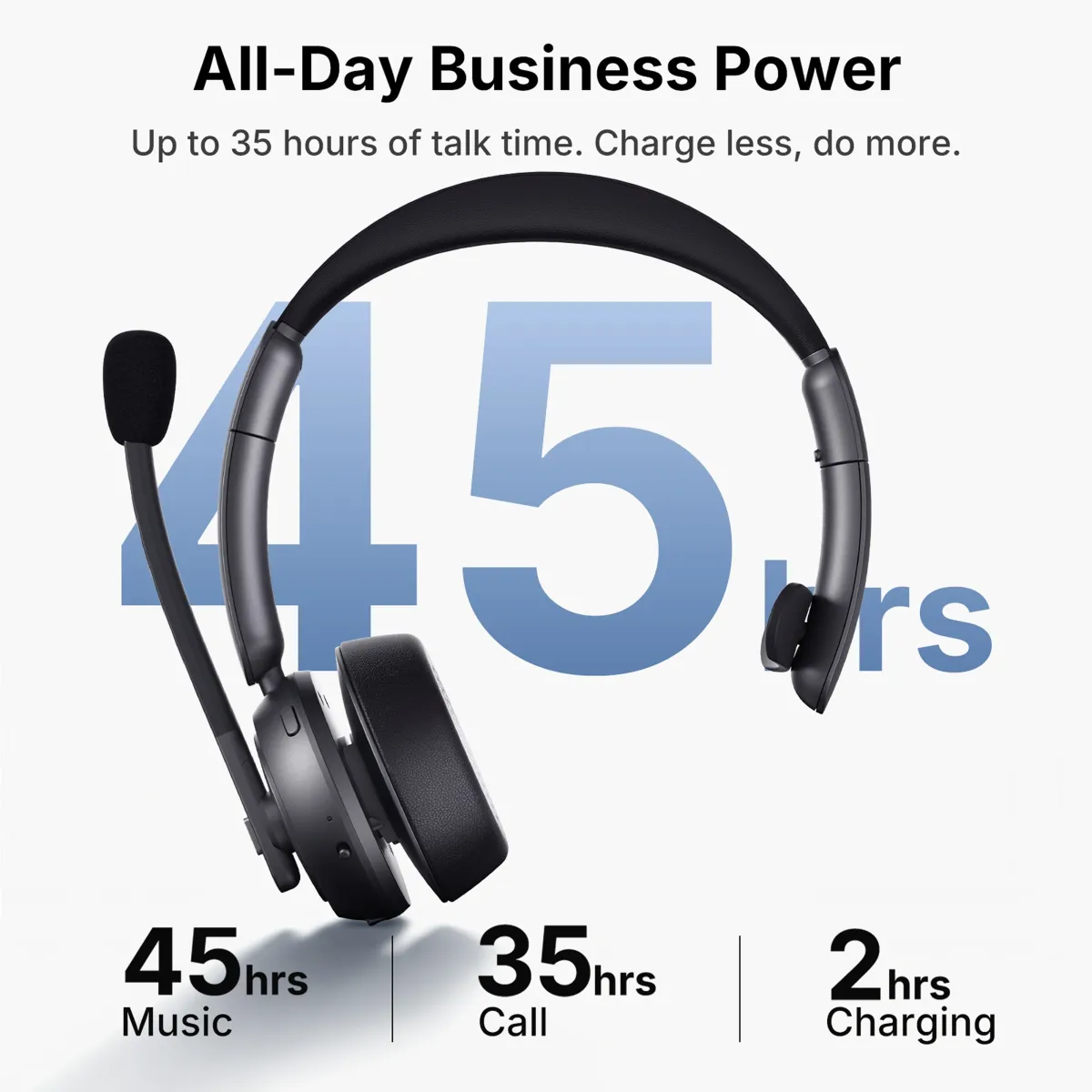
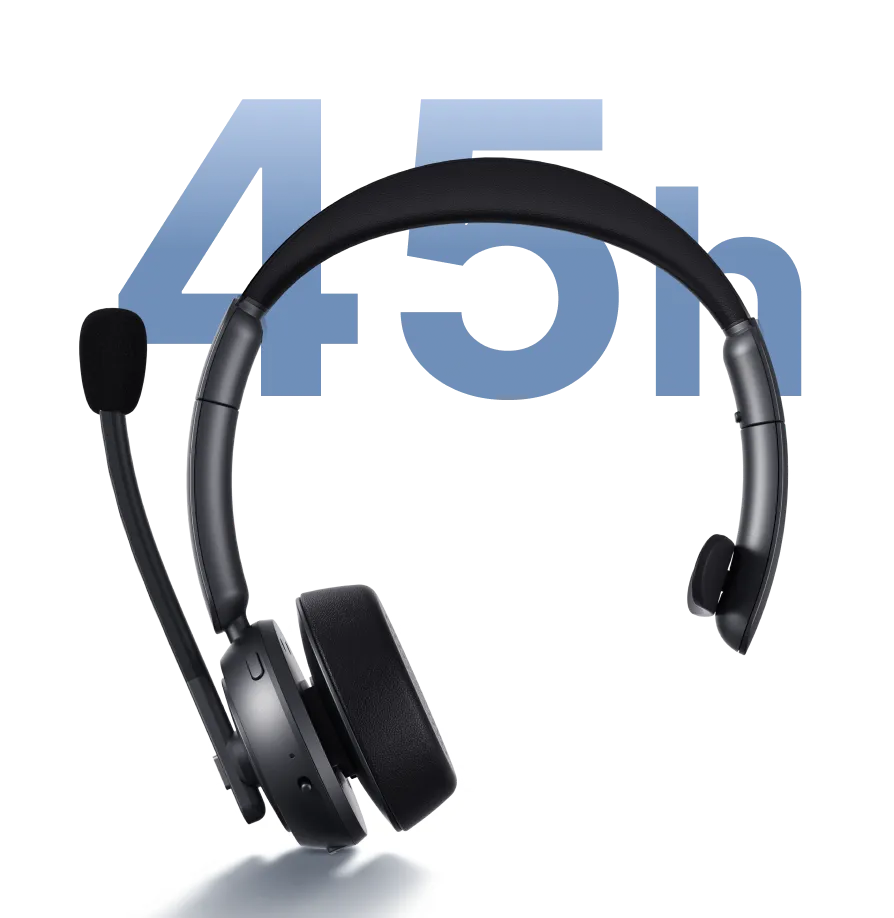
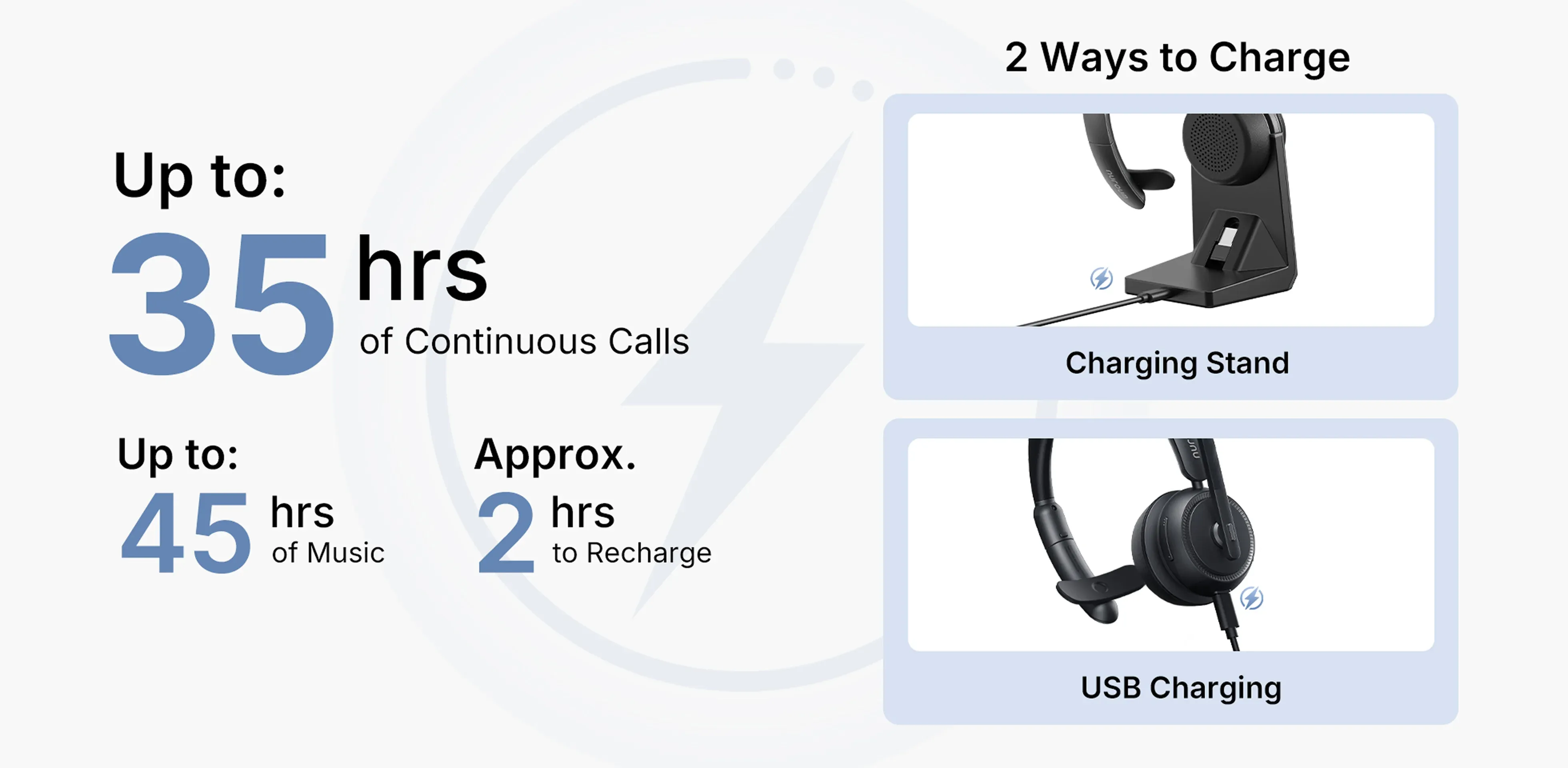
Nuroum HP31S wireless mono headset with up to 35 hours of continuous calls, 45 hours of music and approximately 2-hour charging.
Driver communicating with dispatch and warehouse employee talking to a coworker while wearing the Nuroum HP31S single-ear Bluetooth headset.
single ear headset with mic bluetooth
single ear headset with mic unboxing
single ear headset with mic buttons
1/12
Product image 1
Product image 2
Product image 3
Product image 4
Product image 5
Product image 6
Product image 7
Product image 8
Product image 9
Product image 10
Product image 11
Product image 12

Scenario

Connection

Compatibility

Box

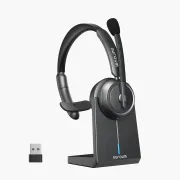
HP31S (2nd Gen) | Professional Noise Cancelling Single Ear Headset with Mic for Call Center & WFH

4.9
  • Clearer Office Calls with AI Noise Cancellation: Help colleagues and clients hear you clearly. This single-ear Bluetooth headset combines AI-powered ENC and a HiFi4 DSP processor to reduce background chatter, keyboard noise and other distractions during office and home-office calls.
  • Bluetooth 5.4—Stay Connected to PC and Phone: Connect two Bluetooth devices at once and switch between computer meetings and mobile calls without repeated pairing. With 30 ms low latency and a stable wireless range of up to 33 feet, this wireless mono headset delivers responsive audio and gives you room to move around your workspace.
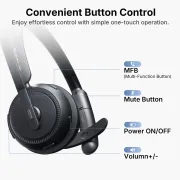
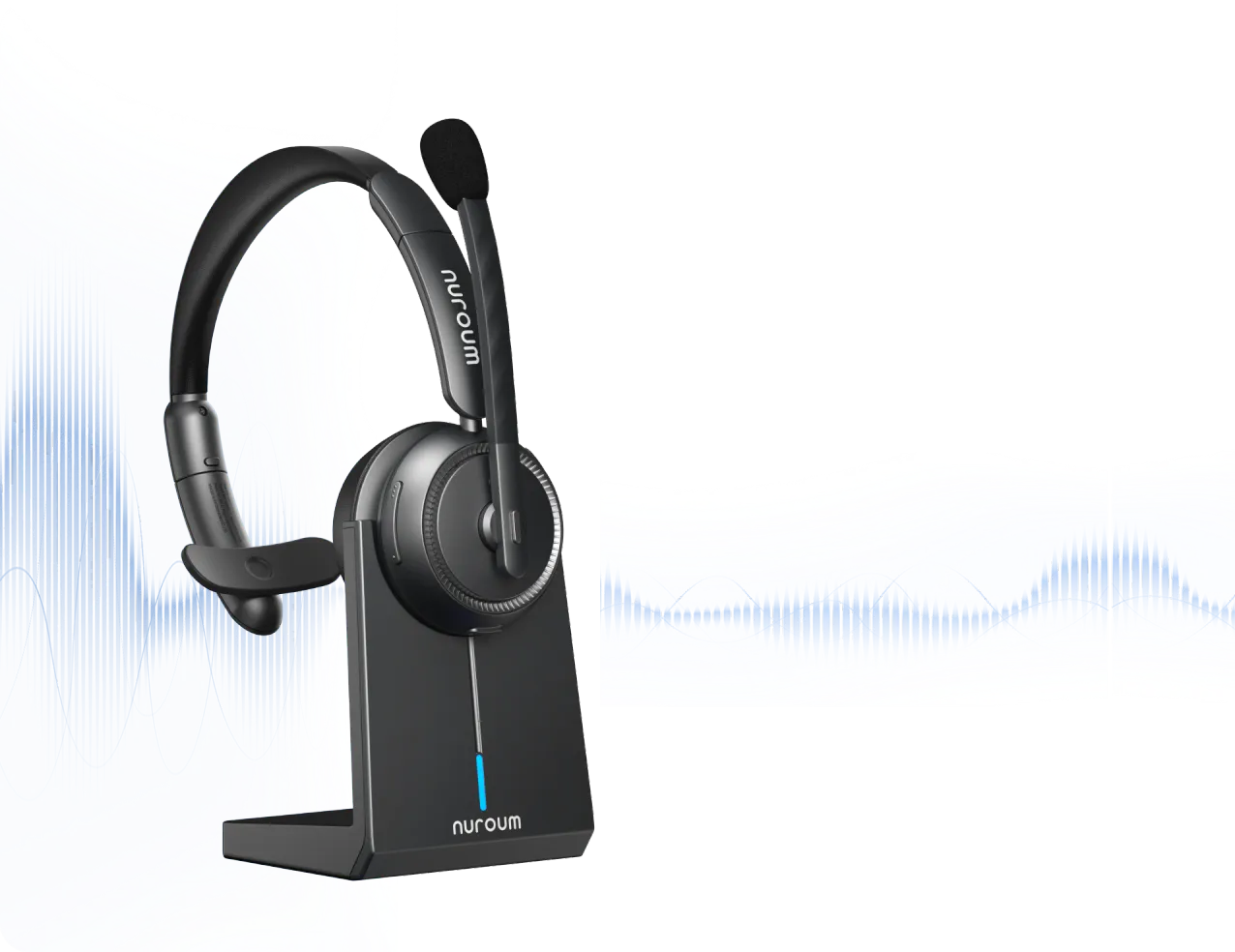
  • Long Battery Life for Back-to-Back Meetings: Get up to 35 hours of continuous calls or 45 hours of music per charge. Manage mobile calls and mute your microphone using easy-to-reach buttons. Recharge with the included charging stand or USB cable.
  • Lightweight Comfort at Just 128 g, with One Ear Open
  • Stay comfortable through long meetings with this single-ear headset with mic, featuring soft memory foam and a padded, adjustable headband. The earcup swivels 180°, and the boom mic rotates 250°, so you can wear the headset comfortably on either ear, while one ear stays open for conversations with coworkers.
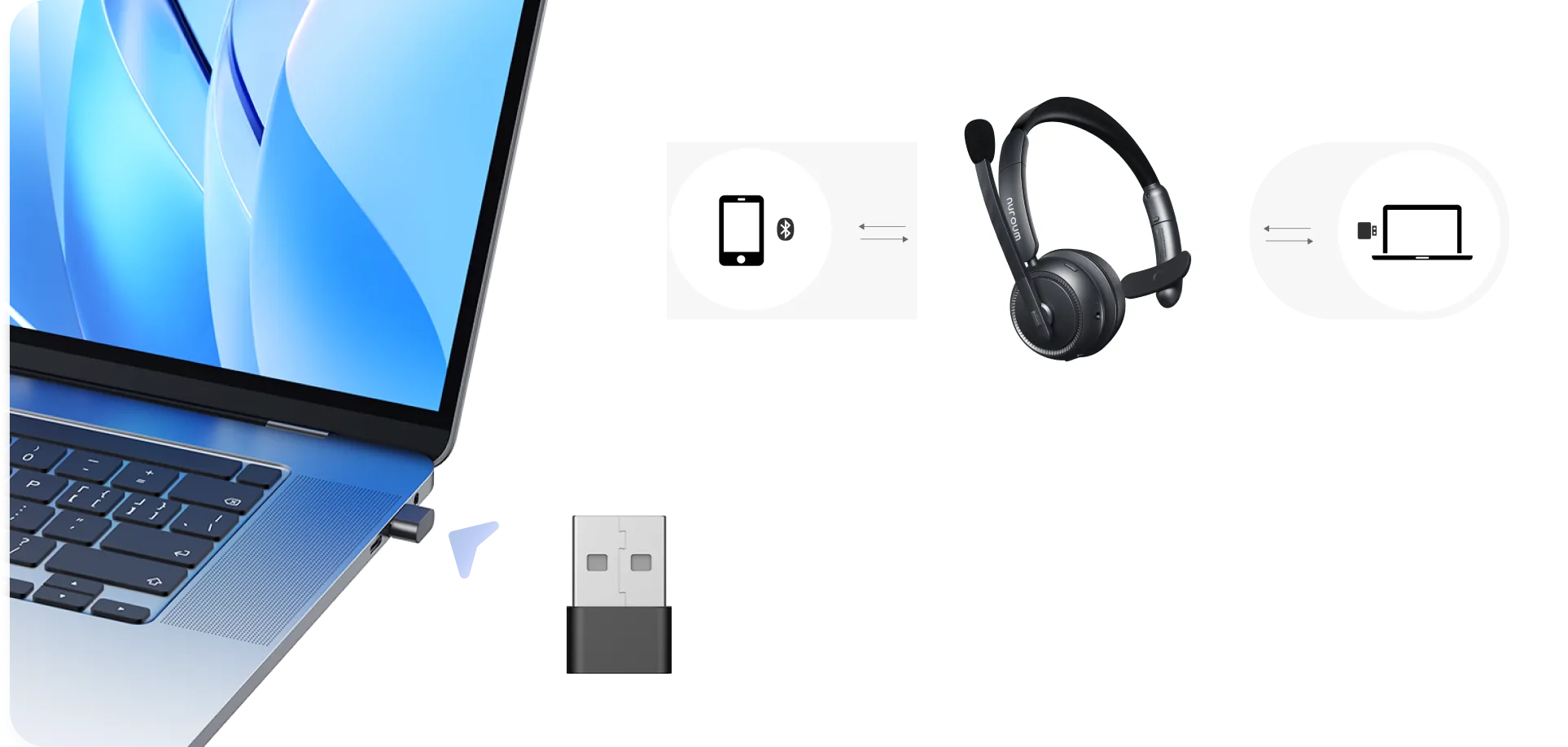
  • Flexible Connections for Office and Hybrid Teams: Connect this single-ear wireless headset with mic for PC via Bluetooth, the included USB-A dongle or a USB cable. Work across Windows, macOS, Linux, Android and iOS devices, and join meetings on Teams, Zoom, Webex and more.
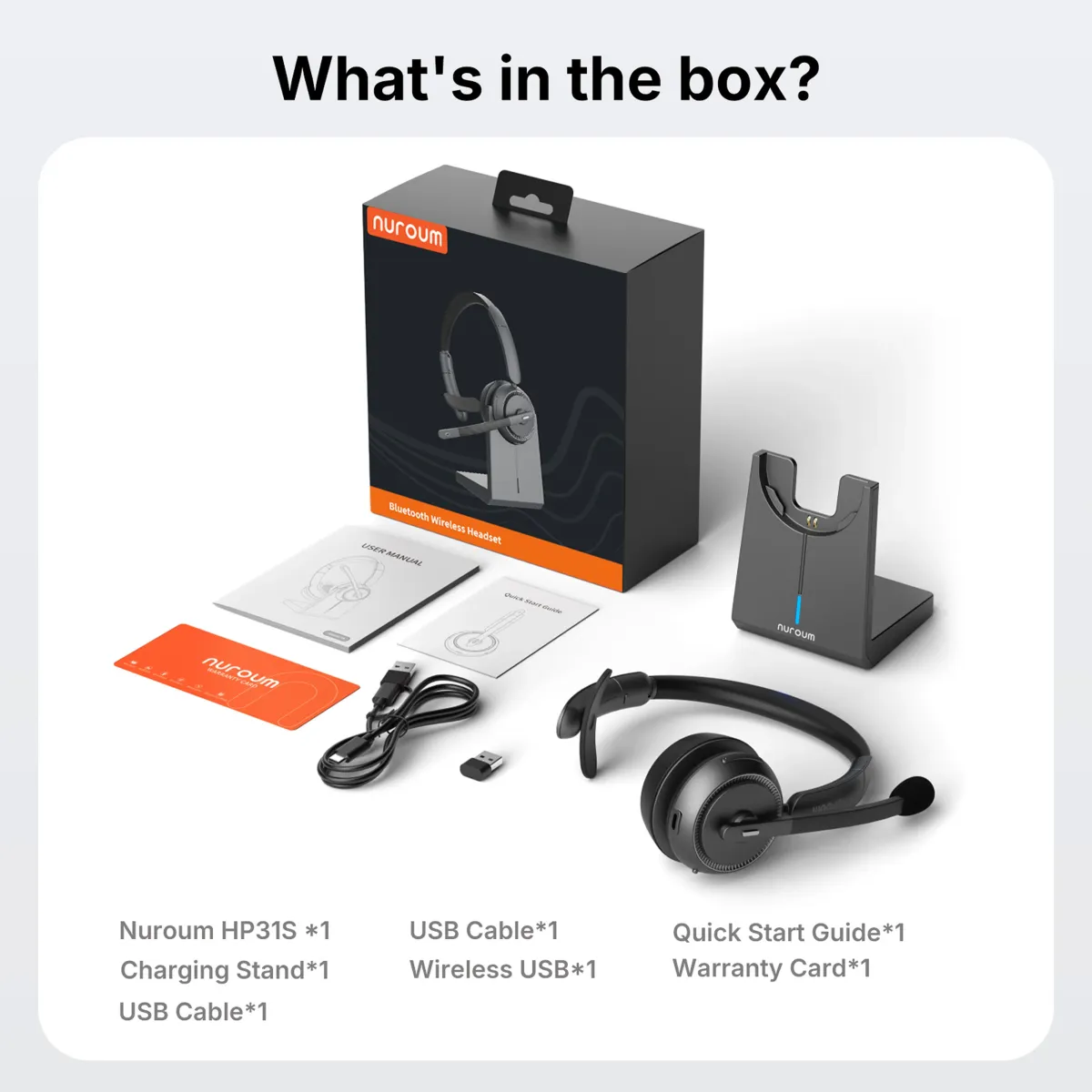
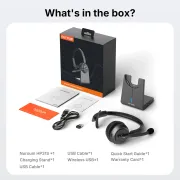
  • What’s in the Box: HP31S headset, charging stand, USB cable, wireless USB dongle, user manual, quick start guide and warranty card—one of each.
  • Overview
$85.50$94.99
30-DAYPrice Match
Talk to an Expert: +1 (360) 602-1188
Model:HP31S (Mono)
HP31D (Stereo)
HP31S (Mono)
Quantity:
1
Order Support
t 03 91d8a906 6117 4837 b03a 776b10df6972 2fd430-Day Price Match
t 03 670daf37 ce46 4504 8f83 92f314e6ae03 bcb71-Year Warranty
t 02 a1748a2f 2626 45de be44 e8c65a748831 8da5Fast Free Shipping
t 04 d7dd9d87 ab25 46a2 aabc 691a34097606 b91824-Hour Support
Fast Free Shipping
  • Free delivery is available in 40+ regions, including the US, Canada, Germany, Japan, and more. Shipping & Delivery Details
  • Standard: 3-7 weekdays (free). Premium: 1-3 weekdays (Available for US/CA/DE/EU/UK)
  • Stay Updated: You'll receive a tracking email the moment your order is on its way.
Hassle-Free Tax Exemptions

We proudly support government agencies and qualified organizations.

Simply email your exemption certificate to sales@nuroum.com.

Once verified, our team will personally guide you through your tax-exempt purchase using your registered email address.


Return & Warranty

14-Day Risk-Free Trial

Not the perfect fit? Return any undamaged product within 14 days for a full refund—no questions asked. Once our team completes a quick quality inspection at the warehouse, your refund will be processed promptly. Check our full policy for a seamless return experience.

Easy Return Conditions

  • Please keep your receipt and ensure the original packaging/accessories are intact.
  • Partial Refunds: If the product has been opened or used, we will assess its condition and determine an appropriate refund amount. Refund Details
  • Refunds are typically processed within 7 days of receiving your item.
  • Our Quality Promise: If a manufacturing defect occurs within the first 14 days, we'll cover all return or exchange costs, including shipping.


12-Month Quality Guarantee

Your peace of mind is our priority. Every Nuroum purchase is backed by a dedicated 12-month warranty service.

Delivery & Payment
Secure payment methods and shipping options for Nuroum noise cancelling headset orders.

Top Features

Single Ear Bluetooth Headset Built for Professional Excellence

single ear wireless headset with mic for pc for work deliver 99.9% noise suppression

ProperClean™ 2.0 Audio Tech

Advanced AI noise filtering with echo and resonance cancellation

single ear wireless headset with mic for pc for work with advanced bluetooth

Next-Gen Bluetooth

30 ms low-latency with a 33 ft range

single ear bluetooth headset for work with all-day comfort

Full-day Comfort

Comfort and stability reimagined—every detail, from earcups to headband

single ear wireless headset with mic for pc for work with broad compatibility

Wide Compatibility

single ear wireless headset with mic for pc for work one-click mute

Instant Mute

single ear wireless headset with mic for pc for work with Advanced Multipoint Technology

Effortless Multipoint Pairing

Seamlessly switch between two devices with minimal latency

single ear wireless headset with mic for pc with long battery life 45h

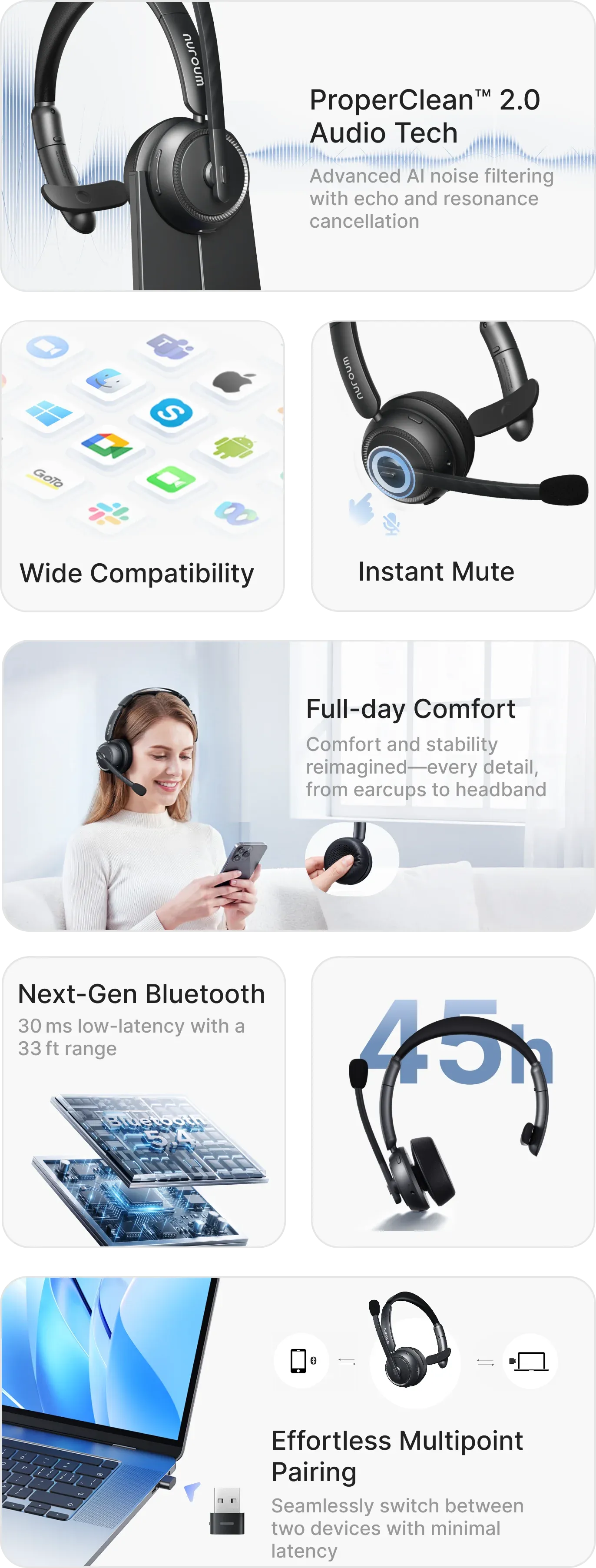
An informational infographic promoting a professional-grade headset, titled 'Hardware, Built for professional excellence.' The image showcases key features through descriptive cards: ProperClean™ 2.0 AI noise filtering technology, broad compatibility with various apps and operating systems, an instant mute function on the microphone, full-day ergonomic comfort in an office setting, low-latency 'Next-Gen' Bluetooth connectivity, a massive 45-hour battery life, and effortless multipoint pairing between multiple devices like a laptop and mobile phone, with a USB adapter included.
Audio Clarity

Single-Ear Bluetooth Headset for Clear Calls and Workplace Awareness

Office worker wearing a Nuroum HP31S single-ear headset with mic, highlighting dual microphones and AI noise cancellation for clearer work calls.
Nuroum HP31S single-ear Bluetooth headset cutaway showing the HiFi4 DSP processor and ProperClean 2.0 AI noise and echo cancellation technology.
Professional using a Nuroum HP31S single-ear headphone with mic in a café, alongside an exploded view of its advanced Hi-Fi driver system.
Driver staying in touch with dispatch and warehouse worker talking to a coworker while wearing the Nuroum HP31S mono Bluetooth headset.
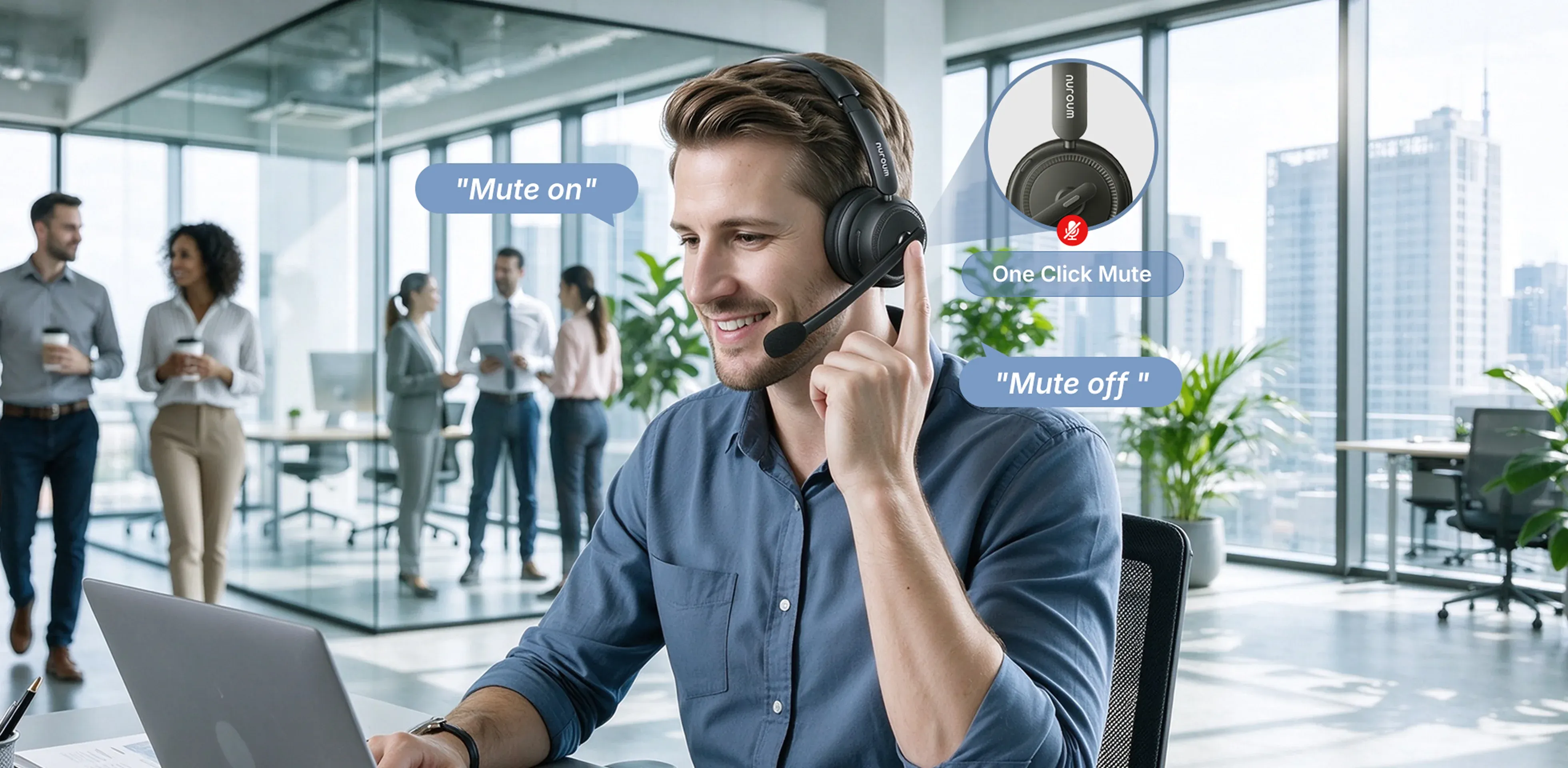
Office professional pressing the mute button on a Nuroum HP31S wireless mono headset, with “Mute on” and “Mute off” voice prompts illustrated.

Two Mics. One Clear Voice

Dual noise-cancelling microphones focus on your voice while reducing keyboard clicks, nearby chatter and household sounds. This wireless mono headset helps customers and coworkers hear you clearly, even in busy workspaces.

Cut Background Noise. Keep Work Calls Clear

Sound professional at home or in a busy office. This single-ear headset with mic combines ProperClean 2.0 AI noise cancellation, a HiFi4 DSP processor and neural-network technology to help reduce background noise, echo and reverb for clearer work calls.

Clearer Sound for the Details That Matter

Catch names, numbers and next steps more easily. An advanced Hi-Fi driver system delivers crisp speech and balanced sound through this single-ear headphone with mic, helping you follow customer calls and team discussions with less effort.

Stay Connected. Keep One Ear Open

Stay in touch with dispatch while keeping one ear open to surrounding traffic sounds. This mono Bluetooth headset helps drivers stay aware of their surroundings and lets warehouse teams hear announcements and talk to coworkers without taking it off, making coordination easier.

One Click to Mute. Confidence to Speak.

Keep side conversations private with the dedicated mute button on this one-ear headset with mic. Mute or unmute instantly, with voice prompts confirming your mute status—no searching for on-screen controls.

Connectivity, Comfort & Productivity Section

Wireless Mono Headset for PC, Office and Hybrid Work

Nuroum HP31S single-ear Bluetooth headset featuring Bluetooth 5.4, dual-device connectivity and up to 33 feet of wireless range for PC and phone calls.
Connection options for the Nuroum HP31S single-ear wireless headset with mic for PC: USB-A dongle, Bluetooth 5.4 and wired USB cable.
Nuroum HP31S wireless mono headset with up to 35 hours of continuous calls, 45 hours of music and approximately 2-hour recharging via stand or USB cable.
Nuroum HP31S lightweight single-ear headset with mic, showing its 128 g design, memory-foam cushion, 180-degree swivel earcup and 250-degree rotating boom mic.
Nuroum HP31S wireless headset with USB dongle on its charging stand, alongside compatibility logos for Windows, macOS, Linux, ChromeOS and popular meeting platforms.
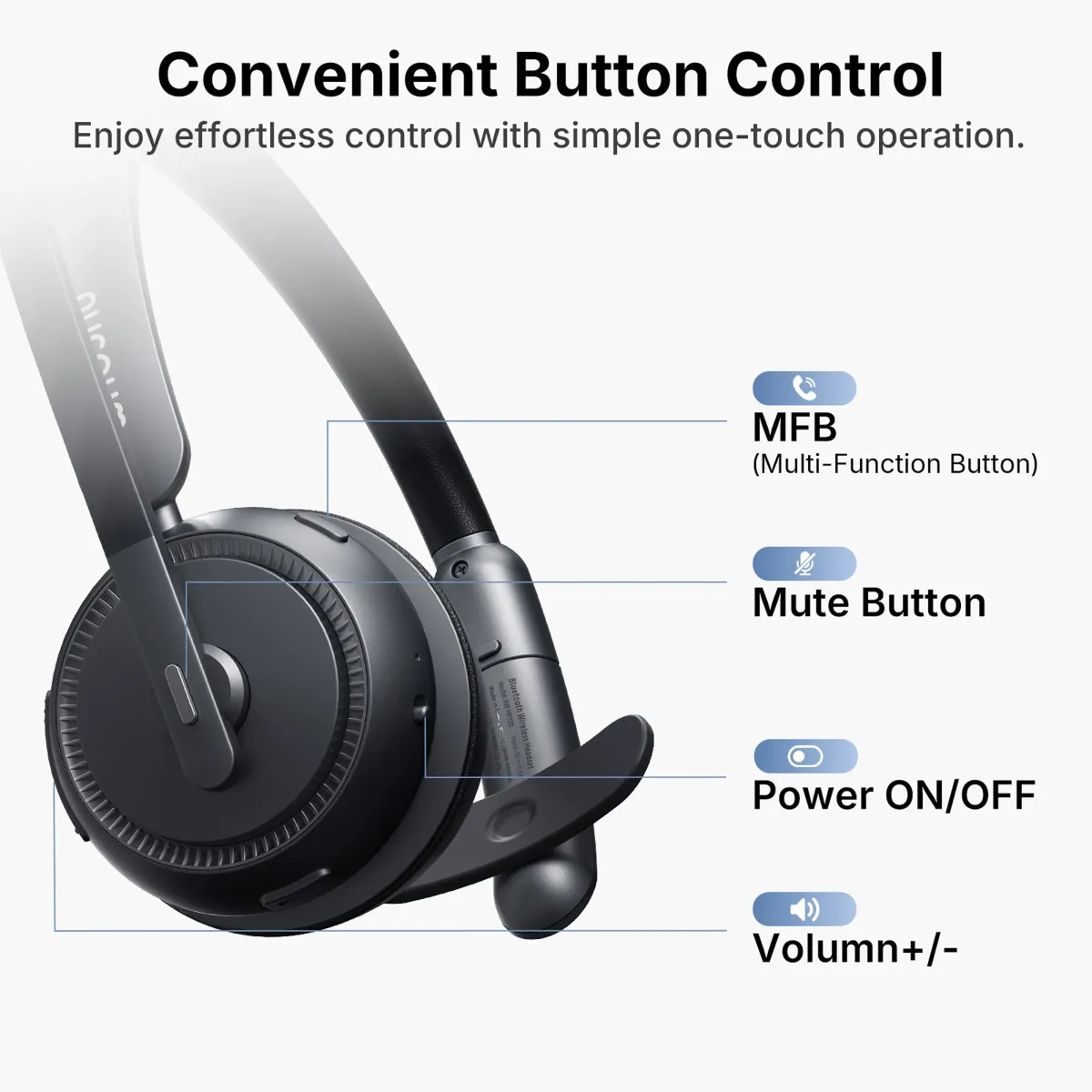
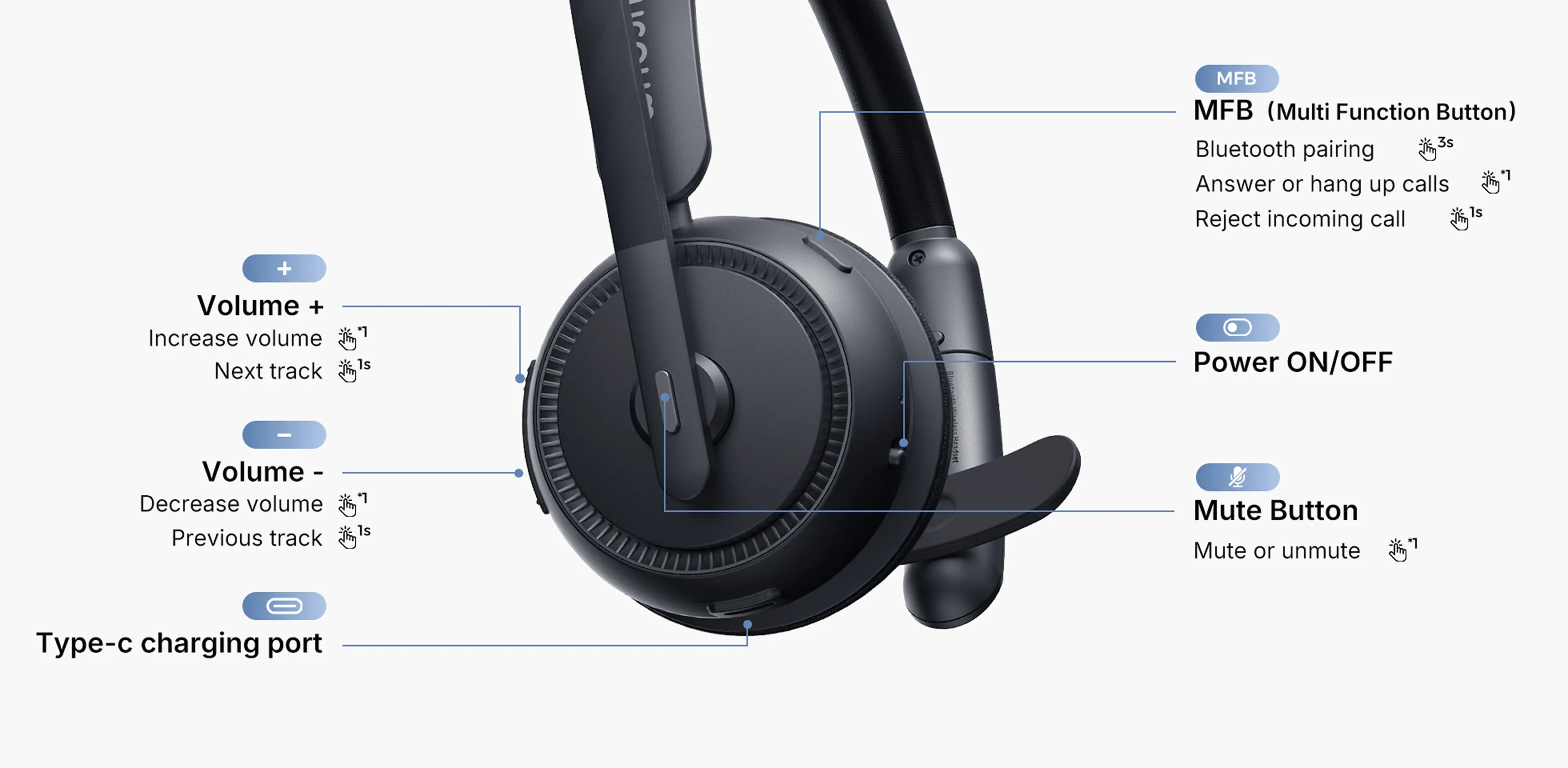
Nuroum HP31S one-ear headset with mic showing labeled volume, call, Bluetooth pairing, power and mute controls, plus the USB-C charging port.

Connect to Your PC and Phone with Bluetooth

Connect this single-ear Bluetooth headset to a Bluetooth-enabled computer and phone at once. Bluetooth 5.4 multipoint lets you switch between audio sources without repeated pairing, with latency as low as 30 ms and a wireless range of up to 33 ft.

Bluetooth, USB Dongle or Cable. Your Choice.

Connect this single-ear wireless headset with mic for PC via Bluetooth, the included USB-A dongle or a USB cable. Enjoy plug-and-play calls on computers without Bluetooth and move between home and office setups with one headset.

More Meetings. Less Recharging.

Power through meetings and support shifts with up to 35 hours of continuous calls or 45 hours of music per charge. Recharge the headset using the charging stand or USB cable. A full charge takes about 2 hours.

Just 128 g. A Lighter Fit for Long Workdays

At just 128 g, this wireless one-ear headset keeps long calls comfortable with plush memory foam and a padded, adjustable headband. A 180° swivel earcup and 250° adjustable boom mic help you find your fit for left- or right-side wearing.

One Headset for the Platforms Your Team Uses

Equip office, remote and hybrid teams with a wireless headset with USB dongle that works with Windows, macOS, Linux, Android and iOS. Join calls on Microsoft Teams, Zoom, Google Meet, Webex and more using your existing devices.

Stay in Control Without Breaking Focus

Adjust volume, manage mobile calls, control music and mute directly from this single-ear headset with mic. Easy-to-reach buttons mean less time navigating screens and more attention on customers, coworkers and conversations.

Brands using  Nuroum HP31S HeadsetBrands using single ear headphone with mic Nuroum HP31S Headset

Trusted by 300,000+ Forward-Thinking Business Leaders

headset hp31s driver
I spend long hours driving every day, so I need something reliable. The HP31S single-ear headset with mic stands out for its long battery life, easily lasting through long workdays. I also like its single-ear design. It keeps one ear free on the road. It’s been a solid choice for my daily work.
Y

Yager

Experienced Driver

single ear headphone with mic call center hp31s
I work in a busy call center, and it used to be easy to miss my supervisor calling while I was on a call. Since getting the Nuroum single-ear headset, that’s not a problem—I can talk to customers and still hear what’s happening around me. Last week, it even helped me catch an urgent team update. The battery is solid, easily lasting several long shifts.
T

Tasha Williams

Professional Tech Reviewer

nuroum single headset with mic for warehouse
I’ve been using the HP31S in the warehouse, and it’s really comfortable for long shifts. It’s lightweight and doesn’t hurt my ear after hours of picking work. I also like the single-ear design because I can still hear forklifts and coworkers around me, which makes the job safer. The noise-cancelling microphone reduces the machine noise callers hear, while the single-ear design lets me hear forklifts and coworkers around me.
J

Jason Miller

Warehouse Picking Associate

single ear headphone with mic wfh
As a freelancer working from home, my upstairs neighbor’s constant renovations have been driving me crazy. The HP31S has honestly been a lifesaver. It’s much more comfortable than typical two-ear headsets, even after long hours. The memory foam cushion is super soft, and it helps cut down a lot of echo and background noise, so I can stay focused.
l

lexwelch

Digital content creator

single ear headset on the go
I’ve been using the HP31S during flights and online meetings, and the battery life is honestly impressive. I only need to charge it once every few days since it lasts up to 45 hours. The USB-A dongle is also super smooth — just plug and play. The connection stays stable with no lag or audio cutting out, which is really important during client calls and Zoom meetings.
D

Daniel Carter

Account Executive

background

Bulk Order Inquiry

What can I expect?
  • Volume Pricing

    Factory-direct rates & bulk discounts.

  • Priority Logistics

    Fast fulfillment & global shipping.

  • Dedicated Support

    Dedicated manager for billing, tax & service.

After-Sales Support? Contact info@nuroum.com or visitContact Support →

choise
amazon
reviews
trustpilot
logo left

Tech specs

Bluetooth 5.4. Dual-mic AI ENC. 35h talk time. Plug & Play.

Microphone System

AI Environmental Noise Cancellation (ENC)
SupportedDeep neural network (DNN) algorithm eliminates up to 99% of ambient office noise for pristine voice transmission.
Acoustic Echo Suppression
SupportedFull-duplex acoustic echo cancellation prevents feedback loops for natural, seamless dialogue.
Microphone Type
Dual ECM Omnidirectional ArrayDual-microphone design combining primary voice pickup and secondary environmental noise sampling.
Microphone Count
2 Microphones (Dual-Mic Array)
Microphone Sensitivity
-43 dB @94dB SPL @1kHz / -42 dBV/Pa @94dB SPL @1kHz
Signal-to-Noise Ratio (SNR)
68 dB @94dB SPL @1kHz (A-Weighted) / 57 dBV/Pa (A-Weighted)
Microphone Frequency Response
70 Hz – 10 kHz (Voice Pickup) / 100 Hz – 10 kHz (Noise Sensing)
Microphone Boom
250° Reversible RotationBi-directional boom arm smoothly rotates 250° for flexible left- or right-ear wear.
Mute Control
Dedicated Mute ButtonInstant one-touch mic mute button conveniently located on the boom arm.

Speaker & Playback

Acoustic Design
Single-Ear (Mono / Monaural)Keeps one ear open to your office surroundings while delivering crisp, intelligible vocal playback.
Effective Frequency Range
20 Hz – 20 kHzFull-spectrum dynamic range optimized for high-clarity voice calls and media playback.
Speaker Sensitivity
123 ± 3 dB @1kHz, 179mV
Total Harmonic Distortion (THD)
≤3% @1kHzLow harmonic distortion preserves natural voice tonality without clipping.
Rated Output Power
20 mW (32Ω)

Battery Life & Charging

Battery Capacity
3.7V / 400 mAhHigh-capacity rechargeable lithium polymer cell.
Charging Time
~2 Hours (5V DC ≥ 500mA)Drop-and-go desktop dock charging ensures all-day availability.
Talk Time
Up to 35 Hours (70% volume)Provides enough talk time for multiple workdays of customer and team calls.
Music Playback Time
Up to 45 Hours (70% volume)Continuous audio playback capability.

Wireless Specifications

Bluetooth Version
Bluetooth 5.4Bluetooth 5.4 provides a stable wireless connection and low-latency audio.
Bluetooth Profiles
HFP, A2DP, AVRCPUniversal profile integration supporting call handling and media streaming controls.
Operating Range
Up to 10 m / 33 ft (Open Space)Reliable desk-side wireless freedom for active multitaskers.
Operating Frequency
2.402 – 2.480 GHz

Compatibility

Supported Platforms
Windows / macOS / LinuxPlug-and-play compatibility across Microsoft Teams, Zoom, Google Meet.

Comfort & Materials

Ear Cushion Material
Skin-Friendly Protein LeatherPlush memory-foam cushioning designed for all-day pressure-free comfort.
Wearing Style
On-Ear / Single-Ear (Mono / Monaural)Asymmetric adjustable headband engineered for maximum balance and situational awareness.
Color
Dark GrayExecutive matte finish suited for corporate and call-center environments.

Dimensions & Weight

Product Size
187.4 × 186.6 × 69.0 mm (7.38 × 7.35 × 2.72 in)
Headset Net Weight
128 g (4.52 oz)Ultra-featherlight chassis minimizes head and ear pressure during all-day shifts.
Base Net Weight
151 g (5.33 oz)Counter-weighted charging dock provides rock-solid desktop stability.
Package Size
200.0 × 186.0 × 81.0 mm (7.87 × 7.32 × 3.19 in)
Gross Weight
500 g (17.64 oz)Complete packaging weight including mono headset, base, and cables.

Environmental

Operating Temperature
-10°C to 55°C (14°F to 131°F)Industrial-grade operational temperature range for diverse workspace climates.

Tech Specs

English | PDF | Official Datasheet
User Manual

English | PDF | User Manual

Making Work Smarter for Thousands of Businesses and Customers

0+

Corporate Clients

FAQ

BluetoothComfortCompatibilityAudioOthersOrder Related
How can I put my single ear bluetooth headset into pairing mode?
Upon powering on HP31S for the first time, the bluetooth single ear headset will automatically enter pairing mode. If you wish to re-enter pairing mode, simply press the MFB button and the volume up button simultaneously.
What should I do if the mono bluetooth headset suddenly fails to connect to the device?
You can try to clear the pairing record. Just press and hold the MFB and volume+ button simultaneously for 5 seconds while the wireless one-ear headset is turned on and not engaged in a call. When the record is cleared, the headset will restart and enter pairing mode.
How can I connect the single ear headphone with mic to two devices?
  • When using a Bluetooth connection only:
  • 1. Turn on the wireless mono headset and connect it to Device A.
  • 2. Disconnect the headset from Device A, then press the MFB button and the volume control button at the same time to reconnect.
  • 3. Connect it to device B.
  • 4. Finally, reconnect it to Device A.
  • When using the usb dongle connection.
  • 1. Turn on the headset and connect it to device A.
  • 2. Connect it to device B via dongle.
  • Notification: When switching between devices, you need to pause the audio of device A first, and then switch on the audio of device B.
Why can’t I hear anything when my single-ear Bluetooth headset is connected to my computer?
  • 1. For a Bluetooth connection, go to Settings > Bluetooth on your computer and make sure the HP31S is connected. Then open Sound settings and select HP31S as the default input and output device.
  • 2. For a USB dongle connection, open Sound settings and select HP31S as the default input and output device.
What is the wireless range from my computer/mobile device?
The HP31S uses Bluetooth 5.4, offering a wireless range of up to 10 meters (33 feet) in unobstructed environments without interference. This allows you to move freely while staying connected.
Can I use this single ear Bluetooth headset with a computer that doesn’t have Bluetooth?
Yes. This single ear Bluetooth headset comes with a USB-A dongle for computers without built-in Bluetooth. Plug the dongle into your computer, turn on the HP31S, and select HP31S as the speaker and microphone in your computer or meeting app settings. This wireless headset with USB dongle and Bluetooth connectivity offers a flexible setup for PC calls.
Why is the microphone on my single ear headset with mic not working in Zoom or Microsoft Teams?
  • If the microphone on your single ear headset with mic is not working, first make sure it is not muted on the headset. Then select HP31S as the microphone in both your computer’s Sound settings and Zoom or Teams. When using this single ear wireless headset with mic for PC, you may also need to restart the meeting app after changing the audio device. If the issue continues, reconnect the headset and pause audio on the other connected device.
What should I do if my single ear Bluetooth headset keeps disconnecting or the audio cuts out?
If your single ear Bluetooth headset keeps disconnecting, first make sure it is charged and within its wireless range of up to 33 ft. Walls and interference from other wireless devices may affect the connection. When using this wireless mono headset with two devices, pause audio on the device you are not using. If the issue continues, disconnect and re-pair the headset with your computer or phone.
Can I answer or end Zoom and Teams calls using the buttons on this single ear headset with mic?
The buttons on this single ear headset with mic can be used to answer and end mobile phone calls. For Zoom, Microsoft Teams, and other computer-based calls, use the call controls in the app. You can still use the dedicated mute button on this one ear headset with mic to mute or unmute the microphone during a call.
Should I connect my single ear headset with mic via Bluetooth or the USB dongle?
You can connect this single ear headset with mic via Bluetooth or the included USB-A dongle. Bluetooth is convenient for mobile phones and Bluetooth-enabled computers, while the dongle provides a plug-and-play option for computers without built-in Bluetooth. This wireless headset with USB dongle and Bluetooth connectivity supports both call audio and microphone input, so you can choose the connection that best fits your setup.
Why does my single ear Bluetooth headset switch audio between my phone and computer?
When this single ear Bluetooth headset is connected to two devices, audio from one device may take priority over the other. Pause music, videos, or other audio on your phone before starting audio on your computer. Then select HP31S as the speaker and microphone on the device you want to use. As a mono Bluetooth headset with multipoint support, the HP31S can stay connected to two devices, but it is not designed to play two audio streams at the same time.

Complete Your Smart Meeting Ecosystem

nuroum single ear bluetooth headset with noise cancelling mic and dock open ear headset with mic product open ear pro 2 nuroum wireless headset with mic for work with charging dock and dongle nuroum 360 pro nuroum c46
Nuroum HP31S Nuroum OpenEar Pro 2 Nuroum HP31D Nuroum 360 Pro Nuroum C46
PriceFrom $85From $129From $90From $630From $340
CategorySingle-Ear Wireless Headset with Noise Cancelling MicOpen-Ear Wireless Headset with Noise Cancelling MicDual-Ear Wireless Headset with Noise Cancelling Mic1080P 360° Conference Room Camera with Mic4K All-in-One Camera
Top FeaturesUp to 45 hours of battery life, charging stand, mute button, USB-A dongle for plug and playUltra-lightweight 31g, dual noise-cancelling mics, USB A/C dongle for plug and play, mute buttonUp to 45 hours of battery life, charging stand, mute button, USB-A dongle for plug and playWith a 360-degree 1080P fish-eye lens, 6 noise-cancelling mics, 16ft audio pickup, a premium Hi-Fi speaker, and USB plug-and-play4K UHD with HDR, 120° ultra-wide FOV, AI auto-framing and USB plug-and-play
Design & Setup2 ECM Omnidirectional Microphones, HiFi4 DSP, 32Ω / 20mW Speaker Output, Single-ear (Monaural)2 ECM Omnidirectional Microphones, HiFi4 DSP, 16Ω/40mW Speaker Output, Neck-hanging2 ECM Omnidirectional Microphones, HiFi4 DSP, 32Ω / 20mW Speaker Output, Dual-ear (Binaural)6-unit MEMS Microphone, 360° Space Pointing Array, High-Fidelity Full-Duplex Speaker4 MEMS 360° Microphone Array, High-Fidelity Full-Duplex Speaker
Best ForTruckers, receptionists, or agents needing physical world awarenessMobile workers, WFH, and professionals needing situational awareness on the goDeep-focus customer support and call centersAll room sizes (from huddle space to large rooms), 80–300 sq ft | 4–15 PeopleSmall to medium huddle rooms (2-10 People) requiring wide-angle coverage
Explore →Explore →Explore →Explore →Explore →
Start 2026 Right - Subscribe for Exclusive 10% Offers
FaceBook YouTube Instagram LinkedIn Twitter FaceBook_Group Pinterest
  • Connect Us
    • About Us
    • Brand Ambassador
    • Become a Reseller
    • Blog
    • Corporate Purchase
  • Compare
    • Nuroum 360 Pro vs Meeting Owl 3
    • OpenEar Pro 2 vs Shokz & OpenRock
    • C20 vs Logitech BCC950
    • C40 vs Logitech Connect
    • V32AFL vs Logitech Brio
  • Solutions
    • Creation
    • Healthcare
    • Education
    • Team workspace
    • Personal Workspace
  • Policy
    • Payment policy
    • Shipping policy
    • Warranty & Refund
  • Contact us

    For Products Support

    customer.service@nuroum.com

    For Marketing Collaboration

    marketing@nuroum.com

    For Product Sales

    sales@nuroum.com

    iconiconiconiconiconicon
    NearSync-logo NearSync Remote Device Management
    nearify-logo Nearify Free Noise Cancelling App
Copyright © 2026 Nearity USA Inc.
Privacy policy Terms of service