











The conference phone in your meeting room has a hidden expiry date — and it's already passed. You just might not feel it yet. Every time someone on the far end of the table leans away from the mic and their voice drops to a murmur, every time you spend the first five minutes of a call troubleshooting echo, every time a remote colleague asks "can you describe what's on the whiteboard," that expiry date ticks a little louder. The device hasn't failed in the way hardware typically fails — no smoke, no error light. But it's failing in the way that matters most: it's making your meetings worse, and you're compensating for it without realizing the cost.
This article explains why the standalone conference mic and conference phone are becoming dead weight in modern meeting rooms — and what you should replace them with. We'll examine the problem from first principles, walk through specific meeting scenarios where audio-only hardware breaks down, trace the forces that made integration inevitable, and present the all-in-one device category as the logical endpoint of this evolution.
The Neuroscience Gap: Why Audio-Only Communication Was Always a Compromise
To understand why a dedicated conference phone is fundamentally inadequate for modern meetings — and to understand this at the level of a first principle rather than mere preference — you have to start with a question that most meeting room purchasing guides skip entirely.
What does human communication actually require?
The Multi-Modal Nature of Human Interaction
Neuroscience research on communication tells us something straightforward but consequential: humans are multi-modal communicators. We don't just hear words. We process facial expressions, hand gestures, posture shifts, gaze direction, and spatial relationships between speakers and listeners — all simultaneously, all below the level of conscious processing, and all contributing to comprehension speed and accuracy.
When two people sit across a table, their brains are running a continuous integration process: voice tone confirms facial expression, gesture context disambiguates word meaning, gaze direction signals turn-taking intent. Strip away video and you don't lose 50% of the signal — you lose the integration itself. The remaining audio signal becomes harder to parse because the brain's predictive models expect complementary visual input that never arrives.
This isn't a matter of "video is nice to have." It's a bandwidth constraint that affects comprehension, trust formation, decision quality, and meeting fatigue. A conference phone — regardless of how good its microphone pickup range or echo cancellation — cannot solve this. It is an audio-only device. By definition, it delivers one channel of a fundamentally multi-channel communication protocol.
Why Audio-Only Persisted
Audio-only conferencing didn't become the default because it was optimal. It became the default because the infrastructure for video conferencing didn't exist at scale for decades, and because organizations had already invested in PBX phone systems that treated meeting room audio as an extension of the desk phone paradigm.
This historical accident — the telephone network's architecture shaping meeting room design — is the root cause of why so many conference rooms still center their technology around a speakerphone device, even as every participant carries a video-capable smartphone in their pocket.
The next section explores how this accident calcified into specific hardware problems.
The Conference Phone Problem: Hardware Built for a Different Era
A traditional conference phone sits in the center of the meeting table — a puck-shaped or star-shaped device with a speaker on the bottom, microphones around its perimeter, and a keypad that suggests it belongs in the same category as the desk phone it evolved from. It does one thing: capture voices in the room and broadcast them over a phone line, while playing the remote caller's voice through its speaker.
This architecture creates problems that compound with every passing year.
The Physics of "Speaker in the Same Box"
Any device that puts a speaker and a microphone in the same enclosure is fighting physics. The speaker produces sound waves that the microphone inevitably picks up. Without sophisticated echo cancellation — known in the industry as acoustic echo cancellation, or AEC — the remote side hears their own voice bouncing back with a delay.
Early conference phones handled this poorly. Modern ones handle it better through DSP (digital signal processing), but the fundamental constraint remains: you're asking software to subtract one signal from another in real time, and the subtraction is never perfect. When participants speak simultaneously, when room acoustics reflect sound unpredictably, or when someone brings a laptop that introduces a second audio path, the echo cancellation algorithm struggles.
The Pickup Range Reality
Most conference phones advertise a pickup range that assumes optimal conditions: a quiet room, participants facing the device, no obstructions on the table, and everyone speaking at normal volume. Real meetings violate these assumptions constantly. Someone turns away from the mic to look at a presentation screen. A laptop fan whirs. A coffee cup blocks a microphone element. The result is the familiar remote-side complaint: "We can't hear Sarah."
This limitation isn't a defect — it's inherent to the form factor. A single point-source device in the center of a table can only capture what reaches it, and physics imposes hard limits on how far a human voice can travel in a reverberant room before it becomes unintelligible to a microphone array.
Platform Fragmentation
The most overlooked problem with dedicated conference phones is their relationship to the software platforms meetings actually run on. A traditional conference phone connects to a phone line or PBX system. When your meeting is on Zoom, Microsoft Teams, or Google Meet, the conference phone becomes a bridge device — participants dial in separately, creating an audio island that's disconnected from the video and screen-sharing experience happening on the computer.
This fragmentation means someone has to manage two parallel systems during the meeting: the laptop running the video conference platform and the conference phone handling audio. Remote participants who join via the platform's built-in audio hear the room differently than those who dial in through the phone bridge. Audio levels differ. The experience fractures.
For a deeper exploration of how these limitations play out in real meeting environments, see our comparison of conference cameras versus business webcams, which examines why dedicated meeting room hardware outperforms repurposed consumer devices.
The Avaya Conference Phone: When Ecosystem Lock-In Becomes a Liability
Among conference phones, the Avaya conference phone deserves its own section because it illustrates a specific and costly failure mode: ecosystem lock-in.
The PBX Dependency Problem
Avaya's conference phone lineup was designed to work within Avaya's unified communications ecosystem — specifically with Avaya's PBX (private branch exchange) phone systems. In an all-Avaya deployment, this integration provides features like extension dialing, call routing, and centralized management. But it creates a dependency: the conference phone only delivers its full value when the rest of the telephony infrastructure is also Avaya.
This means organizations that want to migrate from on-premise PBX to cloud-based UC platforms face a difficult choice: rip out the Avaya conference phones (losing the investment) or maintain parallel infrastructure just to keep the conference room audio working. Neither is appealing, and both cost money.
The Cost of Staying
Avaya conference phones are expensive to acquire and expensive to maintain — requiring ongoing licensing, support contracts, and potentially specialized IT staff familiar with the Avaya ecosystem. When you compare the total cost of ownership of an Avaya conference phone deployment against a USB-based alternative, the difference compounds year over year. The hardware cost is only the beginning; the lock-in cost is where the real damage accumulates.
The Compatibility Ceiling
Modern collaboration increasingly runs on platforms that are not Avaya: Zoom, Microsoft Teams, Google Meet, Webex (post-Avaya partnership shifts), GoToMeeting. An Avaya conference phone can bridge into these platforms via dial-in, but this creates the fragmented experience described earlier. It cannot serve as a native audio device for these platforms — it was never designed to.
Organizations that have already invested in Avaya hardware may be interested in alternatives. Our comparison of Poly, Sennheiser, and Konftel alternatives examines the broader audio conferencing landscape and what modern replacements offer.
USB Conference Microphones: A Half-Step Forward
The USB conference microphone emerged as a response to the limitations described above. By connecting directly to a computer via USB, it bypasses the PBX and phone-line dependency entirely. It works natively with any UC platform running on the host computer. It often delivers better audio quality than a traditional conference phone because the DSP can be more sophisticated when it doesn't have to account for the constraints of telephony codecs.
This was progress — but it was progress in only one dimension.
What a USB Conference Mic Doesn't Solve
A USB conference microphone improves one thing: how the room's voices reach the computer. Everything else remains unsolved.
You still need a speaker so the room can hear remote participants. That speaker is typically a separate device — a soundbar, external speakers, or the computer's built-in speakers. When the microphone and speaker come from different manufacturers and run on separate audio processors, the echo cancellation problem returns with a vengeance. The microphone's DSP doesn't know what the speaker is about to play, and the speaker doesn't coordinate with the microphone's pickup pattern. Acoustic echo cancellation has to happen at the operating system or application level, with less information and lower precision than an integrated system would have.
You also still need a camera. A USB conference microphone captures audio. It does nothing for video. So you add a webcam or a PTZ camera to the setup. Now the meeting room has three devices — mic, speaker, camera — each with its own cable, its own driver (or driverless interface), its own potential failure point, and its own relationship to the host computer's USB controller.
The Three-Device Problem
Managing three separate AV devices in a meeting room introduces practical friction that compounds with every meeting:
- Setup time: Someone has to verify that all three devices are connected and selected as the active audio/video sources in the conferencing application. Three devices mean three places where the wrong default can be selected.
- Cable management: Three USB cables running to one computer, often through a hub or docking station that may or may not deliver consistent power and bandwidth.
- Audio-video sync: When audio and video travel through separate USB paths with different latency characteristics, lip-sync issues can emerge — subtle enough to be distracting, noticeable enough to degrade the meeting experience.
- Troubleshooting complexity: When something goes wrong, is it the mic, the speaker, the camera, the USB hub, or the application? The debugging surface area multiplies.
The USB conference microphone was a genuine improvement over the traditional conference phone. But it was an improvement that revealed a deeper truth: adding devices doesn't fix the fundamental problem of fragmentation. It just shifts the fragmentation from the protocol level (PBX vs. USB) to the device level (mic vs. speaker vs. camera).
Scenario-Driven: Three Meetings Where Audio-Only Hardware Fails
To move from abstract analysis to concrete reality, let's examine three specific meeting scenarios. In each case, a room equipped with only a conference phone or a standalone conference mic produces a demonstrably worse outcome than a room with integrated audio and video.
Scenario 1: The Weekly Cross-Team Sync (Hybrid Meeting)
Setup: Six people in a medium conference room. Three remote participants on Zoom. The room has a conference phone in the center of the table. One in-room participant shares their laptop screen.
What happens:
The two people farthest from the conference phone speak at lower volume. The remote participants strain to hear them. Someone in the room leans toward the mic and says "can you hear us now?" — a question that consumes meeting time and signals that the technology has failed.
When two people speak simultaneously (a common occurrence in collaborative discussion), the conference phone's half-duplex audio system drops one speaker's audio. The remote side hears a choppy, alternating conversation that's hard to follow. The screen-share laptop feeds its own audio path separately, introducing a second acoustic path that triggers echo.
The remote participants can't see who's speaking because there's no camera showing the room. They hear voices without faces, losing the visual cues that help them interpret tone, understand turn-taking, and feel included in the conversation.
Cost of failure: Reduced participation from remote team members, prolonged meeting duration, lower-quality decisions because not all perspectives were fully heard.
Scenario 2: The Whiteboard Design Session
Setup: Four people in a room with a whiteboard. Three remote participants. The room has a USB conference microphone plugged into a laptop that's also running a basic webcam pointed at the table.
What happens:
The webcam's narrow field of view shows approximately one-third of the whiteboard. Someone at the whiteboard writes a diagram while explaining it, but their voice drops as they face away from the USB conference mic toward the board. The remote participants can neither see the full diagram nor hear the explanation clearly.
When someone at the table asks a question, the USB conference microphone picks up their voice clearly (they're close to it). But the person at the whiteboard responds while still facing the board, and their reply is faint and echoey through the mic. Remote participants have to piece together half-heard sentences with half-visible diagrams.
Cost of failure: The design session effectively excludes remote participants from contributing. Ideas that might have been refined through collaborative input remain unexamined. The session produces a result that only the in-room participants fully understand.
Scenario 3: The Client Pitch With Screen Sharing
Setup: Two account managers in a conference room. A prospect joins remotely. The room uses a conference phone for audio and a laptop for screen sharing. No dedicated camera.
What happens:
The account managers share a deck from the laptop. The prospect can see slides but cannot see the presenters. This removes the single most effective trust-building signal in a sales context: the prospect's ability to read the presenters' faces, body language, and reactions to questions.
When the prospect asks a detailed question, one account manager answers while the other pulls up a supporting document. The audio from the conference phone is adequate for speech, but the prospect has no visual confirmation that both people in the room are engaged and aligned. The pitch feels like a phone call with slides — which, in terms of the technology in use, is exactly what it is.
Cost of failure: A sales conversation that should have built rapport and trust instead feels transactional. The prospect's decision-making process relies on less information than it should, and the relationship begins on a weaker foundation than a properly equipped room would have provided.

Why Chain: The Inevitable Path to Integration
Understanding why the all-in-one device category emerged — and why it's the logical replacement for standalone conference microphones and conference phones — requires tracing a chain of causation that spans roughly two decades of meeting room technology evolution.
Why Standalone Conference Mics Emerged
Standalone conference microphones and speakers emerged because the original conferencing paradigm was built on the telephone network. When your only transport layer is a copper phone line, audio is all you can send. A conference mic — whether built into a dedicated conference phone or deployed as a separate ceiling or table mic — was the ceiling of what the infrastructure would support. You literally could not send video over a POTS (plain old telephone service) line. The hardware followed the protocol.
Why They Persisted After Video Became Possible
When IP-based video conferencing became viable in the early 2000s, two forces kept conference phones in meeting rooms:
- Installed base inertia: Organizations had already purchased conference phones. Replacing working hardware with newer hardware requires budget approval, IT prioritization, and a recognized pain point. For years, the pain wasn't sharp enough to overcome the inertia.
- Complexity of early video systems: Early room-based video conferencing systems required dedicated codecs, ISDN lines or managed IP networks, professional installation, and ongoing maintenance contracts. They were expensive and cumbersome. For many organizations, keeping the conference phone for audio and adding a separate camera and codec for occasional video calls was the path of least resistance — but it perpetuated the two-system problem.
Why Standalone Devices Are Now Redundant
Three changes have made standalone conference microphones, phones, and speakers redundant for most meeting rooms:
- USB and plug-and-play maturity: USB audio and video devices no longer require driver installation, configuration wizards, or IT intervention. A single USB-C cable can carry power, audio, and HD video simultaneously. This removes the complexity barrier that once justified separate, specialized devices.
- Computational audio and AI: The DSP power available in a modern all-in-one device dwarfs what was achievable in a standalone conference phone from even five years ago. Real-time noise cancellation, beamforming across multiple microphone elements, and adaptive echo cancellation that adjusts to room acoustics dynamically are now feasible in a single compact enclosure.
- Cloud UC dominance: When every meeting runs on Zoom, Teams, or Google Meet, the value of a PBX-connected conference phone approaches zero. The network the phone connects to is no longer the network the meeting runs on.
Why Integration Is the Endpoint
The endpoint of this chain is a device category where camera, microphone array, speaker, and AI processing engine live in a single enclosure, connected by one cable, recognized as one device by the host computer. This isn't a convenience feature — it's the only architecture where:
- The microphone array and speaker can share a DSP that coordinates echo cancellation with full information about both input and output signals.
- The camera's framing decisions can be informed by the microphone array's sound-source localization, so the video feed automatically shows whoever is speaking.
- The user experience is a single device selection in the conferencing app rather than three.
The conference room equipment upgrade guide illustrates exactly this transition — and why the integrated approach delivers benefits that no collection of separate devices can match.
The All-in-One Solution: One Device, No Compromises
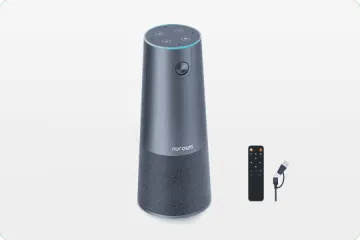
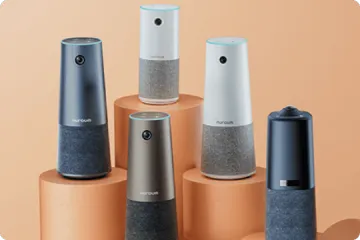
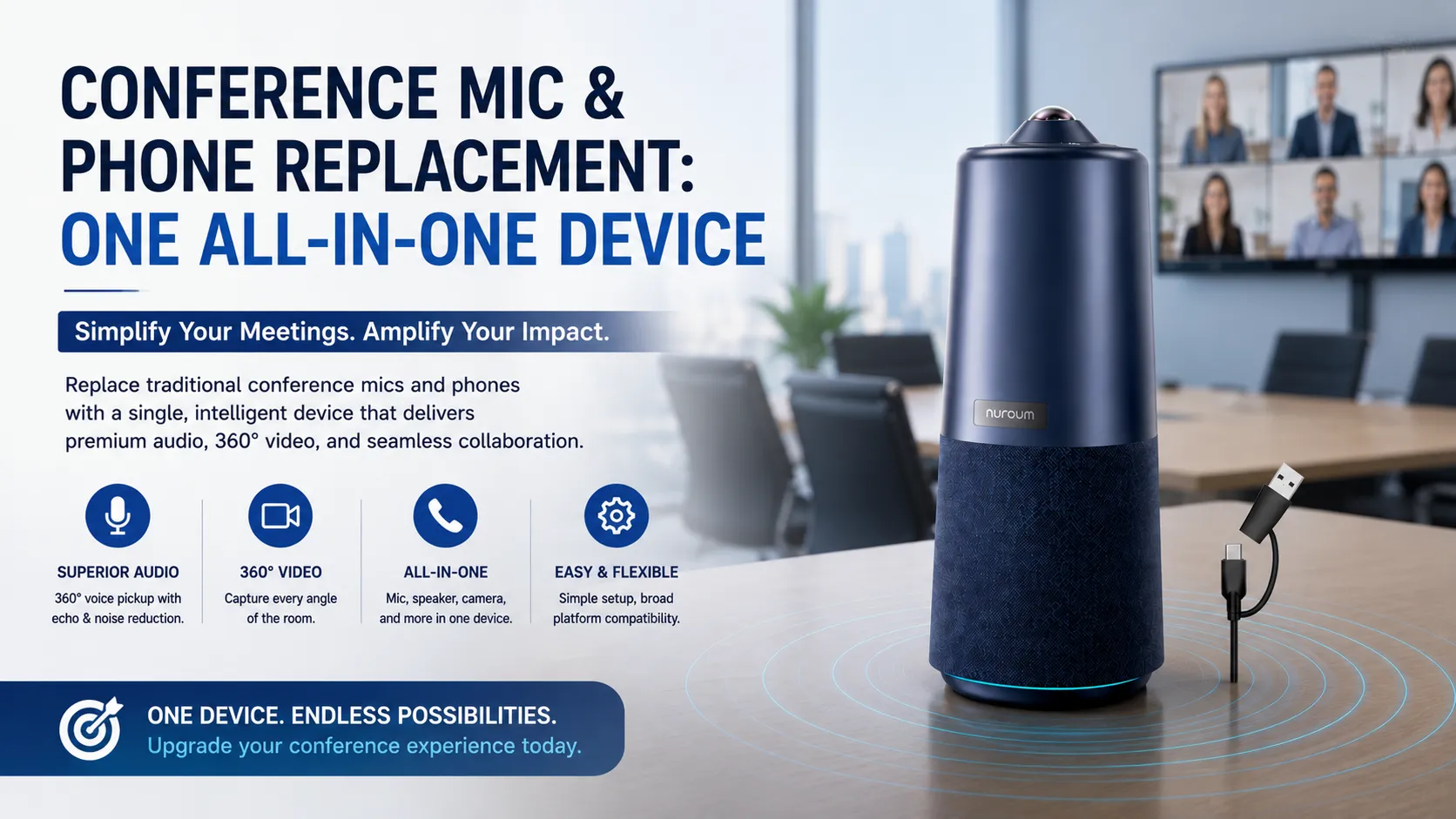
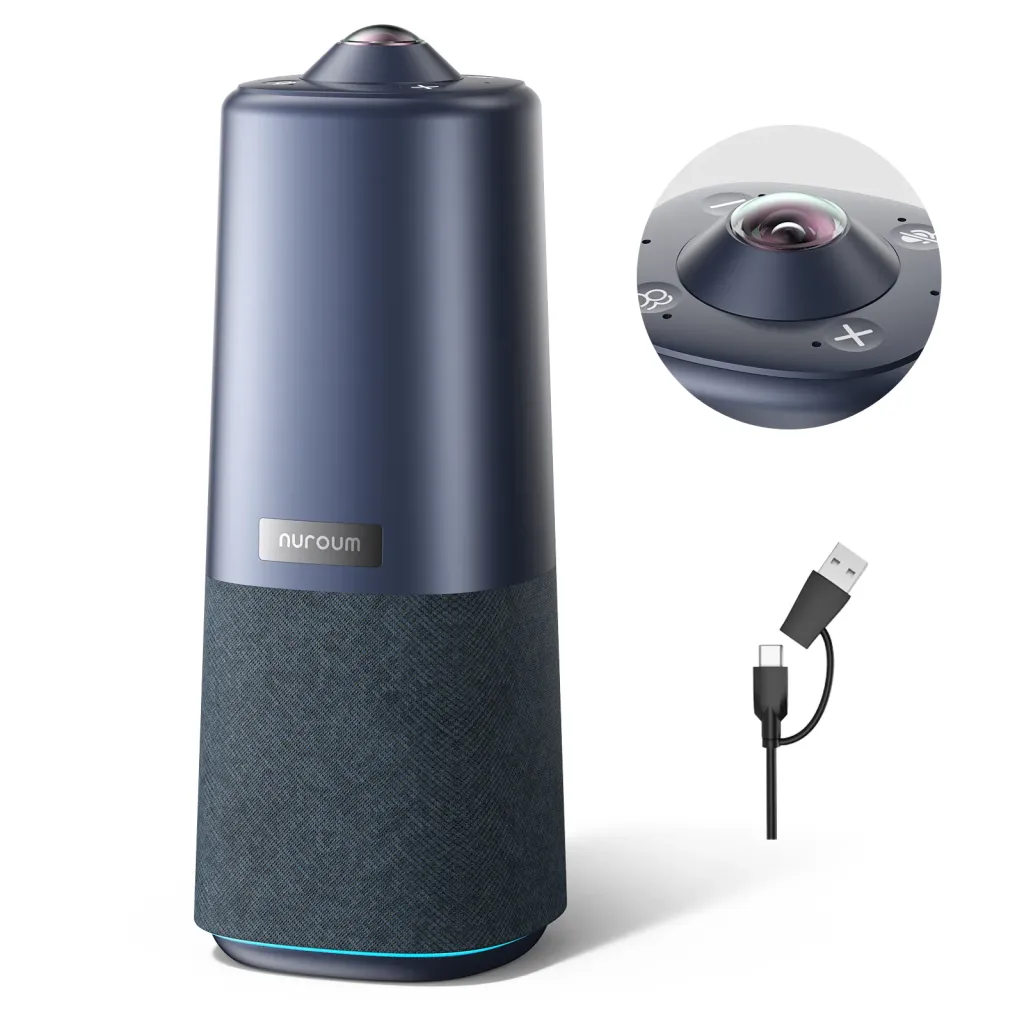
The Nuroum 360 Pro represents the category that replaces a conference phone, conference mic, and webcam with a single device. This section describes what that replacement looks like in practice — how one USB device handles what previously required three or four.
What the Nuroum 360 Pro Replaces
| Replaces | How |
|---|---|
| Conference phone / conference mic | 6 omnidirectional noise-canceling microphones with 16ft (6m) pickup range |
| External speaker | Hi-Fi speaker with full-duplex audio and built-in echo cancellation |
| Webcam / PTZ camera | 360-degree fish-eye lens capturing 1080P video at 30FPS |
| Separate AI tracking camera | 3 built-in AI modes: Discussion Mode, Global Mode (115° FOV), Presentation Mode |
A single USB cable connects the Nuroum 360 Pro to a Windows, macOS, or Linux computer. No drivers. No separate power adapter. No audio interface. The device appears as a single camera, microphone, and speaker in the operating system, ready to use in Zoom, Microsoft Teams, Google Meet, GoToMeeting, or Webex immediately.
Audio That Doesn't Ask You to Compromise
The 6-microphone array provides omnidirectional coverage, meaning everyone around the table is captured at consistent volume regardless of where they sit or which direction they face. The noise-canceling DSP suppresses background sounds — HVAC hum, keyboard clicks, paper shuffling — that standalone conference phones and USB conference microphones often pass through.
The full-duplex audio system means two people can speak simultaneously without one being dropped or attenuated. This matters more than most buyers realize: meetings where people can't interrupt or overlap naturally feel stilted and formal. Full duplex restores the conversational dynamics that make in-person collaboration productive.
The Hi-Fi speaker is tuned for voice — not music, not multimedia — which means speech is clear, sibilance is controlled, and remote participants' voices sound natural rather than compressed or tinny. When a speaker and microphone are designed and calibrated as a single system, the echo cancellation performs demonstrably better than when a standalone mic and standalone speaker negotiate their relationship through the operating system's audio stack.
Video That Doesn't Force a Choice
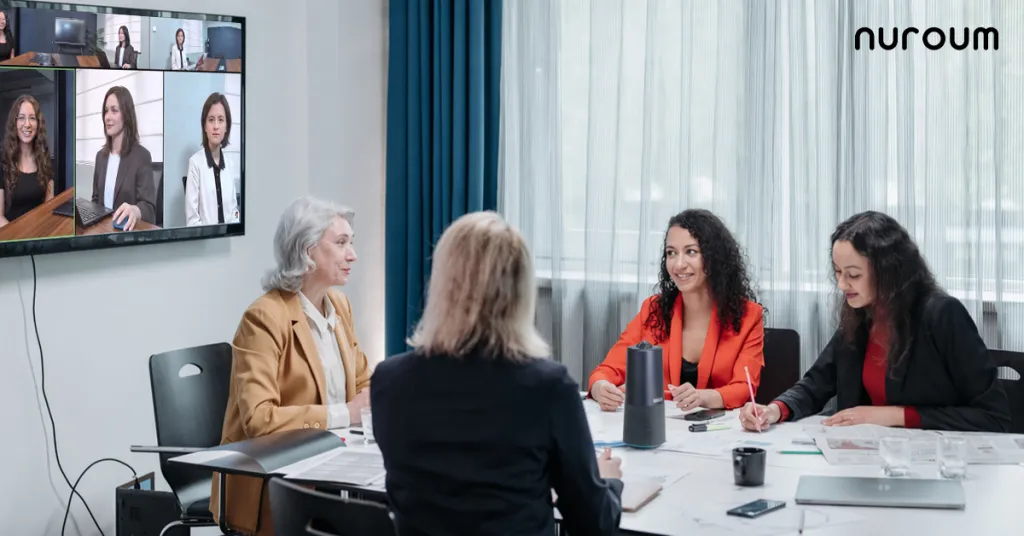
The 360-degree lens captures the entire room. In Global Mode (115° FOV), remote participants see everyone at the table in a single frame — no camera repositioning, no "can you scooch in?" moments.
Discussion Mode uses the microphone array to detect who is speaking and frames that person automatically, switching smoothly as conversation moves around the table. This is the mode that most directly replaces the experience of a dedicated PTZ camera with speaker tracking — but without the motor noise, latency, and cost of a motorized PTZ solution.
Presentation Mode focuses on a specific area — a whiteboard, a product prototype, a presenter standing at the front of the room — giving remote participants a stable, framed view of what's being presented rather than a wide-angle view where details are hard to see.
Platform-Agnostic by Design
Unlike an Avaya conference phone that's locked to a specific PBX ecosystem, or a conference phone that only bridges into software platforms via dial-in, the Nuroum 360 Pro appears as a standard UVC/UAC (USB Video Class / USB Audio Class) device. This means it works with any application that can access a camera, microphone, and speaker — which is every major conferencing platform.
For medium meeting rooms, the setup configuration can be tailored to the space. The Nuroum medium room solutions page provides guidance on optimal placement and configuration for different room layouts.
If you're evaluating other conferencing options, the full conference camera category offers additional context on the range of devices available and how they compare to traditional meeting room setups.
Total Cost of Ownership: Three Devices vs. One
When organizations evaluate whether to replace a conference phone or USB conference mic with an all-in-one device, the comparison often starts and ends with the sticker price. This is a mistake. The total cost of ownership tells a different story.
The Multi-Device Stack
Let's consider a typical three-device meeting room setup:
- A quality USB conference microphone
- A dedicated conference speaker or soundbar
- A business webcam or basic PTZ camera
Three purchases. Three cables. Three potential points of failure. Three devices that need to be selected correctly in meeting software before every call. Three items that IT needs to track, update firmware for, and replace when they fail.
When you add up the combined price of three quality devices, the total approaches — and often exceeds — the cost of a single all-in-one device. And that's before accounting for:
- USB hub or docking station required for multiple devices
- Time spent troubleshooting audio-video sync issues
- Cable management hardware
- Replacement cycles that don't align across three devices
The Single-Device Reality
The Nuroum 360 Pro costs $630.00 (reduced from $699.99) and replaces all three devices. One cable. One device to select in meeting software. One firmware to update. One device for IT to track.
The savings come from:
- Lower upfront spend compared to three quality separates
- Reduced troubleshooting and setup time per meeting
- Fewer replacement cycles
- No PBX licensing or phone line costs for rooms coming from a traditional conference phone or Avaya setup
For rooms currently running an Avaya conference phone, the savings are even larger: eliminating the PBX dependency and associated licensing can offset the hardware cost within the first year.
Making the Transition from Conference Mic to All-in-One
Moving from a fragmented meeting room setup to an integrated device is simpler than most IT teams expect. The process follows a straightforward path.
What to Remove
- The conference phone (disconnect from the phone line or PBX port)
- The USB conference microphone (if one is in use as a separate device)
- The standalone speaker or soundbar
- The basic webcam or repurposed consumer camera
- Any USB hubs that existed solely to support the device sprawl
What Changes
- One USB cable runs from the all-in-one device to the meeting room computer
- The operating system recognizes a single camera, microphone, and speaker — all from the same device
- The conferencing application (Zoom, Teams, Google Meet, Webex, GoToMeeting) is configured once to use the all-in-one device as the default for all three functions
- No separate audio bridge or dial-in number is required; audio runs through the same USB connection as video
Compatibility
The Nuroum 360 Pro is compatible with Windows, macOS, and Linux — covering the operating systems used in the vast majority of meeting rooms. No drivers are required. The device adheres to USB Video Class and USB Audio Class standards, which means it works with any application that accesses a camera and audio device through the operating system's standard media APIs.
For rooms with existing conference camera setups that are being consolidated, the transition is even simpler: the all-in-one device can coexist with existing room infrastructure during a phased migration, or replace it outright in a single deployment.
Conclusion
The conference phone was never the right tool for modern meetings — it was the only tool the infrastructure of its era would support. The conference mic and conference phone solved the problem they were designed for: making voices audible over a distance when a phone line was the only transport available. But the problem has changed, and the hardware hasn't.
Today's meetings are multi-modal. They involve video, screen sharing, whiteboarding, and hybrid participation. The hardware that supports them needs to integrate all of these modes into a single system — because fragmentation across devices creates friction that degrades every meeting it touches.
The Avaya conference phone represents the most visible form of this fragmentation: a device locked to a proprietary ecosystem that's diverging from the direction of modern collaboration. The USB conference microphone represents progress in the wrong direction: better audio, but still incomplete. Neither one addresses the full requirements of a meeting room in 2026.
An all-in-one device like the Nuroum 360 Pro replaces the conference phone, the conference mic, the speaker, and the camera with a single USB device — one cable, one setup, one integration surface. The 360-degree camera captures everyone. The 6-microphone array hears everyone. The Hi-Fi full-duplex speaker makes remote participants sound present. The AI modes adapt the video feed to how the room is being used. And at $630.00, it costs less than assembling equivalent separates while eliminating the hidden costs of managing multiple devices and troubleshooting audio-video conflicts.
The expiry date on your conference phone passed quietly. The replacement doesn't have to be noisy — it just has to be better.
Frequently Asked Questions
Can an all-in-one conferencing device really replace a dedicated conference phone?
Yes. Modern all-in-one devices like the Nuroum 360 Pro combine a 360-degree camera, 6 omnidirectional noise-canceling microphones with 16ft pickup range, and a Hi-Fi full-duplex speaker into a single USB device. They deliver equivalent or better audio quality than standalone conference phones while adding video capability, AI-powered modes, and broad UC platform compatibility — all through plug-and-play USB, with no PBX or proprietary phone system required. The integrated audio processing also handles echo cancellation more effectively than a mismatched set of separates because the microphone array and speaker share a single DSP tuned for the same acoustic enclosure.
What makes a USB conference microphone different from a traditional conference phone?
A USB conference microphone connects directly to a computer via USB and works with software-based conferencing platforms like Zoom, Microsoft Teams, or Google Meet, while a traditional conference phone typically connects to a PBX or analog phone line. USB conference microphones offer better platform flexibility and can be part of a broader AV setup, but they still require a separate speaker for audio output and a separate camera for video — meaning you're still managing multiple devices in the meeting room. The Nuroum 360 Pro and similar all-in-one devices eliminate this multi-device problem by integrating the microphone array, speaker, and camera into a single USB-connected unit.
Is an Avaya conference phone still worth keeping in a modern meeting room?
For most organizations, the answer is no. Avaya conference phones are designed for Avaya's proprietary PBX ecosystem, which means they offer limited interoperability with modern cloud-based UC platforms like Zoom, Microsoft Teams, and Google Meet. Maintaining Avaya conference phone hardware requires ongoing licensing, support contracts, and PBX infrastructure — all of which add cost. A USB-based all-in-one device provides universal compatibility, costs less over its lifetime, and adds video capability that the Avaya conference phone cannot provide. Organizations that have already migrated or are planning to migrate away from Avaya telephony will find the conference phone is the last piece of hardware keeping them tied to that ecosystem.
How does an all-in-one video bar handle echo cancellation compared to a conference phone?
All-in-one devices manage echo cancellation at the system level because the microphone array, speaker, and audio processing DSP are designed and tuned as a single integrated unit. This eliminates the audio conflicts that arise when a standalone conference mic and external speaker operate independently — conflicts that manifest as echo, feedback, or dropped audio for remote participants. The Nuroum 360 Pro's full-duplex audio system actively suppresses background noise and acoustic echo from within the same enclosure, producing clearer, more natural conversation than standalone devices whose echo cancellation has to work across separate hardware with separate audio paths and latencies.
What meeting room size does an all-in-one conference device work best for?
Devices like the Nuroum 360 Pro are designed for small to medium meeting rooms, typically seating up to 8-12 participants around a table. With a 360-degree camera, 6 omnidirectional microphones, and 16ft (6m) audio pickup range, the device captures everyone in the room regardless of seating position. For larger rooms or rooms with non-standard layouts, it's worth consulting the medium room solutions guidance on the Nuroum website to determine optimal placement and whether supplementary audio or video hardware is needed for the specific space dimensions.
Explore the Nuroum 360 Pro product page to learn more about replacing your conference phone with an all-in-one conferencing solution.



