


favorable

IP Phone Headset: Complete Guide to Choosing the Best Headset for Cisco & IP Phones

IP Phone Headset
Cisco IP Phone Headset
Wireless Headset
best-ip-phone-headset-cisco-guide

In modern VoIP office environments, choosing the right IP phone headset is essential for productivity, call clarity, and long‑term wearing comfort. Whether you operate a high‑volume contact center or manage enterprise desk phones, the right headset can significantly impact communication efficiency.

This complete guide explores everything businesses need to know—from headset types and key features to compatibility tips and recommended models for Cisco IP phones.

What Is an IP Phone Headset?

HP31D headset placed on an office desk next to a Cisco IP Phone in a bright, modern workspace.

In the modern hybrid workspace, clear communication is the backbone of business efficiency. Whether you are managing a busy call center or a remote executive suite, choosing the right ip phone headset is more than a matter of convenience—it’s about professional performance. This guide will walk you through everything you need to know about selecting and optimizing a headset for ip phones, specifically for industry leaders like Cisco.

Definition and How It Differs from PC Headsets

A headset for ip phones is an audio device specifically engineered to interface with Voice over IP (VoIP) hardware. Unlike standard PC headsets that prioritize multimedia, these are optimized for the human voice frequency range. While PC headsets often use 3.5mm jacks, an ip phone headset typically uses specialized connectors like RJ9, USB, or advanced Bluetooth protocols to ensure zero-latency communication.

Common Use Cases

Businesses deploy business phone headsets across multiple professional environments:

  • Call centers and contact centers
  • Corporate front desks
  • IT helpdesks
  • Sales teams
  • Healthcare administration offices

In these settings, hands‑free communication and reliable audio are mission‑critical.

Why Businesses Need Dedicated Headsets for IP Phones

Using purpose‑built IP phone headsets provides several operational advantages:

  • Improved agent productivity
  • Reduced neck and shoulder strain
  • Clearer voice pickup
  • Hearing protection compliance
  • Faster call handling workflows

For organizations managing large call volumes, headset standardization also simplifies IT deployment and maintenance.

Types of Headsets for IP Phones

A desk setup with an IP phone headset placed neatly beside an office desk phone, ready for business calls.

Wired RJ9 Headsets

The "classic" choice. RJ9 connectors plug directly into the headset port of most physical IP desk phones. They are reliable and budget-friendly but lack the flexibility of modern USB or wireless options.

USB Headsets for IP Phones

With the rise of "Softphones" and modern desk sets, USB has become the gold standard. They offer "plug-and-play" simplicity and digital sound processing, making them a top choice for a cisco ip phone headset in modern offices.

Wireless Bluetooth Headsets

A wireless headset for cisco ip phone allows users to move freely. Bluetooth technology has evolved to support "Multi-point" pairing, allowing you to switch between your desk phone and your mobile seamlessly.

DECT Wireless Headsets

For larger offices where Bluetooth range is insufficient, DECT (Digital Enhanced Cordless Telecommunications) offers a wider roaming radius and less interference from Wi-Fi signals.

Key Features to Look for in an IP Phone Headset

A close-up of an IP phone headset resting on a desk next to a business desk phone, arranged in a professional office workspace.

Microphone Noise Cancellation

An ip phone headset is only as good as its microphone. Look for "Dual-Microphone" or "ENC" (Environmental Noise Cancellation) technology to ensure your client hears you, not your neighbor’s conversation.

Wearing Comfort for All-Day Calls

Comfort is non-negotiable. Features like memory foam ear cushions or "Open-Ear" bone conduction designs are essential for preventing "listener fatigue" during long shifts.

Connectivity & Multi-Device Pairing

The modern worker toggles between a Cisco desk phone, a Zoom call on a laptop, and a mobile call. Ensure your wireless headset for cisco ip phone supports simultaneous connections.

Battery Life & Charging Methods

For wireless models, look for a minimum of 8-10 hours of talk time. Fast charging (USB-C) is a significant plus for busy professionals.

Nuroum Headset Series: Best Cisco IP Phone Headsets We Recommend

When it comes to blending innovation with reliability, Nuroum offers two standout solutions tailored for different professional needs.

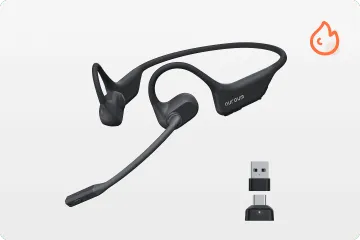
Best Wireless Headset for Cisco IP Phones: OpenEar Pro 2

The OpenEar Pro is a revolution in the wireless headset for Cisco IP phone category. Unlike traditional headsets that cover or plug your ears, this open ear wireless headphone with microphone uses air conduction technology to project sound directly into the ear canal without blocking it.

Key highlights:

  • Open‑ear design for environmental awareness
  • Lightweight structure for extended wear
  • Bluetooth dual‑device connectivity
  • Ideal for front desk and management roles

This model works well as an open ear headset for Cisco IP phone environments where mobility and comfort are priorities.

Nuroum OpenEar Pro 2 | shop

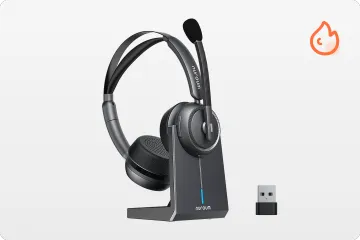
Best Noise-Cancelling Office Headset for Cisco IP Phones: HP31D

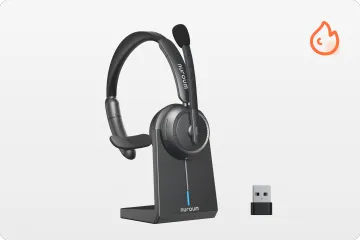
For those who prefer a traditional, focused experience, the HP31D is a powerhouse headset for IP phones, functioning as a professional-grade bluetooth noise cancelling headset with mic designed for high-clarity business communication.

Core strengths:

  • AI dual‑microphone ENC noise cancellation
  • DSP voice processing technology
  • USB dongle and Bluetooth connectivity
  • Long battery life for all‑day calling

It is particularly suited for contact centers and remote support teams requiring consistent voice clarity.

Nuroum HP31D | shop

Pro Tips: How to Connect a Headset to an IP Phone

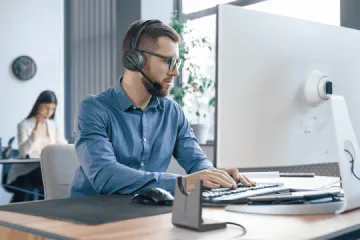
Close-up of a man taking a phone call with his headset resting on one side, working at his desk in an office setting.

Deploying an IP phone headset correctly ensures optimal performance and compatibility.

Check Your IP Phone Interface First

Always identify whether your desk phone supports RJ9, USB, or Bluetooth before purchasing a headset.

Use the Correct Connection Method

  • RJ9 → Direct wired connection
  • USB → Plug‑and‑play digital audio
  • Bluetooth → Wireless pairing via phone settings

Consider EHS Cables for Call Control

EHS (Electronic Hook Switch) cables enable remote call answering and ending—essential for wireless call center workflows.

Optimize Audio Settings After Connection

After setup:

  • Adjust microphone gain
  • Enable wideband audio
  • Configure sidetone levels

Troubleshooting Quick Fixes

  • No audio → Check port type
  • Mic failure → Verify input source
  • Pairing drops → Update firmware

Expert Summary: IP Phone Headset Connection Best Practices

Ensuring interface compatibility is the first step when connecting a headset to an IP phone. Cisco models commonly support USB and Bluetooth headsets, while older systems rely on RJ9 connections. For wireless deployments, EHS cables enable remote call control, and proper audio configuration post-setup guarantees optimal performance. Whether you choose the innovative OpenEar Pro 2 or the reliable HP31D, Nuroum ensures your cisco ip phone headset experience is world-class.

FAQs

  1. Can I use any headset with an IP phone?

Not all headsets are compatible. Always confirm interface type and manufacturer compatibility.

  1. Do IP phone headsets support noise cancellation?

Yes. Many modern models include AI ENC microphones for background noise suppression.

  1. Are these two headsets compatible with other IP phone systems?

Yes. Both models are designed for broad VoIP compatibility and work well with multiple IP phone and communication platforms, including Yealink, Poly, Panasonic, Five9, Talkdesk, Cisco, and Mitel desk phone systems. They also support Bluetooth connectivity for pairing with devices such as PCs, mobile phones, PS5 consoles, and even certain walkie-talkie systems that allow Bluetooth audio integration.

  1. Is wired or wireless better for call centers?

Wired offers reliability, while wireless provides mobility. The choice depends on workflow needs.

logo
Subscribe to get updates on all things at Nuroum

I agree the terms of use and privacy policy.

More interesting articles for you

cover.png
Open Back vs. Closed Back Headphones: Which Design Suits Your Ears?
Headphone GuideAudiophile GearOffice Headphones
cover.png
The 6 Best Single Ear Bluetooth Headsets for Phone Calls of 2026
single ear headsetnoise cancelling mic
cover.png
How Banking Call Centers Elevate Customer Experience with Professional Wireless Microphone Headset
Banking TechnologyCustomer ExperienceCall Center Solutions