






AI coding assistants like GitHub Copilot, OpenAI Codex, and Cursor are making voice coding more practical than ever. By turning spoken instructions into code, these tools can help developers work faster while reducing the repetitive typing associated with wrist strain and repetitive stress injuries (RSI), a concern highlighted by the Occupational Safety and Health Administration (OSHA).
But voice coding is only as effective as the audio it receives. Mechanical keyboard noise, room echo, and Bluetooth latency can all interfere with speech recognition, causing transcription errors and frustrating interruptions. In this guide, we'll explore the most common causes of voice coding errors and how to build a cleaner, more reliable setup for AI-assisted development.
Why More Developers Are Using Voice Coding
Voice coding has evolved far beyond basic speech-to-text dictation.
Modern AI coding assistants can understand prompts such as:
- "Create a React component for user authentication."
- "Write a Python function that validates email addresses."
- "Refactor this function using async/await."
- "Add comments explaining this algorithm."
Instead of manually typing every instruction, developers can increasingly communicate with AI using natural language.
Several factors are driving this trend:
Faster Idea Capture
Developers often think faster than they type. Voice input makes it easier to capture ideas immediately without interrupting workflow.
Reduced Typing Fatigue
Voice interaction can reduce repetitive keyboard use during documentation, code generation, and debugging tasks.
Better AI Integration
Tools like GitHub Copilot and OpenAI Codex are designed around natural language prompts, making voice input a natural extension of AI-assisted development.
As voice coding becomes more common, maintaining pristine audio quality becomes an important part of the development environment, prompting many to search for the best noise cancelling headphones for coding.
The 3 Biggest Problems That Cause Voice Coding Errors
Mechanical Keyboard Noise
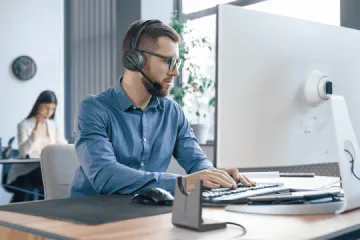
Mechanical keyboards are popular among developers, but they can create challenges for speech recognition systems.
Clicky switches generate sharp acoustic transients that microphones may capture alongside your voice. As documented by both Google Cloud Speech-to-Text and Microsoft Azure Speech Services, background noise is one of the primary factors that reduces automatic speech recognition accuracy. When speech and keyboard noise are mixed together, voice recognition systems have a harder time identifying spoken commands accurately.
Room Echo and Open Office Noise
Keyboard noise isn't the only source of interference.
Many developers work in environments filled with:
- Coworker conversations
- Meeting room reflections
- HVAC noise
- General office activity
Speech recognition systems perform best when they receive a clean voice signal. Echo and background conversations make it more difficult for AI tools to isolate the speaker's voice.

Bluetooth Latency
Standard Bluetooth connections can sometimes introduce latency, audio compression, and connection instability during real-time voice interactions. For voice coding, even small delays can make conversations with AI assistants feel less natural and interrupt workflow momentum.
USB dongles are often preferred because they:
- Reduce audio lag
- Improve connection stability
- Minimize wireless interference
Compared with standard Bluetooth connections, dedicated USB dongles create a more stable low-latency audio pathway, making them particularly useful for coding, meetings, and AI-assisted workflows. If you're interested in the technical differences between the two connection methods, Why a Bluetooth Dongle Is Necessary for Business Headsets provides a deeper explanation of latency, wireless stability, and audio performance.
How to Optimize Your Voice Coding Setup
Position Your Microphone Correctly
Even excellent speech recognition software struggles with poor microphone placement.
For best results:
- Keep the microphone close to your mouth.
- Use a boom microphone whenever possible.
- Avoid relying on built-in laptop microphones.
- Position the microphone slightly off-center to reduce breath noise.
Similar recommendations can be found in professional audio guidance from organizations such as Shure, which emphasize microphone placement as a key factor in speech clarity.
Reduce Keyboard Noise at the Source
Before upgrading your headset, consider reducing the noise your microphone hears.
Helpful options include:
- Switching to quieter linear switches
- Using O-rings
- Adding a desk mat
- Typing with less force
Small improvements can noticeably improve voice recognition consistency.

Use a Low-Latency Connection
Responsiveness matters during voice coding sessions. USB dongles are often preferred because they:
- Reduce audio lag
- Improve connection stability
- Minimize wireless interference
This becomes especially useful when switching between coding, meetings, and AI-assisted workflows throughout the day.
What Makes a Good Voice Coding Headset?
After optimizing microphone placement, reducing keyboard noise, and improving connection stability, the next step is choosing a headset that supports your workflow.
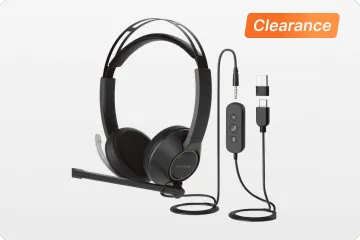
For voice coding, sound quality alone isn't enough. A headset should help AI assistants hear you clearly, respond quickly, and fit naturally into the way developers work. Here are four features that matter most.
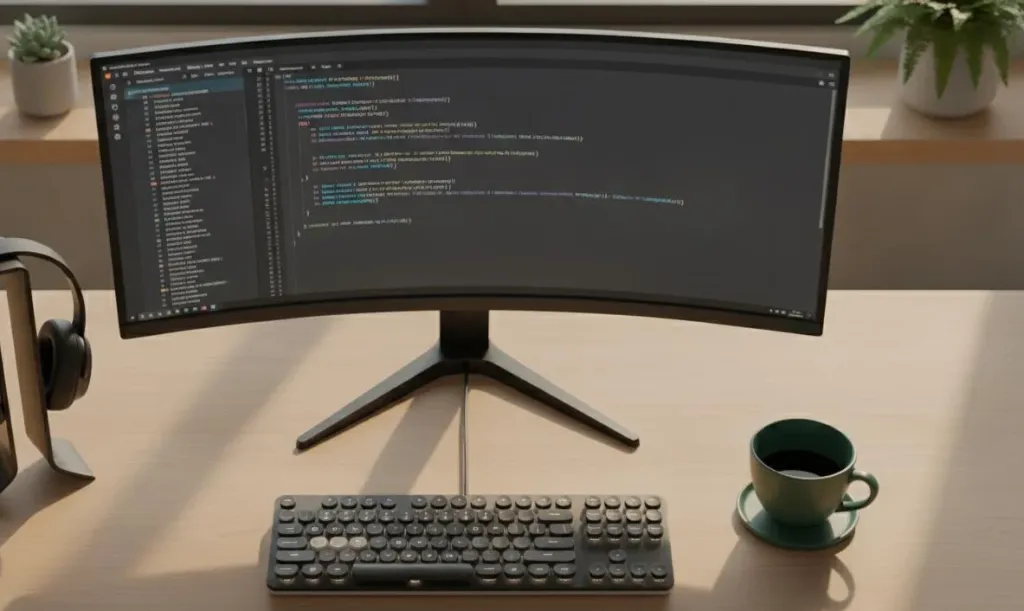
1. Clear Voice Pickup (ENC)
Voice coding depends on accurate speech recognition. If background sounds reach the microphone, AI assistants may misinterpret commands or generate incorrect output.
This is where ENC (Environmental Noise Cancellation) becomes valuable. Unlike traditional ANC, which primarily helps users hear better by reducing surrounding noise, ENC focuses on the microphone side of the conversation. It helps reduce keyboard clicks, office chatter, and other distractions before they reach the microphone, allowing AI coding assistants to capture voice commands more accurately. If you're unfamiliar with the differences between the two technologies, a guide on ENC vs ANC: What's the Difference? explains why ENC is often more important than ANC for voice-driven workflows such as AI coding, online meetings, and speech recognition.
2. Low-Latency Connectivity (USB Dongle)
Voice coding feels most natural when responses happen immediately. A stable wireless headset with usb dongle connection can reduce latency, improve reliability, and avoid some of the audio compression issues associated with standard Bluetooth connections. For developers who frequently switch between coding, meetings, and AI interactions, lower latency helps maintain workflow momentum.
3. Situational Awareness

Many developers work in collaborative environments where completely blocking out the world isn't always practical. During a typical workday, developers may need to monitor AI feedback, Slack notifications, teammate conversations, and system alerts simultaneously.
Headsets that preserve situational awareness can make multitasking easier without sacrificing communication quality—which is exactly why choosing a dedicated mono bluetooth headset for programmers has become a popular strategy for open-office collaboration.
4. Long-Term Comfort
Voice coding sessions often last for hours.
Workplace ergonomics guidance from the Occupational Safety and Health Administration (OSHA) highlights how prolonged computer work can contribute to localized fatigue and discomfort, making long-term comfort an important consideration for developers who spend hours coding each day. Lightweight designs, breathable materials, and open-ear configurations can help improve wearability during extended sessions. If traditional over-ear designs cause fatigue, switching to an open ear headphone with mic for coding provides a weightless alternative that keeps you comfortable all day.
Single-Ear vs Open-Ear vs Traditional ANC Headsets
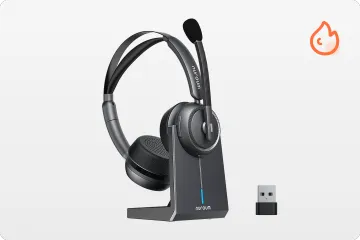
Not all headsets solve the same problem. Depending on your environment, the best noise cancelling headphones for coding might not be a bulky dual-ear headset, but rather a flexible single-ear or open-ear model.
| Feature | Single-Ear | Open-Ear | Traditional ANC |
|---|---|---|---|
| Situational Awareness | ✅ | ✅ | ❌ |
| Voice Coding | ✅ | ✅ | ✅ |
| Team Collaboration | ✅ | ✅ | ⚠️ |
| Open Office Use | ✅ | ✅ | ⚠️ |
| Deep Focus | ⚠️ | ⚠️ | ✅ |
| All-Day Comfort | ✅ | ✅ | ⚠️ |
| Hearing Notifications | ✅ | ✅ | ❌ |
No single headset design is perfect for every developer. Traditional ANC headsets excel at deep-focus work, while single-ear and open-ear designs prioritize awareness and collaboration. For developers who regularly use AI coding assistants in open offices, hybrid workplaces, or team environments, maintaining situational awareness can be just as important as reducing distractions. That's why options like a specialized mono bluetooth headset for programmers or an open ear headphone with mic for coding are becoming increasingly popular choices for modern voice-driven workflows.
Recommended Headsets for Voice-to-Code Workflows
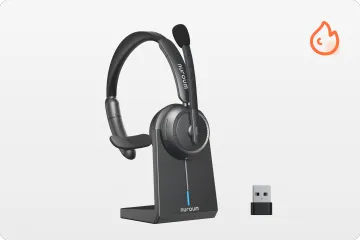
Nuroum HP31S — Best Mono Bluetooth Headset for Programmers
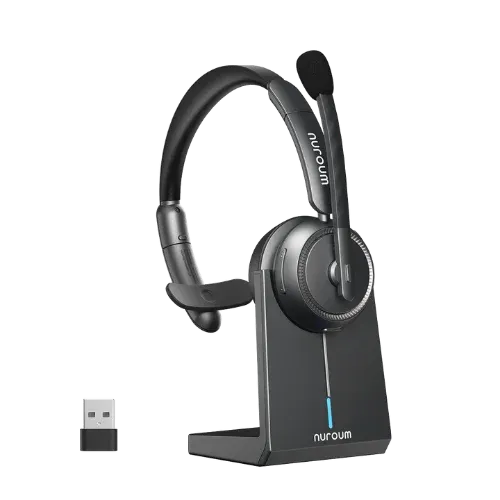
The HP31S is designed for developers who constantly move between coding, meetings, AI tools, and team communication.
Its single-ear design allows users to hear AI-generated responses while remaining aware of coworkers, system notifications, and office activity.
Key advantages include:
- Single-ear design for developer multitasking
- ENC microphone for clearer voice capture
- USB dongle for stable low-latency connectivity
- Comfortable all-day wear
This makes the HP31S particularly suitable for developers who frequently switch between coding, meetings, and team collaboration throughout the day.
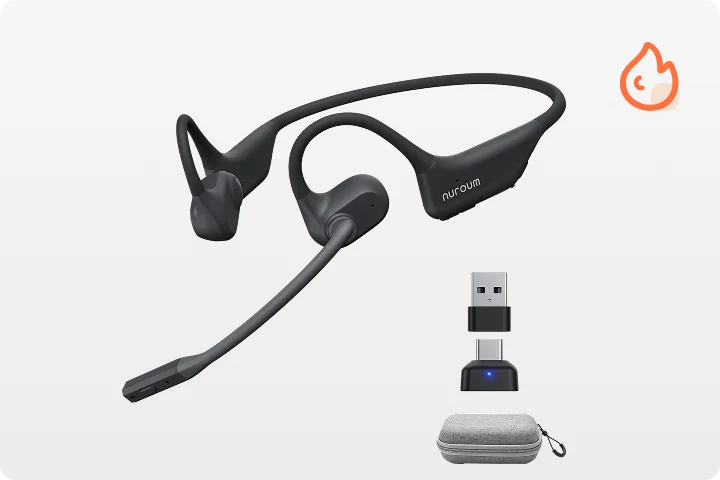
Nuroum OpenEar Pro 2 — Best Open-Ear Headphone with Mic for Coding
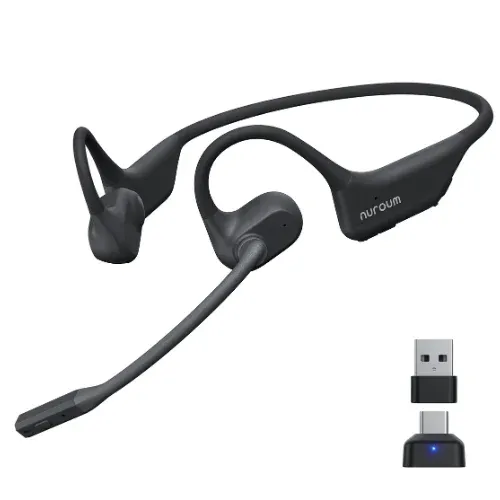
The OpenEar Pro 2 is designed for developers who want to stay aware of their surroundings without sacrificing communication quality during voice coding sessions.
Its open-ear design allows users to hear teammates, notifications, and workplace activity while still receiving audio feedback from AI coding assistants.
Key advantages include:
- Open-ear design for greater situational awareness
- ENC microphone for clearer voice capture
- USB dongle for stable low-latency connectivity
- Lightweight design for all-day comfort
This makes the OpenEar Pro 2 particularly suitable for developers who spend long hours coding in hybrid work environments, collaborative teams, or shared office spaces.
Which Voice Coding Setup Is Right for You?
| Developer Type | Recommended Setup |
|---|---|
| Open Office Developer | Nuroum HP31S or Nuroum OpenEar Pro 2 |
| Team Lead / Engineering Manager | Nuroum HP31S |
| Deep-Focus Solo Programmer | Traditional ANC Headset |
| Heavy Voice Coding User | Nuroum HP31S or OpenEar Pro 2(included usb dongle) |
| Hybrid Worker | Nuroum OpenEar Pro 2 |
There is no universal solution, the best setup depends on whether your priority is collaboration, awareness, comfort, or maximum focus.
Final Thoughts

Voice coding is no longer a futuristic concept. With tools like GitHub Copilot, OpenAI Codex, Cursor, and other AI assistants becoming part of everyday development workflows, speaking to your IDE is becoming increasingly common.
But successful voice coding isn't just about choosing the right AI. It's about creating the right audio environment. Reducing keyboard noise, minimizing echo, improving microphone placement, and using a reliable low-latency connection can significantly improve how accurately AI tools understand your commands.
For developers who need to stay aware of their surroundings while coding, single-ear and open-ear designs offer a practical alternative to traditional noise-cancelling headphones. The right headset won't write code for you—but it can help ensure your AI assistant hears your instructions clearly the first time.
FAQs
1. Does voice coding actually improve developer productivity?
For many developers, yes. Voice coding can be useful for generating boilerplate code, documenting projects, writing comments, and interacting with AI coding assistants without relying exclusively on the keyboard.
2. Do developers need a dedicated headset for voice coding?
While voice coding is possible without a dedicated headset, using one can significantly improve the experience. A quality setup combines clearer microphone pickup, background noise reduction through ENC technology, and a low-latency connection. Choosing either the best noise cancelling headphones for coding or a specialized wireless headset with usb dongle helps AI tools capture voice commands more accurately in real-world environments.
3. Why do mechanical keyboards affect speech recognition accuracy?
Mechanical keyboards generate short, high-energy sounds that microphones may capture alongside speech. In noisy environments, these sounds can make it harder for speech recognition systems to isolate spoken commands accurately.
4. Is a USB dongle better than Bluetooth for voice coding?
In many cases, yes. A dedicated USB dongle often provides a more stable connection with lower latency, helping voice interactions feel more responsive.
5. Should developers choose single-ear or dual-ear headsets?
It depends on the environment. Developers working in collaborative offices often benefit from a mono bluetooth headset for programmers or an open ear headphone with mic for coding because they maintain situational awareness, while developers seeking maximum concentration may prefer traditional dual-ear headsets with stronger active isolation.



