











The Last Generation of Audio-Only Hardware
The conference phone represents a specific technological moment: the era when business communication meant voice calls over dedicated telephone networks. Companies installed conference phones in meeting rooms because the alternative was passing a handset around the table. The device solved a real problem and became so standard that "conference room" and "conference phone" became conceptually linked.
That era is ending. Not dramatically — most conference phones still function, still connect, still carry audio. But the context around them has dissolved. The telephone network they were built for is fragmenting. The meetings they were designed to support have evolved into video-centered experiences. And the workplaces they occupy have reorganized around hybrid work models that assume visual communication as a baseline.
Understanding why conference phones are becoming obsolete requires looking at three intersecting trends: the shift from PSTN to cloud communications, the rise of hybrid work, and the convergence of audio and video into unified meeting devices.
Why the Conference Phone Model Broke
The Network Migration
Traditional conference phones connect to PBX systems via analog telephone lines or digital trunk connections. These systems require dedicated infrastructure: copper wiring, phone switches, maintenance contracts, and specialized administration. Organizations are migrating from this model to cloud-based unified communications at an accelerating rate.
When your phone system moves to Microsoft Teams, Zoom Phone, or a similar cloud platform, the conference phone becomes an awkward appendage. It may connect through a gateway, but the configuration is complex, the feature set is limited compared to the platform's native capabilities, and the management overhead increases. IT teams find themselves maintaining legacy telephony infrastructure specifically for conference rooms while the rest of the organization has moved on.
The Hybrid Work Reality
Conference phones were designed for rooms where everyone was physically present and only the distant party was remote. In that model, audio equity was achievable: the room heard clearly, and the remote participant heard clearly. The asymmetry — remote participants could not see the room — was accepted as a limitation of technology.
Hybrid work flipped this model. Now half the participants might be remote, and "remote" includes home offices, shared workspaces, airport lounges, and client sites. Audio-only participation creates a persistent disadvantage for these attendees. They miss the visual cues that drive meeting dynamics: who is reacting to what, where attention is focused, when a point has consensus. Over time, this disadvantage erodes their engagement and contribution.
The Device Convergence
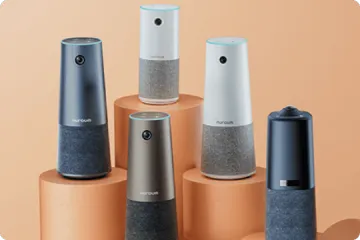
The final factor is technological. It is now possible to combine high-quality video capture, professional-grade microphone arrays, and room-filling speakers in a single device at a price point comparable to a premium conference phone. This was not true five years ago. The engineering challenges of integrating these components — thermal management, acoustic isolation between microphones and speakers, intelligent audio processing — have been solved.
When a single device can replace three separate components while adding video and AI features, the separate-device model becomes difficult to justify on either cost or capability grounds.
What Modern Alternatives Actually Offer
Cloud-Native Connectivity
Modern all-in-one conference cameras connect through your computer and your internet connection. They use the same platforms your team already uses for video calls: Zoom, Microsoft Teams, Google Meet, Webex, and others. There is no separate phone system to maintain, no PBX integration to configure, no phone lines to provision.
Video as Default
The most significant functional difference is visual presence. Remote participants see the meeting room, identify speakers, follow presentations, and participate in visual collaboration. This is not a luxury feature — it is the baseline expectation for hybrid meetings in most organizations.
AI-Enhanced Meeting Quality
Features that conference phones cannot match include automatic framing that adjusts to the number of participants, speaker tracking that focuses on whoever is talking, noise suppression that learns your room's acoustic profile, and discussion modes that highlight multiple active speakers. These capabilities improve with use as the AI adapts to your specific environment.
Simplified Management
A single device with one USB connection replaces the conference phone, its wiring, its network connection, and the separate camera and speaker you would need to add video. For IT teams managing dozens of meeting rooms, this consolidation dramatically reduces support tickets and configuration complexity.
Planning Your Migration
Audit Your Current Phones
Document every conference phone: location, age, phone system connection, usage frequency, and user complaints. Identify which rooms are used for hybrid meetings versus audio-only calls. This audit reveals your transition priority.
Identify Platform Dependencies
If your organization uses Avaya, Vonage, or another specific phone system, understand the migration path. Some cloud platforms offer device migration programs. Others require a more staged transition. The phone system decision should drive the conference room hardware decision.
Pilot in High-Impact Rooms
Choose 2-3 conference rooms with the most hybrid meeting activity. Replace the conference phone with an all-in-one camera, run for 4 weeks, and collect feedback from both in-room and remote participants. This pilot provides evidence for your broader business case.
Stage the Rollout
Replace conference phones in phases: primary conference rooms first, then huddle spaces, then rarely-used rooms last. This approach spreads costs over time and lets you refine your configuration based on early learnings.
Train Users on the Change
The transition from phone-based meetings to video-based meetings involves behavior change, not just hardware change. Brief users on how to join meetings, adjust audio, and position themselves for good video. The hardware transition is easy; the habit transition takes longer.
Where the Nuroum 360 Pro Fits
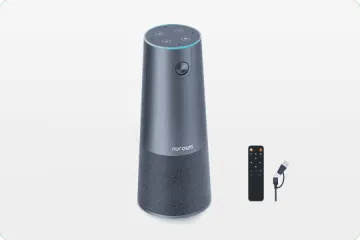
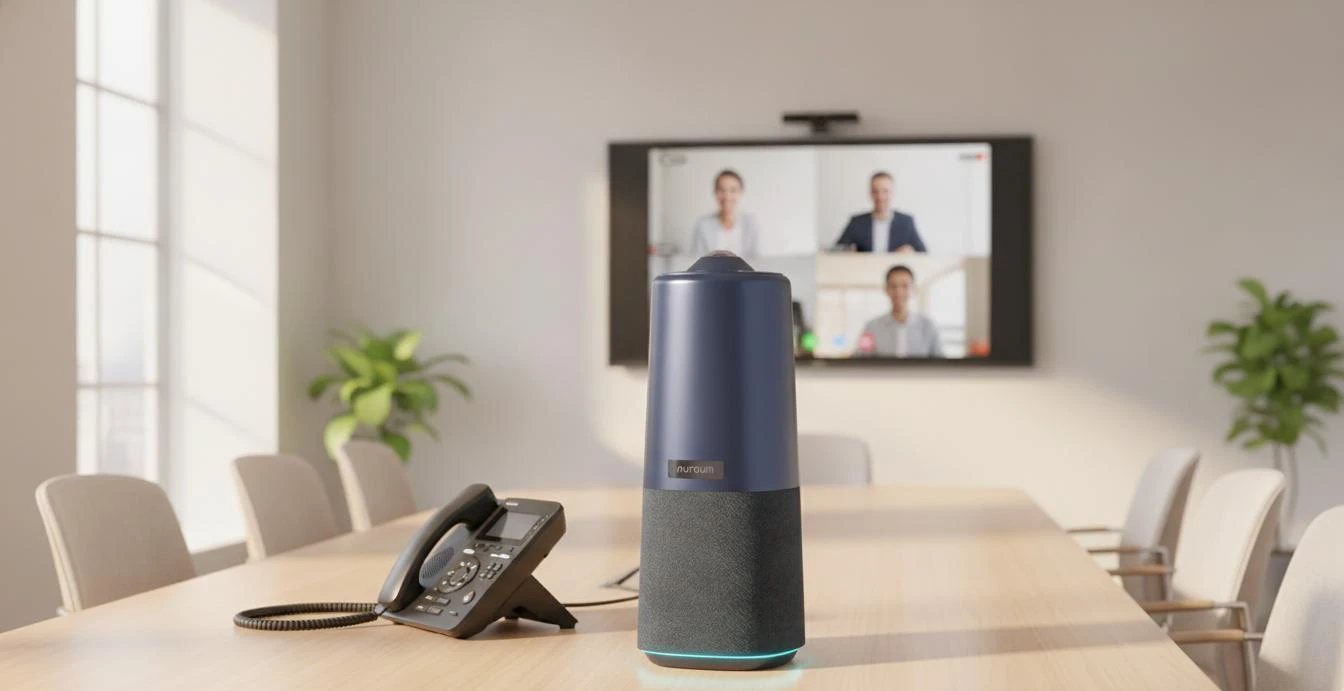
The Nuroum 360 Pro serves as a direct replacement for aging conference phones in standard conference rooms. It connects via USB — no phone lines, no PBX integration, no network configuration. The six omnidirectional microphones provide a pickup range comparable to mid-range conference phones, with the addition of echo cancellation and noise suppression that most legacy phones lack.
The critical addition is 360° video, which conference phones cannot provide. Remote participants see the entire room through the panoramic lens, while AI-powered discussion mode highlights active speakers in close-up. The integrated speaker ensures in-room audio output quality that matches or exceeds most conference phones.
For organizations sunsetting Avaya, Vonage, or other legacy phone systems, the 360 Pro offers a migration path that does not require replacing the entire phone infrastructure at once. Conference rooms can transition to video-first independently of the broader telephony migration.
FAQs
Q: Why are businesses getting rid of conference phones?
A: Conference phones are being phased out because they provide audio-only connectivity in an era where hybrid meetings require video. Remote participants cannot see meeting attendees, read body language, follow visual presentations, or participate equitably in visual collaboration. Additionally, many conference phones rely on legacy PBX systems or PSTN lines that organizations are retiring as they migrate to cloud-based unified communications.
Q: What is the best replacement for a conference phone?
A: All-in-one conference cameras are the standard replacement for conference phones. They combine video capture, microphone arrays, and speakers in a single device that connects via USB to any computer running Zoom, Microsoft Teams, Google Meet, or similar platforms. This replaces the conference phone's audio function while adding the video dimension that hybrid meetings require.
Q: Can I still use my Avaya or Vonage conference phone?
A: If your phone system still supports it, yes. However, consider the trajectory: Avaya has filed for bankruptcy restructuring, and the industry is moving away from dedicated conference phone hardware. Continuing to invest in legacy conference phone infrastructure carries increasing risk as support and compatibility diminish. Planning a transition to modern alternatives protects against future disruption.
Q: Do I need to change my phone system to replace a conference phone?
A: No. All-in-one conference cameras connect via USB to a computer and use your existing internet connection and video conferencing software. They do not require a PBX, phone lines, or VoIP service. The transition from conference phone to all-in-one camera is often simpler than migrating between phone systems.
Related Guides
- Speakerphone vs. All-in-One Conference Camera: Why Hybrid Teams Are Making the Switch
- Best Webcam Alternative for Conference Rooms
- Video Bar Alternative: Why Teams Are Upgrading to All-in-One Cameras
Replace your aging conference phone with the Nuroum 360 Pro — USB plug-and-play, no phone lines required, with 360° video and professional audio in a single device.



