











The Halfway Innovation
Video bars represented genuine progress when they entered the market. Compared to the webcams and speakerphones they replaced, they offered better audio, wider video capture, and the convenience of a single device. The soundbar form factor was familiar, the installation was straightforward, and the improvement over previous setups was immediately noticeable.
But the video bar solved the problems of 2018, not the problems of 2025. It improved on the webcam's narrow field of view but stopped short of solving the fundamental framing challenge of conference rooms. It mounted the camera in a fixed position on a wall, which created new constraints that became apparent as meeting patterns evolved.
Understanding the video bar's limitations — and what replaces it — requires examining how the camera's position fundamentally shapes what remote participants see.
The Fixed-Position Problem
A video bar mounts below or above a display at the front of the room. Everyone sits facing the display, which means everyone sits with their backs or sides to the camera. The camera captures what it can from this fixed vantage point: a wide, flat view of the table with participants arranged at varying distances and angles.
This arrangement creates predictable issues:
Front-row bias: The people closest to the camera and display appear largest in the frame. Those at the far end of the table appear smaller and less distinct. Remote participants intuitively read this as a hierarchy, even when none exists.
Side-profile capture: Participants sitting perpendicular to the camera are visible only in profile. Their facial expressions — crucial for reading reactions and engagement — are hidden. Remote participants cannot tell whether a side-profile person is nodding in agreement, looking confused, or checking their phone.
Back-of-head visibility: In rooms where seating wraps around or where latecomers grab the closest chair, the camera may capture the backs of participants' heads. This is not merely unflattering — it signals to remote participants that they are not being considered in the room's layout.
Distance distortion: Wide-angle lenses used in video bars introduce geometric distortion that stretches people at the edges and compresses those in the center. A 120° lens capturing a long conference table makes the near side look enormous and the far side look tiny.
The Platform Lock-In Risk
Zoom Room Kits, Teams Room Kits, and Google Meet Kits offer deeper integration with their respective platforms — one-touch join, calendar integration, platform-specific optimizations. These features have genuine value for organizations fully committed to a single platform.
The risk is organizational, not technical. Most businesses use multiple communication platforms: Microsoft Teams for internal meetings, Zoom for client calls, Google Meet for partners who use Workspace. A platform-specific room kit works brilliantly for its native platform and functions as a generic USB device for others — meaning you lose the premium features you paid for in the meetings where you need them most.
Additionally, platform subscription costs for room kits accumulate over time. The hardware purchase is only part of the total cost of ownership. Monthly per-room licenses for Zoom Rooms or Teams Rooms add substantial ongoing expense that USB-based alternatives avoid.
Why Table-Centered 360° Cameras Solve What Video Bars Cannot
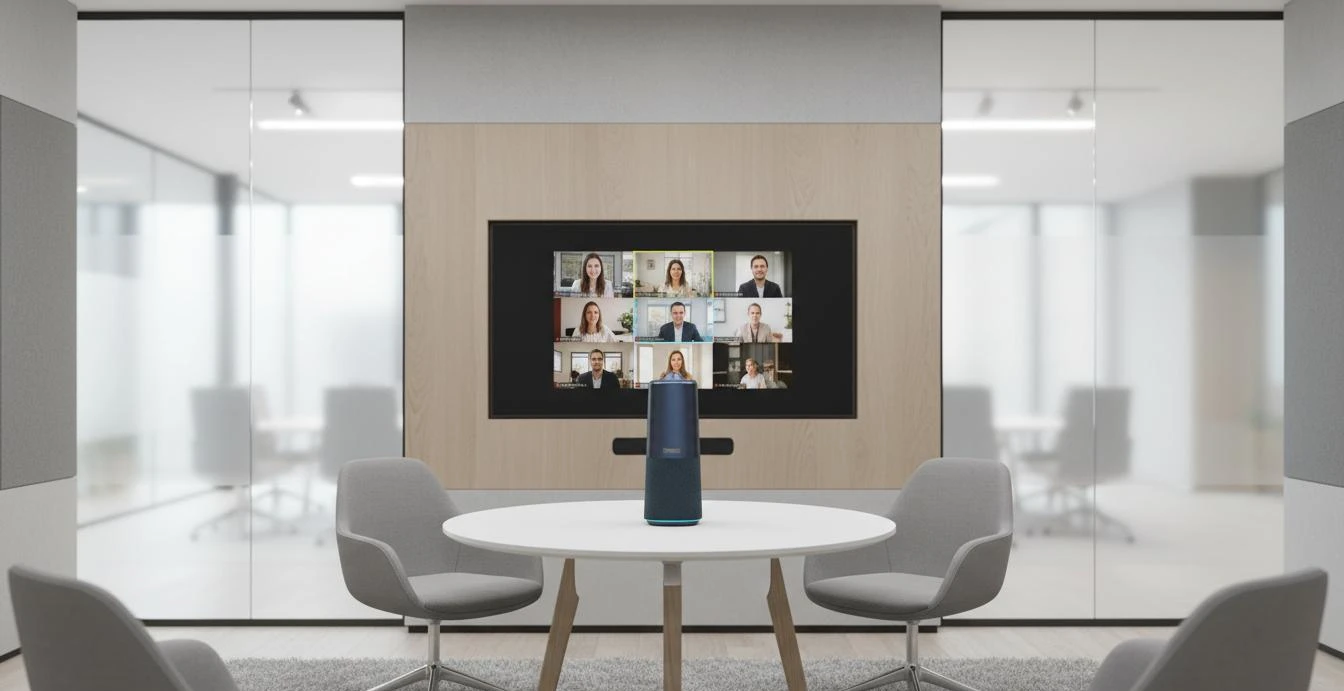
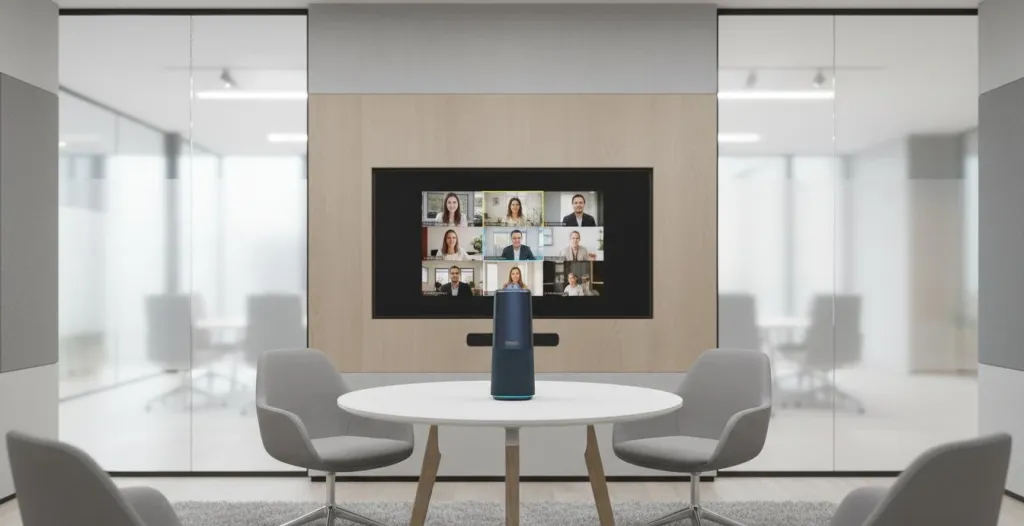
Moving the camera from the wall to the center of the table changes the geometry entirely. A 360° panoramic lens on the table sees everyone equally — no front-row bias, no side profiles, no back-of-head shots. Participants arranged around the table are captured from the center, giving remote participants a natural, inclusive view.
Equal Visual Presence
When the camera sits in the middle of the table, everyone is roughly equidistant from it. No one dominates the frame by proximity. No one disappears into the distance. Remote participants see a balanced view that reflects the actual meeting dynamic rather than the camera's physical constraints.
AI-Intelligent Framing
Table-centered cameras with AI capabilities go beyond panoramic capture. They identify active speakers and highlight them in close-up views, switch between discussion participants intelligently, and adapt to changing meeting dynamics. A video bar captures a static wide shot. A 360° camera with AI creates a dynamic viewing experience that follows the conversation.
Platform Flexibility
USB-connected 360° cameras work with any platform: Zoom, Teams, Google Meet, Webex, and others. They appear as standard USB audio and video devices, requiring no platform-specific configuration or ongoing licensing. This flexibility matters for organizations that use multiple platforms or may switch platforms in the future.
Simpler Installation
Video bars require wall mounting, cable routing through walls or conduit, and precise positioning relative to the display. A table-centered 360° camera sits on the table, connects via USB, and requires no mounting hardware. Installation takes minutes rather than hours, and the device can be moved between rooms as needed.
When Video Bars Still Make Sense
Video bars are not universally inferior. They fit specific scenarios well:
Small huddle rooms with fixed seating: In spaces where 2-4 people always sit in the same positions facing the display, a video bar's front-facing capture works adequately. The limitations described above are less severe in very small rooms.
Platform-dedicated spaces: If your organization has rooms specifically designated for one platform — a "Zoom Room" or "Teams Room" that never hosts other platforms — the deeper integration of platform-specific kits delivers value.
Rooms with existing infrastructure: If you have already invested in wall-mounting, cable routing, and display installation, keeping a video bar may be more practical than reconfiguring the room.
The Migration Path from Video Bars
Organizations transitioning from video bars to table-centered 360° cameras typically follow this sequence:
Evaluate current pain points: Survey remote participants about their experience in video bar-equipped rooms. Common complaints include "couldn't see everyone," "people at the far end were too small," and "couldn't tell who was talking." These map directly to the fixed-position limitations described above.
Pilot in one problematic room: Choose a room where the video bar's limitations are most acute — typically a standard conference room with 6+ seats where hybrid meetings happen frequently. Replace the video bar with a table-centered 360° camera and collect feedback for 2-4 weeks.
Compare total cost of ownership: Factor in not just hardware cost but platform licensing, installation, IT support time, and the productivity cost of poor remote participation. The comparison often favors the simpler device.
Standardize based on evidence: Use pilot results to select a standard device for your environment. Roll out in phases, starting with the rooms that generate the most hybrid meeting friction
Where the Nuroum 360 Pro Fits
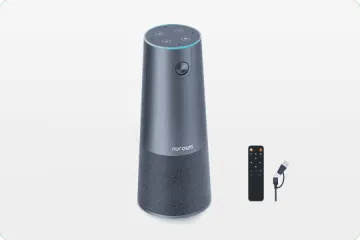
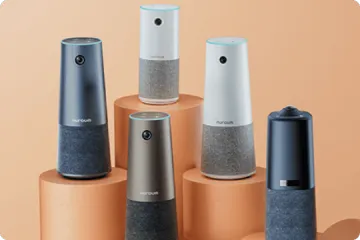
The Nuroum 360 Pro is designed as a video bar alternative for organizations that want the simplicity of an all-in-one device without the fixed-position constraints. Its 360° panoramic lens captures the entire room from a center-table position, eliminating the front-row bias and side-profile problems of wall-mounted video bars.
The device connects via USB and works across all major platforms — Zoom, Teams, Google Meet, and others — without platform-specific licensing or configuration. Six omnidirectional microphones provide 16-foot pickup range, and the integrated Hi-Fi speaker delivers room-filling audio. Three AI capture modes adapt to different meeting styles: Discussion Mode for multi-participant conversations, Global Mode for presentations, and intelligent speaker tracking.
For organizations currently using video bars in rooms where the fixed position creates coverage gaps, the 360 Pro offers a migration path that requires no wall modification or complex reinstallation.
FAQs
Q: What is a video bar?
A: A video bar is a soundbar-shaped device that combines a camera, microphone array, and speakers in a single unit, typically mounted below or above a display screen. Video bars like the Neat Bar and platform-specific room kits (Zoom Room Kit, Teams Room Kit, Google Meet Kit) improved on webcam setups by offering wider fields of view, better audio pickup, and integrated speakers designed for small to medium meeting rooms.
Q: What are the limitations of video bars?
A: Video bars have three main limitations: (1) Fixed camera position mounted on a wall means participants sitting with their backs to the camera are poorly framed or invisible; (2) Wide-angle lenses capture a flat, distorted view of long tables where distant participants appear small; (3) Most video bars are designed for small huddle rooms and struggle in standard conference rooms with 6+ people. They also typically require platform-specific configurations that limit flexibility.
Q: How do 360° cameras compare to video bars?
A: 360° all-in-one cameras sit on the conference table and capture the entire room from the center, eliminating the fixed-position problem of wall-mounted video bars. They see all participants equally regardless of seating position, use AI to highlight active speakers intelligently, and provide consistent audio pickup in all directions. Unlike video bars, they are not tied to specific room positions or limited by wall-mounting constraints.
Q: Are Zoom Room Kits or Teams Room Kits worth the investment?
A: Platform-specific room kits make sense for organizations fully committed to one video conferencing platform with dedicated IT support to manage them. However, they lock you into that platform's ecosystem, require more complex installation and configuration, and typically cost significantly more than USB-based all-in-one alternatives. For organizations using multiple platforms or wanting flexibility, platform-agnostic devices are more practical.
Related Guides
- Speakerphone vs. All-in-One Conference Camera: Why Hybrid Teams Are Making the Switch
- Best Webcam Alternative for Conference Rooms
- Best Conference Phone Alternative: Modern Video-First Solutions
The Nuroum 360 Pro replaces wall-mounted video bars with a table-centered 360° camera that captures everyone equally — no platform lock-in, no installation complexity.



