











The Resolution Trap
Your new 4K webcam produces stunning video. In your home office, colleagues comment on the clarity. Facial details are crisp. Background separation looks professional. So naturally, when the office manager asks about conference room video, you suggest the same webcam. It works brilliantly at your desk — why would a room be different?
This logic fails in predictable ways that IT managers discover only after installation.
A 4K webcam placed at the front of a conference room faces a fundamentally different challenge than at an individual desk. At your desk, the camera is 18-24 inches from your face, captures a single subject who controls their own lighting and positioning, and feeds audio from a microphone that sits arm's length away. Move that same device to a conference room, and the distance to the nearest participant triples while the number of subjects multiplies. The 4K resolution that looked exquisite for one person now needs to cover a group spread across eight feet of table. The result is not better group video — it is inadequate group coverage with unnecessarily high pixel density on a narrow slice of the room.
Where Webcams Hit Hard Limits
The Field of View Problem
Standard webcams — even premium 4K models — offer 78° to 90° diagonal fields of view. This is optimal for a single person at a desk. At a conference table, it captures only the two people closest to the camera, leaving the rest of the room invisible to remote participants. Worse, the optical geometry of wide-angle webcam lenses introduces barrel distortion at the edges when you try to capture a wider area from a short distance, making participants at the sides look stretched and unnatural.
Some teams attempt workarounds: placing the webcam farther back, angling it awkwardly, or buying external wide-angle lenses that clip onto the camera. None of these solutions address the underlying physics. A webcam lens designed for personal use cannot be modified into a room-capture optic without significant quality degradation.
The Microphone Range Gap
Webcam microphones are optimized for near-field pickup — the 2-4 foot range between a user and their monitor. In a conference room, the person at the far end of the table sits 8-12 feet from the camera. Their voice arrives quieter, with more room reverberation, and mixed with ambient noise from HVAC systems and hallway traffic. The webcam's noise suppression algorithms, tuned for office background noise at close range, cannot distinguish between a distant speaker and environmental sound.
Meeting recordings from webcam-only conference rooms reveal a consistent pattern: the first third of the table sounds clear, the middle third sounds distant and thin, and the far third is often incomprehensible. Remote participants develop coping mechanisms — asking people to repeat themselves, guessing at unclear statements, or simply disengaging.
The Missing Speaker
Webcams capture video and audio input. They do not output audio for the room. This creates a configuration problem: you need a separate speaker, speakerphone, or display with built-in audio to hear remote participants. Each additional device introduces connection complexity, potential feedback loops, and another component to troubleshoot. The simplicity that makes webcaps appealing for personal use evaporates when you start adding peripherals to compensate for their limitations.
The AI Feature Gap
Modern meeting experiences rely on intelligent camera behavior: auto-framing that includes everyone, speaker tracking that focuses on who is talking, and presentation modes that adapt to meeting dynamics. Webcams lack these capabilities. They capture a static, dumb frame regardless of what happens in the room. A participant who stands up to use a whiteboard disappears from view. A sidebar conversation between two people gets the same visual weight as the main presentation.
The USB Webcam Appeal — And Its Limits
USB webcams succeed in two specific conference room scenarios, and understanding these helps clarify where they fail:
Phone booth rooms (1-2 people): In spaces barely larger than a closet, where one or two people join video calls individually, a webcam's limitations are less apparent. The participants sit close to the camera and monitor. The room's small size constrains the microphone range problem. This is the boundary case where webcams work adequately.
Individual presenter setups: When one person presents to a remote audience from a conference room, positioned directly in front of the camera, a webcam performs adequately. The single-subject framing aligns with its design. The microphone picks up the presenter's voice clearly. This is not a collaborative meeting, though — it is a broadcast, and webcams are acceptable broadcast tools.
Every other conference room use case — team meetings, client calls, workshops, interviews, brainstorming sessions — exposes the webcam's structural inadequacy.
What All-in-One Conference Cameras Do Differently
The transition from webcam to all-in-one conference camera is not merely adding a speaker or getting a wider lens. It is a different product category designed for a different problem.
Room-Scale Optics
All-in-one conference cameras use lenses designed for room-scale capture. Some use 360° panoramic lenses that see in all directions simultaneously, eliminating framing decisions entirely. Others use wide-angle optics with 120°+ horizontal fields of view, or multiple lenses with intelligent switching. The critical difference: these optics are designed to capture groups at table distance, not individuals at arm's length.
Microphone Arrays
Instead of the 1-2 microphones in a webcam, all-in-one devices contain microphone arrays — 4, 6, or 8 omnidirectional microphones positioned around the device. These arrays use beamforming to focus on human voices while suppressing ambient noise, and they capture audio clearly from 10-16 feet away. The difference is not incremental; it is the difference between hearing two people clearly and hearing everyone at the table.
Integrated Audio Output
All-in-one cameras include speakers designed for room-filling audio. Remote participants' voices project clearly to everyone in the space, not just the person sitting closest to a separate speaker. This creates acoustic equity — everyone in the room hears equally well.
AI-Powered Meeting Intelligence
Auto-framing detects how many people are in the room and adjusts the view to include them all. Speaker tracking identifies who is talking and frames them for remote viewers. Discussion modes highlight multiple active participants. These features transform the meeting experience for remote participants from static observation to dynamic engagement.
A Decision Framework: Webcam vs. All-in-One
Use this framework rather than specifications alone:
Keep the webcam if: Only 1-2 people ever use the room for video calls, the room is under 100 square feet, and no remote participant ever needs to see more than one speaker.
Upgrade to all-in-one if: 3+ people regularly meet with remote participants, anyone needs to move around the room (whiteboards, presentations), or remote attendees have complained about not seeing or hearing everyone.
The resolution red herring: 4K resolution matters less than field of view and microphone pickup range for conference rooms. A 1080p camera that captures the whole room delivers a better meeting experience than a 4K camera that captures one-third of it.
Where the Nuroum 360 Pro Fits
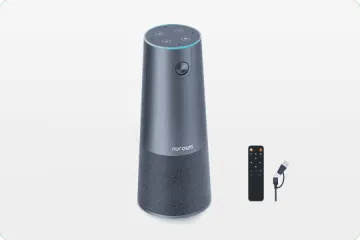
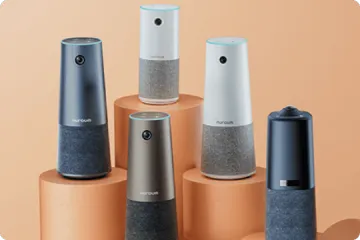
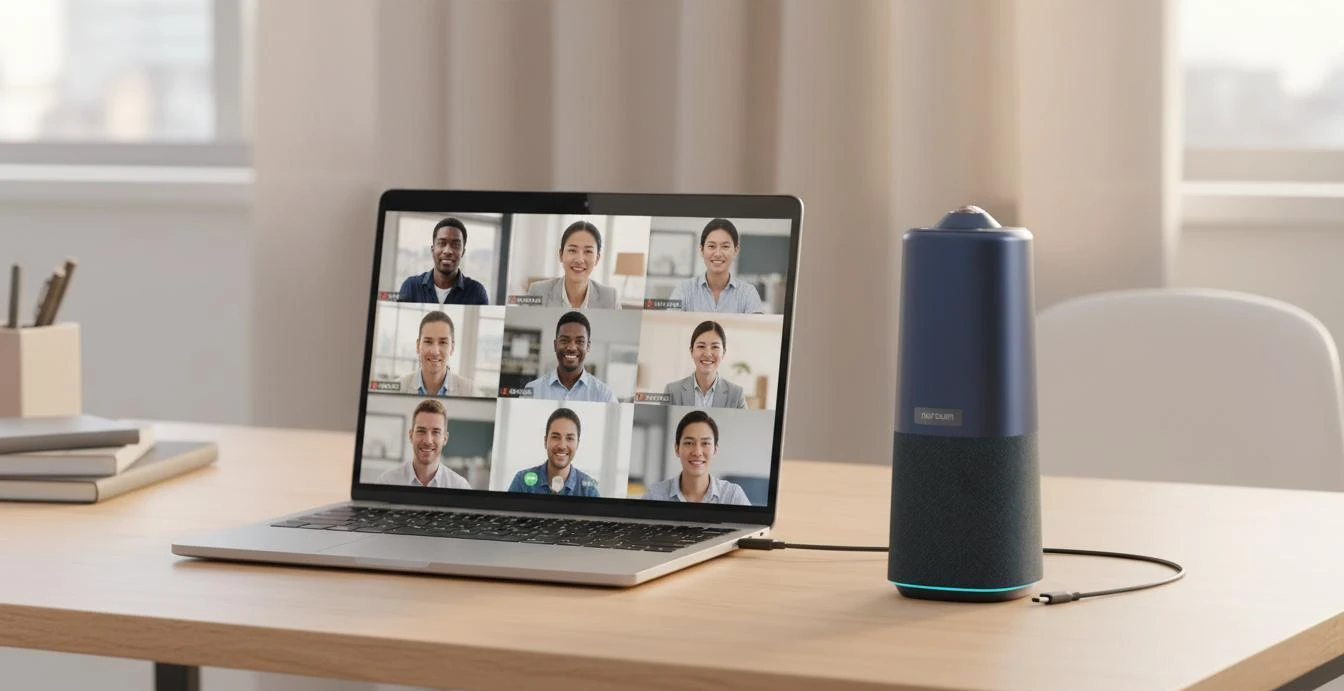
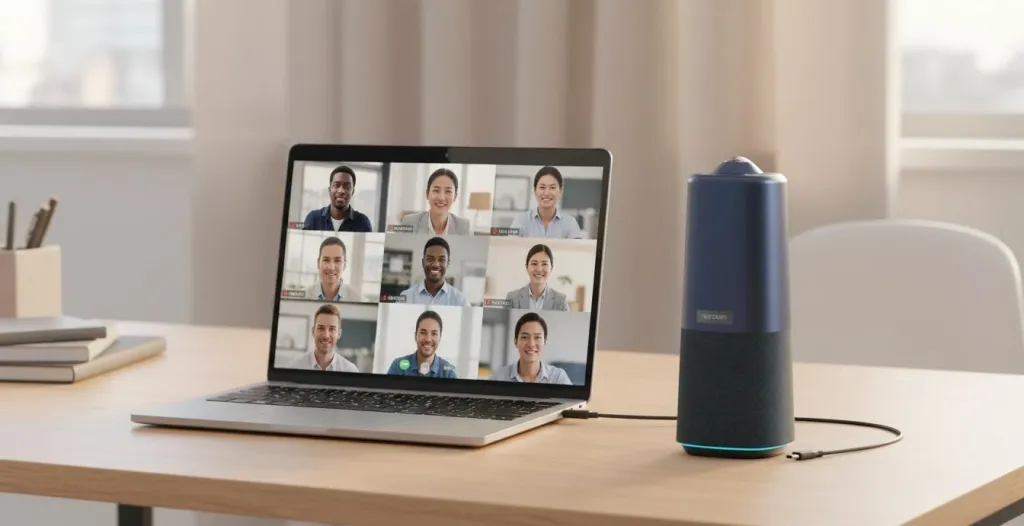
The Nuroum 360 Pro addresses the specific failure modes described above. Its 360° panoramic lens captures the entire room regardless of seating arrangement, eliminating the field-of-view problem that makes webcams inadequate for groups. Six omnidirectional microphones pick up voices from up to 16 feet away, covering standard conference rooms that webcams cannot handle. The integrated Hi-Fi speaker ensures everyone in the room hears remote participants equally.
The three AI capture modes adapt to different meeting styles: Discussion Mode highlights up to three active participants for dynamic team conversations. Global Mode captures the panoramic view for presentations. The device connects via USB and works with Zoom, Teams, Google Meet, and other major platforms — the same plug-and-play simplicity as a webcam, but with room-scale capability.
FAQs
Q: Can I use a 4K webcam for a conference room?
A: A 4K webcam works for individual use and very small huddle rooms with 2-3 people sitting close together. In standard conference rooms with 6+ participants, webcams face three fundamental limitations: narrow field of view (typically 78-90°) that cannot capture everyone at the table, microphone pickup range of only 3-6 feet that misses distant speakers, and no integrated speaker for room audio output.
Q: What is the difference between a business webcam and a conference room camera?
A: Business webcams are designed for individual users at desks. They prioritize personal framing, compact size, and plug-and-play simplicity. Conference room cameras are engineered for group settings with wide-angle or 360° lenses, multi-microphone arrays with 10-16 foot pickup ranges, integrated speakers, and AI features like auto-framing and speaker tracking. The design goals are fundamentally different.
Q: Do I need a separate speaker if I use a webcam for group meetings?
A: Yes. Webcams do not include speakers designed for room-filling audio. You will need either a separate speakerphone or an all-in-one conference camera with integrated audio. Using a webcam without external audio leaves in-room participants unable to hear remote attendees clearly, creating a lopsided meeting experience.
Q: Why does my Logitech Brio struggle in our meeting room?
A: The Logitech Brio is an excellent personal webcam but faces inherent constraints in conference rooms: its 90° diagonal field of view captures only a narrow slice of a standard meeting table, the dual microphone array picks up audio clearly only within 4-5 feet, and it has no speaker output. For rooms larger than a small huddle space, these limitations become apparent regardless of the webcam's 4K resolution.
Related Guides
- Speakerphone vs. All-in-One Conference Camera: Why Hybrid Teams Are Making the Switch
- Conference Microphone vs All-in-One Camera: Which Setup Wins?
- Best Conference Phone Alternative: Modern Video-First Solutions
The Nuroum 360 Pro replaces inadequate webcam setups with 360° video, 6 omnidirectional microphones, and integrated audio — designed for real conference rooms, not just desks.



