























AI dictation tools such as ChatGPT Voice, OpenAI Whisper, Claude, Gemini Live, and Kimi are helping writers, bloggers, marketers, and creators turn spoken ideas into written content faster than ever. However, transcription errors caused by poor audio quality can quickly undermine productivity and make AI dictation feel unreliable.
In many cases, the issue isn't the AI model itself but the quality of the audio reaching it. Background noise, room echo, laptop microphones, and improper microphone settings can all reduce transcription accuracy before processing even begins.
In this guide, we'll explore the most common causes of AI dictation errors and share practical strategies to improve transcription accuracy, helping you create a cleaner, more reliable voice-to-text workflow.
Why AI Dictation Is Becoming a Productivity Superpower
Voice dictation has evolved far beyond traditional, rigid speech-to-text systems. Modern voice AI dictation tools don’t just transcribe—they are capable of understanding, organizing, and generating content. Today, users regularly speak multi-layered prompts such as:
“Write a blog outline about business insights,”
“Turn these notes into a LinkedIn post,”
“Draft a YouTube script,”
“Summarize this meeting."
Instead of manually typing every single instruction, creators increasingly collaborate with AI using natural language. This shift toward advanced AI transcription workflows is being accelerated by several distinct factors:
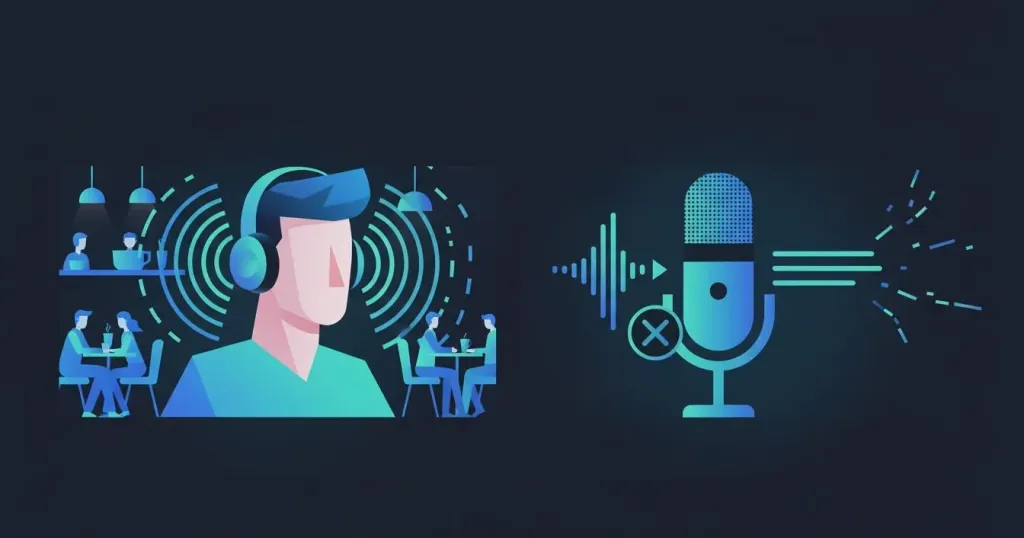
Faster Than Typing
- First and foremost, speaking is inherently faster than typing. A study published on arXiv found that speech recognition achieved input speeds of 153 WPM in English. However, maintaining an English typing speed above 80 WPM for extended periods can be challenging.
Reduced Typing Fatigue
- For anyone spending long hours at a desk—writers, developers, marketers, or operations professionals—continuous typing can contribute to wrist discomfort and repetitive strain injuries. The Mayo Clinic guide to carpal tunnel syndrome notes that repetitive hand and wrist motions can contribute to strain-related issues over time. By shifting part of the workload from your fingers to your voice, voice AI dictation can help reduce prolonged keyboard use, improve comfort during extended work sessions, and support a more sustainable content creation workflow.
Better AI Collaboration
- Finally, Modern AI models were built from the ground up to interpret "natural language". Whether you are using ChatGPT Voice, OpenAI Whisper, Claude, Gemini Live, and Kimi, they thrive on conversational nuances, tonal shifts, and context-heavy phrasing. Dictating to an AI removes the clumsy middle step of sanitizing your thoughts into rigid text, making the collaboration feel less like data entry and more like a fluid conversation.
Why AI Dictation Often Fails
While the vision of voice-powered productivity is flawless, the physical environment introduces subtle "invisible killers" that completely tank AI transcription accuracy. If your voice AI dictation feels unreliable, the issue is not always the AI itself. More often than not, the problem begins before the transcription even starts, caused by common environmental and hardware liabilities.
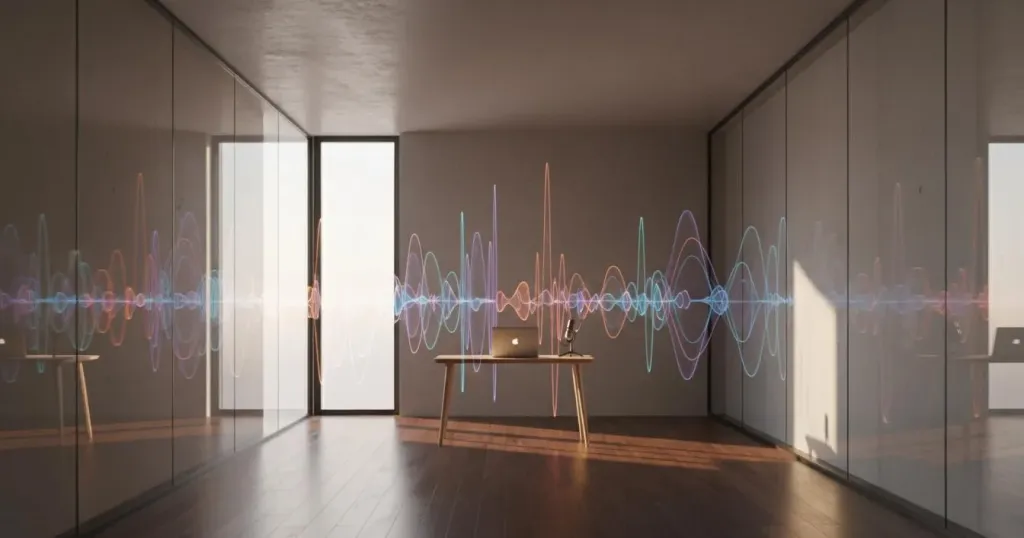
Room Echo
- The Problem: In empty rooms lacking soft acoustics, modern offices with massive glass panes, or stark conference rooms, sound bounces off hard surfaces and creates reverberation.
- The AI Impact: These physical reflections create a muddy cocktail of reverb and echo. Research published in EURASIP Journal on Advances in Signal Processing found that reverberation can significantly degrade the performance of automatic speech recognition (ASR) systems. When speech becomes blurred by echo, AI models have a harder time identifying word boundaries and phonetic details, leading to transcription errors, misplaced punctuation, and missing words.
Breathing Noise and Plosives
- The Problem: This is a classic audio engineering pitfall that everyday users overlook. When a microphone sits too close to your mouth without a barrier, the sudden burst of air from plosive consonants (like P, B, F, and T) slams directly into the microphone's capsule.
- The AI Impact: This creates a massive low-frequency pop or clip in the audio track. These sudden air blasts momentarily mask the actual vocal frequencies, blinding the AI's phoneme recognition engine.
Background Noise
- The Problem: Our daily environments are a chaotic mix of steady and erratic noises: passing traffic outside, the hum of a laptop cooling fan, AC vents blowing air, the clatter of a coffee shop, or family members talking in the next room.
- The AI Impact: These noises bleed directly into your voice track, aggressively lowering the Signal-to-Noise Ratio (SNR) and forcing the AI to play an unnecessary game of hide-and-seek with your words.
Built-In Laptop Microphones
- The Critical Flaw: This is where most transcription workflows go to die. The vast majority of users rely on the built-in microphone array of their MacBook or Windows laptop when trying to execute voice AI dictation. When the screen fills with typos, they assume “ChatGPT doesn’t understand me.”
- The Reality: The reality is simpler: “Your laptop mic is terrible.” Because the laptop sits inches or feet away from your mouth, the system has to use an omnidirectional pickup pattern and aggressively jack up the internal digital gain to catch your voice. In doing so, it vacuums up every single ambient sound and room reflection, serving the AI absolute garbage data.
The Hidden Cost of Bad Dictation
Poor dictation doesn’t just reduce accuracy; it directly tank your productivity. Imagine saying, "Create a blog outline for AI productivity tools," but because of a glitch in the audio, the AI receives: "Create a blog online AI productivity fools."
Suddenly, your workflow grinds to a halt. You now have to manually edit the mistake, repeat the prompt, fix the broken formatting, and attempt to restart your creative flow. Eventually, you reach a tipping point where your correction time completely outpaces your dictation time. That is the hidden cost of unreliable audio. For creators, bad dictation isn't simply annoying—it can completely eliminate the massive speed advantage that AI transcription was supposed to provide in the first place.
4 Tweaks That Instantly Improve AI Dictation

You can immediately boost your AI's accuracy by applying these low-cost adjustments and settings fixes to your current setup.
Use a Boom Microphone
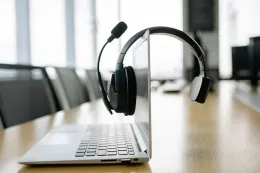
- Positioning: Opt for a headset or device that features an extended boom microphone. This keeps the physical capsule locked at a golden distance of 5-10 cm from your mouth.
- Angle: Crucially, offset the mic slightly to the side of your lips rather than directly in front of them. This allows the mic to capture your full vocal presence while letting plosive air blasts harmlessly blow past the capsule.
Turn On Noise Suppression
- System Level: Ensure you dive into your OS settings (Windows Sound Control Panel or macOS Audio Settings) and check any native boxes for ambient noise reduction.
- App Level: Head into the settings of your communication or recording apps (like ChatGPT Voice, Zoom, or Teams) and make sure their internal noise suppression or "Voice Isolation" features are toggled on to screen out predictable hums.
Lower Your Mic Gain
- The Trap: Many users assume that turning their microphone volume (Gain) all the way to 100% makes them clearer.
- The Fix: In reality, over-gaining over-sensitizes the mic, capturing keyboard clicks, heavy breathing, and distant background hums. Dial the gain down to a moderate level so your voice bounces safely in the green zone of your volume meter, effectively dropping the floor on background noise.
Reduce Environmental Noise
- Quick Audit: Take sixty seconds before a heavy writing session to manage your room: click off a desk fan, pause a loud AC, shut the window against street traffic, or shift your setup to a room with rugs or heavy curtains to deaden sound.
These changes can help, but they don't solve every problem.
Why Software Fixes Aren’t Always Enough
Even after optimizing your environment, many users still encounter persistent transcription problems, primarily because software can only fix so much. Most dictation tools rely heavily on post-processing software. When background noise enters the microphone, the workflow follows a reactive path: noise enters, the software attempts a digital cleanup, and then the AI receives the processed audio.
The inherent problem is that software is always reacting after the contamination has already happened. Once speech and noise become mixed together, certain audio information is difficult—or outright impossible—to recover perfectly. This degradation becomes especially noticeable during long-form dictation sessions involving blog writing, novel drafting, meeting transcription, marketing content creation, and AI-assisted brainstorming. For frequent users of ChatGPT Voice, Whisper, Gemini Live, Claude, and similar tools, improving microphone input quality at the hardware level often delivers far more noticeable gains than changing AI models.
From Software Fixes to Audio Input Systems
AI transcription accuracy is not just a software problem, and not purely an environmental one either—it is a full audio input system problem. Every time you use an AI dictation tool such as ChatGPT Voice, Whisper, Gemini Live, Claude, or Kimi, an entire chain occurs before your words become text:
Your Environment → Your Microphone → Your Device → The AI Model
If any part of this chain is weak, the final output becomes unreliable. While some users rely on external USB microphones and others on built-in laptop microphones, these setups are not equally effective for long-form AI dictation. The key difference comes down to how cleanly your voice is captured at the source, before it is mixed with background noise, echo, or unwanted interference.
For most everyday users—including writers, marketers, students, and remote workers—the most practical and balanced solution is a high-quality wireless headphone with noise cancelling microphone.
- Proximity Over Distance: Unlike laptop microphones that sit far away and capture the entire room, headset microphones are positioned close to the voice source, significantly improving clarity.
- Hardware-Level Reduction: Positioning alone is not enough; modern workflows require consistent noise reduction at the hardware level because complete silence is rarely possible.
- The Role of ENC: This is where Environmental Noise Cancellation (ENC) becomes crucial, reducing unwanted background sounds before they reach the AI to cut down transcription errors in real time.
When combined, these factors—proximity, stability, and noise reduction—create a significantly more reliable voice input experience for AI transcription software.
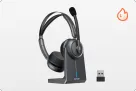
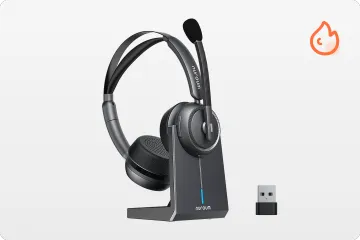
Hardware Spotlight: Nuroum HP31D Wireless Headset
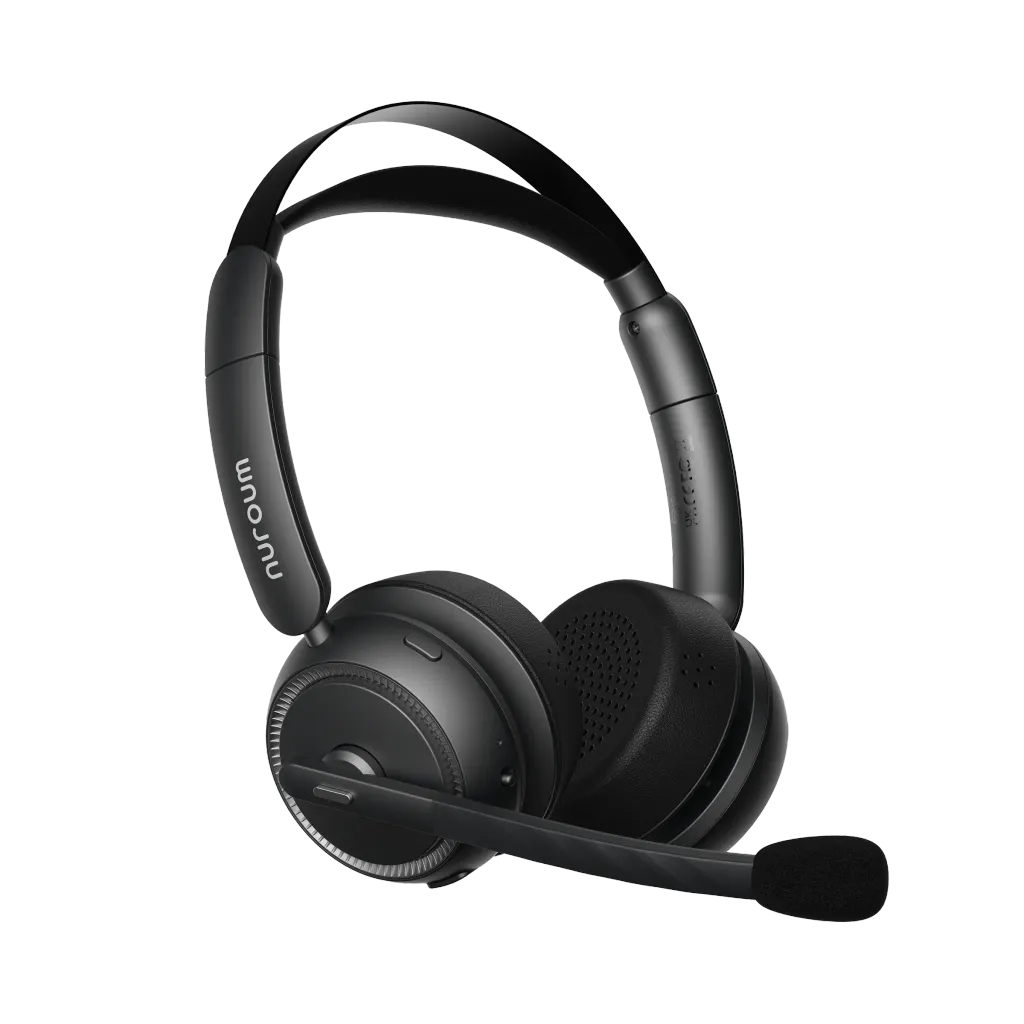
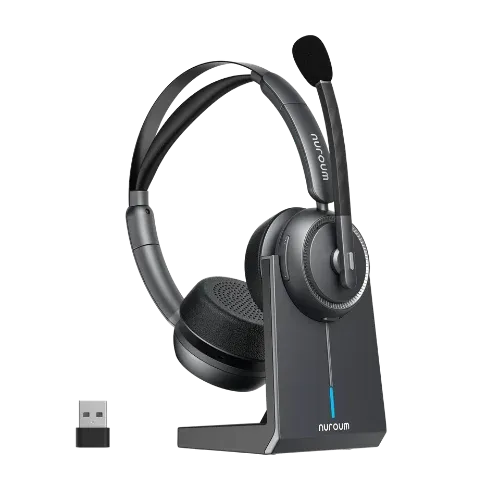
The HP31D is designed for content creators, writers, and marketers who constantly move between brainstorming, long-form dictation, and team communication.
Its dual-ear (binaural) closed design keeps users fully locked in an isolated bubble, shutting out real-world distractions to preserve an unyielding creative flow state.It stands out as an exceptional wireless headset with mic for work, engineered to maximize human-to-AI workflows.
Key advantages:
- Dual-ear design for immersive creative focus: Fully covers both ears to block out ambient office or home noise, keeping you concentrated on your writing and thoughts.
- AI-powered ENC microphone for flawless transcription: Powered by an advanced neural network, this wireless headphone with noise cancelling microphone eliminates up to 99.9% of background noise like keyboard clatter and AC hums, ensuring a pristine voice track reaches the AI model without errors.
- USB dongle for stable low-latency connectivity: Provides a plug-and-play wireless link with ultra-low 30 ms latency, avoiding the compression and dropouts typical of standard Bluetooth.
- Ergonomic design for all-day comfort: Features pillow-soft ear cushions and a padded leather sling headband, making it ideal for marathon dictation and content creation sessions.
This makes the HP31D particularly suitable for professionals who depend heavily on voice-first workflows and require absolute focus to maximize their voice AI dictation productivity.
FAQs
1. Why does ChatGPT Voice keep getting my words wrong?
In many cases, the issue isn't the AI model itself. Background noise, room echo, poor microphone placement, or low-quality hardware can severely reduce transcription accuracy before the AI even begins processing your voice.
2. Is ENC better than ANC for AI dictation?
For dictation workflows, ENC is significantly more important. ANC improves what you hear by blocking out your environment, while a wireless headphone with noise cancelling microphone utilizing ENC improves what the AI hears by reducing unwanted noise before it leaves the microphone capsule.
3. Do I need a special headset for ChatGPT Voice?
Not necessarily, but using a dedicated wireless headset with mic for work with a clear boom microphone, proper positioning, and environmental noise filtering can noticeably improve long-form dictation accuracy and save hours of editing.
4. Is a USB dongle better than Bluetooth for dictation?
Yes. For extended dictation sessions, USB dongles provide a much more stable connection and lower latency compared with standard Bluetooth audio workflows, preventing dropped words.
5. What’s the best headset for AI dictation and content creation?
The ideal headset depends on your specific workflow, but creators who frequently use AI dictation generally benefit most from a hardware combination that includes an ENC microphone, accurate boom mic positioning, reliable connectivity, and long-term wearing comfort.