










































Your voice is the first impression you make in a virtual meeting—but poor microphone quality can turn even a productive conversation into a frustrating experience. This guide explains how to improve microphone quality, why your voice sounds different on video calls, and what technologies make a headset truly professional. Learn how DSP, ENC, directional boom microphones, and wireless connectivity work together to deliver clearer calls, and discover why a high-quality microphone headset like the Nuroum HP31D is built for modern remote work.
Key Takeaways
- Microphone quality directly affects how clearly others hear you during calls, meetings, and online classes.
- A high-quality headset mic relies on directional boom microphones, ENC noise cancellation, and DSP processing to isolate your voice.
- Common audio problems come from poor mic positioning, background noise, weak Bluetooth connections, and room echo.
- To improve call quality, choose a wireless headset with mic for work that offers stable connectivity, low latency, and all-day comfort.
- The Nuroum HP31D combines AI-powered ENC, HiFi4 DSP, and dual microphones to deliver clearer professional communication.
You have pressed "join call", said your first hello, and then someone asks, "Sorry, can you repeat that? You're breaking up." Sound familiar? Nearly everyone who works remotely has been on the receiving end of a complaint about their voice — robotic, muffled, distant, or drowned out by barking dogs. For those who regularly deal with canine interruptions mid-call, the best noise cancelling headphones for dog barking can be the difference between a professional presentation and an apology for background chaos. The culprit is rarely your laptop or your internet connection. More often than not, it comes down to the microphone you are speaking into: the wireless headset microphone quietly doing (or failing to do) the heavy lifting on every call.
This guide explains the science behind microphone quality, why your voice sounds different to others than it does to you, and exactly how to improve microphone quality before your next meeting. By the end, you will know what to look for in a high-quality microphone headset and why a wireless headset with mic for work can be the difference between a call that feels effortless and one that drains you.

Why Does Your Voice Sound Different on Video Calls?
There are two separate reasons your voice sounds different on a video call, and it is worth untangling them because they lead to very different fixes.
The first reason is that you are hearing a recording of yourself, not the live sound. When you speak in person, you hear your own voice through two paths at once: the air reaching your eardrums and bone conduction through your skull. Bone conduction makes your voice sound deeper and richer to you. Everyone else only hears the airborne version, which is already higher and thinner. So when the mic, the codec, and the network compress and reshape that signal, you hear an even more processed version and assume it is broken. For example, many headsets use adaptive equalization and echo suppression that tune out the low end — which is exactly the part of your voice you are used to hearing.

The second reason is that the signal itself is genuinely degraded. Video calling software compresses audio to save bandwidth, sometimes dropping certain frequencies or adding a slight metallic "artifacting." Cheap microphones capture the audio poorly before compression even happens, so the damage is baked in from the start. A high-quality wireless headset microphone captures a clean, full-range signal; the compression still happens, but it cannot ruin audio that was recorded well in the first place.
The Science Behind Microphone Quality:
To understand why some headsets sound great and others sound like a walkie-talkie, you need to know the four factors that define microphone performance.
- Polar pattern. This is the direction from which a microphone picks up sound. A cardioid (directional) pattern captures sound from the front — where your mouth is — and rejects sound from the sides and rear. Omnidirectional mics pick up everything around them, which is why a cardioid boom mic is the better choice for calls in noisy spaces.
- Signal-to-noise ratio (SNR). This measures how much clear voice signal there is compared to background noise. A higher SNR means your voice stays strong and intelligible even when a fan is running or a roommate is on the phone. Every extra decibel of isolation matters in a busy home office.

- Frequency response. The human voice spans roughly 85 Hz to 255 Hz for men and 165 Hz to 255 Hz for women, but the "speech band" that matters for intelligibility is roughly 300 Hz to 3,400 Hz. A good headset mic is tuned to capture this band clearly without exaggerated bass or harsh treble, so your voice sounds natural instead of boomy or tinny.
- Noise-cancelling processing. True Environmental Noise Cancellation (ENC) goes beyond the mic capsule. It uses a second microphone and a digital signal processor (DSP) to analyze the audio in real time, identify recurring background noise, and cancel it before it ever reaches the other end. This is the technology that keeps you clear while a vacuum runs in the next room.
Common Reasons Your Headset Microphone Sounds Bad:
If your callers keep saying you sound distant or muffled, one of these is usually to blame.
- The mic is too far from your mouth.
A boom mic worsens fast as distance grows. At two or three inches it is crisp; at ten inches it already sounds roomy and faint. Fixed laptop mics are a frequent offender because they sit far away and pick up everything in the room. - Heavy background noise.
Keyboard clatter, HVAC hum, traffic, pets, and children all compete with your voice. An omnidirectional mic captures them as loudly as your speech, forcing your voice to fight for attention. For professionals who regularly field calls from unpredictable home environments, the best headphones for calls in noisy environment combine directional microphones with ENC to keep your voice front and center. - A weak or unstable Bluetooth connection.
Low-quality Bluetooth audio can compress your voice aggressively and add choppy dropouts. A headset with modern Bluetooth and low latency preserves more of the original signal.

- Echo and reverb.
If you are on speakerphone or your room is bare and reflective, your audio bounces around and the other callers hear a hollow "canyon" effect. This is often a room problem as much as a hardware problem. If you are dealing with persistent echo issues, learning how to fix echo on mic can help you isolate whether the problem is your room, your settings, or your hardware. - Worn or damaged hardware.
A scratched mic grille, a loose cable, or simply an old headset with a tired capsule can degrade the signal. Sometimes the fix is as simple as replacing a worn headset.
How to Improve Microphone Quality for Video Calls:
You do not need a studio to sound professional. These steps will improve microphone quality on your very next call.
1. Close the gap. Position a boom mic one to two finger widths from the corner of your mouth, slightly off to the side so it does not catch your breath ("plosives"). This one change alone removes most of the "you sound far away" complaints.
2. Kill the noise source. Reduce background noise at the source: close the window, mute your keyboard plugins, move the fan, and shut the door. Then let the headset's ENC handle whatever remains.
3. Choose a directional, noise-cancelling microphone. A headset with a cardioid boom mic and ENC is the single most effective upgrade for noisy environments. It captures your voice and filters out the rest.
4. Use a stable connection. Prefer a headset with modern Bluetooth (5.0 or newer) and low latency, or use a USB dongle for a rock-solid connection to your PC. A drop-free link keeps your voice intact.
5. Configure the app properly. In Zoom, Teams, or Webex, set the correct input device, choose your headset instead of the laptop mic, and enable the app's built-in noise suppression as a second layer of protection.
6. Update firmware and check settings. Keep the headset firmware current and re-check your OS input settings after updates, since they sometimes reset.

What Makes a High-Quality Microphone Headset?
Now that you know how to improve microphone quality, here is the buyer's checklist for a high-quality microphone headset. When evaluating the best headsets for work, use these criteria to judge any option.
| Feature | Why it matters | What to look for |
|---|---|---|
| Boom microphone | Keeps the mic a fixed, close distance from your mouth | A 250° rotatable boom you can position on either side |
| Noise cancellation (ENC) | Removes background noise before it reaches callers | AI-driven ENC with a dedicated DSP, not just a "noise-reducing" mic |
| Polar pattern | Captures your voice, rejects the room | Cardioid/directional pattern |
| Connection stability | Prevents dropouts and robotic audio | Modern Bluetooth 5.x, low latency, optional USB dongle |
| Battery and charging | Keeps you on calls without mid-meeting warning | 30+ hours of talk time and a charging stand |
| Comfort | Supports all-day wear without fatigue | Pillow-soft cushions and a padded, adjustable headband |
| Compatibility | Works with the tools you already use | Zoom, Teams, Webex; Windows, Mac, Linux, Android, iOS |
A high-quality microphone headset is not about the most expensive brand — it is about a mic that is close to your mouth, hardware that cancels background noise, and a connection that does not drop. For remote workers, call-center agents, and teachers who live on calls, those are the features that protect your voice and your listeners' patience.
Nuroum HP31D: A Wireless Headset Designed for Clear Professional Communication
If you want the fastest path to clearer calls, the Nuroum HP31D is worth a close look. It is a wireless headset purpose-built for the exact problems discussed above, and it pairs the features that matter with a price that stays under $100.
The headline feature is AI-Powered ENC noise cancellation. Built around a HiFi4 DSP and a neural-network model, it removes up to 99.9% of background noise — keyboard clatter, air conditioners, kids playing, and household noise — so your voice reaches the other end clean and undistracted. The dual noise-cancelling mics and ProperClean 2.0 audio technology handle echo and reverberation that simpler signal processing cannot. In plain terms, this is exactly what a work from home headset with noise cancelling microphone should deliver: clear, professional audio even when your home does not cooperate.
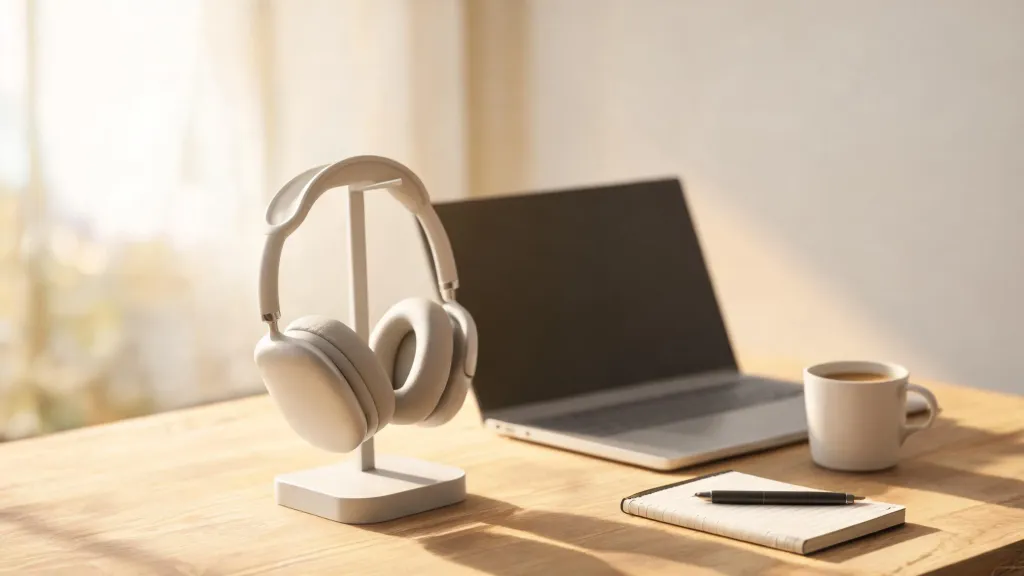
It is also built for the long haul. Bluetooth 5.4 with multi-point connectivity lets you stay connected to your PC dongle and your phone at the same time, switching devices instantly mid-conversation. Ultra-low 30ms latency keeps your voice in sync, and the 33-foot range covers you whether you are at the desk or pacing during a call. Battery life reaches up to 35 hours of talk time and 45 hours of music on a single charge, and the included charging stand tops it up between meetings so it rarely runs dry.
Comfort matters for people who live on calls, and the HP31D is designed accordingly: pillow-soft ear cushions, a stretchable headband with a padded leather sling, and 180° rotatable ear muffs that adapt to different head shapes. The 250° rotatable boom mic supports left- or right-side wearing, and a dedicated one-click mute button (with discreet voice prompts only you hear) makes call management effortless. It is compatible with Zoom, Teams, Webex, and more across Windows, Mac, Linux, Android, and iOS — so it slots straight into your existing workflow.
For customer service teams, remote professionals, online teachers, and anyone who spends hours a week on video calls, the HP31D is a high-quality wireless headset microphone that solves the "can you hear me now?" problem at the source. It is a strong, honest alternative to premium office headsets at a fraction of the price.

FAQs
- Why does my voice sound different to me on video calls?
It sounds different for two reasons: your call is routed through a microphone, encoder, network, and speaker (so it is no longer the direct sound you hear), and your own voice reaches your ears through bone conduction, which makes it sound deeper to you than it does to others.
- What is the best wireless headset microphone for work?
The best wireless headset microphone for work uses a boom mic positioned close to your mouth, active noise cancellation to remove background noise, a stable low-latency connection, and a comfortable all-day design — like the Nuroum HP31D.
- How do I make my microphone sound better on Zoom and Teams?
Position the mic close to your mouth, reduce background noise, update your headset firmware, and use a headset with a noise-cancelling boom mic. In the app, set your input device to the headset and enable built-in noise suppression.
- Does a noise-cancelling headset microphone reduce background noise for others?
Yes. Environmental Noise Cancellation uses a secondary mic and DSP to filter ambient sound like keyboard clicks, HVAC hum, and traffic, so only your voice is transmitted to other callers.
- How long do wireless headset microphones with a charging stand last?
A high-quality wireless headset like the Nuroum HP31D delivers up to 35 hours of talk time and 45 hours of music on a single charge, and the included charging stand lets you top it up between calls.