




































NearHub logo
  • Video Conference
    View products

    • https://resource.auditoryworks.co/nuroum-v1/strapi/header_1cb42042f4/header.png

      360° All-in-1 for All-Size Rooms

      Nuroum 360 Pro

      https://resource.auditoryworks.co/nuroum-v1/strapi/c40s_conference_camera_b688e13f78/c40s-conference-camera.webp

      4K Lens For Medium Room

      Nuroum C40

      https://resource.auditoryworks.co/nuroum-v1/strapi/a35_conference_speakerphone_471c9dff72/a35-conference-speakerphone.png

      Cascading for Large Meeting Room

      Nuroum A35

      https://resource.auditoryworks.co/nuroum-v1/strapi/A35x2_08d85feb_aea1_4fac_aad9_2a0d1ee20402_eb68cddba8.jpg

      For Large Room

      Nuroum A35*2


      • 360 Pro vs Meeting Owl 3
      • Customer Story of 360 Pro
      • Killer Features of 360 Pro
  • Conference Camera
    View products

    • https://resource.auditoryworks.co/nuroum-v1/strapi/c46_conference_camera_7b681a6317/c46-conference-camera.png

      4K Lens For Small Room

      Nuroum C46

      https://resource.auditoryworks.co/nuroum-v1/strapi/c20_conference_camera_7f008064ed/c20-conference-camera.png

      1080P Lens For Huddle Room

      Nuroum C20

      https://resource.auditoryworks.co/nuroum-v1/strapi/c10_conference_camera_4e2b3300b7/c10-conference-camera.png

      1080P Lens For Personal Space

      Nuroum C10


      • Customer Story of C46
  • Business Headset
    View products

    • Open Ear Wireless Headset

      OpenEar Pro 2

      Dual-Ear Wireless Headset

      HP31D

      Single-Ear Wireless Headset

      HP31S


      • vs. Shokz & OpenRock
      • Customer Story
      • Best WFH Headsets
      • Key Features of HP31D
  • Conference Webcam
    View products

    • https://resource.auditoryworks.co/nuroum-v1/strapi/v403_conference_webcam_398e2e25fb/v403-conference-webcam.png

      AI-Powered PTZ Optics Camera

      Nuroum V403

      https://resource.auditoryworks.co/nuroum-v1/strapi/v32af_conference_webcam_4a54830808/v32af-conference-webcam.png

      4K Webcam For Streaming And Remote Work

      Nuroum V32AF

      https://resource.auditoryworks.co/nuroum-v1/strapi/v15af_conference_webcam_5f98e95463/v15af-conference-webcam.png

      Conference Room Webcam With Auto Focus

      Nuroum V15AF


      • Best Webcam for Small Room
      • How to Set Up in Meetings
      • Why Nuroum Webcam?
  • Speakerphone
    View products

    • https://resource.auditoryworks.co/nuroum-v1/strapi/a15_conference_speakerphone_068ecbf997/a15-conference-speakerphone.png

      Audio Pro for Clear Communication

      Nuroum A15


      • Daisy Chain
      • How to Choose Speaker
      • Audio-visual Solution
  • Video Conference Solution
    View products

    • https://resource.auditoryworks.co/nuroum-v1/strapi/403_a15_video_conference_solution_f7498e6b88/403-a15-video-conference-solution.png

      For Medium Room

      Nuroum V403+A15*1

      https://resource.auditoryworks.co/nuroum-v1/strapi/403_a15_2_video_conference_solution_c300a783f9/403-a15-2-video-conference-solution.png

      For large Room

      Nuroum V403+A15*2


      • BEST AV Solutions for You
      • Large Room AV Solution
      • Medium Room AV Solution
      • Small Room AV Solution
  • All-size Rooms Solution
    View products

    • https://resource.auditoryworks.co/nuroum-v1/strapi/huddle_conference_solution_ca02342223/huddle-conference-solution.png

      up to 5 participants

      Huddle Room

      https://resource.auditoryworks.co/nuroum-v1/strapi/small_conference_solution_397cc9dfd8/small-conference-solution.png

      up to 8 participants

      Small Room

      https://resource.auditoryworks.co/nuroum-v1/strapi/medium_conference_solution_052045511d/medium-conference-solution.png

      up to 13 participants

      Medium Room

      https://resource.auditoryworks.co/nuroum-v1/strapi/nuroum_large_video_conference_solution_d411720c3a/nuroum-large-video-conference-solution.png

      up to 20 participants

      Large Room


      • vs. traditional room
      • vs. traditional huddle room
      • vs. traditional medium room
      • V403+A15*2 for large rooms
  • Headset Use Cases
    View products

    • https://resource.auditoryworks.co/nuroum-v1/strapi/nuroum_call_center_scenario_f1ed35679c/nuroum-call-center-scenario.png

      Call Center

      https://resource.auditoryworks.co/nuroum-v1/strapi/noise_cancelling_headphones_for_office_warehouse_banner_7d774d50a8/noise-cancelling-headphones-for-office-warehouse-banner.png

      Warehouse

      https://resource.auditoryworks.co/nuroum-v1/strapi/female_doctor_glasses_headset_desk_laptop_writing_28c4811b1a/female-doctor-glasses-headset-desk-laptop-writing.png

      Healthcare & Virtual Nursing

      https://resource.auditoryworks.co/nuroum-v1/strapi/factory_workers_fc1a1eeca1/factory-workers.png

      Manufacturing

      https://resource.auditoryworks.co/nuroum-v1/strapi/noise_canceling_wireless_headset_with_microphone_online_teaching_remore_teaching_656d330d58/noise-canceling-wireless-headset-with-microphone-online-teaching-remore-teaching.webp

      Online Teaching

      https://resource.auditoryworks.co/nuroum-v1/strapi/food_beverage_headsets_2603c8f4af/food-beverage-headsets.png

      Food & Beverage

      https://resource.auditoryworks.co/nuroum-v1/strapi/retail_frontline_headsets_8217a78f70/retail-frontline-headsets.png

      Retail Frontline


      • Best Business Headset
      • Best Telehealth Headsets
      • Best Receptionist Headsets
      • Best Call Center Headsets
  • Webcam Scenarios
    View products

    • https://resource.auditoryworks.co/nuroum-v1/strapi/nuroum_solution_creation_5ec893e6dd/nuroum-solution-creation.png

      Creation

      https://resource.auditoryworks.co/nuroum-v1/strapi/nuroum_solution_education_8852f76993/nuroum-solution-education.png

      Education

      https://resource.auditoryworks.co/nuroum-v1/strapi/nuroum_solution_healthcare_d5148f078b/nuroum-solution-healthcare.png

      Healthcare


      • Best headset for drivers
      • Maximize work productivity
  • Help
    • Why Open Ear
    • Audio Technologies
    • Customer Stories
    • FAQ
    • Software NearSync
  • Blog
    • Work Productivity
    • Communication
    • Leadership
    • Non-Profit Management
    • Business Tech Trends
    • Customer Stories
    • Nuroum Updates
    • All the Topics >>
  • Connect
    • About Us
    • Contact Sales
    • Get a Demo
    • Brand Ambassador
    • Become a Reseller
    • Contact Us
    • Terms of use
Welcome to Nuroum
Join Now Log In
Just 31g. The Lightest Open-Ear HeadsetHP31D: Professional 45H Call Center Headset
logoNuroum
  • Meeting
    Video Conference
    Conference Camera
    Conference Webcam
    Speakerphone
    Video Conference Solution
    360° all-in-one conference camera

    360° All-in-1 for All-Size Rooms

    360 Pro

    4K 120° Camera With Expandable Audio

    4K 120° Camera With Expandable Audio

    C40

    Audio Conferencing Solution For Medium Room

    Speakerphone for Medium Room

    A35

    Audio Conferencing Solution For Large Room

    Speakerphones for Large Room

    A35*2

    Explore All Video Conference Solutions

    Camera Collection >>
    360 Pro vs Meeting Owl 3 Customer Story of 360 Pro Killer Features of 360 Pro
  • Headsets
    Nuroum open ear wireless headphones with microphone

    Open Ear Wireless Headset

    OpenEar Pro 2

    work from home headset with noise cancelling microphone nuroum hp31d

    Dual-Ear Wireless Headset

    HP31D

    best single ear bluetooth headset for phone calls nuroum hp31s

    Single-Ear Wireless Headset

    HP31S

    Discover What Makes Each Headset Stand Out

    Collection - Business Wireless Headsets -->
    vs. Shokz & OpenRock Customer Story Best WFH Headset Best Office Headset Key Features of HP31D
  • Solution
    All-size Rooms
    Headset Use Cases
    Webcam Scenarios
    Nuroum Conference Cameras in Huddle Room

    up to 5 participants

    Huddle Room

    Nuroum Conference Room Cameras in Small Room

    up to 8 participants

    Small Room

    Nuroum Meeting Cameras in Medium Room

    up to 13 participants

    Medium Room

    Nuroum Video Conference Cameras in Large Room

    up to 20 participants

    Large Room

    vs. traditional large room vs. traditional medium room vs. traditional small room V403+A15*2 for large rooms
  • Explore
    • Why Open Ear
    • Audio Technologies
    • Customer Stories
    • FAQ
    • Software NearSync
  • Blog
    • Work Productivity
    • Communication
    • Leadership
    • Non-Profit Management
    • Business Tech Trends
    • Customer Stories
    • Nuroum Updates
    • All the Topics >>
  • Connect
    • About Us
    • Contact Sales
    • Get a Demo
    • Brand Ambassador
    • Become a Reseller
    • Contact Us
    • Terms of use
Contact Sales
360 Pro360 Pro
Overview
  • Overview
  • Meeting Modes
  • AI Audio
  • Setup
  • Stories
Spec
FAQ
Reviews
$630.00$699.99Buy Now Buy
Overview
  • Overview
  • Meeting Modes
  • AI Audio
  • Setup
  • Stories
Spec
FAQ
Reviews
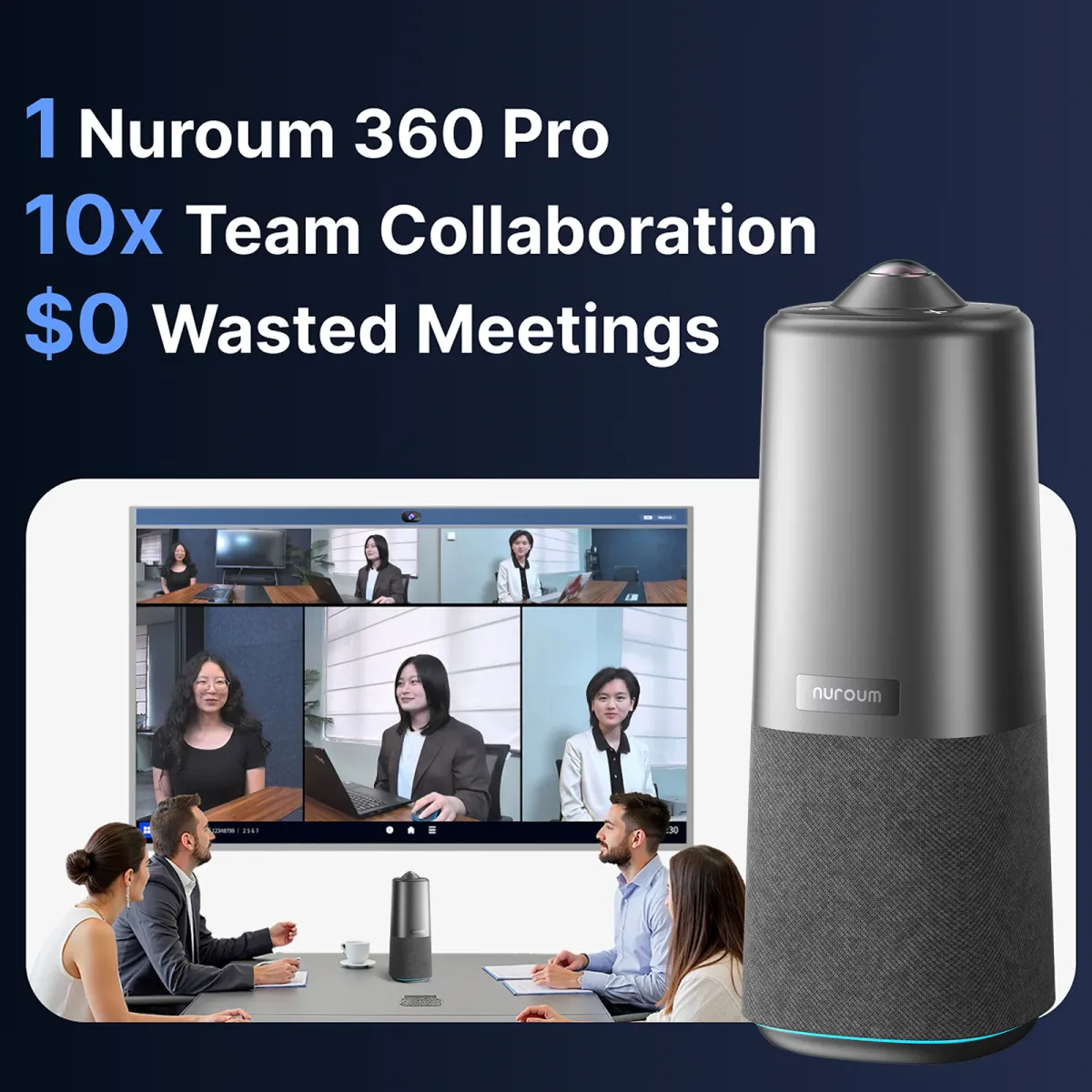
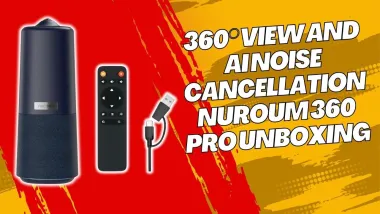
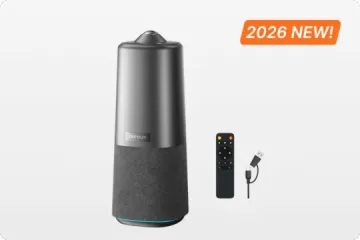
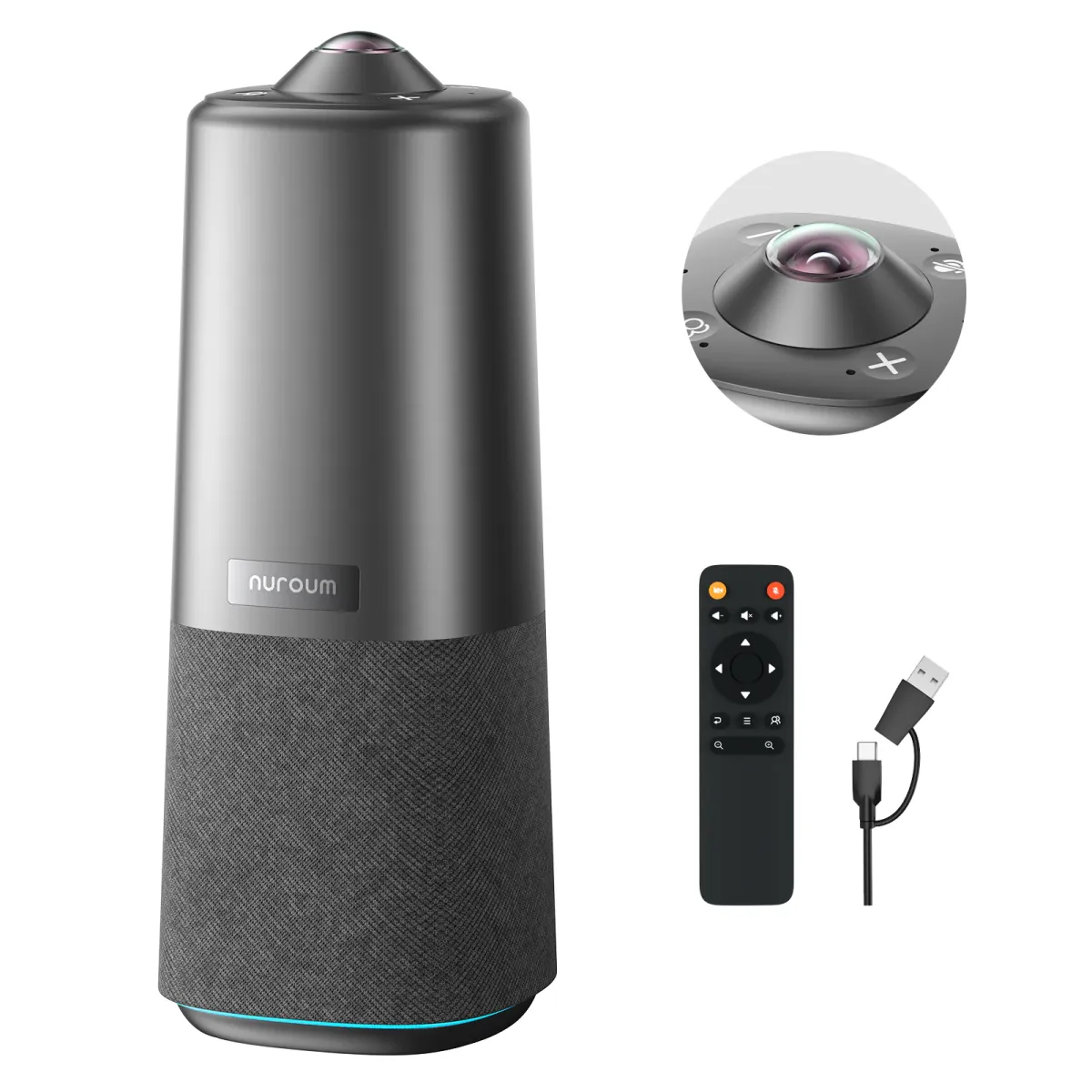
Nuroum 360 Pro C50 conference camera with remote control, fisheye lens and USB cable
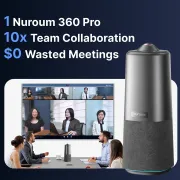
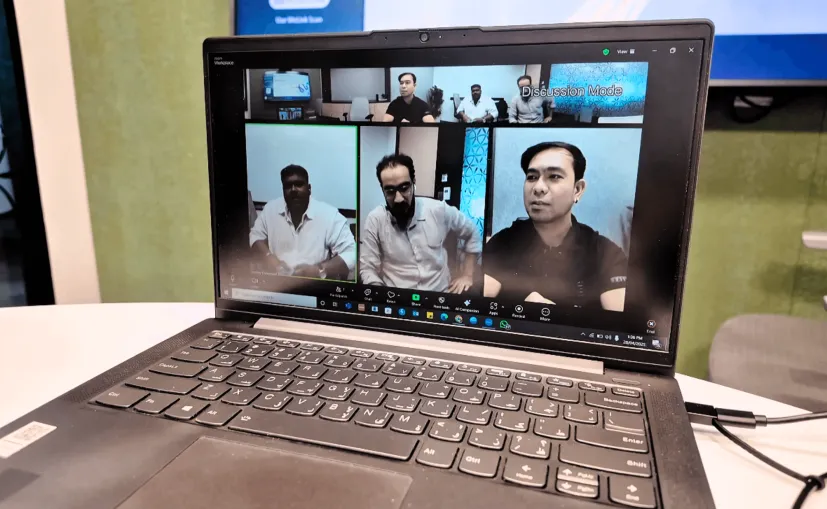
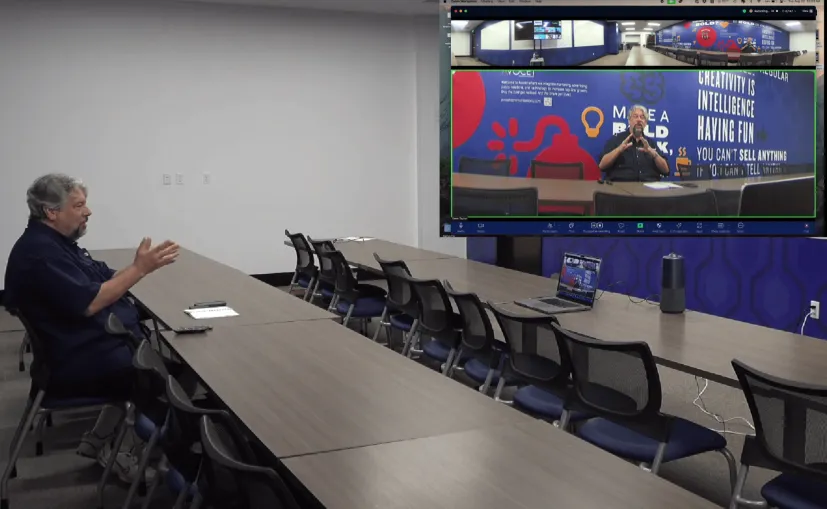
Nuroum 360 Pro C50 connecting in-room and remote participants during a hybrid team meeting
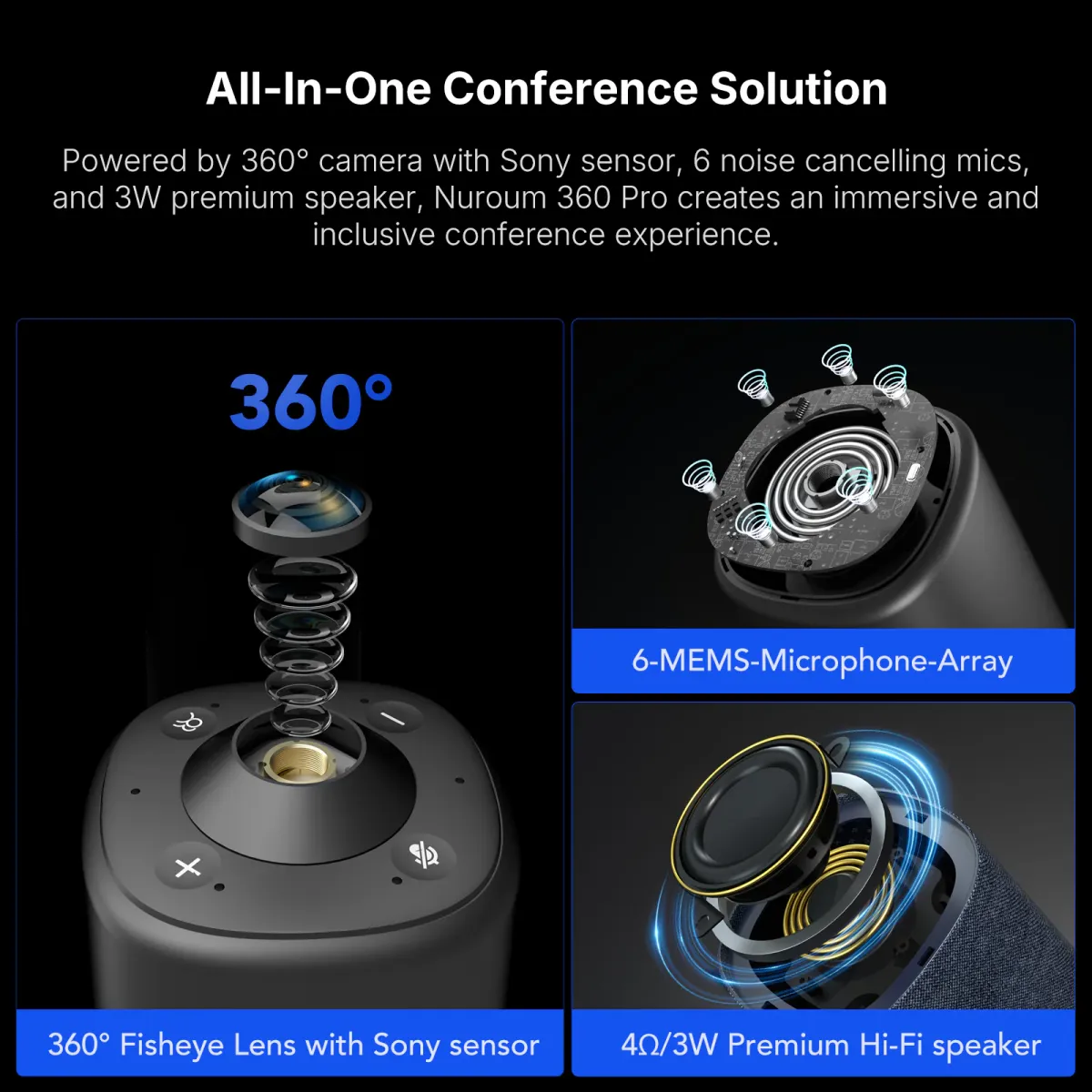
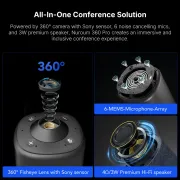
Nuroum 360 Pro C50 all-in-one conference solution with 360-degree camera, six-microphone array and speaker
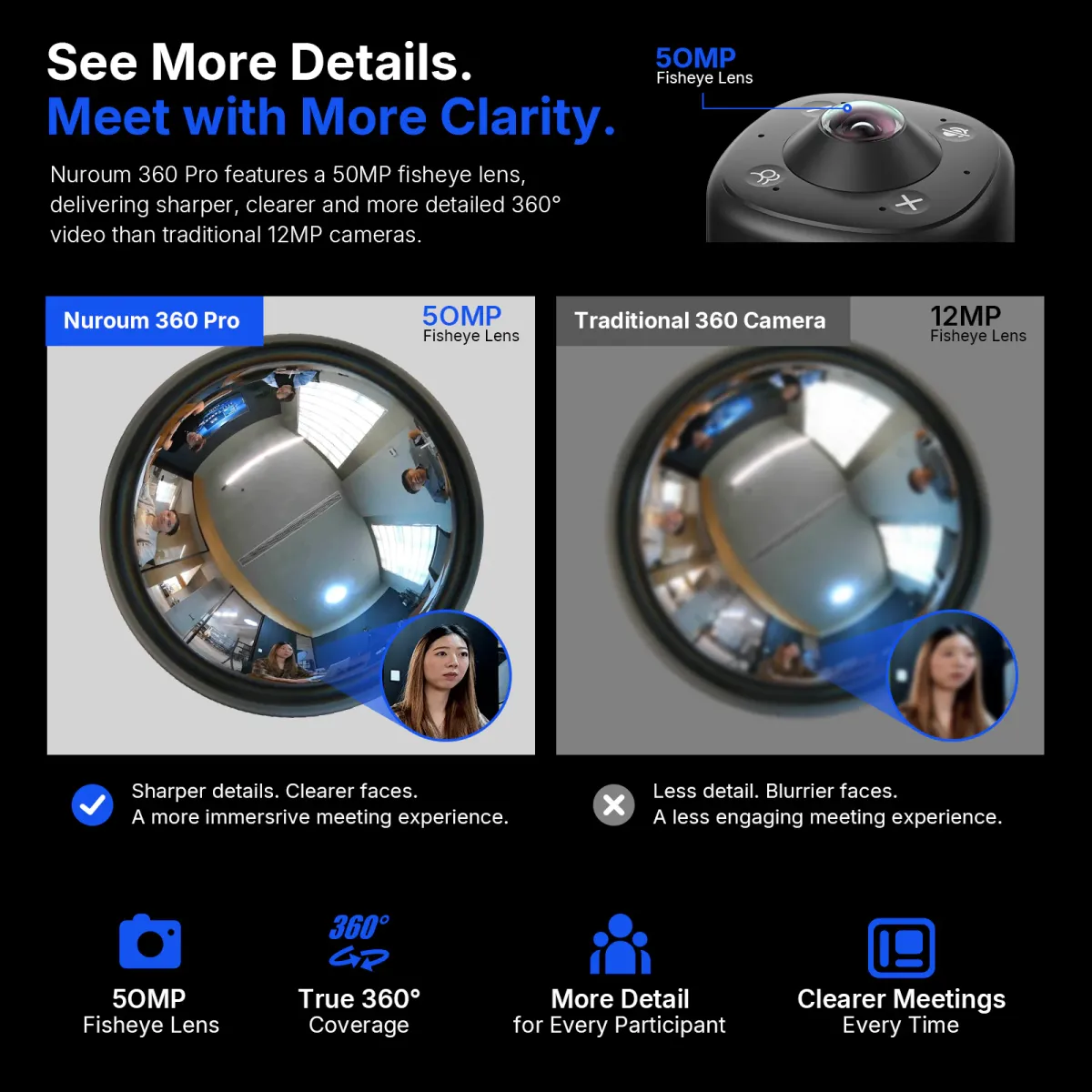
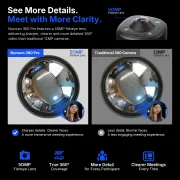
Nuroum 360 Pro C50 50MP fisheye sensor comparison showing clearer participant details than a 12MP camera
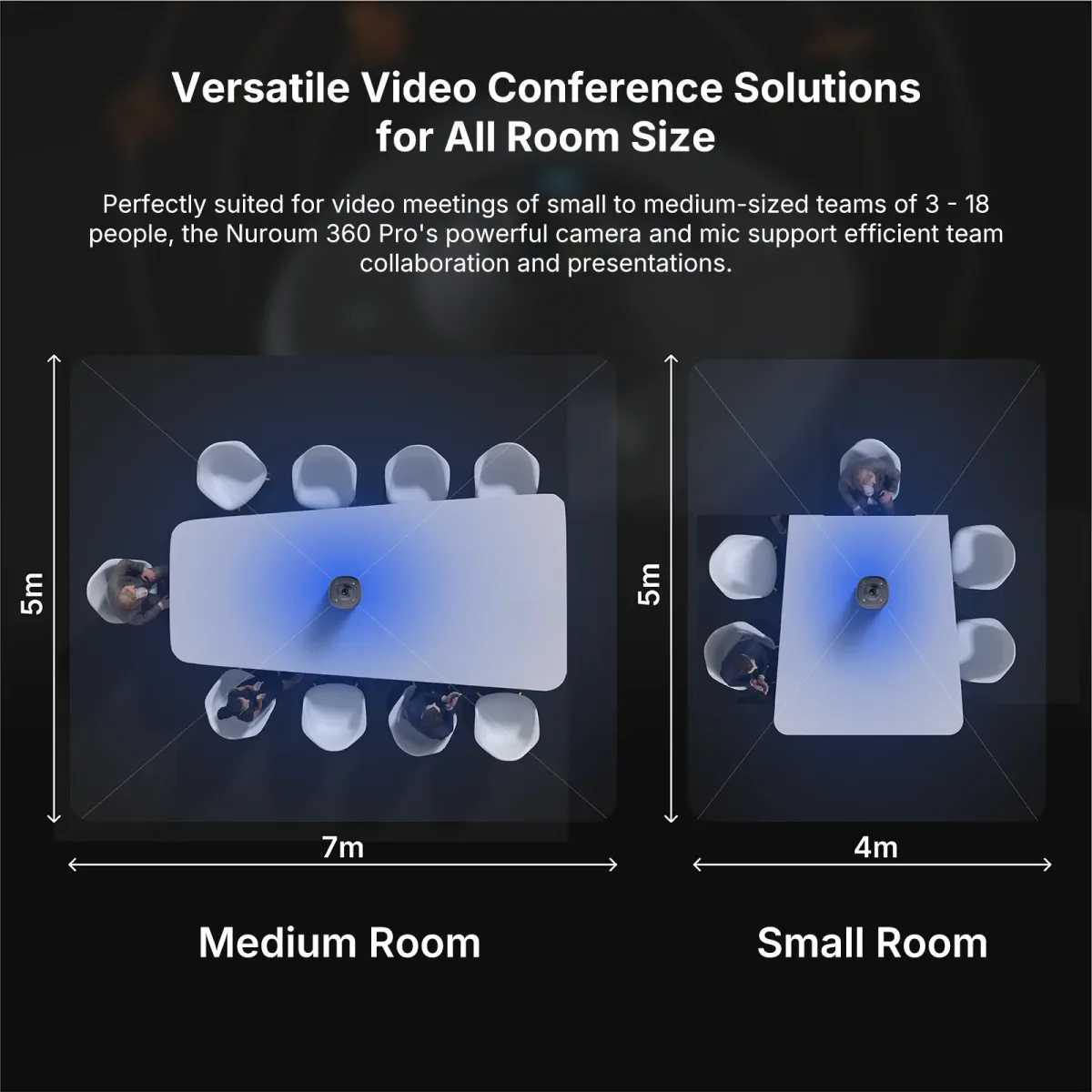
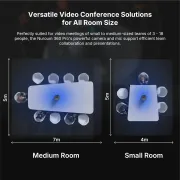
Nuroum 360 Pro C50 coverage diagrams for medium and small conference rooms
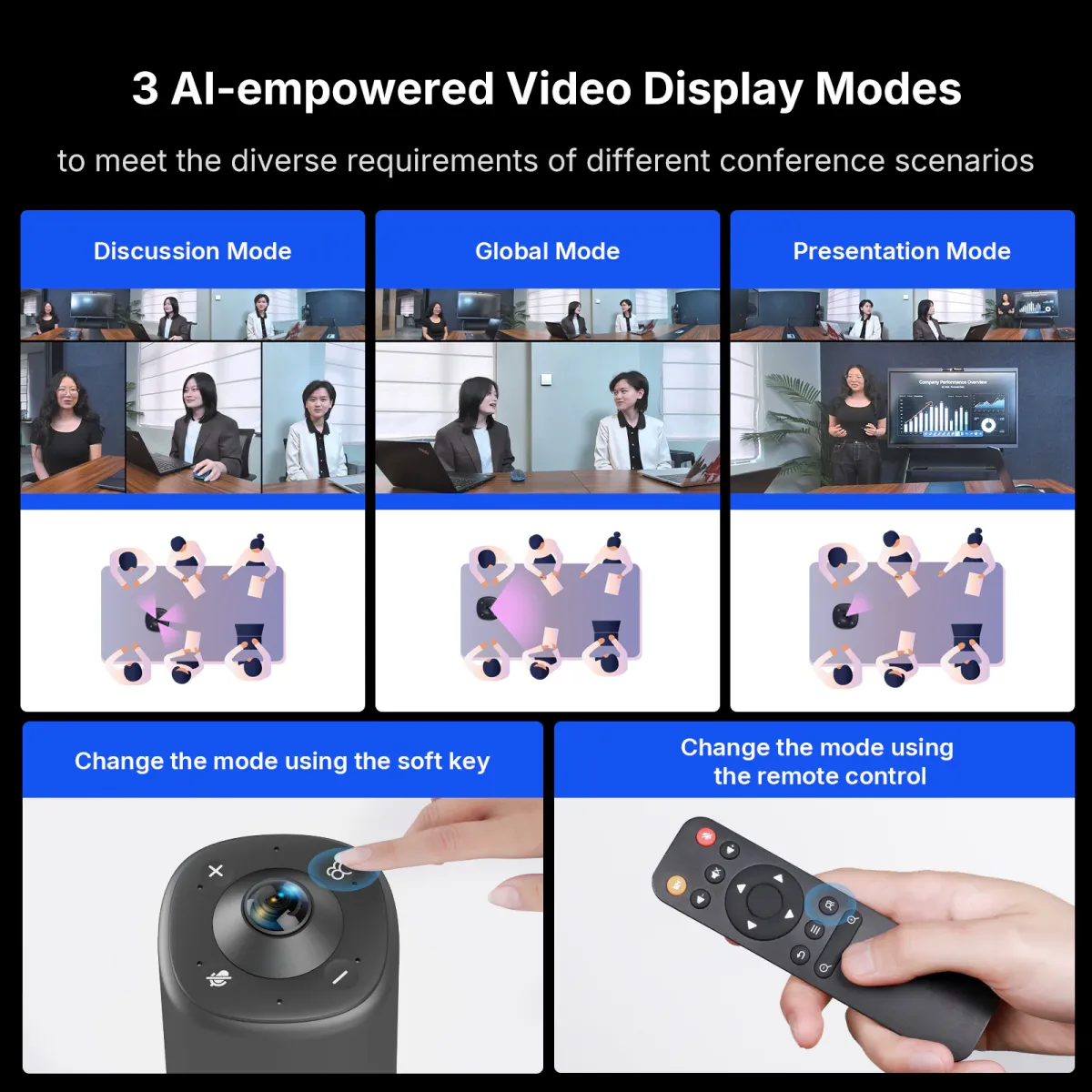
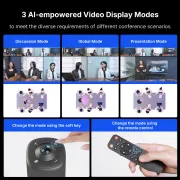
Nuroum 360 Pro C50 Discussion, Global and Presentation AI video display modes
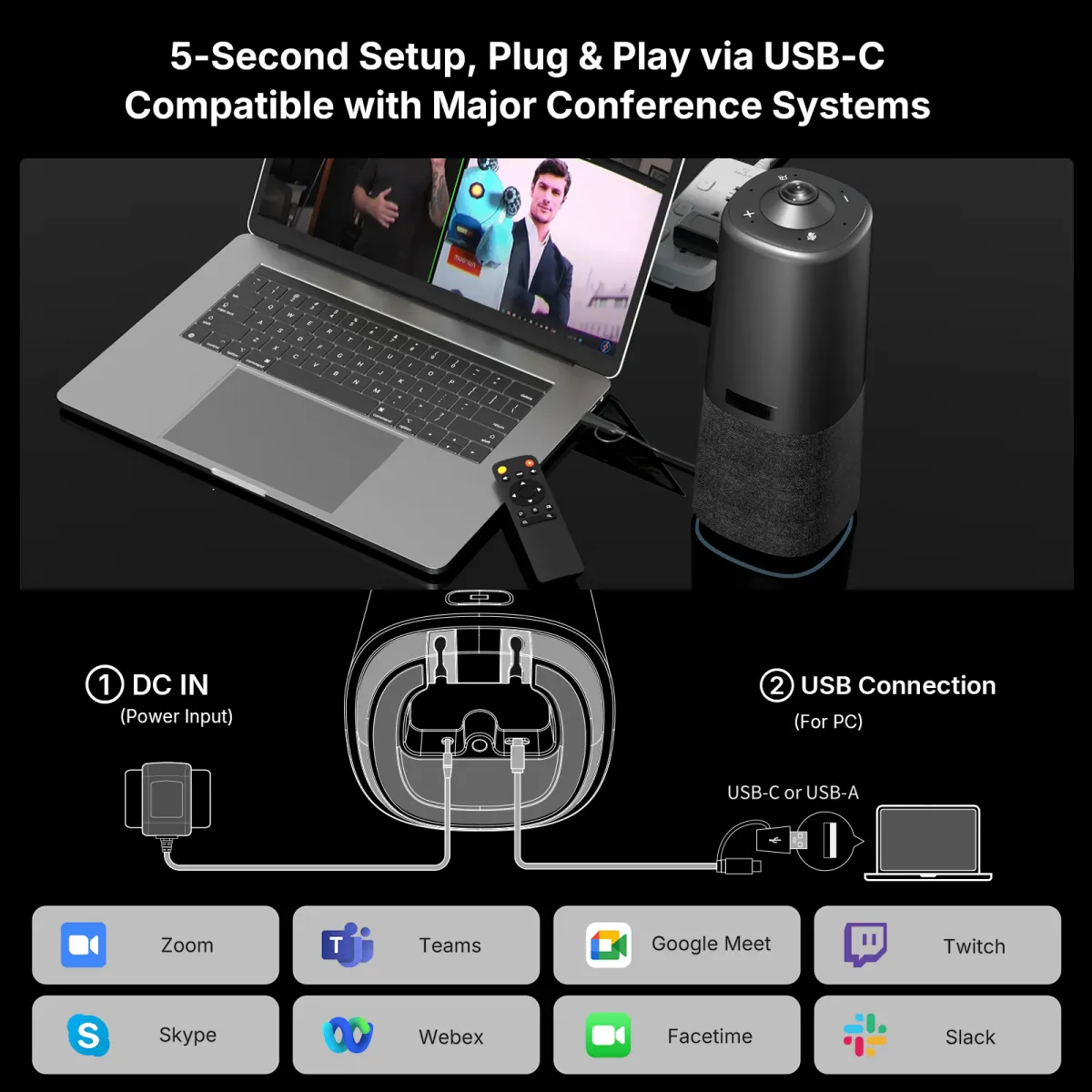
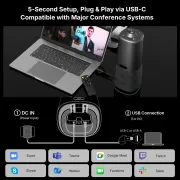
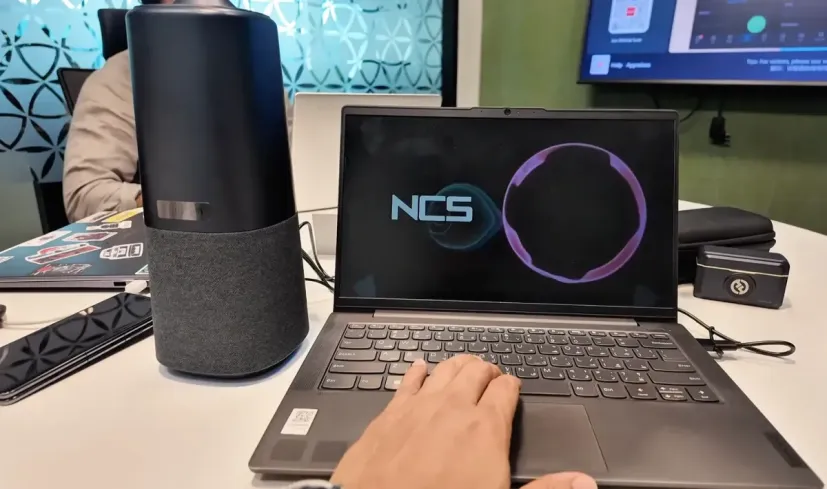
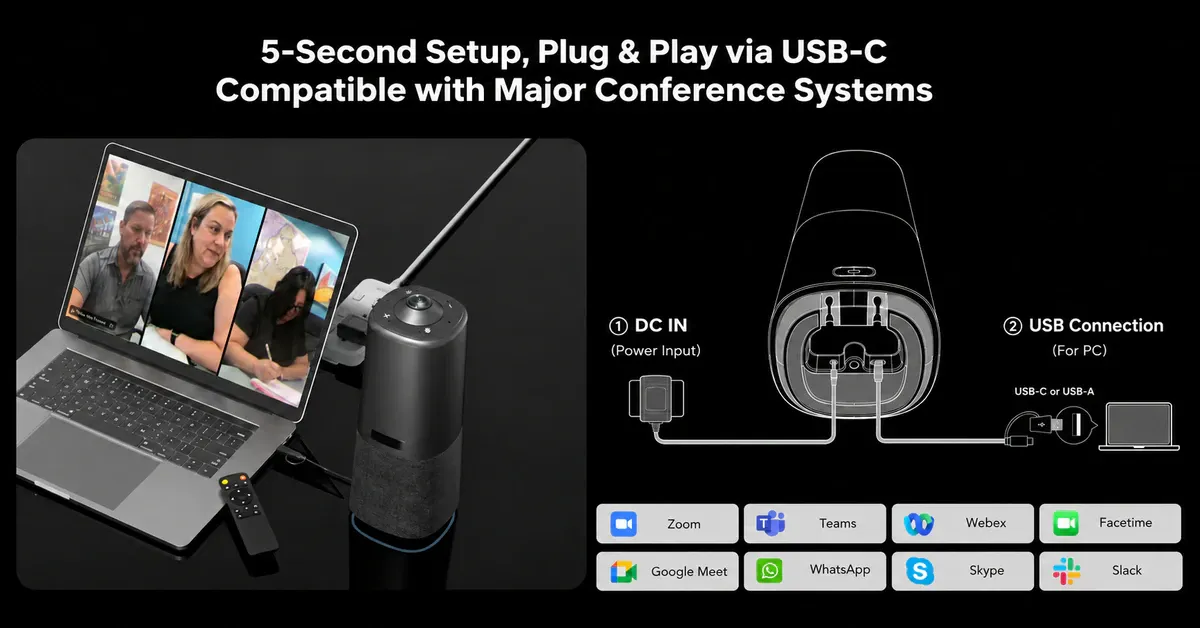
Nuroum 360 Pro C50 connected to a laptop through USB-C with video conferencing app compatibility
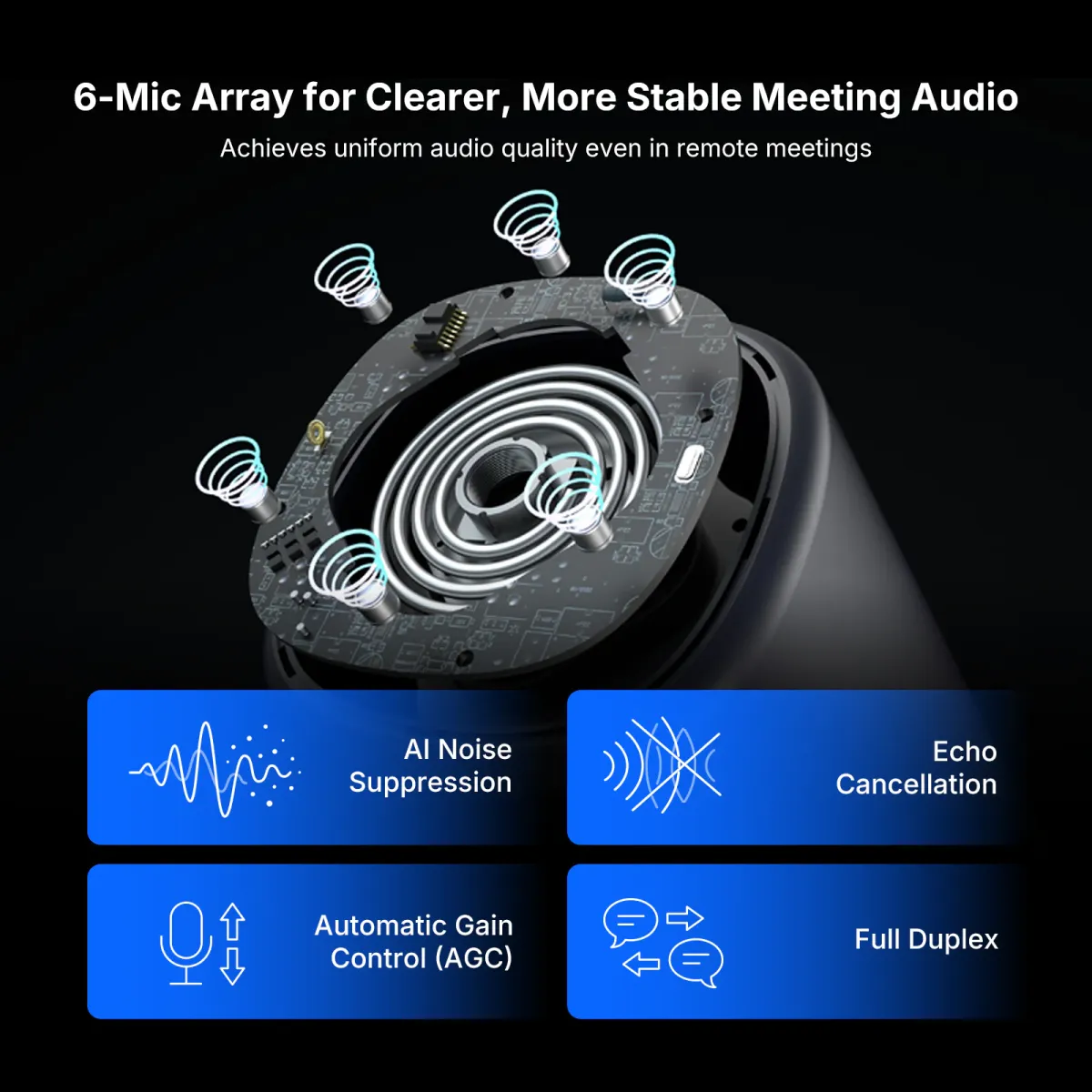
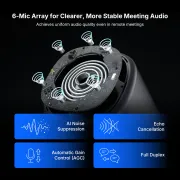
Nuroum 360 Pro C50 six-microphone array with noise suppression, echo cancellation, gain control and full-duplex audio
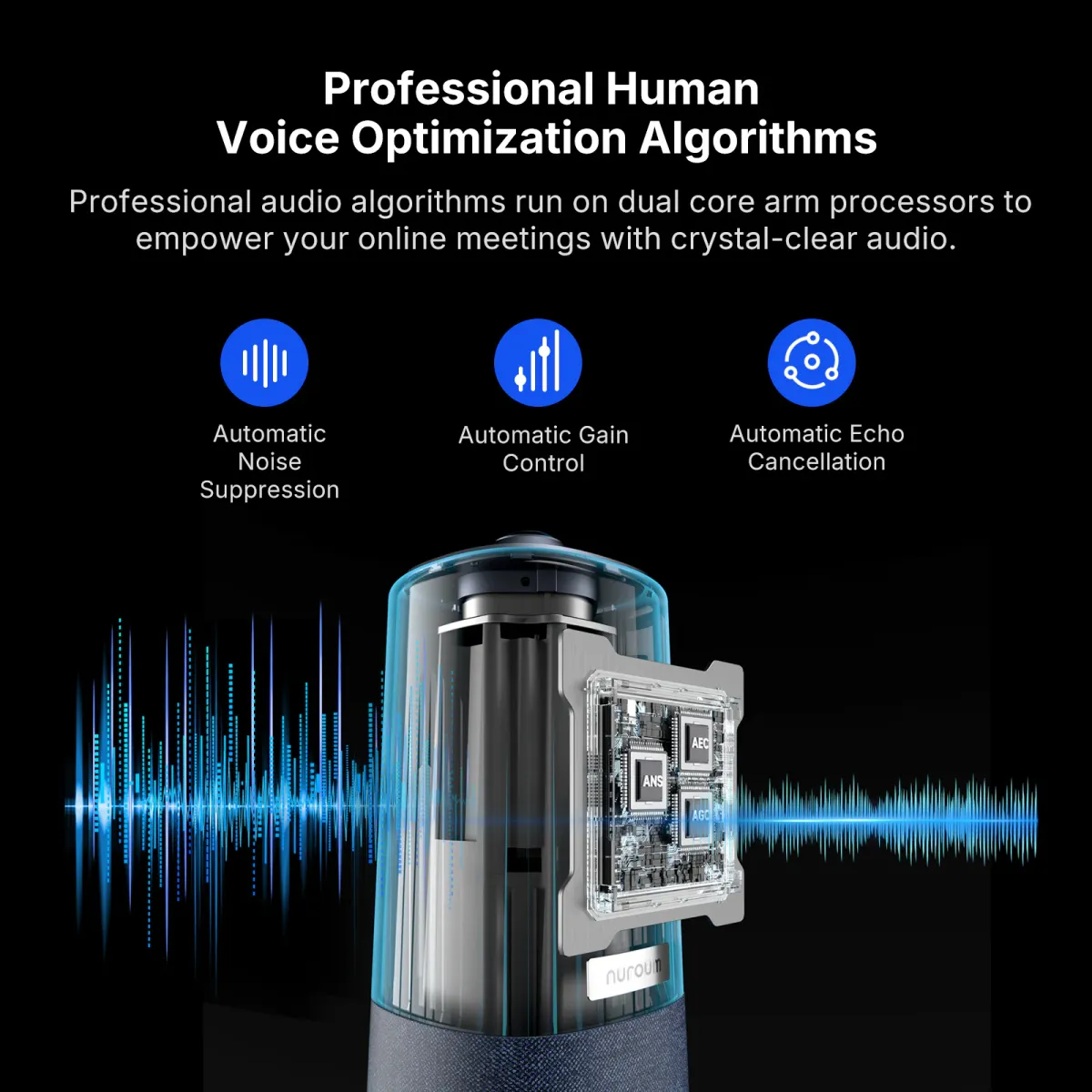
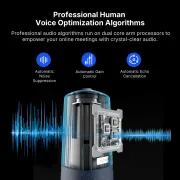
Nuroum 360 Pro C50 voice optimization with automatic noise suppression, gain control and echo cancellation
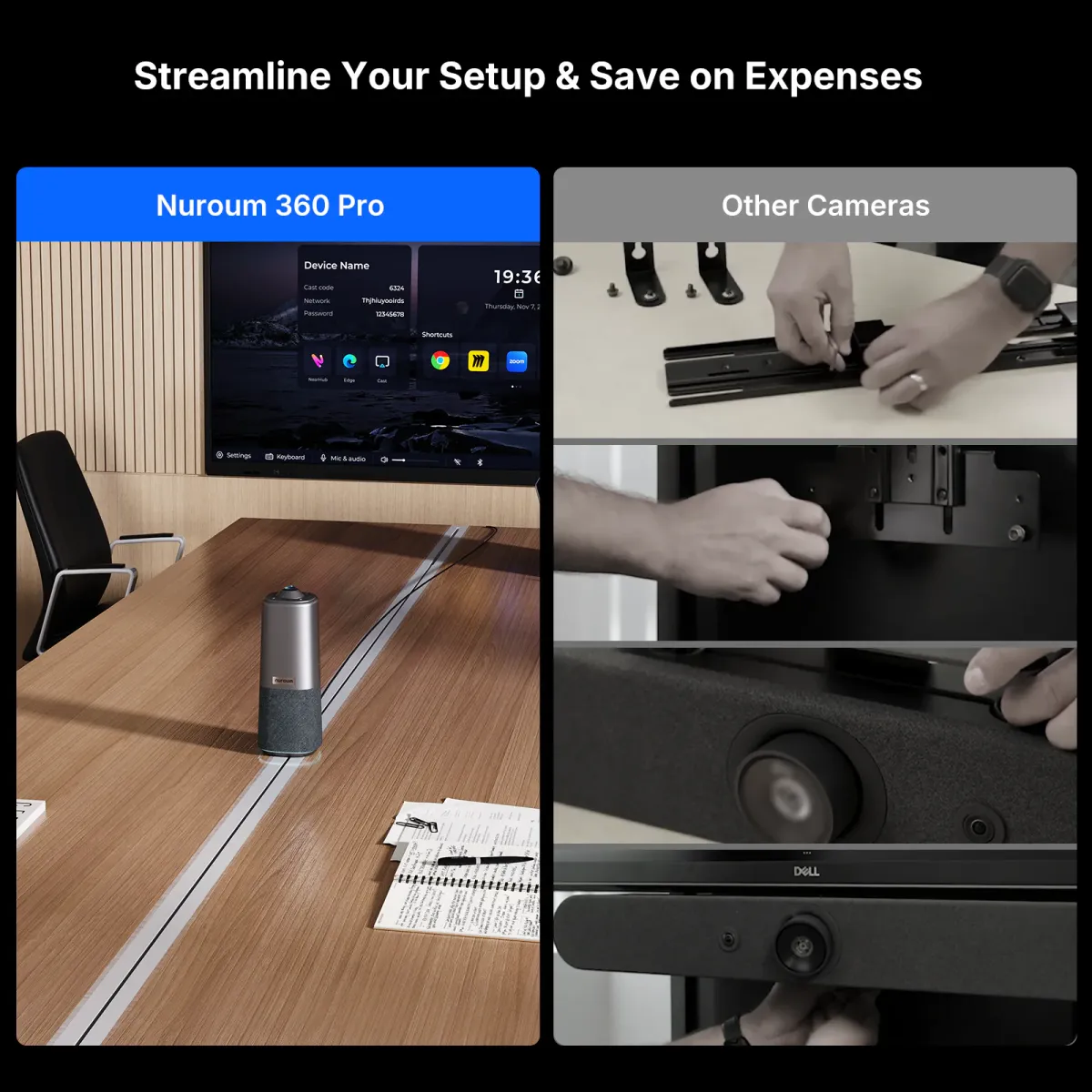
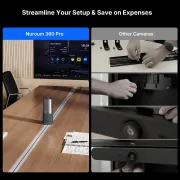
Nuroum 360 Pro C50 tabletop setup compared with the installation of a wall-mounted conference camera
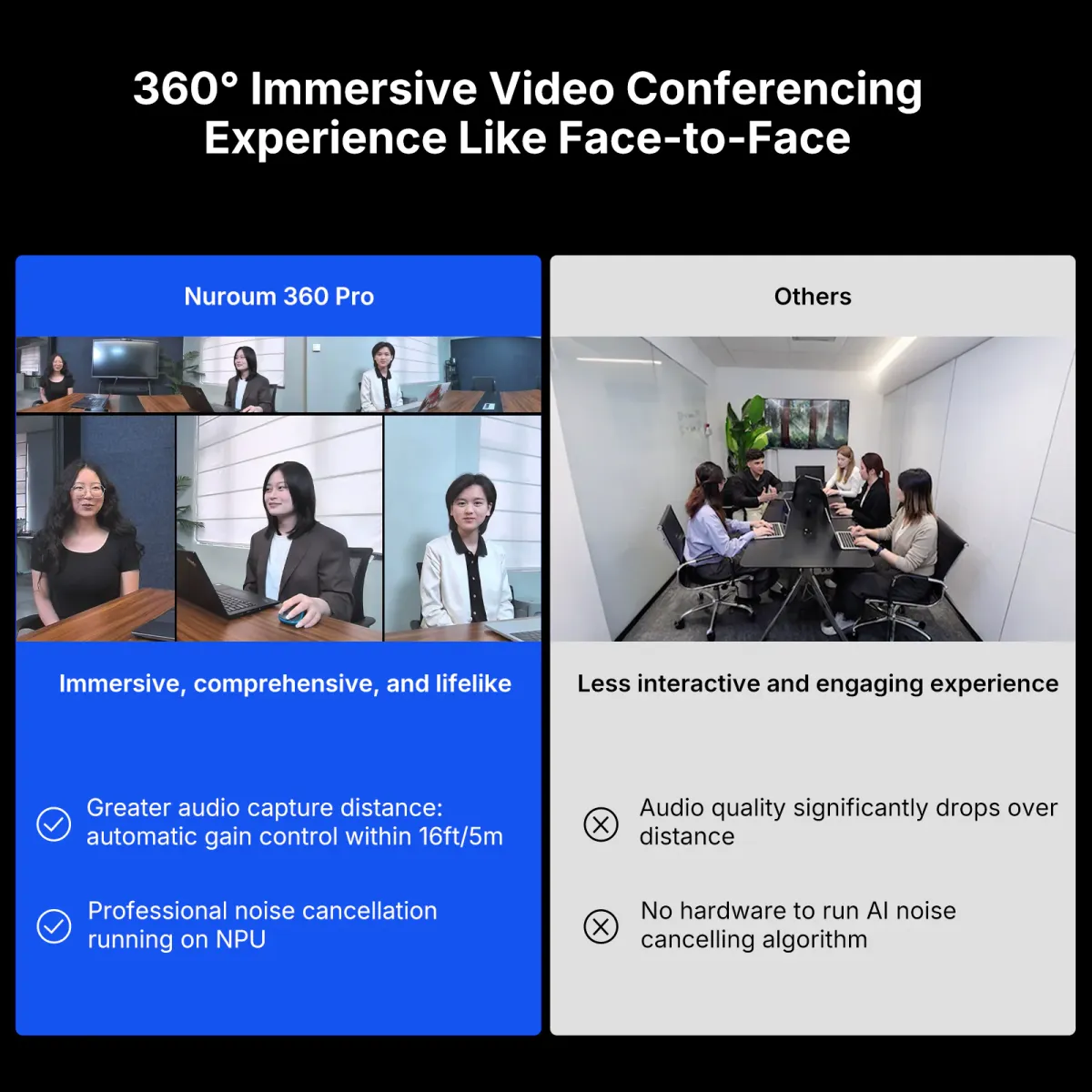
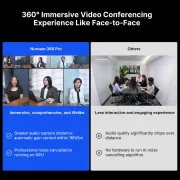
Nuroum 360 Pro C50 panoramic participant view compared with a conventional conference camera view
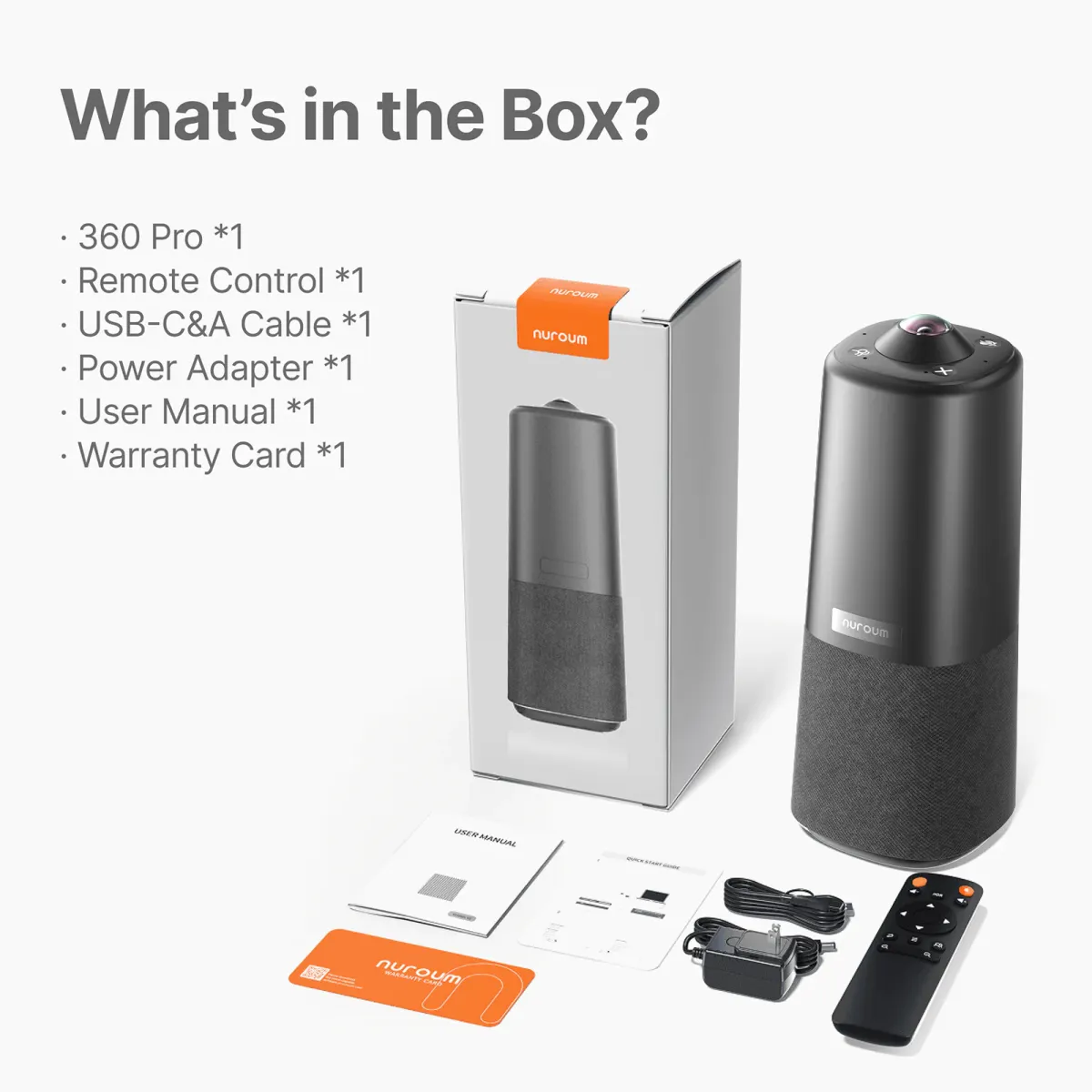
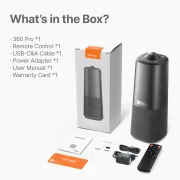
Nuroum 360 Pro C50 box contents including camera, remote, USB cable, power adapter and documentation
1/12
Product image 1
Product image 2
Product image 3
Product image 4
Product image 5
Product image 6
Product image 7
Product image 8
Product image 9
Product image 10
Product image 11
Product image 12

Product

Details

All-in-One

Room

Box

Nuroum 360 Pro (2026 Upgraded) All-in-one Video Conference Camera for Group Meetings

4.8
77 reviews
50MPCameraLensIcon Edited

50MP Fisheye Sensor

More Pixels. Sharper Results.
c40 1 tops npu

2 TOPS NPU

Intelligent Audio Optimization

c40 plug play

Plug & Play

USB-C & A. Start meetings instantly.

2 82c07aac41

All-in-one

Camera, mics and speakerphone

$630.00$699.99
30-DAYPrice Match
Quantity:
1
Order Support
NMORDER30-Day Price Match
NMORDER1-Year Warranty
NMtruckFast Free Shipping
NMcustomer service18H Specialist Support
Fast Free Shipping
    • Free delivery is available in 40+ regions, including the US, Canada, Germany, Japan, etc. Shipping & Delivery Details
    • Standard: 3-7 weekdays (free). Premium: 1-3 weekdays (Available for US/CA/DE/EU/UK)
    • Stay Updated: You’ll receive a tracking email the moment your order is on its way!
Tax-Exempt Order

We proudly support government agencies and qualified organizations.

Simply email your exemption certificate to sales@nuroum.com.

Once verified, our team will personally guide you through your tax-free purchase using your registered email.

Return & Warranty

14-Day Risk-Free Trial:

Not the perfect fit? Return any undamaged product within 14 days for a full refund—no questions asked. Once our team completes a quick quality check at the warehouse, your refund will be on its way. Check our full policy for a seamless return experience. Refund Details.


Easy Return Conditions:

  • Please keep your receipt and ensure the original packaging/accessories are intact.
  • Partial Refunds: If the product has been unboxed or used, we will happily coordinate with you to determine a fair refund percentage based on its condition.
  • Refunds are typically processed within 7 days of receiving your item.
  • Our Quality Promise: If a manufacturing defect occurs within the first 30 days, we’ll cover all return or exchange costs, including shipping.


12-Month Quality Guarantee

Your peace of mind is our priority. Every Nuroum purchase is backed by a dedicated 12-month warranty service.

Delivery & Payment
nearhub delivery payment icon 6b3b1d61 d24d 4c94 b181 2172f7b8cc31 2c88

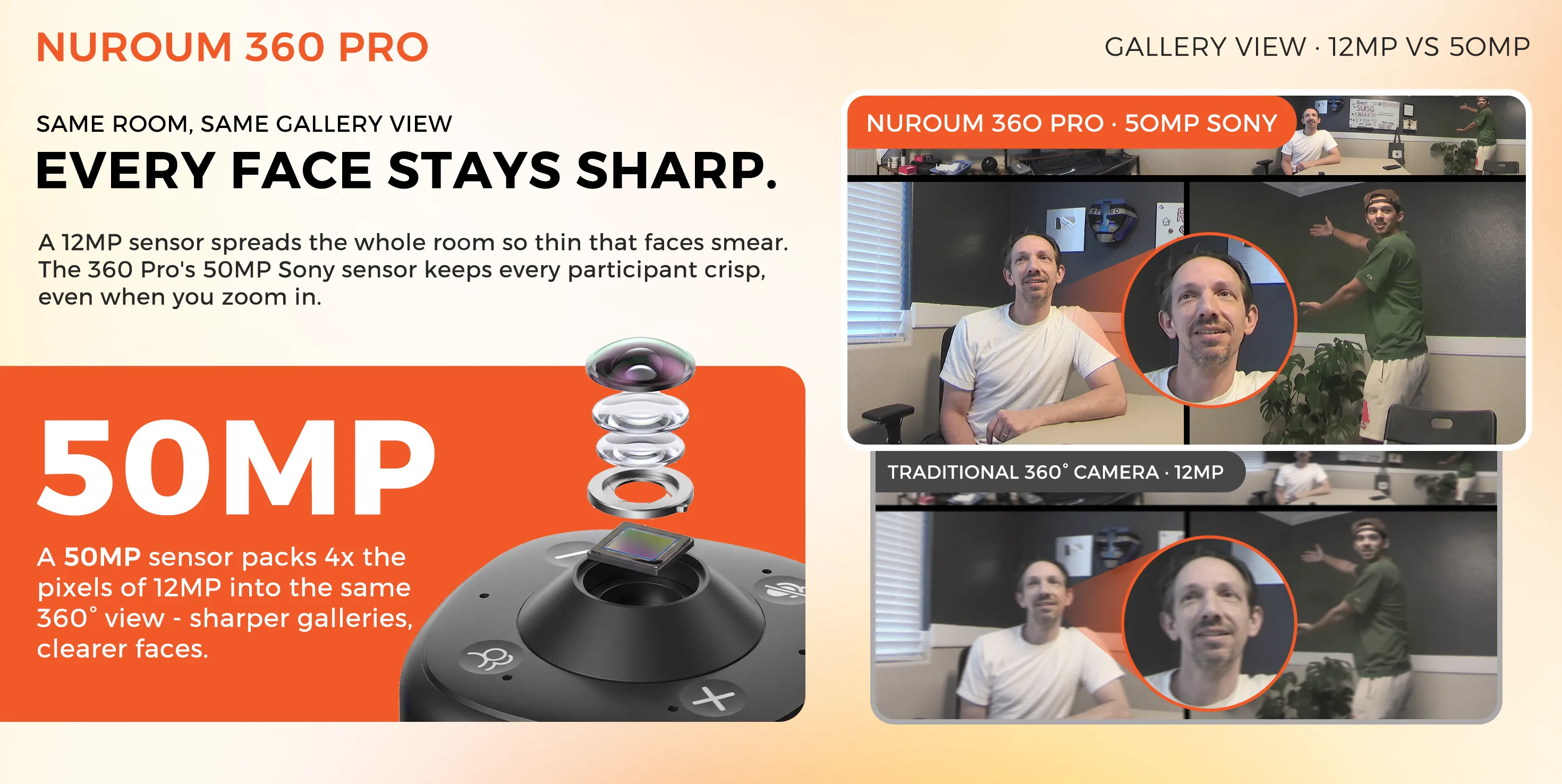
50MP Clarity. Every Face Stays Sharp.

A 50MP Sony sensor captures 4× the pixels of a traditional 12MP 360° camera, keeping faces clearer in gallery view and when AI speaker tracking zooms in.
360PRO 50MP EN
Brands using Nuroum 360 Pro All-in-one Conference CameraBrands using Nuroum 360 Pro All-in-one Conference Camera

No One Gets Left Out of the Conversation.

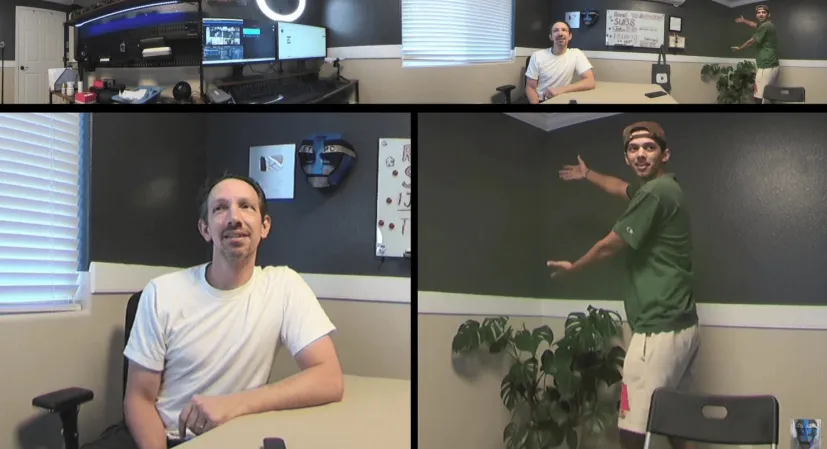
One 50MP lens. Every perspective covered. AI intelligently frames faces, follows the conversation, and keeps everyone naturally present.

360° View·50MP

Discussion

Presentation

Room View

360° Panoramic View: Captures the full room from every angle, while onboard AI intelligently identifies speakers.

Every Voice Picked. Every Word Lands.

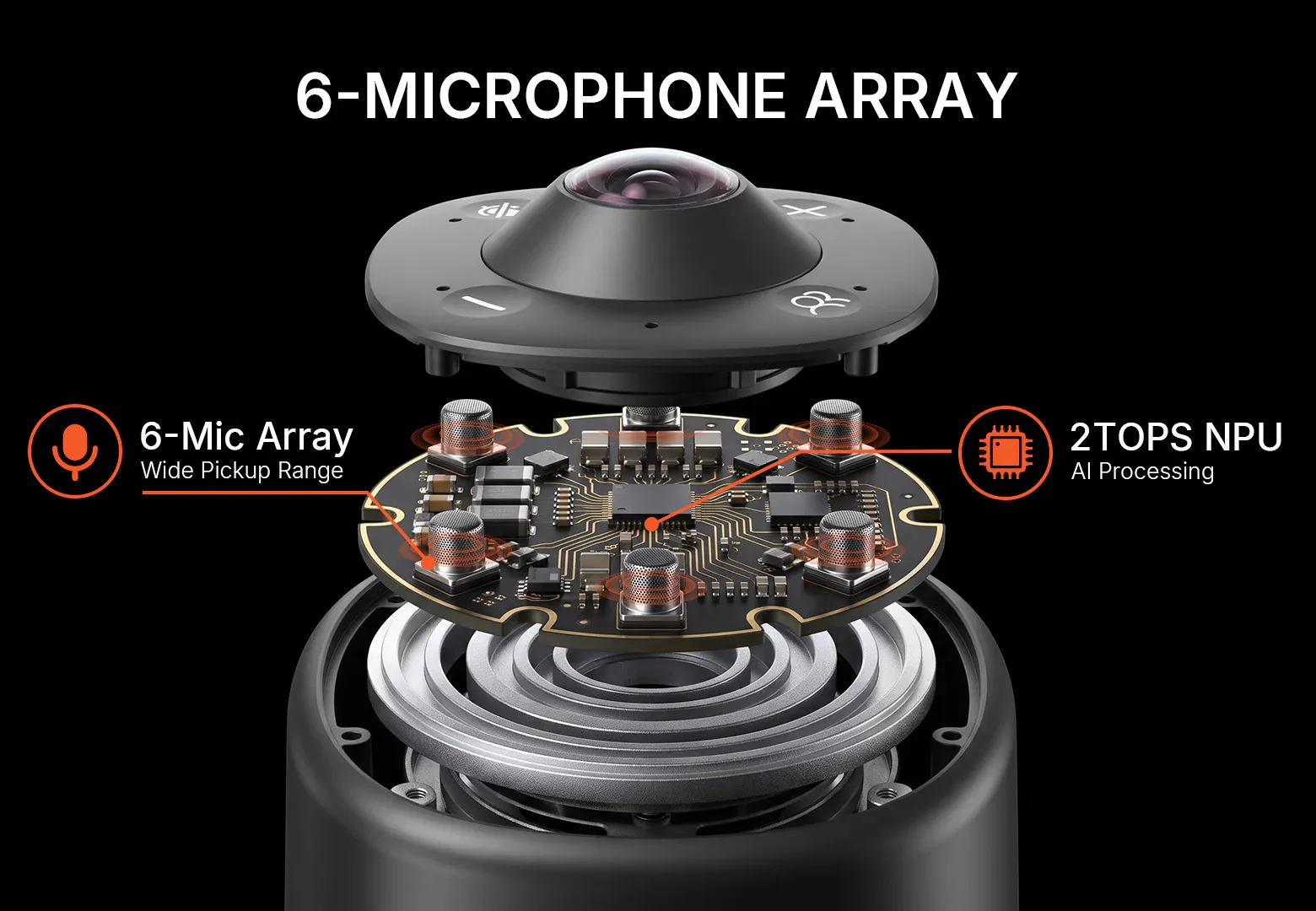
Powered by a 2TOPS NPU and 6-mic array, AI audio enhancement captures every voice, reduces noise and echo, and delivers crystal-clear conversations.

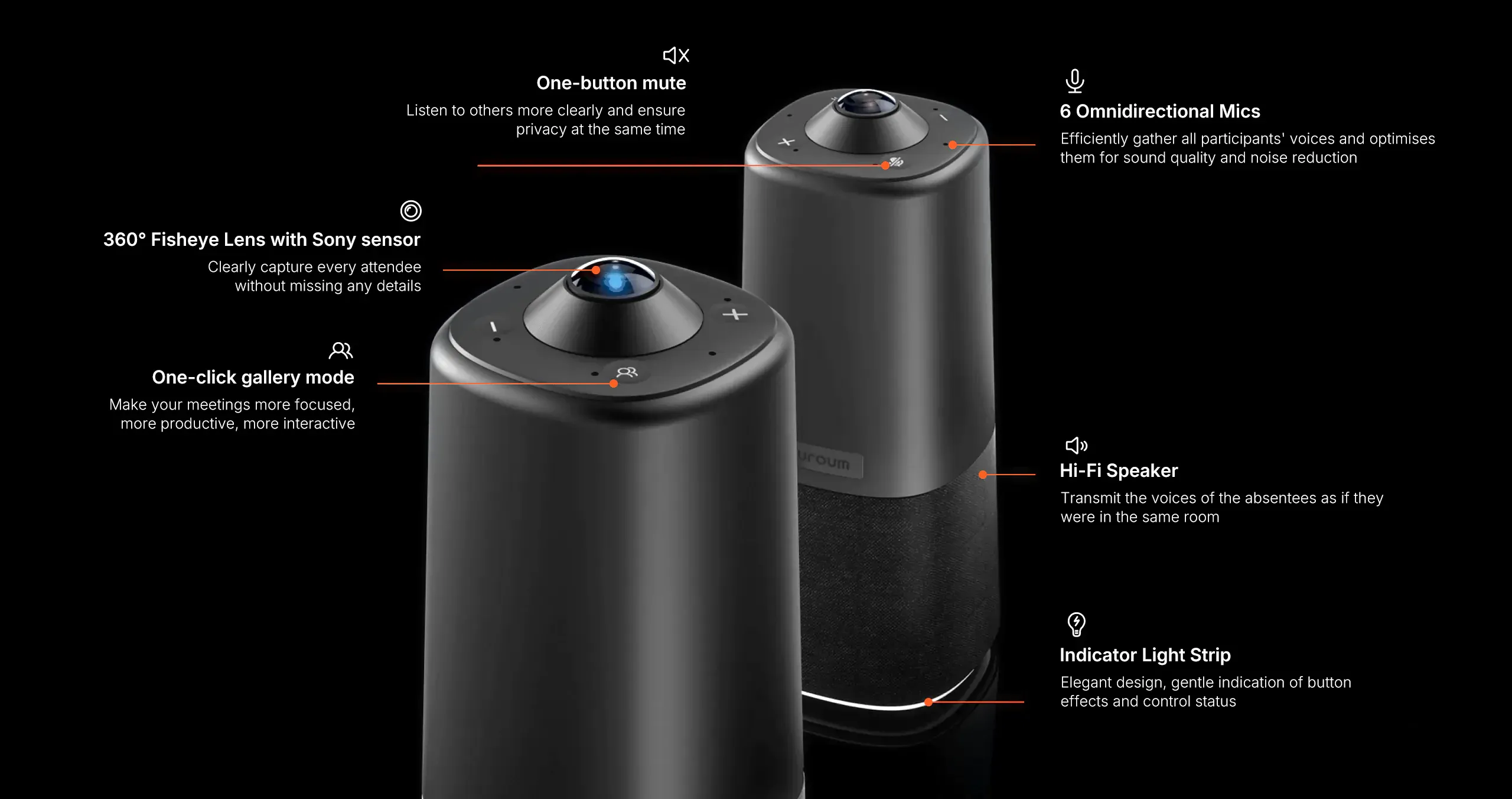
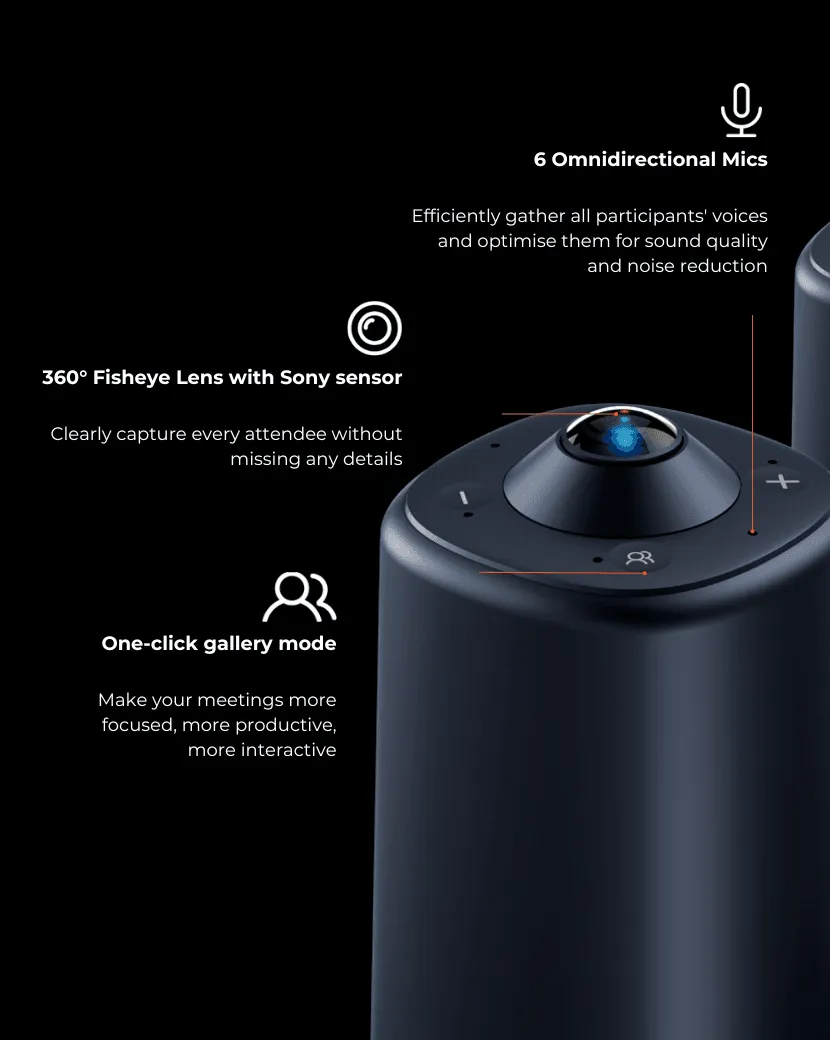
6 Omnidirectional Microphones

The Nuroum 360 Pro is equipped with 6-element omnidirectional microphone arrays designed to maximize the effectiveness of noise reduction and audio gain. It captures voices from all participants, clearly picking up sound from up to 6 meters away, making it an excellent choice for conference room cameras.
nuroum 360 pro six microphone array

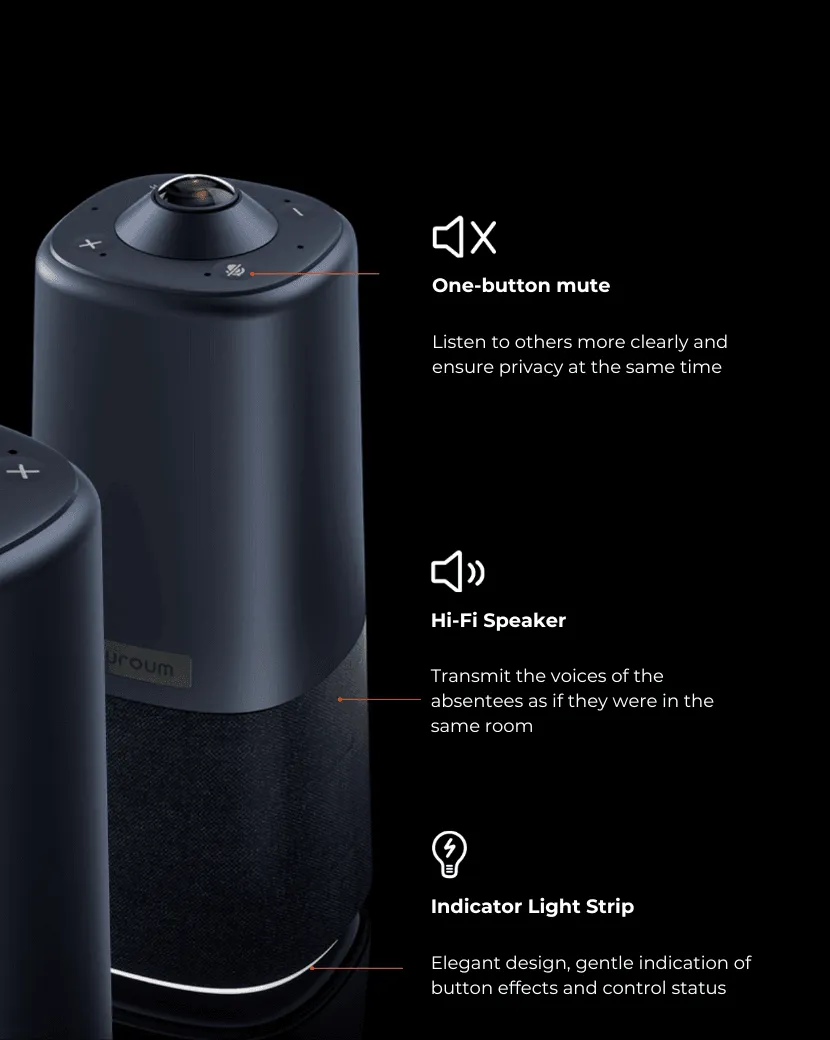
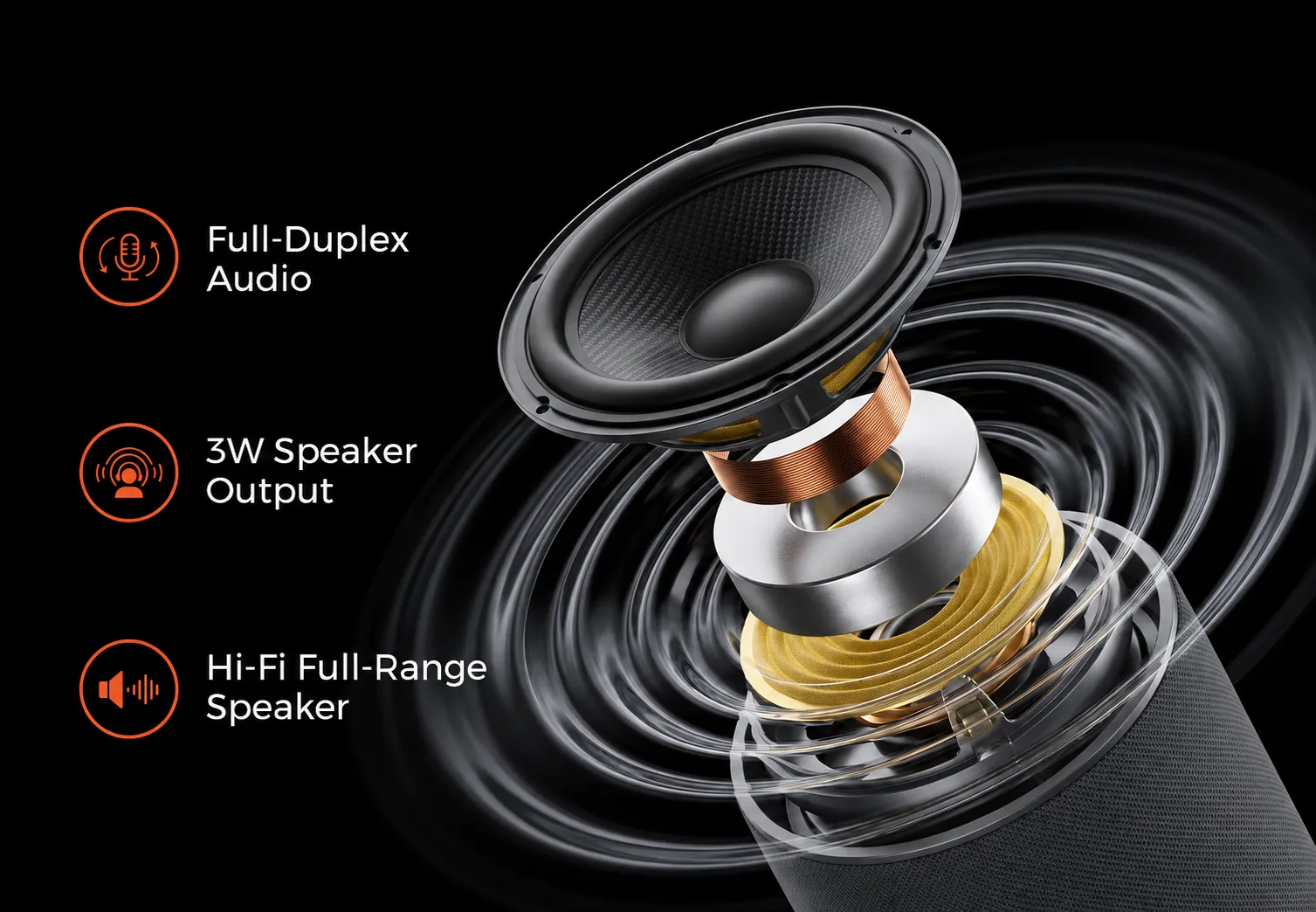
Hi-Fi Full-Duplex Speaker

The integrated Hi-Fi full-duplex speaker transmits the voices of absent participants as if they were right there in the room, providing an immersive experience for all in the video conference camera setup.
nuroum 360 pro speaker
Easy Setup. Full Coverage.

One Device. Every Space. Zero Hassle.

Nuroum 360 Pro C50 connected to a laptop via USB-C with video conferencing platform compatibility
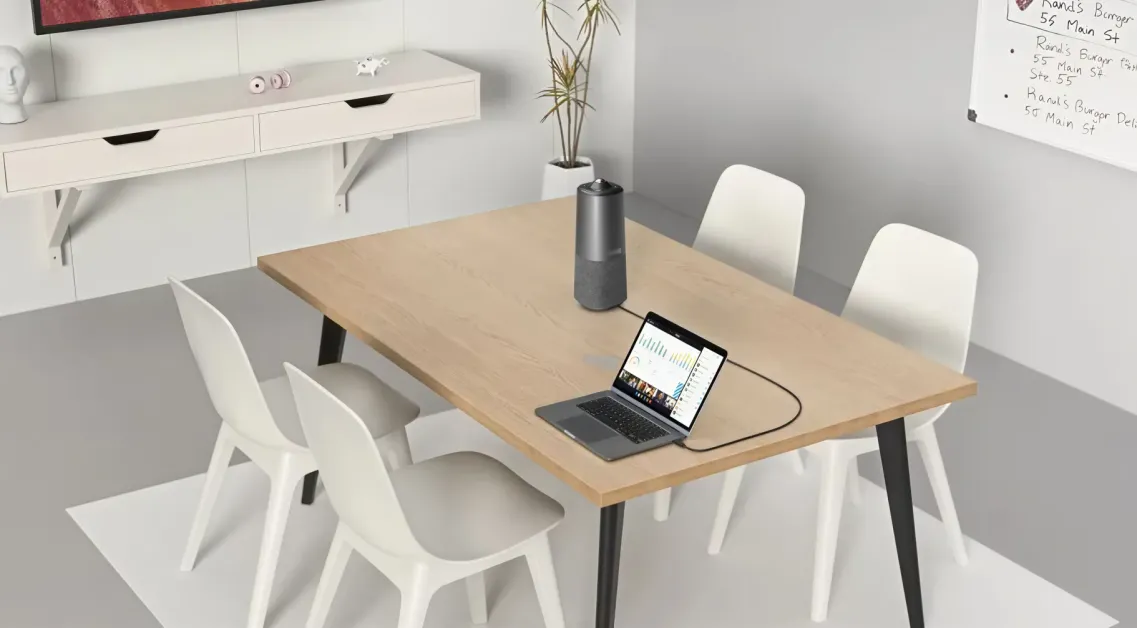
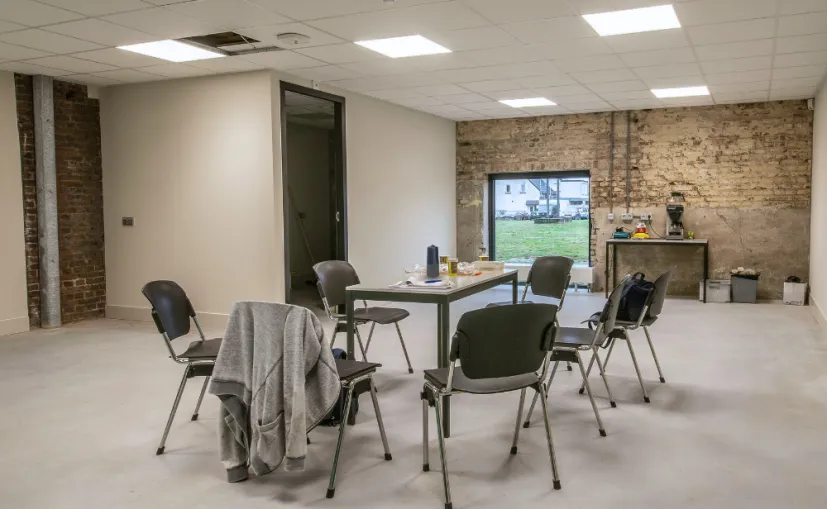
Nuroum 360 Pro C50 on a round meeting table with four chairs
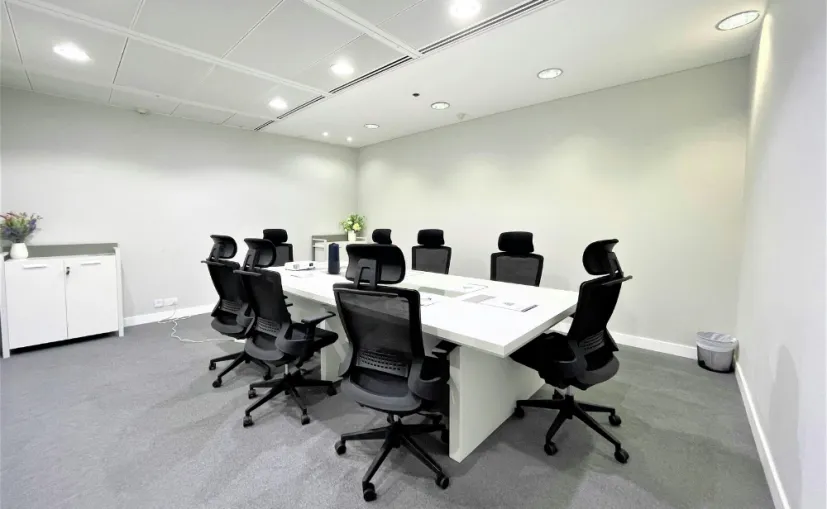
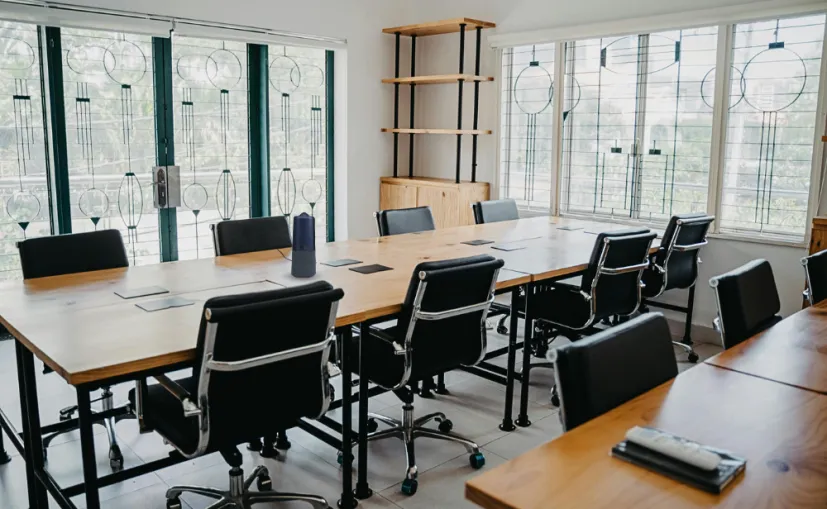
Nuroum 360 Pro C50 on a conference table with six chairs
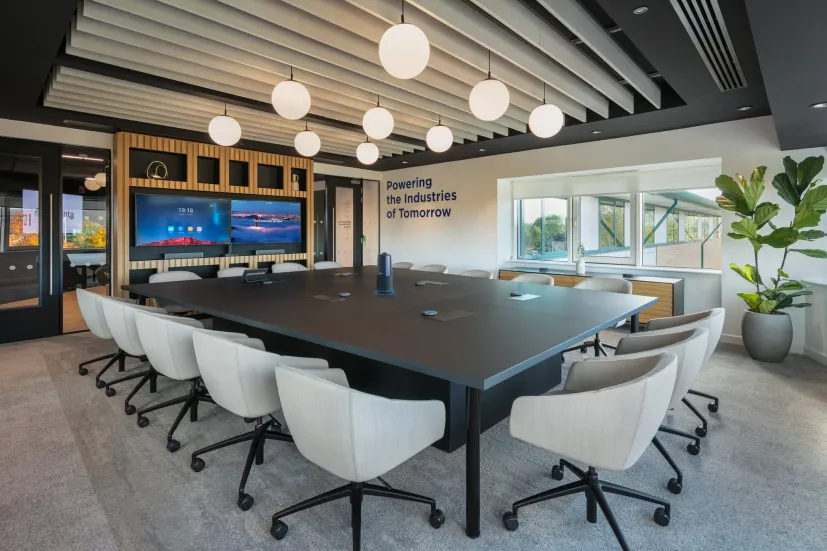
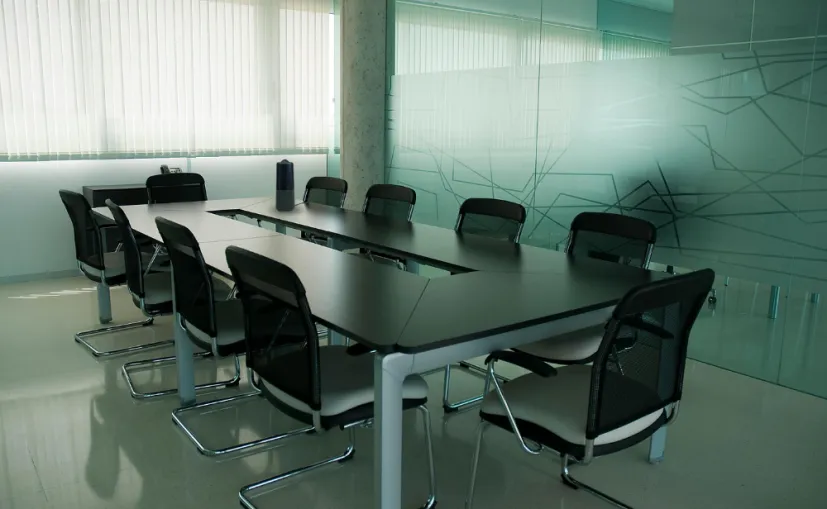
Nuroum 360 Pro C50 on a large conference table with eight chairs

Instant Setup & Seamless Compatibility

USB plug & play — no drivers, no installers. Teams, Zoom, Meet auto-detect in seconds.

2-4 People | 60-120 sq ft

360° panoramic view captures everyone in a 100 sq ft space. One glance, no crowding.

4-6 People | 100-160 sq ft

6 omnidirectional mics cover up to 6m. AI auto-frames — no manual adjustments, ever.

6-12 People | 150-300 sq ft

6-mic array with noise cancellation covers the whole room. Remote side hears every word clearly.
Trusted by 300,000+ Forward-Thinking Business Leaders

360 view
The 50MP camera delivers a clear view of the entire meeting room. Even when AI speaker tracking zooms in on someone across the table, their face stays clear and easy to see. Plus, switching between Zoom and Teams is effortless—just plug in USB and start your meeting.
A

Aisha Patel

Head of Collaboration

360 pro conference camera in meeting room
One USB cable, zero drivers. We deployed four in under an hour. Plug-and-play means our engineers spend zero time on AV setup and 100% on actual work.
H

Hiroshi Tanaka

360PROprofessor
Remote lab meetings used to be one static face and a lot of guessing. Now I see the whole room from my hotel — every hand raise, every reaction, every side conversation I used to miss.
D

Dr. Clayton

Professor of Instruction

c50 3
Outfitted 28 stores for less than one traditional install. Cost-effective — we used the savings to upgrade other equipment. Our managers finally run weekly all-hands without calling IT.
C

Carlos Mendez

Regional Operations Manager
consulting
Three meeting types, one remote click. AI view modes switch from roundtable to whiteboard tracking without calling IT. My client pitches look professional and I never fumble behind the TV.
P

Priya Sharma

Senior Consultant

c50 2
Board members hit mute, the red LED confirms it. One-touch privacy means they finally trust the camera is actually off. Compliance is simpler and no one fumbles through software menus mid-meeting.
M

Margaret O'Brien

IT Director

360 pro review4 2
My partner paces to the whiteboard and the camera follows. AI speaker tracking keeps every gesture visible to remote clients. They told us it feels like we're in the same room — first time I've heard that.
J

Jean-Pierre Dubois

Managing Partner

medicare
Clinic HVAC used to drown out every word. Noise suppression cuts the hum so I hear patients clearly on the first try. They don't lean into the mic anymore and I can focus on the diagnosis.
D

Dr. John S.

Telehealth Director

Education
Remote students used to see only my back. 360° full-room coverage puts every face around the table on screen automatically. The online kids now jump into debates they used to miss entirely.
D

Dr. Elena Vasquez

Language Teacher

Hotel
Concrete warehouse, constant noise. All-in-one audio replaces our mic array and speaker bar — one device, every question heard. Our remote engineers no longer miss half the Q&A.
L

Lars Andersen

Principal Architect

hospitality
Twelve event spaces, one device instead of three. All-in-one replacement our staff moves between rooms in seconds, no cables. AV support calls dropped by half in the first month.
I

Isabella Rossi

Events Manager

testimony1
Zero AV experience, set it up in five minutes. Plug-and-play lets our 70-year-old pastor start the livestream himself every Sunday. Remote parishioners say they finally feel present during the service.
Reverend Samuel Okonkwo

Reverend Samuel Okonkwo

Volunteer Tech Coordinator
lab
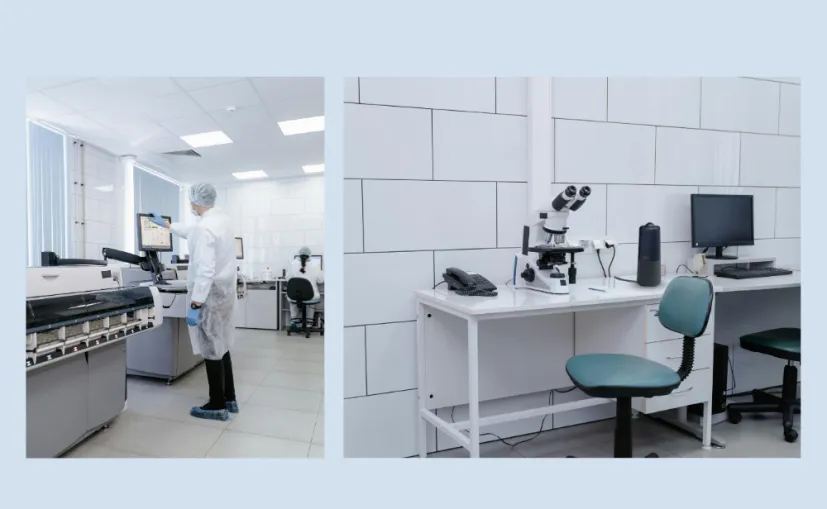
Zero space for a meeting room. Compact all-in-one design squeezes onto our crowded benchtop and still delivers professional presentations. The mics even cut through centrifuge noise without a hint of echo.
D

Dr. Anthony W.

Labor Asistant

Frame8875
FREE LIVE DEMO • 30 MIN • ZOOM / TEAMS

Talk to a real person — on a demo, or over email

A Customer Success Manager walks you through the Nuroum 360 Pro on your actual use case — live, with open Q&A. No pitch script, no pressure.

Meet your demo hosts

Full-time Nuroum specialists — no pressure, no pitch.

Online today

Fay

Customer Success Manager · Product Demo & Features

★ 4.9860+ demos
Online today

Ming

Customer Success Manager · Enterprise Solutions

★ 4.8320+ demos
  • 14-day risk-free trial
  • Replies < 4 business hrs
amzonChoice
bestSeller

Your details go only to your host — just a calendar invite and a confirmation email.

logo left

All-in-One Design

Traditional group meetings suffer from unclear audio and difficulty seeing the remote speaker. With the 360 conference room camera and advanced noise-canceling tech, Nuroum 360 Pro ensures that every participant is both seen and heard clearly, delivering an immersive audio-visual experience.
All-in-One Design
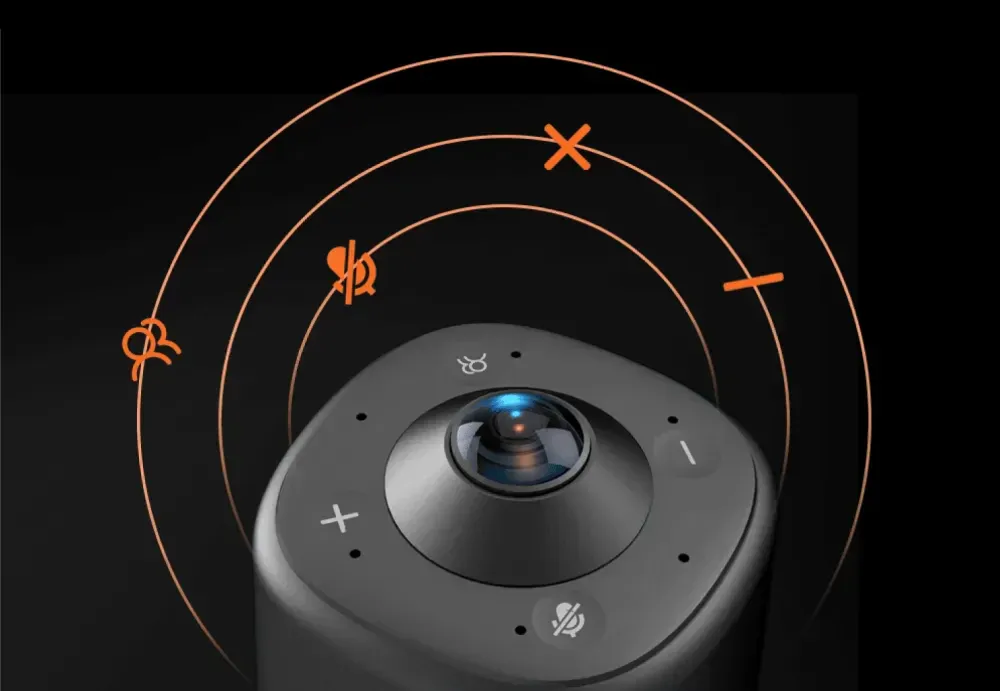
Top controls of the Nuroum 360 Pro for video modes, microphone mute and volume adjustment

4 Touch Buttons

4 button to swiftly turn the camera on and off, adjust the volume, mute the microphones, and switch camera modes.
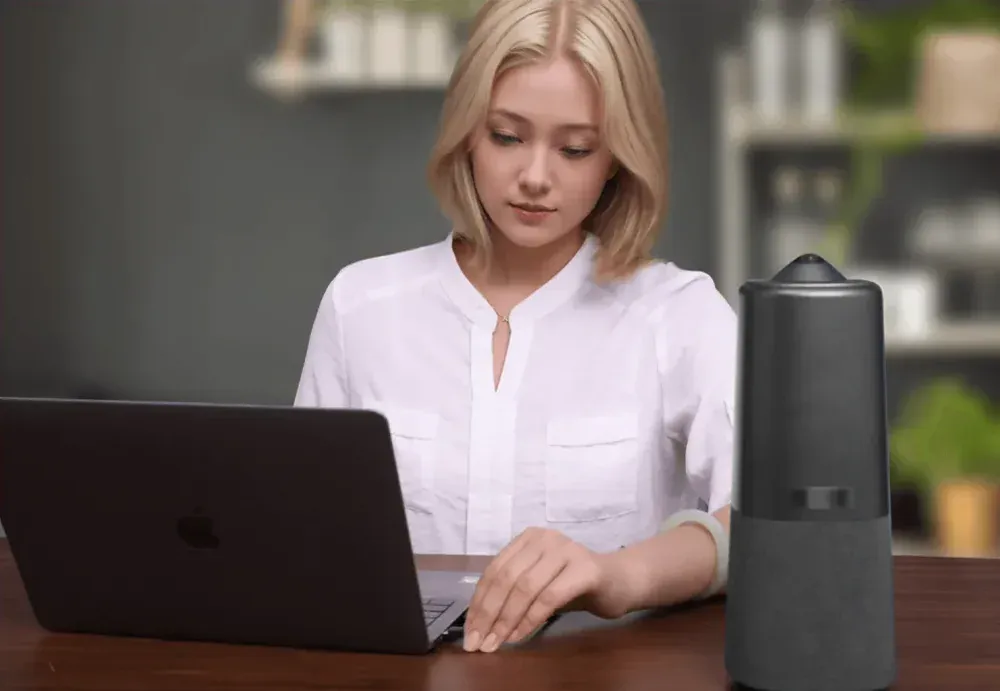
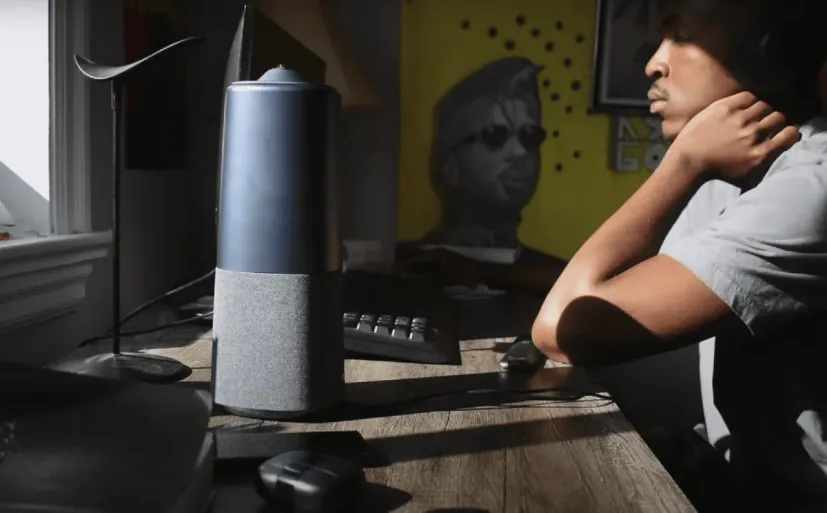
Nuroum 360 Pro conference camera beside a laptop in a personal workspace

Plug and Play

Nuroum 360 Pro Smart Camera is easier than ever to set up, so anyone on your team can start meetings with confidence.
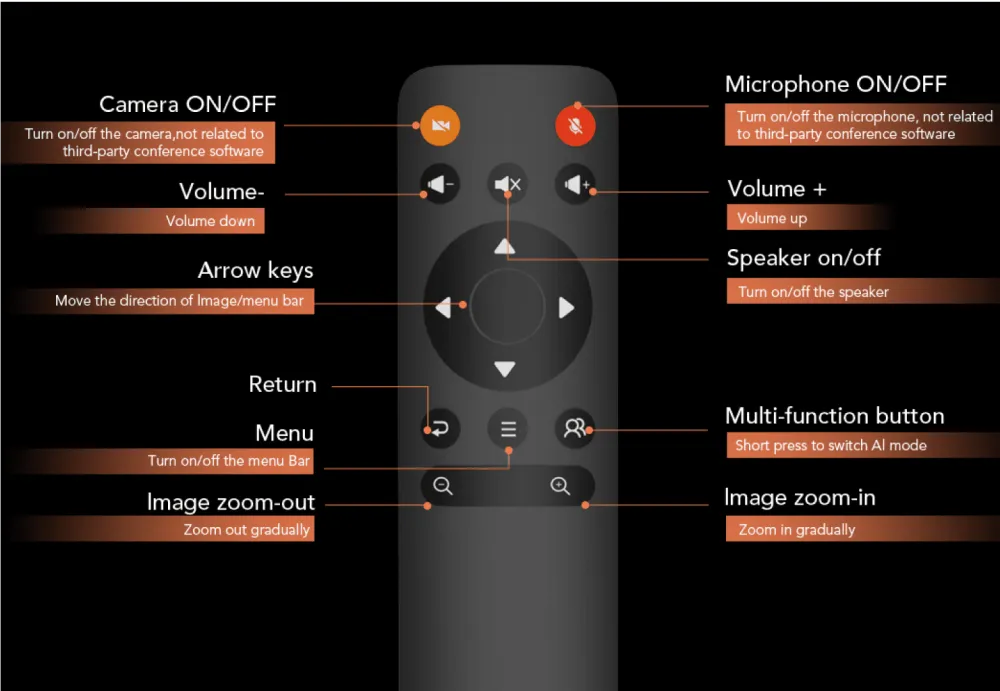
360 pro control

Powerful Remote Control

One remote to control it all. All adjustments can be set at the touch of a button on the remote control.

Tech specs

One 360° lens. Six-mic AI audio. USB plug and play.

Optics & Sensor

Lens
360° fisheye · 235° FOVOne lens covers the entire room — no multi-camera setup
Sensor
1/2.0" SONY CMOS · 50MPCaptures detail for AI de-warping and close-up framing
Aperture
F2.0Performs in typical office lighting without extra lamps
Focus
Fixed focus · 1.41mmNo autofocus hunting — every seat stays sharp, near or far

Video Output & Processing

Max resolution
1080P @ 30 fpsClear HD video for hybrid meetings without bandwidth strain
Aspect ratio
16 : 9Native fit for Zoom, Teams, and Google Meet windows
Video encoding
MJPEG — up to 1080P @ 30 fps / YUY2 — up to 480P @ 30 fpsFlexible quality for different connection speeds
AI view modes
Discussion · Presentation · GlobalYou choose the mode. AI handles the framing.
Digital zoom
3×Smooth close-ups without pixelation on active speakers
Auto-framing
SupportedTracks and highlights speakers automatically — no manual adjustment
Auto exposure
SupportedBalanced image in varying light conditions
Auto white balance
SupportedNatural skin tones under any lighting
Anti-flickering
SupportedEliminates screen flicker under fluorescent lights

Microphone System

Microphones
6 × omnidirectional · 360° arrayPicks up voices from every direction within 6 m / 20 ft
Pickup range
6 m / 20 ft radius · 360°The person at the far end of the table sounds as clear as the one next to the laptop
Automatic gain control
SupportedBalances every seat automatically. No one sounds too loud or too quiet.

Speaker System

Speaker
Hi-Fi full-rangeVoices sound present and natural, not thin or tinny
Speaker output
3WFills a small-to-medium room without extra speaker bars

AI Audio Processing

AI noise suppression
ProperClean 2.0Strips HVAC hum, keyboard clicks, and echo — remote participants hear your team, not your building
Acoustic echo cancellation
SupportedEliminates feedback and hollow room sound
Full-duplex audio
SupportedBoth sides speak at once without clipping — natural conversation flow
Voice activity detection
SupportedAI identifies who is speaking for accurate framing

Host Connection

USB
USB-C&A · UVC plug-and-playOne cable for video, audio, and power — no drivers, no apps, no IT visit
Setup
Plug & play — no drivers or software requiredWorks instantly with Zoom, Teams, Google Meet, and GoToMeeting

On-Device Controls

Touch buttons
4 capacitive touch controlsMute, volume, mode switch, and camera on/off at your fingertips
Remote control
IR remote includedSwitch modes and mute from your seat — no fumbling behind the TV
Status indication
LED indicatorsInstant visual feedback for mute and camera state

Operating Systems

Desktop
Windows · macOS · LinuxWorks with the computers your team already uses
Driver requirement
None — native USB Video Class (UVC)Plug in and open your meeting app

UC Platform Support

Compatible platforms
Zoom · Microsoft Teams · Google Meet · GoToMeetingOnboard processing handles audio and video signals, then streams to your preferred meeting platform — no platform-specific certification needed

Management

Device management
NearSync softwareAdjust audio and video settings, update firmware, and keep your device optimized

Physical Characteristics

Mounting
Tabletop · Tripod (1/4" thread)Place it on the table or mount it anywhere in seconds

Power

Power input
DC power adapter (included)Plug into any standard outlet

Get Your Full Tech Specs

All hardware and software details in one PDF

Get the User Manual

Setup guide and quick-start instructions
FAQs

Before You BuyOrder RelatedProduct Related
What makes the Nuroum 360 Pro different from other 360° conference cameras?
The Nuroum 360 Pro uses a 50MP Sony sensor to capture approximately 4× the pixels of a traditional 12MP 360° camera. This higher resolution preserves more image detail, keeping faces clearer in gallery view and when AI speaker tracking zooms in on individual speakers—so remote participants can see who's talking without losing important facial details.
What size meeting room is the 360 Pro designed for?
The 360 Pro covers 2 to 12 people in rooms from 60 to 300 sq ft (5.5 to 28 m²).
Will remote participants actually see everyone at the table?
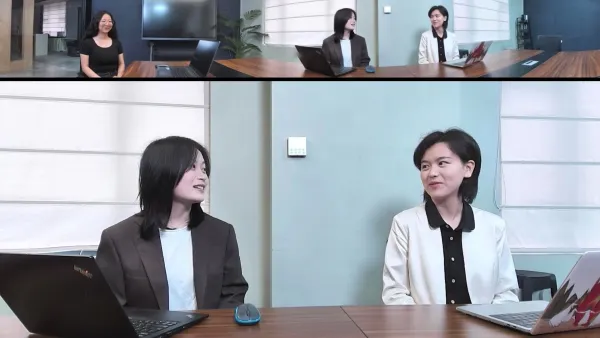
Yes. A single 360° fisheye lens captures the entire room. Our onboard AI de-warps faces at the edges and outputs natural proportions — no stretched features, no blind spots. Three AI modes then frame the conversation automatically.
360 pro global mode
How is this different from a standard webcam?
A standard webcam captures roughly 90° — usually just the person directly in front of the screen. The 360 Pro sees 360°, balances every voice within 6 m / 20 ft, and uses AI to capture active speakers.
Can it handle open offices, HVAC noise, and glass walls?
Yes. ProperClean 2.0 uses on-device AI to separate human speech from room noise — stripping HVAC hum, keyboard clicks, and paper shuffling in real time. Six omnidirectional microphones with automatic gain control balance volume across the table, and echo cancellation removes reflections from glass and hard surfaces.
Do I need IT support or special software to set it up?
No. The 360 Pro is UVC plug-and-play over a single USB-C&A cable. No drivers, no apps, no firmware configuration. The touch buttons and included IR remote let anyone switch modes or mute without touching a computer.
Does it work with Zoom, Teams, Google Meet, and my MacBook?
Yes. It runs natively on Windows, macOS, and Linux and streams audio and video to Zoom, Microsoft Teams, Google Meet, and GoToMeeting — no platform-specific certification required because all processing happens on the device.
Is our meeting data secure? Does it process video in the cloud?
No cloud processing. All AI video framing and audio noise suppression run on the device itself. For privacy, physical mute and camera-off buttons on the top of the unit cut the signal entirely, with LED indicators showing the exact status.

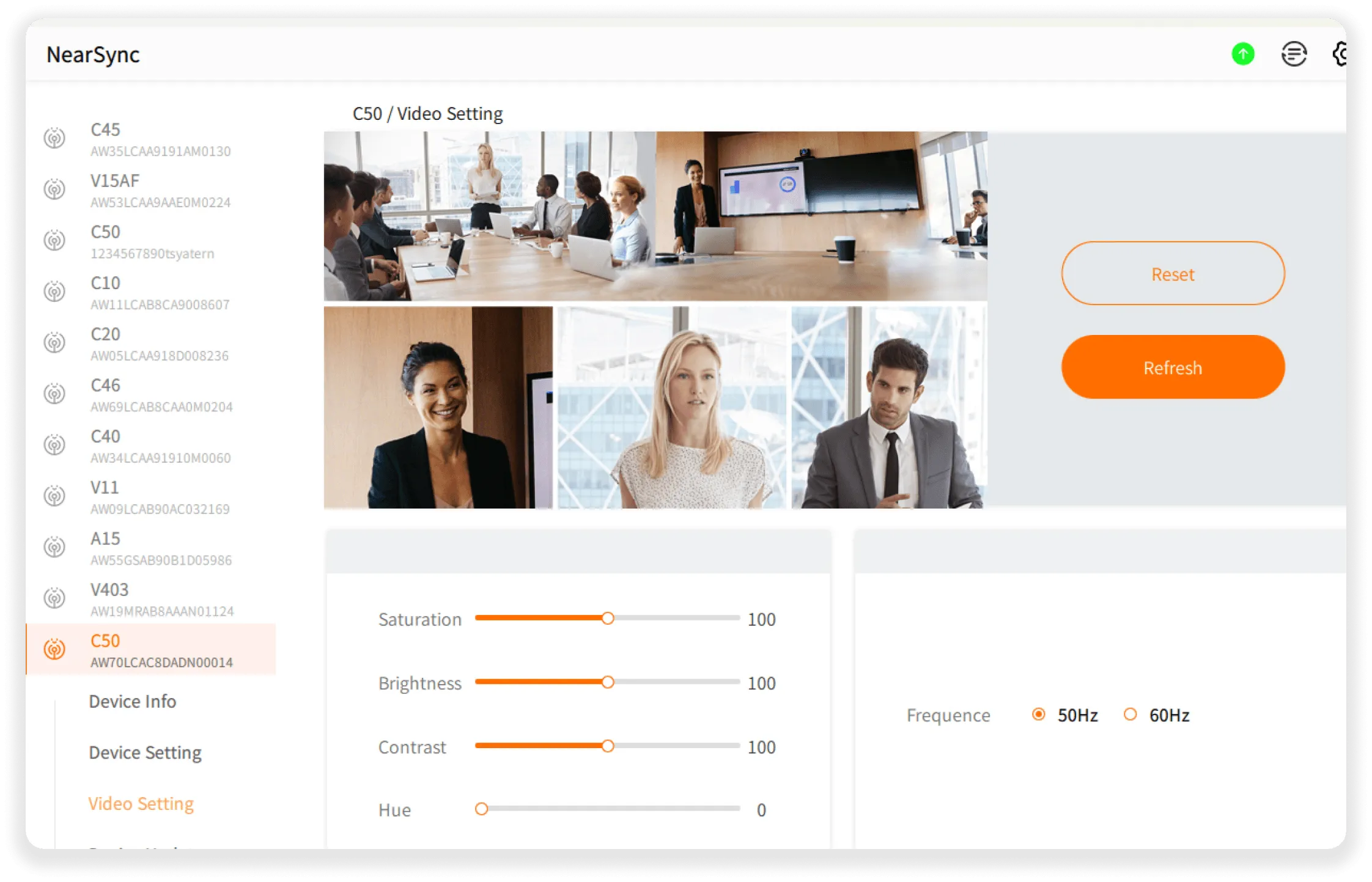
Update your Nuroum 360 Pro anytime, anywhere with NearSync!

Perpetual privileges at no extra cost. The operating camera system is constantly being upgraded, guaranteeing you the latest and most functional Nuroum 360 Pro.
Explore

Wise image adjustment

  • With NearSync software, you can adjust audio and video parameters and update the firmware yourself.
  • Device Info
  • Device Setting
  • Video Setting
  • Audio Setting
  • Device Update
adj

Why Nuroum?

“360 Pro has an Ultra HD camera that captures everyone so clearly, and its noise-cancelling function gives me a very immersive conference experience!"

unnamed f73331847c
Dave Taylor

"This is the first 360 degree conference camera I've seen that will pull up multiple people and give everyone their own little window on the screen, that is definitely a cool feature."

channels4 profile 695e4f2746
Daniel Caldwell

"I guarantee that the NUROUM 360 PRO is the most seamless 1080p conference room camera with the clearest audio you've ever used!"

Jedija
Jedija Nsenga

"I suppose that 360 camera deserve 10/10 point in my real test. I prefer its presenter tracking function."

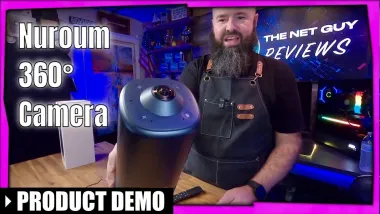
TheNetGuyReviews
The Net Guy Reviews

"The Nuroum 360 Pro Video Conference Camera is here to change the traditional meeting! I really love its all-in-one system boasts 3 intelligent AI video modes, and crystal-clear audio. Recommended!"

JDubb
JDubb
Start 2026 Right - Subscribe for Exclusive 10% Offers
FaceBook YouTube Instagram LinkedIn Twitter FaceBook_Group Pinterest
  • Connect Us
    • About Us
    • Brand Ambassador
    • Become a Reseller
    • Blog
    • Corporate Purchase
  • Compare
    • Nuroum 360 Pro vs Meeting Owl 3
    • OpenEar Pro 2 vs Shokz & OpenRock
    • C20 vs Logitech BCC950
    • C40 vs Logitech Connect
    • V32AFL vs Logitech Brio
  • Solutions
    • Creation
    • Healthcare
    • Education
    • Team workspace
    • Personal Workspace
  • Policy
    • Payment policy
    • Shipping policy
    • Warranty & Refund
  • Contact us

    For Products Support

    customer.service@nuroum.com

    For Marketing Collaboration

    marketing@nuroum.com

    For Product Sales

    sales@nuroum.com

    iconiconiconiconiconicon
    NearSync-logo NearSync Remote Device Management
    nearify-logo Nearify Free Noise Cancelling App
Copyright © 2026 Nearity USA Inc.
Privacy policy Terms of service