










































Choose an all-in-one conference camera when you need both video and shared audio, and one position can serve the group. Keep separate devices when existing equipment works or the camera and microphone need different locations. Compare the complete setup and everyday handoff between hosts, not just the number of devices.
Key Takeaways
- If the webcam already shows everyone well, consider improving shared audio before replacing the camera.
- Choose an integrated device only when its placement works for both the camera view and the voices around the table.
- If different employees host meetings, compare what each person must connect and select before the call starts.
- When distant seats need better audio, check supported microphone expansion rather than assuming all-in-one means unchangeable.
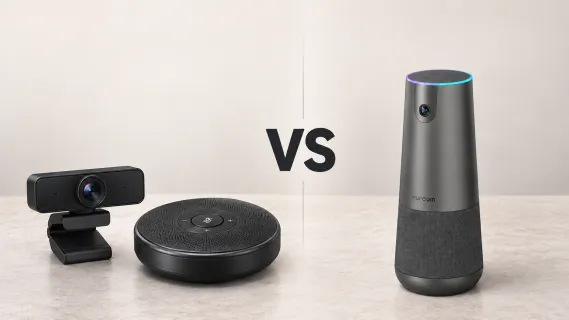
An all-in-one conference camera makes sense when your team needs both a better picture and shared audio, and one device can serve the room from a suitable position. A separate webcam and speakerphone can be the better choice when the camera already works well or the two devices need different locations.
Think about the start of your last team call. Did everyone connect without help, or did the meeting wait while someone found the speakerphone, moved the webcam, and asked which microphone was active?
The right purchase should remove a recurring inconvenience. You do not need to replace working equipment just to make the table look more coordinated.
What Are You Actually Replacing?
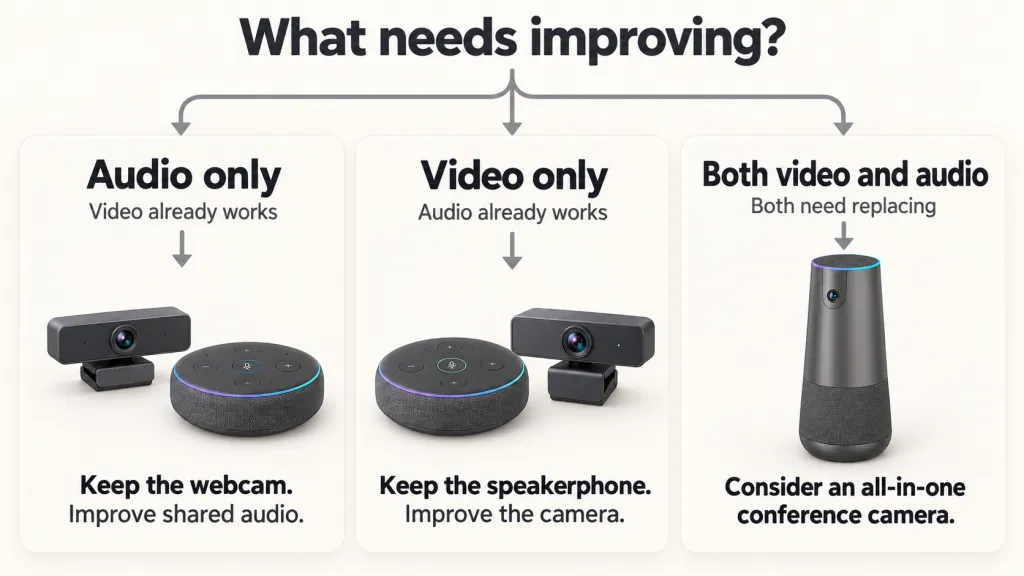
First, separate the jobs from the products. The camera sends your picture. The microphone sends your voices. The speaker lets people in the room hear colleagues joining remotely.
A conference camera with microphone and speaker puts those functions in one housing. With separate equipment, the webcam handles video while a conference speakerphone handles shared audio. That speakerphone includes both a microphone and a speaker; you are not necessarily buying three independent devices.
Neither arrangement automatically includes a computer or display. This comparison focuses on equipment connected to a computer running your meeting app, not standalone room systems with built-in meeting software.
Now name the part that disappoints you. Are colleagues outside the camera view? Can remote participants hear only the host? Or does the equipment work once someone familiar with it gets everything connected?
Those are different buying problems. An audio gap may need an audio purchase. A room starting from a laptop alone may benefit from replacing video and audio together.
Will One Device Make Meetings Easier to Start?
An integrated device can give the team fewer separate pieces to find, connect, and put away. That matters when the room is shared and a different employee hosts each day.
For example, a manager might run Monday's review from one laptop, while an account lead uses another for Tuesday's customer call. A setup that only one person understands becomes an inconvenience whenever that person is unavailable.
An all-in-one arrangement can make the handoff easier to explain: connect the unit, then select it for camera, microphone, and speaker. It does not remove the need to make those selections or check the call.
Separate equipment can also be straightforward. A webcam that stays mounted and a speakerphone with a clearly labeled connection may cause less trouble than an integrated device that gets moved after every meeting.
Judge the routine your team will use. Ask a regular host to connect with their own laptop. Notice what needs explaining. The useful comparison is the number of uncertain steps, not simply the number of boxes.
Can the Camera and Microphone Share a Position?
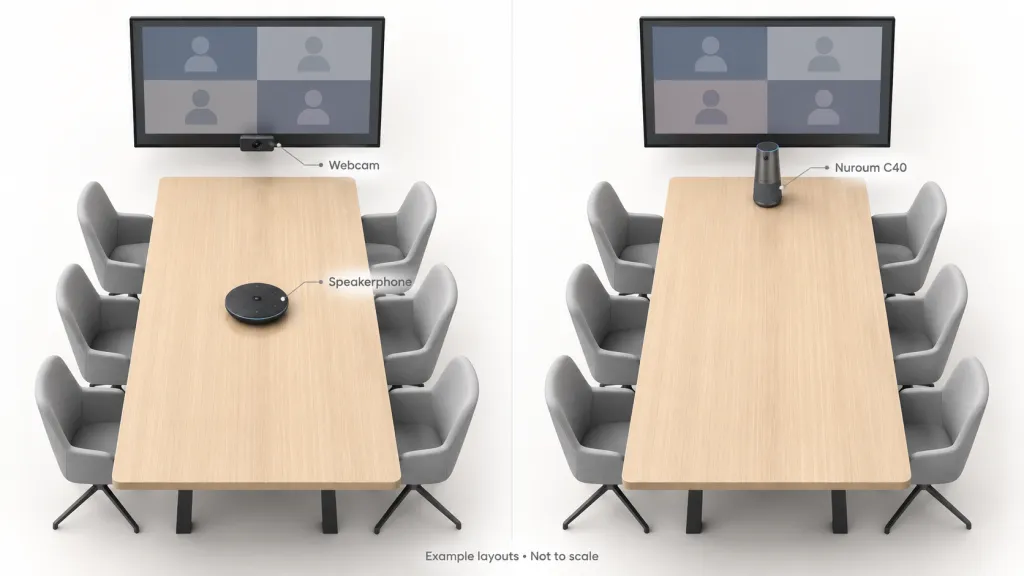
A camera needs a clear view of faces. A microphone needs a position from which the group can be understood. Sometimes the same location works for both; sometimes it does not.
An integrated camera might sit at the head of the table and serve the usual seats well. But if placing it near the group hides faces behind open laptops, moving it closer is not a complete solution. Likewise, a good picture from beside the display does not prove that quiet comments from distant seats reach the call.
Separate devices give you more freedom here. The webcam can stay where it shows the group, while the speakerphone sits nearer the discussion. The trade-off is finding room for both and routing their connections without interfering with work.
Before deciding, use our conference camera placement guide to compare positions with people seated normally. It covers laptop obstructions, screen sightlines, and the extra chair that an empty-room preview can miss.
Do not choose an all-in-one device solely to reduce clutter if its only convenient position compromises the meeting.
What If You Already Own a Good Webcam?
Keep it on the shortlist. If remote colleagues can see everyone comfortably, replacing the camera may add little to their experience.
Suppose the weekly review looks fine, but people online repeatedly ask an employee at the far end to repeat an update. A suitable conference speakerphone may address that problem while leaving the picture unchanged.
Before buying, establish whether placement and speaking habits could help. Our hybrid meeting audio guide explains how to distinguish a discussion that needs better turn-taking from seats that remain difficult to hear. It also covers when an expansion microphone deserves consideration.
The reverse is possible, too. If your speakerphone already serves the table well but the webcam leaves colleagues out of view, you can look for a better camera without replacing shared audio.
Treat the conference camera and speakerphone as separate purchasing decisions until you have a reason to combine them. Integration is useful when it solves a problem, not when it merely replaces two functioning products with one new product.
How Do the Options Compare Over Time?
The purchase price is only part of the comparison. Consider what stays useful, what occupies the table, and what happens when the arrangement needs to change.
| Everyday consideration | All-in-one conference camera | Separate webcam and speakerphone |
|---|---|---|
| Existing equipment | Makes more sense when both video and audio need replacing | Lets you retain the component that works |
| Placement | Main camera and audio functions share a location; supported expansion may add flexibility | Camera and speakerphone can be positioned independently |
| Shared-room routine | Fewer separate pieces to locate or pack away | Can still be easy if devices stay connected and labeled |
| Future changes | Check compatible accessories and expansion before buying | Can change the camera or speakerphone independently, subject to compatibility |
| A device needs service | Several functions depend on the same main unit | The unaffected component may remain usable with a replacement or temporary alternative |
Compare the full shopping list, including necessary adapters, mounts, power connections, and any microphone accessories. Do not assume either approach is always cheaper.
Also consider where the equipment lives between calls. If several teams borrow it, agree where it returns. Fewer devices help little if the single unit is missing when a customer joins.
Where Does the Nuroum C40 Fit?
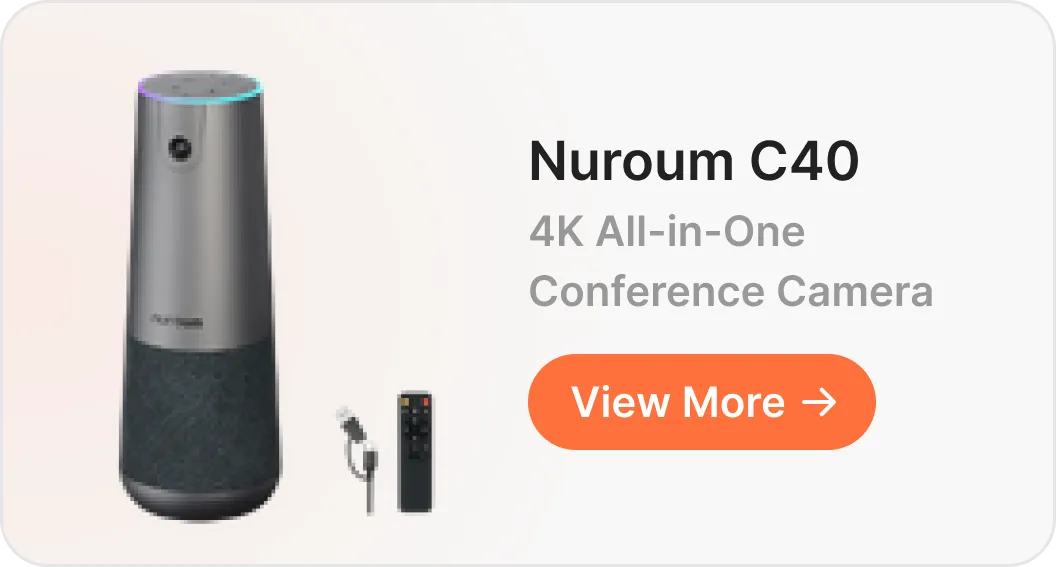
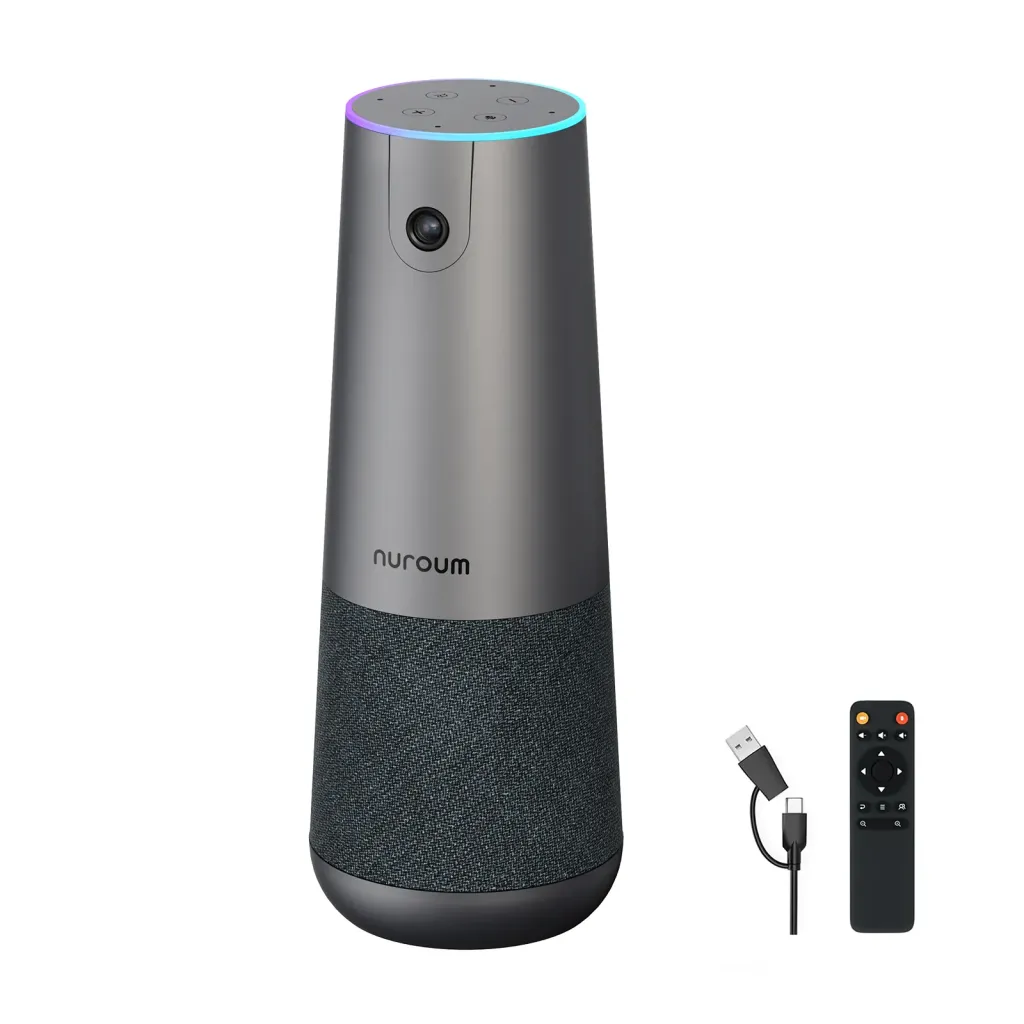
The Nuroum C40 is an option for teams that want camera, microphone, and speaker functions together rather than assembling separate peripherals. It connects to a computer by USB, with C40 selected for the relevant devices in the meeting app.
Consider it when you need to improve both the group view and shared audio, and want an arrangement that different hosts can learn. For a front-facing C40 setup, start with the device at the head of the table, facing participants, then check the occupied seats.
Its audio can also expand with compatible AM01 microphones; Nuroum lists support for up to two. That means the main camera does not have to move closer to distant speakers simply because you need another audio pickup point.
Expansion is an option, not an automatic requirement. If your current webcam and speakerphone already serve the room reliably, keep them. If the table needs independent camera and audio positions that an integrated setup cannot accommodate, separate equipment remains a reasonable choice.
Choose Around the Meeting You Want to Run
Keep a working camera when audio is the only weak point. Keep separate equipment when independent placement solves the room's layout. Consider an all-in-one device when both functions need replacing and it makes the shared routine easier.
Before ordering, picture the next ordinary meeting: the usual host, open laptops, the far-end seat, and someone joining remotely. What would your proposed setup change for them?
If an integrated arrangement fits that meeting, review the C40 and its optional microphone configurations. Buy the equipment that addresses the remaining gap, rather than the largest package available.
All-in-One Conference Camera FAQ
Does an all-in-one conference camera work without a computer?
Not necessarily. All-in-one may describe the camera, microphones, and speaker rather than a built-in meeting computer. The Nuroum C40 connects to a computer running your meeting software. Check the specific product's requirements before buying.
Can I keep my existing webcam if it has a built-in microphone?
Yes. You can keep a suitable webcam for video and choose a separate speakerphone for microphone and speaker duties in your meeting software. Check the selected devices before the call so you are not unintentionally using the webcam's microphone.
Does an all-in-one device mean fewer cables everywhere?
It may reduce separate peripheral connections, but it does not eliminate the room's other requirements. Check power, the computer connection, the display connection, and any expansion microphone cables. Compare the complete arrangement rather than counting only the main device's USB cable.
Can one setup work when different people bring their own laptops?
It can, provided the equipment supports those computers and their connections. Check the laptops and meeting apps your team uses, including any adapters. Leave a short room note showing what to connect and which camera, microphone, and speaker to select.