










































Start with the seats people actually use, then test a camera position near the display and a suitable tabletop alternative. Check faces, laptop obstructions, screen sightlines, and the extra chair. Ask someone outside the room to judge the call before changing equipment or committing to a permanent installation.
Key Takeaways
- If people mostly watch the room display, try placing the camera near it first so their attention stays close to the lens.
- If laptops block faces, adjust the camera position before asking people to close the tools they need for work.
- If an extra chair is used regularly, include it in the placement test rather than checking only the normal seating arrangement.
- Keep existing equipment when a different position solves the problem; consider an upgrade when normal seating still leaves people out.
Good conference camera placement starts with where people sit and where they look. Try a position near the room display first if everyone faces the screen. Consider a tabletop position if it gives a clearer view without blocking work. In either case, check the picture with people in their normal seats and their laptops open.
Picture a weekly meeting: the manager is visible, but a colleague at the edge keeps leaning toward the middle. Another person's laptop hides half their face. Nobody wants to interrupt the discussion to rearrange the room.
Before replacing the camera, try changing its position. Small adjustments may solve the problem without making everyone move their chair.
| What happens during calls? | What to try first |
|---|---|
| People look sideways while addressing remote colleagues | Move the camera closer to the display they watch |
| Laptops hide faces | Try a clearer position or a secure, modest height adjustment |
| People at the edges keep leaning in | Test a more central position, then check both end seats |
| An extra chair sits outside the picture | Include that seat when testing the room |
Start with Where People Sit and Look
Walk into the room as though the next meeting is about to start. Leave the chairs where people normally put them. Open a laptop, spread out a document, and look at the screen used for presentations.
This is the room your camera needs to show. A beautifully framed empty table tells you very little about a busy meeting.
Notice where attention goes. During a client call, people may spend most of their time watching the display. During a project review, they might turn toward each other or toward a sample on the table.
For a front-facing conference camera, a position near the display is a useful starting point. It brings the lens closer to the direction people naturally look while listening to remote colleagues.
Then check the less obvious seats: the chair beside the screen, the person nearest the camera, and whoever sits at the far end. The host's seat should not be the only one that looks comfortable.
Should the Camera Sit Near the Screen or on the Table?
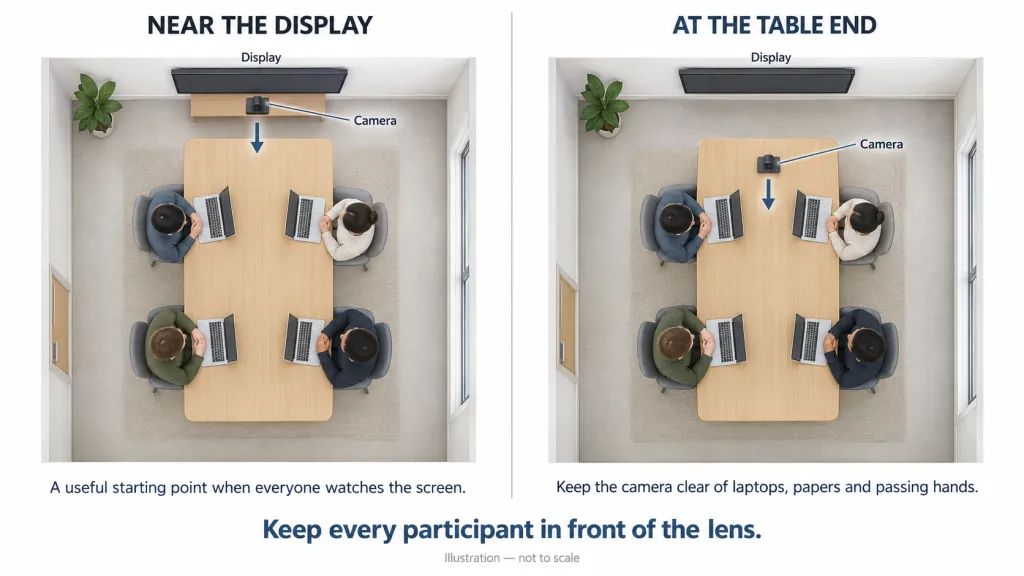
There is no single conference camera position that works for every room. Compare the options using the same seating arrangement.
Near the screen
This often suits meetings built around a shared display: a team presenting to a client, a manager reviewing slides, or colleagues listening to someone joining remotely.
Place the lens as centrally as practical. A camera far off to one side can make people appear to be addressing somebody outside the call.
Above or below the screen?
Choose the position that shows faces naturally without being blocked. Below the display may work when the screen is mounted high. Above it may avoid laptop lids, but a very high position can feel like looking down on the group.
Use seated face height as a starting point, then compare both views. Room-design guidance also emphasizes keeping the camera close to eye level where practical. Check how it looks from the actual chairs rather than choosing a mounting point just because space is available.
On the table
A tabletop position can help when there is no convenient screen-side location. However, it must leave room for laptops, papers, and people reaching across the table.
Match the position to the camera's design. A front-facing camera needs participants in front of its lens; it cannot sit among people and show those seated behind it. Follow the manufacturer's placement instructions.
What Is Blocking People from View?
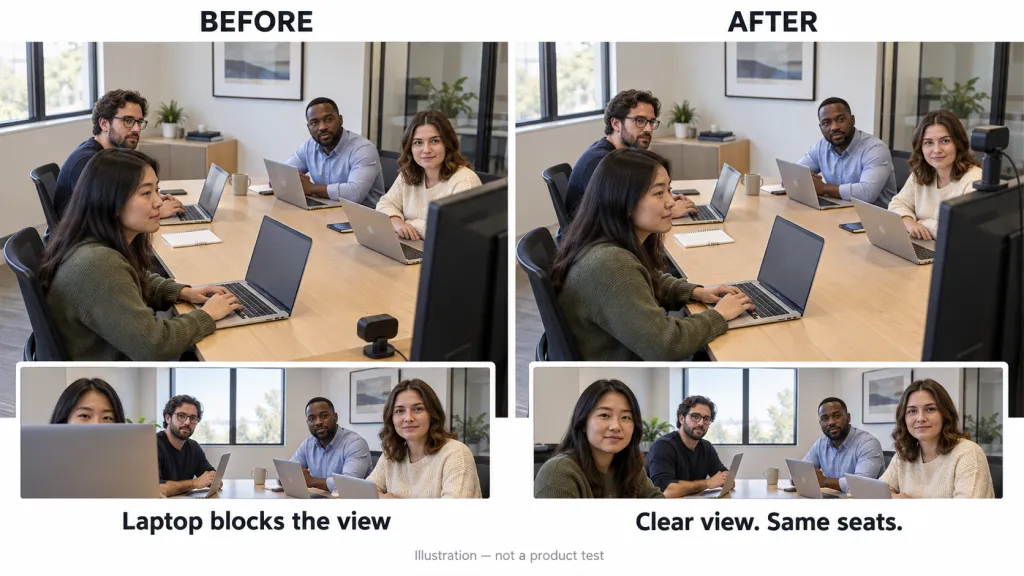
When someone disappears from the picture, the first question is simple: what sits between their face and the lens?
A laptop lid may be harmless from your chair but block a colleague from the camera's position. A stack of folders can hide someone at the far end. A person sitting directly behind another may vanish whenever the front person leans back.
Look through the camera preview while people use the table normally. Ask them to type, check a document, and turn toward the screen. Do not judge the view from a moment when everybody sits unusually still.
Try one change at a time:
- Move the camera away from the nearest laptop lid.
- Remove folders or equipment from its direct line of sight.
- Adjust the position slightly so one person does not sit directly behind another.
- If needed, use a stable, compatible stand rather than balancing equipment on books.
People still need their working space. A placement that requires everyone to close their laptop may look tidy, but it will not survive the first real meeting.
Why Is Moving Everyone Closer Not Always the Answer?
“Could everyone squeeze in?” is a reasonable favor during an occasional call. It becomes frustrating when it is required every time.
People need space to take notes, review a proposal, and turn toward whoever is speaking. Moving closer to the camera can also put them too close to the display or leave them sitting at an awkward angle.
Try changing meeting room camera placement before changing how the team sits. A small move back or to the side may help, but check whether people at the far end still look recognizable. Fitting every chair into a picture is not enough if faces become tiny.
If no practical position shows the normal seating arrangement, the camera may not suit the room. That is a useful reason to consider different equipment. You do not need a more elaborate setup simply because the table occasionally gets busy.
What Happens When Someone Joins Late?

Test the room with the extra chair people actually use, not just the seats shown in a floor plan.
A colleague arriving halfway through a discussion should be able to sit down without making everyone shuffle. Check the side seat pulled in from another room and the chair that ends up near the doorway.
Automatic framing can help adjust the picture when people join or leave, provided they are already within the camera's view. It cannot show somebody hidden behind a laptop or outside the lens's coverage.
Watch what happens after the person sits. Does the picture settle comfortably? Does somebody have to stop talking to adjust it? If automatic changes distract the group, try the camera's fixed view, where available.
Also check the real walking route. A convenient camera spot becomes inconvenient if people keep bumping its stand or stepping across its cable on the way to their seats.
Try a Call from the Other Side Before Buying Anything
The most useful judge is someone outside the meeting room. Invite a colleague to join from another location and ask specific questions rather than “Does it look okay?”
Can they recognize the people at both edges? Can they follow who is speaking at the far end? Does an open laptop hide anyone? Ask the room to continue a short, ordinary discussion while the remote person watches and listens.
Take a screenshot of each candidate position with participants' permission. Compare the views side by side, with the same seats occupied. You will see more than you would by repeatedly adjusting the camera while everyone waits.
Once you find a useful position, leave a simple reference for the next host: a photo of the whole setup, the usual seating arrangement, and which direction the lens should face. Shared rooms work better when nobody has to reconstruct yesterday’s successful call.
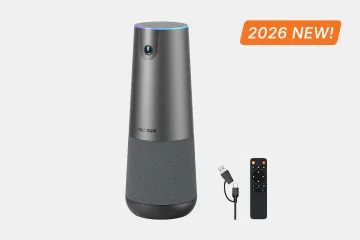
If a different position solves the problem, keep your existing equipment. If the room still needs a different approach, the Nuroum C40 offers tabletop or tripod placement and automatic group framing. Its integrated camera, microphones, and speaker make it an option to consider when the team wants one meeting device, but the chosen position still needs to work for your table.
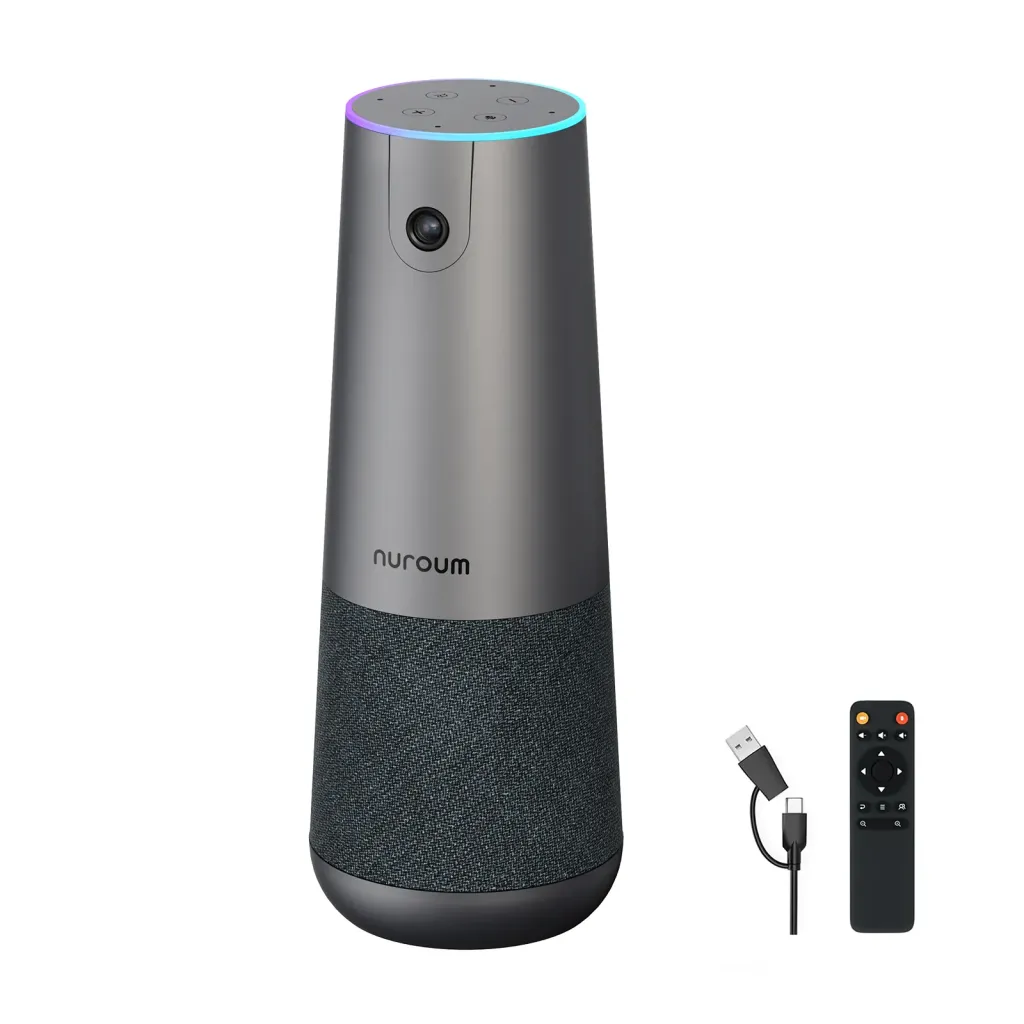
Before settling on a spot, confirm that:
- Regular seats and the extra chair remain visible.
- Laptops can stay open without hiding faces.
- People can watch the screen without twisting around.
- Remote colleagues can follow the conversation.
- The next host can use the room without rearranging it.
Choose the position that lets people get on with their meeting. If you are considering an upgrade, use these same checks when evaluating the C40 in your room.
FAQs
1. Should the conference camera face the window?
Avoid aiming toward a bright window directly behind participants when possible. Close the shades or try another position, then ask a remote colleague whether faces are easy to see at your usual meeting time.
2. Can the camera stay in one place for every meeting?
Yes, if it covers your regular seating arrangements without blocking work. Mark the tested position and leave a short room note. Recheck it when the table, display, or seating changes.
3. Will better placement make a whiteboard readable?
Not necessarily. A camera position that shows faces may leave writing too small to read. Share a digital version or use a separate view for the board rather than compromising the whole group's meeting view.
4. Where should I place the Nuroum C40?
We recommend placing the Nuroum C40 at the head of the meeting table, with the lens facing the participants. Keep it on a stable surface and clear of open laptop lids or other objects that could block faces. Before the meeting, check the camera view with everyone seated normally.