












































When remote colleagues hear the host but miss other voices, start with where people sit, where the microphone is, and how the discussion moves. Keep a working camera if audio is the only problem. Consider a compatible expansion microphone when distant seats remain hard to hear after practical adjustments.
Key Takeaways
- If the host sounds clear but other seats do not, check microphone placement before blaming everyone's internet connection.
- If people must lean forward or shout during every update, the audio arrangement needs to change rather than becoming a meeting rule.
- Keep a working camera when a suitable speakerphone can address the audio problem; consider an all-in-one device when both need replacing.
- Consider a compatible expansion microphone when the far end of the table remains difficult to hear, not as a universal fix for overlapping speech.
Good hybrid meeting audio lets remote colleagues follow the discussion, not just the person hosting it. If they hear the manager clearly but miss everyone else's updates, start by checking microphone placement and how people take turns. Consider additional equipment when normal conversation from the usual seats still fails to reach the call.
You may recognize the moment: someone online asks, “What was that last part?” A person in the room repeats it. A few minutes later, it happens again. Eventually, the remote colleague stops interrupting.
The meeting becomes easier to run, but that does not mean the problem has gone away.
What Does Poor Audio Make Remote Colleagues Miss?

Consider a weekly project review. An employee reports that a delivery is on schedule. A colleague farther down the table adds, “As long as the customer approves the sample by Wednesday.”
People in the room hear both sentences. Someone joining remotely hears only the first. They leave with a different understanding of the deadline.
This is why a call can sound acceptable and still fail. The main presentation comes through, while the qualifications, questions, and final agreements do not. A quiet correction can matter more than five minutes of slides.
There is also a cost to asking again. A remote employee may hesitate to interrupt their manager a third time, especially when everyone else seems to understand. Their silence is not reliable evidence that they heard everything.
When someone misses a comment, repeat the actual words before moving on. “We were just discussing the deadline” does not restore the condition they missed. Before closing the topic, state the agreed date, owner, and any remaining dependency aloud.
Why Does the Room Sound Fine to People Sitting in It?
Inside the room, you hear colleagues directly. You can turn toward a quiet speaker, notice who is talking, and use the surrounding discussion to fill in a missed word.
A remote colleague depends on what reaches the meeting microphone. If the only microphone is in the host's laptop, the person sitting beside it may sound much clearer than someone several chairs away. A quiet reply directed toward a neighbor can be harder to follow online.
That difference explains a familiar disagreement: people in the room say, “We can all hear each other,” while someone on the call says, “I can only hear you.” Both descriptions can be accurate.
Ask which voices disappear. If the same distant seats are difficult to understand while the host stays clear, room pickup deserves attention. If every voice suddenly cuts out, including the host, you may be dealing with a different issue.
You do not need to diagnose every audio setting to notice that pattern. Naming it helps you choose a useful next step instead of repeatedly asking the remote person to reconnect.
What Can You Change Before Buying Anything?
Start with changes that let people speak normally. Asking everyone to project their voice throughout a routine meeting is not a comfortable long-term arrangement.
Move a shared tabletop microphone away from the host's private workspace and closer to the group, if its design allows. Keep it uncovered and away from a pile of folders or a noisy desk fan. With an all-in-one camera, also check that the new position still shows participants. If you’re moving an all-in-one device, our conference camera placement guide explains how to keep everyone visible without blocking the table.
Then change how the discussion moves. When two people start talking, the host can invite one to finish and return to the other. If a side conversation affects the decision, bring it into the main discussion rather than letting remote colleagues hear indistinct background voices.
Make space for the quieter contributor, too. Ask them to finish their thought rather than immediately summarizing it for them. W3C's hybrid-meeting guidance emphasizes planning microphone placement for people who cannot speak loudly, rather than repeatedly demanding more volume.
These adjustments should reduce effort. If people still have to leave their seats to be understood, you have learned something useful about the limits of the current setup.
When Is the Laptop No Longer Enough?

A laptop can be a reasonable starting point for a few colleagues gathered nearby. You do not need to replace it simply because the meeting includes remote participants.
The limits become harder to ignore when the table fills up. Employees at the far end repeat every update. The host relays their answers. A presenter turns toward a document, and the person online loses the explanation.
At that point, choose equipment around what is failing:
- The camera works, but voices are uneven: consider a conference speakerphone suited to your seating arrangement. There is no need to replace useful video equipment solely to improve sound.
- Both the picture and shared audio need replacing: an all-in-one conference camera may be a simpler option to manage.
- The front seats sound clear, but distant seats remain difficult: look for a compatible microphone expansion option before replacing the entire setup.
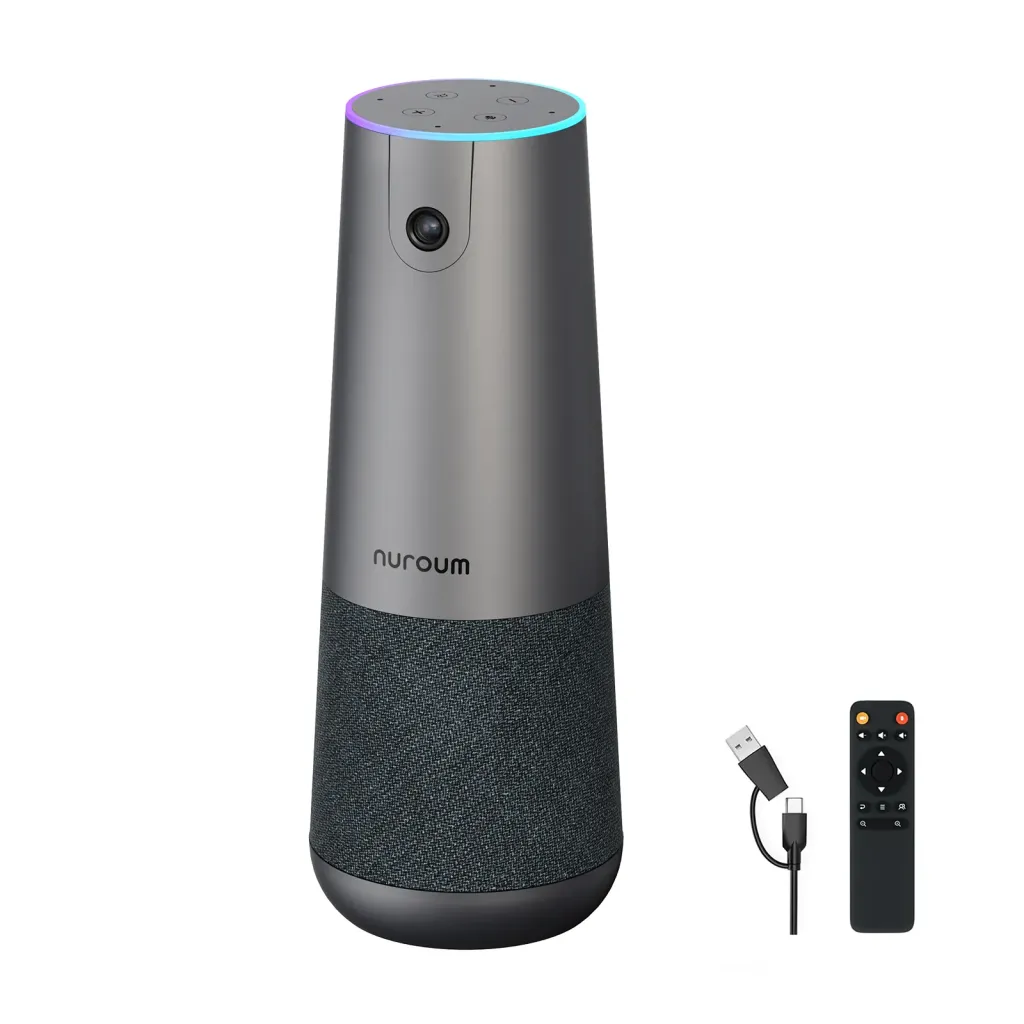
For teams considering the second option, the Nuroum C40 combines a camera, microphones, and speaker in one USB-connected device. It also supports optional AM01 expansion microphones. Those choices let you consider video and audio together without assuming that every table needs the same configuration.
Would an Expansion Microphone Help Your Table?
An expansion microphone is worth considering when the people who are hard to hear sit farther from the main device. It gives that part of the table a closer place for voices to reach the call.
Think about the seats used during a normal meeting. If the camera sits at the head of a long table, an additional microphone farther along the table may address a gap that moving the camera cannot. The camera still needs a useful view; the additional microphone can serve people beyond it.
C40 supports up to two compatible AM01 expansion microphones, according to Nuroum's configuration details. That is an available option, not a requirement to buy both. Base the choice on which occupied seats remain difficult to understand.
More microphones will not make two simultaneous conversations easy to follow. They also should not be treated as a guaranteed cure for a room that sounds hollow or has persistent background noise. If speech remains unclear even near the device, ask for advice on the room before adding accessories.
The purchase question is specific: will this configuration help the colleagues whose contributions currently disappear? That is more useful than choosing the package with the longest feature list.
Let Someone Outside the Room Judge the Result
Before the next meeting, ask a colleague in a separate room to join the call. Use the seats, devices, and speaking volume you expect during the real discussion.
Have someone near the camera give a short update. Let a colleague at the far end ask a question, then have another person add a brief correction. This checks the transitions between speakers, not just whether the host's microphone works.
Ask, “Which person was hardest to understand?” It gives you more useful feedback than a general “Can you hear us?” Remember to check the other direction: people in the room must understand remote voices too.
If additional laptops join for slides or notes, keep their audio off when using the shared room setup. The FDA's hybrid-meeting guidance recommends only one active room audio source to prevent echo and feedback.
If a placement change solves the problem, keep your equipment. If distant seats still need help, review the C40 and compatible AM01 options with that seating arrangement in mind. Choose a setup that lets people contribute from their normal chairs, without needing the host to repeat everything they say.
Hybrid Meeting Audio FAQ
Will turning up the room speaker help remote colleagues hear us?
Turning up the room speaker makes incoming voices louder for people in the room. It does not bring your microphone closer to distant speakers. If remote colleagues miss people at the far end of the table, review microphone placement and coverage instead.
Can captions replace better meeting room audio?
Captions can provide useful support, but check whether they capture the words people are missing. If quiet comments never reach the call clearly, do not assume the captions will recover them. Improve the audio and keep captions available for anyone who benefits from them.
Should every person in the room join with their laptop microphone on?
Not when everyone is sharing room audio. Multiple active laptop microphones and speakers can create echo or feedback. Use one shared room audio setup, and have additional laptops join without audio when needed for viewing or sharing content.
Do I need an AM01 microphone with the Nuroum C40?
Not automatically. Start by checking whether remote colleagues can understand people in the seats you normally use. Consider a compatible AM01 expansion microphone if distant seats remain difficult to hear after placement adjustments. Choose the configuration for your table rather than assuming every room needs extra microphones.