








































Callers hear your keyboard because most mics pick up everything nearby, not just your voice.
The fix combines better mic placement, software noise suppression, and a headset with ENC microphone technology — boom positioning plus multi-mic filtering — which can cut background sounds by 15–30 dB so only your voice reaches the other end.
Key Takeaways
- ANC protects your own hearing. Only microphone-side cancellation (ENC) stops others from hearing your keyboard. Check the spec sheet for ENC or a noise cancelling microphone.
- A boom mic placed 1–2 finger widths from the corner of your mouth can improve voice-to-noise ratio more than any software setting.
- Headsets with dual-mic ENC and a DSP chip reduce ambient call noise by roughly 15–30 dB — enough to hide keyboard clicks and nearby conversations.
- If callers hear echo rather than noise, the culprit is usually speaker volume feeding back into the mic — lower it before blaming the headset.
What Makes People Hear Your Keyboard During Phone Calls?
Every phone call is a chain: Voice enters a microphone → Gets converted to a digital signal → Transmitted to the other side.
The trouble starts at step one. Most built-in laptop and webcam mics capture sound equally from every direction. To them, a keyboard click 30 cm away and your voice 50 cm away are both just "sound."
Your mic receives a messy blend of your voice plus everything else in the room.
Phone call noise complaints almost always trace back to three factors:
- Microphone pickup pattern.
- Mic-to-mouth distance.
- Whether any noise-reduction processing happens before the audio is sent.

Why Do Some Headsets Pick Up Keyboard Clicks and Background Conversations?
Not all headset microphones are equal, and three design choices determine what your callers hear:
Pickup pattern
· Omnidirectional mics hear everything
· Unidirectional (cardioid) mics focus on sound from one direction — ideally, your mouth.
Mic placement
· A microphone sitting on your ear or in an earbud is far from your mouth, so the headset raises input gain to compensate — which also amplifies your keyboard and nearby colleagues.
· A boom mic positioned 1–2 finger widths from the corner of your mouth captures a dramatically cleaner voice signal.

Processing hardware
Headsets with a dedicated DSP (digital signal processor) can filter noise in real time, before your call app ever sees the audio.
Without it, all suppression falls on software like Zoom or Teams, which works on an already-contaminated signal.
This is why two people in the same office can have completely different call experiences: one sounds like they're in a server room, the other sounds studio-quiet.
How Does Microphone Noise Cancellation Work, and How Is It Different from ANC?
This is the single most misunderstood spec in headset shopping, and the source of many disappointing purchases.
ANC (Active Noise Cancellation) works on the speaker side
Microphones listen to ambient sound, and the headset generates inverse sound waves to cancel it — so you hear less of the office hum.
It protects your concentration. It does nothing for your caller.
ENC (Environmental Noise Cancellation) works on the microphone side
Dual- or multi-mic arrays capture both your voice and the room. A DSP compares the signals, identifies what isn't speech, and suppresses it.
It's what stops others from hearing your keyboard.
The practical takeaway: if your problem is "people hear my keyboard," ANC won't fix it. You need a noise cancelling headset with mic — one that explicitly lists ENC or a noise-cancelling microphone.

How to Reduce Keyboard Noise and Background Distractions During Calls
Before buying anything, work through these fixes in order — they're free and often solve half the problem:
Reposition your microphone
If your headset has a boom, place it 1–2 finger widths from the corner of your mouth, slightly off-axis to avoid breath pops. Distance discipline matters more than any setting.
Lower your input gain
In your OS sound settings, drop mic volume to around 70–80%. Overdriven gain is the main reason quiet keystrokes become audible.
Enable app-level noise suppression
Zoom, Teams, and Google Meet all include background-noise reduction — set it to "High" in loud environments.
If you've done all this and callers still hear your office, the bottleneck is hardware — and it's time to choose a better headset.
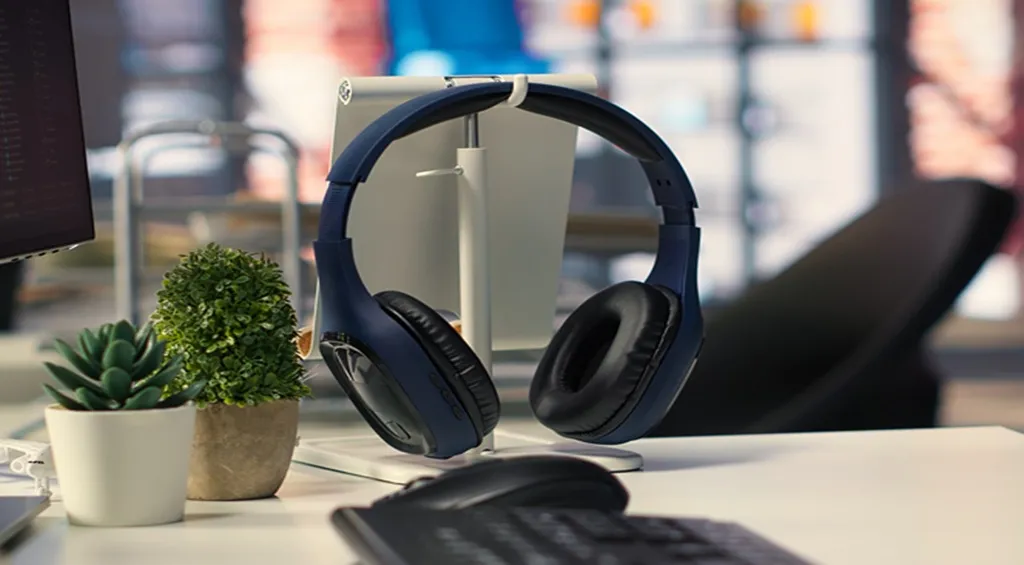
How to Choose a Noise Cancelling Headset with Mic for a Noisy Office
When comparing noise cancelling headphones for noisy office use, prioritize these criteria in order:
A noise cancelling microphone (ENC), not just ANC
Check the spec sheet for dual-mic ENC and a DSP chip. This is the feature that silences your keyboard for callers.
Boom mic design
A physical boom guarantees correct placement every time you put the headset on — no fiddling required.
Connectivity that matches your setup
· Bluetooth 5.3+ with multipoint lets you switch between laptop and phone.
· An included USB dongle gives a more stable connection than a laptop's built-in Bluetooth.
All-day comfort and battery
Call-heavy roles need 20+ hours of talk time and a fit you can wear for eight hours straight.
For example, the Nuroum HP31D is a conventional on-ear option with ENC, a USB dongle, and up to 35 hours of talk time — a solid fit for desk-bound agents.

- If you're new to the category, it helps to understand how open ear headphones work before deciding between open-ear and sealed designs.
- If most of your calls happen on the move, look specifically for the best open ear headphone for phone calls with proven wind and traffic suppression.
Which Headset Features Matter Most for Clearer Work Calls?
Beyond the microphone itself, a few secondary features have an outsized impact on daily call quality:
Dedicated mute button with tactile feedback
Faster and more reliable than on-screen muting when someone walks into your office.
Multipoint pairing
Join a laptop meeting and still catch mobile calls without re-pairing.
Certified app compatibility
Teams/Zoom certification ensures the headset's buttons and DSP features work properly with your platform.
Treat these as tiebreakers once microphone performance is confirmed.

FAQs
Does a noise cancelling headset with mic stop others from hearing my keyboard?
Yes — but only if the cancellation is on the microphone side.
· Look for ENC (Environmental Noise Cancellation) or a "noise cancelling microphone" in the specs.
· ANC alone only quiets what you hear and does nothing for the person on the other end.
Can software like Zoom or Teams replace a noise cancelling headset?
Software suppression helps, but it works on an already noisy signal.
A headset with a boom mic and hardware ENC captures cleaner audio first, so software has far less to fix.
Are open-ear headsets good for noisy offices?
They can be, provided they include a boom mic with ENC.
Open-ear designs keep you aware of colleagues and comfortable all day. Models pair that comfort with dual-mic filtering for clear calls.