








































What happens when you're on a work call and your baby suddenly starts crying? Tee, a work-from-home mom, put the Nuroum OpenEar Pro 2 through exactly that real-world WFH test—and the result was surprising. See how it handles background noise, keeps your voice clear, and lets you stay aware of what's happening around you.
Key Takeaways
- Real-world WFH test: See how the OpenEar Pro 2 performs when background noise gets unpredictable.
- Noise reduction: Its AI noise reduction and ENC microphones help reduce background noise during calls.
- Open-ear design: Stay connected to meetings while remaining aware of your surroundings.
- All-day comfort: The lightweight 31g design is suited to long meetings and workdays.
- WFH versatility: Dual connectivity and long battery life make it practical for everyday remote work.
Working from home doesn't always mean working in a quiet home office.
A baby can start crying during a meeting. Your dog can bark. Your partner may be on another call. For anyone looking for a reliable headset for work from home, the real question is whether your coworkers can still hear you clearly.
That's what Tee, a work-from-home creator and mom, wanted to find out with the Nuroum OpenEar Pro 2. After her first video about the headset took off, she received numerous comments and DMs asking whether it really works in a noisy home.
So she put it to the test.

Why Working From Home Doesn't Always Mean a Quiet Workspace
A home office may look quiet on camera, but real life is rarely that predictable.
Common WFH distractions include:
| WFH Situation | Potential Call Problem |
|---|---|
| Baby or kids crying | Your voice gets buried in the noise |
| Dogs barking | Sudden sounds interrupt conversations |
| Partner or roommate talking | Background voices get picked up |
| Household chores | Continuous noise affects calls |
| Traffic or construction | Outdoor noise interferes with communication |
If your dog is one of the main culprits disrupting your calls, a best headset to block dog barking can make the difference between an interrupted meeting and a productive one. That's why noise canceling headsets aren't just about better listening. For WFH calls, the microphone matters just as much.
That's why noise canceling headsets aren't just about better listening. For WFH calls, the microphone matters just as much.
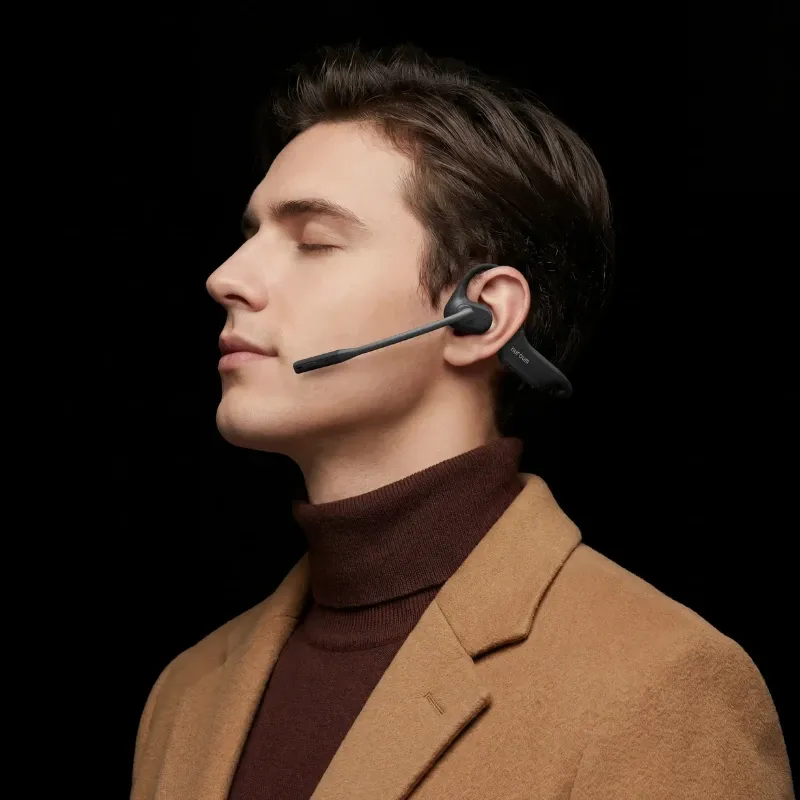
The OpenEar Pro 2 is designed to reduce unwanted background noise on your calls while keeping your ears open to your surroundings.
A Real-World Test: Working From Home With a Baby
This is where Tee's experience gets interesting.
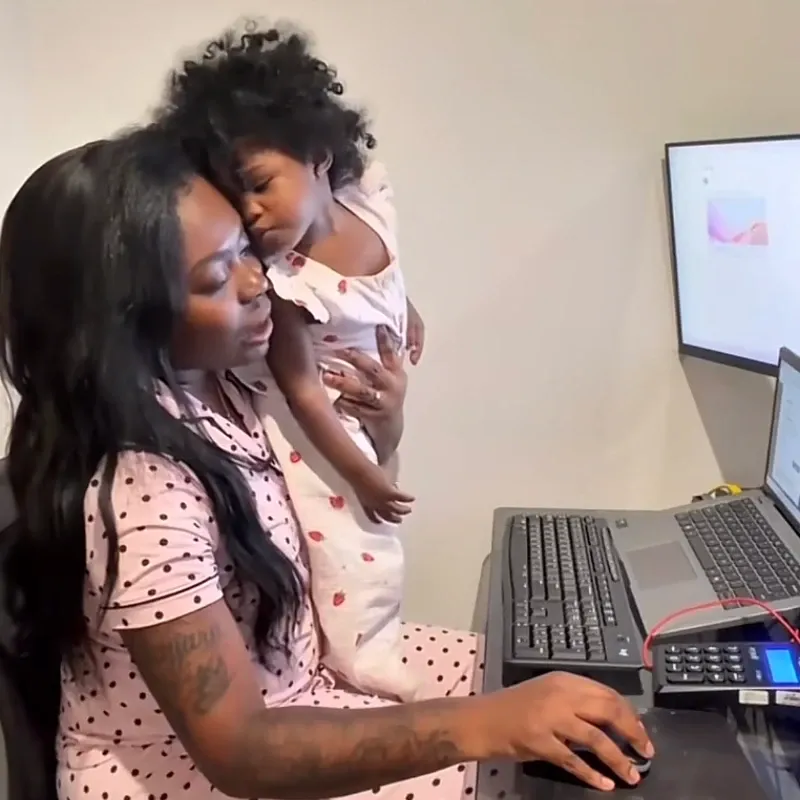
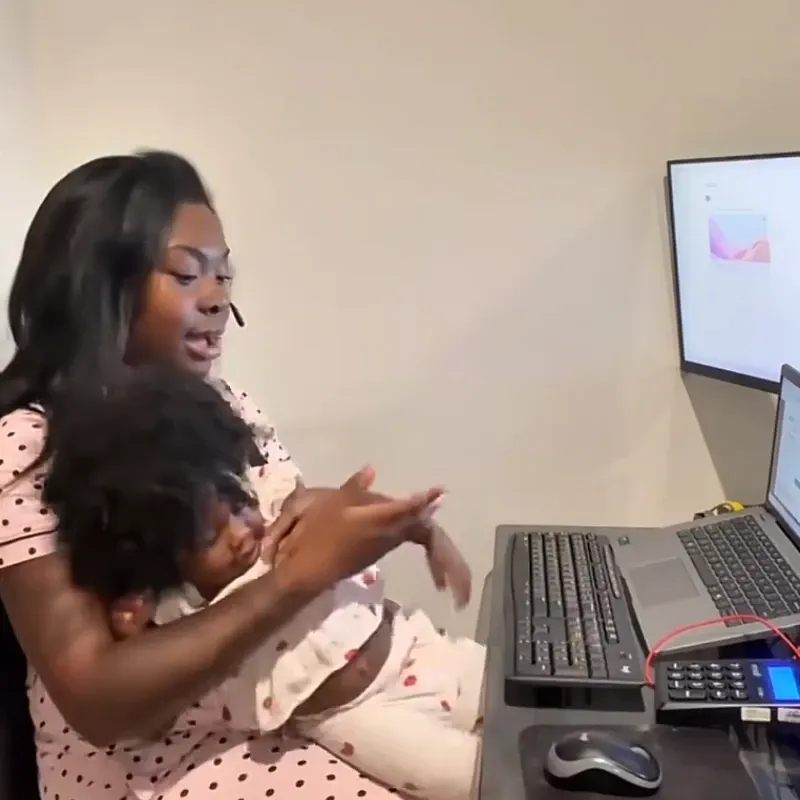
Rather than simply describing the headset's features, she tested it during a real work call—with her baby sitting on her lap.
The Baby Test
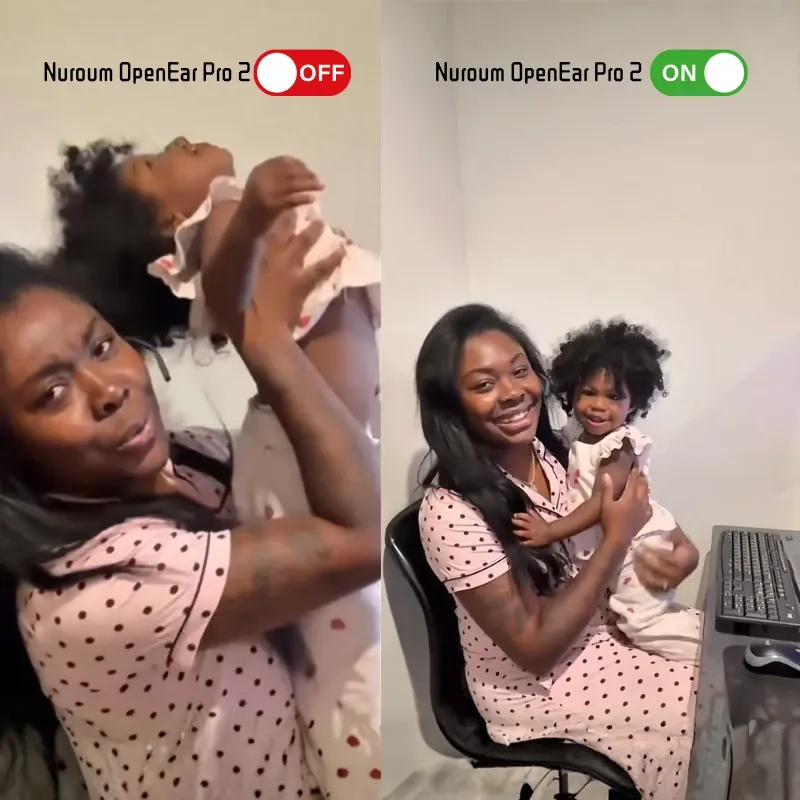
During a call with her manager, Tee's baby was crying beside her.
According to Tee, her manager could hear Tee clearly but couldn't hear the screaming baby in the background.
That's a much more meaningful test than simply looking at a specification sheet. This is the kind of scenario where a best headset for working from home with kids proves its value — not in a lab, but in the unpredictable reality of parenting while working.
The headset isn't making the baby disappear. Instead, its microphone system is designed to prioritize your voice and reduce unwanted background sounds.
Why This Matters for WFH
A typical remote work call can quickly turn into:
You: “Can everyone see my screen?”
Your child: starts crying
Your dog: starts barking
Your microphone: still needs to pick up your voice
That's where a noise cancelling wireless headset with mic can make a real difference.
How Does the OpenEar Pro 2 Handle Background Noise?
The key point: the OpenEar Pro 2 isn't designed to make your entire home silent.
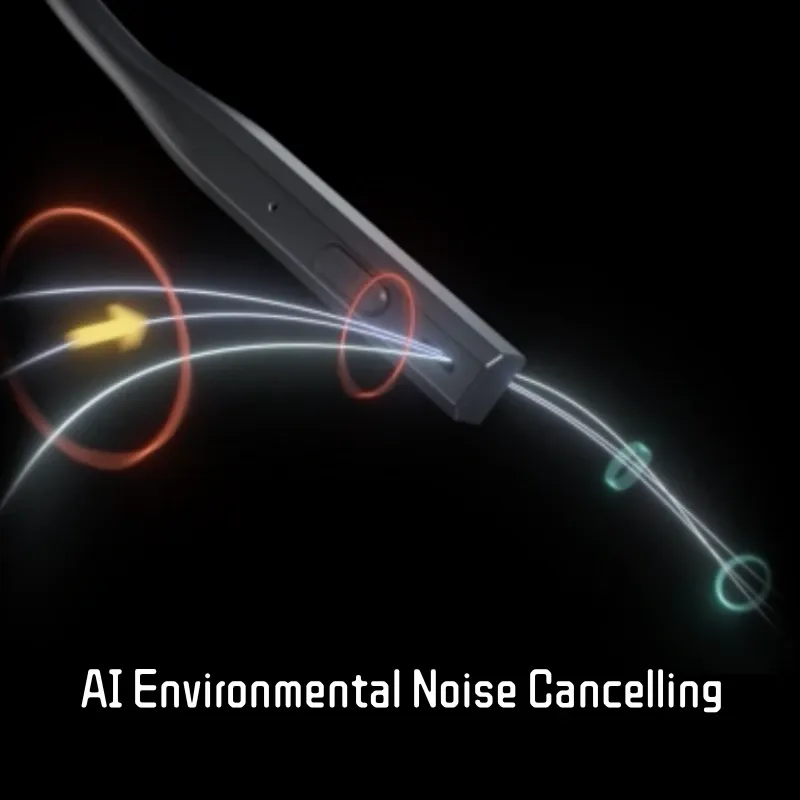
Its noise reduction technology focuses on the microphone side of the conversation.
| You Experience | Your Coworkers Experience |
| You can still hear your surroundings | Background noise is reduced |
| Open-ear audio keeps you aware | Your voice stays more prominent |
| You aren't completely isolated | Calls can be easier to follow |
The OpenEar Pro 2 uses AI noise reduction, echo cancellation, and dual-microphone ENC to improve voice clarity in noisy environments.
AI Noise Reduction for WFH
The goal isn't to remove every sound around you. It's to reduce the sounds that interfere with your voice during calls.
That can include:
Kids crying
Dogs barking
People talking nearby
Household activity
Everyday home-office noise
Tee's baby test offers a particularly relatable example: her manager could still hear her clearly despite the noise happening right next to her.
Stay Aware While You Work
Unlike traditional closed-back headphones, the OpenEar Pro 2 doesn't completely cover your ears.
Its open-ear design lets you stay aware of:
Your child calling you
The doorbell
Your partner
Your pets
What's happening elsewhere in the house
At around 31g, it's also designed for comfortable extended wear.
You can stay focused on your meeting without completely tuning out your home. If you are comparing the best open ear headset with mic for a balance of call quality and environmental awareness, the OpenEar Pro 2's combination of ENC technology and lightweight design is a strong contender in its category.
OpenEar Pro 2 Pros and Cons
For WFH, the most useful features aren't necessarily the ones with the biggest numbers. They're the ones that solve everyday problems.
Pros
| Pro | Why It Matters for WFH |
| AI noise reduction + ENC | Reduces background noise during calls |
| Open-ear design | Keeps you aware of your surroundings |
| 31g lightweight build | Better suited to long meetings |
| Dual connectivity | Connect to a laptop and phone |
| Up to 12 hours talk time | Covers a long workday |
| Wireless design | Move around without staying at your desk |
| Flexible microphone | Helps position the mic for voice pickup |
If you're comparing the best noise cancelling headset for working from home, the OpenEar Pro 2 stands out for its balance of call clarity, comfort, wireless freedom, and environmental awareness.
Cons
| Con | What It Means for WFH |
| Doesn't make your home completely silent | It reduces background noise rather than physically blocking it |
| Open-ear audio isn't total isolation | You'll still hear your surroundings |
| Not ideal for maximum immersion | Traditional over-ear ANC may suit better |
| Wind can affect the mic outdoors | Mostly relevant when using it outside |
Who Is the OpenEar Pro 2 Best For?
The OpenEar Pro 2 is best suited to people who need to work while staying aware of what's happening around them.
A strong fit for:
WFH professionals:Lightweight comfort and microphone noise reduction for daily Zoom, Teams, or Google Meet calls.
Parents working from home:Stay aware of your children while keeping your voice clear during calls.
Pet owners:Stay connected to your surroundings while reducing unwanted background noise.
People in shared homes:Take calls more comfortably when you can't fully control your environment.
FAQs
Is the Nuroum OpenEar Pro 2 good for working from home?
Yes. Its AI noise reduction, ENC microphones, open-ear design, lightweight build, and long battery life make it well suited to everyday WFH calls.
Can the OpenEar Pro 2 block out a crying baby?
It doesn't physically block the sound. Instead, its microphone noise reduction is designed to reduce background sounds picked up during calls. In Tee's test, her manager could hear her while she was holding her crying baby.
What should I look for in a headset for work from home?
Focus on microphone noise cancellation, voice clarity, comfort, wireless connectivity, battery life, and device compatibility. If you need to stay aware of your surroundings, an open-ear design can also be useful.
Is an open-ear headset good for working from home?
Yes, especially if you need environmental awareness. You can listen to your meeting while still hearing children, pets, doorbells, and other activity around your home.
Is the OpenEar Pro 2 a good noise cancelling headset for WFH?
If your priority is reducing background noise picked up by the microphone during calls, it's a strong option for WFH. If you want complete environmental isolation, a traditional over-ear ANC headset may be a better fit.