Best Headset for Noisy Calls on the Go: Nuroum OpenEar Pro 2 Review
A work-from-home creator tested the Nuroum OpenEar Pro 2 in a real airport food court.
Open-Ear Headset
Business Travel
Noise Cancellation
Updated: Aug 18, 2026 · 8 minutes read
Can an open-ear headset really keep your voice clear in a noisy airport? Instead of relying on specifications alone, work-from-home creator Millie put the Nuroum OpenEar Pro 2 through a real-world test in a busy airport food court, including a clap test and a hands-on mute test. The results offer a closer look at how the headset handles unpredictable background noise, while its lightweight open-ear design, long battery life, and dual-device connectivity make it a practical option for business travelers, remote workers, and digital nomads.
Key Takeaways
See how the Nuroum OpenEar Pro 2 performs in a real-world airport food court test, rather than relying only on lab specs.
Discover how its environmental noise cancellation (ENC) helps keep your voice clear during calls in noisy environments.
Learn how the physical mute button makes it easy to mute and unmute calls instantly when working on the go.
Understand why the open-ear design is useful for travelers who need to stay aware of boarding announcements, conversations, and surrounding activity.
Explore key features for mobile work, including 31g lightweight comfort, Bluetooth 5.4, dual-device connectivity, and up to 12 hours of talk time.
Taking a work call in a quiet office is easy. Taking one in an airport or busy café is another story.
That's what Millie, a work-from-home creator, wanted to find out with the Nuroum OpenEar Pro 2. After viewers asked whether it could handle noisy places, she took it on a work trip for a real-world test.
Airport noise, clapping, and microphone muting—all tested in a real environment.
Noise cancellation comparison in real-world environments
1.The Airport Food Court Test
Millie brought the OpenEar Pro 2 to an actual airport food court and used her phone to capture the surrounding noise.
She then started talking through the headset.
The goal was simple:
Could the person on the other end hear her clearly without hearing everything happening around her?
Instead of relying only on product specifications, Millie's test put the headset in a situation where background noise was unpredictable and unavoidable.
And that's where the clap test came in.
2. The Clap Test: Can It Keep Your Voice Clear?
Millie first clapped without talking, then repeated the test while speaking.
It was a simple way to see whether sudden loud sounds would overpower her voice during a call.
Her conclusion was positive: the microphone stayed focused on her speech instead of simply picking up everything around her.For anyone who regularly takes calls in unpredictable environments, the best headphones for calls in noisy environment offer the kind of microphone-focused noise reduction that makes the difference between being understood and being asked to repeat yourself.
That's particularly relevant when you're taking calls in:
Airports
Busy cafés
Coworking spaces
Hotel lobbies
You can't always control what's happening around you. A good headset needs to help keep your voice clear anyway.
3. The Mute Button Test
Millie also tested the OpenEar Pro 2's physical mute button.
During the call, she pressed the button and demonstrated that her microphone immediately stopped transmitting. Press it again, and the microphone comes back on.
There's also audio feedback when you mute or unmute, so you can tell when your microphone status changes.
It's a small feature, but useful when you're working on the go.
Someone starts talking to you? Mute.
Need to speak again? Unmute.
No need to reach for your laptop.
What Makes the OpenEar Pro 2 Good for Working on the Go?
The real-world test is only part of the story. The OpenEar Pro 2 also has several features designed around mobile work.
Open-Ear Design: Stay Aware
The open-ear design lets you listen to calls without completely blocking your surroundings.
That's useful when you're traveling because you can still hear:
Boarding announcements
People speaking to you
Traffic and surrounding activity
What's happening around you
Instead of choosing between taking a call and staying aware, you can do both. If you are comparing the best open ear headset with mic for travel and mobile work, the OpenEar Pro 2's combination of environmental awareness and ENC microphone technology makes it a compelling choice in the open-ear category.
Instead of choosing between taking a call and staying aware, you can do both.
Lightweight for Long Calls
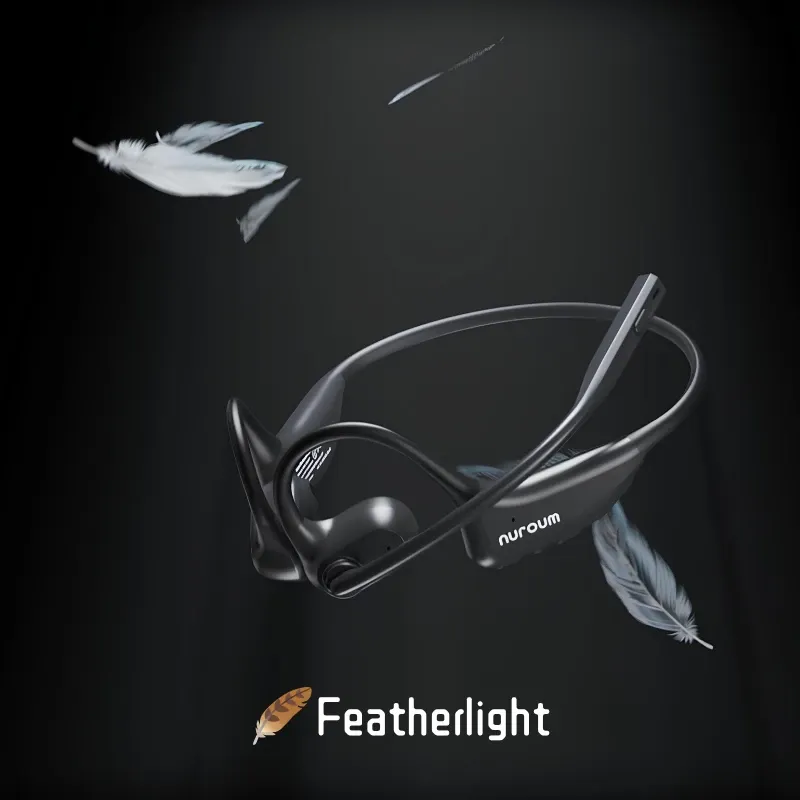
At around 31g, the OpenEar Pro 2 is designed to be lightweight for extended wear.
Millie also described it as the lightest headset she'd tried.
That makes it easier to wear through long meetings, airport waits, or a full day of travel.
Battery and Connectivity
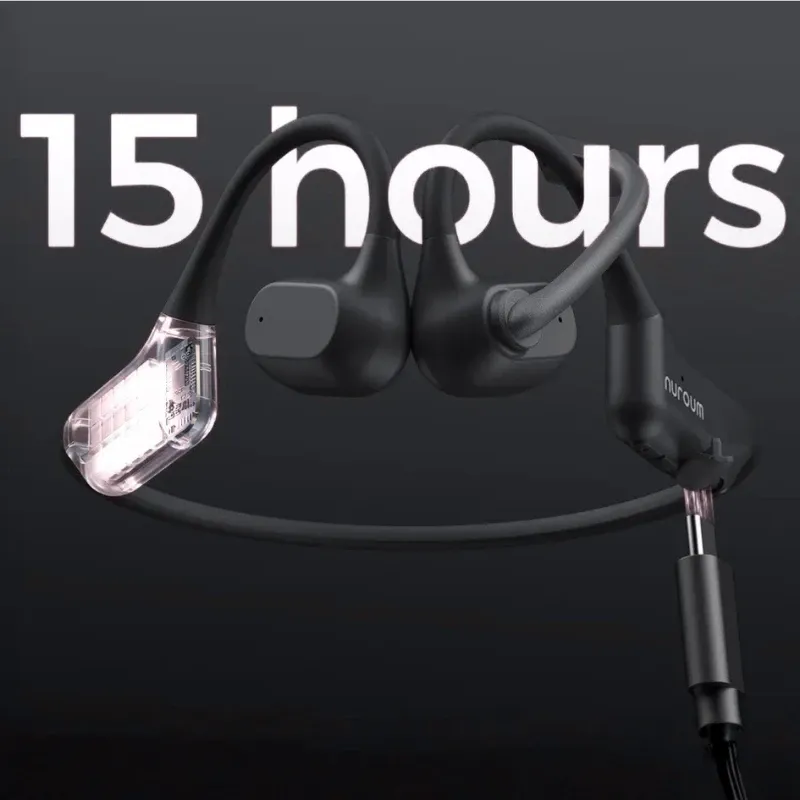
The OpenEar Pro 2 offers up to 12 hours of talk time and supports Bluetooth 5.4 and dual-device connectivity.
You can stay connected to devices such as a laptop and phone without constantly switching your setup.
For a work trip, that's one less thing to think about.
Who Is the OpenEar Pro 2 Best For?
✅Business travelers For calls in airports, cafés, hotels, and other busy locations.
✅Digital nomads For people whose workspace changes from day to day.
✅People who dislike bulky headsets For anyone who wants a lightweight alternative to traditional over-ear designs.
Where Can You Use the OpenEar Pro 2?
The airport may be the most demanding test, but it's far from the only place where an on-the-go headset can be useful.
Scenario
Why It Works
Airport
Take calls while staying aware of boarding announcements and your surroundings
Café
Handle work calls while reducing distracting background noise
Coworking Space
Stay connected to your meeting without completely isolating yourself
Hotel Lobby
Take meetings comfortably between travel stops
Home + Commute
Use the same headset from your home office to your next destination
The common thread? These are places where you can't fully control the environment—but still need to stay connected and productive.
FAQs
Is the Nuroum OpenEar Pro 2 good for calls in airports and cafes? Yes, based on the creator's real airport food court test. The environmental noise cancellation kept her voice clear while background noise was suppressed, and she specifically recommends it for work travel.
How long does the battery last? The creator reported 12 hours of battery life on roughly a two-hour charge — enough for a full day of meetings.
Is it comfortable for all-day wear? She called it the lightest headset she's ever tried, and the open-ear design avoids the bulk and clamp of over-ear models, which suits long work-from-home sessions.
Does it have a mute function? Yes — a physical button on the headset that fully mutes the mic, with audible feedback in the earpiece confirming the toggle.