










































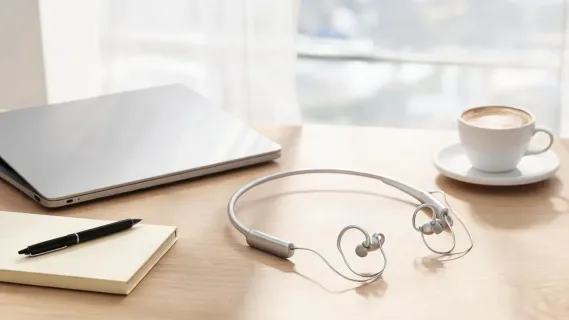
Can wearing headphones all day make your ears tired? From sore ears and trapped heat to that uncomfortable feeling of pressure, the problem may have more to do with headphone design than your ears. This guide explains what causes ear fatigue, compares over-ear, in-ear, and open-ear headphones, and explores why open-ear designs can be more comfortable for long hours of calls, work, and online classes. We also break down what to look for in a comfortable headset and examine whether the Nuroum OpenEar Pro 2 is a good choice for all-day wear.
Key Takeaways
- Headphone ear fatigue is mainly caused by pressure, heat, moisture, and prolonged listening.
- Over-ear and in-ear designs can create physical pressure or seal the ear, while open-ear headphones leave the ear canal open and reduce heat and pressure.
- For long calls, online classes, and daily work, open-ear headphones offer a strong comfort advantage over traditional designs.
- When choosing headphones for extended wear, prioritize lightweight construction, a comfortable fit, clear microphones, long battery life, and flexible connectivity.
- The Nuroum OpenEar Pro 2 combines a 31g open-ear design, ENC microphones, Bluetooth 5.4, multipoint connectivity, and up to 12 hours of talk time for all-day use.
Can Open-Ear Headphones Reduce Ear Fatigue? What to Know Before Buying
If you wear headphones or earbuds for hours of meetings, online classes, or focused work, you have probably felt the familiar late-afternoon throb: a dull ache around your ears, warmth building inside the cups, or a stuffed feeling that lingers after you take them off. That is ear fatigue from headphones, and it is one of the most common reasons people abandon otherwise great audio gear. The good news is that the design of your headset determines how much of that discomfort you feel, which is why many long-time listeners are now asking whether open-ear headphones can reduce ear fatigue more effectively than closed over-ear or in-ear options.
In this guide, we break down what actually causes listeners' ear fatigue, compare over-ear, in-ear, and open-ear designs for long-term comfort, and help you choose the best open ear headset with mic.
What Is Ear Fatigue and Why Does It Happen?
Ear fatigue is not a single diagnosis but a set of symptoms people feel after prolonged headphone use. It shows up as aching ears, pressure on the ears or temples, a feeling of fullness or blocked ears, heat and sweat inside the cups, and sometimes a mild ringing or reduced sensitivity after a long session. Two main forces drive it.
The first is physical pressure. Over-ear headphones rely on a headband that clamps the ear cups against your head, and if the cups are tight or heavy, that constant squeeze can strain the cartilage and skin of your ears and cause headaches over time. In-ear earbuds reverse the problem: they seal the ear canal, and the silicone tips press continuously against delicate tissue inside your ear. The second force is heat and moisture. Closed ear cups trap the warmth your body generates, and in-ear tips block airflow, both of which leave the ear feeling hot, sticky, and tired after an hour or two.
Auditory strain plays a role too. When you listen for hours without a break, continuous audio at high volume accelerates that tired, sluggish feeling. Health experts often recommend the 60/60 rule, listening at no more than 60 percent of maximum volume for 60 minutes at a time, precisely because uninterrupted listening is hard on your auditory system.
How Headphone Design Drives Pressure, Heat, and Comfort
Every headphone type trades comfort differently. The three mainstream designs feel very different at hour three, and that difference comes down to where the audio sits on your head.
Over-ear headphones surround your ear with padded cups and a headband. They offer superb sound isolation and comfort initially, but the clamping force, the weight of the cups, and the trapped heat become obvious during long sessions.
In-ear earbuds sit inside the ear canal. They are tiny and portable, but they plug the ear, which builds pressure and traps warmth. Some people find the tips uncomfortable after 90 minutes or so. This is why many searches for the most comfortable earbud headphones focus on soft tips and light weight rather than raw sound.
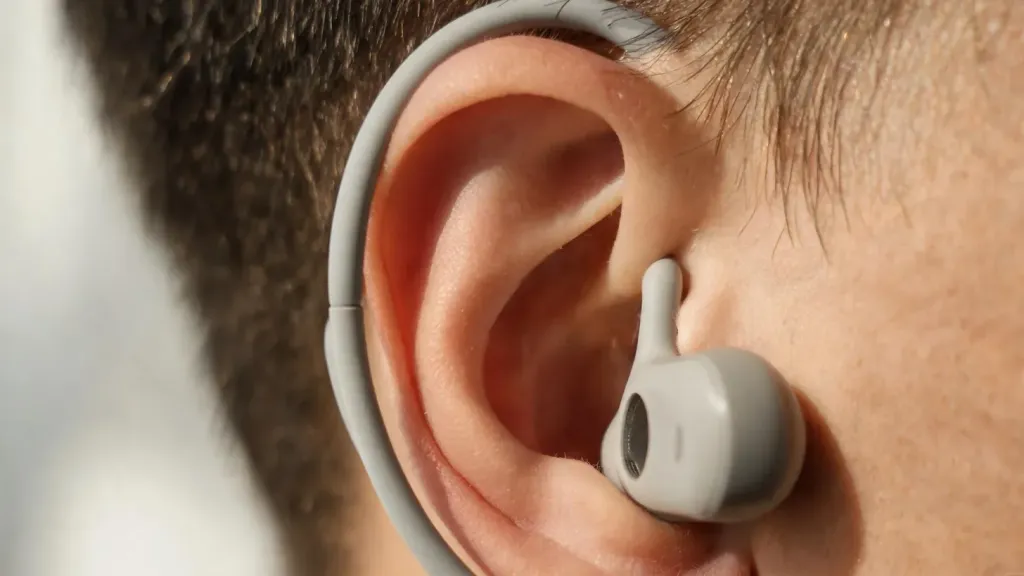
Open-ear headphones rest on the outside of your ear, leaving the ear canal open. Because there is no cup to clamp and no tip to plug, open-ear designs virtually eliminate the two biggest sources of fatigue: clamping pressure and trapped heat. Air flows freely around your ear, and the headset can be made exceptionally light. The trade-off is that they do not isolate you from your environment, which can be an advantage or a disadvantage depending on where and how you listen.
Over-Ear vs. Open-Ear vs. In-Ear: A Long-Wear Comparison
To make the differences concrete, here is how the three designs compare for people who wear audio gear for hours at a time.
| Factor | Over-Ear | In-Ear (Earbuds) | Open-Ear |
|---|---|---|---|
| Pressure on the ear | Clamping force on the ears and temples | Pressure inside the ear canal | Minimal, rests outside the ear |
| Heat and moisture | Trapped inside closed cups | Trapped in the sealed ear canal | Air circulates, stays cool |
| Weight | Heaviest, distributed by headband | Very light | Light (often under 40 g total) |
| Awareness of surroundings | Very low (isolated) | Low to moderate | High, you hear the room |
| Ideal for | Immersive listening, quiet rooms | Portability and on-the-go | Long calls, work, and daily wear |
If your priority is deep, immersive sound in a quiet room, over-ear headphones are hard to beat. If you want something tiny to throw in a pocket, in-ear earbuds win on portability. But if your priority is wearing a headset for long hours without pressure, heat, or fatigue, the open-ear design has the clear structural advantage.
Can Open-Ear Headphones Reduce Ear Fatigue?
Yes, for most listeners they can, and the reasons are about physics rather than marketing. By removing the clamping force of a headband and the plugging of an in-ear tip, open-ear headphones remove the two main sources of physical ear fatigue. The open structure also lets heat escape, so your ears stay cooler, and because the ear is not sealed you avoid that pressurized, stuffed feeling that closed designs create.
There are real caveats. Open-ear headphones let outside noise in, so they are not the best choice for a loud commute or a noisy shared office where you need isolation. They also do not deliver the same bass slam as a sealed over-ear pair. However, for the specific goal of all-day comfort, an open-ear headset is often the most comfortable choice for long use, especially for people who spend their days on calls, classes, and video meetings. For those who need a work from home headset with noise cancelling microphone, the open-ear form factor paired with ENC technology delivers the rare combination of all-day comfort and professional call clarity.

What to Look For in Comfortable Headphones for Long Use
If you decide an open-ear design fits your needs, a few specs separate a comfortable daily driver from a model you will want to take off after an hour. When comparing the best headsets for work across comfort, call quality, and connectivity, these are the criteria that matter most.
Weight matters more than anything for long wear. A headset you barely notice is one you will forget you are wearing, so look for a lightweight build, ideally well under 50 grams for an open-ear headset.
Fit and adjustability come next. A soft, flexible hook that wraps around your ear should distribute weight evenly without pinching. If you wear glasses, check that the hook does not fight with the temple arm, since that is when open-ear comfort starts to slip.
Call quality and microphones matter if you buy for work. Look for models with dual microphones and ENC noise cancellation so your voice stays clear on Zoom, Teams, and Webex calls even in a busy room. For those who regularly take calls from unpredictable environments, the best headphones for calls in noisy environment demonstrate how ENC and directional microphones keep your voice front and center regardless of what is happening around you.
Connection flexibility. Bluetooth 5.4 with multi-point lets you stay linked to a laptop and a phone at the same time and switch between a meeting and a mobile call without juggling devices.

Practical Tips for Cutting Ear Fatigue Any Day
Even with the right headset, small habits make a large difference in how your ears feel. First, keep the volume reasonable and follow a version of the 60/60 rule. Second, take short breaks every hour. A two-minute pause with the headset off restores airflow and gives your ears a reset. Third, match the headset to your environment. Use an isolating pair when you need total focus in a quiet space, and switch to an open-ear headset when you want to stay aware of the room, such as when you are home with family or on a walk. Fourth, keep your ears clean and dry, since trapped moisture from long sessions can make minor irritation worse.
Is the Nuroum OpenEar Pro 2 a Good Fit for All-Day Wear?
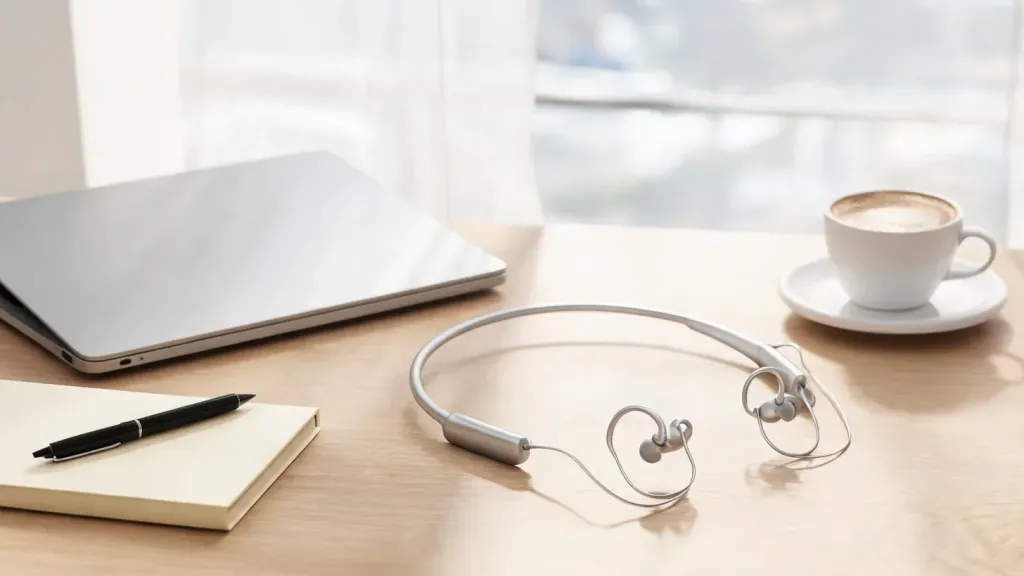
For readers who prioritize lightweight, pressure-free, and long-duration comfort, the Nuroum OpenEar Pro 2 is worth a close look. It is an open ear headset designed around the comfort factors we have covered, and a strong example of a best wireless headset for work that also handles daily listening.
The headset weighs about 31 grams, which puts it in the featherlight category where you quickly stop noticing it. Its open-ear design leaves your ear canal free, so there is no plugging, no clamping, and plenty of airflow, which directly targets both the pressure and heat behind ear fatigue. If your concern is clear communication, the OpenEar Pro 2 pairs dual noise-cancelling microphones with HiFi 4 DSP and ENC technology, so your voice cuts through background noise on Zoom, Teams, and Webex calls. Anti-leakage technology also keeps your conversation private on calls.
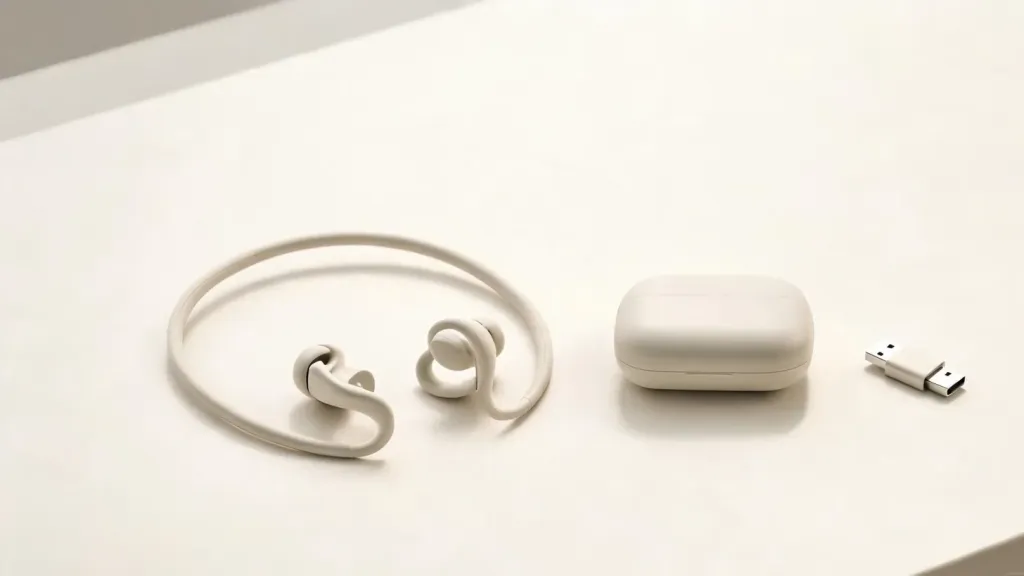
Battery life is built for long days: up to 12 hours of talk time and 15 hours of music, with a full charge in about two hours over USB-C. Bluetooth 5.4 with multi-point connection keeps you linked to your laptop and phone at the same time, and the included USB-A/C dongle offers plug-and-play connection to a PC or Mac. A mute button, a compact carrying case, and compatibility with the platforms remote workers and online teachers already use round out the package.
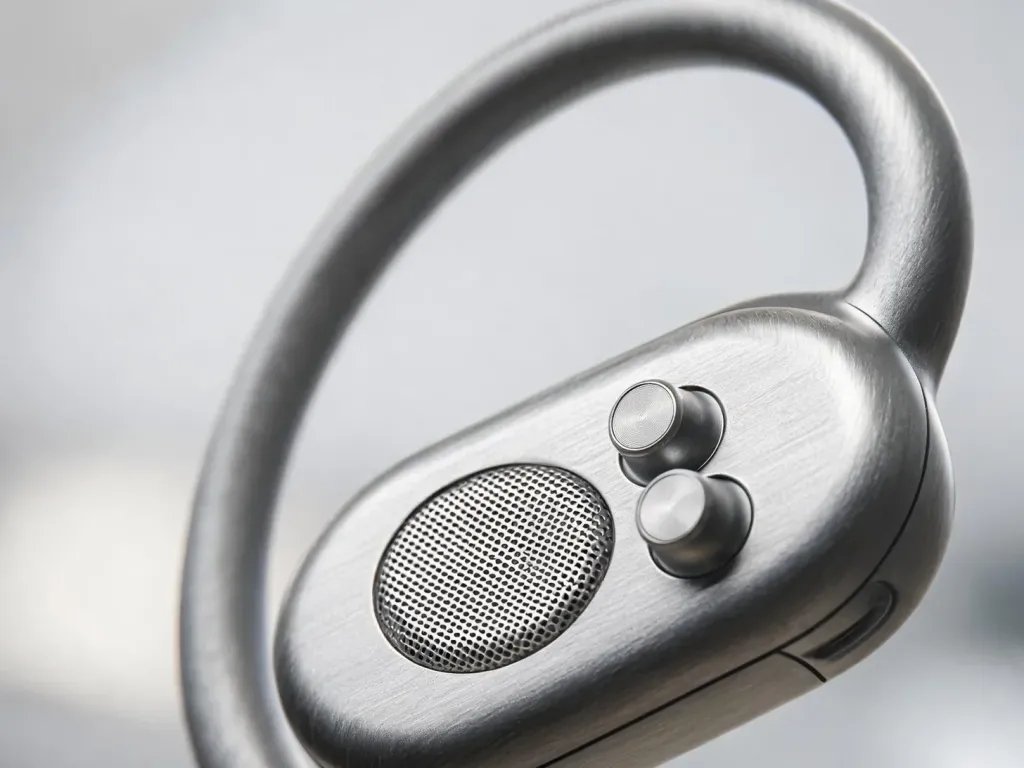
If you compare it against typical over-ear or in-ear options, the OpenEar Pro 2 trades some sound isolation for a level of all-day comfort that closed designs rarely match. That trade is exactly what many remote workers, office professionals, online teachers, and students are looking for, and it is why this style keeps growing in popularity.
FAQs
Do open-ear headphones still produce good sound?
Yes, though not the same as a sealed pair. Modern open-ear models use larger drivers and DSP tuning to deliver full, natural sound with deep bass, just without the isolation of a closed design. For calls, podcasts, and most music, most people find the quality more than adequate.
Can open-ear headphones help with ear pain from over-ear or in-ear models?
Often yes. Because open-ear headphones do not clamp the ear or plug the canal, they give the ear a break from the exact pressure points that cause fatigue. If your pain comes from tight over-ear cups or deep in-ear tips, switching to an open-ear design is a reasonable first step.
Are better open-ear headphones expensive?
Not necessarily. While premium closed headphones can cost several hundred dollars, capable open-ear headsets land at accessible price points. The Nuroum OpenEar Pro 2, for example, is priced around $129 with frequent promotional discounts, which makes all-day comfort relatively affordable.