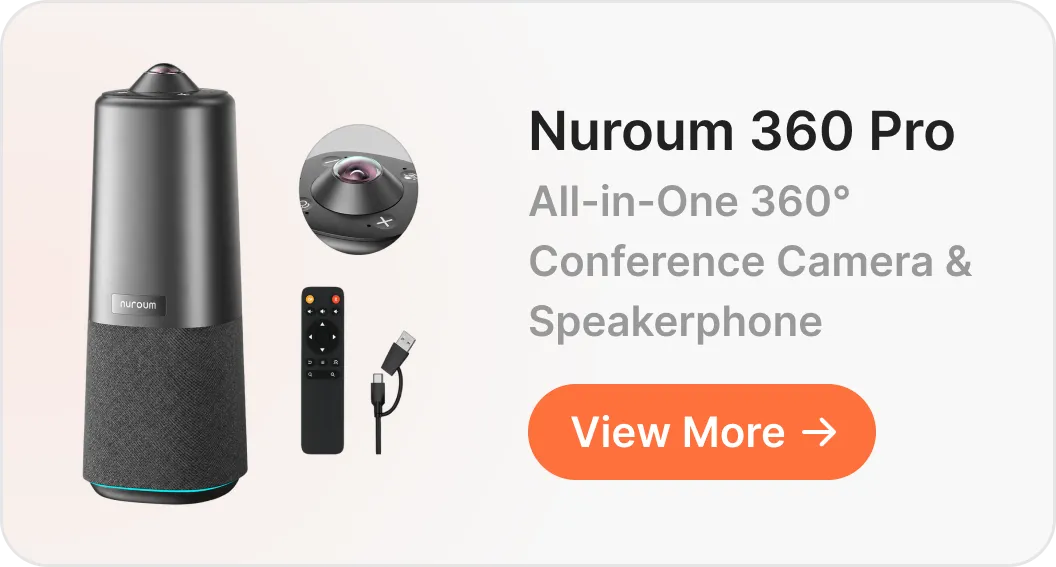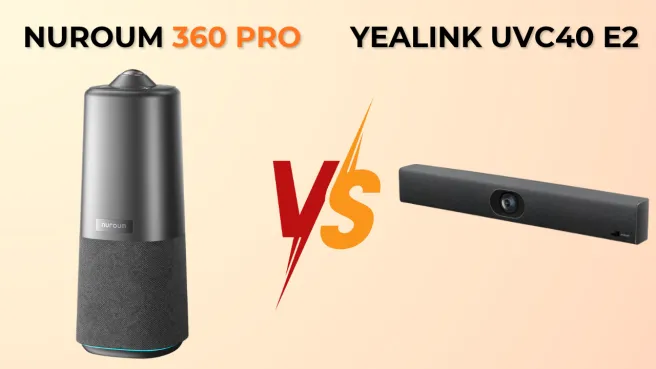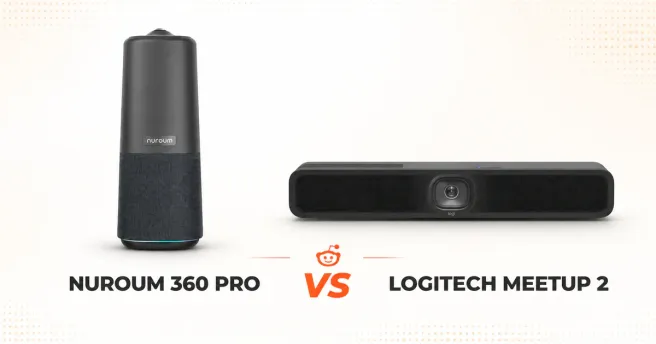
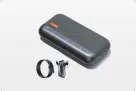

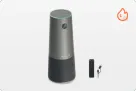
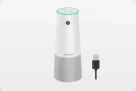
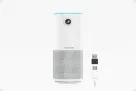
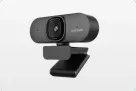
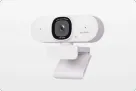
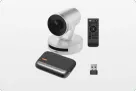
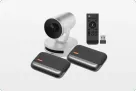
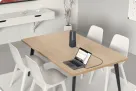

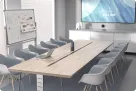








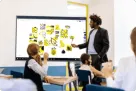
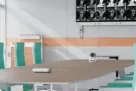

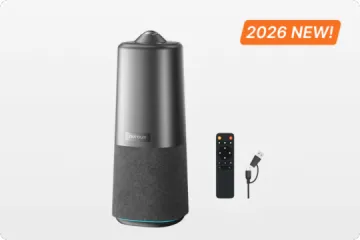
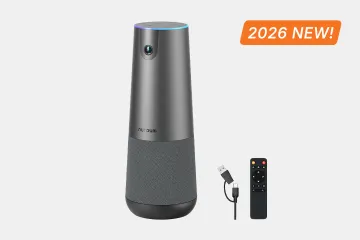
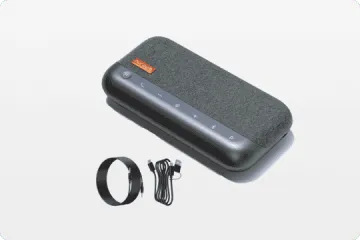
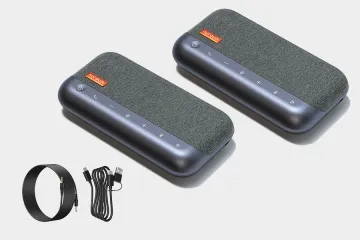

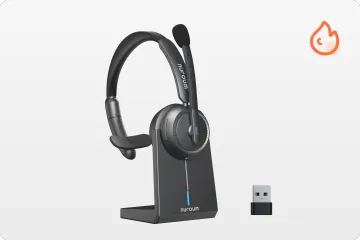

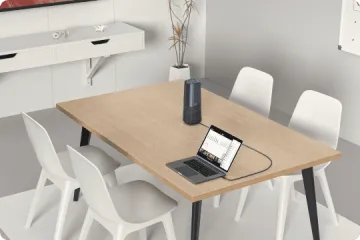

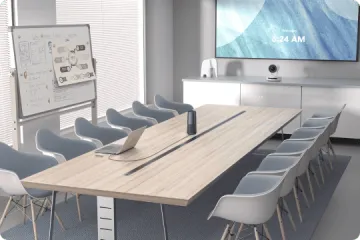
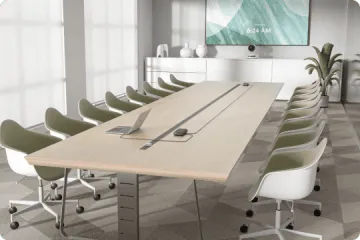
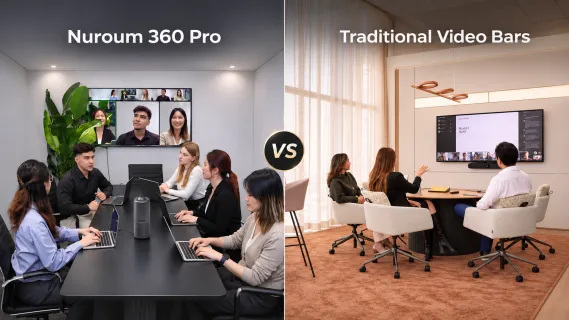
Nuroum 360 Pro centers the camera and microphones on the meeting table, while traditional video bars organize the room around a wall display. User feedback highlights five practical buying factors: framing, audio distance, cabling, system reliability, and the complete cost of equipping a room.
For the past few years, all-in-one front-of-room video bars—such as the Logitech Rally Bar, Logitech MeetUp 2, Jabra PanaCast 50, Poly Studio R30, and Yealink UVC40—have been the default choice for conference room upgrades. On paper, mounting a single bar beneath the TV promises a clean, effortless hybrid meeting setup.
In reality, a closer look at candid discussions across IT communities like Reddit (r/CommercialAV, r/sysadmin, r/logitech, r/Jabra, r/yealink) and verified Amazon buyer reviews tells a more complicated story. From edge-cropped video and hollow far-field audio to fragile proprietary cables and firmware headaches, wall-mounted video bars frequently struggle in modern collaborative spaces.
For 4-to-12-person huddle rooms, medium boardrooms, and flexible BYOD (Bring Your Own Device) workspaces, a center-of-table 360° conference camera like the Nuroum 360 Pro offers a fundamentally better approach. Here is how the two architectures compare across five key areas—backed by real-world user feedback.
Quick Comparison: Nuroum 360 Pro vs. Traditional Video Bars
| Feature / Dimension | Nuroum 360 Pro (Center-of-Table 360°) | Traditional Video Bars (Front-of-Room) |
|---|---|---|
| Camera Perspective | Balanced 360° center-table view with natural eye contact | Single front-wall angle; prone to side profiles & edge cropping |
| Glass-Wall Interference | Focused around table seating; minimizes hallway triggers | Faces deep into room; prone to tracking passersby outside glass |
| Microphone Distance | 3–6 ft (1–2 m) close-range tabletop pickup | 10–25 ft (3–8 m) far-field pickup prone to room echo |
| Audio Coverage & AI | Up to 20 ft (6 m) pickup radius; 2 TOPS AI chip | Often requires expensive proprietary expansion mic pods |
| Installation & Cabling | Zero drilling; single standard cable BYOD plug-and-play | Wall/VESA mounts required; picky/fragile fiber USB-C cables |
| IT Maintenance | Standard UVC/UAC driver-free simplicity | Complex embedded OS; prone to firmware & CEC/display quirks |
| Total Cost of Ownership | Transparent all-in-one value; no mandatory add-ons | High base price ($1,200–$3,000+) plus brackets, cables & pods |
If the shortlist also includes another center-of-table system, the Nuroum 360 Pro vs. Meeting Owl 3 comparison examines how two 360-degree conference cameras differ in viewing modes, controls, expansion, and everyday room fit.
1. Camera Perspective & Visual Equity: Front-of-Room Blind Spots vs. Center-of-Table 360° Clarity
One of the most fundamental differences between a traditional video bar and a tabletop 360° conference camera comes down to simple geometry and conference camera placement. A video bar sits at the front of the room, mounted above or below the display, looking down the length of the table. While this works for basic lecture-style setups, it frequently creates framing challenges in collaborative, multi-person meetings.
The Real-World Struggles of Front-of-Room Video Bars
Edge Cropping and Placement Headaches: Because a wall-mounted bar views the room from a single distant vantage point, participants seated near the front edges or corners of a table can easily fall outside the frame. As one IT professional noted on Reddit (r/CommercialAV) regarding the Logitech Rally Bar:
"The Rally Bar has worked well in our space, but we had to tweak the placement a bit to avoid cutting off people at the edges of the boardroom table."
Unnatural Stitching and Fisheye Distortion: To compensate for blind spots near the display, some video bars use ultra-wide 180° multi-camera stitching. However, pushing optics that wide often introduces noticeable visual artifacts. A user on Reddit (r/CommercialAV) sharing first-hand feedback on the Jabra PanaCast 50 pointed out:
"My initial impression is that I hate the 180 FOV approach. The stitching IMO is super obvious and goofy looking. ... I also hate the fisheye."
False Auto-Tracking in Modern Glass-Walled Rooms: Front-facing cameras look deep into the room—and often straight through glass conference room walls into busy hallways. In r/CommercialAV, an administrator deploying the Jabra PanaCast 50 described a frustrating tracking issue:
"have a conference room with a glass wall and it keeps tracking people outside the room... Tech is onsite looks like it was still tracking even with that disabled and set."
How Nuroum 360 Pro Solves the Framing Dilemma
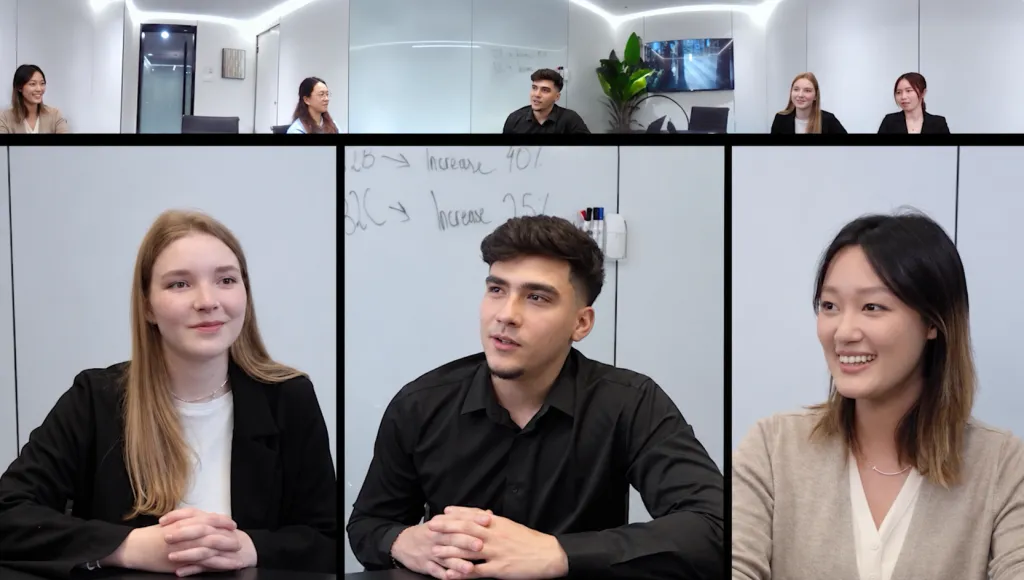
- Balanced 360° Coverage Without Distortion: Placed at the center of the table, Nuroum 360 Pro captures everyone at a close, equal distance—avoiding heavy fisheye stretching, awkward multi-lens stitching, and edge cropping.
- Natural Eye Contact: Participants face inward toward the table rather than staring sideways at a wall display, giving remote colleagues a direct, eye-level perspective.
- Minimized Hallway Distractions: Because the lens focuses around the immediate seating area rather than aiming out toward glass partitions, it significantly reduces false tracking of passersby outside the room.
2. Audio Physics & Room Acoustics: 10–25 ft Far-Field Struggle vs. Close-Range Tabletop Clarity
In video conferencing, poor video is an annoyance, but poor hybrid meeting audio is a dealbreaker. Yet because a traditional video bar is mounted at the front wall, its microphone array sits anywhere from 10 to 25 feet (3 to 8 meters) away from the people speaking. Fighting against the inverse-square law of sound—where audio energy drops rapidly as distance increases—forces front-of-room bars into aggressive digital processing that often degrades voice quality.
The Real-World Audio Bottlenecks of Front-of-Room Video Bars
Weak Pickup in the Back Half & Hidden Add-On Costs: As soon as a meeting room extends beyond a small huddle space, built-in video bar microphones often struggle to capture distant voices clearly, forcing IT teams to spend hundreds of dollars more on proprietary expansion pods. On Reddit (r/CommercialAV), users shared candid feedback on Logitech Rally Bar and Logitech MeetUp 2; the same room-layout trade-off is examined in this Nuroum 360 Pro vs. Logitech MeetUp 2 comparison:
"The auto-framing works very well, but that's about the only positive thing I can say about this product. Terrible mic pickup, so you'll need proprietary mic pods."
— Reddit (r/CommercialAV), on Logitech Rally Bar
"Video is not your problem. Completely inadequate from an audio perspective. / the experience for the back half of the room was very average, even with an extension mic."
— Reddit (r/CommercialAV), on Logitech MeetUp 2
Hollow, Echoey Sound in Challenging Acoustics: Trying to boost faint voices from across the room inevitably amplifies HVAC noise, keyboard typing, and sound bouncing off hard walls or high ceilings. Users across r/Jabra and r/yealink reported noticeable room echo with Jabra PanaCast 50 and Yealink UVC40:
"The microphone pickup is very unsatisfactory, remote users hear muffles/ echoed / roomy voice coming from room."
— Reddit (r/Jabra), on Jabra PanaCast 50
"The video is great but the mic quality isn't good for a room with these ceilings."
— Reddit (r/yealink), on Yealink UVC40
Beamforming Lock-On Delays Cutting Off First Words: To isolate voices from afar, video bars rely on narrow beamforming algorithms that steer toward active speakers. When conversation bounces quickly around a table, that re-locking delay can clip the start of sentences. As a Jabra PanaCast 50 deployer noted on Reddit (r/CommercialAV):
"The microphones will not pickup whoever is speaking in the room unless they really speaking loudly, and there is still a delay. ... to not catch the beginning of every response is really an issue."
How Nuroum 360 Pro Solves the Audio Distance Problem
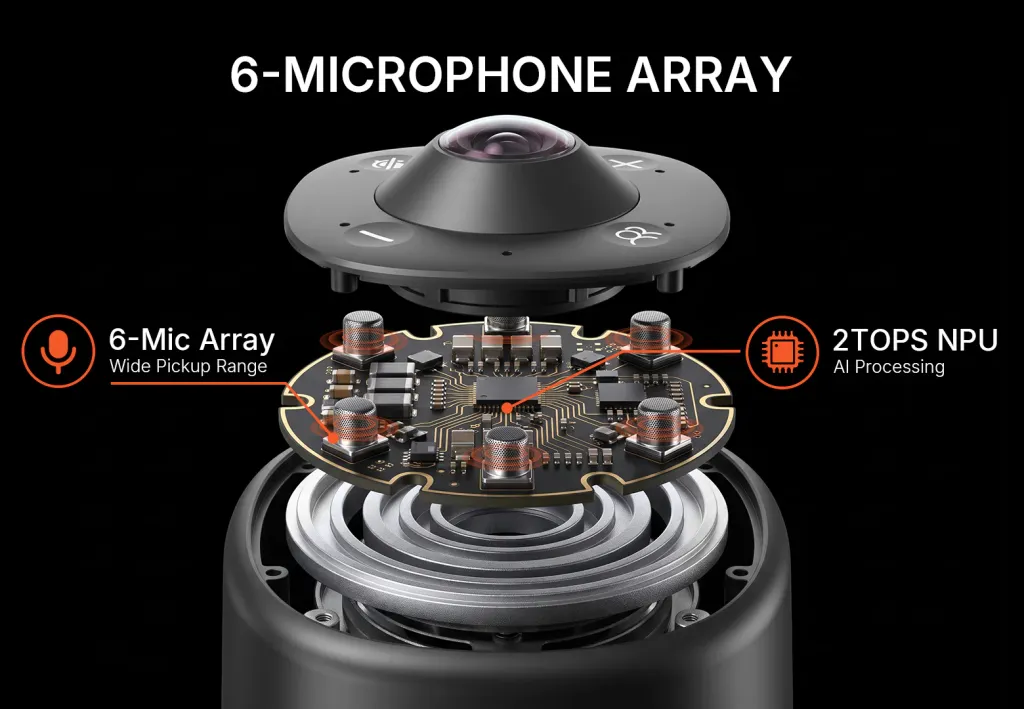
- Close-Range Clarity (3–6 ft / 1–2 m): Sitting at the table's center puts the microphones just 3–6 feet (1–2 meters) from seated speakers, delivering higher signal-to-noise ratio and noticeably less room echo.
- Up to 20 ft (6 m) Pickup Radius: Its circular array reaches up to 20 feet (6 meters), covering larger tables or presenters standing at a whiteboard without extra satellite mic pods.
- Powered by a 2 TOPS AI Chip: Built-in 2 TOPS of on-device AI processing handles real-time noise suppression and smooth voice tracking, helping ensure the first words of a sentence aren't clipped.
3. Cabling, Mounting & Deployment: Installation Headaches vs. True Plug-and-Play
Many companies buy all-in-one video bars expecting effortless setup, only to discover hidden installation hurdles—from missing brackets to fragile, proprietary cables.
The Real-World Deployment Struggles of Video Bars
Picky Cable Requirements & Fragile Fiber Runs: Several popular video bars are notoriously sensitive to USB-C cables, forcing IT teams into overpriced proprietary optical cables that can break easily inside wall plates. As users on Reddit (r/CommercialAV) noted about Logitech MeetUp 2 and Jabra PanaCast 50:
"Logitech is annoyingly really, really specific about cables... Be aware that users can and will break an optical fibre USB cable in fairly short order. / Logitech sells their Strong Cable for this purpose. Wildly overpriced for an optical USB..."
— Reddit (r/CommercialAV), on Logitech MeetUp 2
"My largest issue thus far is being limited to the Jabra approved USB-C cables only and not having them long enough."
— Reddit (r/CommercialAV), on Jabra PanaCast 50
Cable Clutter & Missing Mounting Hardware: Buyers frequently find that mounting brackets aren't included in the box or require custom furniture routing to look tidy. Reviews on Amazon and Reddit (r/CommercialAV) highlight these frustrations for Logitech Rally Plus and Poly Studio R30:
"There is so many wire and components to this thing it is a total mess. You need a purpose built furniture, room layout, cable routing for this thing to look half way decent."
— Amazon (1★ Review), on Logitech Rally Plus
"I found documentation that the Poly R30 has a mount that connects to a display mount but cannot find product numbers that match up... the R30 needs another attachment to make this work."
— Reddit (r/CommercialAV), on Poly Studio R30
For a broader view of how integrated and multi-component systems change installation work, the Nuroum C40 vs. Logitech GROUP comparison examines the all-in-one vs. modular conference room system decision.
How Nuroum 360 Pro Simplifies Deployment
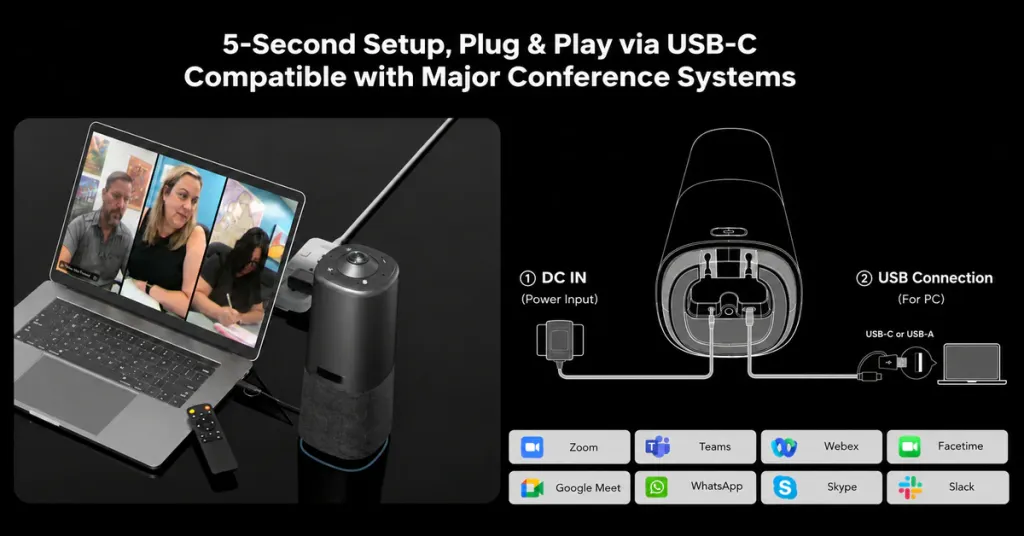
- Zero Drilling or Bracket Hunting: Simply place Nuroum 360 Pro on the table—no wall-mounting, VESA adapter sourcing, or custom furniture modifications required.
- Single-Cable BYOD Simplicity: Connect directly to a laptop with a standard cable and start meeting in seconds, avoiding expensive proprietary optical extensions.
- Portable Across Rooms: Easily move one unit between huddle rooms, boardrooms, or temporary collaboration spaces whenever team needs shift.
4. IT Maintenance & System Reliability: Firmware Glitches vs. Dependable Simplicity
The more complex an all-in-one bar becomes—packing embedded operating systems, proprietary control protocols, and multi-hop connections—the more points of failure IT teams have to troubleshoot.
The Real-World Reliability Complaints Around Video Bars
Sudden Audio Dropouts & Bricked Firmware Updates: Across IT communities, administrators frequently report devices losing microphone/speaker recognition after a few months or getting stuck in boot loops following firmware updates:
"The speaker / microphone disappear. The camera still works though ... This is a disaster!"
— Reddit (r/yealink), on Yealink UVC40
"after the latest firmware update our Jabra Panacast 50 is stuck in some weird state - white LED is breathing ... only detects it as 'ADB interface / Fastboot interface'."
— Reddit (r/Jabra), on Jabra PanaCast 50
"The Rally Bar just restarts itself after 30 seconds, with a load audio pop noise before it does."
— Reddit (r/logitech), on Logitech Rally Bar
For buyers weighing room size and deployment fit—not just a single firmware report—the Nuroum 360 Pro vs. Yealink UVC40 E2 room-fit comparison connects user feedback with audio coverage and meeting-room layout.
BYOD Quirks, Missing CEC & Hidden Audio Bugs: Even routine BYOD meetings can trigger unexpected behaviors, from missing display sleep controls to phantom screens or disabled remotes:
"The Meetup 2 in USB BYOD mode there is no CEC or display control. The meetup 2 simply never goes to sleep and therefore the video feed never cuts off. / even though we don't use anything in the HDMI ports, the Meetup shows up as a screen in windows."
— Reddit (r/CommercialAV & r/logitech), on Logitech MeetUp 2
"We have a Poly Studio R30's speaker and while mic and camera were fine, audio wouldn't work."
— Reddit (r/ClaudeCode), on Poly Studio R30
(Required digging into hidden voice.usbAsyncAudio settings to fix.)
How Nuroum 360 Pro Reduces IT Overhead
- Driver-Free UVC/UAC Architecture: Built on universal plug-and-play standards rather than bloated embedded middleware, Nuroum 360 Pro connects cleanly across Zoom, Microsoft Teams, Google Meet, and Webex.
- Fewer Failure Points: By focusing purely on high-precision audio and 360° video processing without complex wall-to-table control buses, it minimizes random disconnections and phantom display glitches.
- Consistent User Experience: Employees walk in, plug in a single cable, and start talking—reducing repetitive helpdesk tickets.
5. Hardware Longevity & Total Cost of Ownership (TCO): Hidden Add-Ons vs. All-In-One Value
Enterprise video bars typically carry price tags from $1,200 to over $3,000—yet buyers often discover that the base box is only the beginning of their spending.
The Real-World Cost & Longevity Frustrations
Power Supply Failures Eroding User Trust: Long-term fleet operators have reported batch failures of external power adapters after just one to two years of deployment:
"I've had the same issue happening at work - two of them failed, on the same week! ... our supplier ... confirmed it's a known Power Source Unit issue. / units fail in combination with the already ongoing issue of Teams failing to detect the units on first launch, has meant that our staff have zero trust in them."
— Reddit (r/Jabra), on Jabra PanaCast 50
"Aspirational" Product Photos & Mandatory Accessory Upgrades: Several Amazon buyers expressed frustration that advertised setups require purchasing separate speakers, mic pods, remotes, or mounting kits:
"despite appearances, this only comes with one speaker despite having plugs for two, and one mic pod despite having plugs for two... it also doesnt come with the mounting bracket shown in the final picture. the photos on the page are more aspirational, what your setup could look like if you buy all the accessories sold separately"
— Amazon (3★ Review), on Logitech Rally Plus
"No remote is included, you have to purchase a rallybar or rallybar mini remote."
— Reddit (r/logitech), on Logitech MeetUp 2
How Nuroum 360 Pro Delivers Superior TCO
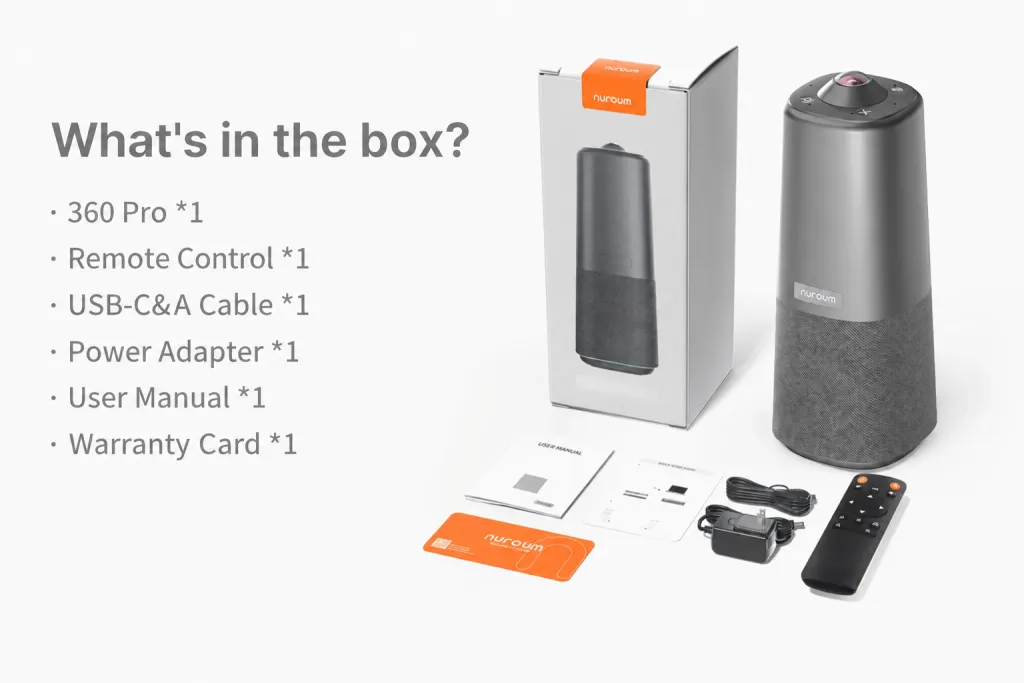
- Transparent, Ready-to-Use Value: Everything needed for a full-room audio and 360° video experience comes in one compact unit—no mandatory expansion mics, proprietary optical cables, or extra wall brackets.
- Lower Cost per Equipped Room: Teams can outfit multiple huddle and medium conference rooms for the price of a single high-end video bar deployment.
- Built for Everyday Hybrid Workflows: Streamlined hardware design minimizes external cable stress and power-brick clutter on the table.
Which Solution Fits Your Meeting Room?
Room geometry should lead the decision. If neither a center-table device nor a front-of-room bar fits the workflow, compare other video conferencing cameras by seating pattern, camera distance, audio coverage, and host controls.
When a Traditional Video Bar Still Makes Sense
- Large auditoriums, lecture halls, or fixed classroom layouts where everyone faces one direction toward a front stage.
- Dedicated, permanent boardrooms with pre-installed conduit, professional AV integration budgets, and strict policies against placing hardware on the table.
When Nuroum 360 Pro Is the Smarter Choice
- 4-to-12-person huddle rooms and medium conference rooms where people sit around a table and collaborate face-to-face.
- BYOD hybrid workspaces requiring instant, single-cable setup across Zoom, Teams, and Google Meet without IT intervention.
- Glass-walled rooms or challenging acoustics where close-range (1–2 m) pickup and a 20 ft (6 m) radius outperform distant wall-mounted bars.
- Agile teams and budget-conscious organizations seeking lower total cost of ownership and the flexibility to move equipment between rooms.
Frequently Asked Questions (FAQ)
1. What is the main difference between Nuroum 360 Pro and a traditional video bar?
The main difference is where the meeting is centered. Nuroum 360 Pro sits in the middle of the table and captures participants in every direction, making it a natural fit for face-to-face group discussions. A traditional video bar sits beside the display at the front of the room and works best when participants face the screen in a fixed, presentation-led layout.
2. Which is better for meetings where people sit around a table: Nuroum 360 Pro or a video bar?
Nuroum 360 Pro is generally the better fit for roundtable discussions because its center placement keeps the camera and microphones closer to participants on every side. This reduces the front-to-back distance difference of a wall-mounted camera and gives remote attendees a more balanced view of the conversation. The actual result still depends on the table size, seating arrangement, lighting, and room acoustics.
3. When does a traditional video bar make more sense than Nuroum 360 Pro?
A traditional video bar makes more sense in a fixed, front-facing room where everyone watches the same display, the bar can remain permanently mounted, and IT can plan the cabling and control workflow. It can also be the better choice for lecture-style meetings, classrooms, and presentation spaces where keeping the table clear matters more than capturing participants from every direction.
4. Can a center-of-table camera like Nuroum 360 Pro cover a medium or large conference table without extension microphones?
Yes. Unlike wall-mounted video bars that struggle to pick up voices 15–20 feet away, the Nuroum 360 Pro sits at the center of the table—just 3–6 feet (1–2 meters) from seated participants—while offering up to a 20-foot (6-meter) pickup radius powered by a 2 TOPS AI chip, capturing full-table discussions clearly without extra mic pods.
5. Does Nuroum 360 Pro require wall mounting or special optical USB-C cables?
No. Nuroum 360 Pro is designed for zero-drill tabletop deployment. Simply place it on the conference table and connect via a standard cable for instant plug-and-play compatibility with Windows, macOS, Zoom, Microsoft Teams, and Google Meet.
6. Why do traditional video bars often struggle in glass-walled conference rooms?
Front-of-room video bars face deep into the room toward glass partitions, which can cause auto-framing algorithms to falsely track people walking past in the hallway. A center-of-table 360° camera focuses around the immediate seating area, significantly reducing outside-the-room distractions.
Conclusion: Choose the Architecture That Fits How Your Team Meets
The choice between Nuroum 360 Pro and a traditional video bar is ultimately a choice between two meeting-room layouts. Front-of-room video bars remain a practical fit for fixed, presentation-led spaces where participants face the display and IT can plan the mounting, cabling, and controls. For collaborative meetings built around a shared table, Nuroum 360 Pro brings the camera and microphones closer to every participant, reduces installation complexity, and gives teams a more natural 360° view of the conversation.
Before purchasing, test the normal seating arrangement, the farthest speaker, a fast back-and-forth discussion, the complete cable path, and the controls a first-time host will use. The best system is not the one with the longest specification sheet—it is the one that lets people start the meeting, see every participant, and hear every voice with the least friction.
Ready to upgrade your hybrid meetings without the cable clutter, mounting hassles, or enterprise price tag? Explore the Nuroum 360 Pro today and bring natural, 360° face-to-face collaboration to every table.